
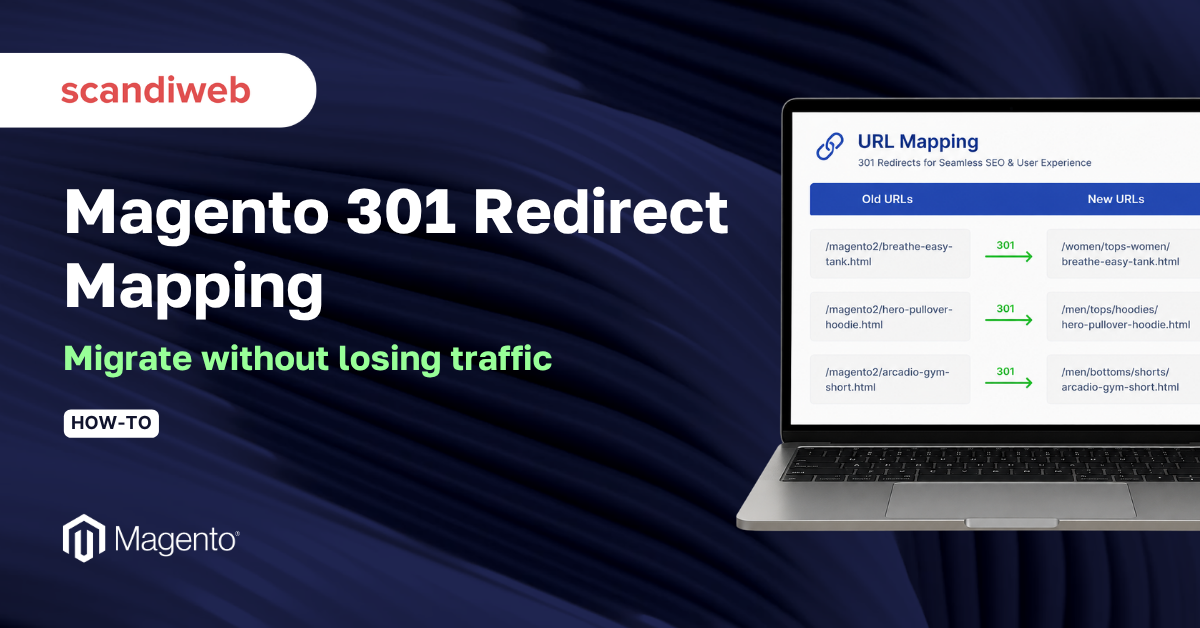
Most migration checklists treat 301 redirects as a final box to tick once the new store is built. That order is backwards, and it is why so many Magento replatforms quietly bleed traffic. A study of 892 site migrations by Search Engine Land found that around half lost organic traffic, only about one in ten improved their rankings, and recovery took an average of roughly 17 months, with 17% of sites never fully recovering. Missing or misconfigured 301 redirects are the single biggest reason. Map the redirects first, and the new store launches with its rankings intact instead of fighting to win them back.
This guide walks through how to build a Magento 301 redirect map, which redirect level to use, and how to test it so a Magento 2 migration does not cost you the traffic you already have.
Overview
- A 301 redirect permanently forwards an old URL to a new one and passes most of the old page’s link equity to the destination, which is what keeps rankings alive through a URL change.
- The minimum viable map covers every URL that earns organic traffic and every URL with valuable backlinks. Everything else is a bonus, not a prerequisite for go-live.
- Magento can auto-generate redirects on URL key changes, but sitewide migrations need a server-level rule set plus a manually verified spreadsheet of old URL to new URL pairs, tested before and after launch.
What is a 301 redirect?
A 301 redirect is a server response that permanently forwards both users and search engine crawlers from an old URL to a new one. The “permanent” signal tells search engines the original page is gone for good and that its accumulated ranking value should pass to the destination URL. Google confirms it forwards PageRank through 301 redirects, so a clean redirect preserves most of a page’s earned authority.
The catch is relevance and path length. As reported by Search Engine Journal citing guidance from Google’s John Mueller and Gary Illyes, redirect chains lose more equity than a single hop, and a redirect that points to an irrelevant destination can be treated as a soft 404, transferring little or nothing. The lesson for Magento mapping is to redirect each old URL to its closest real match in one step, not to dump everything onto the homepage.
🚀 Quick takeaway
A 301 only protects rankings when it points to a relevant page in a single hop. One-to-one matches keep most of the equity, while irrelevant targets and multi-step chains leak it.
Why do 301 redirects matter for an eCommerce migration?
301 redirects matter because they are how a store carries its organic traffic, backlink value, and existing customer paths across to new URLs. Skip them and old pages return 404 errors, drop out of search results, and the new pages start from zero. On an eCommerce store with thousands of indexed product and category URLs, that gap shows up as lost revenue within days.
Think of it like moving house without filing a change of address. The mail still goes to the old place, including the things that matter, and you only notice what you missed once it is too late. URLs behave the same way. When the content moves but no redirect is in place, every channel that points at the old address breaks at once:
- Organic traffic. 301 redirects pass the value of backlinks to the destination URL. Industry analyses put the share of equity carried through a clean 301 in the 90 to 95% range. Without redirects, old pages return 404s, fall out of the index, and the new URLs, even with identical content, can take many months to climb back.
- Paid traffic. Ad destination URLs and email links go stale the moment the URL structure changes. A newsletter sent on Monday with old product links will drop subscribers on a 404 page by Wednesday if the redirects are not live.
- Referral traffic. Links in social posts, press coverage, partner sites, and forums all point at the old addresses and cannot be edited after the fact.
- Direct traffic. Bookmarks and browser history send returning customers, often your most valuable cohort, straight to a missing page.
scandiweb has delivered Magento and Adobe Commerce migrations across more than 2,100 eCommerce projects since 2003, and the pattern is consistent. The migrations that protect rankings are the ones where redirect mapping starts during planning, not the week before go-live. We have also seen the opposite: a Magento 2 migration launched without a redirect map, where organic traffic fell across every channel at launch and 404 errors spiked for the visitors who did arrive, dragging the conversion rate down with it.
🚀 Quick takeaway
The freshest, best-built Magento 2 store will still lose rankings if old URLs return 404s on launch day. A 301 redirect map is not a post-launch cleanup task, it is migration insurance you put in place before go-live.
When do you need to think about 301 redirect mapping?
You need redirect mapping any time URLs change. If a single indexable URL is moving, evaluate whether a 301 belongs in place. The common triggers on a Magento store are:
- Migration to a new platform. Magento 1 to Magento 2, Shopify to Magento, or any replatform that regenerates URLs. The Magento 2 version upgrade process can also shift URL keys, so mapping applies to major upgrades as well, not only platform switches. If you are still weighing the platform decision itself, the Magento vs Shopify comparison covers the trade-offs.
- Domain or structure change. example.de to example.com, a subdomain or subdirectory move, or any change to how paths are built.
- Menu or site structure updates. Merging categories, renaming sections, or flattening a deep hierarchy.
- HTTP to HTTPS migration. Every old HTTP URL needs a redirect to its HTTPS equivalent.
One rule cuts a lot of risk: where you can, preserve the existing URLs, at least for top-performing pages. The fewer URLs that change, the fewer redirects you have to get right. For the full scope of what changes during a platform move, the Magento 2 migration guide sets the wider context. Merchants still on Magento 1 have an added reason to move, since an unpatched store cannot pass a clean assessment under current PCI compliance rules, and that migration is exactly when redirect mapping becomes non-negotiable. If you are scoping the move itself, our Magento migration services fold redirect mapping into the project plan rather than leaving it to the final week.
Magento level versus server level redirects
There are three places a redirect can live, and choosing the right one for the job decides how reliable and maintainable the map will be:
- Magento admin redirects set inside the URL rewrites tool.
- Server level redirects in Nginx or Apache.
- Client side redirects handled in the browser.
Magento admin level redirects
When to use them. Redirecting one or a few pages within the same domain, for example merging two categories and forwarding the deleted one to the survivor.
Strengths. Easy to set and edit later with no developer help. Magento also generates redirects automatically when URL keys change. Per Adobe’s documentation on URL rewrites and automatic redirects, the “Create Permanent Redirect for old URL” checkbox is selected by default, so changing a product or category URL key auto-creates a 301.
Limits. By default Magento maps only HTML pages, so a path with a file extension cannot be redirected this way. Loading a large list by hand is slow and error-prone, which invites redirect chains and typos. Adobe also notes that real-time rewrite generation can cause performance issues on large catalogs, so on big stores a developer-imported set or a server rule is usually the safer route.
Server level redirects
When to use them. Domain or subdomain moves, HTTP to HTTPS migrations, and any case where a clear pattern covers a large number of URLs, for example every path ending in .html redirecting to the version without it.
Strengths. The most efficient way to handle extensive, rule-based URL changes in a single regex rather than thousands of individual entries.
Limits. Harder to edit case by case and requires regex knowledge plus developer support.
Client side redirects
These run in the browser through JavaScript or a meta refresh. Avoid them for SEO. As Rankability’s analysis of 301 redirects as a ranking signal notes, crawlers may not follow client-side redirects reliably, which makes server-side 301s the strongly preferred choice for preserving equity.
🚀 Quick takeaway
Use Magento admin redirects for a handful of one-off page moves, server-level regex rules for sitewide or pattern-based changes, and never rely on client-side JavaScript redirects when rankings are on the line.
What is the minimum viable redirect map for a sitewide migration?
When the URL structure changes, every indexable URL should ideally get a 301. The non-negotiable minimum, the set you cannot launch without, is two groups of pages:
- Pages that receive traffic, especially organic. Mapping these protects both SEO and the experience of every visitor arriving from organic, referral, social, bookmarks, or email. A 404 instead of the right page creates friction and lost sales.
- URLs with valuable backlinks. Each backlink from an authoritative source adds trust and ranking value. If that link hits a 404, the value is lost. So even a page with little traffic, and even one not carried over after migration, needs a 301 if it holds strong backlinks.
🚀 Quick takeaway
You can map everything later, but you cannot launch without two sets covered: pages that earn organic traffic and pages that hold backlinks. Those are the URLs whose loss shows up in revenue first.
How do I build a Magento 301 redirect map?
Building a Magento 301 redirect map is a six-step process: understand the scope, gather both URL lists, line them up, match each old URL to its new home, hand the map to developers, and test before and after go-live. Done in this order, it catches the high-value pages first and leaves a verifiable record everyone can check.
- Understand the scope. Know what is migrating, when, and how. A clear picture of how new URLs are generated makes every later step faster.
- Gather. Collect the full list of old URLs and the full list of new URLs.
- Compare. Place both lists side by side in one spreadsheet.
- Map. Match each old URL to its corresponding new URL.
- Hand off. Give the finished map to developers to import on the backend.
- Test before and after go-live. One missed page can directly cost traffic and conversions.
Tools and access you need
Before you start, line up the following:
- Screaming Frog or another SEO crawler for collecting and verifying URLs.
- A spreadsheet tool built for volume. Large catalogs produce huge URL lists, and lightweight sheets can slow down or crash. Desktop spreadsheet software handles tens of thousands of rows more comfortably.
- A backlink tool such as Ahrefs, Semrush, or Moz to find URLs worth preserving for their links.
- Project access. Google Analytics 4 and Google Search Console for the live site. Note that GA4 has replaced Universal Analytics, so pull landing-page data from GA4 reports. For deep analysis, server log files help too.
Information to confirm before mapping
To avoid surprises, confirm the scope up front, especially when SEO joins late in a project rather than from the start:
- Migration type. Does it involve major URL structure changes, such as a domain move from example.eu to example.com?
- Scope of work. Which domains, subdomains, language versions, and related sites such as landing pages and blogs are in scope.
- Content changes. Is all content migrating, or are some pages being dropped? Confirm the rough percentage of products actually carrying over, since often not all do.
- Naming changes. Are category, subcategory, and CMS page names staying the same?
- URL structure. Watch the start and end of URLs. If old paths ended in .html and new ones do not, every page needs a redirect even when titles and structure otherwise match. The same applies when example.com/gb becomes example.com/en or example.com/gb/. For changes affecting the homepage or the whole site, have developers build the server-side rules.
- Existing maps. A planning-phase map often already exists, reuse it.
- Live and staging walkthrough. Understand how they differ. Even when product names are said to be unchanged, cross-check every URL.
Mapping by page type
For eCommerce stores it is easier to map URLs grouped by type: category pages, subcategory pages, product pages, CMS pages, homepage, customer account, and cart or checkout pages. Pull source URLs from a developer database export for products and categories, the XML sitemap, a full site crawl, GA4 top landing pages, and your backlink tool.
Mapping product pages
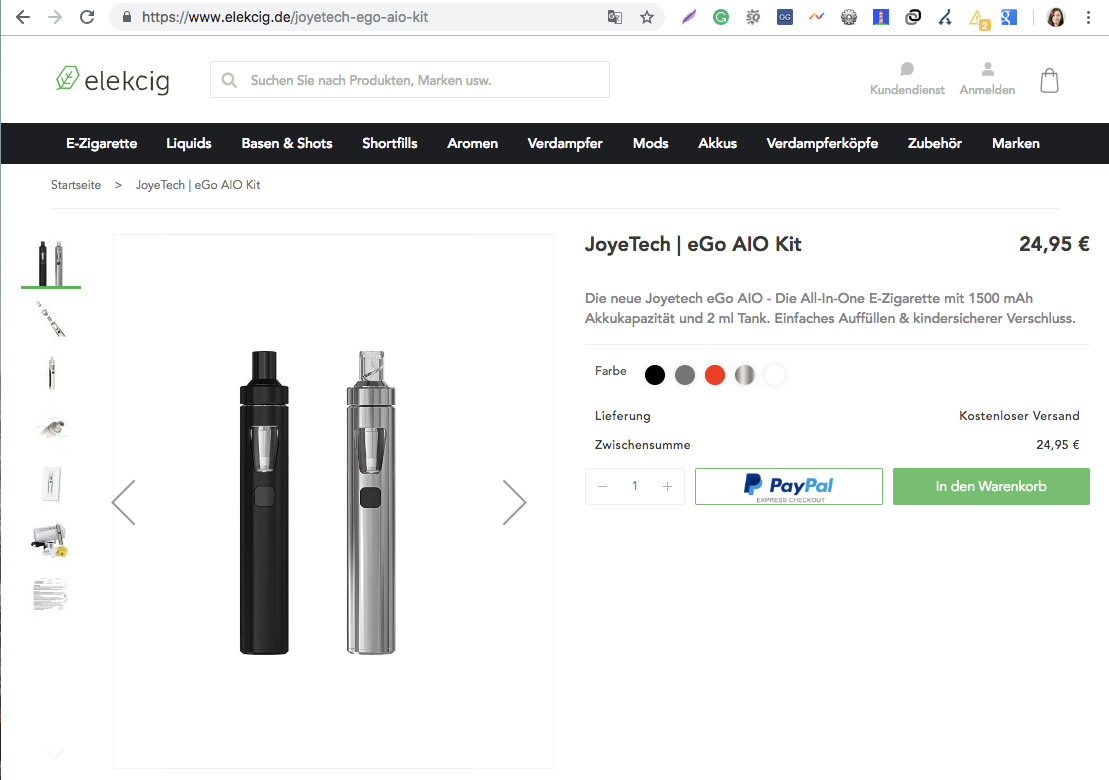
Stores with thousands of products usually follow one URL convention on both the old and new sites. In Magento 2 that is typically www.example.com/product1, with the product name right after the domain. If the old site used the same pattern, no mapping is needed, though you should still confirm an exact match with spreadsheet formulas.
If the pattern changed:
- Ask developers to export the product URL list from both the old and new sites.
- Normalize the URLs in your spreadsheet, for example using find and replace to strip a /products/ directory so the structures line up.
- Use a lookup formula to check that every new product URL maps to an old one.
- If they all match, list each old product page next to its new URL.
This works when product titles are broadly stable and most products are migrating. When names do not match, look for the rule behind how new URLs are built, or use a shared key. If the SKU or ID sits in the old URL and migrates to the new site, export the SKU alongside the new URLs and map on that. Avoid mapping product pages by hand. If only directories changed, developers can apply one rule across all URLs with no list upload at all.
🚀 Quick takeaway
On a catalog with thousands of products, never map by hand. Match on a shared key like SKU or ID, or hand developers one server-side rule, and reserve manual mapping for the handful of pages with no pattern.
Mapping category pages
For category URL changes, look again for the overarching rule, such as a directory added or removed. As with products, cross-check how category naming changed, and expect some manual mapping where names diverge.
CMS pages

Most stores have few custom CMS pages, so map them by hand. Crawl the old and new sites, remove the categories and products already mapped, and the URLs left over are your CMS set to redirect.
Homepage and other pages
Map the homepage if it changes, and do the same for blog articles if the store has any.
Top landing pages
GA4 is a strong source of URLs to redirect, including pages that earn traffic but are not internally linked. Top landing pages receiving traffic that are missing from your original map often need their own 301s.
- Select a one to three month window, allowing for seasonality.
- Paid traffic is not the priority here, but organic, referral, social, and direct sources are all worth mapping, with organic as the minimum. GA4 data is not guaranteed perfect, so spot-check that organic numbers look approximately right.
- Export the landing page report to CSV.
- Add it to the same spreadsheet that holds your sitemap data.
- Compare the lists with a lookup formula.
- Crawl any newly found URLs in Screaming Frog to check status, and add a 301 even where there is no 404 yet.
- To crawl a specific set, switch Screaming Frog to List mode and upload or enter the URLs.
URLs with valuable backlinks
Find the pages with backlinks from external sources, ideally more than a few and from higher-authority domains, using your SEO tool:
- Export the list of URLs.
- Compare it against your sitemap and GA4 data.
- Cross-check newly discovered URLs in Screaming Frog.
- Add them to the map.
XML sitemap
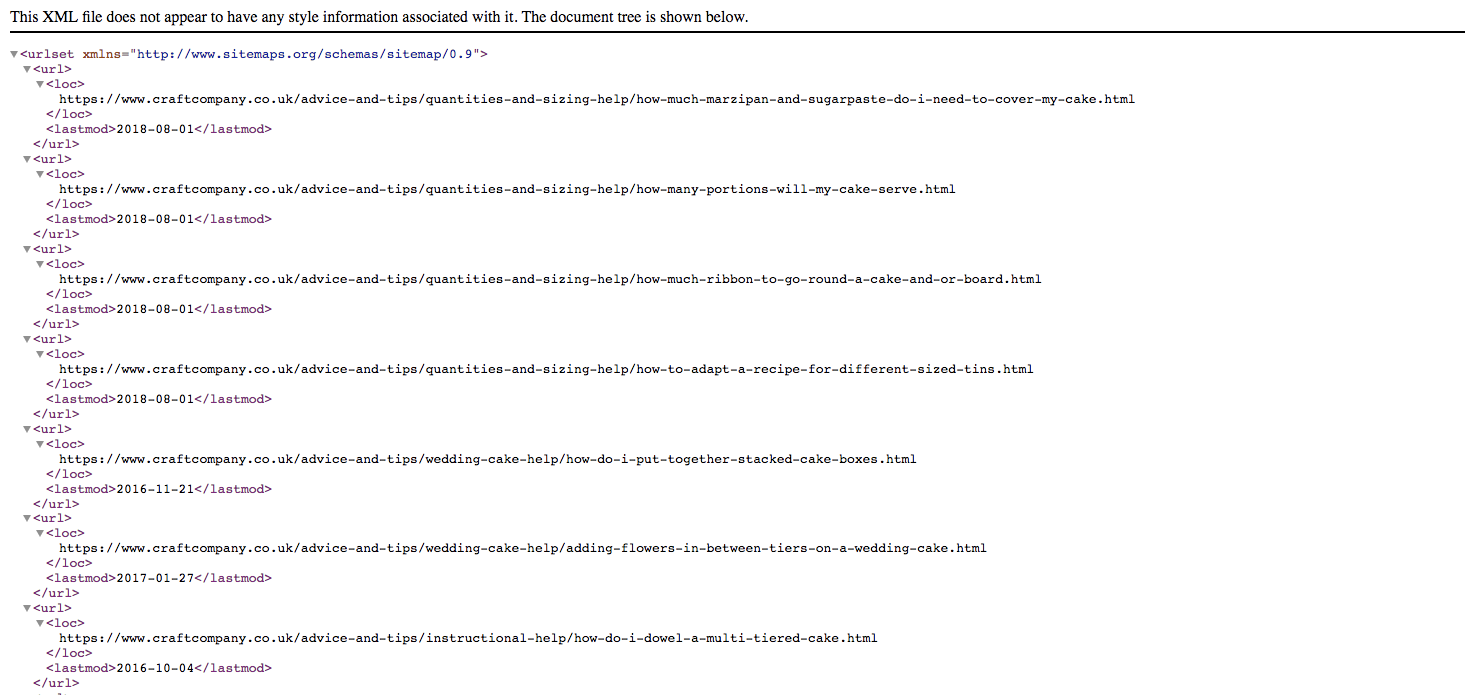
A sitemap usually lists the URLs a site considers SEO-valuable, so they belong in the map. On Magento stores built without an extension to generate the XML, the sitemap may be missing CMS pages, the homepage, and more, so do not treat it as complete. It is still a strong way to gather product and category URLs when you cannot pull them straight from the database.
Crawl the sitemap in Screaming Frog to confirm the URLs are real and return 200, not 404 or 301. Before downloading, check sitemap health in Search Console. If Search Console flags major problems such as 404s, the sitemap is likely outdated and cannot be trusted.
How to crawl a sitemap
- Find the sitemap location. It is usually listed in www.example.com/robots.txt, or submitted in Search Console, or visible in the store backend.
- Open Screaming Frog and switch the mode to List.
- Choose Download Sitemap.
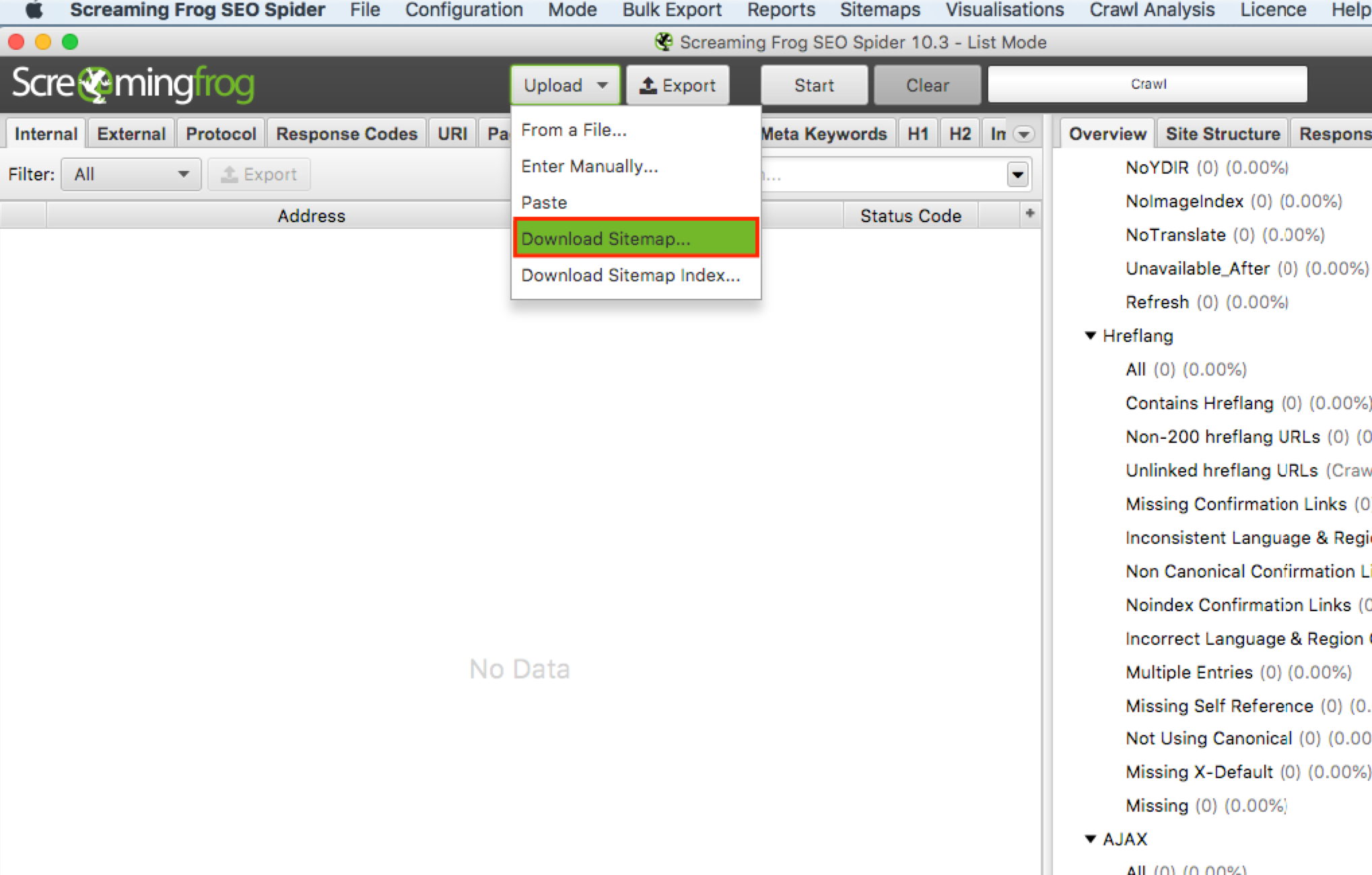
- Crawl the sitemap.
- Export the crawl as a CSV.
- Import it into your spreadsheet.
- Keep the useful columns: URL, title, meta description, response code, meta robots.
- Filter out any page whose response code is not 200.
Full website crawl
To catch every internally linked URL, run a full site crawl in Screaming Frog. Watch out for canonicalized pages, noindexed pages, and parameter URLs that do not need redirects because they were never indexed. If a parameter URL has no external links and no incoming traffic, it can stay out of the map.
Identifying redirect chains
Once the URL list is collected, run another crawl and create a redirect chain report in Screaming Frog. Export it to your spreadsheet and find any chain longer than two URLs. In those cases, map both the first and second URL in the chain so each old address reaches the destination in a single hop. This matters because every extra hop in a chain leaks more equity than a clean one-step redirect.
Compare, map, and hand off
With the full old-URL list compiled and the new URLs available, you can crawl the staging site after content migration, then place both in one spreadsheet. Map means matching each old URL to its corresponding new URL. Where there is no exact match, choose the closest relevant alternative, for example mapping a discontinued product to its category page. Then hand developers a single spreadsheet with two columns, old URL and new URL.
How do I test Magento 301 redirects?
Test Magento 301 redirects in two passes, once on staging and once after go-live. On staging, crawl the full redirect list to confirm every rule resolves, and run a redirect chain report to verify each one returns 301 on the first step and 200 on the second. After launch, crawl the same list again to confirm nothing broke in the move to production.
Testing does not end at launch. Plan to monitor for at least the first two to three weeks, because some valuable pages slip through even a careful map:
- Watch the GA4 page reports and the path data for spikes in visits to your 404 page, then trace which old URLs are sending people there and add the missing redirects.
- Use Search Console to track the Pages report under Indexing. A rise in “Not found (404)” or “Page with redirect” issues points to gaps or chains that need fixing.
- Re-crawl periodically in Screaming Frog to confirm redirects still resolve in one hop and have not turned into chains as later URL edits stack up.
For stores that frequently rotate stock and naturally generate 404s over time, it pays to optimize the 404 page itself with bestsellers and related products, so a visitor who does hit a dead end is guided back toward something they were looking for. If the migration also tightened page speed, our Magento performance optimization work keeps those recovered rankings from slipping again on a slow new store.
🚀 Quick takeaway
Two test passes, staging and post-launch, plus two to three weeks of GA4 and Search Console monitoring, catch the redirects a static map misses. The 404 reports tell you exactly which old URLs still need a home.
Frequently asked questions
Why is my Magento 301 redirect not working?
The most common causes are a redirect chain where the first hop points to another redirect rather than a live 200 page, a cached old response, or a rule set at the wrong level. Crawl the URL in Screaming Frog to see the full chain, clear the Magento cache, and confirm whether the redirect should live in the admin, on the server, or as a regex rule.
Does Magento create 301 redirects automatically?
Yes. Per Adobe’s documentation, the “Create Permanent Redirect for old URL” checkbox is selected by default, so changing a product or category URL key auto-generates a 301. On large catalogs, real-time rewrite generation can affect performance, so heavy migrations are better handled with a developer-imported set or server-level rules.
How many backlinks do I lose with a 301 redirect?
A clean, single-hop 301 to a relevant destination passes most of a page’s link equity, with industry analyses citing the 90 to 95% range. You lose value when the redirect points to an irrelevant page, which can be treated as a soft 404, or when it sits inside a multi-step chain that leaks equity at each hop.
Can I redirect URLs programmatically in Magento?
Yes. For large rule-based changes, developers can import a redirect list directly into the database or apply a single server-level regex rule that covers thousands of URLs at once, for example stripping a /products/ directory or a .html suffix. This is faster and less error-prone than entering redirects one by one in the admin.
Should I redirect old URLs to the homepage?
No, not as a default. Redirecting many unrelated old URLs to the homepage can be treated as soft 404s and passes little ranking value. Map each old URL to its closest relevant page, such as a discontinued product to its category, and reserve the homepage only for pages with no sensible match.
How long should I monitor redirects after a migration?
Monitor actively for at least two to three weeks after go-live, watching GA4 404 reports and the Search Console Pages report. Recovery from a poorly mapped migration can take many months, so catching missed redirects in the first weeks is far cheaper than recovering lost rankings later.
Planning a Magento 2 migration and want to keep your rankings intact through the move? Talk to us about how to protect your SEO before the URLs change, not after the traffic drops.




































