
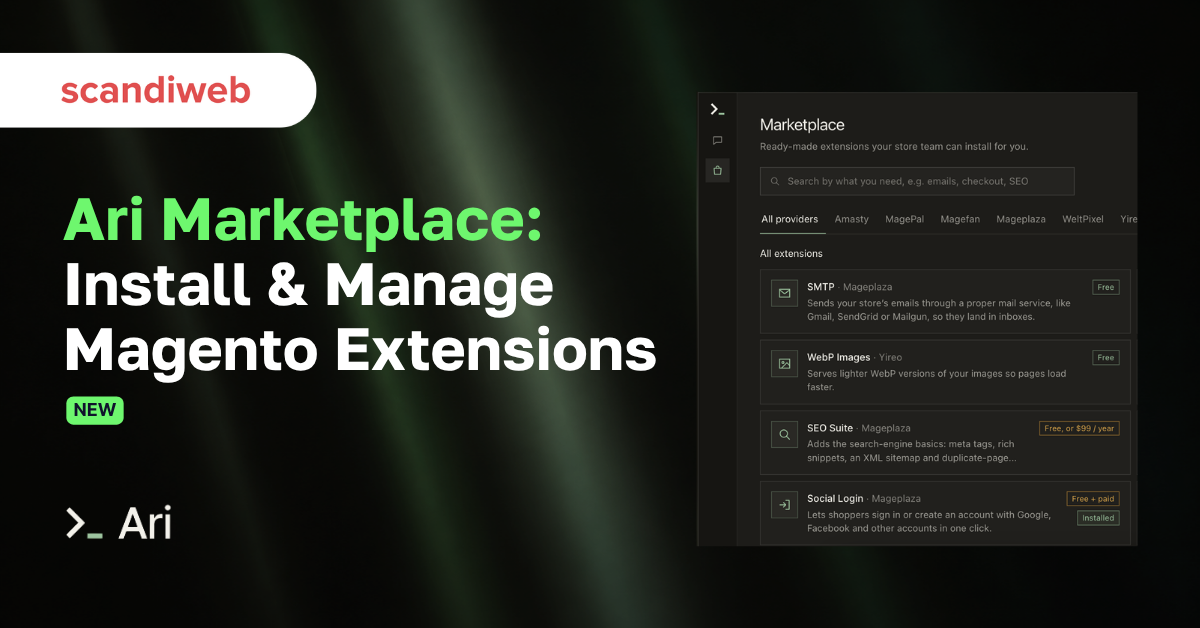
Not long ago, if a merchant wanted to, e.g., “for customers to log in with Google”, that sentence would have turned into a ticket and a search through extension listings, followed by a purchase based on screenshots and an afternoon of developer time spent on Composer and configuration. With Ari (the first agent for Magento), the answer comes back in the same chat conversation, explaining the extension, showing its listing, and installing it on a copy of your store right now so you can see it working.
Introducing – Ari extension marketplace, now open to every store connected to Ari.
Ari is the AI agent for Magento built by scandiweb. Merchants connect their store and ask for changes in chat, Ari builds each change on a copy of the store and tests it in a real browser, and a person releases it. A large share of those requests turn out to be “add feature X,” and very often a well-maintained extension for X already exists. The marketplace puts that extension in front of the merchant at the moment they ask for it, and Ari takes care of the install and the setup.
What is the Ari extension marketplace?
The Ari extension marketplace is a catalog of ready-made Magento extensions that Ari installs and configures for you, with a one-click trial on a preview copy of your store before you buy anything.
The first listings come from Amasty, MagePal, Magefan, Mageplaza, WeltPixel, and Yireo. Together they cover the jobs most stores look for early on, including SMTP email delivery, Google Tag Manager, WebP images, social login, one-step checkout, improved layered navigation, and a store blog. Each listing shows what every version of the extension includes and what it costs, and many of these offer a free version.

Magefan, a Magento extension vendor with more than a decade of modules behind it, is among the first partners on the marketplace.
🚀 Quick takeaway
The Ari extension marketplace features Magento extensions from Amasty, MagePal, Magefan, Mageplaza, WeltPixel, Yireo, and more. You can try an extension before paying for a license, and Ari installs 1,000+ other Magento extensions on request in chat.
Ari can also install Magento extensions that are not listed yet. You ask for one in the chat, and Ari installs it on the copy of your store the same way. Ari works with more than 1,000 Magento extensions, custom modules included, and new marketplace listings are added every day.
How installing an extension with Ari works
Starting from the marketplace
- You browse the catalog, open a listing to compare what each version of the extension includes, and click Try out.
- Before anything happens, Ari explains the trial in four short steps.
- Ari installs the free version, and any paid version is bought from the provider.
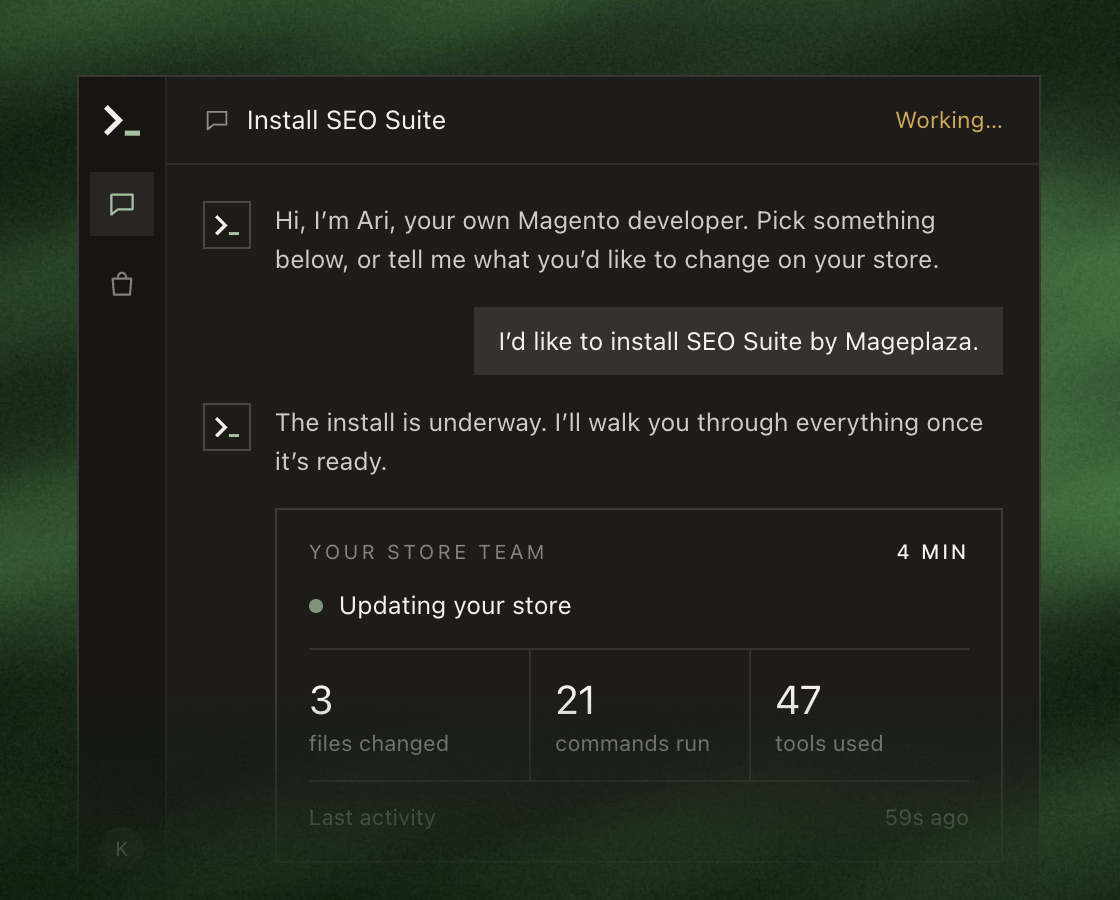
- The install happens in a new conversation that takes a few minutes, and you can keep chatting there while Ari works.
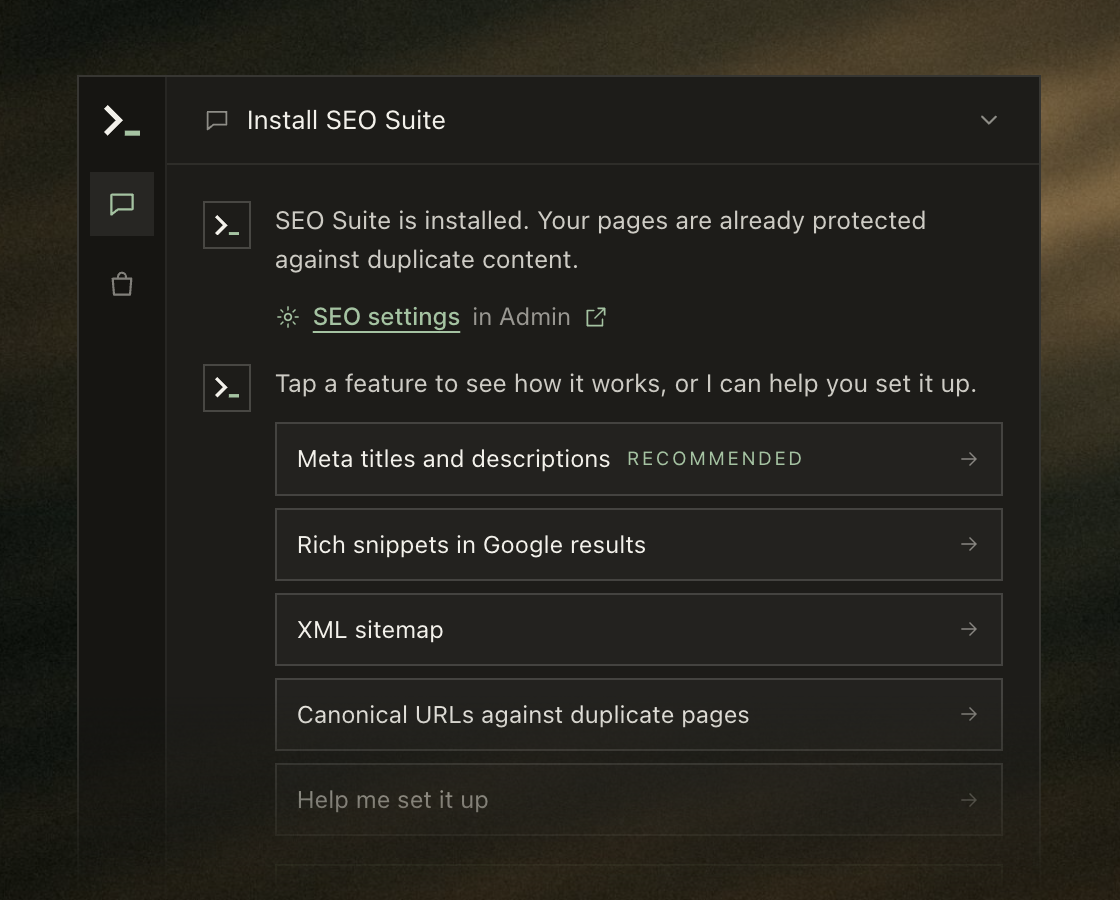
- Ari then shows you around, with buttons that open the extension’s settings and pages. Your live store does not change until you release that conversation like any other change.
Starting from the chat
Most merchants will meet the marketplace this way – by asking for a specific feature in plain language, for example, “I want customers to log in with Google.” Ari replies that an extension already does this, links to its listing, and offers to either install the extension or build the feature custom. If you pick the extension, the install follows the same steps as above.
Custom code is the better answer for some requests, but an extension with years of maintenance behind it is often cheaper to own over the life of the store, and Ari offers both at the moment you are deciding.
What Ari does during install and setup
Ari installs the extension through Composer after checking it against your theme and the modules your store already has. It tests your store before showing you the result, and a progress card in the chat shows the work as it happens, including the files changed and the commands executed.
When the install is done, Ari explains what already works on your store and points you to the feature worth turning on first. It walks you through configuration using the vendor’s own documentation, and when a setting needs your input, Ari opens the right admin page directly from the chat.
Every change goes in as a migration or data patch inside a pull request, and Ari never writes directly to your database. That keeps the work reviewable like any other code change, and nothing reaches your live store until a person releases it.
Trying an extension before you buy it
The trial is the part we expect merchants to use most. A product page full of screenshots tells you very little about how an extension will behave on your own theme with your own catalog. With Ari, you see the free version working on a copy of your store within minutes.
The trial stays on the preview copy, and you can keep working in your other conversations while Ari installs it. If the extension turns out not to fit, you simply do not release it, and your live store stays exactly as it was.
Some extensions have no free version, such as Mageplaza One Step Checkout and Improved Layered Navigation. For those, Ari looks at what the extension does and how it connects to Magento, then checks it against your store’s backend, so you know whether it fits before you buy the license.
Paid extensions and licenses
Ari installs the free version, and you buy a paid version from the vendor, at the vendor’s price and on the vendor’s terms. Where the vendor supports it, you connect your account with them inside Ari. Ari then sees which extensions you already own and installs them for you, so you never have to handle composer credentials yourself. WeltPixel accounts can be connected today, with more providers on the way.
Where account connection is not available yet, Ari sends you to the vendor’s purchase page and installs the extension with the license you get there.
Who supports what
The vendor keeps supporting its extension the way it does today, which covers bugs in the extension and license questions. Ari and the Ari team look after the installation and the configuration, along with any conflicts with the rest of your store and anything on the Magento side. Merchants on the Ari + human plan also have Ari engineers in their chat.
What the Ari marketplace offers extension providers
When a merchant asks for something your extension does, Ari suggests it in the chat, and the merchant can see it working on their own store a few minutes later:
- Listing is free, with no fee and no commission.
- Merchants buy from you at your price and on your terms. Purchase links open from Ari, so you see the referral on your side.
- You choose which of your extensions are listed and which are available for trial.
- When several extensions match a request, Ari suggests them and the merchant decides (early partners get the recommendation spot in their category).
- If you provide an MCP server or skills, for example, AI tools for form building or data migration, Ari uses them directly when working on a merchant’s store.
- Bundles and revenue-share arrangements, such as all of your extensions for a fixed monthly fee, can be agreed during onboarding.
- New partners are announced to Ari merchants and in the Ari newsletter, social media, and featured on withari.ai.
Onboarding starts with an export of your extension information, sent together with your logo and trial installation access. A technical call with the Ari team then confirms the details. After that, we list your extensions and test the install together on a demo store before announcing the partnership. Providers can apply on the Ari partners page.
🚀 Quick takeaway
Listing a Magento extension in the Ari marketplace is free, with no fee and no commission, and merchants buy licenses directly from the vendor. Early partners get the recommendation spot in their extension category.
What comes next for Ari
Ari is THE place where Magento work gets requested and done, and the marketplace is just one part of it. Ari also works as an MCP connector inside ChatGPT and Claude, so the same agent is available from the AI assistants many teams already use.
On October 28 at 3 PM GMT, Ari creator, Alfreds Genkins, and co-founder, Glebs Vrevsky, will show Ari building a change live in a free webinar and answer questions from merchants, developers, agencies, and extension providers.
Frequently asked questions
Is the Ari extension marketplace free to use?
Browsing the marketplace and trying extensions on your preview store are part of Ari, and Ari plans start from €99 per month. Each extension is priced by its vendor, and many of the launch listings are free.
Does trying an extension change my live store?
No. The trial installs the extension on a preview copy of your store only. Your live store changes only when a person on your side releases the work, and the vendor’s code reaches your server only after you buy the license.
Can Ari install Magento extensions I already own?
Yes. When you connect your account with a supported vendor inside Ari, Ari sees the extensions you own and installs them without you handling Composer credentials. WeltPixel supports this today, and more vendors are being added.
What happens if no extension does what I need?
Ari offers to build the feature custom. It builds the change on a copy of your store, tests it in a real browser, and hands it back for a person to review and release.
How do Magento extension providers join the marketplace?
Providers apply on the Ari partners page and send an export of their extension information, their logo, and trial installation access. Listing is free, and merchants buy licenses directly from the provider.
Has a feature request been sitting in your backlog for months? Connect your store to Ari and ask for it in chat. If an extension already does the job, Ari will put it on a preview copy of your store so you can see it working before you buy.




































