
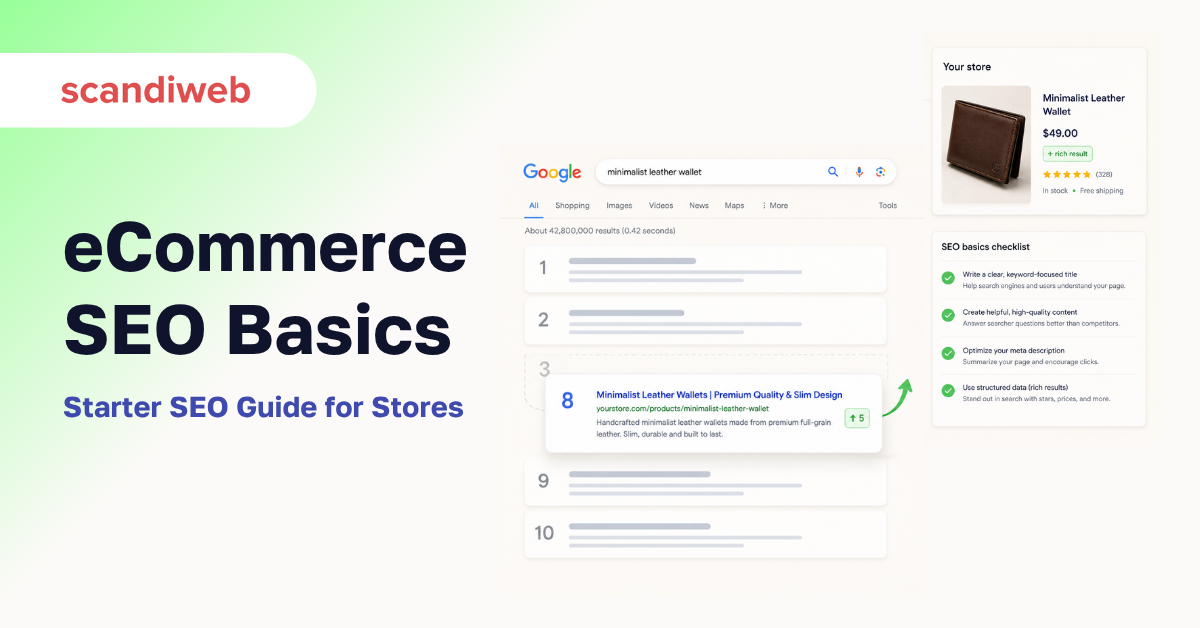
Why does a competitor’s product page outrank yours for the exact same product, even when your store loads faster and your prices are lower? That single question is what most merchants are really asking when they search for an SEO starter guide. The answer is rarely about cleverness. It is about a small set of basics, how search engines see your store, which pages they choose to show, and the order they show them in, that compound into every ranking decision Google makes for the next twelve months. Get those right in your first thirty days and the rest of the work has somewhere stable to stand on.
This guide is written for store owners, founders, and marketing leads stepping into eCommerce SEO for the first time in 2026. It skips the SEO-101 reference-book material that already lives on Google’s own SEO Starter Guide and Ahrefs, and focuses on the parts that actually move the needle for an online store: product pages, category pages, structured data, internal linking, and the AI-search visibility every merchant now has to plan for alongside classic Google rankings.
Overview
- Modern eCommerce SEO is four moving parts working together: how search engines crawl and index your store, which ranking signals they weigh in 2026, how your shoppers experience the pages, and how AI assistants pick which stores to cite.
- The first thirty days for a beginner store should focus on the foundations: index hygiene, product and category page optimization, internal links, and Core Web Vitals, not link building.
- Generic SEO advice ranks generic sites. eCommerce SEO ranks stores that treat product data, structured data, and category architecture as first-class ranking surfaces.
🚀 Quick takeaway
SEO for online stores in 2026 is less about chasing keywords and more about making sure search engines and AI assistants can clearly understand your products, categories, and trust signals before they decide whether to rank or cite you.
How search engines work, in plain English
Search engines do four things, in order: they crawl your store, index the pages they find, rank those pages against every other store, and then display the result inside whatever surface the shopper is using (classic SERP, AI Overview, Shopping pack). Miss any one step and the next three never happen.
- Crawl. Googlebot follows links and your sitemap to discover URLs. If a category is buried behind a JavaScript filter that does not produce a unique URL, Google may never see it.
- Index. Google decides which URLs to keep, dedupe, and serve. Thin or duplicate product variant pages get filtered out at this stage long before ranking is even considered.
- Rank. Google compares your page to the rest of the eligible index for each query and orders them. This is the part most merchants mean when they say “SEO.”
- Display. The same query can produce different surfaces: a classic ten-blue-links result, an AI Overview, a Shopping carousel, a People Also Ask box. Each surface has its own selection logic.
The fifth fundamental for 2026 is AI mediation. Ahrefs’ 2026 SEO guide makes the point bluntly: merchants now need to be visible in both classic Google rankings and the AI Overviews / ChatGPT / Perplexity citations sitting on top of them. The mechanics are similar (crawl, index, retrieve, cite), but the surfaces compete for the same attention.
🚀 Quick takeaway
If a search engine cannot crawl or index a category or product page, no amount of on-page work will rank it. Start every eCommerce SEO project at the crawl-and-index layer, not the keyword layer.
Index and follow tags, the short version
You do not need to memorize every robots directive. You do need to know four:
- Index (the default). No tag is the same as
index, follow. Google crawls, follows your links, and considers the page for ranking. This is what you want on every product, category, and content page that should earn traffic. - Noindex. A meta tag that tells search engines, “do not include this URL in the index.” Use it on cart, checkout, account, internal search results, and any thin filtered category that exists only for shopper UX, not for SEO.
- Nofollow. Applied to individual links (or the page header) to tell Google not to pass authority through that link. Modern usage is mostly UGC (
rel="ugc") and sponsored (rel="sponsored"). - Robots.txt disallow. Stops the crawl before it happens. Useful for crawl-budget reasons on huge stores, dangerous if you accidentally disallow a section you wanted indexed.
For most Shopify and Magento (Adobe Commerce) merchants, the defaults are sane. The damage usually comes from accidentally noindexing the whole product catalog during a staging-to-production cutover. Make a habit of checking your robots.txt and a sample of product pages immediately after every release.
Ranking factors that matter in 2026
The 2011 PageRank model is long dead, and the SEO myths that still teach it (the “links are everything” school) lead beginners to the wrong work. In 2026, four families of signals matter for an eCommerce site, and they all reinforce each other.
1. Helpful, original content tied to commercial intent
Google’s Helpful Content system, baked into the core algorithm since the 2023–24 core updates, rewards content written for the shopper’s actual question and demotes content written for a keyword. For an online store, that translates to product pages that answer the questions a buyer is really asking (fit, materials, compatibility, returns), category pages that read like a guide rather than a list of titles, and editorial content built around real product use, not generic SEO-bait.
2. E-E-A-T (Google’s quality-rater framework)
E-E-A-T (experience, knowledge, authority, trust) is not a ranking factor by itself, but it is the rubric Google’s quality raters use, and it shapes which sites the algorithm rewards over time. For stores, the practical version is: real reviews on product pages, named authors on content, clear policies (returns, warranty, shipping), and visible signals that you are the merchant of record, not a drop-shipped catalog.
3. Core Web Vitals: LCP, INP, CLS
The three Core Web Vitals in 2026 are Largest Contentful Paint (LCP, target ≤ 2.5 seconds), Interaction to Next Paint (INP, target ≤ 200 milliseconds, replaced FID in March 2024), and Cumulative Layout Shift (CLS, target ≤ 0.1). Mangools’ May 2026 beginner guide lays out the current thresholds. They are not the biggest ranking lever, but they are the easiest to lose: a heavy hero image on a category page or a slow product-recommendation widget can take you from “pass” to “fail” overnight.
4. Links: quality over quantity, brand signals over anchor text
Backlinks still matter, but the modern emphasis is on the editorial relevance of the linking site and the brand signals that come with it (branded search volume, mentions, citations in AI Overviews). Anchor-text manipulation is a fast route to a manual penalty. For stores starting out, prioritize digital PR, supplier relationships, and category-defining content over outreach for any-and-every link. The scandiweb backlink building playbook goes into the merchant-specific tactics.
🚀 Quick takeaway
For an online store in 2026, the ranking-factor stack is helpful content, E-E-A-T trust signals, Core Web Vitals, and editorial links, in that order. Beginners who lead with link building skip the foundations and rank slower for it.
How UX impacts SEO for online stores
Bounce rate and pogo-sticking were the proxies merchants worried about a decade ago. They are still useful internal metrics, but Google has long moved to direct measurement of the shopping experience through Core Web Vitals and on-page interaction signals. For a store, three UX patterns disproportionately impact rankings:
- Slow product images on mobile. The single biggest LCP regression on a typical store. Use modern image formats (WebP, AVIF), explicit width and height, and lazy-load anything below the fold.
- Layout shift from late-loading review widgets and “shoppers also bought” carousels. These look small in isolation but stack into a CLS score that fails the threshold.
- Interaction lag on filters and variant pickers. A 600-ms tap-to-response on a size picker tanks INP. Shoppers feel it as “the site is sluggish,” Google sees it as a UX signal.
The 2026 shift is that Google measures these in the real world, via the Chrome User Experience Report (CrUX), not in a lab. The numbers in your PageSpeed Insights screen are an average of real shoppers on real connections. Optimize for what they actually see.
Your first thirty days: an eCommerce SEO starter checklist
This is the order to do the work in, not a list to do in parallel. Each step depends on the one before. For platform-specific deep dives, see the scandiweb Shopify SEO checklist and Magento SEO guide.
Days 1–3: crawl and index hygiene
- Submit your XML sitemap to Google Search Console and Bing Webmaster Tools. WooCommerce’s 2026 eCommerce SEO guide walks through the platform-specific paths.
- Audit
robots.txt. Confirm nothing critical is blocked. - Spot-check a sample product, category, and blog page in Search Console’s URL Inspection tool. Confirm the indexing decision matches your intent.
- Make sure cart, checkout, account, and internal-search results pages are
noindex.
Days 4–10: product and category page optimization
- Rewrite the title tag and meta description for every priority product, leading with the product name and the buying intent (size, color, use case) the shopper would type.
- Add unique, useful copy to category pages. A category page with nothing but a grid of products and a generic 50-word intro will lose to a category that reads like a buying guide.
- Add structured data. Use
Productschema with offers, ratings, and availability on product pages,BreadcrumbListon every category and product page, andFAQPageon the genuinely faq-shaped sections of your content pages. - Fix duplicate content from variant URLs. Canonicalize size and color variants to a single parent product wherever the underlying page is substantively the same. The scandiweb duplicate content guide covers the canonical patterns by platform.
Days 11–20: internal linking and architecture
- Make sure every important product is within three clicks of the homepage. Pages buried four or five clicks deep get crawled less and rank worse.
- Add editorial links from category pages to their most relevant content pages, and from content pages back to their relevant category pages. This is the single most under-used SEO lever on a typical store.
- Audit your faceted navigation. Decide which filter combinations should be indexed (typically the high-volume queries, like color and size for clothing, or brand for electronics) and which should be
noindexor excluded from crawl.
Days 21–30: technical hygiene and measurement
- Pass Core Web Vitals (LCP, INP, CLS) for the homepage, top categories, and top product templates. A scandiweb technical SEO audit is the deeper version of this step.
- Confirm Google Analytics 4 and Google Search Console are wired up, and that conversion events fire on the right actions.
- Set baseline rankings for your top fifty commercial queries. Anything you cannot measure on day thirty, you cannot improve on day sixty.
🚀 Quick takeaway
Spend your first month on crawl hygiene, product and category page basics, internal links, and Core Web Vitals. Link building belongs in month two or later, after the foundations are in place.
What is eCommerce SEO, exactly?
eCommerce SEO is the practice of helping search engines and AI assistants understand a store well enough to rank or cite its product, category, and content pages for the queries shoppers actually run. It differs from generic SEO in three ways: the unit of work is product and category templates rather than individual blog posts, structured data carries a heavier weight (because shoppers expect Shopping carousels and rich results), and the conversion path lives on the page itself, not on a separate landing page.
For a beginner store, “doing eCommerce SEO” usually breaks down into four streams of work: technical (crawl, index, speed, schema), on-page (titles, descriptions, copy, internal links), content (category guides, comparison content, FAQ pages), and authority (reviews, links, brand signals). The trap most beginners fall into is treating these as separate projects. They are one project, the order they happen in changes per store, but they all reinforce each other.
How long does it take to see SEO results for a new store?
Realistically, three to six months for a brand-new store with no domain history, and six to twelve months to start ranking on competitive commercial queries. Existing stores with some authority can see improvements on long-tail and category-page work in four to eight weeks once the foundations are fixed. Anything faster is either a long-tail keyword with very low competition, a featured-snippet capture, or a pre-existing page that just needed a basic on-page fix. Be skeptical of any agency promising top-three rankings in thirty days.
Is SEO still worth it in 2026 with AI search?
Yes, and arguably more than before, because AI assistants pull from the same crawled index Google uses. A store that ranks well on classic Google is also the one most likely to be cited in AI Overviews and answer engines. The shift is in what to optimize for: shoppers asking ChatGPT or Perplexity for buying advice expect to see comparison content, product specifications, and review data, which means well-structured product pages, schema-rich category pages, and clear merchant policies. The work that ranks you on Google also makes you visible to AI. The agency-side practice has a name now, Answer Engine Optimization, and scandiweb has been running it as a service since AI Overviews rolled out.
🚀 Quick takeaway
AI search did not replace SEO. It raised the floor: the stores best-positioned for AI citations are the ones that have already done the boring foundational SEO work on product schema, category content, and trust signals.
🚀 Quick takeaway
eCommerce SEO is one project, not four. Technical, on-page, content, and authority work each fail if any of the others is missing, which is why merchants who run them in isolation rarely see compounding results.
eCommerce SEO myths to ignore in 2026
A handful of beliefs have outlived their usefulness and still confuse beginners. The short list:
- “Duplicate content is a manual penalty.” It is not. Google filters duplicate URLs and chooses one to rank. The damage is dilution of authority across many URLs, not a penalty. Canonical tags, not panic, are the fix.
- “Schema is a ranking factor.” Schema is an eligibility signal for rich results (star ratings, prices, FAQ snippets) and a comprehension signal for AI assistants. It is not, by itself, a direct ranking factor. Worth doing anyway, because the rich-result eligibility is what most stores see CTR lift from.
- “AI Overviews killed SEO.” AI Overviews changed which clicks survive to your site, with informational queries losing the most. Commercial queries, the ones a store cares about, still send traffic. The store visibility shifted from ten blue links to ten blue links plus a citation in the AI Overview at the top.
- “SEO is just keyword research.” Keyword research is one input. In 2026 it sits alongside customer-research, journey-mapping, and intent-clustering work that lives on the marketing team’s side, not the SEO team’s side. Treat it that way.
How scandiweb approaches eCommerce SEO
scandiweb has shipped 2,100+ eCommerce projects since 2003 across Magento (Adobe Commerce), Shopify Plus, and headless commerce, and our SEO team works inside that engineering and design context, not as a separate consultancy. The practical version is that we plan SEO into platform engineering decisions (URL structure on a replatforming, canonical strategy on a migration, schema during a redesign) rather than retrofitting it afterward. The PUMA enterprise SEO case study is the longer story of what that looks like at scale across four international markets. For a beginner store, the lesson is smaller: the cheapest SEO win you will ever get is the one you build into the site, not the one you bolt on after.
FAQs about eCommerce SEO for beginners
What are the SEO basics every eCommerce store should cover first?
The eCommerce SEO basics for a beginner store are crawl and index hygiene, product and category page optimization, basic structured data (Product, BreadcrumbList, FAQPage), internal linking, and Core Web Vitals. Cover these before any link-building or content-marketing work, they are what every later effort compounds on.
How is SEO for online stores different from regular SEO?
SEO for online stores treats product and category pages as the primary ranking surfaces, not blog posts. Structured data is heavier (Product schema, offers, ratings). Duplicate content from variant URLs is a constant risk. And conversion happens on the same page that ranks, which means UX and SEO decisions are the same decision.
Do I need to learn SEO myself or can I hire it out?
A beginner store owner should learn enough SEO to brief a freelancer, agency, or in-house hire intelligently, roughly the contents of this guide. Hiring out the implementation is fine and often faster. Hiring out the strategy without understanding it tends to produce work that looks busy on a report and does not move rankings.
What is the 80/20 rule of eCommerce SEO?
For most beginner stores, 80% of the wins come from 20% of the work: getting the top categories and top twenty products indexed correctly, with strong titles, schema, and internal links, and passing Core Web Vitals on those templates. The remaining work matters, but in a different time horizon.
Is link building still important for eCommerce SEO?
Yes, but not in month one. Links remain a strong ranking signal, but for a beginner store, the foundational work (technical hygiene, on-page optimization, category content) produces faster, more durable gains. Move into structured link building once your foundations pass an audit.
Want a second pair of eyes on the foundations before you commit a quarter of marketing budget to SEO? Book an SEO audit and we will tell you the three things on your store most likely to move rankings in the next ninety days, and the things you should stop spending on.




































