
If you are weighing Magento (Adobe Commerce) for your next store, or you are already on the platform and trying to decide whether to keep investing in it, you are asking the question most growing merchants reach sooner or later: is this the platform that will carry the business, and who should build and run it? This guide answers both. It walks through what Magento is, how Magento Open Source and Adobe Commerce differ, the features that matter, what it actually costs in 2026, the honest pros and cons, and how to choose the right Magento agency once you have decided to commit.
Overview
- Magento (Adobe Commerce) is a flexible, open-source-rooted eCommerce platform that Adobe owns. It powers around 8% of the global eCommerce platform market and roughly 130,000 to 163,000 live stores, and remains the leader in B2B commerce (MGT-Commerce, 2026 and BuiltWith, 2026).
- It comes in two editions: Magento Open Source (free license, self-hosted) and Adobe Commerce (paid, enterprise-grade, with cloud hosting and advanced features). Adobe no longer publishes tiered pricing publicly, and license cost is quoted per merchant on a Gross Merchandise Value basis.
- Magento rewards merchants who have, or hire, the technical depth to run it. The platform is strongest for mid-market and enterprise stores that need deep customization, large catalogs, and multi-store or B2B setups, usually with a Magento agency behind it.
What is Magento?
Magento (Adobe Commerce) is an eCommerce platform that B2C and B2B businesses use to build, customize, and manage online stores at scale. Most know and recognize the platform as Magento, a market-leading player in eCommerce for years. Although it is still powered by the Magento software, Adobe acquired the company in 2018, becoming its parent company. As of April 2021, after merging Magento Commerce and Adobe Commerce Cloud, the enterprise edition of the platform is known as Adobe Commerce. We refer to it interchangeably as Magento and Adobe Commerce throughout this guide when shared features are discussed.
Adobe Commerce is a highly advanced eCommerce platform with rich, customizable out-of-the-box features and integrations. It helps B2C and B2B businesses of all sizes build and manage their stores, expand their growth, and deliver the customer buying experiences that drive online sales.
🚀 Quick takeaway
Magento and Adobe Commerce are the same core software. “Magento Open Source” is the free, self-hosted edition, and “Adobe Commerce” is the paid enterprise edition Adobe sells and supports.
Why do merchants use Magento (Adobe Commerce)?
Merchants choose Magento for three reasons that are hard to find together on one platform:
- Flexibility and customization. You can tailor almost anything: custom themes and templates, custom functionality, and integrations through the marketplace or custom code.
- Out-of-the-box features. Inventory and order management, integrated checkout, payment and shipping, a CMS page builder, product recommendations, analytics, and marketing tools all ship with the platform.
- Built to scale. Magento is designed to scale with the business across industries, handling high traffic levels and large product catalogs without forcing a replatform later.
Who should use the Magento eCommerce platform?
Magento (Adobe Commerce) suits eCommerce companies of every size, from small retailers to large enterprises, but it pays off most for merchants who need real customization and scale.
Magento Open Source is free, fully customizable, and backed by a large extension marketplace. Smaller and growing companies like that they can launch with no platform license cost and add features through extensions, many of them free, as needs grow.
Adobe Commerce is the enterprise edition: a fully featured, subscription-based solution from Adobe. It adds advanced features out of the box, 24/7 support, and the option of managed cloud infrastructure. Larger businesses that need those capabilities, and that want to manage multiple brands, currencies, and regions from one platform, choose Adobe Commerce. It supports both B2C and B2B models.
So who should use Magento (Adobe Commerce)? Small, medium, and large eCommerce businesses can all run on it, but the platform earns its keep when the store has enough complexity, or growth ahead of it, to justify the technical investment. We dig into the differences between the two editions next.
Also read: Magento vs Wix.
Magento Open Source vs Adobe Commerce
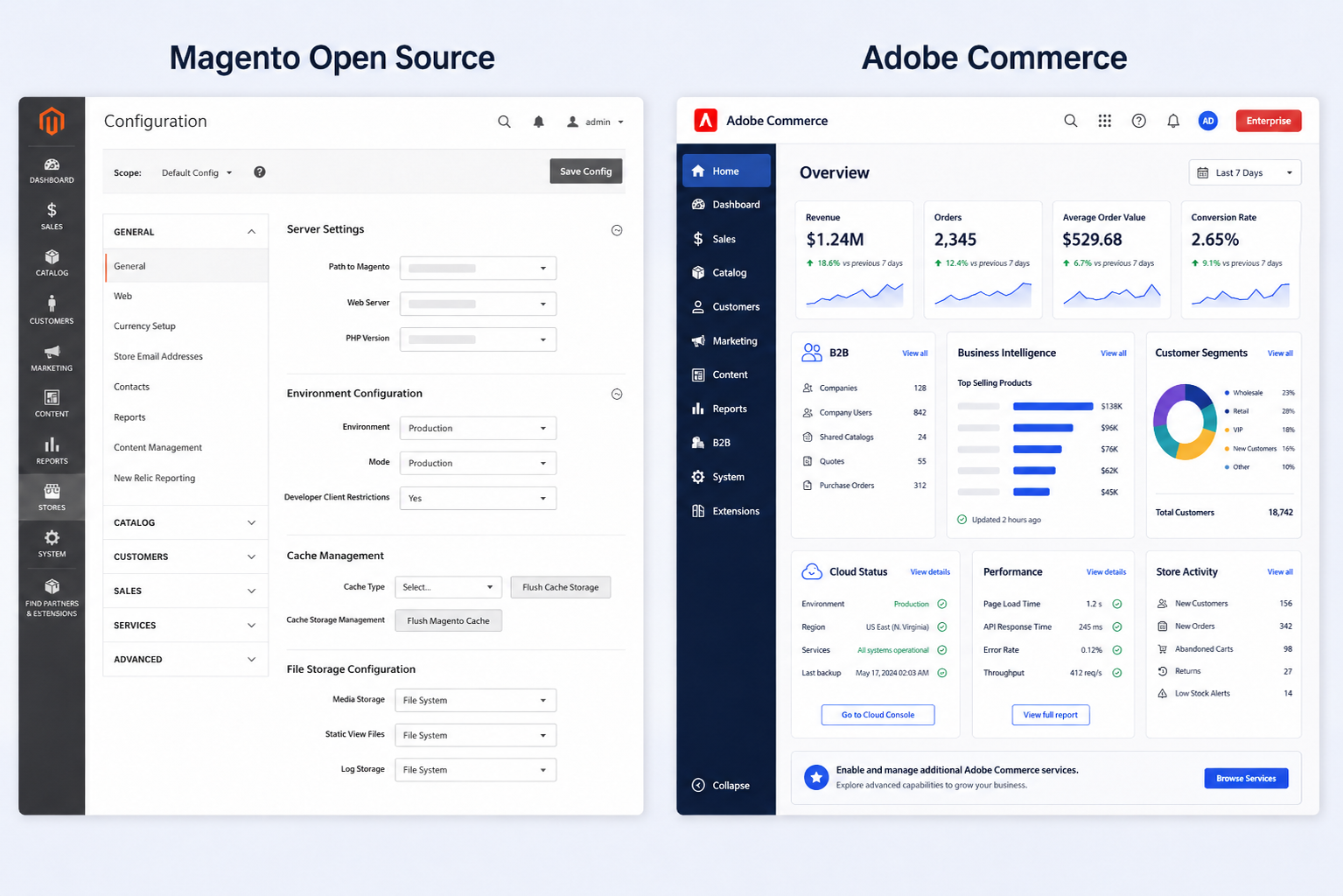
The short answer: Magento Open Source is the free, self-hosted edition with all the core eCommerce features, while Adobe Commerce is the paid enterprise edition that adds advanced features, managed cloud hosting, and official Adobe support. Which one fits depends on your budget, in-house technical depth, and how advanced your requirements are.
Magento Open Source
Magento Open Source is a self-hosted platform that ships with the core features you need to launch a store. Because it is open source and widely used, it has an active community of developers worldwide who introduce new features, fix bugs, and improve it.
Merchants who choose Magento Open Source set up their own server and hosting. They can use the default theme, customize it, or buy a third-party theme from the marketplace, and add features through free or paid extensions. So while the license is free, running it still carries costs: customization, extensions, hosting, and maintenance.
For maintenance, a company needs either its own development team or a third-party Magento development agency to keep the store healthy. Magento updates regularly, and merchants need to keep pace to stay secure and fast.
We compare the two editions in more depth in Adobe Commerce vs Magento Open Source.
Adobe Commerce
Adobe Commerce is an enterprise-level eCommerce solution that has more advanced ready-to-use features in addition to all those available to Magento Open Source.
Adobe Commerce on cloud infrastructure is a fully managed, platform-as-a-service option hosted on AWS, with automated hosting and exclusive features. Merchants choose it for lower maintenance overhead, better scalability, and added security. Companies can still run an on-premise installation on their own servers if they prefer.
Adobe Commerce is part of Adobe Experience Cloud, a set of applications for delivering personalized customer experiences and making data-informed decisions. Other Adobe Experience Cloud solutions integrate with Adobe Commerce, and merchants can tap into Adobe’s business intelligence and the personalization powered by Adobe Sensei, Adobe’s AI and machine learning layer.
🚀 Quick takeaway
If you have in-house developers and a tight budget, Magento Open Source can take you far. If you need enterprise support, managed cloud, and advanced features without building them yourself, Adobe Commerce is the edition to price out.
Magento store features
Here are the features that matter most when you evaluate Magento (Adobe Commerce):
- Ease of use
- Support and extensions
- Themes and templates
- Marketing and SEO tools
- Customer support
- Security
- Inventory management
Ease of use
For a company with a developer on the team, installing Magento (Adobe Commerce) is fairly straightforward. Both Magento Open Source and Adobe Commerce run on any hosting that meets Adobe’s system requirements. For Adobe Commerce on cloud infrastructure, Adobe provides an automated hosting platform with the prerequisite software already installed, including PHP, MySQL, RabbitMQ, and Redis.
Developers then set up the store using a default Magento theme, a customized one, a third-party theme from the marketplace, or a theme built from scratch.
Because Magento is so widely used, there is no shortage of resources online. scandiweb, for example, has published a series of articles detailing how to accomplish specific Magento tasks, including Creating CMS Content Programmatically and Working with Store Configs. The Magento community is active, and Adobe provides extensive documentation, so even newer developers can resolve common issues and find the admin interface manageable.
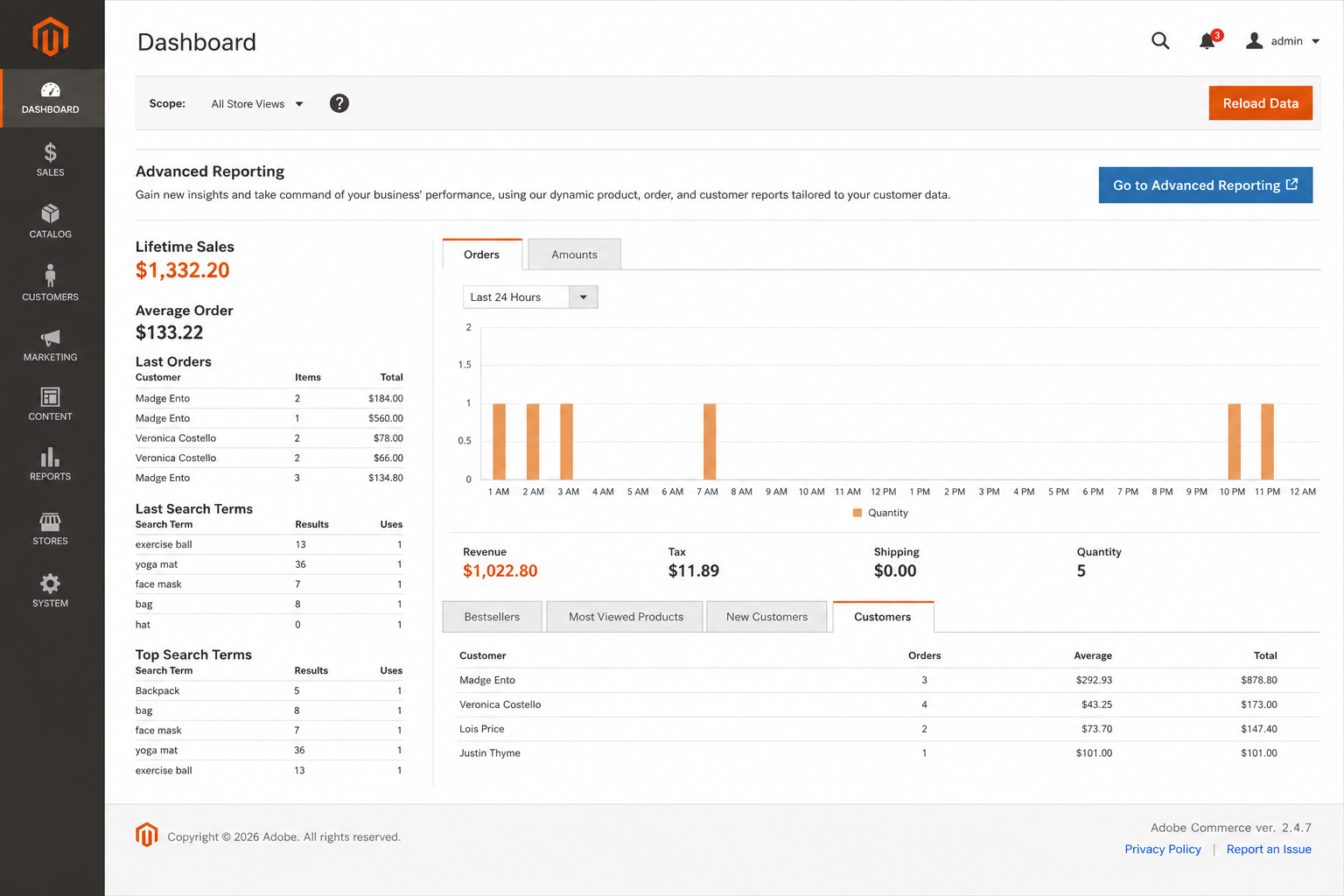
For day-to-day use, Magento includes features that make content and product management easier. Page Builder offers drag-and-drop content creation with no coding required. Inventory and order management tools give real-time stock visibility. Business intelligence tools track performance, and Adobe Target lets marketers personalize and test content and experiences.
Support and extensions
Magento has an active community of users and developers who share knowledge and help each other solve problems. Developers who get stuck can turn to that community for guidance, and Adobe offers official support for Adobe Commerce users (see Customer support below).
Third-party extensions and plugins add new functionality, improve performance, sharpen the customer experience, and speed up pages. They also open the door to more advanced integrations: Magento connects readily with ERP, CRM, PIM, and accounting software.
The Magento (Adobe Commerce) Marketplace is the main source for extensions, with both free and paid options covering content and localization, accounting and finance, marketing, SEO, customer service, shipping and fulfillment, customer relationship management, and more.
Themes and templates
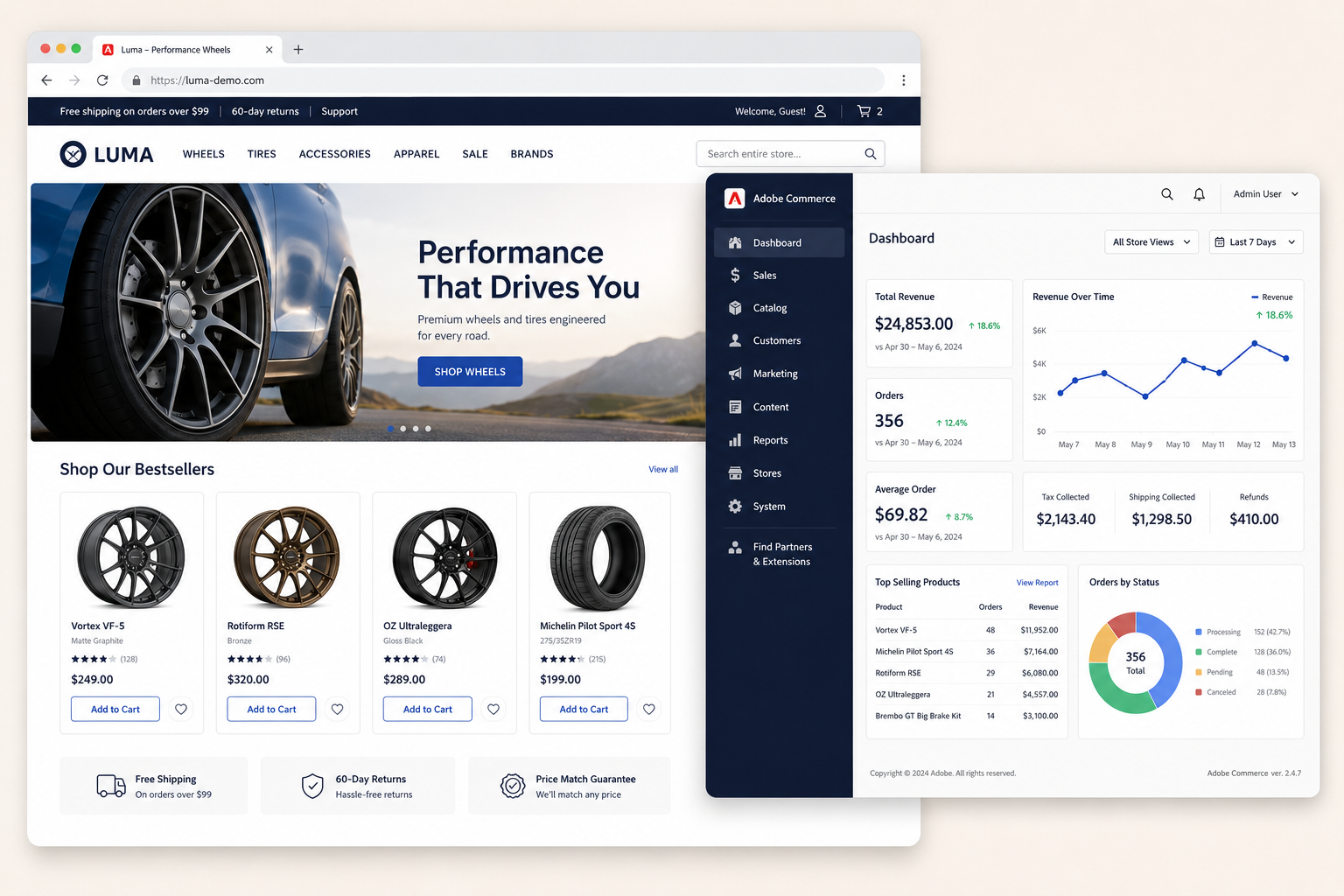
A theme gives a Magento store its look and feel through styles, layouts, images, and templates, and frontend developers implement it during the build. Magento ships with a Blank theme (a base for custom themes) and the Luma theme as its default, and the marketplace offers many free and paid alternatives. Merchants can build a theme from scratch, use the default, or buy one.
Templates control how content blocks appear on a page, such as where a sidebar sits or how the hero banner is positioned. Both themes and templates are customizable. Building or customizing a theme takes experience with PHP, CSS, JavaScript, and similar languages, and templates can be PHTML or HTML files.
When customizing, developers should never edit the default files directly. Changes to default themes or templates can be overwritten during an update, so the best practice is to create a new theme and add the modified templates there.
Luma theme
The Luma theme is Magento 2’s default theme. First released in 2015 and updated since, it is free to use without restrictions on a live store. It is tile-based, fully responsive across devices, and highly customizable. Category pages offer list and grid views, star ratings, and hover CTAs. Product pages have a clean design with large, high-quality images, and the cart and checkout are easy to navigate. Luma is a sound choice for merchants who are just starting out or want to keep development costs down.
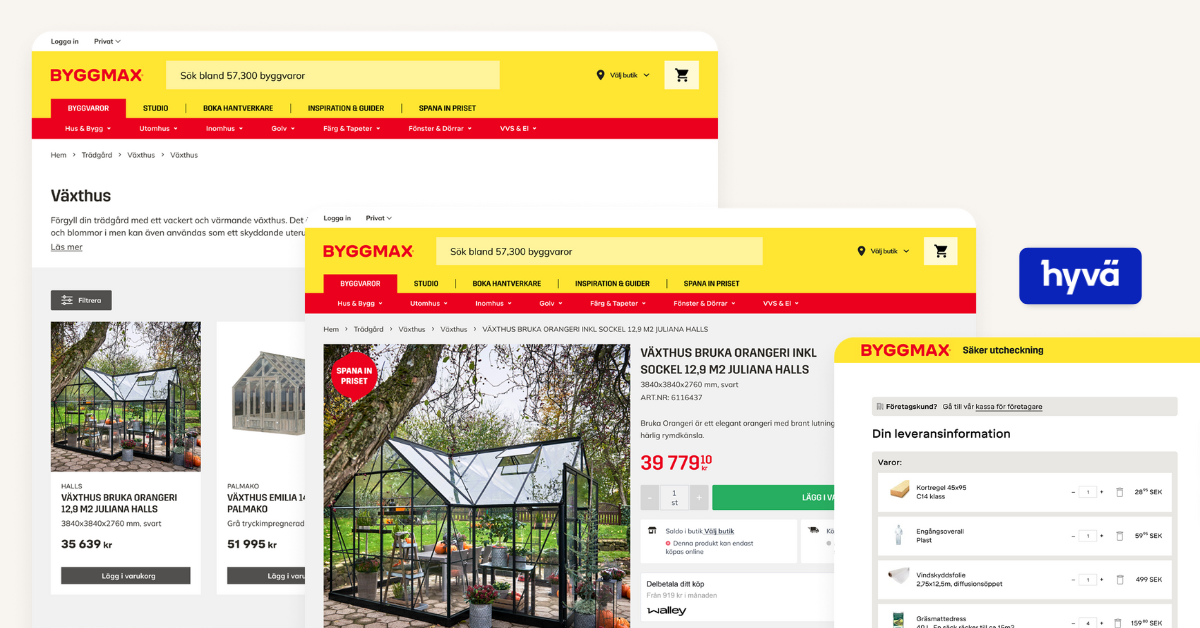
Hyvä theme
Hyvä is positioned by its creators as the frontend theme for Magento: the entire frontend rebuilt from the ground up and simplified, plus a toolset, extension ecosystem, and supporting community.
Where the standard Magento theme loads over 200 JS/CSS resources, Hyvä loads only 2, which means less complexity and faster page loads. Out of the box it scores 100/100 in Google PageSpeed Insights and passes Core Web Vitals on all metrics. It is fully responsive, easy to maintain, and built on Magento’s PHP framework with a developer-friendly interface that shortens time to market. A license is required to use Hyvä, and it includes unlimited updates and access to third-party compatibility modules. scandiweb is a Hyvä Platinum Partner, so if a fast frontend is the priority, Hyvä theme development is the route to look at.
ScandiPWA theme
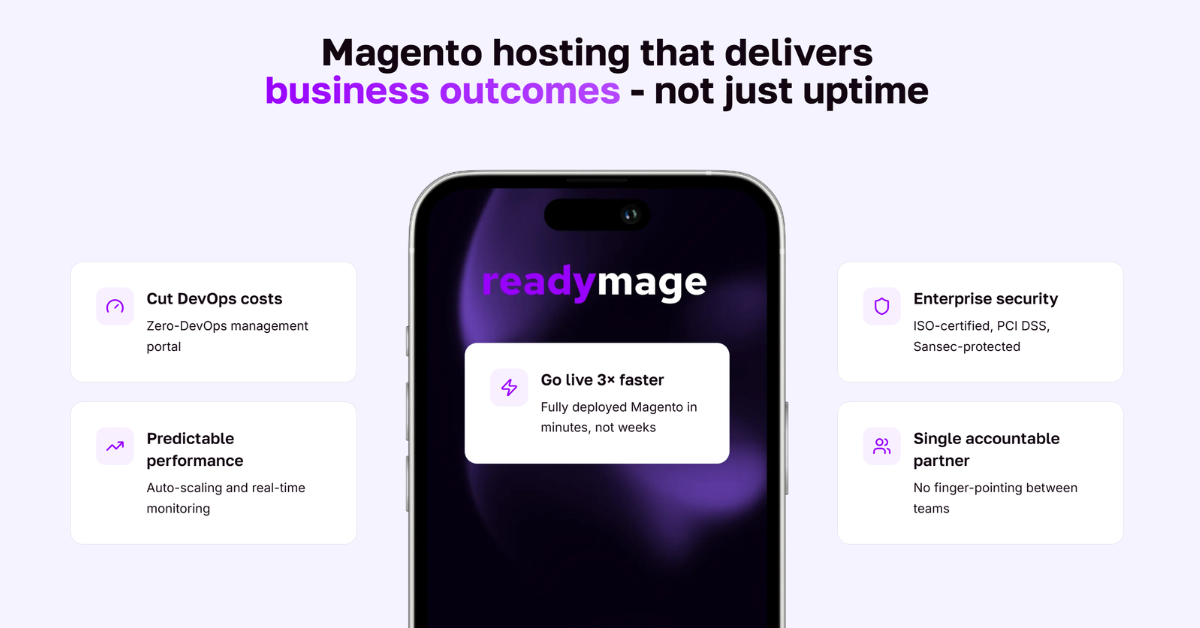
ScandiPWA is the first open-source Magento PWA theme. It is a Magento-first solution installed on top of any Magento project (version 2.3 and later) with no middleware or infrastructure changes, and it supports conventional marketplace extensions, A/B testing, and over 350 Magento features. ScandiPWA is ready to use, fully customizable, and the fastest way to set up a Magento store as a PWA, with development and production environments available in about 15 minutes on readymage.com.
Marketing and SEO tools
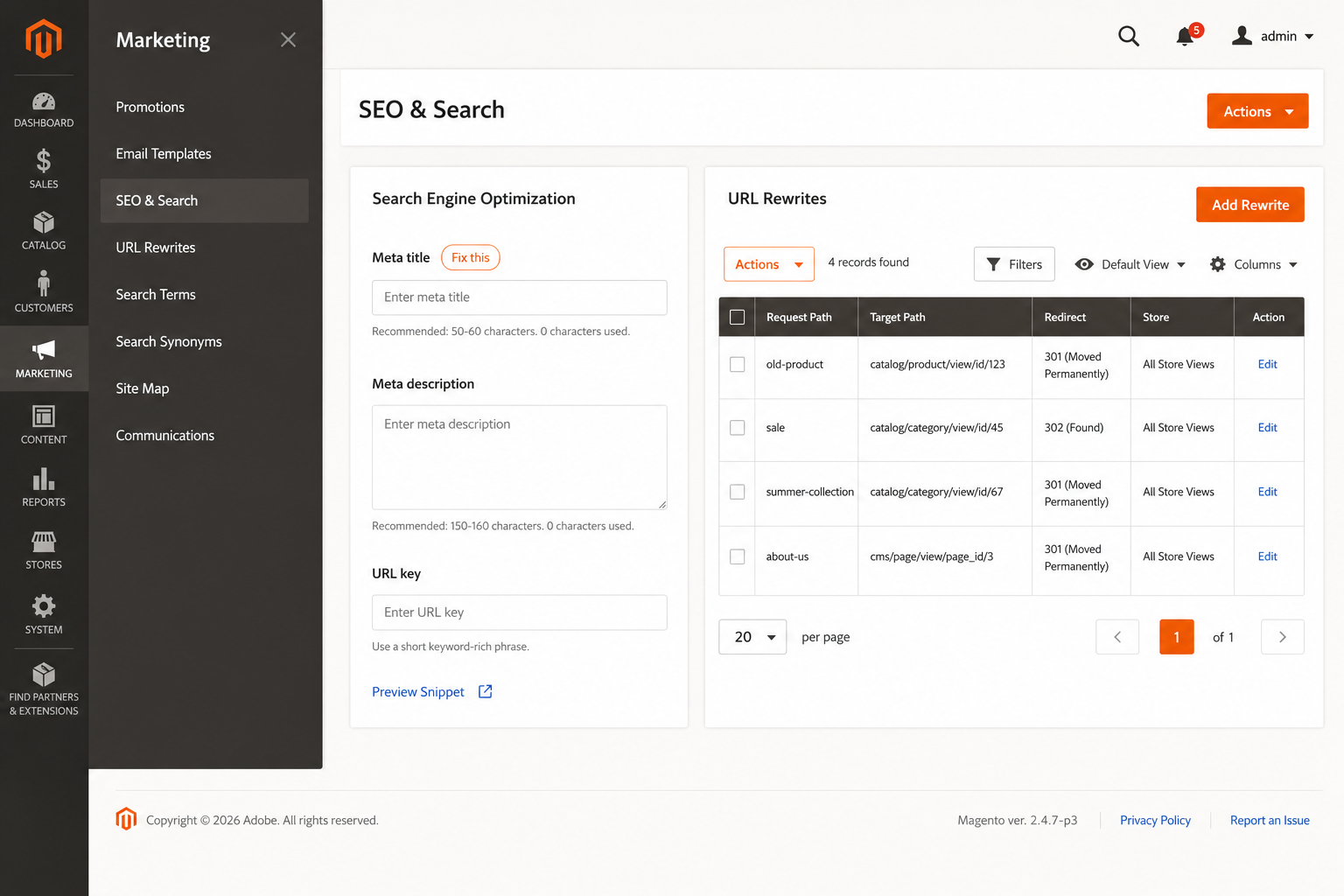
SEO is a common concern among Magento users, and ranking well matters for sales. Magento supports merchants with built-in SEO functions:
- Meta tags (title, description, keywords) for products, categories, CMS pages, and the homepage
- Category paths in product URLs
- Canonical tags for products and categories
- URL rewrites and redirects
- XML sitemap setup
- Robots.txt editing
- Image alt text
- Pagination optimization
Magento SEO extensions
Magento is SEO-friendly out of the box, but some areas can be improved with third-party extensions. The MageWorx SEO Suite and Mirasvit SEO Suite help with rich snippets and other opportunities, the Magento 2 Dynamic HTML Sitemap solves the HTML sitemap issue, and the Amasty SEO Toolkit covers a broad range of needs, to name a few. For stores that want this handled end to end, scandiweb offers Magento SEO services.
Magento marketing
Magento is also well suited to running marketing campaigns. A mix of built-in and third-party tools helps merchants understand their customers and promote products to the right groups:
- Email marketing for promotions, newsletters, and abandoned-cart reminders
- Customer segmentation by location, behavior, purchase history, and loyalty, with tailored messaging per group
- Promotions and discounts that build loyalty
- Product recommendations for cross-selling and upselling based on browsing and purchase history
- Customer reviews that create social proof and build trust
Customer support
Magento Open Source, as free software, does not come with official customer support. Developers can lean on the community, but answers are not guaranteed.
Magento Open Source customer support
The Magento community is active, and a lot of useful information is shared online. GitHub, Stack Overflow, and the Magento forums are places developers turn to for technical help, though there is no guarantee of a fix.
Merchants working with a Magento development agency, or who have contracted Magento support, get access to a team of experienced developers and answers governed by a service level agreement. scandiweb, for example, offers Magento 24/7 support so merchants have help around the clock.
Adobe Commerce customer support
Qualifying Adobe Commerce customers have access to the Adobe Commerce Help Center, where they can submit support tickets, request technical help, track existing requests, and search the Adobe solutions library.
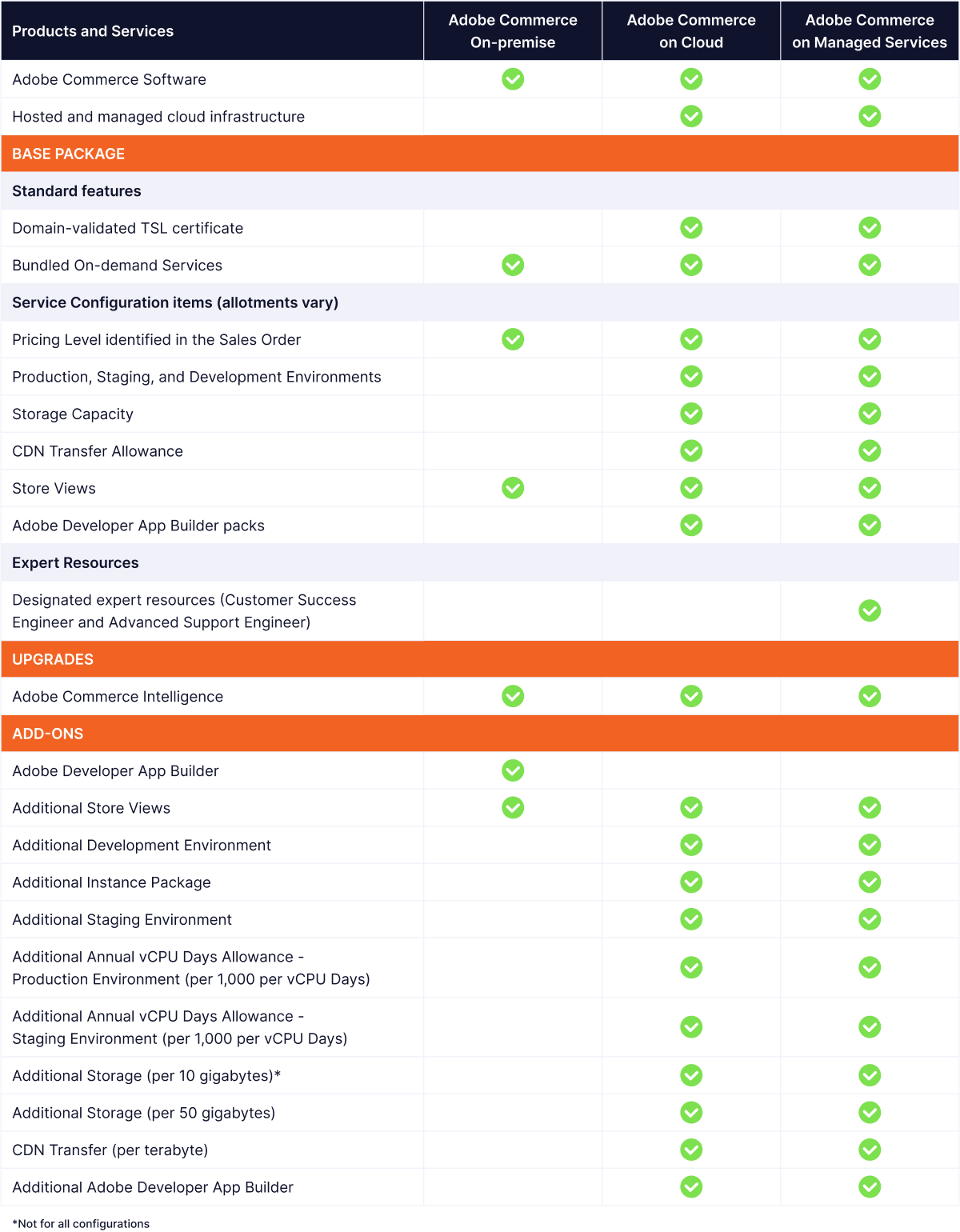
Adobe Commerce on Managed Services adds expert resources: a Customer Success Engineer (CSE) and an Advanced Support Engineer (ASE). The CSE supports onboarding, setup, upgrades, and event management, working to reduce risk and downtime during upgrades, especially in large environments, and advises on integrations and customizations. The ASE is part of Adobe’s 24/7 global incident-management response team for Adobe Commerce on Managed Services.
Security
Security is a top concern for store owners, and Magento builds it into the core rather than leaving it as an afterthought.
Security patches
Adobe regularly releases security patches and updates to protect stores against threats and vulnerabilities, and feature upgrades often ship with security fixes. Applying them promptly reduces the chance of a compromise and keeps the store protected.
SSL and TLS
Magento supports SSL and TLS certificates to encrypt the data transmitted between the customer’s browser and the merchant’s server.
PCI compliance
All eCommerce sites must comply with the Payment Card Industry Data Security Standards (PCI-DSS) to avoid penalties. Adobe Commerce meets industry standards for secure payment processing, and its built-in payment gateways let merchants transmit credit card data securely, so no sensitive data is stored on the Adobe application server. The result is a secure checkout.
Inventory management
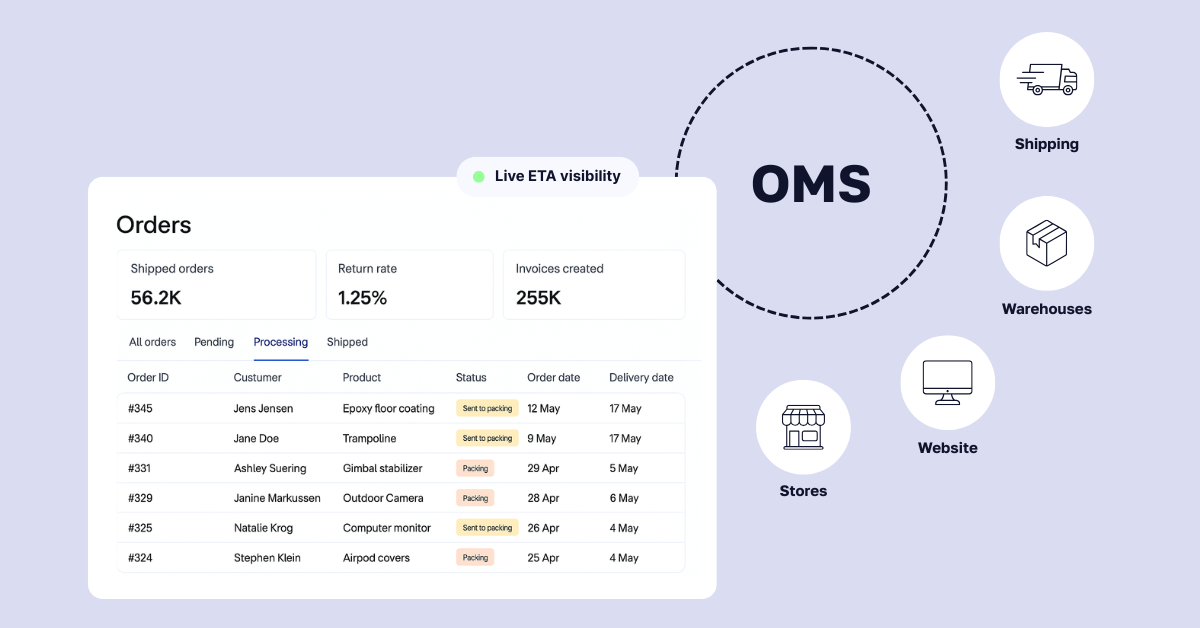
Adobe Commerce gives smaller stores and large enterprises alike real-time inventory visibility so they can fulfill orders easily. Its inventory and order management system lets businesses with multiple sites, stores, brands, and warehouses create consistent customer experiences across channels and locations, with control over products, prices, and stock so they can meet demand.
Adobe Commerce also handles a flexible product catalog: simple, configurable, and grouped products, with variations such as size and color. Whether a customer wants shipping or buy-online-pick-up-in-store (BOPIS), Magento’s fulfillment algorithms help merchants complete each order the best way.
Store fulfillment
For US-based Adobe Commerce merchants, Adobe offers an advanced omnichannel Store Fulfillment solution by Walmart Commerce Technologies, which supports a strong BOPIS experience through Android and iOS devices.
Magento costs and pricing
What does Magento cost in 2026? Magento Open Source has no license fee, but you pay for hosting, development, and maintenance. Adobe Commerce charges a license that Adobe quotes privately based on your Gross Merchandise Value, with industry estimates starting around $22,000 per year on-premise and $40,000 per year on cloud for smaller merchants. For a full breakdown of what Magento really costs, see our pricing guide.
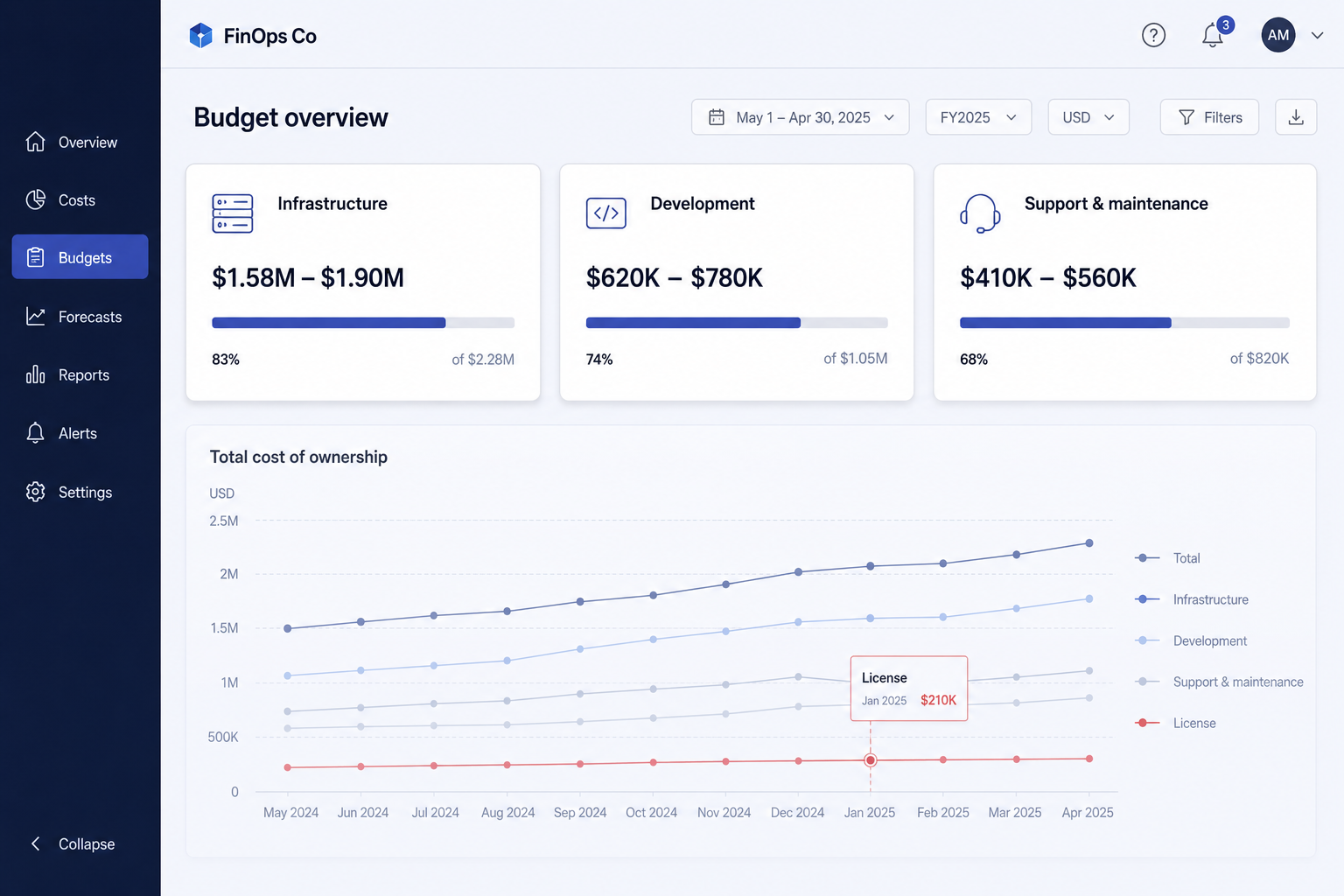
The total depends on the business: its size, needs, resources, and priorities. We will look at the costs of building and maintaining both editions across three segments:
- Infrastructure costs: hosting, web and app servers, databases, domain, SSL certificate
- Development costs: design, customization, programming, extensions, integrations
- Support and maintenance costs: technical staff, training, troubleshooting, updates, patches, paid support
Magento Open Source pricing and costs
Licensing: Free
Infrastructure: Additional cost
Basic functionalities: Included
Advanced functionalities: Additional cost
The Magento Open Source software is free to install and use, but getting it running carries costs across all three segments. A merchant pays for hosting, domain, SSL certificate, design, customization, integrations, support, and maintenance.
Hosting costs
Hosting options include in-house, a hosting provider, or the cloud:
- In-house hosting is risky and costly, but some industries (for example, cannabis) make it necessary.
- Shared, VPS, and dedicated hosting are all viable depending on business size, ranging from roughly $150 per month (shared) to $5,000 per month (multiple dedicated servers).
- Cloud hosting can run from as little as $10 to as much as $4,000 per month.
Development costs
Magento Open Source ships with the basics, but extensions, integrations, and further development are usually needed to make it work the way the business wants. The best extensions are often subscription-based, so there are ongoing costs, and Magento extensions can run anywhere from $50 to $500.
Developers are needed to make those extensions and integrations work. Depending on the scope, a company may need to hire a team, or work with a Magento development agency that builds Magento stores for a living. Either way, development is a real cost line.
Support and maintenance costs
Support and maintenance depend on whether the business has its own developers for bugs, patches, updates, and ongoing work. At minimum, one developer who knows Magento needs to look after the store. Alternatively, agencies offer 24/7 Magento support, which can be more cost-effective once you factor in SLAs and a whole team of Magento experts working to resolve issues quickly.
Adobe Commerce pricing and costs
Licensing: Quoted privately, GMV-based (industry estimates from ~$22,000/year)
Infrastructure: Additional cost or included
Basic functionalities: Included
Advanced functionalities: Included
Adobe no longer publishes tiered Adobe Commerce pricing publicly. License cost is quoted directly by Adobe based on the company’s Gross Merchandise Value (GMV) and Average Order Value (AOV), and varies by offering: Adobe Commerce On-Premise Software, Adobe Commerce on Cloud, and Adobe Commerce on Managed Services.
Industry estimates put the starting license around $22,000 per year for a company with up to $1 million GMV on the on-premise software, and around $40,000 per year on cloud, scaling to roughly $55,000 to $190,000 per year for mid-market merchants (Swell, 2026). Keep in mind that total annual spend (license plus hosting plus support) typically runs two to three times the license fee alone (Elogic, 2026).
🚀 Quick takeaway
Budget for total cost of ownership, not just the license. Whether you run Open Source or Adobe Commerce, hosting, development, and support usually outweigh the license line, so the real question is who builds and maintains the store.
Pros and cons of using Magento
Magento offers a lot, but it is not the right fit for everyone. Here is an honest list of the pros and cons of choosing Magento (Adobe Commerce) for your store.
Pros of using Magento
1. Feature-rich and flexible. Merchants get a flexible platform they can customize to their exact needs, which makes it possible to deliver a tailored buying experience.
2. Scalable. Magento handles a large number of products and customers, managing tens of thousands of transactions per hour and up to 500,000 products. Deployed on cloud infrastructure, it lets Adobe handle hosting and platform support while the merchant focuses on selling, with room to customize for businesses of any size.
3. Secure. With built-in security features and regular patches, Magento is a secure platform for handling sensitive data and protecting both merchants and customers.
4. Mobile-friendly. Magento’s responsive design gives customers a strong mobile experience across smartphones and tablets, which supports higher conversion rates, lower bounce rates, and more sales.
5. Multi-currency and multi-language. Magento lets merchants run several stores across regions with different languages, pricing, and currencies, which makes selling internationally easier.
6. A large extension ecosystem. The marketplace offers many practical extensions, free and paid, that expand store functionality across site management, marketing, themes, and customer service.
7. Advanced analytics and reporting. Magento’s admin includes in-depth analytics so merchants can see best sellers, understand how customers interact with the store, and make informed decisions.
8. A large community. Magento has a large, active developer community that provides resources, support, and a steady stream of extensions and tools.
Cons of using Magento
1. Cost. Magento Open Source is free, but Adobe Commerce requires an annual license, and both editions carry costs for customization, add-ons, and features.
2. Resource requirements. Magento is resource-intensive and needs a fair amount of memory and processing power to run smoothly, which can add to hosting costs.
3. Complexity. Magento has a steeper learning curve than simpler platforms. To keep the store stable, secure, and pleasant to use, merchants need to train an in-house team or bring in a Magento development agency. (If you are weighing whether the platform still earns that investment, we cover it in is Magento dying?.)
🚀 Quick takeaway
Most of Magento’s cons come down to one thing: it expects technical depth. That is exactly why the platform decision and the agency decision are really one decision.
Working with a Magento (Adobe Commerce) agency
Once you have decided on Magento, the next question is who builds and runs it. A Magento (Adobe Commerce) agency designs, develops, migrates, and maintains your store so you get the platform’s flexibility without staffing a full in-house Magento team. For most mid-market and enterprise merchants, that is the practical path: Magento’s depth is its advantage and its demand, and an agency turns the demand into someone else’s job.
When to hire an agency vs build in-house
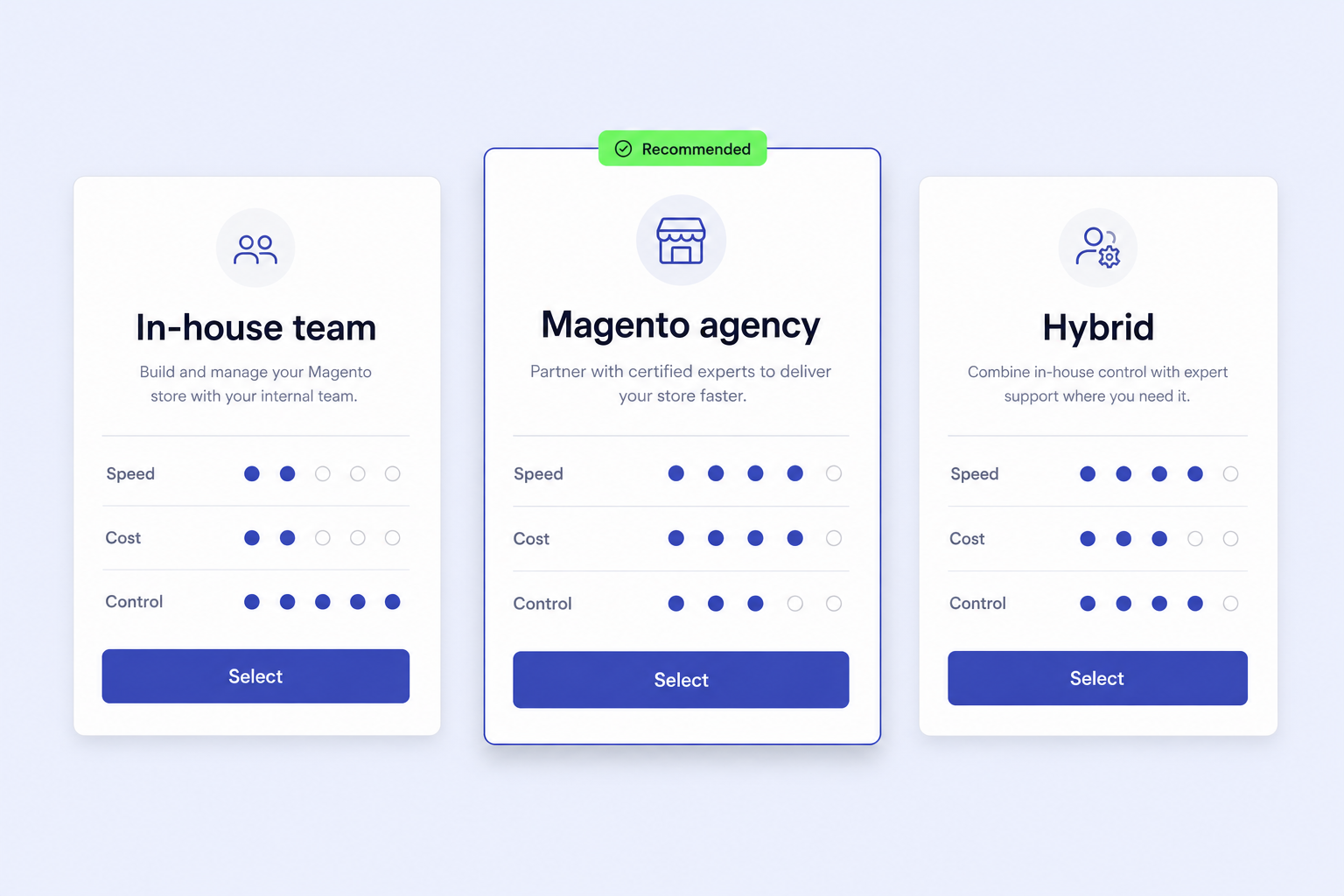
Build in-house if you already employ Magento-certified developers, your roadmap is steady enough to keep them busy, and you can cover hiring, training, and retention. Hire an agency if you need senior Magento expertise on day one, your needs spike around launches, migrations, or peak seasons, or you would rather pay for outcomes than carry permanent headcount. Many merchants run a hybrid: a small internal team plus an agency for specialist and overflow work.
For a side-by-side view of the field, our listicle of the top Magento development companies compares 30 agencies in 2026 across these exact criteria.
Conclusion
Choosing the platform that powers your store is a decision that touches every part of the business, from how products are displayed to how traffic converts. Is Magento the right choice?
Both editions under Adobe, Magento Open Source and Adobe Commerce, help businesses of all sizes build, launch, maintain, and customize their stores. Magento Open Source opens up a lot of possibilities but assumes technical know-how: the community helps, but it will not solve everything, so you need a skilled Magento developer or team, and you should plan for a learning curve and the cost of extensions, hosting, and technical requirements on top of the free license.
Adobe Commerce costs more, which makes it a better fit for larger businesses, and in return you get reliable support, organized resources, advanced tools, and easy integration with third-party extensions. It is flexible, scalable, mobile- and SEO-friendly, customizable, and secure. For merchants with the scale to use it, Magento is an investment that tends to pay off over the long run, provided the build and upkeep are in capable hands.
Frequently asked questions
What is Magento used for?
Magento (Adobe Commerce) is used to build and run online stores. Merchants use it to manage products, inventory, checkout, payments, marketing, and content for B2C and B2B businesses, and to customize and scale those stores as they grow. It suits everything from smaller catalogs to large, multi-store enterprises.
Is Magento free?
Magento Open Source is free to license and self-host, but running it still costs money for hosting, development, extensions, and maintenance. Adobe Commerce, the enterprise edition, is a paid subscription quoted by Adobe based on your Gross Merchandise Value, with industry estimates starting around $22,000 per year.
What is the difference between Magento and Adobe Commerce?
They are the same core software. Magento Open Source is the free, self-hosted edition with all the core eCommerce features. Adobe Commerce is the paid enterprise edition that adds advanced features, managed cloud hosting on AWS, official Adobe support, and Adobe Experience Cloud integrations. Adobe owns and sells both.
How much does Adobe Commerce cost in 2026?
Adobe does not publish public pricing. License cost is quoted directly by Adobe based on your Gross Merchandise Value. Industry estimates put the starting license around $22,000 per year on-premise and $40,000 per year on cloud for smaller merchants, scaling higher for mid-market. Total cost of ownership usually runs two to three times the license fee.
Is Magento still worth it in 2026?
For mid-market and enterprise merchants that need deep customization, large catalogs, or B2B features, Magento remains a strong choice and still leads in B2B commerce. It is less suited to very small stores that want low maintenance. The platform rewards merchants who have, or hire, the technical depth to run it well.
Do I need an agency to build a Magento store?
Not strictly, but most merchants benefit from one. Magento expects real technical depth, so unless you employ Magento-certified developers in-house, a Magento agency is usually faster, safer, and more cost-effective for building, migrating, and maintaining the store. Many merchants run a hybrid of a small internal team plus an agency
If you are deciding whether Magento is right for your store, or who should build it, talk to our Magento team. Tell us where you are now and where you want to go, and we will map the right edition, the right build, and how to get there.




































