

Point of sale (POS) has long been a challenge in Magento setups. Online, Magento gives merchants full control over catalog, pricing, promotions, and customer data. In-store, however, most retailers end up running a separate POS system, often connected through middleware or third-party integrations.
Instead of one system supporting both channels, retailers are maintaining two, with added complexity in between. That complexity gap is what Hyvä POS is designed to close.
What is Hyvä POS?
Hyvä POS is a point-of-sale system built specifically for Magento Open Source and Adobe Commerce.
It’s a native iOS app that runs on iPhone and iPad, turning Apple devices into fully functional retail terminals. Instead of relying on a separate system, it connects directly to your Magento instance, giving in-store staff access to the same catalog, customers, inventory, and orders that power your online store.
There’s no middleware layer and no additional database to maintain. Magento remains the single source of truth, with Hyvä POS acting as the interface at the retail counter.
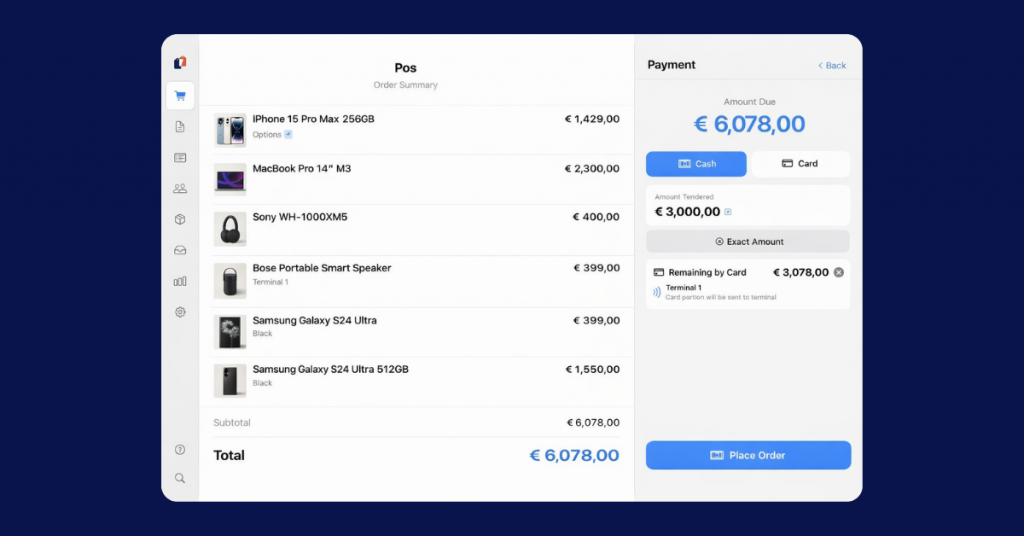
The app is designed with an offline-first approach so that sales can continue even without connectivity. Once the connection is restored, data syncs back automatically. At the same time, when online, stock levels, customer activity, and everything else update in real time.
What makes it different from existing POS solutions
Native, not browser-based
Hyvä POS runs as a native app, not in a browser, allowing it to work offline and integrate properly with retail hardware like barcode scanners, receipt printers, and cash drawers.
No middleware or sync layer
Most Magento POS setups rely on connectors between systems, but Hyvä POS removes that layer entirely; there’s no delay in syncing data and fewer points where things can break.
Built around Magento logic
The system understands Magento natively, including complex product types, customer group pricing, and promotions, without the need to replicate or adapt this logic on another platform.
Designed for real store workflows
Features like cart holding and recall, split payments, refunds, and multi-store configurations are built in from the start, based on how Magento merchants actually run their stores.
How it works
Hyvä POS is designed to be quick to set up and straightforward to run in-store, without introducing new systems into your stack.
1. Connect your Magento store
The app connects directly to your Magento instance via API. Once authenticated, it pulls in your catalog, customers, pricing, and configuration. There’s no separate database or syncing tool involved.
2. Configure your register
From there, you set up how each terminal should operate (payment methods, receipt printing, customer display, and staff access). Cashiers can be assigned roles and permissions, with PIN-based login managed through Magento.
3. Start selling in-store
Once configured, the POS is ready to use. Staff can browse products, scan barcodes, apply discounts, and complete transactions directly from the device. Orders are created in Magento as they happen, following the same structure as online orders.
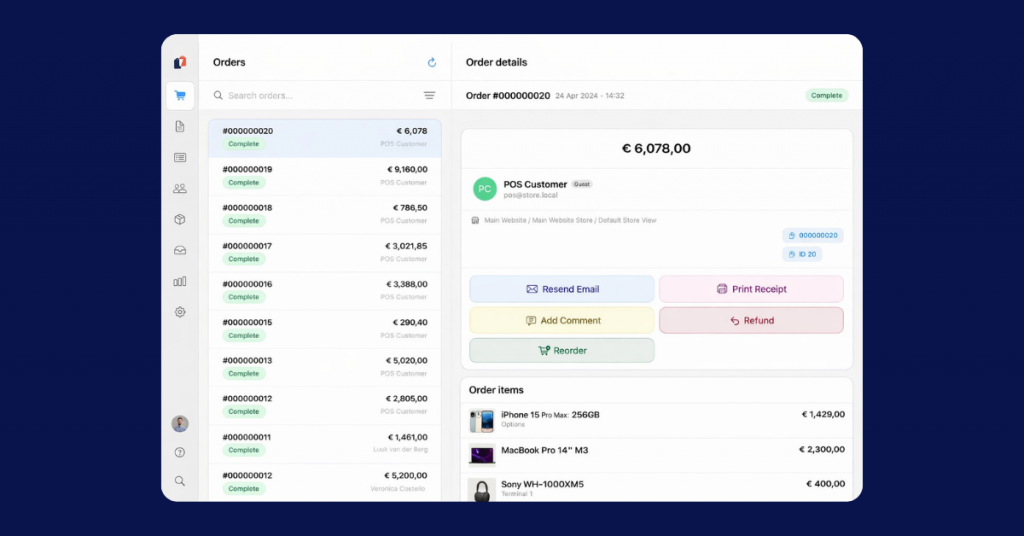
Two things make a difference in day-to-day use:
- Real-time sync when connected – stock levels, customer data, and orders update instantly throughout channels
- Offline continuity when needed – orders are queued locally and synced back to Magento once the connection is restored.
What you can do with Hyvä POS
Hyvä POS covers the full set of tasks store staff deal with daily, without switching between systems or workarounds.
At the counter
Staff can access the full Magento catalog directly from the device, using category navigation, search, or barcode scanning. All standard product types are supported, including configurable and bundled products. Receipts can be printed on supported thermal printers or sent digitally, with branding configured per store.
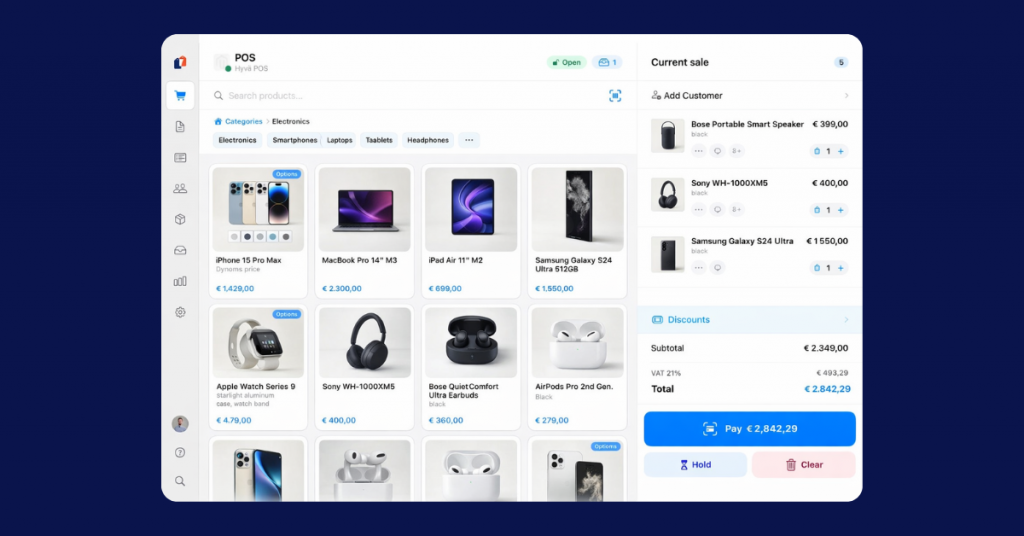
Checkout is flexible and applies to common scenarios:
- Cash payments with denomination handling
- Card payments via Mollie terminals
- Store credit and split payments within the same order
- Discounts applied at line or cart level, including Magento sales rules and coupons.
Customer handling
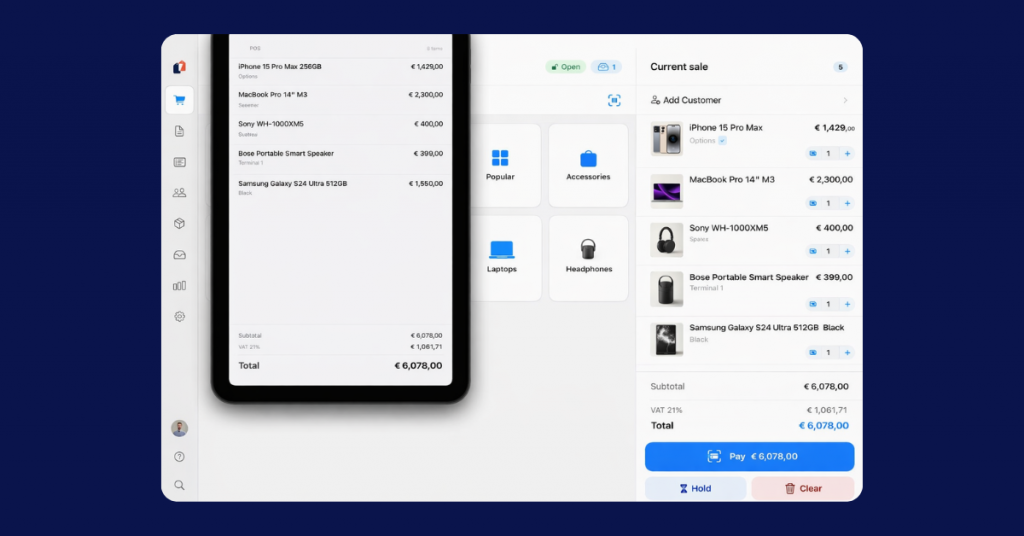
Customers can be looked up or created during checkout, with full access to their order history. At the same time, Hyvä POS supports a customer-facing display, where shoppers can view their cart and totals in real time, follow the payment process, and enter their email to receive a digital receipt, keeping the in-store experience aligned with what customers expect online.
Store and staff management
Hyvä POS supports multi-store setups, allowing different configurations per location while still running on the same Magento instance.
Store teams can:
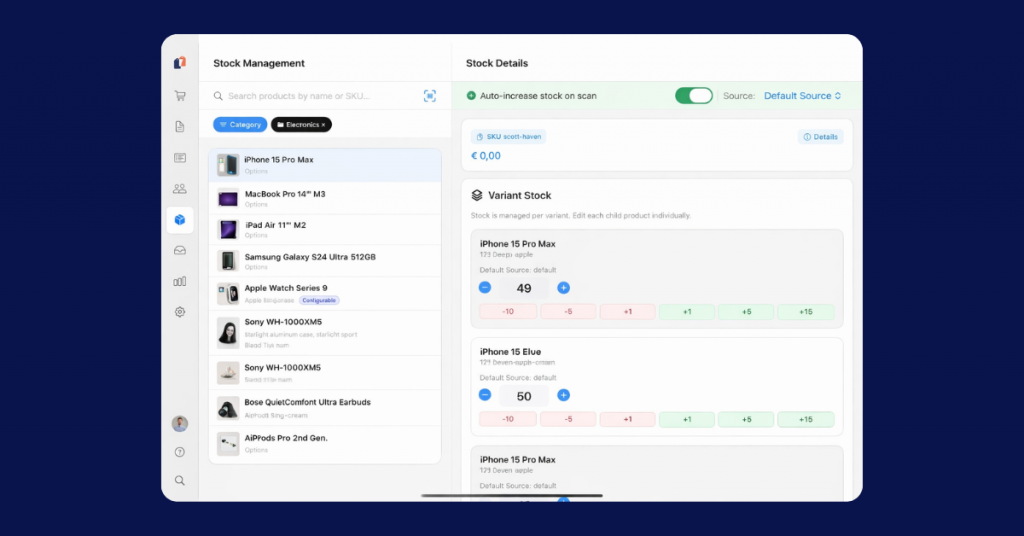
- Manage inventory by source using MSI
- Open and close registers with cash reconciliation
- Assign staff roles and permissions with tracked activity
- Hold and recall carts, either on the same device or terminals, depending on setup.
Orders, returns, and reporting
Orders created in-store follow Magento’s structure, including invoices, shipments, and credit memos, which allows staff to process full or partial refunds, handle returns directly in the system, and keep order history consistent on all channels.
For reporting, Hyvä POS provides:
- Daily and monthly sales summaries
- Payment breakdowns
- Stock movement tracking.
All data can be exported, making it easier to reconcile and analyze store performance without additional tools.
Is Hyvä POS for you?
Hyvä POS is built for Magento omnichannel retailers who don’t want to manage separate systems for online and in-store sales. It’s definitely a strong fit if your business relies on both channels and you’re starting to feel the limitations of keeping them disconnected. For a wider comparison, see the best POS systems for Magento.
You’ll likely benefit from Hyvä POS if you:
- Run physical stores alongside your Magento eCommerce setup
- Rely on accurate, real-time inventory
- Want consistent pricing, promotions, and customer data everywhere
- Are currently using a third-party POS with middleware or manual sync workarounds
- Have multiple locations, larger catalogs, or more complex customer handling.
Instead of adapting Magento to fit around a POS, Hyvä POS brings it into Magento itself, resulting in simpler architecture and reduced day-to-day friction in stores.
Rollout, pricing, and current status
Hyvä POS is currently in its early rollout phase. A pilot program is underway, with early access available through a waitlist. The initial rollout is focused on the Netherlands, Belgium, and the United Kingdom – availability in other regions will follow, with some markets requiring additional certification.
The system runs on Apple devices (iPhone and iPad) that serve as POS terminals.
In terms of pricing:
- A free tier is available for single-register setups with core functionality
- The Pro version is included with Hyvä Commerce and adds features like offline mode, customer display, and advanced staff management.
Early adopters also have the opportunity to influence the product’s direction through feedback during the pilot phase.
Implement Hyvä POS with scandiweb, Hyvä’s Platinum Partner
As a Hyvä Platinum Partner, scandiweb is closely involved in the Hyvä ecosystem. We’ve completed a wide range of high-performing, customer-centric Hyvä projects across industries and contributed to the community with our own solutions and frameworks.
Hyvä POS connects directly to Magento, so its success depends on how well your Magento setup (catalog, inventory, customer data, pricing logic, and integrations with ERP or PIM systems) is structured. We integrate Hyvä POS into your existing setup, configure how your stores operate, and test real checkout flows before go-live.
We support omnichannel retailers exploring Hyvä POS by:
- Evaluating fit
- Assessing whether it aligns with your retail model, store setup, and existing systems
- Preparing Magento for POS
- Ensuring your catalog, inventory structure, and customer data are ready to support in-store workflows
- Configuring and integrating
- Setting up registers, payments, hardware, and connecting POS flows with ERP, PIM, or other systems where needed
- Rolling out across stores
- Planning and executing multi-location rollouts, including staff setup, permissions, and process alignment
- Adapting to real workflows
- Aligning the system with how your teams actually sell in-store, not just how the default setup works.
Getting started
Hyvä POS is still in its early phase, but it already signals a shift in how Magento merchants can approach in-store retail. If you have a large or growing retail presence, this changes how decisions are made. POS is no longer something to work around but part of the core Magento setup. Join the waitlist at hyva.io/pos to get early access and see how it works in practice.
If you want to understand how it would work with your current setup, scandiweb can help you assess, prepare, and implement it in a way that fits your business.




































