
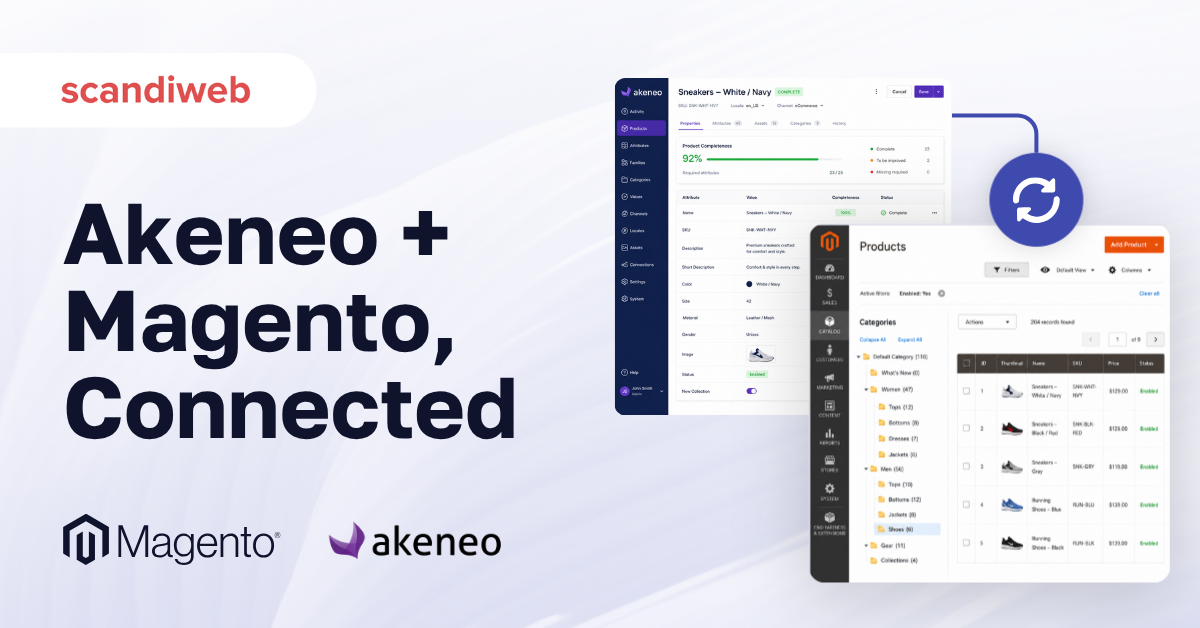
Your catalog team is updating the same product attribute in three places this morning: the Magento admin, a marketplace feed, and a CSV bound for a printed catalog. Two of those updates will silently disagree by the time the day ends. That is the problem Akeneo PIM exists to solve, and the connector that links it to Magento 2 (Adobe Commerce) is what makes the solution real on a live store.
This guide walks through the Akeneo-Magento connector options on the market in 2026, the setup path scandiweb’s Akeneo team uses on real catalogs, and the integration patterns we have shipped for clients running into the four million-SKU mark.
Overview
- Akeneo PIM connects to Magento 2 through a connector module installed on the Magento side, talking to Akeneo via REST API.
- Three connector options exist in 2026: Akeneo’s official Community Edition, the Enterprise Edition, and partner-built alternatives like scandiweb’s connector.
- The connector handles category, attribute, product, and relationship sync, with completeness rules controlling what gets pushed.
🚀 Quick takeaway
Pick the connector based on catalog size and sync frequency, not on which vendor you prefer. The Community Edition stalls past 50,000 SKUs without custom tuning, and the Enterprise Edition only ships with Akeneo Enterprise licenses.
Why Akeneo PIM matters for Magento 2
Magento 2’s native catalog management is built around the store admin’s UI. That works at small catalogs and one locale. As soon as you cross into multi-channel, multi-region, or multi-thousand-SKU territory, the four problems below appear at the same time.
Catalog management UX hits a ceiling
Magento’s product grid is fine for editing a few products at a time. It is not fine for a content team updating 8,000 SKUs across five locales. Akeneo’s interface is built for that workflow, with attribute-level completeness tracking, bulk editing, and locale-by-locale views.
Dedicated catalog teams need their own tooling
Large brands typically assign catalog ownership to a content team that should not have full Magento admin access. Giving them Akeneo instead means they can enrich products in detail without touching pricing, orders, or store configuration.
Multichannel sales need a single source of truth
If product data lives in Magento, syncing it to a marketplace, a print catalog, or a B2B portal means custom export jobs and reconciliation work. Akeneo flips the model: data lives in the PIM, and every channel pulls from there.
Completeness tracking is impossible without it
Akeneo’s completeness rules let the team see exactly which products are missing translations, certifications, or required attributes per channel. Magento has no equivalent. The team-level visibility this unlocks is often what makes the business case.
🚀 Quick takeaway
If you have crossed 5,000 SKUs, three locales, or two sales channels, the PIM case usually pays for itself within the first year through reduced catalog rework and faster product launches.
How does Akeneo integrate with Magento 2?
The integration runs through a connector module installed on the Magento side. The connector talks to Akeneo via the official Akeneo REST API, pulls product, attribute, and category data from the PIM, and writes it into Magento’s catalog tables. The Magento Akeneo integration page covers scope and data flow in production.
The data flow is one-directional by default: Akeneo is the source of truth, Magento is the destination. The flow can be inverted in specific scenarios (for example, when an ERP pushes a baseline SKU set into Magento first and Akeneo enriches it), but the standard pattern keeps Akeneo upstream.
What the connector syncs:
- Product attributes and attribute groups
- Categories and category trees
- Products themselves, including configurable and bundle types
- Product relationships (related, upsell, cross-sell)
- Product media assets (with caveats on file-size handling)
- Completeness state, so only ready-to-publish products move
Sync runs as either a scheduled cron job or an on-demand trigger from the Akeneo side. Most production setups use a hybrid: catalog-wide sync overnight, on-demand for emergency price or copy updates.
Connector options in 2026
Three viable connector paths exist for an Akeneo-to-Magento integration in 2026. Pick by license, catalog size, and customisation appetite. On other platforms, see the commercetools Akeneo integration page.
Akeneo Connector Community Edition (free, open source)
Available on the Adobe Commerce Marketplace and on GitHub, this is the default starting point. MIT-licensed, no official Akeneo support. It works well up to roughly 50,000 SKUs and a single locale, then starts to show performance limits without custom tuning. Documentation lives at the Akeneo Help Center.
Akeneo Connector Enterprise Edition
Bundled with Akeneo Enterprise licenses only. Adds B2B-specific features, advanced asset management sync, and official Akeneo support. The right choice if you already pay for Akeneo Enterprise; otherwise it does not factor.
Partner-built connectors (scandiweb’s included)
For catalogs above 100,000 SKUs or with custom sync requirements (delta-only syncs, multi-region routing, asset CDN integration), the off-the-shelf connectors require enough customisation that a partner-built alternative often wins on cost and reliability. scandiweb’s connector ships with batched delta syncs, configurable completeness gates, and reduced data-transfer payloads.
Setup walkthrough: from zero to first sync
The five steps below are the canonical install path the scandiweb Akeneo team uses on new projects. They assume you have a working Akeneo instance (Community or Enterprise) and a Magento 2 environment with admin access.
Step 1: Verify prerequisites
Check the Akeneo prerequisites page for PHP version, Magento version, and Akeneo API version compatibility. Mismatches at this stage cause silent sync failures later.
Step 2: Configure websites, stores, and locales
Configure your Magento websites, stores, and store views first. Then mirror the locales in Akeneo. The connector maps locale-to-store-view based on these settings, and any drift between the two sides will create duplicate products or skipped translations.
Step 3: Install the connector module
Install via Composer (Community or Enterprise) or via the partner build’s install instructions. Run bin/magento setup:upgrade and the standard cache flush.
Step 4: Configure the API credentials and completeness rules
Generate an Akeneo API client, paste the credentials into Magento admin under Stores → Akeneo, and set the completeness threshold. The threshold controls which products are eligible for sync; setting it too low pushes incomplete products live, too high blocks the catalog entirely.
Step 5: Run the first sync and verify
Trigger an initial full sync. Confirm category tree, attributes, and a sample of products land correctly in Magento. Check the first multi-locale product specifically; the locale mapping is the most common point of failure.
🚀 Quick takeaway
The two steps that go wrong most often are locale mapping in Step 2 and completeness thresholds in Step 4. Spend extra time on both.
Sync architecture and batching
The high-level sync model is simple: read from Akeneo, write to Magento. The complexity hides in batching, error handling, and incremental updates.
A naive sync pulls the full catalog every run. That works up to a few thousand SKUs. Past that, the catalog query alone becomes expensive, and the Magento indexer queue builds up faster than it drains. Production setups rely on delta syncs: Akeneo’s API exposes a updated filter, and the connector should ask only for products changed since the last sync.
Three batching settings matter most:
- Batch size per API call: 100 to 500 products is typical, depending on attribute count
- Parallelism: how many batches run concurrently against the Magento write side
- Image handling: whether assets sync inline (slow but consistent) or via an async media queue (faster, requires more orchestration)
For a catalog above 200,000 SKUs, async media handling becomes non-optional. scandiweb’s partner connector defaults to async with a configurable concurrency ceiling.
Why scandiweb built its own connector
On client work above 100,000 SKUs, the off-the-shelf connectors hit predictable walls: full-catalog syncs that take 14 hours, Magento indexers that fall behind, and asset payloads that exceed practical request sizes. The scandiweb Akeneo team’s connector was built to fix all three.
The connector has shipped on multiple large-catalog projects. One example: a scandiweb Akeneo case study documents a B2B catalog where the partner connector reduced full-sync time from 14 hours to 90 minutes, with delta syncs running in under 5 minutes. The project also earned recognition at Akeneo’s APS Summit as a top-3 Akeneo PIM implementation.
The connector is not a replacement for the official one on every project. For catalogs under 50,000 SKUs and single-locale stores, the Community Edition is genuinely fine. The partner build only pays off when scale or customisation demands it.
When should you choose Akeneo PIM for Magento 2?
Akeneo PIM is the right call when at least two of the following are true: your catalog is above 5,000 SKUs, you sell across more than two locales, you publish to more than two sales channels, or a dedicated catalog team owns product data full time. Below those thresholds, the Magento admin alone usually suffices.
For broader PIM evaluation including alternatives like Pimcore, Salsify, and inriver, see our PIM software comparison guide. For a deeper look at how PIM improves product information management workflows specifically, see our Akeneo workflows guide.
🚀 Quick takeaway
If your catalog team is fighting Magento’s admin, the PIM business case is usually already there. The cost is in integration work, not in the Akeneo license itself.
Frequently Asked Questions
Is Akeneo PIM free to use with Magento 2?
The Akeneo Community Edition and the Community connector are both free and open source. Akeneo Enterprise (which unlocks the Enterprise connector and B2B features) requires a paid subscription, priced based on user count and product volume.
How long does an Akeneo + Magento 2 integration take?
A standard integration on a catalog under 50,000 SKUs typically takes 6 to 10 weeks from kickoff to first production sync. Larger catalogs or multi-region setups add 4 to 12 weeks. The discovery and locale-mapping phase is often the longest single step.
Does the Akeneo connector sync product images?
Yes, both the Community and Enterprise connectors sync product media. The handling differs: Community ships with inline sync (simpler but slow on large catalogs), Enterprise and partner connectors use async media queues to avoid blocking the main sync.
Can I sync products from Magento back to Akeneo?
The default flow is one-directional, Akeneo to Magento. Reverse sync is possible but adds complexity and is usually only required when an ERP writes baseline SKUs into Magento that Akeneo then enriches.
Which Magento versions does the Akeneo connector support?
The current Akeneo Community connector supports Magento Open Source 2.4.x and Adobe Commerce 2.4.x. Check the Akeneo compatibility matrix before installing for the exact supported versions.
What happens if the sync fails mid-run?
Well-built connectors checkpoint progress and resume from the last successful batch. The Community Edition’s recovery behaviour is basic; production setups with high SKU counts typically need partner-level tooling for reliable resume-on-failure.
About this guide
Maintained by the scandiweb Akeneo team. Reviewed by Aigars Pavlovics, Executive Board. scandiweb is a Magento Solution Partner with a top-3 APS Akeneo Summit recognition for PIM implementation work.
Thinking about an Akeneo + Magento integration on a real catalog? Get in touch with the scandiweb Akeneo team for a connector recommendation, a scope estimate, and a sync architecture review.




































