
Listing products on a marketplace is the part everybody budgets for, and it is almost never the part that overruns.
eCommerce marketplace integration connects your store to the channels you sell on, so listings, stock, orders, and returns move between them without anyone retyping anything. The listing itself is usually the easy half. The expensive half is product identifiers, matching your SKUs to what the channel expects, and deciding which system is allowed to say how much stock you actually have.
What is eCommerce marketplace integration?
eCommerce marketplace integration is a connection between your own store and an external sales channel such as Amazon, eBay, Zalando, or TikTok Shop, built so product data flows out to the channel and orders flow back into your systems automatically. It runs on a native channel app, a multichannel integration platform, or a custom build against the marketplace API, and the right choice depends on how many channels you run and how far your catalog differs from what those channels expect.
Most merchants start manually. Somebody creates listings by hand, watches stock across two browser tabs, and copies order details into the store each morning. That works at one channel and a few hundred items. It stops working at the point where a second channel can sell the same unit.
Our wider guide to Magento integrations covers the other systems a store connects to. Every channel named here has a page of its own in our integration directory, documented separately for each platform.
🚀 Quick takeaway
The question that decides your architecture is not how many products you have. It is how many places can sell the same unit at the same moment.
What has to stay in sync
Four kinds of data move, and they move in different directions at different speeds.
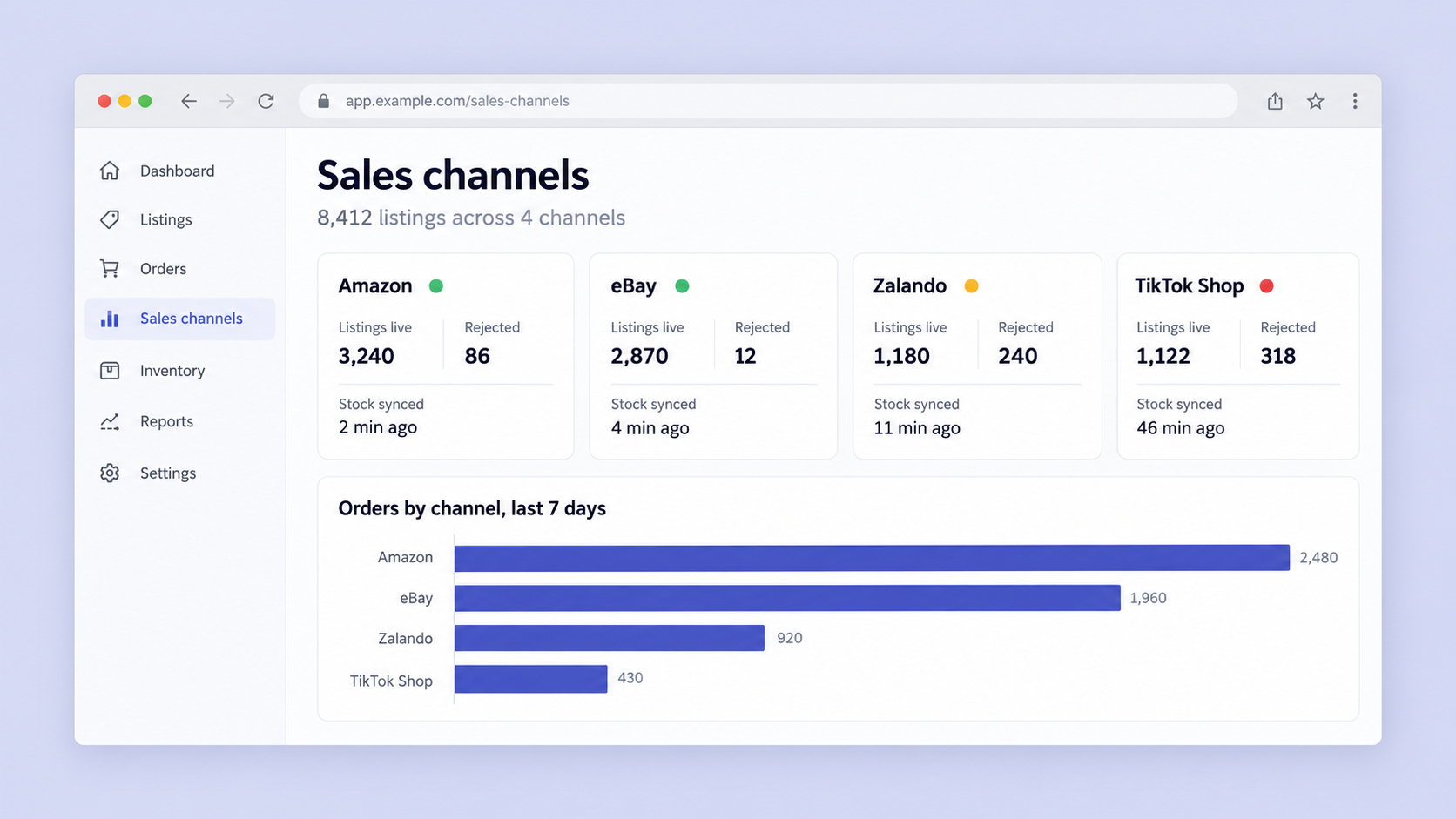
Listings go out. Titles, descriptions, images, attributes, and category mapping. This is a one-directional push, and it is where channel-specific rules bite hardest, because every marketplace has its own required attributes and its own idea of what a valid title looks like.
Inventory goes both ways, fast. The channel needs to know what is available, and your store needs to know what the channel just sold. Latency here is not a technical nicety. It is the difference between selling a unit twice and not selling it at all.
Orders come in. With a channel order number, a channel-assigned customer, and sometimes a SKU your store has never seen. These have to become real orders in your system without breaking reporting.
Returns and status go back out. Dispatch confirmations, tracking numbers, cancellations, and refunds. This is the direction teams most often leave manual, and it is worth being deliberate about rather than discovering it late.
🚀 Quick takeaway
Inventory is the only one of these that is genuinely real time. Treat listings as a daily job and inventory as a continuous one, and the architecture gets simpler.
Native app, integration platform, or custom build
Three shapes cover almost every setup, and the right one follows from channel count and catalog complexity rather than from revenue.
Use the channel’s own app when you run one or two channels and a standard catalog. Shopify Marketplace Connect, the Amazon and eBay apps, and the equivalents on other platforms are free or cheap, supported by the channel, and quick to configure. The limits appear when you need rules the app does not expose, such as per-channel pricing logic or selective catalog publishing.
Use a multichannel integration platform when you run several channels or plan to. ChannelEngine, Mirakl Connect, Codisto, and similar platforms normalize many marketplaces behind one configuration, so adding a channel becomes setup rather than development. You pay a recurring fee that usually scales with order volume or channel count, and you inherit whatever attribute mapping the platform supports.
Build custom when your catalog or your pricing logic is the reason the business works. Bundles that exist as single units in your store but as packs on the channel, B2B pricing that must not appear publicly, or markets where you sell a different assortment under a different brand. These are the cases where configuration runs out.
The three cost money in different shapes, which matters more than the sticker price. A native app is free or near free and costs you flexibility, which you only feel once you need a rule it does not support. A platform costs a recurring fee that rises with channels or order volume, so it gets more expensive as you grow, and in exchange it absorbs channel API changes for you. A custom build costs development time once and maintenance forever, and it is the only option that bends to a catalog nobody else has.
Most merchants end up mixing them. A native app for the first channel, a platform once the third arrives, and custom work in the one or two places the catalog genuinely differs.
🚀 Quick takeaway
Adding a third channel is the usual trigger for moving from native apps to a platform, because that is when per-channel configuration stops being memorable.
Which marketplaces connect to which platform
There is no single best channel. The practical question is which marketplaces your buyers already use and how much catalog work each one demands before it will accept your products.
| Marketplace | Typical fit | Integration notes |
|---|---|---|
| Amazon | Broadest reach, highest catalog discipline | Requires a matching ASIN for products already listed, or GTIN, UPC, or EAN for new ones. See the Magento Amazon integration, the Shopify Amazon integration, and the BigCommerce Amazon integration |
| eBay | Low barrier to entry, strong for clearance and long tail | Looser catalog rules than Amazon and faster to launch. Title length and image size limits apply. Covered on the Magento eBay integration page |
| Zalando | Fashion, strong across Europe | Curated rather than open. Expects fashion-specific attributes and its own content standards. See the Magento Zalando integration |
| Allegro | Dominant in Poland | The main route into one of Europe’s larger eCommerce markets. Covered on the Magento Allegro integration page |
| Etsy | Handmade, vintage, craft supplies | Narrow category fit, but low friction inside it. See the Magento Etsy integration |
| TikTok Shop | Social commerce, discovery-led | Content and video drive sales rather than search. Fulfillment expectations are tight. See the Magento TikTok Shop integration |
| Facebook and Instagram Shop | Social proof and retargeting | Catalog feed rather than a true marketplace, and often the cheapest channel to add. Covered on the Magento Facebook and Instagram Shop integration page |
| Mirakl | Enterprise, operator-run marketplaces | The platform behind many retailer marketplaces, so one connection can reach several operators. See the Magento Mirakl integration |
| Printify | Print on demand | Production and fulfillment happen on the partner side, which changes stock handling entirely. See the Magento Printify integration |
The pattern worth noticing is that channels differ far more in what they demand of your product data than in how the technical connection works. The API is rarely the hard part.
Your platform changes the work too, since each one exposes catalog and order data differently and the available connectors vary. Selling on eBay from Shopify is a different build from selling on eBay from Adobe Commerce, which is why the Shopify eBay integration and the BigCommerce eBay integration are documented separately, as is the Shopify Zalando integration for fashion sellers on that stack.
🚀 Quick takeaway
Pick channels by where your buyers already are and by how close your product data is to what that channel requires. Reach without clean attributes produces rejected listings, not sales.
Where marketplace integrations come apart
The failures are consistent across projects, and almost none of them are about the API. They are about data.
Product identifiers decide whether you can list at all
Amazon will not create a listing without a way to identify the product. If the item already exists in its catalog you need the matching ASIN, which somebody has to find and record against your product. If the item is genuinely yours you need a GTIN, UPC, or EAN, and suppliers frequently will not provide one.
In an Amazon and eBay integration we built for a manufacturer of customized identification products, this was the single largest blocker. Items had to be matched to existing Amazon listings by hand, and the Canadian marketplace would not accept new identifier creation through the connector at all, so part of the catalog simply could not be listed there. None of that is visible when you scope the project as “export the catalog”.
SKU and package mismatches
Marketplaces often sell what your store treats as several units. A product priced per unit internally may be listed as a pack of ten externally, and the two need a mapping that survives both directions. On that same project, listings created manually before the integration carried SKUs that did not exist in the store at all, so inbound orders referenced products the system could not find. Those had to be recreated as hidden products before order sync would work.
Overselling when three channels share one stock pool
The moment more than one channel can sell the same unit, something has to arbitrate. Either one system holds the authoritative stock figure and pushes it everywhere, or you allocate a buffer per channel and accept that you will sell less than you hold. Both are valid. Choosing neither, and letting each channel update whenever it happens to poll, is how stores oversell during their busiest hour. Where that figure comes from is usually the warehouse or the ERP, which is why eCommerce ERP integration and marketplace work so often land in the same project.
The order status round trip
Getting orders in is straightforward. Sending dispatch confirmations and tracking numbers back out is where cost accumulates, because each channel has its own rules about what counts as shipped and what happens if you are late.
It is reasonable to descope this deliberately. On the project above, the team chose not to automate status updates, because covering every business case would have taken more development time than it was worth at that volume. Instead the marketplace order number and a link to the channel dashboard were passed through to the order record, so a person could complete the step quickly. That is a defensible trade, and far better than assuming it is included.
Returns that the store never hears about
A return raised on the channel is a refund the marketplace may process on your behalf, stock that may or may not come back to your warehouse, and a financial record your accounting system needs. Plenty of integrations move orders perfectly and leave returns entirely manual, which works until return volume rises in the season when everything else is also busy. Decide early whether returned stock becomes sellable automatically, who issues the refund, and how that reaches your books. Channel fulfillment programs complicate this further, because the returned unit may never physically reach you at all.
🚀 Quick takeaway
Ask any vendor two questions early. Can it push order status and tracking back to the channel, and what happens when a marketplace order arrives with a SKU the store does not recognize?
What each marketplace demands that the others do not
Treating all channels as one integration is the most common scoping error, because the technical connection is similar and the requirements are not.
Amazon demands the most catalog discipline and punishes inaccuracy hardest, since listing suppression and account health metrics follow directly from data quality. It also adds a layer the others do not, because visibility depends on winning the Buy Box, and that depends on price, availability, and dispatch performance together. A connector that updates price once a day will quietly cost you placement against sellers whose systems update hourly.
eBay is the fastest to launch and the most forgiving, which makes it a reasonable first channel for testing operational readiness before committing to a stricter one. Zalando is curated rather than open, so acceptance depends on fashion-specific attributes and content that meets its standards before volume matters at all. TikTok Shop works differently again, because discovery comes from content rather than search, and fulfillment expectations are tighter than the listing effort suggests.
Fulfillment is the other axis that varies. Some channels expect you to ship, some offer their own fulfillment network, and some require it for certain programs. That decision changes your eCommerce shipping integration scope as much as it changes your marketplace scope, and the two are worth planning together rather than in sequence.
🚀 Quick takeaway
Launch one channel properly before adding a second. The second channel costs a fraction of the first if the catalog and stock model are already right, and twice as much if they are not.
How to scope a marketplace integration
Five stages, and the order matters more than the time spent on any one.
- Audit your product data against one channel’s requirements. Pick the strictest channel you intend to sell on and check what percentage of your catalog could list today. That number sets the project size
- Decide which system owns stock. Name it before anything is built. Every later argument traces back to this
- Map SKUs and packaging both ways. Including anything already listed manually, which will not match
- Pick what you are not automating. Order status, returns, and repricing are all legitimate things to leave manual at first, as long as the choice is deliberate
- Launch one channel and run it for a full cycle. Including a returns window, before connecting the next
What to gather before the audit starts
Four things shorten the first stage, and none need a developer.
- A catalog export with whatever identifiers you hold, including blanks
- A list of every channel account you already have, including dormant ones
- Your current stock figure and where it comes from
- Anything already listed manually, with the SKUs used
🚀 Quick takeaway
The percentage of your catalog that can list today, on your strictest channel, is the most useful number you can produce before anyone quotes the work.
Frequently asked questions about eCommerce marketplace integration
What’s the difference between marketplace and ecommerce?
An eCommerce store is a site you own and control, where you set the rules and own the customer relationship. A marketplace is somebody else’s site where many sellers list alongside each other, and the operator owns the audience, the checkout, and usually the customer data. Most merchants run both, using the marketplace for reach and their own store for margin and repeat purchase.
Do marketplace integrations update stock in real time?
It depends on the connection. Most native apps and integration platforms poll on an interval rather than pushing instantly, so there is a window where two channels believe the same unit is available. Shorter intervals reduce that window without closing it, which is why many merchants hold a safety buffer per channel as well.
Can one integration connect to several marketplaces?
Yes, and that is usually the reason to use an integration platform rather than individual channel apps. One configuration reaches many channels. The trade is that you work within whatever attribute mapping the platform supports, which occasionally falls short for an unusual catalog.
Why do my products get rejected by a marketplace?
Most often because of identifiers or required attributes. A missing GTIN, a category that needs attributes your catalog does not hold, an image below the minimum size, or a title that breaks the channel’s length rule will all stop a listing going live. The rejections are per product, so a catalog can be partially listed for months without anyone noticing the gap.
How long does a marketplace integration take?
Timelines follow catalog readiness rather than channel count. A clean catalog with complete identifiers connecting to one channel is a short project. A catalog with missing identifiers, package-level mismatches, and existing manual listings takes considerably longer, and almost all of that time goes into product data rather than code.
Should we use the marketplace’s own fulfillment?
It depends on whether you want the reach or the control. Channel fulfillment programs usually improve visibility and delivery promise, at the cost of holding stock in their network and losing some control over presentation. Many merchants run both, using channel fulfillment for bestsellers and their own for everything else.
Getting eCommerce marketplace integration right
Marketplace work is a product data project wearing a technical costume. The connection is rarely what overruns. Identifiers, SKU mapping, and the question of which system owns stock are what decide the timeline.
If you sell a standard catalog on one or two channels, the native apps will carry you further than most vendors admit. If you are adding a third channel, or your catalog needs rules the apps do not expose, a multichannel platform costs less over time than maintaining each connection separately.
Audit your catalog against the strictest channel first. That one number tells you more about the project than any vendor demo will.
Planning a marketplace integration and want a scope you can defend? Talk to our integration team.




































