
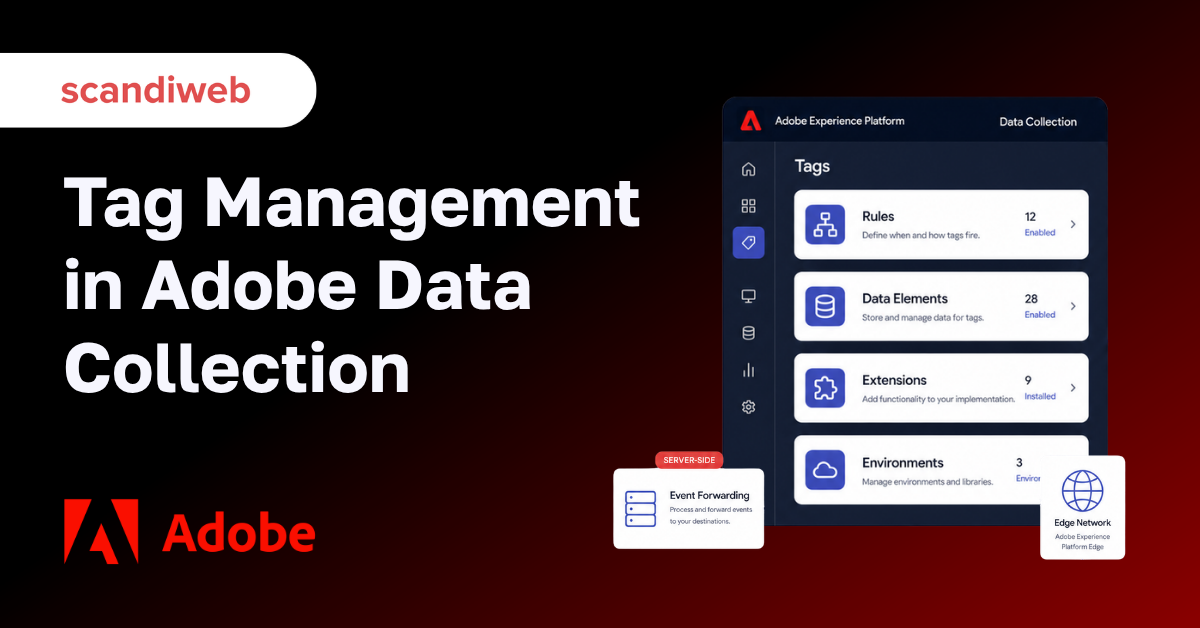
If you searched for Adobe Launch, here is the first thing to know: Adobe does not really call it that anymore. The product most people still know as Adobe Launch is now Tags, a capability inside Adobe Experience Platform Data Collection. The core idea has not changed – manage your tracking tags in one place without redeploying code every time – but the name, the home screen, and the scope have all moved on. This guide explains what Adobe Launch became, what it does today, and how to use it.
The category itself is still growing. The global tag management market was worth about $1.85 billion in 2025 and is projected to reach roughly $3.57 billion by 2030, a compound annual growth rate near 14% (Mordor Intelligence). Knowing the current shape of Adobe’s offering matters more than ever.
🚀 Quick takeaway
Adobe Launch is now Tags inside Adobe Experience Platform Data Collection. If you are still logging in at launch.adobe.com, the work now lives in the Data Collection interface, and the toolkit has grown to include server-side Event Forwarding and the Web SDK.
What is Adobe Launch, and what is it called now?
Adobe Launch is a tag management system – a central place to deploy and manage the tracking tags, scripts, and snippets that power analytics and marketing on a website or app. In July 2021, Adobe folded Launch into Adobe Experience Platform and renamed its parts. “Experience Platform Launch (Client Side)” became Tags, “Launch Server Side” became Event Forwarding, and “Edge configurations” became datastreams. The interface itself is now the Data Collection UI.
In practice, that means the standalone launch.adobe.com product has been migrated. You now access Tags through the Data Collection UI inside Adobe Experience Platform at experience.adobe.com. Tags is no longer a separate service bolted onto Adobe’s stack – it is a capability of the wider platform. The name “Adobe Launch” survives mostly in conversation and search, which is exactly why it pays to know what it maps to today.
What Adobe Data Collection includes
Tags
Tags is the client-side core, and it is built from a few moving parts. Rules define when something should fire. Data elements capture the values you want to collect, like a product price or page name. Extensions are pre-built or custom integrations that add functionality, and libraries bundle your configuration for deployment across environments (development, staging, and production). Together they let marketers add, change, or remove tags without leaning on a developer for every edit.
Event Forwarding (server-side)
Event Forwarding is the server-side counterpart, and it is the biggest addition since the Adobe Launch days. Instead of loading more vendor code in the browser, you collect data once and forward it server-side from Adobe’s Edge Network to any Adobe or non-Adobe destination, with low latency and no client-side implementation code. The payoff is a lighter, faster page and tighter control over where data goes – both a performance and a privacy win.
Web SDK, Edge Network, and datastreams
The modern collection path runs through the Web SDK (and Mobile SDK), a single library often referred to as alloy.js. It sends data to a datastream, which routes it through the Edge Network – Adobe’s globally distributed set of servers – and on to the right destinations. This replaces the older pattern of each Adobe solution shipping its own library, and it is the foundation that Event Forwarding builds on.
What you use Adobe Launch for
The practical job is collecting clean, reliable data and acting on it. A few common use cases:
- Analytics implementation – deploy and maintain Adobe Analytics tracking across a site without hard-coding it. See our guide to implementing Adobe Analytics.
- Marketing tags – manage advertising pixels, A/B testing tools, and third-party scripts from one interface.
- Personalization and testing – feed consistent data into tools like Adobe Target so experiences are based on accurate signals.
- Server-side collection – move data flows off the browser with Event Forwarding for speed and governance.
For eCommerce specifically, a clean data layer is what makes downstream reporting trustworthy – our guide on Adobe Analytics for eCommerce shows what that looks like in practice.
How tag management helps your site
Done well, tag management improves three things at once:
- Data accuracy – centralized rules and data elements reduce the broken or duplicate tracking that creeps in with manual code.
- Site performance – fewer client-side scripts, plus the option to forward events server-side, means less weight slowing the page down.
- Speed of change – marketers can adjust tracking in hours instead of waiting on a development release.
The result is faster pages, more reliable analytics, and a team that can adapt tracking as campaigns change.
Privacy, consent, and data governance
Consent handling is now built into the collection layer rather than bolted on. The Web SDK ingests consent signals from consent management platforms using Adobe standards and the IAB Transparency and Consent Framework (TCF) 2.0, so tools like OneTrust and Sourcepoint can drive what fires. A setConsent call propagates preferences into Adobe Experience Platform, and GDPR defaults to opt-out while CCPA defaults to opt-in. Moving collection server-side with Event Forwarding also keeps more of the data flow off the client, which helps with both compliance and control. If consent is a priority for your build, our guide to GDPR compliance covers the wider picture.
How Adobe Launch (Tags) works
Setup follows a consistent path. You create a property in the Data Collection UI and install its embed code on your site or app – this is the foundation that loads your tags. From there you build rules and add extensions.
Rules, data elements, and extensions
Rules set the conditions under which tags fire, giving you precise control over when and where. Data elements define the values you want to capture and reuse. Extensions add functionality, whether a pre-built integration with a third-party tool or custom code for your own collection needs. This is the day-to-day work of running Tags.
Debugging and testing
Before anything goes live, Adobe’s debugging and testing tools let you validate that tags fire correctly, inspect the data they send, and troubleshoot issues. The Adobe Experience Platform Debugger browser extension is the standard way to confirm data is flowing into Adobe Analytics before you publish. Verifying in a development library first is what keeps inaccurate data out of your reports.
Adobe Launch vs other tag managers
Adobe Launch (Tags) and Google Tag Manager solve the same problem, and the right choice usually follows your analytics stack. If you run Adobe Analytics, Target, and the wider Experience Cloud, Tags integrates natively and is the natural fit. Teams on Google Analytics tend to standardize on Google Tag Manager. The concepts transfer either way – if you work across both, our notes on JavaScript variables for GTM are a useful reference.
Frequently asked questions
Is Adobe Launch still called Adobe Launch?
No. Since July 2021, the client-side product is called Tags, part of Adobe Experience Platform Data Collection. “Adobe Launch” remains common in conversation and search, but it is not the current official name.
Where do I access Adobe Launch now?
Through the Data Collection UI inside Adobe Experience Platform at experience.adobe.com. The standalone launch.adobe.com product has been migrated into the platform.
Is Adobe Launch free?
There is no additional charge for Tags. It is included as a value-add capability for Adobe Experience Cloud customers.
What is Event Forwarding?
Event Forwarding is Adobe’s server-side data collection, formerly called Launch Server Side. It forwards event data from the Edge Network to Adobe and non-Adobe destinations without client-side code, improving page performance and data governance.
What is the difference between Tags and the Web SDK?
Tags manages what fires and when on the client side. The Web SDK (alloy.js) is the single library that sends data to a datastream and through the Edge Network. They work together in a modern Data Collection setup.
Still running on an older Adobe Launch setup, or unsure whether your tags and consent are configured correctly? scandiweb audits and migrates Adobe tag management and data collection so your analytics stay accurate and fast. Tell us about your current setup and we will review it with you – see our Adobe Launch service.




































