
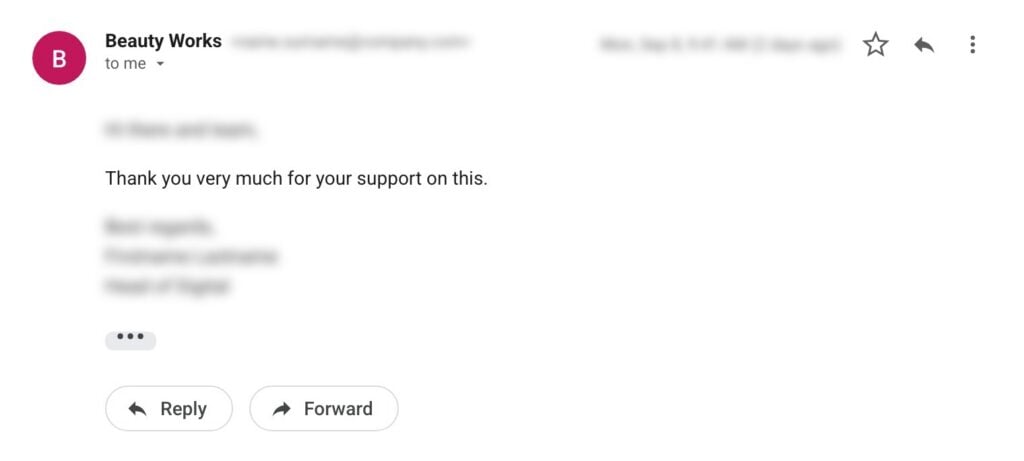
Thanks all. We greatly appreciate the proactive response.
Director of Digital & Direct Sales, Purdys
On Saturday, September 5, 2026, security firm Sansec disclosed StyleSmuggler, an unpatched vulnerability affecting every current version of Magento Open Source and Adobe Commerce, including the latest 2.4.9 release. That’s well over 100,000 stores worldwide. It allowed an unauthenticated attacker, with no login and no user interaction, to run code on a store’s server, access its data, and install a persistent backdoor. For several days, no official Adobe fix existed.
Update (September 8, 2026): Adobe has released an official fix for StyleSmuggler (CVE-2026-75650) in Security Bulletin APSB26-146, delivered as the VULN-39341 hotfix. We’re applying it across client stores now, along with the credential rotation Adobe requires alongside it (more on that below). Our guide to Adobe’s official fix for the StyleSmuggler vulnerability covers which versions it fits and how to apply it. Are you on an older Magento version? Get the patch for your version here: StyleSmuggler fix for older Magento versions (2.2.0 to 2.4.3).
Update (September 18, 2026): Adobe has extended the hotfix to Magento Open Source 2.4.4 and 2.4.5, with separate packages for specific patch releases. The official fix now starts at 2.4.4 on both editions. For 2.2.0 through 2.4.3-p3, use our backport.
This article is an account of how our team responded in the window before that patch when the vulnerability was under active attack, and what any Magento or Adobe Commerce merchant can take from it.
Key takeaways
- StyleSmuggler (CVE-2026-75650) affected every current version of Magento Open Source and Adobe Commerce, including 2.4.9.
- Adobe’s official fix arrived on September 7, 2026 in Security Bulletin APSB26-146, delivered as the VULN-39341 hotfix.
- Patching is not enough on its own. Adobe requires rotating the encryption key and every credential it protects, at the source.
- Being fully patched before September 5 was no protection. The first confirmed victim ran 2.4.6 with Adobe’s July and August updates installed.
What happened
The disclosure coincided with an active, coordinated wave of attacks, timed for the weekend, when many teams are offline and response times are slowest. Across the stores our team reviewed, we found active exploitation attempts.
Being up to date was no protection. Sansec reproduced the full attack on clean installations of 2.4.7, 2.4.8, and 2.4.9, and the first confirmed victim was running 2.4.6 with Adobe’s July and August 2026 security updates already installed. With no official fix, we needed to come up with a rapid solution to protect stores that are being actively targeted.
| Date (2026) | What happened |
|---|---|
| Sep 5 | Sansec discloses StyleSmuggler. No official fix exists. Coordinated attacks are already underway, timed for the weekend. |
| Sep 5 | scandiweb deploys WAF rules across ReadyMage infrastructure, blocking the known attack path for every hosted store. |
| Sep 5 | Every scandiweb Magento and Adobe Commerce client is contacted on the day the flaw becomes public. |
| Sep 5–6 | Mass rollout of Sansec Shield across client stores, applied and verified per project. |
| Sep 7 | Adobe releases the official fix: CVE-2026-75650, Security Bulletin APSB26-146, VULN-39341 hotfix. |
| Sep 8 | scandiweb begins applying Adobe’s hotfix across client stores, with credential rotation and post-patch testing. |
| Sep 18 | Adobe expands the hotfix to Magento Open Source 2.4.4 and 2.4.5, with separate packages per patch release. |
🚀 Quick takeaway
Being current on patches protected nobody. The attack worked on clean 2.4.7, 2.4.8, and 2.4.9 installs. Treat any store that was online between September 4 and the day you patched as potentially compromised until you scan it.
Why our response was faster: protection at the infrastructure level
Because we run our own managed hosting, ReadyMage, we could move at the infrastructure level and protect every hosted store at once, before any official fix or guidance existed.
First, we deployed web application firewall (WAF) rules across our ReadyMage infrastructure to block the known attack path, before Adobe issued its own protective guidance. Every store on ReadyMage was shielded at the network layer while the rest of the ecosystem still waited.
Second, working in cooperation with Sansec, we began a mass rollout of Sansec Shield across client stores, applied and verified per project. We ran the rollout at scale, so protection reached the whole portfolio in a matter of hours.
As a result, ReadyMage customers were protected throughout the attack window.
🚀 Quick takeaway
Infrastructure-level protection is the fastest lever during a zero-day. Because we run our own hosting, WAF rules reached every ReadyMage store at once, before Adobe published guidance. Store-by-store patching would have taken days longer.
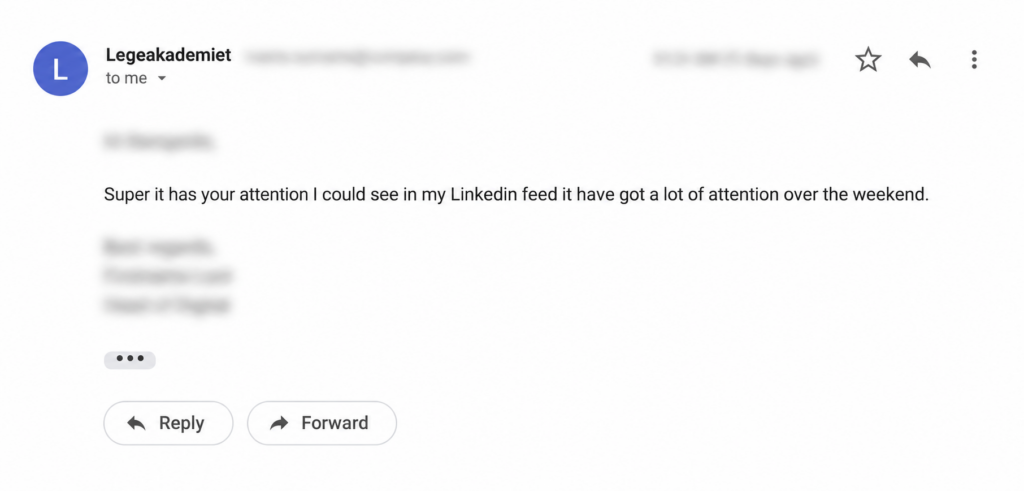
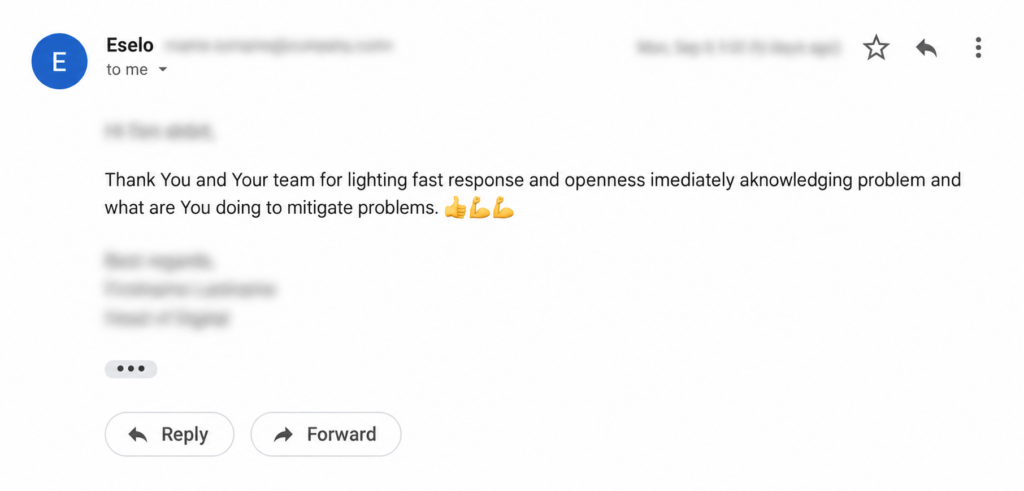
Every scandiweb Magento and Adobe Commerce client heard from us on the day the flaw became public. Here’s how some of them responded:
What we did for each store
Alongside the infrastructure-level protection, our team mobilized outside working hours and worked through client stores individually. For each project, we did the following:
- Review of server and application logs to establish whether the store had already been targeted
- A full backup before any changes were made
- Deployment and configuration of a protective shield tuned to this specific attack, applied per store, since this protection works at the project level
- Direct verification – our team ran the exploit against the store before and after deploying the shield, confirming it could no longer be executed
- Manual testing of the main shopping journeys to confirm the protective changes didn’t disrupt the store
- Automated scanning at short intervals, with results reviewed manually by our team
- A period of post-deployment monitoring to confirm stability and that the shield was actively blocking the attack.
For every store, our team executed the live exploit twice – once to see it work, and once after deployment to see it fail. The verification step is the one that’s easiest to skip under pressure and the one that matters most.
Which versions the official patch covers
Adobe’s hotfix (VULN-39341) covers 2.4.4 through 2.4.9 for Adobe Commerce, including B2B and Cloud. For Magento Open Source, it covers 2.4.4 through 2.4.9. There is no official fix for Magento Open Source below 2.4.4.
Our StyleSmuggler patch guide covers the full version matrix, how to apply the hotfix step by step, and the fix we rebuilt for the 41 older versions Adobe left out.
If you run Magento Open Source on 2.4.3-p3 or earlier, no official patch is coming, and doing nothing leaves you exposed. If that’s you, get a free security check or talk to our team about protection and an upgrade path.
Rotate your credentials after patching
Adobe is explicit that applying the hotfix does not, on its own, fully secure a store: credential rotation is required. Because the vulnerability could expose your store’s encryption key, and that key protects integration tokens, payment gateway credentials, and system automation tokens, you must rotate every credential it may have touched, at the source.
After patching, that means rotating admin passwords, REST/SOAP/GraphQL integration tokens, OAuth client secrets, payment gateway API credentials (at the provider), database credentials, SSH and deploy keys, and third-party extension API keys. Rotating the encryption key alone does not invalidate credentials that were already captured, so any that were exposed stay usable until rotated at their source.
Our team can handle the full rotation for you, patch applied, every credential rotated at the source, and integrations tested afterward to confirm nothing broke. Talk to our Magento team if you’d like us to take care of it.
🚀 Quick takeaway
The hotfix closes the vulnerability but does not invalidate credentials an attacker already captured. Rotate the encryption key and everything it protects – tokens, payment credentials, database and deploy keys – at the source, not only inside Magento.
What merchants should do now
If you run a store on Magento or Adobe Commerce:
- Apply Adobe’s official hotfix (VULN-39341) as a priority. Adobe Commerce and Magento Open Source is covered on 2.4.4 through 2.4.9. Versions below have no official fix and need targeted protection or an upgrade.
- After patching, you must rotate your encryption key and all associated credentials at the source: admin, integrations, payment gateways, database, and deploy keys. Adobe treats this as mandatory: the patch closes the hole, but rotation removes access an attacker may already have gained.
- This vulnerability compromised even fully patched stores, so check for signs of earlier exploitation. Known indicators include unexpected “Payment Transaction Failed Reminder” emails, unfamiliar background processes, new scheduled tasks, and unknown files in the report and temp folders.
- Remember that patching does not undo a break-in, so a compromise check still matters even after you patch.
- After any change, test your core shopping journeys, including cart and checkout, to confirm nothing broke.
- Keep monitoring. More issues like this are likely to surface, and staying protected is ongoing.
How to check whether your store was already compromised
| Indicator | Where to look |
|---|---|
| Unexpected “Payment Transaction Failed Reminder” emails | Transactional email logs, and customer reports |
| Unfamiliar background processes | Process list on every production node |
| New or unrecognized scheduled tasks | crontab and the Magento cron_schedule table |
| Unknown files in the report and temp folders | var/report/ and /tmp |
| Unexpected PHP files under media | pub/media/ |
| Admin users you do not recognize | Magento admin user list |
Sansec’s research post lists further process- and path-level indicators, and these are still evolving. The absence of any single indicator is not proof that a store is clean. If your store was reachable between September 4 and the day you patched, a scan is worth running even if nothing on this list matches.
What happens next
Adobe’s official hotfix is now available, and we’re applying it across client stores, then reviewing, testing, and confirming each one. Automated scanning and manual review continue alongside it. We’ll update this post if the situation develops further.
Frequently asked questions
Is my Magento store affected by StyleSmuggler?
Every current version of Magento Open Source and Adobe Commerce was affected, including 2.4.9. Being fully patched before September 5, 2026 was no protection: the first confirmed victim ran 2.4.6 with Adobe’s July and August updates installed. If your store was online between September 4 and the day you applied Adobe’s hotfix, treat it as potentially exposed until it has been scanned.
Does Adobe’s patch cover my version?
Adobe Commerce, including B2B and Cloud, is covered on 2.4.4 through 2.4.9. Magento Open Source is covered on 2.4.4 through 2.4.9 only. There is no official fix for Magento Open Source 2.4.3 or earlier, or for Adobe Commerce below 2.4.4.
Is applying the hotfix enough on its own?
No. Adobe requires credential rotation alongside the patch. The vulnerability could expose your store’s encryption key, and that key protects integration tokens, payment gateway credentials, and automation tokens. The patch closes the vulnerability, but credentials captured beforehand stay usable until they are rotated at the source.
Which credentials need rotating after StyleSmuggler?
Admin panel passwords, REST, SOAP and GraphQL integration tokens, OAuth client secrets, payment gateway API credentials at the provider, database credentials, SSH and deploy keys, and third-party extension API keys. Rotating the Magento encryption key alone does not invalidate credentials that were already captured.
How do I check whether my store was already compromised?
Review server and application logs covering the disclosure window, and look for unexpected “Payment Transaction Failed Reminder” emails, unfamiliar background processes, new scheduled tasks, and unknown files in the report and temp folders. Patching does not remove an attacker who is already inside, so this check matters even after you patch.
What if I run Magento Open Source 2.4.3-p3 or earlier?
No official fix is coming for those versions, and doing nothing leaves the store exposed to an attack that is being actively exploited. Those stores need protection applied at the infrastructure or application level plus an upgrade path. scandiweb rebuilt Adobe’s fix for 41 older versions, from Magento 2.2.0 through 2.4.3-p3.
If you’re not sure whether your store was exposed before it was protected, or whether it’s fully patched now, we offer a free security check that needs no access to your store. Our Magento engineers review what’s visible externally and email you recommended next steps. Get a free security check or talk to our Magento team now!
For ongoing protection beyond this incident, ReadyMage, our managed Magento and Adobe Commerce hosting, includes malware protection, a firewall, and DDoS defense as standard.




































