
“Money coming in. No phone calls. Smooth sailing.”
David van Gelder, Operations, Advanced Life
School photography is operationally complex and high volume. You’re managing hundreds of schools, tens of thousands of students, parent ordering, batch exports, ID cards, and seasonal peaks on a tech stack that was never purpose-built for this industry.
Most businesses have been making it work anyway by patching the gaps with disconnected tools and manual processes, while replacing the platform underneath feels like too big a risk.
That changes when the platform is already built –
scandiweb has developed a production-ready commerce platform for school photography businesses. Here’s what a platform made specifically for school photography actually needs to do, and how one national operator went from five legacy systems to a fully operational, peak-tested platform in 14 weeks.
What’s broken in most school photography platforms
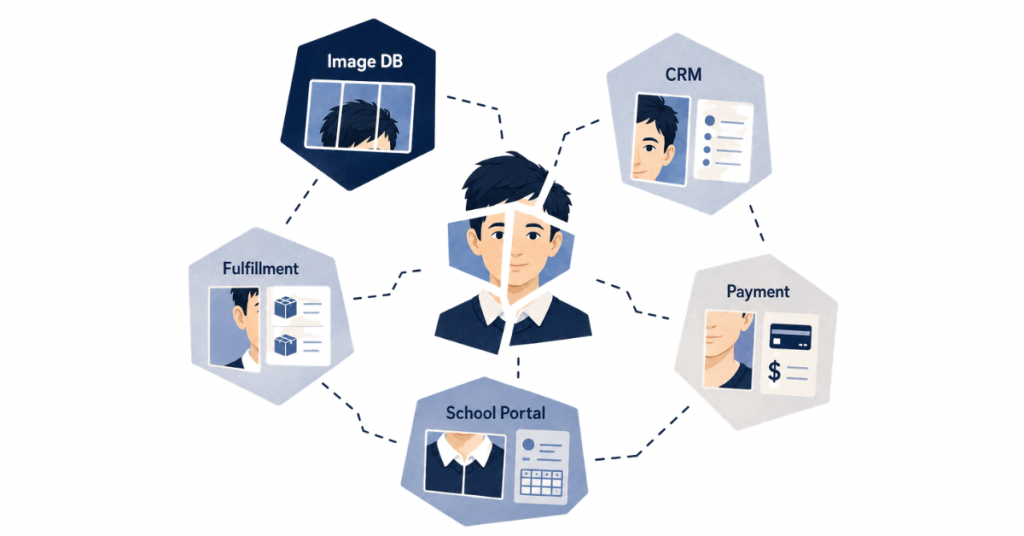
In the school photography industry, you’re not running a standard eCommerce store, but managing schools, students, a hard picture day season, and a parent ordering layer all at once.
Generic platforms weren’t designed for any of that. They don’t have a concept of an SIC code, nor do they understand that one parent might have three children across two schools, what a batch export is, or why it needs to run at 3 am in a format specific to each school.
As a result, most businesses end up with the same three problems, regardless of which platform they’re on:
1. Fragmented legacy systems with no unified data
Five or more tools: an image database, a CRM, a fulfillment system, a payment gateway, a school portal, none of which share a data model. This means that student records live in multiple places and often don’t match, and downtime risk compounds every year that nobody touches the infrastructure.
2. Scattered student data
In most platforms, student names are stored as a single text string, with SIC codes attached to images rather than students, and no schema for sibling relationships, co-parenting arrangements, or school transfers. Every gap in the data model eventually surfaces as a manual support ticket, and there are a lot of gaps.
3. Stack that is not peak-ready
Photography season, yearbook orders, and ID card requests don’t wait for each other, and when they collide, a manual stack simply runs out of capacity. As a result, support queues grow faster than they can be cleared, staff get pulled away from other work to handle exceptions, and the cost shows up in how schools and parents experience your business at its busiest moment.
The right data model for high-volume school photography
Every feature in our platform treats the parent, the student, and the school as three separate, linked entities. It sounds like a technicality, but it determines whether every downstream feature (commerce, exports, ID cards, portals) can actually do its job.
The correct entity graph looks like this:
School → Student → Asset → Parent → Order
- A school carries its own record with SIC codes, region, and campus data.
- A student is linked to a school and a parent, holds their own grade and SIC code, and can reference a sibling relationship to another student in the same system.
- An asset – a portrait, an ID card, a yearbook image – belongs to the student, not the image database.
- A parent is a separate account connected to multiple students across multiple schools.
- An order flows from a parent account but is always scoped to a specific student’s context.
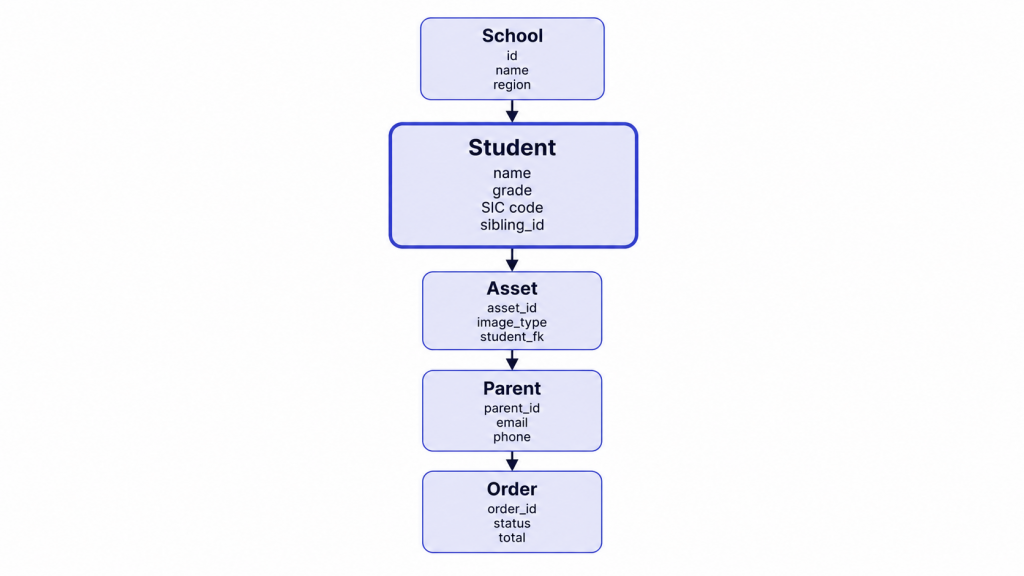
This structure has three immediate consequences for how the platform works:
The multi-child account works correctly
One parent logs in, switches between students, and the cart, catalog, and personalization update to reflect whichever student is selected. Each student’s context, e.g., their school, grade, etc., travels with them through every interaction.
The school-gated catalog works without custom logic
Products are scoped to schools, campuses, and grades at the data level, so parents only ever see what the selected student is authorized to purchase. Meanwhile, guests see a limited view with prices hidden.
Exports, ID cards, and batch operations run cleanly
Because the student record is the single source of truth, SIC codes are attached to the student rather than the image. Sibling relationships, co-parenting arrangements, and returning-student flags are first-class fields in the schema.
Case study: from five legacy systems to a national platform in 14 weeks
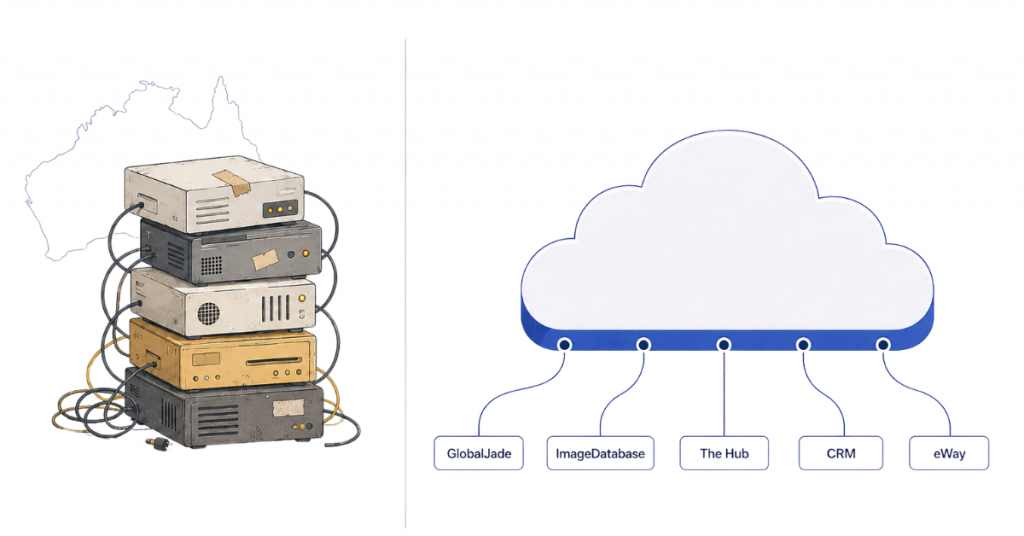
Advanced Life is Australia’s national school photography specialist, serving hundreds of schools and tens of thousands of students. Their business has a hard Q1 peak and strict student data residency requirements. By the time they partnered with scandiweb, they were also operating five legacy systems that nobody had touched in five years.
Problem
The first problem was the legacy infrastructure itself. Five disconnected systems – GlobalJade, ImageDatabase, The Hub, CRM, and eWay – each holding a partial version of the business, none sharing a data model. Downtime risk had been compounding for years, and nobody wanted to be the team that touched it.
Regarding student data, the structural debt in the database was blocking every change the business wanted to make. And they also had 500 GB of student portraits sitting on an on-premise server, backed up by hand. One hardware failure away from a national incident involving tens of thousands of children’s school photos.
Solution
Rather than decommissioning the legacy systems mid-project, the middleware integration layer kept all five live throughout. New systems connected to legacy through an adapter API, with no direct database access, so the legacy stack stayed intact while everything new was built around it.
We redesigned the student data model to fit the perfect data model described earlier: School → Student → Asset → Parent → Order, with 44,891 students migrated onto the MDM at launch:
- SIC codes became student records
- Sibling relationships and returning-student flags became first-class fields
- The 500 GB of on-premise portraits were migrated off the physical server entirely
- The manual backup process was replaced with region-pinned cloud storage
- Dual SSO was wired across school admins, internal staff, and parent ordering
- The batch export engine went live with ten export formats running on an automated CRON schedule
- The structural debt that had been blocking changes for years was cleared in a single migration.
The self-service school portal gives schools the ability to upload rosters, correct data, and download images without contacting the support team.
Outcome
The platform went live in just 14 weeks, in time for peak season, and Q1 passed with zero incidents. Support load dropped by 95% after go-live. In their own words,
“Money coming in. No phone calls. Smooth sailing.”
David van Gelder, Operations, Advanced Life
“It looks great. Really slick.”
Jon Mann, COO, Advanced Life
Inside the platform: six modules every school photography operation needs
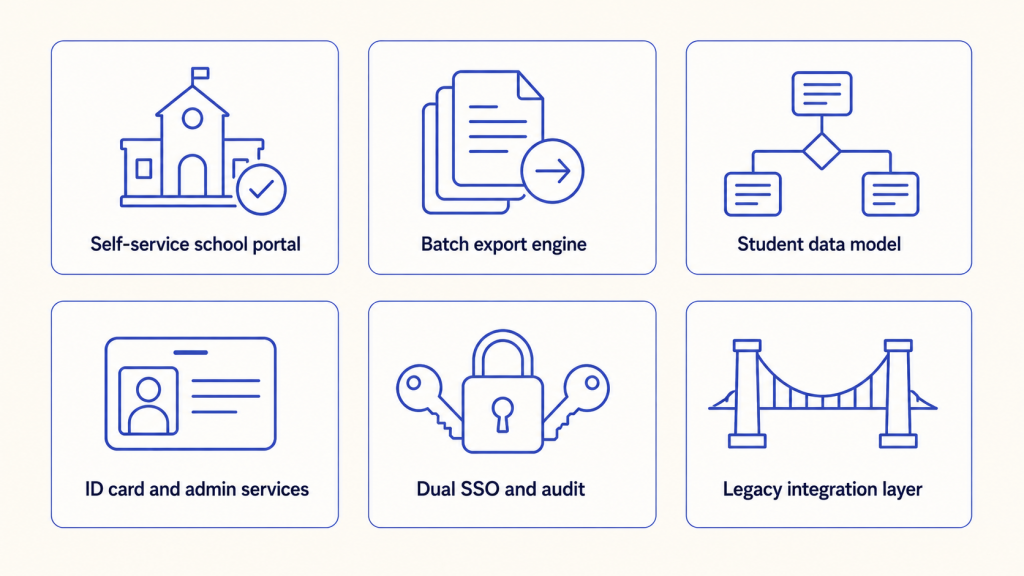
Most platforms describe themselves as production-ready. In school photography, it means the system has been through a live peak season, with real schools, real students, and real parent orders, and nothing broke. Here’s what each one of the six modules that make up the platform does and why it exists:
1. Self-service school portal
Schools upload rosters, correct student data, and download their images themselves, without contacting your team. Role-based access is scoped per school and per user type, with every action audit-logged. The practical outcome is a significantly shortened support queue.
2. Batch export engine
Ten export formats, dynamic naming rules per school, running on an automated CRON schedule. File naming follows a consistent structure per school, and every export is audit-logged with a full record of who triggered it, what was exported, when, and where. Manual reruns, when needed, are one click away in the portal.
3. Student data model
The unified data model described in the previous sections is the operational core of the platform. One source of truth replaces several disconnected databases, and there are no custom workarounds.
4. ID card and admin services
ID cards are ordered, previewed, and exported entirely within the platform. Before any order is locked, a static JPG preview is generated per card. Export goes directly to CSV for downstream print pipelines. Reorders and replacements for lost cards, name changes, or grade transitions are handled in-platform.
5. Dual SSO and audit
Separate identity providers handle separate user pools. Every login and every action is audit-logged at the system level, making compliance a structural property of the platform.
6. Legacy integration layer
A middleware adapter API connects new systems to the existing stack without requiring direct database access or mid-project decommissioning. The protocol mix covers the full range of what legacy systems use (REST, GraphQL, SOAP, webhooks, Kafka, SQS, SFTP, CSV, and EDI). The adapter pattern has been proven across five production systems and extends naturally to SAP, Microsoft Dynamics, Odoo, and NetSuite.
Is this the right fit for your business?
This platform was built for a mid-market school photography business managing hundreds of schools and tens of thousands of students, running on a legacy stack in need of change.
A few things worth knowing. Our platform gets configured to what you already have, so if you already have a school portal, that’s not a disqualifier. If your legacy systems are fragile, they stay live throughout delivery. And if you’re not in Australia, the core problems this was built to solve are also consistent in the US, UK, Canada, and New Zealand.
Common questions about high-volume school photography platforms
How long does it take to implement a school photography platform?
Our platform goes live in 14 weeks. That timeline includes student data model migration, integration with existing systems through the middleware adapter API, dual SSO setup, and the full module set in production. Advanced Life launched this way – five legacy systems still running, new platform live in time for Q1 peak.
Does the platform integrate with our existing image database, CRM, or payment gateway?
Yes. The legacy integration layer is built around an adapter API that sits between new and old systems, so your current stack stays live during migration. The protocol mix covers REST, GraphQL, SOAP, webhooks, Kafka, SQS, SFTP, CSV, and EDI – most of what legacy school photography stacks actually use. The same pattern extends to SAP, Microsoft Dynamics, Odoo, and NetSuite.
Is this built for high-volume operators or single studios?
For high-volume operators. The platform was built for businesses managing hundreds of schools and tens of thousands of students – Advanced Life was at 44,891 students at launch – with the seasonal peak that comes with picture day. A single studio doesn’t need a unified data model across schools or a batch export engine running ten formats per CRON schedule; a high-volume operator does.
Which countries is the platform built for?
Australia is the launch market via Advanced Life. The underlying problems – fragmented legacy stacks, scattered student data, manual peak-season operations, parents expecting digital-first ordering – are consistent in the US, UK, Canada, and New Zealand. Region-pinned cloud storage and dual SSO support data residency requirements per market.
How does the platform handle picture day peak season?
Peak readiness is a structural property of the platform, not a runtime tweak. The data model is unified, the export engine is automated on a CRON schedule, and the self-service school portal absorbs routine roster corrections without touching support. Advanced Life passed Q1 peak with zero incidents and a 95% drop in support load after go-live.
Can we keep our existing school portal during migration?
Yes. Your existing portal stays live throughout the 14-week implementation. The middleware integration layer connects new systems to your legacy stack through the adapter API, with no direct database access and no mid-project decommissioning. The unified student data model and self-service portal in our platform can replace your existing one when you’re ready, or run alongside it.
What happens to our legacy data during the 14-week implementation?
Legacy data is migrated into the unified School → Student → Asset → Parent → Order model. Sibling relationships, returning-student flags, SIC codes, and co-parenting arrangements are restructured as first-class fields. On-premise assets – Advanced Life had 500 GB of student portraits on a physical server – are migrated to region-pinned cloud storage. The migration runs alongside live operations, with no downtime at cutover.
Let’s schedule a free 30-min assessment! We’ll map your stack, identify your highest-friction workflow, and tell you whether this solution is a good fit for your business.




































