
The drop-off chart is open on one monitor and the funnel report on the other. You can see exactly where shoppers leave: 41% bail on the product page, another big chunk vanishes at checkout. What neither dashboard tells you is the part that actually matters, which is why. That gap is the reason website survey tools exist, and picking the right one is less about feature lists than about the question you are trying to answer.
Most comparison pieces treat this as a popularity contest between vendors. The more useful framing for a store owner is matching the tool to the job: catching a reason at the exit, scoring satisfaction after a purchase, or running a full voice-of-customer program. This guide walks through the main tools, the survey types they support, real examples, and a simple way to decide. Surveys are one input into a wider CX audit, they tell you what users feel, not just what they click.
Overview
- Website survey tools collect onsite feedback through pop-ups, popovers, and widgets, then turn open and closed answers into something a CRO team can act on.
- The five survey types that matter for stores are customer satisfaction, product market fit, user persona, exit-intent, and post-purchase, each answering a different question.
- Choosing a tool comes down to four things: where the survey shows up, how it targets users, how it analyzes open-ended answers, and how it connects to the rest of your data.
🚀 Quick takeaway
The tool matters less than the match. A free form is fine for a quick satisfaction pulse, but recovering abandoned carts or running a continuous feedback loop needs targeting and analysis a basic form cannot give you.
Best website survey tools compared
The tools below cover the range most eCommerce teams shortlist, from free quick-pulse options to enterprise research platforms. Tools like Hotjar ship pop-up, popover, and widget formats out of the box, while Qualtrics opens at a free tier and scales to enterprise research from $420 a month. The right pick depends on whether you want a fast onsite pulse or a deep research engine.
| Tool | Best for | Survey formats | Pricing signal | Onsite targeting |
|---|---|---|---|---|
| Hotjar (Contentsquare) | Onsite CRO feedback | Pop-up, popover, widget | Free tier, paid plans scale up | Strong, page and behavior based |
| Qualtrics | Enterprise research | Web, email, embedded | Free tier, research from $420/mo | Strong, advanced logic |
| SurveyMonkey | General-purpose surveys | Web, link, email | Free tier, paid plans | Moderate |
| Typeform | Conversational surveys | Embedded, link | Free tier, paid plans | Moderate |
| Google Forms | Quick, free pulse checks | Link, embedded | Free | Basic, no native onsite targeting |
A free form like Google Forms is a fine starting point for a one-off satisfaction check. Once you need a survey to fire when a shopper moves to leave, or want to read hundreds of open-text answers without doing it by hand, an onsite tool with targeting and analysis earns its cost quickly.
🚀 Quick takeaway
Free tools win on speed and price, onsite tools win on context. The deciding question is whether you need the survey to react to what the shopper is doing in real time.
Website survey presentations
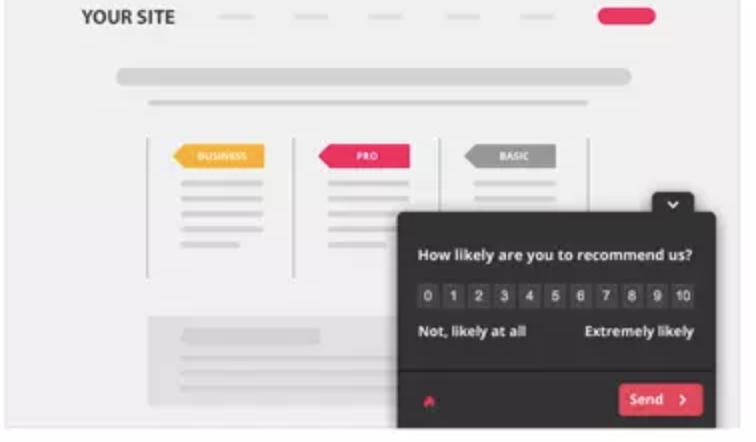
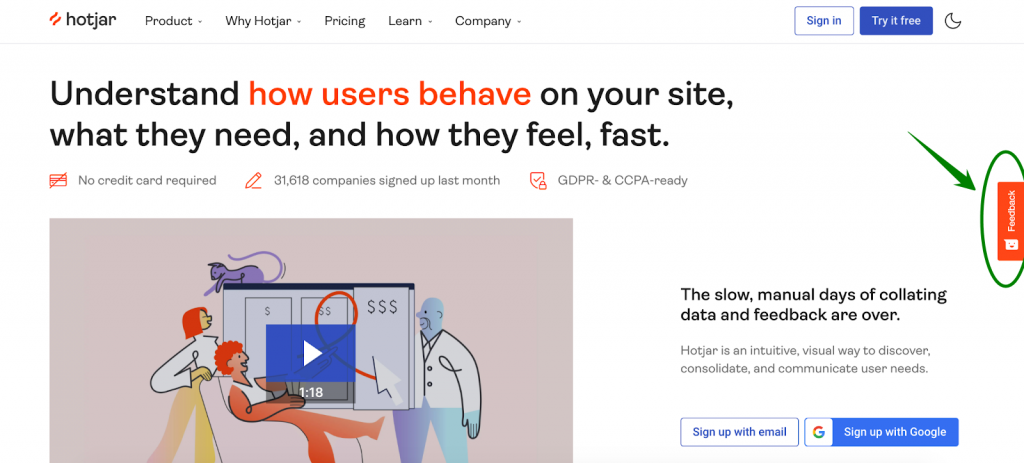
Most website survey tools present the survey in one of three onsite formats, and the format you pick changes both response rate and how intrusive the survey feels. A pop-up demands attention, a popover invites it, and a widget waits to be asked. Match the format to how disruptive the moment is.
- Pop-up appears in the middle of the page and the user can choose to close it.
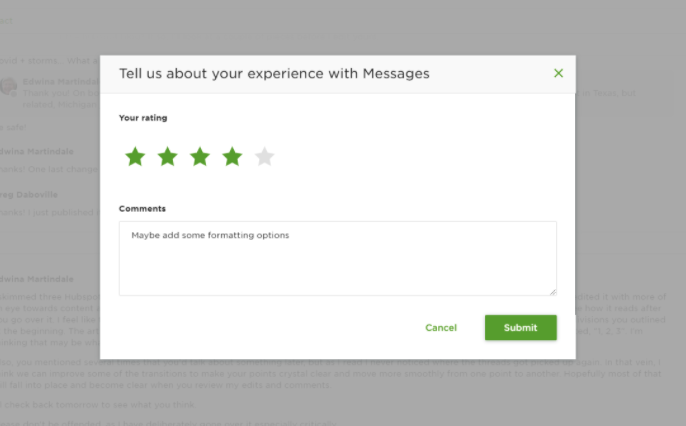

- Popover appears in the lower part of the page without blocking content, and is easy to dismiss.

- Widget is a small button on the side of the page the user clicks to open the survey.

There are no fixed rules on which survey type goes in which format. Answers can be gathered as multiple choice, open-ended text, ratings, or a simple thumbs up or down. The point is to make the ask feel like a chance to be heard, not a roadblock.
Types of website surveys
The five website survey types below cover almost every onsite feedback job an eCommerce store has, and seeing real survey examples makes the differences clear. Each one answers a distinct question: how happy customers are, whether the product fits the market, who the visitors are, why they leave, and how the purchase felt. Pick the type that maps to the question you actually need answered.
Customer satisfaction survey
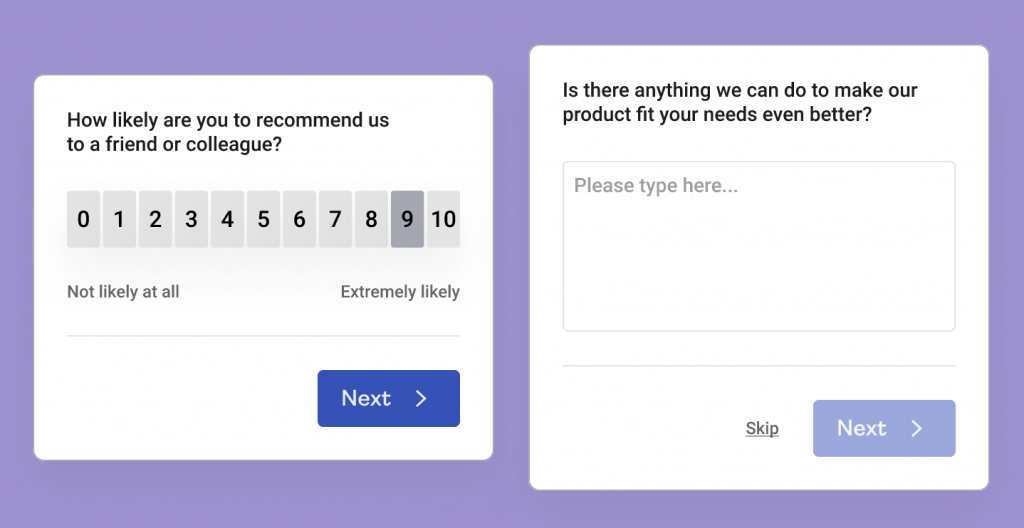
A customer satisfaction survey gathers feedback on how customers feel about a brand’s products, services, website, or the brand itself. It is a simple type that quickly shows whether customers are happy or running into pain points, which makes it a good first survey for a team new to onsite feedback.
Product market fit survey
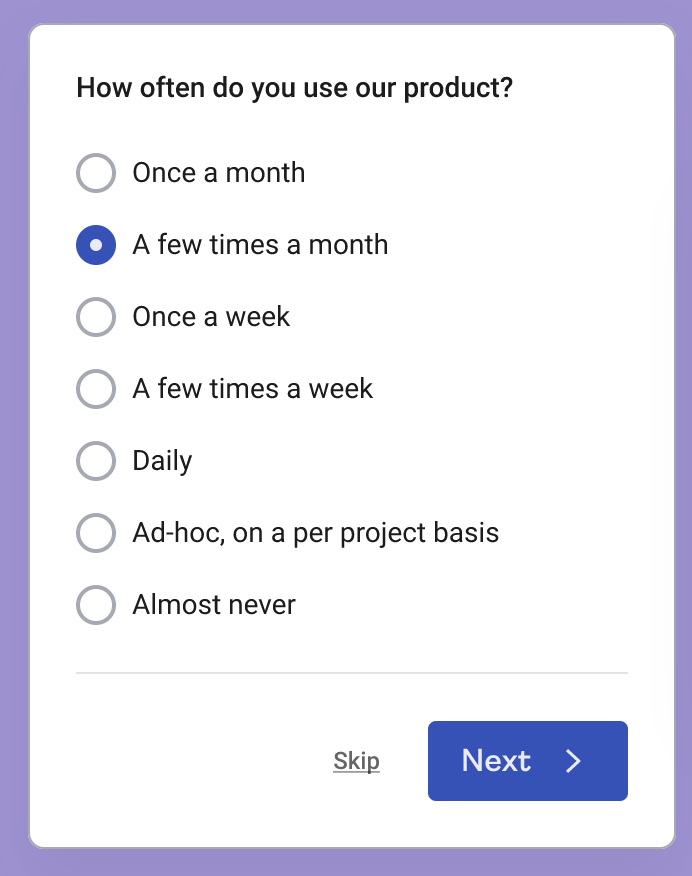
If you are launching a new product, entering a new market, or looking for ways to grow, the product market fit survey is the one to reach for. It surfaces how people use your products, how often, what they would do without them, and how your products differ from competitors. Run it when you need direction, not just a satisfaction score.
User persona and demographic survey
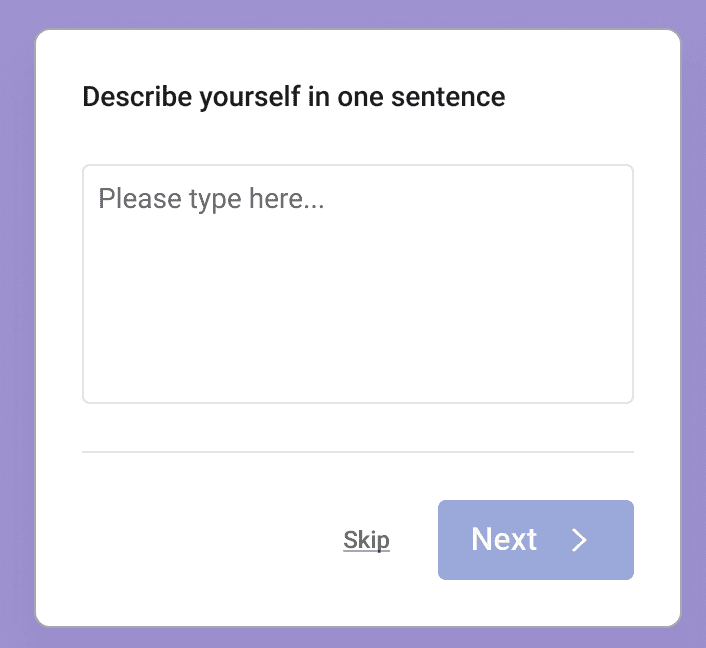
Sometimes you build a site, add product photos, and write strong descriptions without a clear picture of who is actually reading them. User persona or demographic surveys map the profile of the people spending time on your site: how old they are, what they do, and whether they are shopping for themselves or someone else.
Exit-intent survey
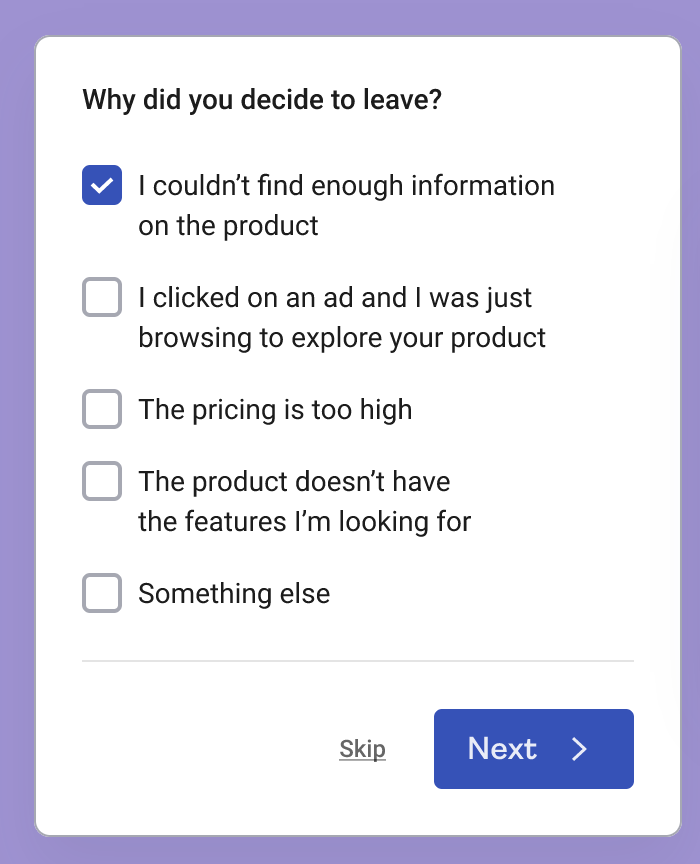
The exit-intent survey answers the question that matters most: why are users leaving? Roughly 70% of online carts are abandoned, and checkout-experience problems drive a real share of that loss, an exit-intent survey is how you hear the reason in the user’s own words. It fires when a user signals they are about to go, such as moving the mouse toward the tab to close it. Tools like Hotjar and Contentsquare run onsite feedback as part of wider CX programs, with one published Contentsquare case study tying onsite research to a 143% monthly conversion uplift.
Post-purchase survey
The post-purchase survey gathers feedback on the overall shopping experience and fires once the user reaches the order-confirmation page. It is where you learn whether every funnel step gave shoppers the information they needed and what the checkout felt like. Pair survey insights with a few quick conversion wins and you can act on feedback the same sprint you collect it.
Tips for preparing website surveys
Use these pointers no matter which survey type or tool you choose. Set expectations before you launch: the average survey response rate sits around 20 to 30%, so design every question to earn its place.
- Limit the number of questions. Decide on the main thing you want to learn and ask nothing more. Every extra question costs you completed responses.
- Ask the right questions. Write down all the questions you could ask, then cut the non-essential ones. Drop anything you cannot act on. Asking about prices you cannot change just wastes a slot.
- Pick the timing and placement carefully. A survey should feel like an invitation to share an opinion, not an interruption you cannot get rid of.
- Keep open-ended questions to one. Treat your users as busy. They are far more likely to finish a survey built around a quick selection or rating than one that asks for an essay.
The open-ended answers are where the gold sits, turning answers into design changes is what separates feedback from impact. If you set up an open question, do a careful read of the responses, because that is usually where the direction for your next optimization hides.
🚀 Quick takeaway
A short survey people finish beats a thorough survey people abandon. Cut every question you cannot turn into a decision.
How to choose a website survey tool
Picking a website survey tool comes down to four questions, and the answers point you to a different tier. Work through them in order: presentation, targeting, analysis, and data. The tool that wins is the one that fits where you are, not the one with the longest feature list.
- Presentation. Do you need pop-up, popover, and widget formats, or is a single link enough? Onsite formats need a tool that renders them natively.
- Targeting. Should the survey fire on a specific page, after a specific action, or on exit-intent? Behavior-based targeting separates onsite tools from basic forms.
- Analysis. How will you read open-ended answers? At scale, you want a tool that clusters and tags responses rather than leaving you to read every line.
- Data. Where does the response data live, and can it join the rest of your analytics? A clean handoff into a data warehouse keeps survey insight from sitting in a silo.
If you would rather run surveys inside a structured CRO program than stitch tools together yourself, that is a different decision worth weighing. scandiweb runs CRO programs for 150+ stores, including Forbes 500 brands, and has generated $150 million in extra revenue for clients within 12 months, with an average conversion-rate increase of 48%. The survey is the input, the program is what turns answers into shipped changes.
🚀 Quick takeaway
The four-question test beats any feature comparison. Match presentation, targeting, analysis, and data to your situation, and the right tier of tool becomes obvious.
FAQ
What is a website survey tool?
A website survey tool is software that collects feedback directly on your site through pop-ups, popovers, or widgets. It captures what visitors think at a specific moment, then helps you analyze open and closed answers so you can fix friction, score satisfaction, or learn why shoppers leave.
What are the best website survey tools?
The most-shortlisted website survey tools for stores are Hotjar (Contentsquare) for onsite CRO feedback, Qualtrics for enterprise research, SurveyMonkey and Typeform for general-purpose surveys, and Google Forms for fast, free pulse checks. The best one depends on whether you need onsite targeting or just a quick form.
Are there free website survey tools?
Yes. Google Forms is fully free, and Hotjar, Qualtrics, SurveyMonkey, and Typeform all offer free tiers. Free options work well for one-off satisfaction checks. Once you need behavior-based targeting or large-scale open-text analysis, a paid onsite tool usually pays for itself.
What types of website surveys are there?
The five website survey types most useful for eCommerce are the customer satisfaction survey, product market fit survey, user persona or demographic survey, exit-intent survey, and post-purchase survey. Each answers a different question, from how happy customers are to why they leave a site.
When should you use an exit-intent survey?
Use an exit-intent survey when you want to know why shoppers abandon a page or cart. With roughly 70% of online carts abandoned, catching the reason in the user’s own words as they move to leave gives you the single most actionable feedback for recovering lost revenue.
How many questions should a website survey have?
Keep it short. With average response rates around 20 to 30%, every extra question lowers completion. Aim for the fewest questions that answer your core need, and limit open-ended questions to one so busy shoppers can finish in seconds.
About this guide
Maintained by the scandiweb Growth team. Reviewed by Anna Ivuškāne, UX & CRO Specialist. Last updated: May 2026.
The real choice in front of you is which survey tool fits your CRO maturity, and what you will do with the answers once they land. If you are deciding between stitching tools together and running surveys inside a program that ships the changes they point to, talk to our CRO team and we will help you read the gap between what your funnel shows and what your shoppers are actually telling you.




































