
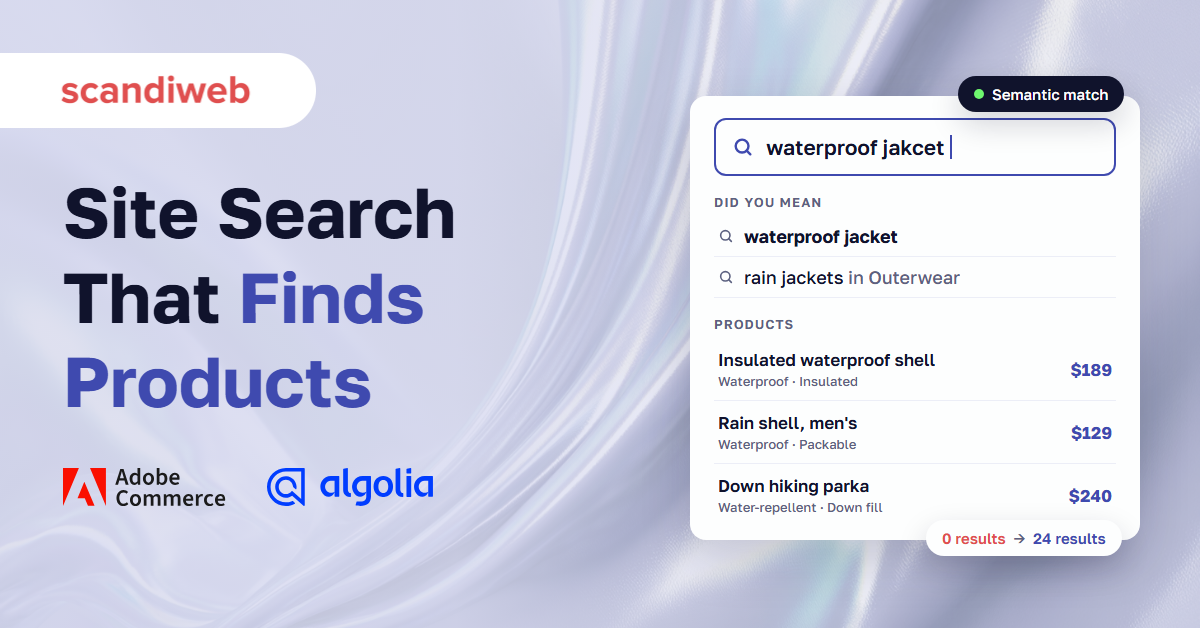
56% of online stores have eCommerce site search that fails to meet shoppers’ needs, according to Baymard Institute’s 2026 benchmark of Search UX on more than 170 sites and apps. One of the most common failures hits product catalogs directly: 54% of sites have problems when shoppers search with an abbreviation or a symbol, such as “usb c” or “15in”.
A shopper who gets zero results for a product you stock can’t tell that your catalog has it. They assume you don’t, and they go back to Google. This guide covers how to find the queries that fail, why search misses products that are obviously there, which best practices fix most of it, and when AI search or Adobe Live Search is the right next step.
Overview
- Most failed searches come from four causes: shopper words that don’t match catalog words, missing product attributes, broken handling of SKUs and symbols, and visibility or stock settings.
- Your search log already lists the failing queries. Sort them by volume, fix the top 50, and recheck every month.
- AI (semantic) search matches by meaning and closes much of the synonym gap, but it can’t find an attribute your product data doesn’t contain.
What is eCommerce site search?
eCommerce site search is the search box on an online store and the engine behind it: it reads a shopper’s query, matches it against the product catalog, ranks the results, and shows filters to narrow them. Good site search returns the right product for exact names, product types, features, use cases, and misspellings as well as exact titles.
The engine is usually one of three kinds. The platform’s built-in keyword engine (OpenSearch on Magento Open Source and Adobe Commerce), a platform add-on such as Adobe Live Search, or a third-party search service such as Algolia or Klevu.
🚀 Quick takeaway
Shoppers judge your catalog by what search returns. If search shows nothing, the product doesn’t exist for them.
Why does site search miss obvious products?
Site search misses obvious products when the words in the query don’t line up with the words in the catalog. The engine can only match the text and attributes it was given, so a product titled “Rain shell, men’s” stays invisible to “waterproof jacket” unless a synonym, an attribute, or semantic matching connects the two.
The failures fall into two groups, and each needs a different fix.
Zero-result queries
A zero-result query returns an empty page. These are the easiest to find because every search tool can report them, and the most damaging, because the shopper gets no next step. The usual causes:
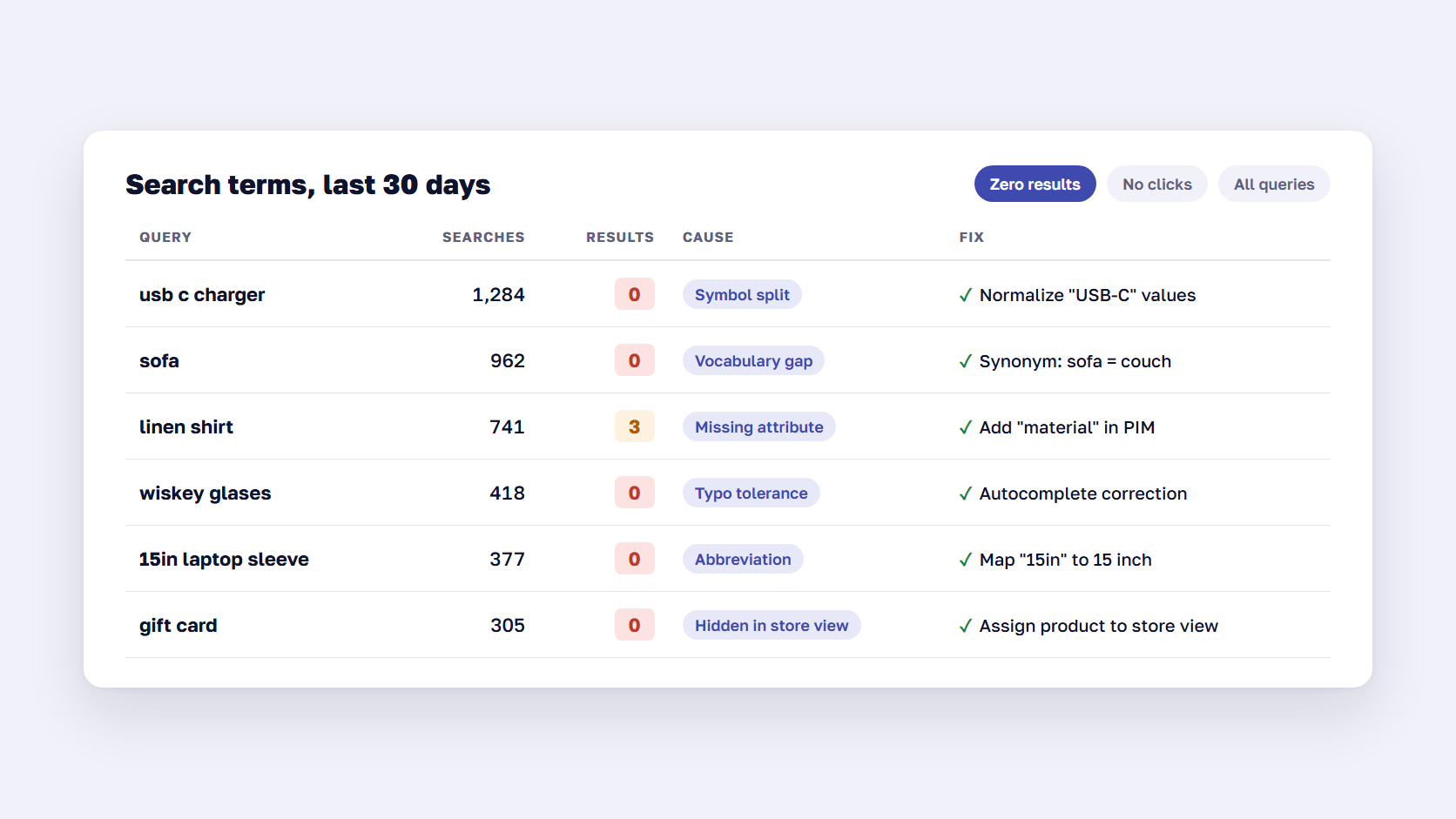
- Vocabulary gap: shoppers say “sofa”, the catalog says “couch”. Shoppers say “sneakers”, the catalog says “trainers”.
- Abbreviations and symbols: “usb c”, “15in”, “3/4 sleeve”, “m4 bolt”. Tokenizers often split or drop the symbol, so the query never matches the attribute value.
- Misspellings beyond the typo tolerance: many engines allow one or two wrong characters. “Wiskey glases” may be one wrong character too many.
- Missing attributes: the shopper searches “linen shirt” and the fabric only appears in an image or a PDF spec sheet.
- Products hidden by settings: out-of-stock items excluded from search, products not assigned to the store view, or B2B products outside the shopper’s shared catalog.
Wrong-result queries
A wrong-result query returns products, just not the right ones. These are harder to spot because the log shows results, so nothing looks broken. A search for “iphone 15 case” that lists the iPhone 15 itself first, or “red dress” that shows red shoes because the word “red” appears in a shoe description, are typical examples. The causes are usually ranking: every field is weighted the same, accessories outrank main products, or a merchandising rule pins products that no longer fit the query.
| Cause | What the shopper sees | Fix |
|---|---|---|
| Vocabulary gap | Zero results for a common word | Add synonyms, or turn on semantic matching |
| Abbreviation or symbol | Zero results for “usb c” or “15in” | Normalize the attribute values and add the variants as synonyms |
| Missing attribute | Zero or loose results for a feature search | Add the attribute in the PIM and make it searchable |
| Typo beyond tolerance | Zero results for a misspelling | Add common misspellings as synonyms, use autocomplete to correct early |
| Visibility or stock settings | Zero results for a product you sell | Check store view assignment, stock display rules, and B2B catalogs |
| Equal field weighting | Accessories or loose matches first | Weight title and category above description, review merchandising rules |
🚀 Quick takeaway
Zero-result queries tell you what’s missing. Wrong-result queries tell you what’s ranked badly. Track both, or you’ll only fix half the problem.
How to diagnose zero-result and wrong-result queries
Diagnose site search from your own search log: export the queries, sort by volume, test the top ones by hand, label each failure with its cause, fix the cause, and test again after the next reindex. The top 50 queries are a practical place to start.
- Collect the queries. In GA4, the site search event
view_search_resultsrecords thesearch_termwhen your search URL uses one of the default parameters (q, s, search, query or keyword), as described in Google’s site search setup guide. Magento (Adobe Commerce) also keeps a search terms report in the admin, and Live Search, Algolia and Klevu each have their own dashboards. - Sort by volume and split the list. One list for queries with zero results, one for queries with results but no clicks or a high exit rate. The second list is where wrong-result queries show up.
- Run each query yourself. Note what came back and what should have come back. A spreadsheet with “query, expected product, actual top 3” is enough.
- Label the cause using the table above. The labels show which fix pays off first.
- Fix the cause behind the query. A synonym fixes one query. A missing “material” attribute fixed in your product data fixes hundreds.
- Retest after reindexing and keep the sheet. A monthly pass on the top 50 queries catches new gaps after catalog updates, seasonal ranges, and new brands.
If the same attribute keeps coming up as missing, the fix belongs upstream in your product data. Our guide to choosing PIM software covers where that data should be maintained.
🚀 Quick takeaway
A search that returns results can still fail. Queries with results but no clicks are the quiet failures most teams never look at.
eCommerce site search best practices
The best practices below follow the order a shopper meets them: the search box, autocomplete, the results page, filters, and the empty page. Each one fixes a failure point that shows up in search logs again and again.
Make the search box easy to find and use
Put a full, visible search field in the header of every page on desktop. On mobile, make it large enough to tap and add a submit button next to it. Baymard’s research found that 21% of sites leave out that button on mobile, which leaves shoppers unsure how to run the search. Use placeholder text that shows what people can search for (“Search by product, brand or SKU”).
Use autocomplete that corrects as people type
Autocomplete is on 80% of eCommerce sites, yet Baymard rates only 19% of them at the highest performance level. The difference is in the details: suggest queries and categories as well as products, correct close misspellings before the shopper presses enter, and keep the suggestion list short enough to scan.
Handle typos, plurals and symbols
Check how your engine treats “jean” and “jeans”, “t-shirt” and “tshirt”, “usb-c” and “usb c”. Normalize those values in the catalog and add the variants as synonyms where the engine can’t handle them. Live Search, for example, runs a second, fuzzy search with an edit distance of 1 when the exact search returns nothing, so a two-letter typo still needs help.
Build synonyms from your logs
Build synonyms from the queries shoppers actually type. Use one-way synonyms where meaning only runs one way: “laptop” should find “MacBook”, but “MacBook” shouldn’t return every laptop. Review the list every quarter, because product ranges and language change.
Weight fields and keep merchandising rules honest
Rank title, category and key attributes above long descriptions. Then review your merchandising rules: rules that pin or bury products are useful for campaigns, but an old pinned product on a high-volume query is one of the most common causes of wrong results.
Make filters match the query
After a search, show filters that fit the results: size and fit for apparel, voltage and connector for electronics. Filters that make sense for the whole catalog rarely make sense for one query. If your filter pages are also indexed by Google, decide which filter pages Google should index separately from the in-store filter experience. Our guide to Magento layered navigation covers the setup side.
Never show a dead-end no-results page
When search does return nothing, show the corrected spelling, popular categories, best sellers in the closest category, and a way to contact the team. An empty page with “No results found” ends the visit for most shoppers who reach it.
🚀 Quick takeaway
Most of these fixes take hours of configuration work. Start with the search log, then decide whether the engine itself is the limit.
What is AI site search, and can it fix synonyms?
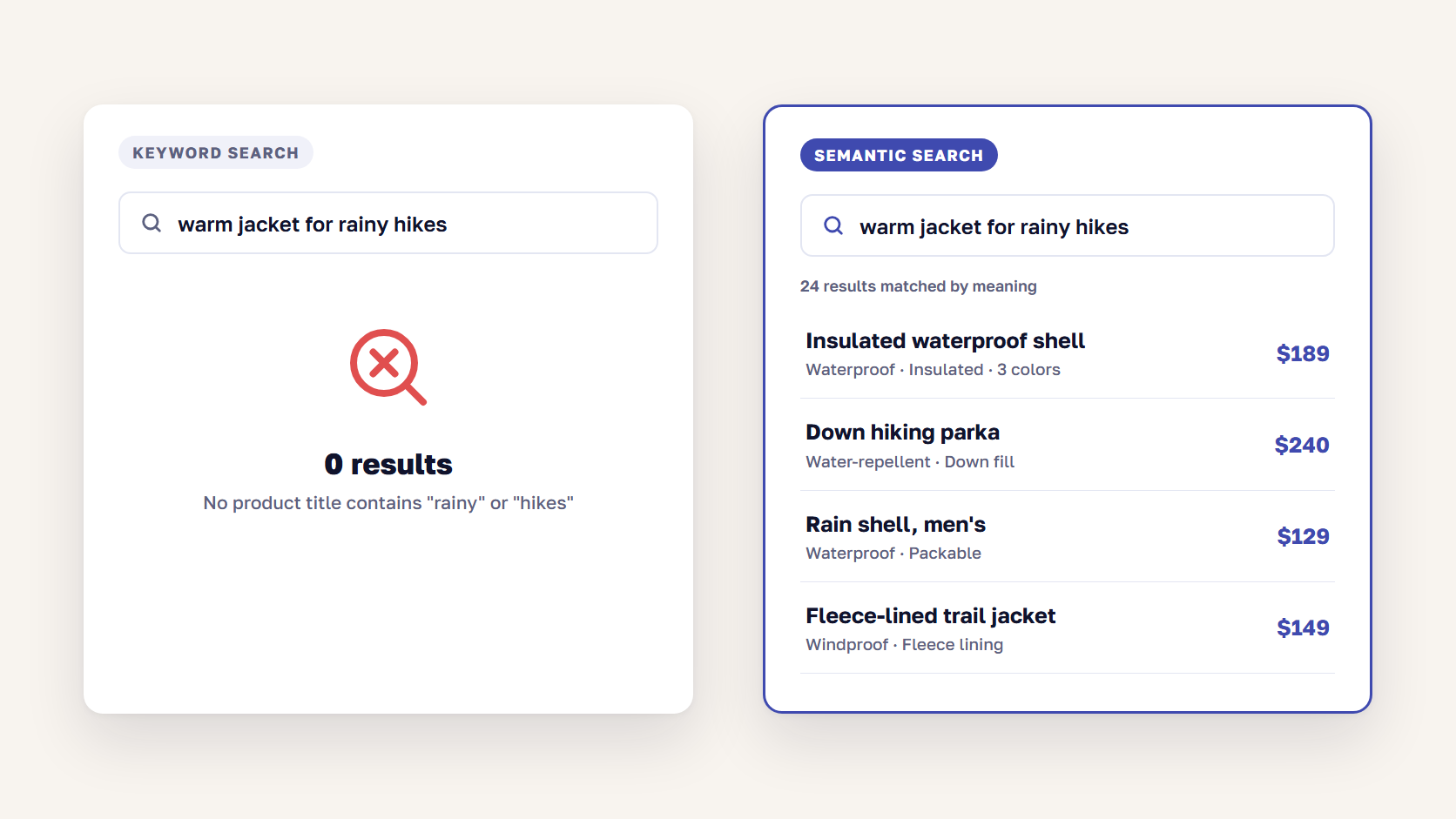
AI site search, also called semantic search, matches a query to products by meaning instead of by exact words. It turns product text and the query into numeric vectors and returns the products whose vectors are closest, so “something warm for rainy hikes” can find an insulated waterproof jacket even when none of those words appear in the query.
OpenSearch’s documentation describes the method: text embedding models turn each product and each query into a dense vector stored in a vector index, and search compares those vectors. Most commerce search vendors now combine this with classic keyword search. Algolia’s NeuralSearch, for example, runs vector search alongside keyword search and merges the two result sets, because keyword matching still wins on exact names and SKUs.
Can AI search fix synonyms?
Mostly, yes. Semantic search connects “sofa” and “couch” or “sneakers” and “trainers” without a hand-written synonym list, which removes most of the vocabulary-gap failures. It’s weaker in three places:
- SKUs, part numbers and model codes. These have no meaning to compare, so keyword matching has to handle them. That is why hybrid search exists.
- Brand and store language. Your own product line names, internal size codes, and B2B part names may not be close to anything the model learned.
- Attributes that aren’t in the data. If fabric, voltage or compatibility isn’t in the product record, no model can match on it. AI search makes product data gaps more visible.
What AI site search needs before it works
Clean titles, complete attributes, and descriptions written for people give the embedding model something to work with. Click and conversion data improves ranking over time. Run a holdout or before-and-after test on your top queries so you can measure the change. A demo built on the vendor’s sample catalog says little about yours.
If you want shoppers to describe a need in a full conversation, a chat-style assistant is the next step beyond the search box. Our guide to a conversational shopping assistant covers the options and costs.
🚀 Quick takeaway
AI search closes the vocabulary gap. Missing attributes still have to be fixed in the product data, so audit them before you buy a semantic engine.
Adobe Live Search: what it does and where it stops
Adobe Live Search is the SaaS search service for Adobe Commerce 2.4.4 and later. It replaces the platform’s OpenSearch storefront search, is included in the Adobe Commerce license, and adds AI re-ranking, search-as-you-type, synonyms, merchandising rules and a product listing widget. It doesn’t run on Magento Open Source.
The facts below come from Adobe’s own Live Search documentation on Experience League:
- Included in the license. Adobe describes Live Search as a SaaS service “included in your license”. The install guide lists only Adobe Commerce on cloud and on-premises, 2.4.4 or later, and OpenSearch and Live Search can’t run on the same instance. If you are weighing editions, see our comparison of Adobe Commerce vs Magento Open Source.
- Semantic search arrived in June 2026. According to the Live Search release notes, it “uses AI to match products by meaning and context” to cut zero-result searches on natural-language queries. It works on English catalogs only. It is on by default for Adobe Commerce as a Cloud Service and has to be switched on for cloud and on-premises installs.
- AI ranking from shopper behavior. The Live Search overview describes AI-driven faceting and re-ranking based on in-session behavior. A newer setting controls how strongly that intelligent ranking weighs against text relevance.
- Typo handling is narrow. When an exact search finds nothing, Live Search runs a fuzzy search with a maximum edit distance of 1.
The boundaries and limits page is the part to read before you commit:
| Live Search limit | What it means in practice |
|---|---|
| 200 synonyms per store view | Large or multilingual catalogs can run out, so semantic search has to carry more of the load |
| 50 search merchandising rules per store view | Enough for campaigns, tight for stores that run rules per brand or season |
| No CMS page or block search | Shoppers searching “returns” or “size guide” get no content results |
| Search popover only on Luma or Luma-based themes | Hyvä and headless storefronts need frontend work on the Live Search API |
| Tier pricing not supported in search results | B2B stores relying on tier prices need a workaround |
| No native search term redirects | Redirecting “contact” or “delivery” to a page needs Fastly or custom work |
| Multi-word queries split into separate terms | Phrases like “red wine glass” may need synonyms to stay together |
🚀 Quick takeaway
Live Search costs no extra license fee on Adobe Commerce, but its limits decide the real cost: the frontend work on Hyvä or headless, and the synonym and rule caps on large catalogs.
Is Adobe Live Search worth it, or should you switch?
Adobe Live Search is worth it for Adobe Commerce stores on a Luma-based frontend with an English catalog that fits within its synonym and rule limits, because it is already in the license and now includes semantic search. Stores that need content search, non-English semantic matching, a Hyvä or headless frontend without custom work, or more control over ranking should compare a dedicated search service.
| Option | Runs on | AI and semantic matching | Watch for |
|---|---|---|---|
| Adobe Live Search | Adobe Commerce 2.4.4+ only | Semantic search on English catalogs, AI re-ranking | Caps on synonyms and rules, no CMS search, popover needs a Luma-based theme |
| Native OpenSearch | Magento Open Source and Adobe Commerce | Keyword matching by default. Semantic search needs embedding models your team sets up and maintains | Relevance tuning and synonyms are manual work |
| Algolia | Hosted service with a Magento integration and other platforms | NeuralSearch combines keyword and vector search | NeuralSearch isn’t on every Algolia plan |
| Klevu | Magento and other platforms | AI search and merchandising | Check extension compatibility with your Magento version and frontend |
Questions that settle the decision:
- Is the store on Adobe Commerce or Magento Open Source? Open Source stores choose between tuning OpenSearch and a third-party service. Live Search isn’t an option.
- Is the catalog in English? If not, Live Search’s semantic search doesn’t apply yet.
- What is the frontend? On Luma, Live Search works out of the box. On Hyvä or headless, compare the cost of building on the Live Search API with a service that has a ready frontend for your stack.
- Do shoppers search for content? Size guides, delivery and returns queries need CMS search, which Live Search doesn’t index.
- What does your search log say? If most failures are missing attributes, switching engines won’t fix them. Fix the data first, then compare engines on your own top queries.
How a third-party search engine works on a Magento store
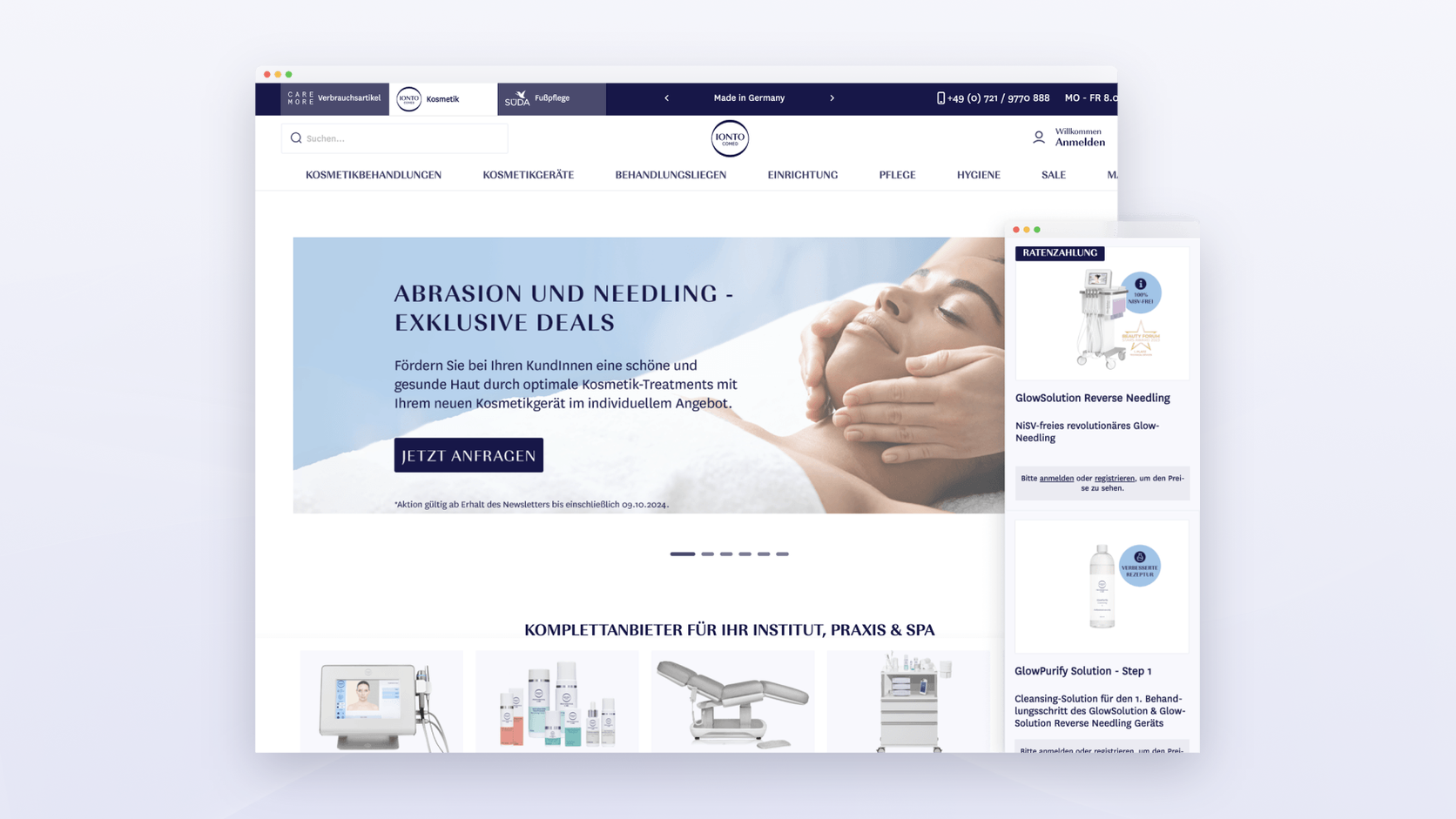
On Ionto’s Magento store, scandiweb redesigned all three store views for a B2B customer journey and enabled Klevu smart search and AI product recommendations as part of the same project, alongside ERP and PIM integration work.
Read more: Proactive eCommerce Support Secures a 90.2% Revenue Increase
Integrations aren’t always plug and play. On a B2B rebuild on Magento 2 with a PWA frontend, the Klevu extension had compatibility issues with the latest Magento and ScandiPWA versions. The team fixed them in both the frontend and the backend, including product resolvers that skip Magento processing when the data comes from Klevu. Budget for that kind of work when your frontend isn’t the vendor’s default.
Read more: Case Study: Rebuilding a Complex B2B eCommerce Site with Magento 2
🚀 Quick takeaway
Compare search engines on your own top 50 queries, with your own catalog. A vendor demo on a sample catalog tells you little about your synonyms, SKUs and attributes.
How to measure site search performance
Measure site search with five numbers: the share of sessions that use search, the zero-result rate, the search exit rate, the refinement rate, and conversion from sessions with search compared with sessions without. Track them monthly and after every change to the engine, synonyms, or product data.
- Search usage rate: sessions with a search divided by all sessions. A sudden drop can mean the search box became harder to find after a redesign.
- Zero-result rate: searches with no results divided by all searches. This is the first number to move after synonym and attribute fixes.
- Search exit rate: searches after which the shopper left the site. High exits on queries with results point to wrong-result problems.
- Refinement rate: searches followed by another search. Some refinement is normal, but repeated rewording means the first query failed.
- Search conversion: orders from sessions with search compared with sessions without. Use it to size the business case for search work.
Set these up as a GA4 exploration on the view_search_results event, or use the dashboards in your search tool. The same numbers are where a CX optimization review starts when it ranks search fixes.
🚀 Quick takeaway
The zero-result rate is the fastest signal that a fix worked. Search conversion is the number that wins budget for the next one.
Frequently asked questions about eCommerce site search
What is eCommerce site search?
eCommerce site search is the search function on an online store: the search box, autocomplete, the engine that matches queries to products, the ranking of results, and the filters on the results page. It helps shoppers who already know what they want reach the product without browsing categories.
Why does my site search return no results for products I sell?
Usually because the shopper’s words don’t match the words in your catalog. Common causes are missing synonyms, abbreviations and symbols the engine splits, misspellings beyond its typo tolerance, attributes that aren’t in the product data, and visibility settings such as store view assignment or out-of-stock rules.
What is AI site search?
AI site search, or semantic search, matches queries to products by meaning instead of exact words. It converts products and queries into vectors and returns the closest matches, so natural-language queries like “gift for a runner” can return relevant products. Most tools combine it with keyword search for SKUs and exact names.
Can AI search fix synonyms?
AI search fixes most everyday synonyms, such as “sofa” and “couch”, without a manual list. It still struggles with SKUs, model codes, your own product line names and attributes missing from the product data, so keep a short synonym list and fix your attributes alongside it.
Is Adobe Live Search free?
Adobe Live Search has no separate license fee. Adobe describes it as a SaaS service included in the Adobe Commerce license. The real costs are setup, the frontend work if you don’t use a Luma-based theme, and the time to manage synonyms, merchandising rules and the product data the engine depends on.
Does Adobe Live Search work with Magento Open Source?
No. Adobe’s install guide lists Adobe Commerce on cloud and on-premises, version 2.4.4 or later, as the supported platforms. Magento Open Source stores can tune the built-in OpenSearch engine or add a third-party search service such as Algolia or Klevu.
Search logs show what shoppers want and can’t find. If you’d like a second pair of eyes on your top queries and what’s behind the failures, talk to the team and we’ll walk through them with you.




































