
Ask an AI assistant how Magento’s CMS works and you will get a decent answer. Getting it to make the change in your own store has been the tricky part, until now.
Assistants have read the Magento documentation. None of them has seen your store. They do not know your store views, your category tree, or which block renders on the storefront, so the advice stays general and you do the edit yourself.
scandiweb has open-sourced a module that solves this. The MCP server for Magento 2 gives Claude, ChatGPT, and any other compatible assistant live access to your store content, with Magento’s admin roles deciding what each one may do. It is on GitHub under the Open Software License 3.0.
Read more: Agentic Commerce Explained: How ChatGPT Is Changing Online Shopping
What the module does
It publishes your store as a set of tools an assistant can call. One endpoint, POST /mcp, uses the Model Context Protocol, the standard Claude, ChatGPT, Copilot, and Cursor already use to reach outside systems.
The repository contains two modules. Scandiweb_Mcp is the server: the endpoint, sign-in, permission checks, and a slot for adding tools of your own. Scandiweb_McpContent is optional and contains the six content tools below. Install the server on its own and an assistant can connect but has no tools to call.
What it can change in your store
The six tools cover what a marketing or merchandising team edits most. Each tool describes itself when the client connects, so the assistant works out how to call it without instructions from you.
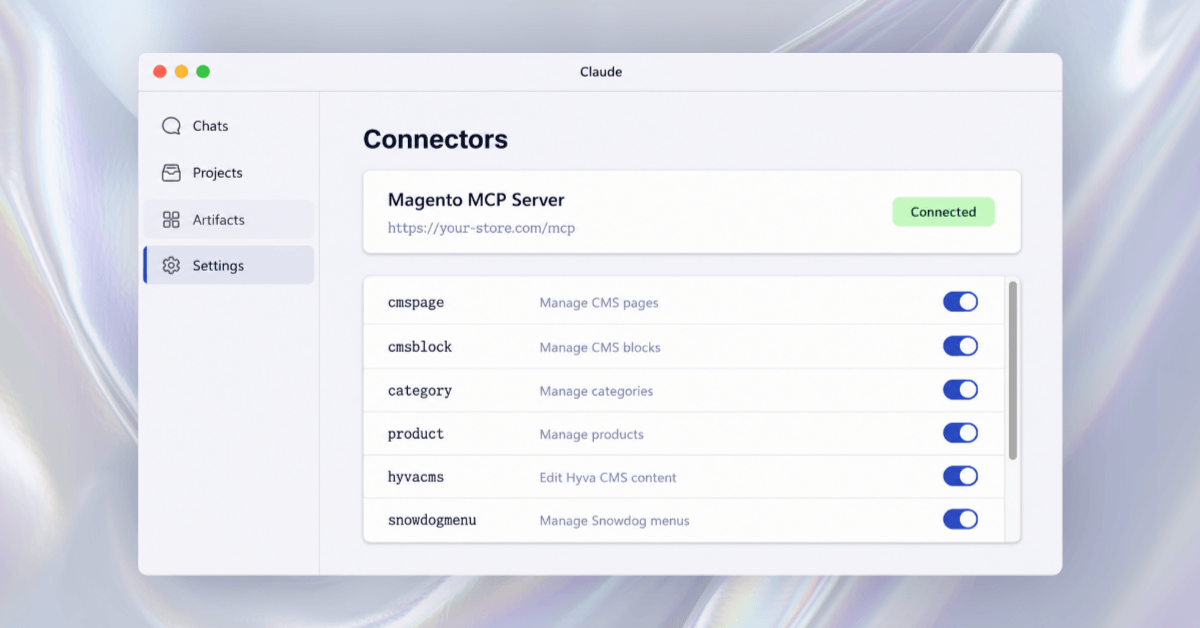
| Tool | Actions |
|---|---|
cmspage | list, get, create, update, delete. Content, layout, and meta fields, scoped per store view |
cmsblock | list, get, create, update, delete. Flags blocks that Hyvä liveview overrides |
category | tree, get, create, update, delete, move, upload_image, assign_products |
product | list, get, create, update, delete, upload_image, remove_image, attribute_options, plus stock and media gallery roles |
hyvacms | list, get, replace_text, set_content, set_liveview_enabled |
snowdogmenu | list_menus, get_menu, create/update/delete_menu, create/update/delete/move_node. Clears the menu cache automatically |
Category and product images can be sent as base64, including data: URIs. An assistant that has just generated an image can put it on a category without a download and re-upload in between.
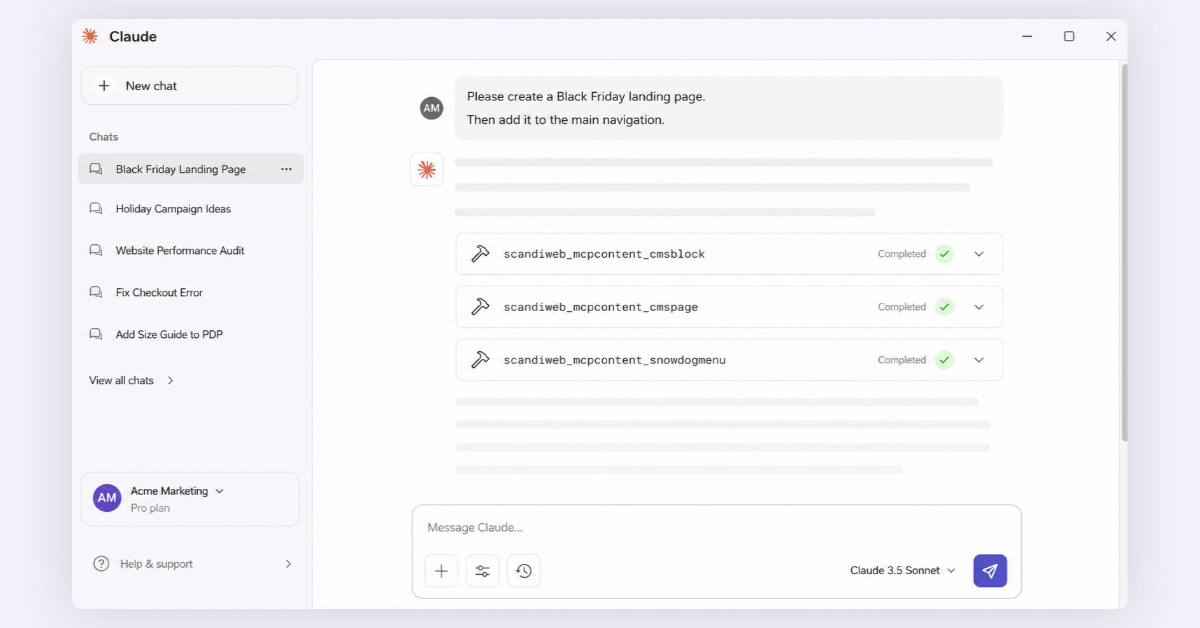
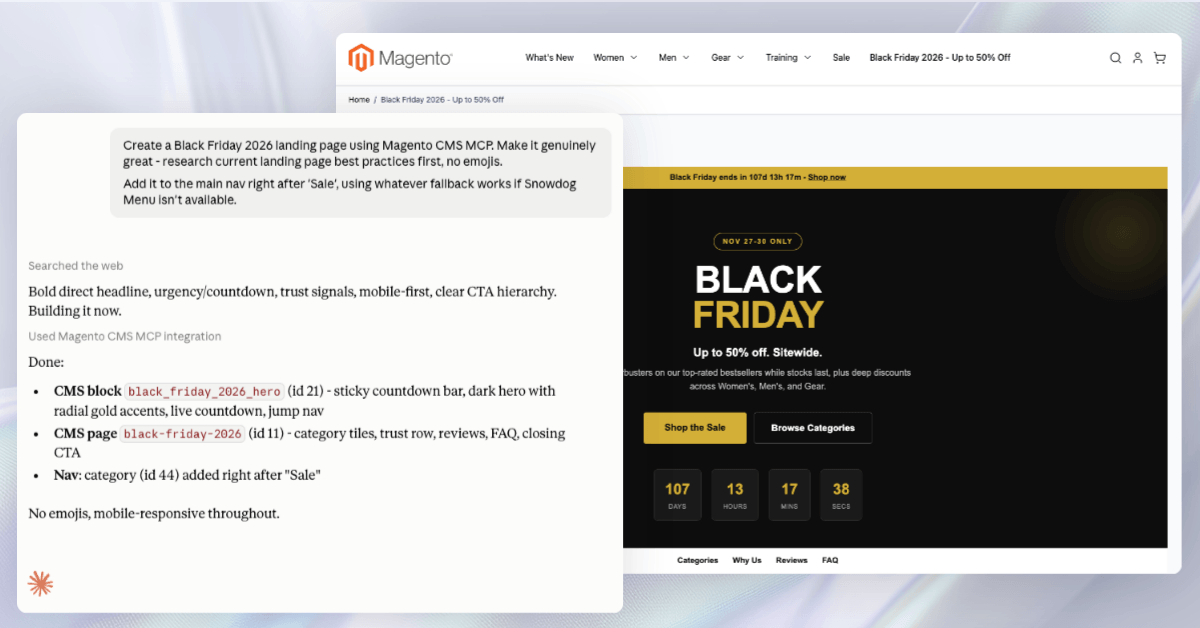
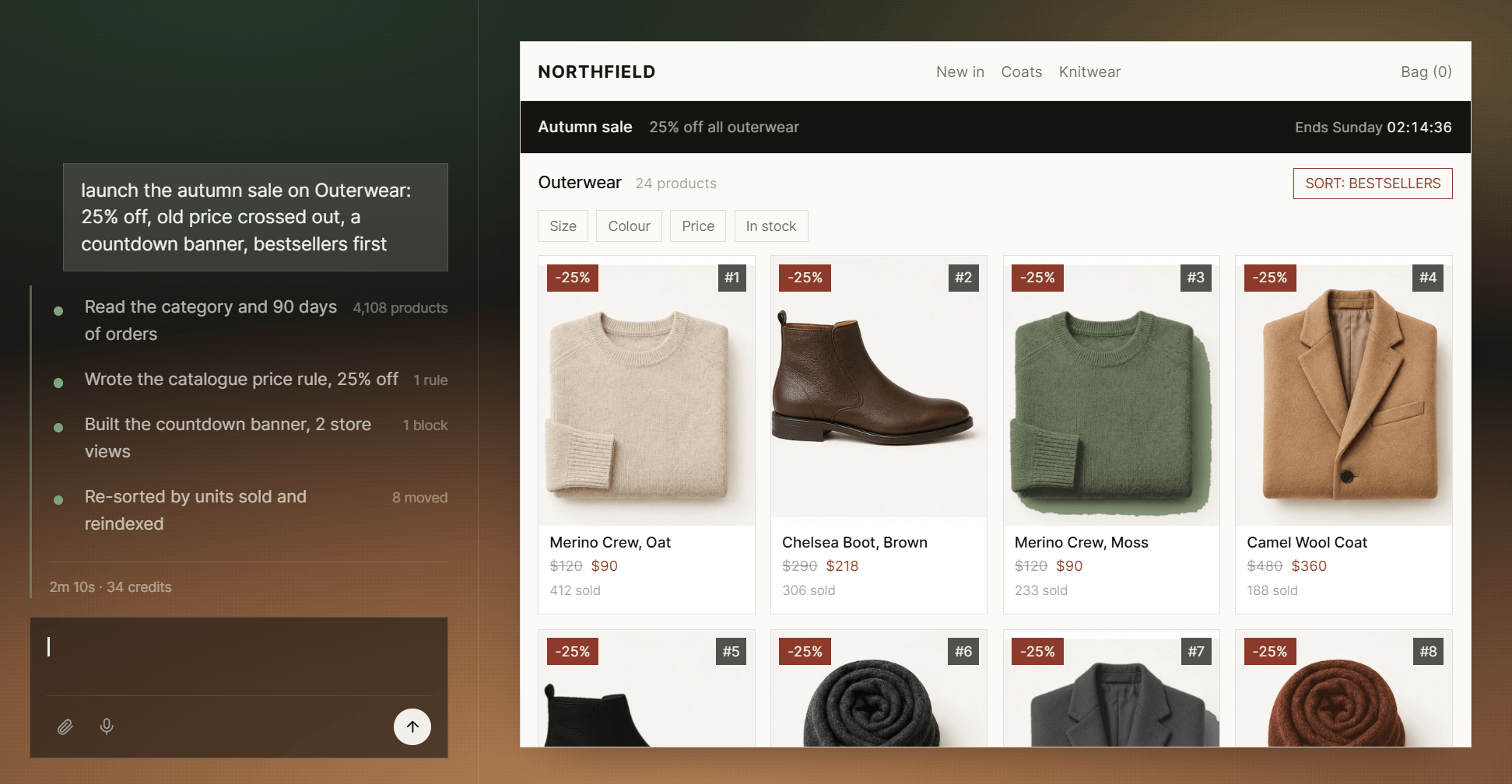
The repository includes a worked example: one request for a Black Friday landing page, researched and written, then added to the main navigation after “Sale”. Claude built the CMS block, built the page, and inserted the menu node.
🚀 Quick takeaway
One sentence set off three tool calls in sequence. The assistant worked out which parts of the store to open without being told.
Can an assistant just use the Magento REST API?
It can, and for simple reads that is fine. The problem is that REST was built for developers who already know the answers to questions an assistant cannot answer.
Content is the clearest case. A REST call that updates a CMS page reports success. On a Hyvä storefront, if that page has liveview switched on, it wrote to a field shoppers never see, and the response gives no indication. The cmspage tool flags the override, and hyvacms writes the layer that renders.
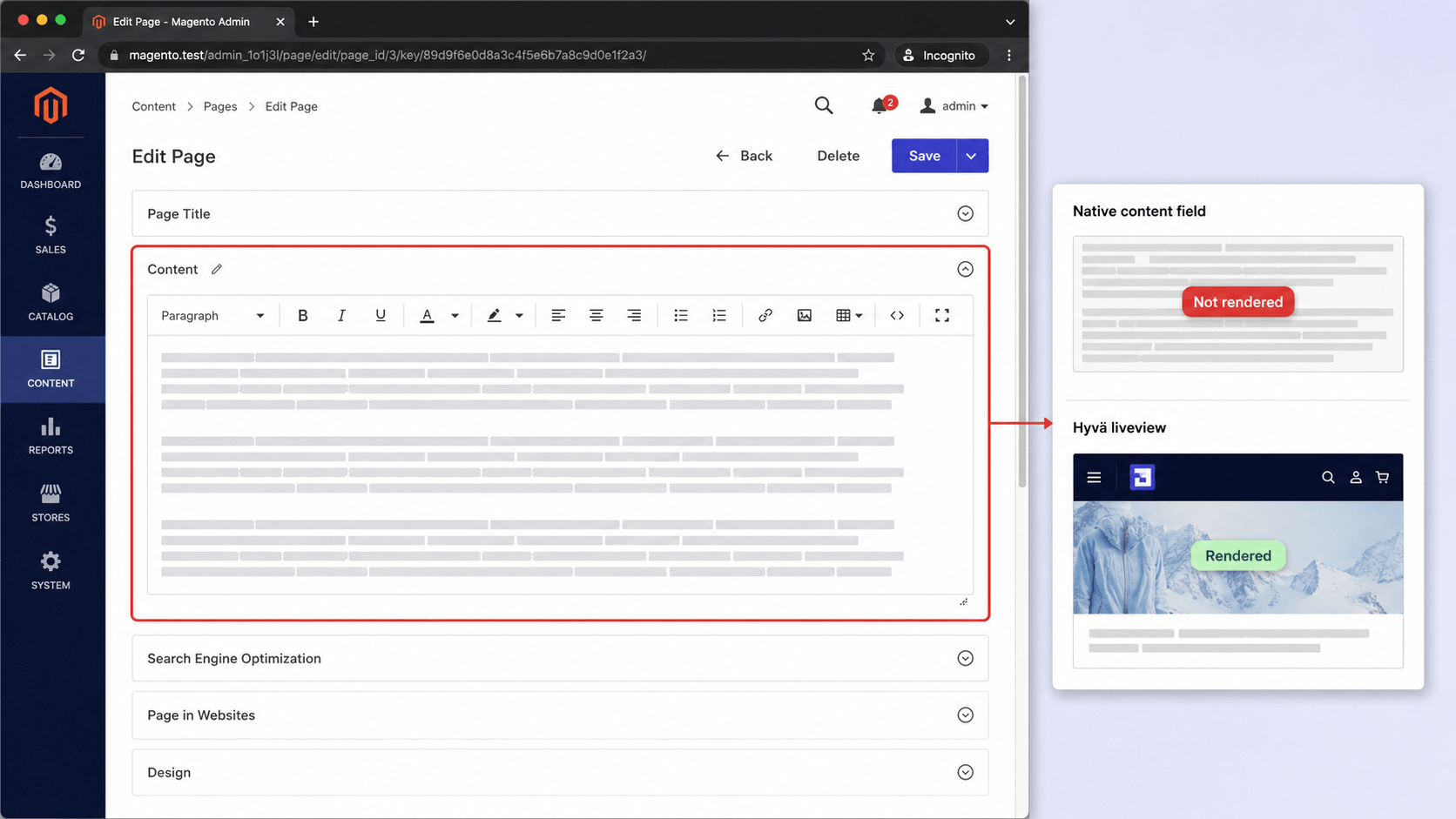
The same problem applies to store views. Here store_id is an array of assignments, where [0] means all of them, so the assistant is told which markets it is about to change. Through generic REST that scoping is unreliable, and an edit meant for one market becomes an edit to every market.
Snowdog menus are a simpler case: REST can read them but cannot write them. The snowdogmenu tool creates, moves, and deletes nodes, then clears the cache.
Each case comes down to the same thing. A typed tool includes the store’s context in the call. A raw endpoint makes the model infer it.
Magento’s admin roles decide what an assistant can do
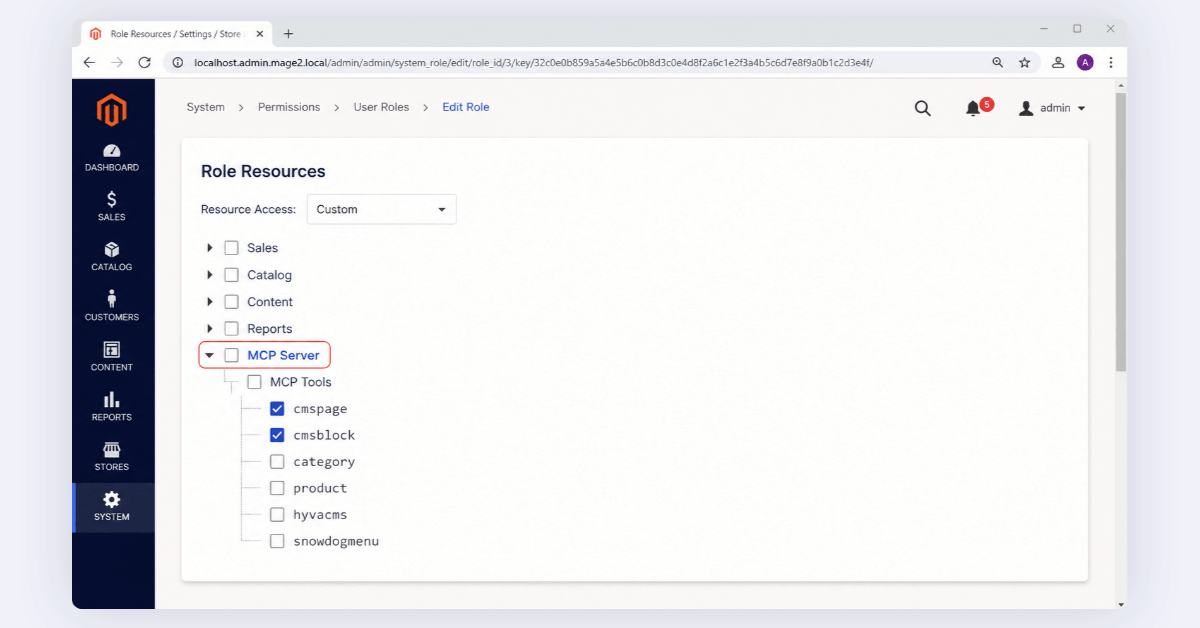
Granting an assistant access happens on a screen your team has used for years. Every tool appears in the admin role tree at System → User Roles → Role Resources → MCP Server → MCP Tools. Tick the tools a role may use. A call from an assistant signed in as that role goes through only when the tick is there.
Content writes are checked twice, once against the tool and once against the native resource, so editing a page still needs Magento_Cms::save. Deletes that cascade need an explicit confirm=true.
Both sign-in methods produce an ordinary Magento admin token, expiring on the schedule already set at Stores → Configuration → Services → OAuth, which is four hours by default.
A role with cmspage and cmsblock ticked is therefore a safe thing to hand a content team. That role has no access to pricing or stock, and a tool it does not include never appears in the assistant’s tool list.
“The question merchants asked was never about the model. It was what happens the first time an assistant gets something wrong. Magento answered that years ago with admin roles, so we wired the tools into those rather than writing our own.”
Glebs Vrevsky, Co-Founder & Executive Board, scandiweb
🚀 Quick takeaway
Scope the role before you scope the prompt. Two minutes in User Roles does more for safety than any amount of careful wording.
How to install and connect the Magento MCP server
You need Magento 2.4.4 or later, PHP 8.1 to 8.4, and a public HTTPS address, because MCP clients do not accept plain HTTP.
Copy the Scandiweb folder into app/code/, enable both modules, then run setup:upgrade and cache:flush. To check the endpoint is alive, post to /mcp with no credentials. A 401 with a WWW-Authenticate header is the answer you want.
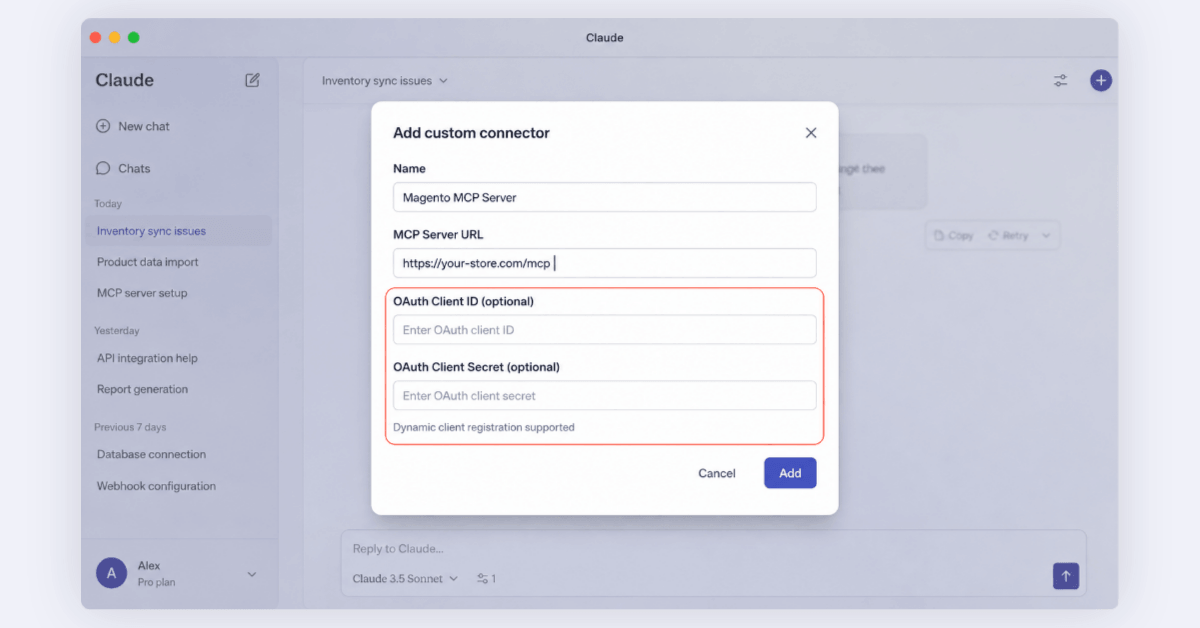
Then tick the tools onto a role and connect a client. Claude Code takes a bearer token. The Claude and ChatGPT apps use OAuth: add a custom connector, paste the /mcp URL, and leave client ID and secret blank, because dynamic registration fills them in.
Per-client steps and troubleshooting are in the server README.
Adding a tool of your own is one PHP class and one di.xml entry, and its permission appears in the role tree automatically. That is the route for anything particular to your business, such as an ERP lookup or a custom entity.
Read more: How to Build Your Own MCP Server
Agent for Magento vs the Magento MCP server: which do you need?
Use the MCP server for content, and Agent for Magento for code. This module edits what already exists in your store: pages, blocks, categories, products, and menus. It does not touch code, and you bring your own assistant to drive it.
Development work is a separate product. Agent for Magento has its own agent built in. You describe a change in plain language, by text or by voice, it asks the clarifying questions a developer would, then does the work on a staging environment. Nothing reaches production until you approve it. It covers version upgrades, extension installs, security patches, layout and theme changes, and ERP or CRM integrations, and it reads your real theme and installed modules instead of generic Magento patterns. Most tasks finish in under five minutes.
Some work stays with people. Replatforming, complex B2B logic, and architectural decisions are not agent jobs, and scandiweb engineers take those on when a task runs past what the agent can finish.
Frequently asked questions about the Magento MCP server
What is a Magento MCP server?
A module that publishes a Magento 2 store as tools an AI assistant can call over the Model Context Protocol. scandiweb’s version adds a /mcp endpoint and checks every call against Magento’s admin roles.
What does it cost?
Nothing. It is open source under the Open Software License 3.0, with no paid tier and no license key.
Which assistants can connect?
Any MCP-compatible client. Claude Code, Claude Desktop, claude.ai, and ChatGPT have documented steps. Claude Code signs in with a bearer token, the apps use OAuth.
Can an assistant damage the store?
It can reach whatever the role you connected it with can reach, and nothing beyond. Narrow the role and you narrow the blast radius. Cascading deletes need explicit confirmation. Use a dedicated least-privilege admin user rather than a super admin, keep token lifetimes short, and set Allowed IP Addresses when you know the client’s egress IP.
Does it run on Adobe Commerce?
Yes. It uses Magento core APIs and targets 2.4.4 and later, which covers Magento Open Source and Adobe Commerce alike.
Is Hyvä or Snowdog required?
No. Those two tools switch on only when the platform is installed. The CMS, category, and product tools run on Magento core.
Which tools would you actually let an assistant touch on your store? That is worth settling before you connect anything. The module is free, so try it on a staging store first, and if you want an expert opinion on how to scope it, let’s talk.




































