
Two things are true about a Magento 2 upgrade at the same time. It is one of the most important maintenance jobs a store owner can run, because every new version closes security holes and adds features. And it almost always takes longer than people expect, because an upgrade touches far more than the platform core.
Over 20 years and 100+ Magento upgrades, the question we hear most is the same one merchants ask themselves: why does it take so long? The honest answer is that a Magento 2 upgrade is a sequence of careful steps, not a single command. This guide walks through that sequence the way our engineers run it, so you know what to budget time for and where the real work hides.
🚀 Quick takeaway
A Magento 2 upgrade follows a fixed order: review release notes, take a full backup, run the composer update, check extension and theme compatibility, test on staging, deploy, and keep a rollback plan ready. Most of the elapsed time goes into compatibility and testing, not the core update itself.
Why Magento upgrades matter
An upgrade matters because running an old version eventually means running an unsupported one, and an unsupported store stops getting security patches. Adobe sets a clear end-of-support date for every release, so the question is never whether to upgrade, only when.
The version cadence makes this concrete. Magento 2.4.9 (both Open Source and Adobe Commerce) shipped on May 12, 2026, the largest architectural change in the 2.4.x line since 2.4.4, with 501 fixed issues in Open Source and 560 in Adobe Commerce (Adobe Experience League). It was also the first release under Adobe’s annual schedule: one major version every May, monthly isolated security fixes, and two aggregated security patches a year. Regular support for 2.4.9 runs to May 2029.
Older lines are already on the clock. 2.4.6 regular support ends August 11, 2026, 2.4.7 ends April 9, 2027, and 2.4.8 (released April 8, 2025, adding PHP 8.4 support) ends April 11, 2028 (Adobe Experience League). Past those dates, no security patches arrive, which is the same trap that left Magento 1 stores unable to meet card-payment rules, as we covered in our piece on Magento 1 PCI compliance. If you are weighing whether the platform is still worth investing in at all, our take on whether Magento is dying covers the longevity question directly.
Your edition also shapes the upgrade path. Open Source and Adobe Commerce share the same core but differ in built-in features and patch tooling, a distinction we break down in Adobe Commerce vs Open Source.
How do you upgrade to the latest Magento 2 version?
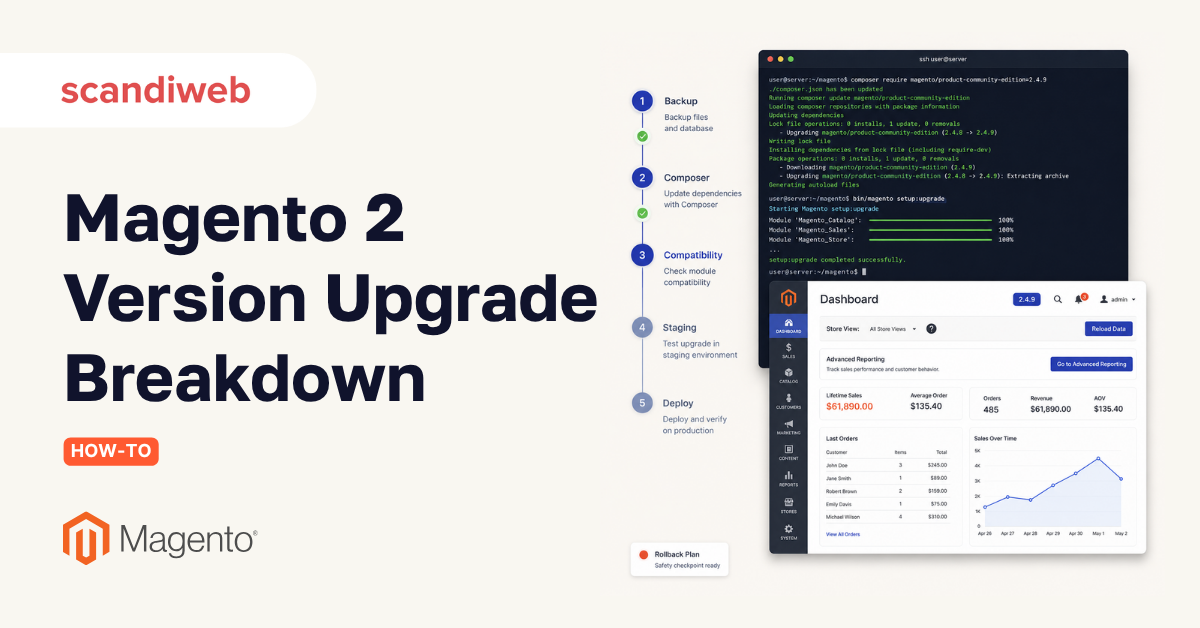
You upgrade Magento 2 by working through seven ordered steps: review release notes, back up everything, update composer dependencies, check extension and theme compatibility, test on staging, deploy to production, and keep a rollback plan ready. Adobe documents the same on-premises flow through composer and the command line.
1. Prep and release-notes review
Read the release notes for your target version and flag anything that needs attention, such as deprecated methods, changed dependencies, or new PHP and database requirements. This is where you confirm the version is even reachable from where you are, since large jumps sometimes need an intermediate step.
2. Full backup
Take a complete backup of code, database, and media before touching anything. This is the foundation of the rollback plan in step seven, and skipping it is the single riskiest shortcut in the whole process.
3. Composer update
Update the Magento vendor source to your target version through composer, then run setup:upgrade, recompile, and redeploy static content. The goal of this step is a site that serves pages and runs the standard deployment commands cleanly: install, deploy, compile, and cache management.
🚀 Quick takeaway
The composer update is the fast part. The slow part is everything that has to be re-checked because the core changed underneath it: theme overrides, custom preferences, and third-party modules. Budget your time accordingly.
4. Compatibility and extension check
With the new core in place, inspect every customization for breakage. Theme override files updated with the version need review, preferences written against core files need checking, and third-party modules need to be confirmed against the new source. The output of this step is a list of code adjustments with an effort estimate for each. Heavy custom code is where our Magento development team spends most of an upgrade.
5. Staging test
Once the obvious differences are resolved, run manual test scenarios on staging covering the most important areas. Our standard checklist looks like this:
- Frontend: add to cart, remove from cart, change quantity, configurable options saved, guest order, registered-user order, new customer registration, password reset, login and logout, newsletter subscribe and unsubscribe, coupon codes applied and removed.
- Admin: login, logout, password change, basic order processing including invoice, fulfillment, cancel, and void, customer management, and product management covering data updates, category assignment, and visibility.
- Cron: scheduled jobs execute, no runtime errors during cron:run, and indexing completes without errors.
Add any business-critical scenarios specific to your store. The result is a defect list with effort estimates, which is what turns a vague timeline into a real one.
Common Magento upgrade pitfalls
Most upgrade pain traces back to a handful of avoidable mistakes. Knowing them upfront keeps the timeline honest.
- Extension incompatibility: a third-party module that has not been updated for the target version can block the whole upgrade until it is patched or replaced.
- Custom theme overrides: overrides written against an older template version often break silently and only show up in testing.
- PHP version mismatch: each release supports a specific PHP range, and 2.4.8 dropped PHP 8.1 while adding 8.4, so the server has to move with the store.
- Skipping staging: testing straight on production is how a small compatibility issue becomes a customer-facing outage.
If these keep stacking up release after release, some merchants ask whether to upgrade or replatform entirely. Our Magento vs Shopify comparison is a useful starting point for that decision.
Deploy, go-live, and rollback
Deployment moves the tested store from staging to production, then repeats the step-five checks in the live environment. Once everything passes, the client runs user acceptance testing, and on sign-off the store is ready for go-live. A rollback plan is non-negotiable here.
Plan the deploy for a low-traffic window, deploy from the same artifacts you tested, and re-run the frontend, admin, and cron checks before opening the store back up. Keep the pre-upgrade backup and the previous code release ready so you can revert quickly if a blocking issue surfaces after go-live. With the upgrade stable, it is also the right moment to look at speed, which is what our Magento performance work targets after a version jump.
🚀 Quick takeaway
Going live is not the last step, the rollback plan is. The full pre-upgrade backup plus the previous release give you a fast way back if something breaks under real traffic, which is far cheaper than firefighting a broken store.
Frequently asked questions
What is the latest Magento 2 version?
The latest version is Magento 2.4.9, released on May 12, 2026, for both Open Source and Adobe Commerce. It is the largest architectural change in the 2.4.x line since 2.4.4, with 501 fixed issues in Open Source and 560 in Adobe Commerce, and it opened Adobe’s annual May release schedule (Adobe Experience League).
How do I check which Magento version I am running?
Run bin/magento –version from your store’s root directory over the command line, or open the admin footer where the version number is displayed. Both confirm the exact release, which you need before reading the right release notes and planning your upgrade path.
Why does a Magento 2 upgrade take so long?
The core update itself is quick. Most of the elapsed time goes into checking compatibility for theme overrides, custom preferences, and third-party modules, then testing every critical store function on staging. The more customization a store carries, the longer the compatibility and testing steps run.
How often should I upgrade Magento?
Stay on a supported version at all times. Adobe now releases one major version each May plus regular security patches, and every release has an end-of-support date, so aligning your upgrades with that cadence keeps the store patched and avoids the rush of a forced jump near an end-of-life deadline.
Can I skip versions when upgrading Magento?
Often yes, but not always. Smaller patch updates are usually direct, while larger jumps can require an intermediate version or a specific PHP and database move first. The release notes for your target version state the supported upgrade paths, which is why the prep step comes first.
Want to upgrade Magento without downtime or surprises? Our engineers can plan your upgrade end to end, from compatibility checks through go-live and rollback.




































