
How do you keep in-store and online inventory and orders in sync when a single oversell can cost you a customer for good? That one question is what sends most Magento (Adobe Commerce) merchants looking for a point-of-sale system in the first place. You sell the same SKU in-store and on the website, and the moment those two counts drift apart, you are either turning away buyers who think you are out of stock or promising stock you cannot deliver.
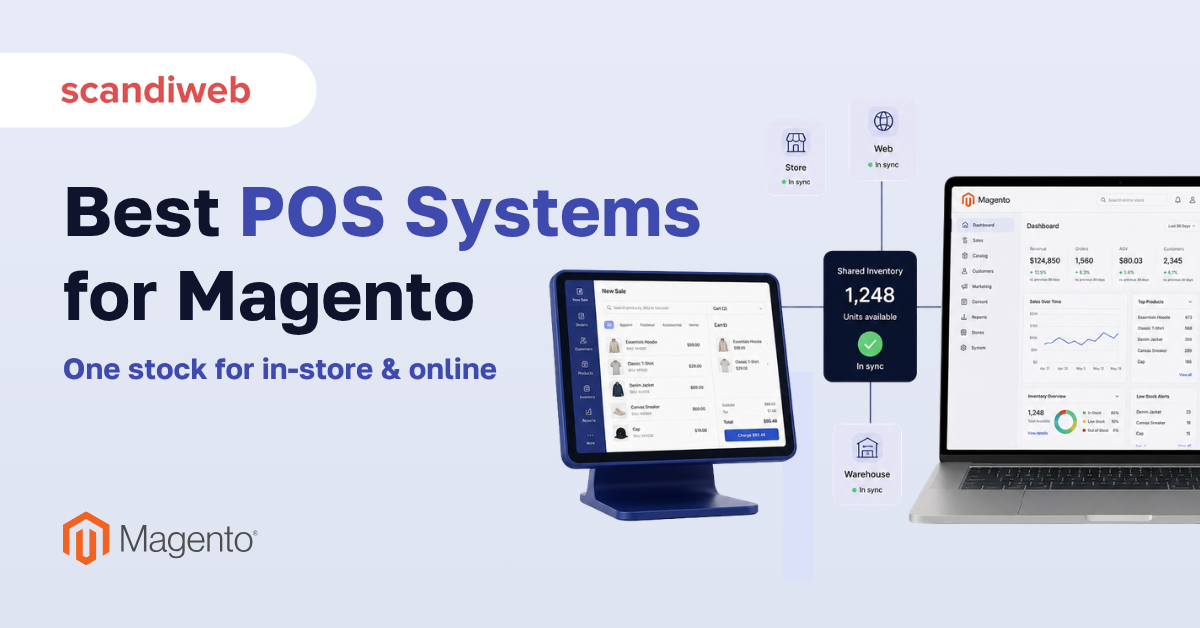
The right Magento POS closes that gap by treating your store and your website as one catalog, one customer record, and one stream of orders. Our guide compares seven POS options that work with Magento, scored on the offline mode, omnichannel inventory and order sync, hardware support, payment integration, and multi-location control.
🚀 Quick takeaway
If your store and website share inventory, choose a Magento-native POS such as Magestore or ConnectPOS so stock, orders, and customers are in one database. If you mostly need fast in-store checkout tied to a payment provider you already use, a connector to Square or Lightspeed can be enough.
What makes a POS the best fit for Magento?
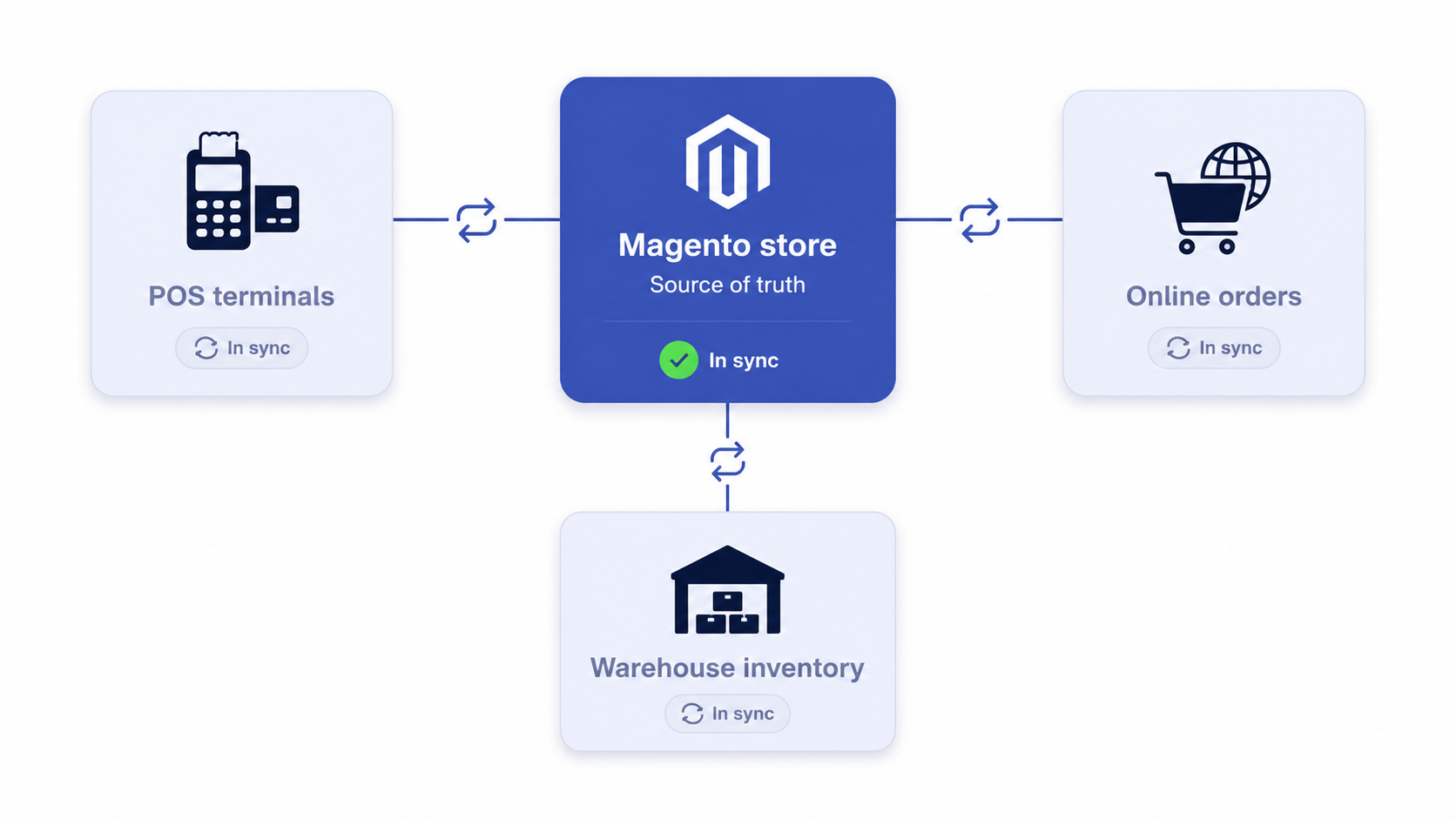
The best POS for Magento is the one that uses your Magento catalog and order data as the single source of truth, rather than holding its own separate copy that has to be reconciled. Everything else, from hardware to reporting, is secondary to that.
This matters more than most buyers expect. Harvard Business Review research found that omnichannel customers spend about 10% more online and 4% more in-store than single-channel shoppers, and that 73% of customers use multiple channels during a single shopping journey. When the same buyer moves between your website and your counter, fractured inventory quietly taxes every one of those trips.
Click-and-collect raises the stakes further. US BOPIS sales are projected to reach roughly $154.3 billion in 2025, about 10.5% of all eCommerce sales, per eMarketer figures, and Capital One Shopping research reports that around 87% of merchants now offer buy-online-pickup-in-store. Pickup only works when store-level stock counts are trustworthy, which is exactly what a Magento-integrated POS is supposed to guarantee.
Magento POS selection criteria: what to score before you buy
Before comparing brands, fix the scorecard. A demo will always look smooth. These five criteria are where Magento POS software either holds up under retail load or quietly breaks.
Offline mode
Card readers fail, store broadband drops, and you cannot tell a queue of customers to wait for the router. A serious Magento POS keeps ringing sales offline and then reconciles every transaction back into Magento once the connection returns, with no double-counting and no lost orders.
Omnichannel inventory and order sync
This is the core promise. A POS has to stay in sync with your Magento inventory management setup. Look for real-time, two-way sync against Magento Multi-Source Inventory (MSI) so a sale at the register decrements the same stock pool the website reads. One-way or batch sync that runs every few hours is where overselling lives.
Hardware support
Confirm the system drives the gear you use: receipt printers, barcode scanners, cash drawers, and card terminals. Some POS tools are device-agnostic and run in a browser on any tablet. Others lock you to a certified hardware list, which raises switching cost later.
Payment integration
Your in-store payment flow should reconcile cleanly with online payments inside Magento. Check which processors are supported out of the box, whether the reader is EMV and contactless ready, and how refunds for online orders are handled at the counter.
Multi-location control
If you run more than one store, you need per-location stock, store-level reporting, role-based staff permissions, and the ability to route a pickup or transfer to the right branch. Single-store tools often do not scale to this without painful workarounds.
The 7 best POS systems for Magento
The options below split into two groups. Magento-native systems install as an extension and read and write your Magento data directly. Connector-based systems run their own POS and link to Magento through an integration layer. Both can work, and the right answer depends on how tightly your store and website share inventory. Integration detail for each is on the Magento Magestore POS integration, Magento Lightspeed Retail integration, and Magento Clover POS integration pages.
1. Magestore
Best for: mid-market and enterprise retailers who want a fully Magento-native point of sale.
Magestore installs directly inside Magento, so there is no second database to reconcile. The register reads your live Magento catalog, customers, and stock, and writes orders straight back. It is the most consistently recommended Magento-native option across the SERP and review communities for that reason.
Strengths: true real-time, two-way sync against Magento MSI, robust offline mode, deep multi-location and warehouse support, and broad hardware compatibility.
Watch-outs: it is a heavier, higher-priced commitment, and the in-store experience is only as fast as your Magento backend, so performance work pays off here.
2. ConnectPOS
Best for: retailers who want cloud flexibility and fast device-agnostic setup on existing tablets.
ConnectPOS is a cloud POS with a strong Magento connector and a browser-based register that runs on iOS, Android, and PC. It tops several 2025 listicles for ease of rollout across multiple stores.
Strengths: quick to deploy, works on hardware you likely already own, supports multi-store and multi-warehouse, and offers offline selling.
Watch-outs: per-device monthly pricing adds up across a large floor, and because the POS holds its own cloud layer, you depend on the quality of the connector for sync accuracy.
3. Webkul POS
Best for: smaller stores and merchants who want a one-time license rather than a subscription.
Webkul’s Magento 2 POS extension is a budget-friendly, in-Magento option that covers the core counter workflow. It is popular with single-store and early multi-location retailers who want to avoid recurring per-seat fees.
Strengths: affordable one-time license, runs inside Magento, covers barcode scanning, custom receipts, and basic offline handling.
Watch-outs: advanced omnichannel features and polish trail the enterprise systems, and you will lean more on your own team or an agency for setup and edge cases.
4. Acid POS
Best for: specialty and inventory-heavy retailers who want a robust standalone POS that connects to Magento.
Acid POS markets a dedicated Magento integration with strong inventory and retail-operations features. It suits merchants whose in-store operation is complex enough to warrant a purpose-built retail platform that then syncs to the website.
Strengths: mature retail and inventory tooling, multi-location support, and a focused in-store experience.
Watch-outs: as a standalone platform, sync depends on the integration layer rather than living natively in Magento, so validate real-time accuracy during evaluation.
5. Ebizmarts (iOS POS)
Best for: Apple-first retail teams who want a polished iPad register tied to Magento.
Ebizmarts offers an iOS-native Magento POS with a clean in-store experience and tight integration. It is a frequent shortlist pick alongside Magestore for stores standardized on iPads.
Strengths: strong iOS app experience, Magento integration, offline capability, and solid customer-facing checkout.
Watch-outs: the Apple-centric approach is a limitation if your floor mixes Android or Windows devices, so confirm hardware fit first.
6. Square (via Magento integration)
Best for: smaller and growing retailers who already use Square for payments and want a low-friction counter.
Square is not a Magento-native POS, but Magento connectors sync products, inventory, and orders between Square and your store. For merchants who already trust Square hardware and processing, this keeps a familiar in-store flow while linking to the website.
Strengths: simple, well-known POS hardware and payments, fast to start, predictable transaction-based pricing, and good for pop-ups and single locations.
Watch-outs: sync is connector-dependent and typically not as deep as native systems, advanced Magento MSI scenarios can be limited, and reconciliation lag is the main risk to monitor.
7. Lightspeed (via connector)
Best for: established retailers who want a mature, feature-rich cloud retail platform connected to Magento.
Lightspeed is a strong standalone retail POS with deep inventory, purchasing, and reporting features, linked to Magento through an integration. It fits brands that treat the store as the operational hub and the website as one of several channels.
Strengths: rich retail and inventory management, multi-location, strong reporting, and broad hardware and payment options.
Watch-outs: it is a separate system of record, so two-way sync with Magento must be configured and tested carefully, and total cost runs higher than lightweight extensions.
| POS system | Type | Offline mode | Inventory sync | Best for |
|---|---|---|---|---|
| Magestore | Magento-native | Strong | Real-time, two-way (MSI) | Mid-market and enterprise |
| ConnectPOS | Cloud + connector | Yes | Real-time via connector | Multi-store, device-agnostic |
| Webkul POS | Magento extension | Basic | In-Magento | Budget, single store |
| Acid POS | Standalone + integration | Yes | Via integration | Inventory-heavy specialty retail |
| Ebizmarts | iOS app + integration | Yes | Via integration | Apple-first stores |
| Square | Connector | Yes (Square) | Connector, batch or near real-time | Small stores, pop-ups |
| Lightspeed | Standalone + connector | Yes | Via connector | Retail-led multi-location brands |
Native Magento POS or a connector: which should you choose?
Choose a Magento-native POS when your store and website share the same inventory and you cannot tolerate overselling. Choose a connector when in-store and online run as semi-separate operations and speed of setup matters more than millisecond accuracy.
Native systems such as Magestore, Webkul, and Ebizmarts read and write Magento data directly, which keeps a single source of truth and makes click-and-collect dependable. Connector-based setups like Square and Lightspeed are faster to launch and let you keep payment hardware you already trust, at the cost of an integration layer you have to monitor.
One rule keeps merchants out of trouble. Do not turn on BOPIS or store pickup until store-level inventory accuracy is consistently high. Omnichannel research repeatedly shows that pickup and reserve-in-store programs collapse customer trust the moment a promised item is not actually on the shelf, and Capital One Shopping research notes that around 85% of BOPIS shoppers buy something extra when they collect, which is upside you forfeit every time a pickup fails.
How to roll out a Magento POS without breaking your store
The platform choice is half the work. A clean rollout is what protects your data and your floor staff.
- Map your sources of truth. Decide whether Magento or the POS owns inventory, customers, and pricing. Ambiguity here is the root cause of most sync failures.
- Configure Multi-Source Inventory. Set up each store and warehouse as a source in Magento so stock is tracked per location before the POS goes live.
- Test offline and reconciliation. Deliberately disconnect a register during a test sale and confirm the order reconciles into Magento exactly once when it reconnects.
- Pilot in one store. Run a single location for a few weeks, watch for overselling and reconciliation gaps, then scale.
- Train staff on edge cases. Returns of online orders, partial refunds, and split payments are where untrained teams create accounting messes.
This is also where platform health matters. A POS that reads a slow or unstable Magento backend will feel sluggish at the counter, which is why Magento performance optimization and a well-built integration layer are part of any serious POS project.
Do you need an agency to integrate a Magento POS?
Not always, but the harder your retail operation, the more an integration partner pays for itself. A simple single-store extension can be self-installed. Multi-location stock, custom payment flows, ERP links, and reliable offline reconciliation usually justify an experienced team.
If you do bring in help, choosing a partner with real Magento and omnichannel depth matters more than the brand of POS. Our list of top Magento development companies is a good starting point.
Frequently asked questions
What is the best POS for Magento?
For most merchants who share inventory between store and website, Magestore is the strongest Magento-native option because it reads and writes your Magento data directly with real-time, two-way sync. If you already use Square or Lightspeed and want a faster start, a connector to those platforms can be the better fit.
Does Magento have a built-in POS?
No. Magento (Adobe Commerce) does not include a native point-of-sale out of the box. You add one through an extension that runs inside Magento or through a connector that links an external POS to your store.
How does a Magento POS keep in-store and online inventory in sync?
A native Magento POS decrements the same stock pool the website reads by writing every counter sale back to Magento Multi-Source Inventory in real time. Connector-based systems sync through an integration layer, which can run near real-time or in batches, so confirm the timing during evaluation.
Can a Magento POS work offline?
Yes. Quality systems such as Magestore, ConnectPOS, and Ebizmarts keep ringing sales when the internet drops and reconcile each transaction back into Magento when the connection returns. Always test this before you rely on it.
How much does a Magento POS cost?
Pricing ranges widely. Lightweight extensions such as Webkul start around a one-time license in the low hundreds, cloud systems like ConnectPOS run on per-device monthly subscriptions, and enterprise-grade native systems carry higher recurring or license costs plus implementation. Factor in hardware and integration work on top of the software.
Is Square a good POS for Magento?
Square works well for smaller stores, pop-ups, and merchants already invested in Square hardware and processing. It connects to Magento through an integration rather than running natively, so the main thing to watch is sync timing and reconciliation if you depend on tight inventory accuracy.
What is the difference between a native Magento POS and a connector?
A native POS lives inside Magento and uses your store as the single source of truth. A connector runs its own POS and links to Magento through an integration. Native systems win on real-time accuracy and offline reliability, connectors win on speed of setup and reusing existing hardware.
Ready to unify in-store and online into one source of truth? Connect your POS with our omnichannel team and stop overselling for good.




































