Shopify rebuilt Shopify Sidekick on October 28. The AI assistant in every Shopify admin can now write code, and it asks the merchant to approve each change. Before the week was out, someone on your Magento team had probably forwarded the news with one question under it.
Do we have that?
To answer it, you first need to know what Sidekick does on a normal day in a Shopify admin, and which of those jobs your own store would hand to an assistant. Some are questions about sales and stock. Others are the small changes that wait weeks in a developer queue while a peer on Shopify types the same request into a chat box. Those weeks, and the agency hours attached to them, are the stakes.
What is Shopify Sidekick?
Shopify Sidekick is the AI assistant built into the Shopify admin. You ask in plain language, and it answers questions about your store data, writes content, builds reports and automations, and drafts store changes for you to review. Sidekick is included with your Shopify plan, and its features and usage limits vary by plan.
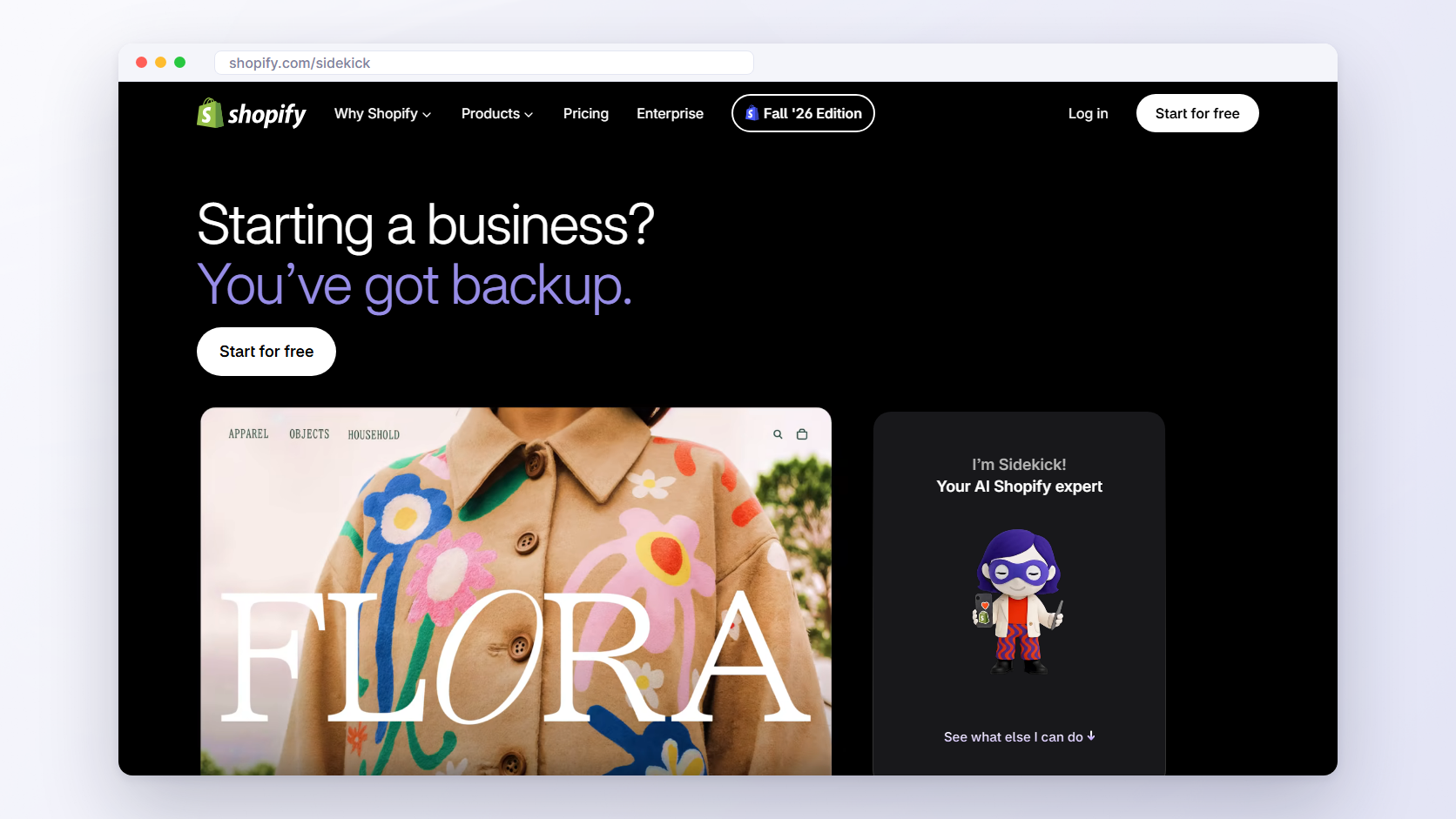
You open Sidekick by clicking the purple glasses icon on Shopify Home or any other admin page, with no setup. Since the admin redesign announced on October 28, 2026, it also appears as a floating chat at the bottom of every page. Every staff member can use it based on their admin permissions, so a limited role sees less than the owner, and it adapts to your store’s language settings.
What Shopify says sets this AI assistant apart from a general chatbot is access: it has direct access to your Shopify data and takes action in your admin, which generic AI tools can’t do. Apps can plug in through Sidekick app extensions, so Sidekick can search an app’s data and take you to the right page in it. The details are on Shopify’s Sidekick page.
What happened to Shopify Magic?
Shopify introduced Sidekick on July 26, 2023, in its Summer ’23 Edition, as the centerpiece of Shopify Magic, its set of AI features for commerce.
Today Shopify’s pages don’t use the Magic name. shopify.com/magic shows the Sidekick page, and the Help Center groups the same features under AI-powered tools, with Sidekick listed as an AI assistant in your Shopify admin (checked November 2, 2026).
🚀 Quick takeaway
Sidekick costs nothing extra: it is included with your Shopify plan, but features and usage limits vary by plan, and app generation needs the Basic plan or higher and a desktop browser.
Shopify Sidekick features after the October 2026 rebuild
Since the Fall ’26 Edition on October 28, 2026, Shopify Sidekick can run calculations, write code, search the internet and remember what a merchant teaches it. It presents changes for review before applying them, and it can’t change the live store without the merchant’s approval. Canvas, for editing the whole store with Sidekick, is in early access.
What Sidekick does day to day
On a normal day, Sidekick in Shopify answers questions about your store data, such as what sold last week or what is running low. It writes content and generates images, with transparent backgrounds since October 24, 2026. It builds Shopify Flow workflows for repeated work, and since October 13, 2026, it helps you customize checkout and customer accounts. Sidekick Pulse surfaces recommendations on Shopify Home without a prompt. On the Basic, Grow, Advanced or Shopify Plus plan, it can also generate small admin apps, from a desktop browser only and within hourly and weekly limits, and those apps work only inside the admin. The Shopify Help Center lists each feature with its conditions.
What the October 2026 rebuild added
The Fall ’26 Edition, published on October 28, 2026, is the Shopify Sidekick news that reached Magento teams. Sidekick now keeps what a merchant teaches it, through skills you save and preferences it picks up, and it can write and run its own code to forecast, compare or summarize store data.
Canvas shows your entire store on one canvas so you can edit it with Sidekick, from small tweaks to full redesigns, and it is in early access. The same day’s changelog added AI-tested storefront suggestions: Sidekick stages storefront changes in a draft, tests them with AI-simulated shoppers (SimGym), then shows you the recommendation. One Help Center caveat: in some stores, Sidekick can’t run code.
What Sidekick can’t do
The Help Center lists four limits. Sidekick can’t talk to your customers or handle support conversations for you. It can’t share data from other Shopify merchants. It can’t change your live store without your approval. And it can’t edit images within a store theme or your product list.
So it is a tool for the people who run the store, and it works only in the admin. A shopper-facing chat is a different kind of tool, and our guide to AI shopping assistants covers that side.
Is there a Sidekick for Magento?
No. Magento Open Source and Adobe Commerce have no assistant like Shopify Sidekick that you open in the admin and ask to change the store. Adobe’s published AI work for Commerce helps shoppers find products and helps teams write content and App Builder code. Magento stores add a Sidekick-style assistant from outside.
Magento comes in two editions, Magento Open Source and Adobe Commerce, and neither includes an assistant of this kind in the admin.
Adobe’s published AI work is aimed elsewhere. The Commerce Developer Agent helps developers move existing module code to App Builder or start new App Builder development. Adobe calls it “a starting-point generator, not a fully autonomous developer,” no code generates without approval, and its page gives no release date or edition scope. Adobe’s July 2026 release notes for Commerce add Brand Concierge and semantic search for shoppers, plus Agentic Development and Agentic Authoring for teams that build storefronts and manage content.
None of these is something a merchandiser opens in the Magento admin to ask for a store change, and we found no Adobe announcement of one with a release date (checked November 2, 2026). If the gap makes you question the platform itself, our look at whether Magento is dying has the data.
🚀 Quick takeaway
Sidekick works only with Shopify data. Magento Open Source and Adobe Commerce have no assistant like it in the admin, so a Magento store adds one from outside.
What Magento stores can use instead of Sidekick
Magento alternatives to Shopify Sidekick fall into two groups. Admin chat extensions and MCP connectors read and update store data, such as products, orders and prices, inside the admin’s permissions. AI agents like Ari change the store itself, including code, themes and extensions, on a copy of the store, and a person approves each change before release.
Here is what each kind of tool can change, who signs off and what it costs (vendor pages, checked November 2, 2026).
| Option | What it is | What it can change | Who approves | Price |
|---|---|---|---|---|
| Magefan AI Agent | Admin chat extension (Claude API) | Products, orders, customers, price rules, CMS, cache | Limited by the admin user’s role | €134 one-off |
| Elsner MIRA | Admin assistant and MCP server | Products, prices, stock, coupons, orders | Confirmation before every action | $149 (Community) |
| Mirasvit AI Agent Connector | MCP connector for your own assistant | Store data through 5 write tools | Your assistant asks before each write | $149 first year, then $90 a year |
| scandiweb Magento MCP module | Open-source MCP connector | Pages, blocks, categories, products, menus | Admin role decides each tool | Free (open source) |
| Ari | AI agent for Magento | Code, themes, extensions, upgrades, content | A person approves each pull request | From €99 a month per store |
Admin chat extensions: Magefan AI Agent and Elsner MIRA
An admin chat extension adds a chat panel inside the Magento (Adobe Commerce) admin that reads store data and makes admin edits within the signed-in user’s role. The Magefan AI Agent uses the Claude API, costs €134 one-off with a year of support and updates, and supports Magento 2.3.0–2.4.9. It answers questions such as low-stock products or orders missing invoices, and it can create and manage products, orders, customers, price rules, CMS content, caches and indexers. It follows the user’s Magento role permissions and stops working when you close the chat window. Its page doesn’t say whether it asks for confirmation before a change.
Elsner’s MIRA costs $149 for the Community edition. It answers questions about sales, orders, inventory and customers, and it can update products, prices, stock and coupons, cancel orders, and create invoices and shipments. Every action requires explicit confirmation before it applies to your live store.
Both suit data questions and admin edits. Neither changes code or themes. Magefan is also an Ari partner, and its extensions are in the Ari marketplace.
Your own assistant through an MCP connector
The second route uses the Model Context Protocol (MCP), an open standard that lets an assistant such as Claude or ChatGPT call tools in another system. Install a connector, and the assistant your team already pays for can read store data and, within limits, update it.
Mirasvit’s AI Agent Connector costs $149 for the first year and $90 a year after that. Nine of its tools only read data and five can change it, each marked read-only or write, so Claude, ChatGPT and other clients ask you to confirm before a write. It supports Magento 2.3 to 2.4.9.
Our own open-source Magento MCP server is free under the Open Software License 3.0, with no paid tier. Its six content tools cover CMS pages, blocks, categories, products, Hyvä CMS content and Snowdog menus, and each appears in the admin role tree, so an admin role decides what the assistant can touch. It needs Magento 2.4.4 or later.
Shopify added the same idea in its Fall ’26 Edition, with connectors that link Shopify to the AI agents merchants already use. Teams with very specific needs sometimes commission a custom agent from one of the AI agent development companies that build them.
🚀 Quick takeaway
Admin chat extensions and MCP connectors change store data inside the admin. Changes to code, themes and extensions still need a developer or an agent that works on a copy of the store.
AI agent for Magento: Ari
Ari, the AI agent for Magento, is built by scandiweb and takes the third route: it changes the store itself. A store team asks for a change in chat, in any language. Ari builds it on a copy of the store, cloned once from your repository with customer data removed, the team checks it on a preview store, and a person approves it as a pull request before any release. Ari handles frontend and backend changes, extension installs and conflicts, version upgrades and security patches, ERP, PIM and carrier integrations, content and merchandising, and full Hyvä theme and checkout rebuilds. It has no access to the live store, the servers or the live database.
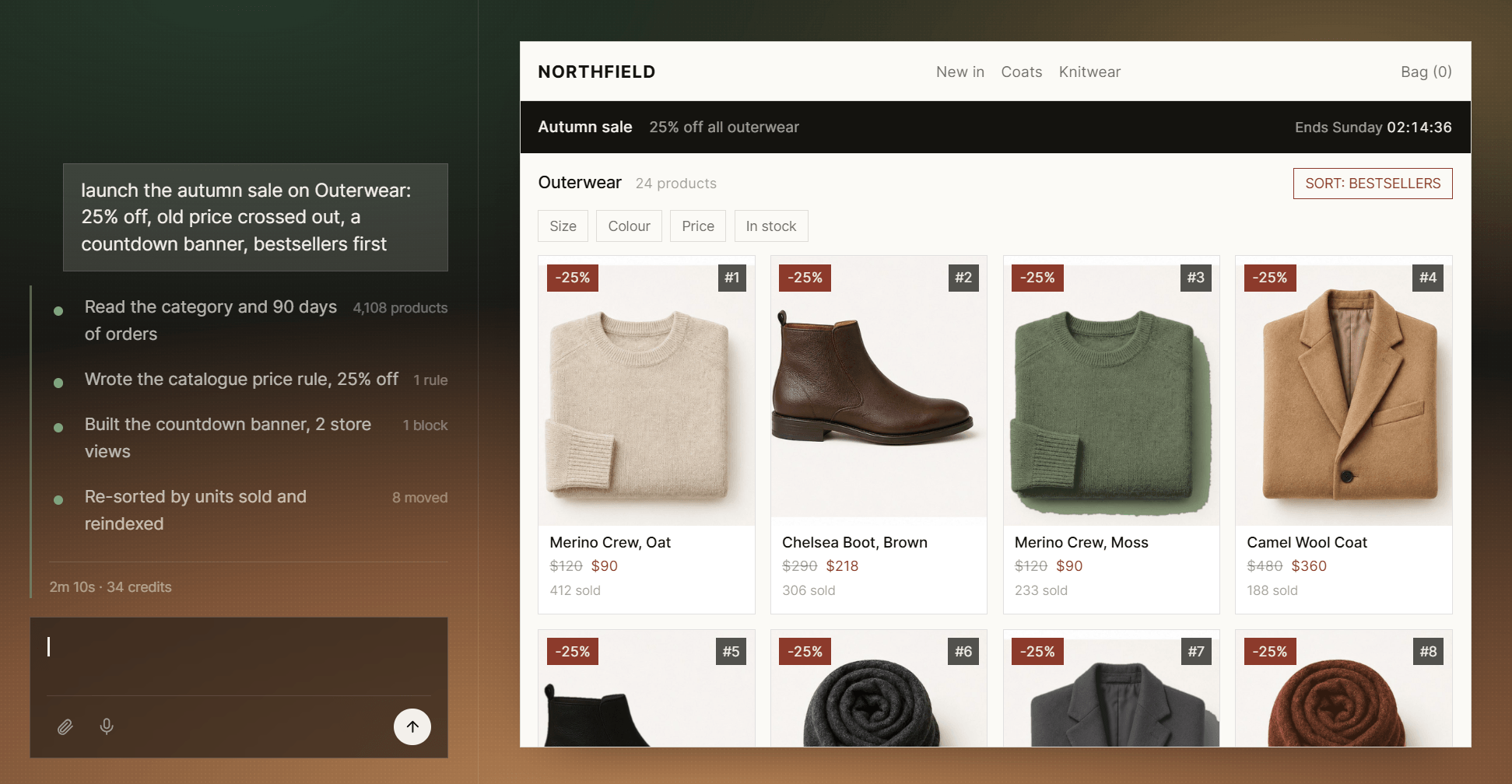
Releases go through the store’s usual pipeline, on your servers and schedule, merged by your developer, your agency or Ari engineers. Ari works on Magento Open Source and Adobe Commerce.
Shopify Sidekick vs Agent for Magento (Ari)
Shopify Sidekick and Ari both draft a change and wait for a person to approve it. Sidekick works inside the Shopify admin, comes with every Shopify plan and runs only on Shopify. Ari works on a copy of a Magento store, returns each change as a pull request and costs from €99 a month per store.
| Shopify Sidekick | Agent for Magento (Ari) | |
|---|---|---|
| Where it runs | Inside the Shopify admin | In chat, on a copy of your Magento store |
| What it can change | Admin data, content, Flow workflows, admin apps, storefront drafts | Code, themes, extensions, upgrades, patches, integrations, content |
| Who approves | The merchant, on the Store changes review | A person who approves the pull request |
| Access to the live store | Works in your admin, publishes after approval | None: no live store, server or database access |
| Price model | Included with your Shopify plan, limits vary by plan | From €99 a month per store, unlimited seats |
| Platforms | Shopify only | Magento Open Source and Adobe Commerce |
Seats are unlimited on every Ari plan, so marketers, managers and developers can all ask for changes.
How approval works in each
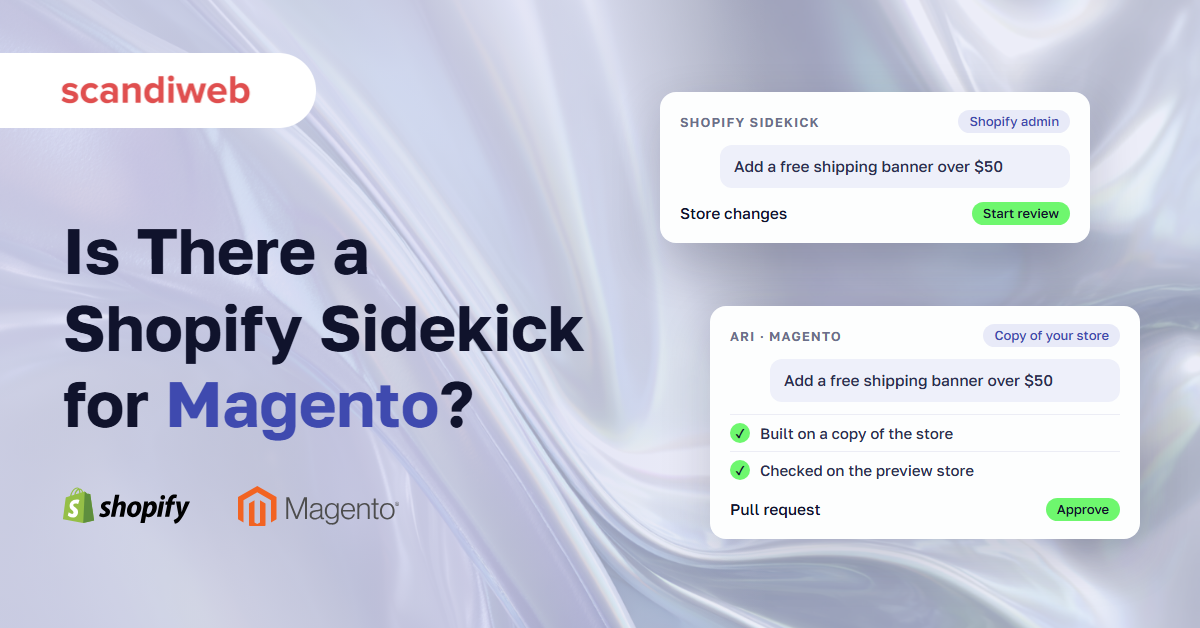
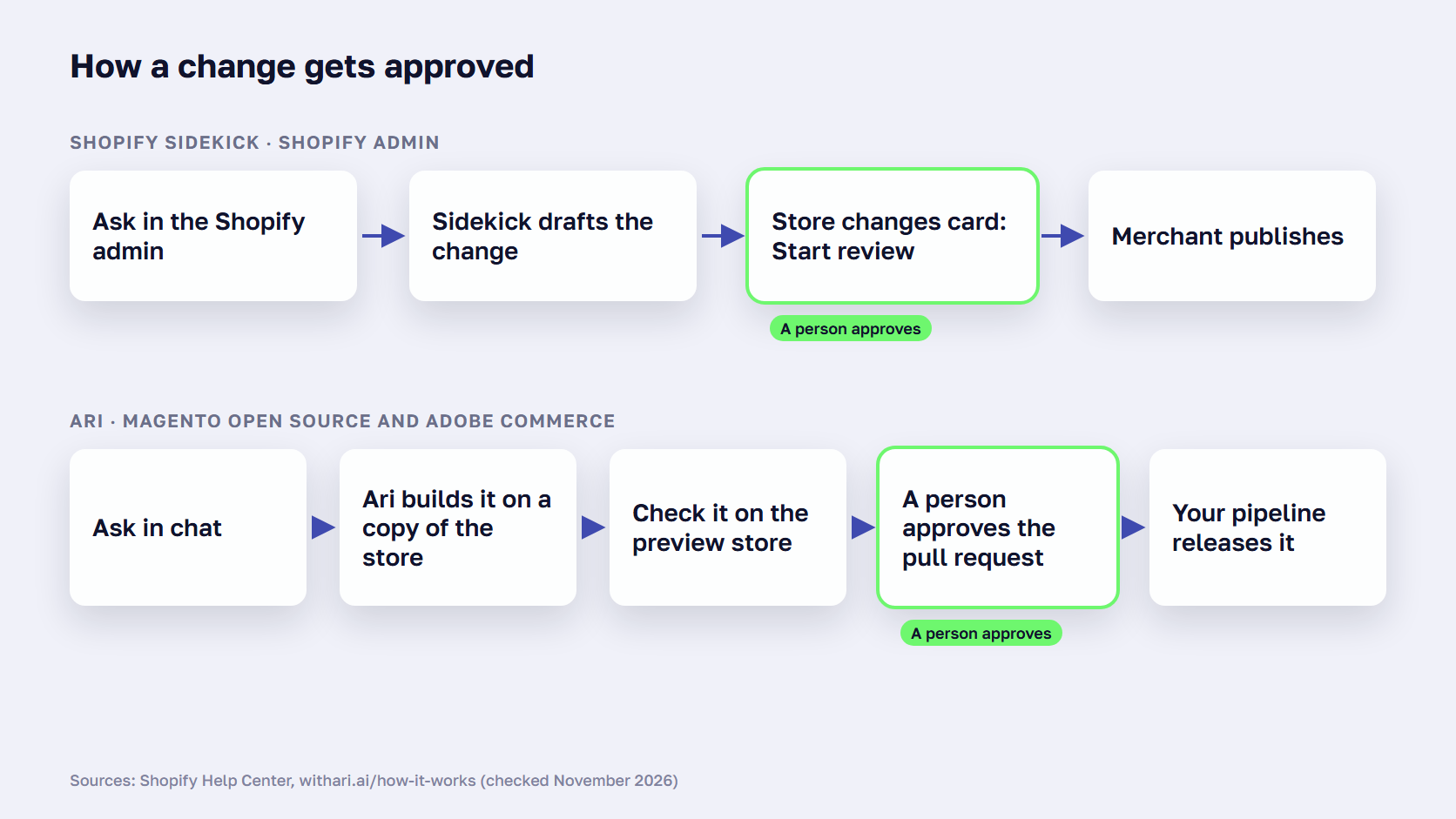
Sidekick drafts, and you review. A prepared change appears on the Store changes card in the admin, where you click Start review to check and publish it. Sidekick can’t change your live store without your approval. Ari opens a pull request in its copy of your repository, a person reads the change and its results and approves it, and your pipeline deploys it. In both, the tool drafts and a person decides.
Where each one stops
Sidekick works only on Shopify. Features and limits depend on your plan, Canvas is still in early access, Sidekick can’t talk to your customers, and in some stores it can’t run code.
Ari works only on Magento. It never touches the live store, so every release still goes through your own pipeline, and it costs a monthly fee per store where Sidekick comes with the plan. Both limits come from the platform each tool was built for.
🚀 Quick takeaway
Sidekick and Ari both wait for a person: Sidekick shows a Store changes card to review and publish, and Ari opens a pull request that someone approves before release.
Sidekick or a Magento AI agent: how to choose
Choose Shopify and Sidekick if you are ready to move platforms and prefer an assistant that comes with the plan. Stay on Magento and add an AI agent such as Ari if your store depends on custom code and integrations. An admin chat extension or MCP connector is enough when you mainly need answers and quick admin updates.
Choose Shopify and Sidekick if:
- You are already leaving Magento for reasons beyond AI, such as hosting or upkeep costs.
- Your catalog, checkout and integrations work with Shopify apps and settings, without custom code.
- Your team mostly needs content, reports, discounts and Shopify Flow automations.
- You prefer an assistant that comes with the platform plan.
- You can fund a re-platforming project before the assistant saves you any time.
Sidekick on its own is rarely a reason to change platforms, so weigh it with costs, hosting and features in our Magento vs Shopify comparison. If you do decide to move, our Magento to Shopify migration guide walks through the project.
Stay on Magento and add an AI agent such as Ari if:
- Your store runs on custom modules and ERP or PIM integrations.
- The work is code: extension installs, version upgrades and security patches.
- You need every change built on a copy of the store and checked on a preview store first.
- You don’t want an AI tool connected to your live store, servers or live database.
- Marketers, managers and developers all need to ask for changes, with unlimited seats.
An admin chat extension or MCP connector is enough if:
- You mainly need answers from store data, such as sales, low stock or orders missing invoices.
- Your changes are admin edits: prices, coupons, products and CMS blocks.
- Your team already uses Claude or ChatGPT and needs it connected to the store.
- You prefer a one-off or yearly extension fee to a monthly plan.
Frequently asked questions about Shopify Sidekick
Is Shopify Sidekick free?
There is no separate fee. Shopify’s Sidekick page says “Sidekick is included with your Shopify plan” and that “features and usage limits vary by plan.” Generating admin apps with Sidekick works only on the Basic, Grow, Advanced and Shopify Plus plans, from a desktop browser, with hourly and weekly limits.
Why don’t I have access to Sidekick in Shopify?
Access usually depends on your staff role, your plan or your device. Every staff member can use Sidekick based on their admin permissions, so a limited role sees less. App generation needs the Basic plan or higher and a desktop browser, and newer features such as Canvas are in early access.
Is Shopify Sidekick an AI agent?
Shopify calls Sidekick an AI-powered commerce assistant, but it acts like an agent for many admin jobs: it takes action in your admin, writes and runs code and drafts store changes for your approval. The Fall ’26 Edition also lets merchants connect Shopify to the AI agents they already use, a second meaning of “Shopify AI agent.”
What is the difference between Shopify Sidekick and Shopify Magic?
Shopify introduced Sidekick on July 26, 2023, as “the centerpiece of Shopify Magic,” its set of AI features across the platform. Shopify’s current pages no longer use the Magic name: shopify.com/magic shows the Sidekick page, and the Help Center lists the same features as AI-powered tools, with Sidekick as the assistant in the admin.
Can I use Shopify Sidekick on a Magento store?
No. Sidekick runs inside the Shopify admin and works with your Shopify data, so it needs a Shopify store. A Magento (Adobe Commerce) store can get similar help from admin chat extensions and MCP connectors, which update store data, or from an AI agent for Magento, which changes code. Moving to Shopify only for Sidekick means a full re-platforming project.
Can Shopify Sidekick change my live store without asking?
No. Shopify’s Help Center says “Sidekick can’t change your live store without your approval.” Sidekick drafts the changes, and you open the Store changes card and click Start review to check and publish them. For storefront ideas, it can stage changes in a draft and test them with AI-simulated shoppers before it shows you the recommendation.
Does Magento have built-in AI like Shopify Sidekick?
Not as an admin assistant. Neither Magento Open Source nor Adobe Commerce includes an assistant you open in the admin and ask for store changes, and we found no Adobe announcement of one with a release date (checked November 2, 2026). Adobe’s published AI work for Commerce helps shoppers find products and helps teams write content and code.
What Shopify Sidekick means for Magento stores
Shopify Sidekick puts one pattern into every Shopify admin: you ask in plain language, the assistant drafts the change and a person approves it. Magento has no built-in equivalent today, but a Magento store can get the same pattern from an admin chat extension or an AI agent like Ari, without changing platforms.
The question your colleague forwarded has a plain answer. Shopify stores got a rebuilt assistant on October 28, 2026. On Magento you choose one, based on whether the work waiting in your queue is admin data or code.
Start with the list of small changes that wait on a developer today, sort it into admin edits and code changes, and match each group to the right tool. For the work that still needs people, such as a new integration or a re-platforming decision, our Magento development team can help.
If you want a second opinion on which tool fits your queue, send us the list and we will go through it with you.