
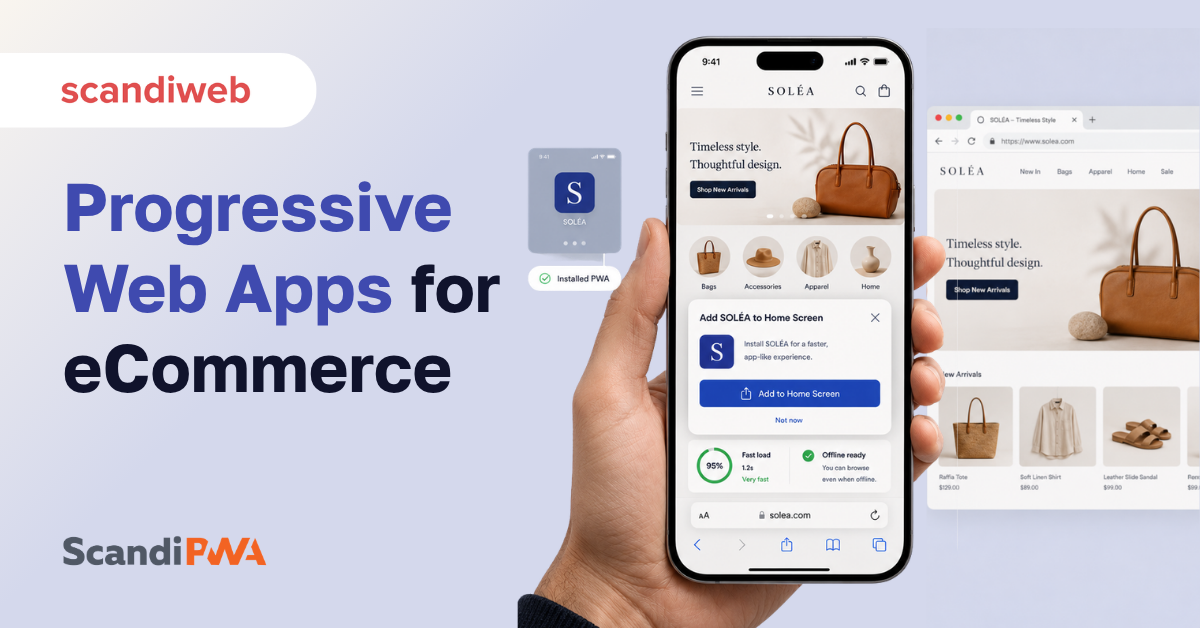
A progressive web app (PWA) is a website that behaves like an installed app: it loads almost instantly, works on a flaky connection, and can be saved to a phone’s home screen without anyone visiting an app store. For a merchant, that is the whole point. You get the speed and feel shoppers expect from a native app, served from the same URL your customers already find in search, with one codebase to maintain instead of a website plus an iOS build plus an Android build.
That matters because mobile is where the money is now. Mobile drives close to 59% of global retail eCommerce sales, and that share is on track to keep climbing toward 63% by 2028 (Statista, 2025), which is exactly the surface a PWA is built to win. This guide explains what a PWA is in plain business terms, how it compares to a native app and a standard responsive site, what it costs to build, and whether it is still the right call for an eCommerce store in 2026.
🚀 Quick takeaway
A PWA is not a separate app you download. It is your storefront, faster and installable, living at the URL customers already know.
Overview
- A PWA is a single web build that loads fast, works offline, and installs to the home screen, so a store gets app-like behavior without shipping to the App Store or Google Play.
- For eCommerce, the business case is conversion and cost: faster mobile pages recover lost revenue, and one codebase replaces three (web, iOS, Android), cutting build and maintenance spend.
- PWAs remain relevant in 2026. The market reached a projected $5.23 billion (Straits Research) and named brands reported double-digit conversion lifts after migrating.
What is a PWA?
A PWA is a website built with standard web technology that adds three app-like layers on top: it caches content so pages load fast and work offline, it can be installed to the home screen with its own icon, and it can send push notifications. To the shopper, it feels like an app. To Google, it is still a web page that gets crawled and ranked. To the merchant, it is one frontend instead of a website plus two separate native apps.
The “progressive” part means the experience scales to the device and the connection. On a fast phone with a modern browser, a shopper gets the full installable, offline-capable version. On an older device or a weak signal, the same store still loads and works, just with fewer extras. Nobody hits a wall, and you never maintain a stripped-down “mobile site” on the side.
🚀 Quick takeaway
The shopper sees an app. Google sees a web page. You maintain one frontend. That triple is what makes a PWA different from everything before it.
PWA vs native app vs responsive site
The simplest way to choose is to ask what you are optimizing for. Reach, cost, and SEO point to a PWA. Deep device hardware access points to a native app. A standard responsive site is the baseline a PWA improves on. A PWA gives you most of what a native app does, at the cost and reach of the web. The table below lays out where each option wins.
| Capability | Responsive site | Native app | Progressive web app |
|---|---|---|---|
| Lower build and maintenance cost | No | No | Yes |
| Works on any device, one codebase | Yes | No | Yes |
| Works offline | No | Yes | Yes |
| No download or app store needed | Yes | No | Yes |
| Installs to the home screen | No | Yes | Yes |
| Push notifications | No | Yes | Yes |
| Full-screen, app-like experience | No | Yes | Yes |
| Found and ranked in Google search | Yes | No | Yes |
A native app still wins when a store needs deep hardware access, heavy in-app payments tied to the app stores, or a loyal base that genuinely wants an icon and nothing less. For most merchants, though, the math favors the web: a PWA reaches every shopper through search, costs far less to run than three separate builds, and stays indexable. A PWA storefront is also one route into headless commerce, where the frontend is decoupled from the backend for more flexibility on both sides. For Magento and Adobe Commerce stores specifically, the guide to Magento PWA shows how the stack changes underneath.
🚀 Quick takeaway
You rarely lose much by skipping native. You lose reach and budget by maintaining three frontends when one will do.
PWA benefits for shoppers
For the shopper, a PWA closes the gap between a mobile website and a real app: it opens fast, runs in the browser with no install, can be added to the home screen in a tap, works on a weak connection, and sends push notifications. The win that matters most is speed, because speed is what keeps shoppers from leaving.
More than half of mobile shoppers leave a page that takes over three seconds to load, and every extra 100 milliseconds of load time can cost 1 to 3% in conversions (Bright Vessel, 2025). A PWA attacks that directly. By caching the shell of the store and loading content in the background, it gets the first meaningful view onto the screen quickly, even on a mid-range phone. The shopper does not wait, does not bounce, and is more likely to reach checkout.
The rest of the shopper benefits stack on top:
- An app-like experience right in the mobile browser, with smooth transitions between pages
- A home-screen icon for one-tap return visits, no app store trip required
- Offline browsing of recently viewed pages when the connection drops
- Push notifications for back-in-stock alerts, price drops, and order updates
- A lightweight footprint that does not eat storage on the device
iOS support is the one shopper question that comes up every time, and it deserves a straight answer rather than a footnote, so it gets covered separately in PWA on iOS.
Here is a walkthrough of setting up, developing, and deploying a working PWA storefront:
🚀 Quick takeaway
Every benefit a shopper feels traces back to speed and friction. Faster start, no install, no storage cost, one tap to return.
PWA benefits for an eCommerce owner
For the business, a PWA does two things at once: it lifts the metrics that move revenue (mobile speed, conversion, and search visibility) while cutting the cost of running a storefront down to a single codebase. That combination is rare. Most performance gains cost money to chase, but a PWA improves the customer experience and reduces build spend in the same move.
Start with the cost side. A native strategy means building and maintaining a web store, an iOS app, and an Android app, three teams, three release cycles, three bug queues. A PWA is one build that serves all of them. The savings show up at launch and then every month after, in lower maintenance and faster shipping of new features.
Then the revenue side, which is mostly a speed story. Google’s Core Web Vitals now ask for an LCP under 2.5 seconds, an INP under 200 milliseconds, and a CLS under 0.1, yet only about 48% of mobile pages clear all three (NitroPack, 2025), the performance bar a well-built PWA is designed to meet. Speed is where most stores quietly lose mobile revenue, which is why performance optimization often runs alongside a PWA build rather than after it. A PWA storefront helps a store clear the Core Web Vitals bar by caching aggressively, loading the critical content first, and keeping the layout stable as the page fills in.
A short list of what a merchant actually gains:
- One cross-platform frontend instead of separate web, iOS, and Android builds
- Lower production and maintenance cost over the life of the store
- Faster pages that meet Core Web Vitals and protect mobile conversion
- Full SEO visibility, because PWAs are crawled and indexed like any web page
- Push notifications and home-screen presence to drive repeat visits without an app store
🚀 Quick takeaway
A PWA is one of the few moves that raises conversion and lowers cost at the same time. Most of the conversion gain is just speed.
What does it cost to build a PWA, and how is one built?
A PWA is built on standard web technology (modern JavaScript, a frontend framework, and a service worker that handles caching and offline behavior) connected to the store’s existing backend through an API. There is no separate native codebase, which is the main reason a PWA usually costs less to build and run than a native app, where each platform needs its own team and release process.
Cost depends on scope rather than the PWA itself. A store with heavy customization, many integrations, or a large catalog takes longer than a clean, mostly standard storefront. The honest framing is that a PWA migration is a frontend project: the backend, the data, and the business logic stay largely in place, and the work concentrates on rebuilding the customer-facing layer to be fast, installable, and offline-capable. That keeps the scope contained compared to a full replatform. A complex, real-world version of this is walked through in the Rockler PWA case study, where a constantly changing store with deep customizations made the move.
🚀 Quick takeaway
A PWA is a frontend rebuild, not a replatform. The backend stays. That is why the scope, and the cost, stay smaller than a native app program.
What brands use PWA, and what results do they see?
Plenty of well-known brands run PWA storefronts, and the published numbers are strong. Brands that moved to PWAs report sharp gains: Alibaba lifted conversions 76%, and Debenhams added 40% mobile revenue alongside a 20% conversion increase (Amra & Elma, 2025). Those are the kind of figures that get a PWA onto a roadmap.
scandiweb has built PWA storefronts for its own named clients, and the first-party numbers hold up against the headline brands.
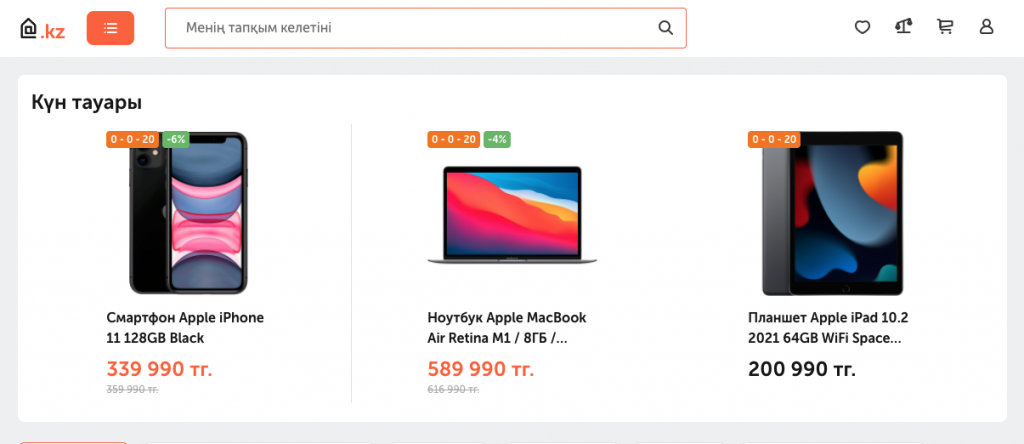
Technodom. With a migration to ScandiPWA, the largest mid-Asian retailer ($800 million) saw organic traffic rise 20% and its conversion rate climb 11%.

Sportland. The largest sporting goods retailer in the Baltic region improved performance and shopper experience on a stack built on Magento (Adobe Commerce) Cloud and ScandiPWA, scandiweb’s own PWA solution.
The recurring worry with any frontend change is search, since a botched migration can drop rankings overnight. scandiweb documented a 24% lift in clicks after a PWA migration in this PWA SEO case study, which is the evidence that a PWA, done correctly, protects organic traffic rather than risking it.
🚀 Quick takeaway
The conversion lifts are real and repeatable. The one thing that separates a good migration from a bad one is whether SEO was protected on the way over.
Is a PWA still relevant in 2026?
Yes. A PWA is more relevant now than when the idea first landed, because the things it fixes (mobile speed, conversion, and cost) have only grown more important. The progressive web app market is projected at $5.23 billion, up from $3.53 billion the year before (Straits Research). For most merchants the open question is timing, not whether PWAs work.
Two forces keep pushing in the PWA’s direction. Mobile keeps taking a larger share of eCommerce, and Google keeps tightening the performance bar through Core Web Vitals. A storefront that is slow on mobile loses both ranking and revenue, and a PWA is the architecture built to answer both at once. Browser support has also matured, including on iOS, so the practical objections that slowed early adoption have mostly closed.
The honest caveat: a PWA is not a magic switch. A poorly built one is just a slow website with extra steps. The value comes from a clean build that genuinely caches well, loads fast, and keeps the store indexable, which is why the migration approach matters as much as the decision to migrate.
🚀 Quick takeaway
The trend lines (more mobile, stricter speed rules) both point at the PWA. The risk is execution, not the architecture.
FAQ
What is a PWA in simple terms?
A PWA is a website that behaves like an installed app. It loads fast, works offline, can be saved to a phone’s home screen, and can send push notifications, all without anyone downloading anything from an app store. For a store, it is your existing site made faster and installable.
What is a PWA used for?
A PWA is used to give a website app-like speed and behavior without building a separate native app. For eCommerce, that means faster mobile pages, higher conversion, offline browsing, home-screen access, and push notifications, all from one codebase that stays visible in Google search.
What is the difference between a PWA and a web app?
A web app is any application that runs in a browser. A PWA is a web app that adds three specific capabilities: offline support through caching, installation to the home screen, and push notifications. Every PWA is a web app, but a plain web app is not a PWA until it adds those app-like layers.
Is a PWA better than a native app?
For most merchants, yes, on cost and reach. A PWA runs from one codebase, stays in Google search, and needs no app store, while a native app needs separate iOS and Android builds. A native app only wins when a store needs deep device hardware access or app-store-based features.
Do PWAs work on iPhone?
Yes. PWAs run on iOS and can be added to the iPhone home screen, with most app-like features supported in modern Safari. A few advanced capabilities lag behind Android, so iOS behavior is worth planning for specifically rather than assuming parity out of the box.
Are PWAs good for SEO?
Yes. A PWA is a web page that Google crawls and indexes like any other, so it keeps full search visibility, unlike a native app, which is invisible to web search. The speed gains from a PWA can also help with Core Web Vitals, which feed into ranking.
How much does a PWA cost to build?
Cost depends on how customized the store is, not the PWA itself. A PWA is a frontend rebuild on top of the existing backend, so it usually costs less than a native app program (which needs separate iOS and Android teams) and less than a full replatform, since the backend and business logic stay in place.
Is a PWA still worth it in 2026?
Yes. With mobile near 59% of retail eCommerce sales and Google tightening Core Web Vitals, the speed and conversion case for a PWA is stronger than ever. The market is projected at $5.23 billion and still growing, and the main question is timing the migration rather than whether to do it.
About this guide
Reviewed by the scandiweb PWA team. Last updated May 2026. scandiweb has built and migrated PWA storefronts for retailers including Technodom and Sportland, using its own open-source PWA solution, ScandiPWA.
For most storefronts, a PWA beats both a native app and a standard responsive site on cost, reach, and search visibility, and the only real decision left is timing and the migration approach. If you want a straight read on which path fits your store, tell us about your storefront and we will tell you whether a PWA is the right move and what it would take to get there.




































