
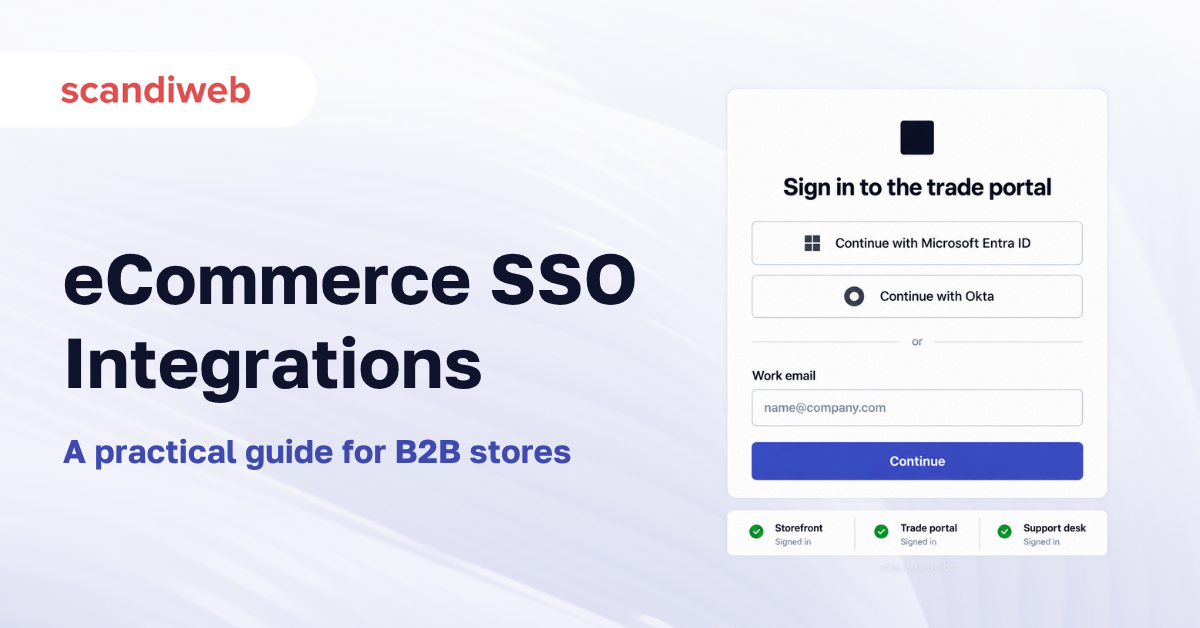
If a buyer at one of your customers leaves their job, how long does their account on your store keep working?
eCommerce SSO integration connects your storefront to an identity provider so people sign in once and reach everything they are entitled to, with access granted and revoked centrally rather than account by account. For B2B stores it is an access control problem. For consumer stores it is a conversion problem. The two need almost opposite designs, and conflating them is the mistake that makes these projects overrun.
What is eCommerce SSO integration?
eCommerce SSO integration is the connection between a storefront and an identity provider, so authentication happens once against a central directory instead of separately in each system. The store stops holding passwords and starts trusting an assertion from the provider. It runs on SAML or OpenID Connect, both of which are mature, and the hard part is rarely the protocol. It is deciding which people the directory governs and what happens to a session when it ends there.
Most stores already have fragments of this. Social login on the storefront, a separate admin login, and a support portal with its own accounts. Single sign-on is the decision to make one of those authoritative.
Our wider guide to Magento integrations covers the other systems a store connects to. Every identity provider named here has a page of its own in our integration directory, documented separately for each platform.
🚀 Quick takeaway
Single sign-on is not primarily a login feature. It is a way to turn access off in one place, which is the part auditors care about.
Workforce identity and customer identity are different problems
This distinction decides the architecture, and it is the one most often skipped.
Workforce identity governs your own people and, in B2B, your customers’ people. The directory is the employer’s, the population is known, and the point of the integration is control. Who may log in, what they may see, what spending limit applies, and how quickly access disappears when somebody leaves. Accuracy matters more than convenience.
Customer identity governs consumers who chose to shop with you. Nobody provisions them, they arrive unpredictably, and the point of the integration is removing friction. Social login, passwordless flows, and not forcing account creation before checkout. Convenience matters more than control, and every extra step costs conversions.
A platform built for one does the other awkwardly. Enterprise identity providers are excellent at governing employees and heavy-handed for consumers. Consumer identity tools are frictionless and lack the group and entitlement model a B2B store needs.
🚀 Quick takeaway
Write down which population you are solving for before shortlisting. B2B stores usually need both, and they are two projects rather than one.
Which identity providers connect to which platform
| Provider | Typical fit | Integration notes |
|---|---|---|
| Microsoft Entra ID | Organizations already on Microsoft 365, which is most mid-market B2B | The most common workforce directory in European mid-market. See the Magento Entra ID integration and the Salesforce Entra ID integration |
| Okta | Organizations wanting a directory independent of their productivity suite | Strong on both workforce and customer identity. See the Magento Okta integration and the Shopify Okta integration |
| Auth0 | Customer identity, developer-led implementations | Built for consumer sign-in flows and custom journeys. See the Magento Auth0 integration and the BigCommerce Auth0 integration |
The platform changes the work as much as the provider does. A headless storefront authenticates differently from a monolithic one, because the token has to reach an API layer rather than a session, and that difference is larger than the difference between any two providers. That is why each combination is documented on its own, including the commercetools Entra ID integration and the commercetools Okta integration for composable builds, and the BigCommerce Okta integration for stores on that stack.
Two other decisions sit alongside the provider choice and are worth settling at the same time. Multi-factor authentication is usually inherited from the directory rather than configured in the store, which is an advantage, but it means your checkout experience is partly governed by somebody else’s security policy. And session length is a genuine trade-off, because a long session is convenient for a returning buyer and a liability on a shared workstation in a warehouse or a trade counter.
🚀 Quick takeaway
If your storefront is headless, settle the token flow before choosing a provider. It constrains the options more than feature lists do.
SAML or OpenID Connect
Two protocols dominate, both are fine, and the choice usually follows what already exists rather than what is better.
SAML is older, XML-based, and entrenched in enterprise. If your B2B customers are large organizations, their IT teams will expect SAML and will have done it many times. It handles the browser-based sign-in case well and is awkward for mobile apps and APIs.
OpenID Connect is newer, built on OAuth 2.0, and JSON-based. It handles web, mobile, and API access with one model, which is why headless and composable builds default to it.
If your customers’ IT departments are the ones configuring the connection, expect SAML. If you are building the experience and consuming the identity yourself, OpenID Connect will be less work. Many stores end up supporting both, with SAML for enterprise customers and OpenID Connect for everything else.
🚀 Quick takeaway
The protocol is rarely the constraint. Whoever has to configure the other end usually decides it for you.
Where SSO integrations go wrong
The checkout session is the real test
Authentication that works on a product page can still fail at checkout, because checkout often runs through a different flow, sometimes a different domain, and sometimes a payment provider’s hosted page. A session that silently expires between cart and payment produces an abandoned order that looks like a payment failure in your reporting. Test the full path, including a deliberately idle period in the middle, before launch.
Existing accounts have to be matched, not replaced
Most stores do not start empty. There are customers with order history, saved addresses, and B2B accounts with negotiated pricing. When single sign-on arrives, every one of those has to be matched to a directory identity, usually on email address, and email is less reliable than it sounds. People change surnames, companies change domains, and the same human may exist twice. Decide the matching rule, and decide what happens to the ones that do not match, before anyone switches the flow on.
The unmatched ones need a real answer rather than a fallback. Leaving them with a local password alongside the new flow is the common choice and quietly defeats the purpose, because those accounts remain outside central revocation indefinitely. A better pattern is a short, dated amnesty where unmatched users can claim their history by verifying ownership, after which local sign-in closes. That requires a decision and a deadline from the business rather than from engineering.
Deprovisioning is the reason you did this
Access removal is the entire security argument for single sign-on and the part most often left unfinished. If a leaver is disabled in the directory but their storefront session persists, or their saved payment method still works, the control you bought does not exist. Confirm how quickly revocation propagates and whether active sessions are terminated or merely prevented from renewing.
Roles and entitlements rarely map cleanly
A directory models groups. A B2B store models accounts, contacts, spending limits, approval chains, and catalog visibility. These are different shapes, and the mapping between them is bespoke. Expect to define it explicitly rather than assuming group membership will translate into permissions. This is the same class of problem as the commercial logic described in eCommerce ERP integration, where the rules that matter are held outside the storefront.
There is also a question of who maintains the mapping. Your customer’s IT team controls their groups and will restructure them without telling you, because from their side it is an internal matter. If your entitlements depend on a group called something specific, a reorganization at their end becomes an outage at yours. Mapping on durable attributes where possible, and agreeing a notification path where not, avoids a failure that is genuinely nobody’s fault and still yours to fix.
Breaking glass when the provider is down
If the identity provider is unavailable, nobody signs in, including your own staff. Decide in advance whether an emergency local administrator account exists, who holds it, and how its use is logged. Discovering this during an outage is the worst possible time.
Rolling it out to everyone at once
The temptation is to switch authentication over in a single release, because running two sign-in paths feels untidy. It is usually the wrong call. A staged rollout, starting with your own staff, then one friendly customer organization, then the rest, surfaces the matching problems and the entitlement gaps while the blast radius is small. Running both paths for a few weeks costs some complexity and buys you the ability to turn the new one off, which a single cutover does not.
🚀 Quick takeaway
Ask two questions of any implementation. How fast does revocation take effect, and what happens to everyone if the provider is unreachable?
B2B is where single sign-on earns its cost
For a consumer store, the honest case is modest. Social login reduces friction, passwordless reduces password resets, and both help conversion a little.
For a B2B store, the case is much stronger. Buyers at your customers already have a corporate identity, and asking them to maintain a separate password for your portal is friction they resent and IT departments increasingly forbid. Procurement teams ask about single sign-on in vendor assessments, and for larger accounts the absence of it is a genuine objection rather than a preference.
It also solves a problem nothing else solves well. When a buyer leaves their employer, you have no way of knowing. Their email keeps working for a while, their account keeps working indefinitely, and their spending limit keeps applying. With single sign-on, their access ends when their employment does, without you being told. That is the argument worth making to a sceptical finance director.
There is a commercial effect too, beyond security. B2B buying is rarely one person. An assistant builds the basket, a manager approves it, and finance sees the invoice, and all three need different access to the same account. Identity that comes from the customer’s own directory gives you a reliable way to tell those people apart, because the directory already distinguishes them. Without it, the usual outcome is a shared login, which destroys any audit trail and makes approval workflows impossible to enforce.
Procurement portals and punchout are the next step for larger accounts, and they assume a working identity model underneath. Building single sign-on first makes that conversation possible later. Skipping it means rebuilding the foundation when a major customer asks.
🚀 Quick takeaway
For B2B, single sign-on is less about convenience and more about the fact that you never find out when someone leaves your customer’s company.
How to scope an SSO integration
- Name the population. Your staff, your customers’ staff, or consumers. The answer changes everything downstream
- Pick the protocol by who configures the far end. Their IT team usually means SAML
- Write the matching rule for existing accounts, including what happens to the ones that fail to match
- Define the group-to-entitlement mapping explicitly, rather than hoping groups translate
- Test the checkout path with an idle session, and test revocation end to end
What to gather before scoping
- Which identity provider your customers actually use, which for European mid-market is usually Microsoft
- A count of existing accounts and how many have order history worth preserving
- Your current B2B permission model, if one exists
- Whether the storefront is headless, because it changes the token flow
Treat the first customer organization you onboard as the template rather than as a one-off. Whatever you learn configuring their directory, mapping their groups, and handling their unmatched accounts becomes the runbook for every account after them, and writing it down while it is fresh is the difference between onboarding the tenth customer in an afternoon and rediscovering the same problems each time.
🚀 Quick takeaway
Testing revocation end to end is the one check that proves the project delivered what it was bought for.
Frequently asked questions about eCommerce SSO integration
What is the difference between SSO and social login?
Social login lets a consumer authenticate with an account they already hold, such as Google or Apple, which removes the need to create a password. Single sign-on connects to an organization’s own directory so access is governed centrally. Social login is a convenience feature. Single sign-on is an access control feature, and only the second gives you revocation.
Do we still need passwords on the store?
Ideally not for the population covered by the directory, because a local password undermines the control you implemented. Most stores keep a small number of local administrator accounts for emergencies, held by named people and logged, which is a deliberate exception rather than an oversight.
Will single sign-on work with guest checkout?
Yes, and the two should be kept separate. Guest checkout exists to remove friction for buyers who do not want an account, and forcing authentication on them costs conversions. Single sign-on governs people who do have an identity. A store can offer both without conflict.
Can one storefront support several customers’ identity providers?
Yes, and for B2B at any scale it has to. Each customer organization brings its own directory, which means the store trusts several providers at once and routes a user to the right one, usually by email domain. This is normal, and it is the main reason B2B implementations are larger than consumer ones.
How does single sign-on affect customer data we already hold?
It does not delete anything, but it changes what is authoritative. Attributes that come from the directory, such as name, email, and group membership, should be treated as read-only in the store and refreshed on sign-in. Attributes the store owns, such as order history and preferences, stay with the store. Deciding which is which prevents the two systems overwriting each other.
Is single sign-on worth it for a consumer-only store?
Usually not on its own. The access control benefits that justify the work are specific to governed populations. Consumer stores typically get more from social login and passwordless sign-in, which address friction directly and cost considerably less to implement.
Who owns the project, IT or eCommerce?
Both, and that is the reason these projects stall. The identity provider belongs to IT, the storefront belongs to eCommerce, and the entitlement rules belong to whoever runs B2B sales. Naming a single owner with authority over all three at the start saves more time than any technical decision in the project.
What does it cost to add a new customer organization later?
It should be configuration rather than development, and if it is not, the implementation has a design problem. Onboarding a new customer directory means registering their provider, mapping their groups to your entitlements, and routing their email domain. Confirm during the build that this is a repeatable process somebody non-technical can run, because at any scale you will be doing it regularly.
Does single sign-on help with compliance?
It helps with the parts that depend on controlling and evidencing access. Central revocation, enforced multi-factor authentication, and a record of who could see what are all easier to demonstrate when authentication happens in one governed place. It does nothing for the parts that depend on how you handle data once someone is authenticated, which remain a separate question.
Getting eCommerce SSO integration right
Single sign-on is bought for convenience and justified by control. Name the population first, because a workforce implementation and a consumer implementation share a protocol and almost nothing else.
For a B2B store it is close to table stakes with larger accounts, and the deprovisioning argument is the one that carries weight internally. For a consumer store, be honest about the modest benefit and consider whether social login achieves most of it for a fraction of the work.
Whichever you build, test revocation end to end before calling it done. Access that cannot be removed is not access control.
Two patterns separate implementations that hold up from ones that get rebuilt. The first is deciding early that directory attributes are read-only in the store, refreshed on every sign-in, so the two systems never argue about who is right. The second is treating onboarding a new customer directory as configuration from the beginning, rather than as a development task you will optimize later. Both cost a little more in the first implementation and remove most of the ongoing cost afterwards, which in a category where every new enterprise customer brings their own provider is where the real expense otherwise accumulates.
Planning an SSO or identity integration and want a scope you can defend? Talk to our integration team.




































