
Only 22% of Magento stores pass Google’s benchmark for a good first-byte time, according to Chrome’s real-user data. That share is between 82% and 92% for Shopify stores. That gap is why speed has become part of the platform conversation, and why merchants who have no plans to leave Magento still measure their store against a Shopify expectation.
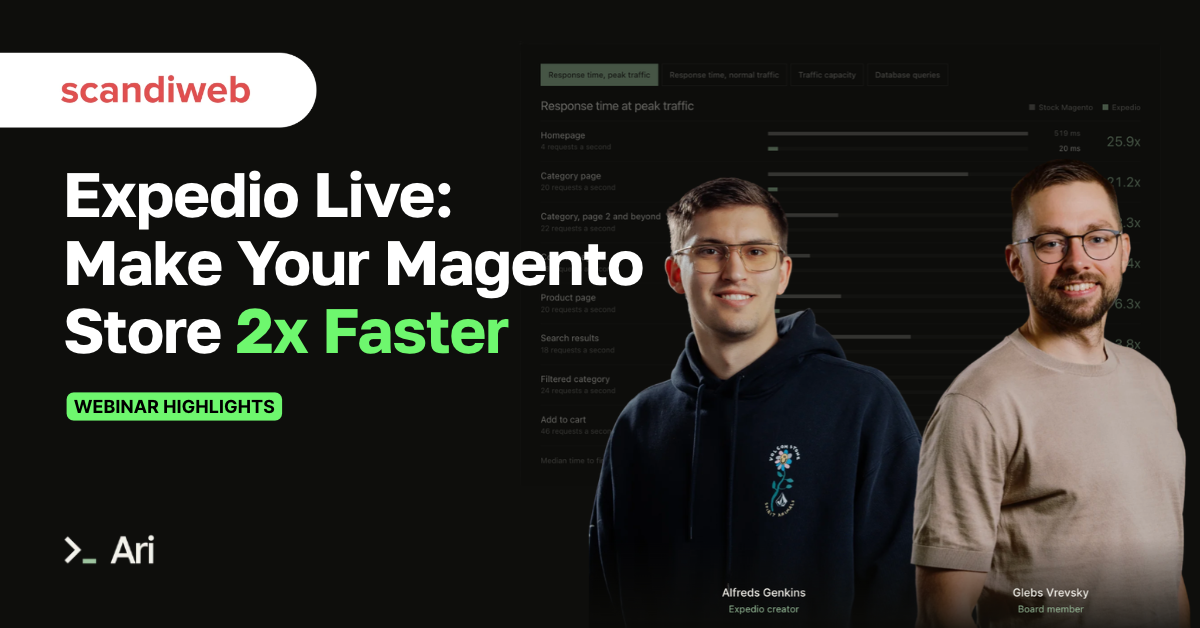
Our Expedio Live webinar on November 10 took that question head on. (And our Expedio product line altogether). Can a Magento merchant get that speed without throwing away years of work on payments, ERP connections, customer accounts, and custom checkout logic? The answer we gave was yes, and we showed how. If you missed it, the recording is below, and the main points are in this article.
Where Magento stores lose time
Every page loads in two steps. First the server loads the data, runs the business logic, and starts sending the page. That is the first byte. Then the browser draws the page and makes it interactive.
Modern themes such as Hyvä work on the second step and have taken the browser side about as far as it goes. Expedio works on the first. On a typical Magento store, around a second passes before the browser receives anything at all, and no amount of frontend work can draw a page the server has not sent yet.
This is also the answer to the most common question we get. Yes, you already have Varnish and full-page cache, and they help whenever a page is already saved. After a catalog update, a cache clear, or a sudden rise in traffic, the customer is waiting on Magento itself. That is the part Expedio speeds up. Hosting matters too, but it is a separate topic, and Expedio runs on any hosting.
What Expedio theme changes
Take a category page. For each product card, Magento starts rendering, loads the price, renders the price, loads the rating, renders the rating, then moves to the next card and repeats. PHP runs one thing at a time, so the data loading happens in the middle of the rendering, card after card, across the whole page.
Expedio separates the two. All the names, prices, ratings, and everything else the cards need are collected first, in one step, and the page is rendered in a single pass from that data.
The data cache is granular, so when one product changes only that product’s data is reloaded, in the same way Varnish already tags pages. And the templates are compiled into a simple structure that can be reused across products and categories, which is possible because they are written in Liquid, Shopify’s open-source template language. Liquid templates only display the data they receive and never fetch anything themselves. The speed comes from how the data is prepared, reused, and rendered around it.
Your store stays your store. Catalog, admin, checkout, customer data, ERP connections, and business logic all remain in Magento or Adobe Commerce, and the design stays the same unless you want to change it. What changes is the layer that builds the page.
The benchmark
We took a real merchant’s Hyvä store, with around 2,000 products and 1,000 categories, and ran it twice (once as it runs today, once on Expedio) on the same server with the same resources. Read the full method and every page type on our benchmark page.
- Every page type answered at least 2x faster at peak traffic
- The median across the eight page types was 6.4x faster
- The same server handled 3x more traffic before it began to strain
- A full category page went from 655 database queries to 30
Peak means the point where stock Magento struggles. The server is over 90% busy, response times double, and errors start to appear. At that point the homepage went from 519 ms to 20 ms, the category page from 400 ms to 19 ms, and the product page from 146 ms to 23 ms. All of these are time to first byte.
The chart from the session that stuck with people was the category page under rising traffic. Stock Magento gets slower as more shoppers arrive and starts to struggle at around 1,200 page views a minute. Expedio stays flat, and at 4x that traffic it was still fast and still had room left.
The live demo ran on a different store, with a catalog of more than 50,000 products and no page cache, so every click went straight to Magento. On a category nobody had opened yet, Expedio made 64 database requests where stock Magento would fetch the menu, the footer, and the filters again. On a category already visited, it made seven. You can click through the same demo yourself.
What it means for a store
- First requests and uncached pages answer faster. The same server takes three times the traffic before it strains, which is the number to think about before a Black Friday or a season sale.
- Research from Google and Deloitte links faster mobile retail sites to higher conversion rates. On a store doing 10 million a year, a 5% lift in conversion from the same traffic is 500,000 more in sales.
A UK mattress retailer with a heavily customized store on Luma decided to try Expedio and wanted it in place before the November sale. Two weeks later, the first version was on the test environment, and every page tested was already around 2x faster.
Does your store need it?
Before any platform decision, ask:
- Is the store still slow after you have improved hosting, caching, or the theme?
- Does it slow down when traffic peaks on a big campaign?
- Is speed one of the reasons you are thinking about leaving Magento?
- Would you rather keep your design and integrations as they are?
If the answer to these is yes, go with Expedio. The lowest-risk way to find out is one page type and one baseline. Pick the journey that matters most, category, search, or product, measure the response time, launch Expedio on that page alone, and compare it live.
If you are already on Hyvä, you have the browser side covered, and Expedio works one layer underneath it. If you are not, Hyvä is still the theme we recommend. The two together are the fastest combination available for Magento today.
How the implementation works
- Check compatibility, meaning your Magento version, theme, and extensions
- Port the templates and the data path, with small adjustments to some extensions where needed
- Test on staging so everything works as before
- Go live, on one page type or the whole store. The initial implementation usually takes one to two weeks, and the rest depends on how much time your own QA process takes.
The implementation can be done by your developers, your agency, Ari agent for Magento, or the Expedio team. Learn more about the four ways to get Expedio. The open-source core is free and available for any team to explore and test. The supported version adds the latest production release, regular updates, compatibility fixes, and direct access to the team, with discounts for agencies buying several licenses. An implementation audit is a one-time review of a setup once it is done. And with the done-for-you option the Expedio team implements it, measures before and after, and the 2x result on the pages upgraded is written into the contract.
Worth to note! Expedio is now a product series. This webinar was a showcase and explanation of Expedio Theme, which makes a Magento store at least 2x faster for shoppers. The next product is for the people running the store, and it goes further, up to 15x faster. Learn more about it here.
Want to know what Expedio would do on your store? Send us your store link and we will book a 20-minute call to walk you through the compatibility check, the pages that would gain the most, and the metrics you could expect. Agencies can nominate a client store. Email [email protected] or request the evaluation from the webinar page.

































Share on: