
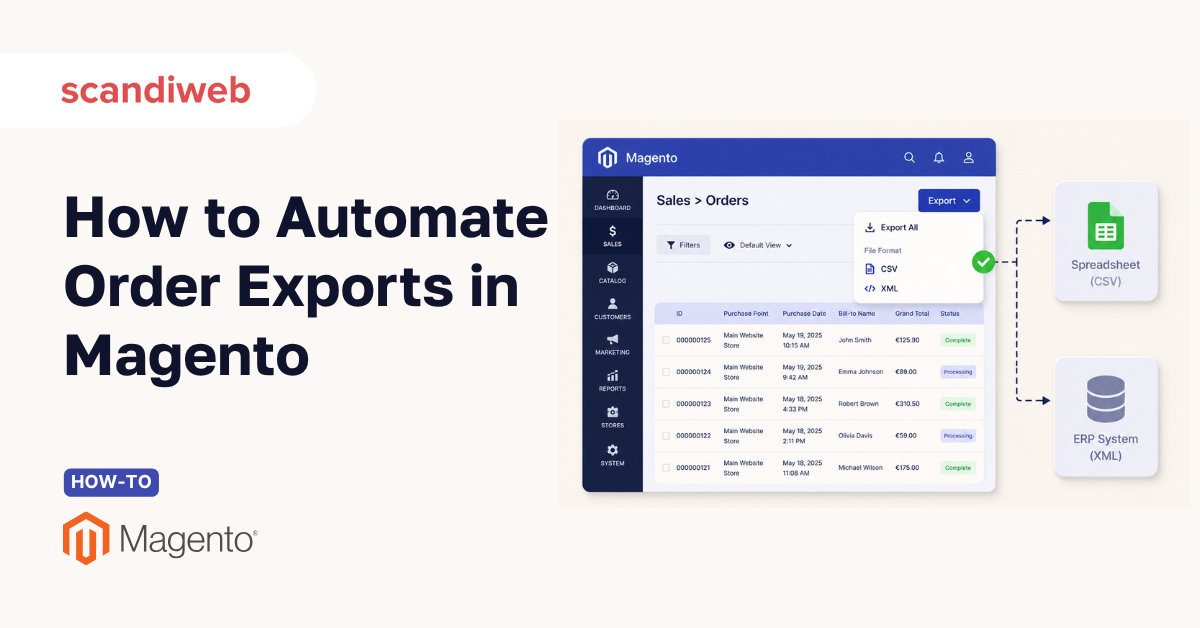
“How do I get my order data out of Magento?” is one of the most common questions a store admin types the moment finance asks for a sales report or invoice from last quarter, or the warehouse needs something. The good news is that Magento (Adobe Commerce) gives you several ways to do it. The trick is knowing which method fits the job, because the fastest one is also the most limited.
In this guide, we’ll walk through every practical route to export orders in Magento 2, from the two-click admin grid export to scheduled, automated feeds and a developer-level programmatic approach. You will also see exactly where native export is no longer sufficient so you do not discover a missing column after the report has already been sent.
🚀 Quick takeaway
The native Magento 2 admin export (Sales > Orders > Export to CSV or XML) is instant and free, but it only captures the columns shown in the order grid. For line items, full addresses, payment details, or a recurring feed into your ERP, you need an export extension or a custom programmatic export.
What does exporting orders in Magento 2 mean?
Exporting orders means pulling order records out of your store database into a portable file, usually CSV or XML, so the data can be read, analyzed, or loaded into another system. It is the bridge between Magento and the tools that run the rest of your business.
In practice, merchants export orders for a handful of recurring reasons: feeding accounting and ERP systems, sending fulfillment data to a warehouse or third-party logistics partner, building sales reports, reconciling payments, or migrating to a new setup. Each use case has a different bar for completeness, which is why one export method rarely covers everything.
Why getting order export right matters to the business
Magento and Adobe Commerce still power roughly 8% of the global eCommerce platform market and serve close to 20% of the top 1,000 US retailers, according to 2026 market data compiled by MGT-Commerce. The brands running on it tend to be mid-market and enterprise, where a single botched export can stall fulfillment or throw off a financial close.
The stakes are higher in B2B. Industry data reported across 2026 shows B2B stores on Magento carry an average order value around 2.5 times that of B2C, so each order record often represents thousands of dollars and a complex set of line items, tax rules, and account terms.
Clean, reliable exports protect:
- Accuracy of your reporting
- Speed of your fulfillment
- Trust other teams place in the data.
How do I export orders from the Magento 2 admin?
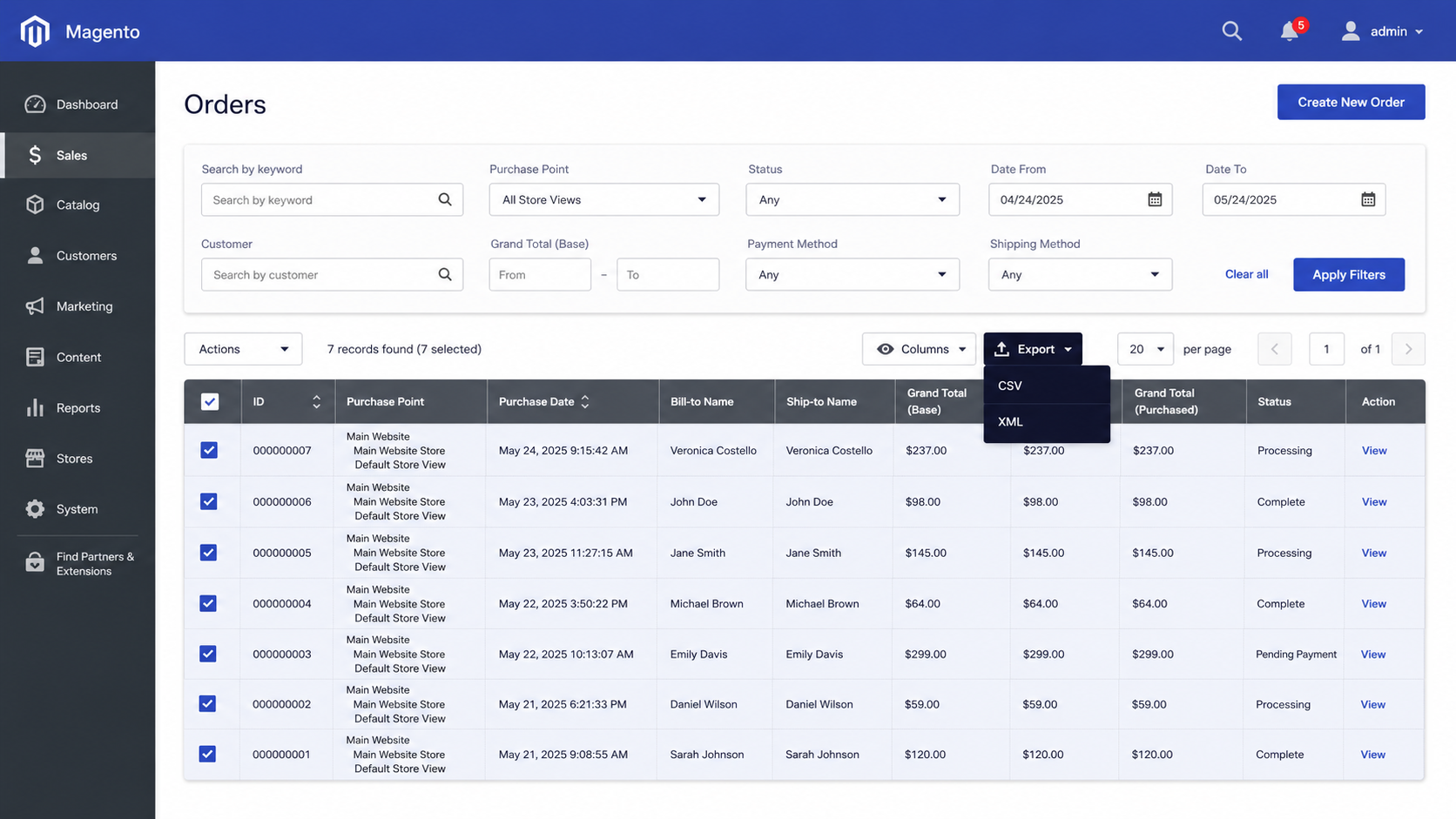
The fastest way to export orders is the native admin grid: go to Sales > Orders, select the orders you want, choose CSV or XML from the Export dropdown, and download; no extension required.
Here is the full sequence:
Prerequisites
- Admin access with permission to view the Sales > Orders grid.
- A spreadsheet tool (Excel, Google Sheets, Numbers) or the target system that will read the file.
- A clear idea of the date range, status, or store view you need, so you do not export the entire order history by accident.
Step 1: Open the Orders grid
From the admin sidebar, go to Sales > Orders. This grid lists every order across your store views, with columns for ID, purchase date, status, customer, grand total, and more.
Step 2: Filter and choose your columns
Use the Filters button to narrow by date range, order status, store view, or customer group. Then open the Columns control to add or hide fields. This matters: the export captures only the columns currently visible in the grid, so add anything you need (billing name, payment method, shipping method) before you export.
Step 3: Select the orders
Tick the checkboxes for the orders you want, or use Select All to grab every order that matches your current filter. The grid is paginated, so confirm you are selecting across all pages rather than just the page on screen.
Step 4: Export to CSV or XML
Open the Export dropdown at the top right of the grid, choose CSV or XML (Excel), and click Export. Magento generates the file and downloads it to your browser. CSV is the right default for spreadsheets and most accounting imports. XML suits structured, hierarchical data and some integration tools.
Step 5: Verify the file
Open the file and confirm the row count matches your filter, and the columns you expected are present. If the download does not appear, clear the cache under System > Cache Management and try again.
What are the limits of the native Magento order export?
The native export only includes the order grid columns. It does not include line item details, full shipping and billing addresses, or payment method specifics, so it is best for quick lists.
A few specifics worth knowing before you rely on it:
- No line items – you get the order total, not the individual products, SKUs, or quantities inside each order. Warehouses and ERPs usually need the line detail
- Flattened data only – one row per order. Anything that is a one-to-many relationship (products, status history, multiple addresses) does not fit cleanly
- Manual and on-demand – every export is a person clicking a button. There is no built-in schedule, no automatic delivery to an SFTP server or your finance system
- Performance on large grids – exporting tens of thousands of orders at once can time out on stores that have not been tuned for it.
If your export needs stop at “give me a list of recent orders and totals,” the native tool is perfect. The moment you need product-level data, automation, or delivery somewhere other than your own download folder, move up to one of the methods below.
How do I export orders automatically on a schedule?
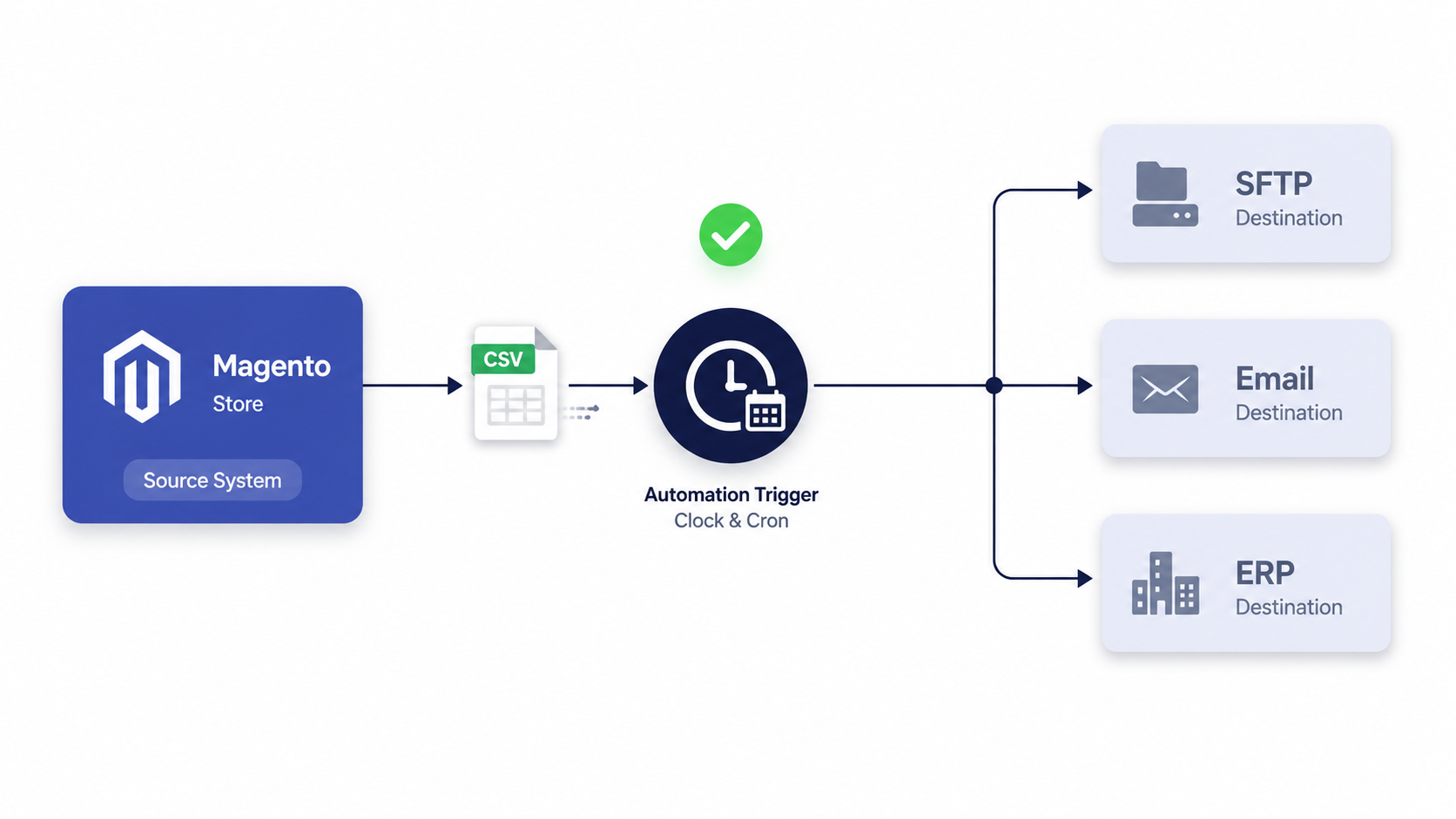
To export orders automatically, install an order export extension that supports scheduled exports via Magento cron, then configure an export profile that runs on a recurring interval and delivers the file by SFTP, FTP, email, or API.
Extensions such as Amasty Export Orders, XTENTO Order Export, Mageworx, and Firebear run alongside Magento and add three things the native export lacks: full field mapping (including line items and third-party fields), filtering rules, and automated delivery on a schedule.
The typical setup with an export extension
- Install the extension via Composer and run the standard upgrade and compile commands, or have your developer or support partner handle it
- Create an export profile, name it, choose the entity (orders), and pick the output format (CSV, XML, or a custom template)
- Map your fields by selecting exactly which order, customer, line item, and address fields go into the file, and renaming headers to match the target system
- Set filters – limit by order status, store view, date range, or customer group so each run exports only the relevant orders
- Schedule and deliver. Set the cron interval (hourly, daily, on order placement) and the destination: SFTP, FTP, email, or a REST endpoint on the receiving system
- Test once manually, confirm the file lands correctly, then let cron take over.
Done well, this turns order export from a daily chore into a feed your finance, fulfillment, and analytics teams can rely on without touching the admin. For stores that connect Magento to an ERP, OMS, or marketplace, this overlaps heavily with broader data integration work, where the export is one half of a two-way sync that keeps Magento inventory management aligned with each order that ships.
Magento order export methods compared
| Method | Best for | Data depth | Automation | Skill needed |
|---|---|---|---|---|
| Native admin export (CSV/XML) | Quick lists, ad hoc reports | Grid columns only | Manual | Any admin user |
| Export extension | Recurring feeds, ERP, and 3PL delivery | Full, incl. line items and custom fields | Scheduled via cron | Admin plus setup |
| Programmatic export (REST API or script) | Real-time and bespoke integrations | Anything in the database | Event- or schedule-driven | Developer |
How do developers export Magento orders programmatically?
Developers export orders programmatically by querying order data through Magento’s repositories or the REST API (for example, the GET /rest/V1/orders endpoint) and writing it to a file or pushing it to another system in code.
This is the most flexible route and the one to reach for when no extension fits the exact shape of data a partner system demands. Common patterns include:
- REST API pulls. The
ordersendpoint with search criteria filters returns full order objects, including items and addresses, as JSON for a downstream service to consume in near real time. - A custom CLI command or cron job. A small module uses
OrderRepositoryInterfaceand a search criteria builder to fetch orders, then writes a CSV or XML file to a defined directory or SFTP target. - Event observers. An observer on an order event (for example, when an order is placed or invoiced) appends that order to an export queue, so the feed stays current without a full re-export.
The same techniques extend beyond orders. Teams that ask how to export products programmatically in Magento 2 use the equivalent product repositories and the catalog import/export framework, often to keep a PIM or marketplace listing in sync. The principle is identical: query the right entity, shape the output, and deliver it on a trigger.
Programmatic export gives you total control, but it is also code your team has to maintain through every Magento upgrade. If you do not have in-house Magento engineers, a managed eCommerce support partner can build and own the export job so it does not break the next time you patch.
How to choose the right export method
Pick the method by matching how often you need to export and how complete the data has to be. A short decision guide:
- One-off list or simple report? Use the native admin export to CSV; it costs nothing and takes two clicks
- Recurring feed to an ERP, 3PL, or finance tool, with line items? Use an export extension with a scheduled profile and SFTP or email delivery
- Real-time sync or a data shape no extension supports? Build a programmatic export through the REST API or a custom module
- Migrating platforms or building a long-term integration? Treat export as part of a wider architecture decision.
Start with the native export to confirm the fields you need, then graduate to automation only when manual exports become a recurring tax on someone’s week.
Frequently asked questions
How do I export all orders from Magento 2?
Go to Sales > Orders, clear any filters so the grid shows the full order history, use Select All across all pages, then choose CSV or XML from the Export dropdown and click Export. For very large stores, an extension or programmatic export handles the volume more reliably.
How do I export Magento 2 orders to CSV?
In the Sales > Orders grid, select the orders, open the Export dropdown, choose CSV, and click Export. Magento generates a comma-separated file with one row per order containing the columns currently shown in the grid.
Why are line items and product details missing from my export?
The native admin export only includes order grid columns, so it omits individual line items, full addresses, and payment specifics. To capture that detail, use an order export extension or a programmatic export through the REST API or a custom module.
Can I export Magento orders automatically on a schedule?
Not with the native tool. To schedule exports you install an export extension that runs on Magento cron, or build a custom cron job, then configure a profile to deliver the file by SFTP, FTP, email, or API on a set interval.
Where do exported order files go?
Native admin exports download straight to your browser’s default download folder. Scheduled and programmatic exports write to wherever you configure them, typically an SFTP or FTP server, an email recipient, or a directory inside your Magento install.
Can I export products programmatically in Magento 2 too?
Yes. Developers use the product repositories and the catalog import/export framework, or the REST catalog endpoints, to export product data on a trigger or schedule. It mirrors the order export approach and is often used to keep a PIM or marketplace feed in sync.
What is the best way to export orders for an ERP integration?
For an ERP, use a scheduled export with full field mapping (orders, line items, addresses, payment, and tax) delivered to an SFTP location or API the ERP can consume. An export extension covers most cases, and a programmatic export handles bespoke or real-time requirements.
Want your order data, on your terms, flowing into the systems that run your business? Our team can automate your exports and keep them reliable through every Magento upgrade.




































