
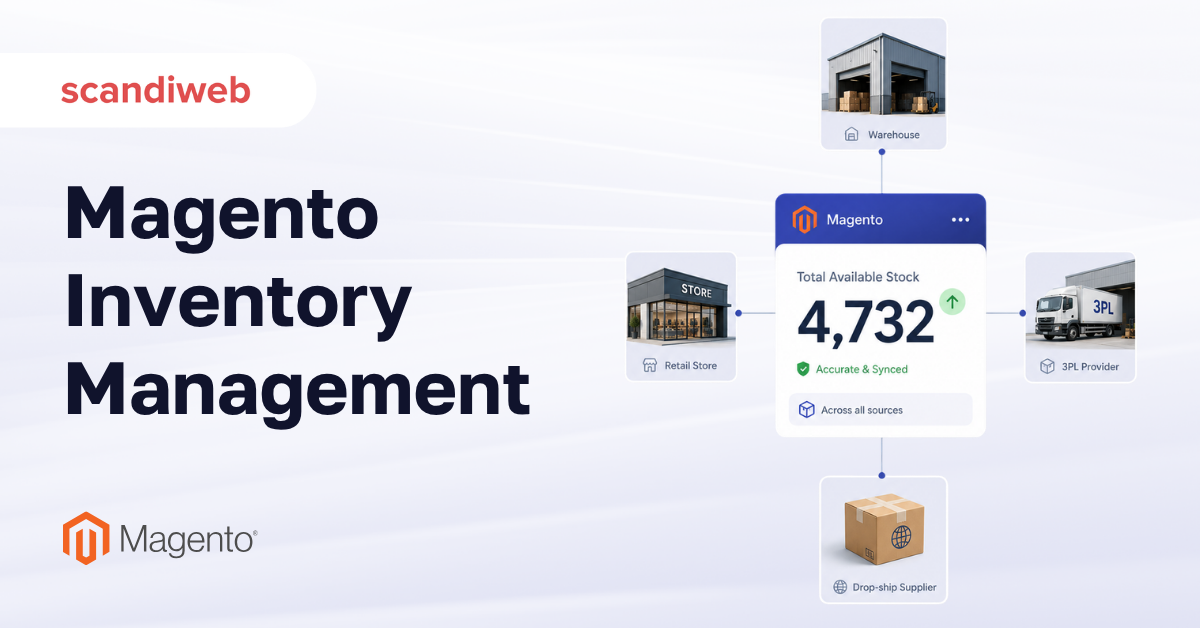
Your Magento (Adobe Commerce) store already includes a Magento inventory management engine, capable of tracking stock across warehouses, stores, and drop-ship partners. Yet the merchant team behind that same store is very likely still reconciling stock in a spreadsheet and apologizing to customers for items that sold but were never in the building.
We wrote this guide for heads of eCommerce and operations leads, with the goal to make sense of what Magento inventory management gives you out of the box, where native tooling ends, and how to decide when a warehouse management system (WMS) or ERP needs to be added to your stack.
🚀 Quick takeaway
Magento’s native Multi-Source Inventory (MSI) handles real multi-warehouse stock and reservations at no license cost. Most overselling comes from MSI being left at defaults or fighting a sales channel it was never configured for. Fix the configuration first, then decide whether you have truly outgrown it.
What is Magento inventory management?
Magento inventory management is the native system Magento (Adobe Commerce) uses to track how much of each product you have, where it physically rests, and how much is genuinely available to sell right now. Since version 2.3, that system is Multi-Source Inventory, usually shortened to MSI, and it is included in both Magento Open Source and Adobe Commerce at no extra license cost.
The important shift MSI introduced is the separation of physical stock from salable quantity. Older versions of Magento treated stock as a single number per product. MSI lets one product exist across many physical locations and then calculates, in real time, what is actually sellable after pending orders are accounted for. That single change is what makes accurate multi-location selling possible.
Why does inventory accuracy matter to the business?
Because the money lost to bad stock data is enormous and almost invisible on a P&L. IHL Group’s 2025 research puts the global cost of inventory distortion, the combined drag of out-of-stocks and overstocks, at roughly $1.73 trillion a year, equal to about 6.5% of total retail sales. Out-of-stocks make up the larger share, with overstocks accounting for the rest.
The accuracy baseline is worse than most teams assume. A Fluent Commerce survey reported that 58% of retailers run inventory accuracy below 80%, and broader industry reporting puts the average retailer at around 83% record accuracy, meaning close to one in five stock records is wrong at any moment. For a Magento store, every one of those errors becomes an oversell, a cancelled order, or a customer who does not come back.
How native Magento MSI works
MSI is built from a small set of concepts:
Sources and stocks
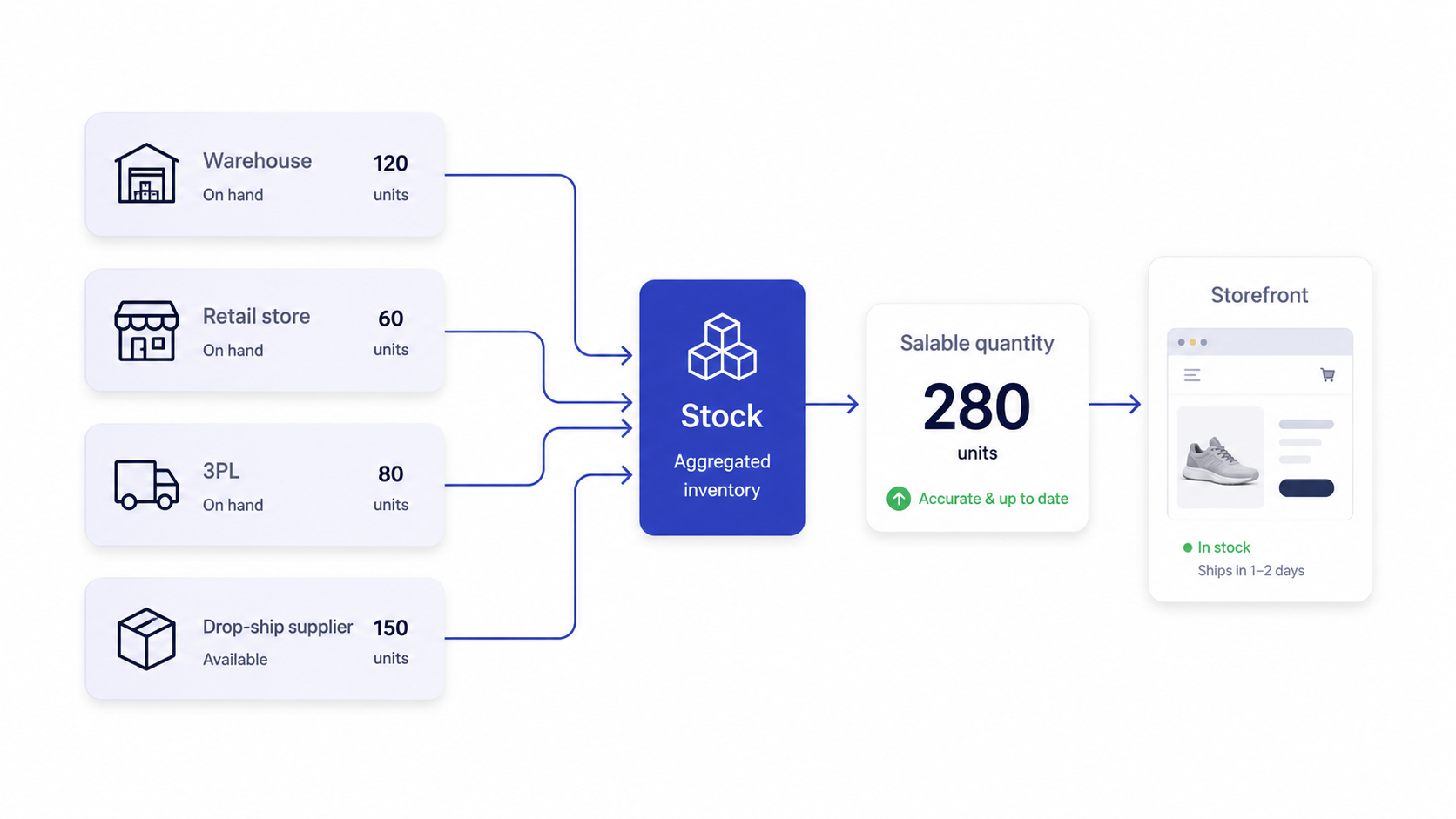
A source is a physical place that holds inventory: a warehouse, a retail store, a 3PL location, or a supplier that drop-ships on your behalf. Each source carries its own quantity per product. A stock is a logical grouping of sources mapped to one or more sales channels, in other words, the pool of inventory a given storefront is allowed to pull from.
This source-to-stock mapping is the heart of multi-channel control. A single warehouse can feed several storefronts, or two regional warehouses can serve two regional sites, all without duplicating product data. Getting this mapping right is the single highest-leverage decision in a Magento inventory setup.
Salable quantity and reservations
Salable quantity is what the customer effectively sees as available. It is not the raw on-hand number, it is on-hand minus everything already committed. The mechanism that keeps it honest is the reservation: when an order is placed, Magento creates a reservation that reduces salable quantity immediately, before any warehouse worker has touched the product.
Reservations are also the number one source of confusion for merchant teams. When salable quantity looks wrong but physical stock looks fine, the culprit is almost always orphaned or mismatched reservations, often left behind by a custom checkout, a failed payment flow, or an extension that does not respect MSI correctly.
Multi-warehouse and order fulfillment logic
With multiple sources defined, Magento can recommend which location should fulfill each order. Adobe Commerce adds a distance-based priority algorithm that suggests the source closest to the customer, while Magento Open Source relies on a manual source-priority order you set. Either way, the platform supports genuine multi-warehouse fulfillment without a separate system.
The boundary worth naming here: Magento decides which source can fulfill and deducts stock accordingly. It does not run the physical operation inside the building. Bin locations, pick paths, barcode scanning, and packing stations are warehouse-floor concerns, and that is where a dedicated Magento WMS or ERP starts to matter, a line we draw clearly later in this guide.
Low-stock alerts and backorders
MSI handles the everyday safeguards merchants rely on. You can set a notify-for-quantity-below threshold so the catalog flags low stock before it hits zero, and an out-of-stock threshold that controls when a product stops being salable. Backorders let you keep selling past zero when a resupply is confirmed, with the storefront messaging adjusted so customers know the item arrives later.
Used together, these controls prevent the two most common failure modes at once: selling stock you do not have, and hiding stock you do have because a threshold was set too conservatively.
Native MSI vs extensions vs a full WMS
The most expensive inventory mistake we see is buying a heavy system to solve a problem native MSI already covers, or stretching native MSI across an operation that genuinely needs warehouse-floor software. The honest answer for most stores is a staged one.
| Capability | Native Magento MSI | Inventory extension | Full WMS / ERP |
|---|---|---|---|
| License cost | Included | Low to moderate | High |
| Multi-source stock and salable qty | Yes | Yes (enhances) | Yes |
| Demand forecasting and reorder points | Basic thresholds | Yes | Yes |
| Barcode picking and bin locations | No | Some | Yes |
| Purchase orders and supplier management | No | Often | Yes |
| Master system of record across channels | Storefront only | Storefront only | Yes |
| Best fit | Single or few locations, clean catalog | Growing ops, forecasting needs | High-volume, multi-channel, complex fulfillment |
When is native MSI enough?
Native MSI is enough when you sell from one location or a handful, your catalog data is clean, and Magento is comfortably your system of record for stock. At this stage, most accuracy problems trace back to configuration or a misbehaving extension.
When should you add an inventory extension?
An extension makes sense when you have outgrown thresholds but not your stack. Tools in the Magento inventory management software category, often labeled inventory planner or stock manager extensions, add demand forecasting, reorder-point automation, supplier purchase orders, and overstock detection on top of MSI. Mirasvit and Amasty are common names here, and they extend MSI rather than replace it.
The signal to add one: your team can keep stock numbers accurate, but it cannot answer “what and how much should we reorder, and when” without manual spreadsheet work every week.
When do you need a Magento WMS or ERP?
You graduate to a dedicated Magento WMS or ERP when the operation becomes the bottleneck. The triggers are physical and operational: multiple high-volume warehouses, barcode-driven picking and packing, bin-level location tracking, returns processing at scale, or the need for a single inventory record of truth across marketplaces, retail POS, and wholesale that no single storefront should own.
At that point, the question stops being “which Magento setting” and becomes an integration project. The store needs reliable, real-time stock sync between Magento and the master system, which is precisely the kind of work where clean Magento implementation work determines whether inventory stays accurate or drifts apart within weeks.
Where inventory ends, and other systems begin
A surprising amount of inventory pain comes from blurring three jobs that should stay distinct. Keeping the boundaries clean is what keeps each system trustworthy.
- Inventory management answers “how much do we have and where,” which is the MSI territory this guide covers
- Order management answers “how do we route, split, and orchestrate fulfillment of this order across locations and channels.” It consumes inventory data, but is a separate discipline handled by an order management system (OMS)
- Marketplace operations answer “how do multiple independent sellers list and manage their own stock on our platform,” which is a different model again and should never be confused with multi-source single-seller inventory.
For a single brand selling its own goods, MSI plus a clean integration to your back-office system covers the vast majority of needs. The mistake is treating order orchestration or marketplace seller management as inventory problems and trying to force them into MSI configuration.
A decision framework for getting inventory right on Magento
Before adding any tool, work through this sequence. It mirrors how our team approaches a stock-accuracy audit, and it usually finds the real problem before any money is spent on software.
1. Confirm the system of record
Decide whether Magento or a back-office system owns the true stock number, and make sure only one of them writes it. Two systems both claiming authority is the most common root cause of drift.
2. Audit your sources and stocks
Verify that every physical location is a defined source and that source-to-stock-to-channel mapping matches how you sell.
3. Investigate reservations
If salable quantity and physical stock disagree, inspect reservations before touching anything else. Custom checkouts and poorly built extensions are frequent offenders.
4. Right-size your thresholds
Set low-stock and out-of-stock thresholds and backorder rules per product type, not one blanket rule for the whole catalog.
5. Only then evaluate tooling
Add an extension for forecasting, or a WMS or ERP for warehouse-floor and cross-channel control, once native MSI is genuinely configured and still falling short.
This ordering matters because most “we need a WMS” conversations turn out to be “our MSI was never set up properly” conversations. Spending on software to paper over a configuration gap simply adds an expensive layer on top of an inaccurate foundation.
How platform choice impacts your inventory ceiling
Inventory capability is partly a function of the platform you run. Adobe Commerce includes more advanced inventory and fulfillment logic than Magento Open Source, and the practical ceiling for native tooling differs between the two editions.
Whichever edition you run, the build quality of your implementation sets the real ceiling. Reservations that leak, extensions that bypass MSI, and integrations that sync stock on a lagging schedule will undermine even the best platform.
Frequently asked questions
What is the inventory management system for Magento?
It is Multi-Source Inventory (MSI), the native system included in Magento Open Source and Adobe Commerce since version 2.3. MSI tracks stock across multiple physical sources and calculates real-time salable quantity, so you can sell accurately from several locations without a third-party tool at the start.
What is the difference between physical stock and salable quantity in Magento?
Physical stock is the raw on-hand quantity at a source. Salable quantity is what is actually available to sell after reservations for pending orders are subtracted. When the two disagree, the issue is almost always reservations, not the stock count itself.
Does Magento support multiple warehouses?
Yes. You define each warehouse as a source and group sources into stocks tied to your sales channels. Adobe Commerce can suggest the nearest source for each order automatically, while Magento Open Source uses a manual source priority you configure.
Do I need a Magento WMS extension or is native MSI enough?
Native MSI is usually enough for single or few locations with clean data and Magento as the system of record. You need a WMS or ERP once you require barcode picking, bin-level tracking, high-volume multi-warehouse fulfillment, or a single stock record of truth across marketplaces, POS, and wholesale.
What is Magento MSI?
MSI stands for Multi-Source Inventory. It is the architecture that lets one product exist across many sources while Magento calculates a single accurate salable quantity per sales channel. It replaced the older single-stock model and is the foundation of all native Magento inventory management.
Why does my Magento store show items in stock that are actually sold out?
Overselling on Magento usually comes from stale or orphaned reservations, an extension or custom checkout that does not respect MSI, or a back-office integration syncing stock too slowly. It is rarely a missing feature and almost always a configuration or build problem worth auditing first.
Can Magento handle inventory across both online and physical retail stores?
Yes, by defining each physical store as a source and mapping it to the right stock and channels. For true omnichannel fulfillment with POS, most growing retailers eventually connect Magento to a dedicated system through an integration layer so one record stays accurate everywhere.
If overselling and spreadsheet reconciliation are eating your margin, talk through your inventory setup with our team and find out whether native MSI, an extension, or a full integration is the right next step.




































