
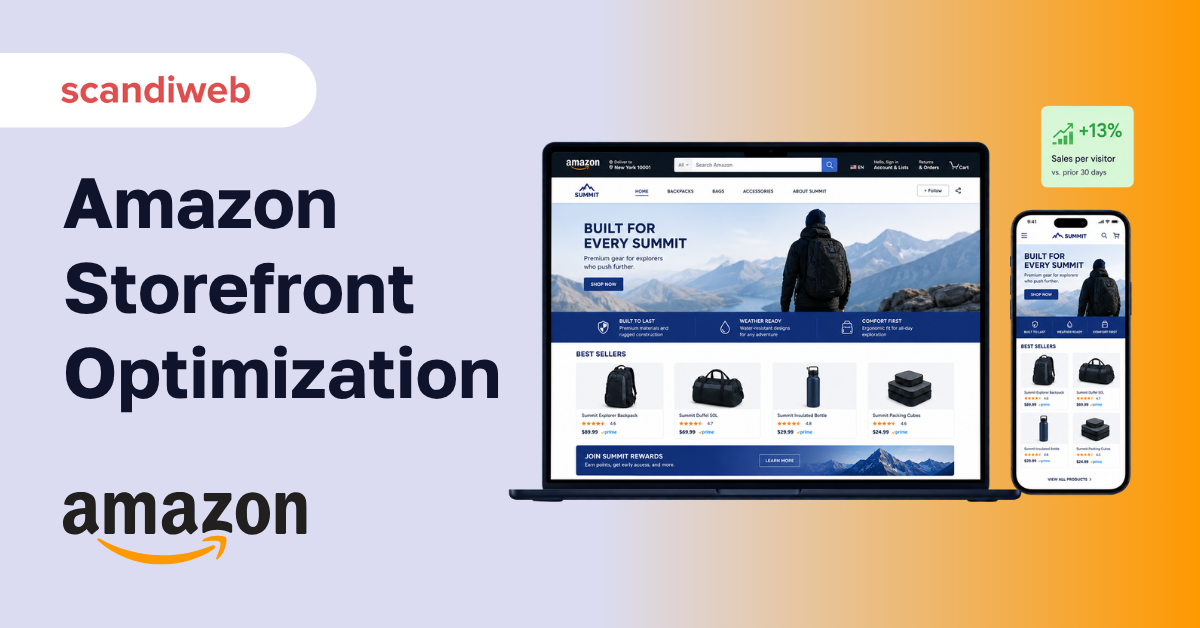
Your Amazon Brand Store gets visitors, so why are so few of them buying? For most brands the storefront is treated as a digital brochure, built once and left alone, when it is actually one of the highest-intent pages Amazon gives you. The question worth answering is not “do we have a storefront?” but “is ours built to convert the traffic it already gets?”
This guide is about that second question. It covers how to optimize an existing Amazon Storefront, from layout and A+ Content to the traffic and analytics that compound over time. If you still need to build one from scratch, start with our Amazon store setup guide, then come back here to make it sell.
Overview
- An Amazon Storefront (Brand Store) is your owned, multi-page brand space on Amazon, separate from individual product listings.
- Optimization is about conversion and freshness, not a one-time build: layout, A+ Content, traffic, and regular updates all move the numbers.
- Amazon’s own data shows kept-fresh stores and Sponsored Brands traffic measurably lift sales per visitor.
🚀 Quick takeaway
Treat your Amazon Storefront as a store you optimize, not a brochure you publish. The brands that win update it regularly, send qualified ad traffic to it, and read the Store analytics, rather than building it once and forgetting it.
What is an Amazon Storefront?
An Amazon Storefront, or Brand Store, is a free, multi-page destination Amazon gives enrolled brands to showcase their full catalog in one branded space, separate from the standard product detail pages. It has its own URL, its own navigation, and its own analytics, which makes it closer to a mini-website inside Amazon than to a single listing.
That distinction matters for optimization. A product listing is optimized for one product and one keyword. A Brand Store is optimized for brand discovery and cross-sell, so the tactics are different: navigation, storytelling, merchandising, and the journey between pages, not just a single buy box. If you are earlier in the journey, our guide to selling on Amazon covers the basics this one builds on.
Why storefront optimization is worth it
The case for optimizing rather than just publishing is in Amazon’s own numbers. Brand Stores that are updated within the last 90 days see around 11% more repeat visitors and 13% higher attributed sales per visitor. Shoppers who are new to a brand and visit its Store are markedly more likely to purchase than those who only see a single listing. And linking Sponsored Brands ads to a Store, rather than a product page, is associated with shoppers spending roughly twice as long and meaningfully higher sales.
In other words, the storefront is not a vanity asset. It is a conversion surface that responds directly to attention and freshness, which is exactly why letting it go stale costs money.
Optimize your store layout and design
Layout is where most storefronts leak attention. A few principles do the heavy lifting:
- Lead with a clear value proposition. The top of the page should tell a first-time visitor who you are and why to care within a few seconds.
- Use a logical page structure. A home page plus category or collection sub-pages beats one long scroll. Mirror how customers actually shop your range.
- Merchandise deliberately. Feature best-sellers, new arrivals, and bundles rather than dumping the entire catalog in one grid.
- Design for mobile first. Most Amazon traffic is on a phone, so test the store on a device, not just the desktop builder preview.
🚀 Quick takeaway
A storefront is a journey, not a catalog dump. Lead with who you are, split the range into logical pages, and feature best-sellers. Brands that merchandise deliberately convert far better than those that show everything at once.
Use A+ Content to lift conversion
A+ Content (and Premium A+) is how you replace plain text with branded modules, comparison charts, and rich imagery on both your listings and your Store. Amazon reports that basic A+ Content can lift conversion by up to around 8%, and Premium A+ by up to roughly 20%. It is one of the highest-return optimizations available because it works at the exact moment a shopper is deciding.
Use it to answer objections, show the product in context, and compare variants, not just to decorate the page. A comparison module that helps a shopper pick the right size or model removes the hesitation that loses the sale.
Drive qualified traffic to your store
Even a well-optimized store needs traffic, and the best-converting traffic is the kind you point deliberately. Linking Sponsored Brands campaigns to your Store rather than a single listing tends to lift both dwell time and sales, because the shopper lands in a branded space built to cross-sell. Off Amazon, your own channels and a deliberate traffic acquisition plan can send brand-aware visitors straight to the Store.
🚀 Quick takeaway
Point your Sponsored Brands ads at your Store, not at a product page. Amazon’s data shows store-linked ad traffic spends longer and converts better, because the shopper arrives in a space designed for browsing your range rather than a single buy box.
Optimize images and video
Visuals carry an Amazon store. Use high-resolution lifestyle and product imagery, keep it consistent with your off-Amazon brand, and add video wherever the format allows. Amazon has reported that Sponsored Products with video earn meaningfully higher click-through than those without, and the same logic applies inside the Store: video shows use, fit, and scale in a way static images cannot, and it holds attention longer.
Track and improve with Store analytics
Amazon’s Store Insights dashboard shows views, visitors, sales, and traffic sources per page. This is where optimization stops being guesswork. Read it to find the pages shoppers drop off, the sources that send the best visitors, and the sub-pages worth expanding. Then change one thing, watch the numbers, and keep what works, the same conversion rate optimization loop you would run on any storefront.
🚀 Quick takeaway
Optimization without analytics is guessing. Amazon’s Store Insights shows where visitors drop off and which sources convert. Change one thing, watch the dashboard, keep what works, and the store improves every quarter.
How often should you update your Amazon Store?
Refresh it at least every 90 days. Amazon’s own figures tie a within-90-days update to more repeat visitors and higher sales per visitor, so a quarterly cadence is the floor, not the ceiling. Align bigger refreshes with seasonal peaks, launches, and promotions, and make smaller merchandising tweaks whenever the analytics show a page underperforming.
🚀 Quick takeaway
Put a recurring 90-day reminder on the calendar to refresh the Store. Freshness is one of the few storefront levers Amazon explicitly rewards, and it is the one most brands forget the moment the store goes live.
How scandiweb approaches Amazon storefronts
scandiweb has delivered over 2,100 eCommerce projects since 2003, across marketplaces as well as owned stores, and our approach to Amazon is the same as anywhere else: optimize for conversion and measure it. That means a storefront built around how customers actually shop the brand, A+ Content that answers real objections, ad traffic pointed where it converts, and a regular read of Store analytics to decide the next change. An eCommerce strategy that treats Amazon as a channel to optimize, not a box to tick, is what separates a store that sells from one that simply exists.
Frequently asked questions
What is an Amazon Storefront?
An Amazon Storefront, or Brand Store, is a free multi-page branded destination Amazon gives enrolled brands to showcase their full catalog in one space, separate from individual product listings. It has its own URL, navigation, and analytics, making it more like a mini-website inside Amazon than a single product page.
How do I optimize my Amazon Storefront?
Lead with a clear value proposition, structure the store into logical category pages, merchandise best-sellers rather than the whole catalog, add A+ Content and video, point Sponsored Brands traffic at the Store, and read Store analytics to decide what to change next. Refresh it at least every 90 days.
Does A+ Content increase Amazon conversions?
Yes. Amazon reports that basic A+ Content can lift conversion by up to around 8%, and Premium A+ by up to roughly 20%. The lift comes from answering objections and comparing options at the moment of decision, so use A+ modules to help shoppers choose, not just to decorate the page.
How often should I update my Amazon Storefront?
At least every 90 days. Amazon’s data links a store updated within the last 90 days to around 11% more repeat visitors and 13% higher sales per visitor, so quarterly is the minimum. Time larger refreshes around seasonal peaks, launches, and promotions.
Is an Amazon Storefront free?
Yes. A Brand Store is free to build for brands enrolled in Amazon Brand Registry. The cost is in the design, content, and ongoing optimization, not in the Store itself, and Sponsored Brands ads to drive traffic to it are a separate paid investment.
Wondering whether your Amazon Store is actually converting the traffic it gets? Review your Amazon Store with us and we will show you where the layout, content, and traffic are leaking sales, ranked by the fixes most likely to move revenue.




































