

If you are running Magento 2.4.4, 2.4.5, or 2.4.6 in 2026 and the security patches keep piling up, you are not alone. Roughly 40% of the Magento installations scandiweb’s support team audits each quarter are at least two minor versions behind current. The reason is not lack of effort. It is that the upgrade looks straightforward in Adobe’s documentation and is anything but in production.
This is the version of the playbook we hand to engineering leads who have run an upgrade before, hit the trouble, and now want the practical sequence. The three upgrade methods, the extension-compatibility work that eats 60% of the timeline, the realistic 2026 cost, and the rollback pattern that prevents a 3 AM call. We have shipped 100+ Magento upgrades and migrations across mid-market and enterprise estates. This is what we have learned that does not make it into the Adobe documentation.
Summary
- Magento 2.4.8 is the current GA release as of 2026. 2.4.x LTS support ends in 2027 per Adobe’s current roadmap, which means the upgrade clock is real.
- Three upgrade methods exist: Composer (recommended for production), Web Setup Wizard (deprecated, 2.3.7 and earlier only), and manual download (only when Composer access is restricted). For most teams, Composer is the only path that matters.
- The realistic 2026 upgrade cost is $3K to $8K for a clean 2.4.x to 2.4.x minor jump, $15K to $40K for a major-version jump with extension audit, and $50K to $150K+ for a Magento 1 to Adobe Commerce migration. The extension compatibility work is the biggest cost variable.
🚀 Quick takeaway
The Magento upgrade itself is rarely the problem. It is the extensions, the custom theme code, and the lack of a staging environment that kill most projects. Plan for 60% of your effort to land outside the actual upgrade commands.
Why upgrade to the latest Magento version in 2026?

The four reasons to upgrade, in the order they actually matter for a business:
1. Security. Every Magento minor version ships security patches. Running 12+ months behind means running with known unpatched CVEs that bot scanners actively probe. The Adobe Solution Partner ecosystem sees this as the single most common driver of urgent upgrades. Security incident, then upgrade.
2. Compatibility. Newer PHP versions (8.3 in 2026), MySQL 8.x, Elasticsearch 8.x, OpenSearch. Each new dependency the Magento ecosystem moves to is a hard cutoff for older versions. Staying behind means your infrastructure vendor cannot run the supported stack much longer.
3. Performance. 2.4.6, 2.4.7, 2.4.8 each shipped meaningful performance improvements, particularly in indexing speed, caching efficiency, and admin panel responsiveness. The cumulative gain across two minor versions is typically 15 to 25% on real-world workload.
4. Feature access. B2B improvements, payment-method updates, GraphQL coverage expansions, and PWA Studio compatibility all ship in the latest version first. Falling behind means choosing between not having features and backporting them yourself.
🚀 Quick takeaway
Security is the only one of the four reasons that fires emergency budget approval. The other three (compatibility, performance, features) get deferred quarter after quarter until a known CVE forces the conversation. Plan the upgrade before the incident, not after.
Preparing for a smooth Magento upgrade
The 30 minutes you spend on preparation save 30 hours of incident response. Run all four of these steps before any upgrade command.
Audit your extensions first
Run `composer show` and produce a list of every installed extension with its current version, vendor, and Magento version compatibility per the vendor’s published matrix. On a typical mid-market Magento installation, 20 to 35% of extensions will lack official compatibility with the target version. Those each need a vendor update, a custom patch, a replacement extension, or a removal decision. This is the single biggest cause of upgrade overruns.
Create a staging environment that mirrors production
Same PHP version, same MySQL version, same Elasticsearch/OpenSearch version, same memory and CPU profile, same set of extensions and custom modules, ideally same database (anonymized) so you catch data-shape edge cases. Magento upgrades that work on a dev laptop frequently fail on production data.
Create a full backup
Backup the database, the var/, pub/, app/etc/ directories, and the full Magento codebase. Use `php bin/magento setup:backup –code –media –db` for a Magento-native backup, or your infrastructure provider’s snapshot if available. The goal is to be able to roll back to the pre-upgrade state in under 30 minutes.
Enable maintenance mode
`php bin/magento maintenance:enable` before the upgrade, `php bin/magento maintenance:disable` after. Without maintenance mode, customers hit half-upgraded pages during the cache clear and the static content deploy. At best ugly. At worst order corruption.
🚀 Quick takeaway
Three things you should have working before you type `composer update`: a staging environment that mirrors prod, a full backup with verified restore, and an extension compatibility matrix you have actually read. Skipping any one of these is where every emergency upgrade story we hear started.
Upgrading Magento using Composer (recommended in 2026)

Composer is the only upgrade method Adobe recommends for production Magento installations in 2026. The Web Setup Wizard was deprecated after 2.3.7 and the manual download path is for environments where Composer is restricted (which in 2026 should be essentially none).
The high-level sequence: enable maintenance mode, back up composer.json and composer.lock, update the meta-package, run setup:upgrade, run setup:di:compile, run setup:static-content:deploy, clear cache, disable maintenance mode, verify.
For a closer look at each stage, see our version upgrade process breakdown.
Composer upgrade commands for Magento 2.4.x
# 1. Enable maintenance mode
php bin/magento maintenance:enable

# 2. Backup composer files
cp composer.json composer.json.bak
cp composer.lock composer.lock.bak

# 3. Update the Magento meta-package (2.4.8 example)
composer require magento/product-community-edition=2.4.8 --no-update
composer update

# 4. Run setup commands
php bin/magento setup:upgrade
php bin/magento setup:di:compile
php bin/magento setup:static-content:deploy -f
php bin/magento cache:clean

# 5. Disable maintenance mode and verify
php bin/magento maintenance:disable
php bin/magento --version
For Adobe Commerce (enterprise edition), substitute `magento/product-enterprise-edition` in step 3.
Upgrading Magento via Web Setup Wizard (deprecated)
The Web Setup Wizard was Adobe’s admin-panel upgrade tool for Magento 2.3.7 and earlier. It is removed from Magento 2.4.x. If you are running 2.3.x in 2026, you are six minor versions behind and the Web Setup Wizard is not the right tool. You are looking at a major migration project, not an incremental upgrade. Our Magento 2 migration guide covers the four standard work-streams.

Manually upgrading Magento by downloading the latest version
Manual upgrade, downloading the Magento package, replacing core files, running setup commands, is the last-resort path when Composer access is blocked by infrastructure policy. It works but is operationally fragile. Avoid unless you have a specific reason Composer is unavailable.
Handling theme and extension updates
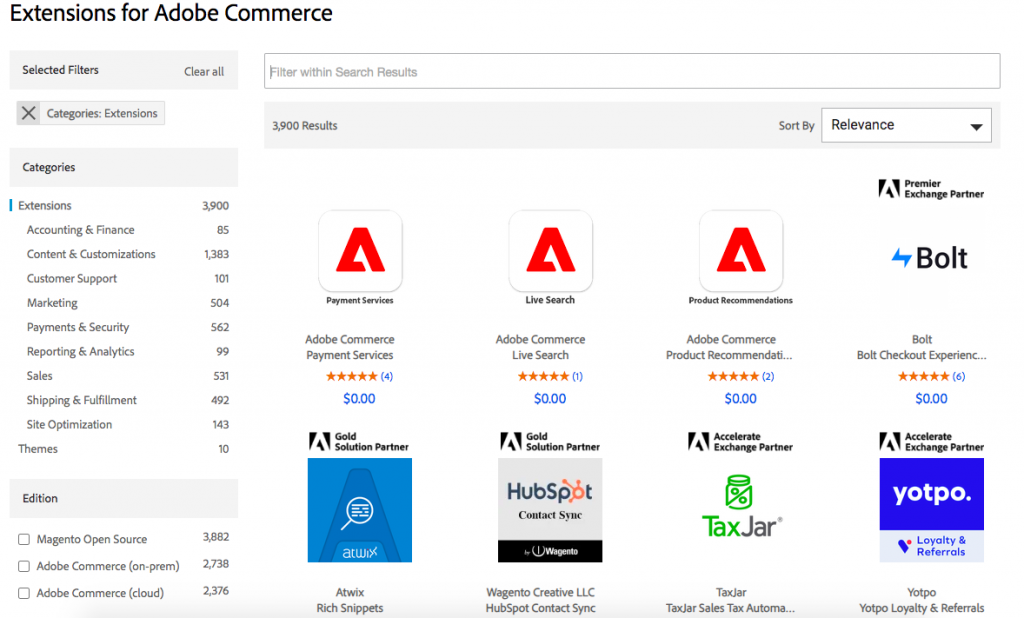
Extension and theme handling is where most upgrade projects either succeed or fail. The patterns we use across our Magento upgrade services work:
- Custom themes. Request an audit from the original theme developer before upgrading. If the theme has not been touched in 18+ months, plan for 20 to 40 hours of compatibility work. Custom themes that ship without the modern Magento UI library typically need significant work for 2.4.7+.
- Third-party extensions. Update through Composer with the target Magento version specified, then run a full regression test on staging. Extensions that lack compatibility need either a vendor patch, a custom patch, or replacement.
- Custom modules. Your own custom modules need the same compatibility work as third-party extensions. The temptation to leave them is the most common cause of “the upgrade worked but cart is broken” bug tickets.
🚀 Quick takeaway
The 20 to 40 hours of custom-theme compatibility work surprises every team that did not plan for it. If your theme has been stable for 18+ months, the upgrade is the moment that surfaces every workaround the original developers baked in.
Troubleshooting common Magento upgrade issues
Component dependency conflicts
The most common upgrade error. Symptom: `composer update` fails with “Your requirements could not be resolved to an installable set of packages.” Usually caused by a third-party extension requiring a fixed older version of a Magento core component.
Fix: restore composer.json from backup, identify the conflicting extension via `composer why-not magento/product-community-edition 2.4.8`, then either update the extension to a compatible version, lock the extension at a version compatible with both, or remove it.
The “Can’t Create Directory” error
Symptom: setup:upgrade fails partway through with permission errors on generated/, pub/static/, or var/. Usually a file ownership mismatch between the web-server user and the user running the upgrade command.
Fix: `chown -R <web-user>:<web-user> .` on the Magento root, then re-run setup:upgrade. The standard Magento ownership pattern is well-documented in Adobe’s hardening guide.
The “Cannot Allocate Memory” error
Symptom: setup:di:compile or setup:static-content:deploy fails with memory exhaustion. Caused by insufficient PHP memory_limit or insufficient host RAM.
Fix: raise PHP memory_limit to 4G or higher for the upgrade duration (`php -d memory_limit=4G bin/magento setup:di:compile`). If the host itself is out of RAM, temporarily upgrade the server plan during the upgrade window.
How much does a Magento upgrade cost in 2026?
Honest 2026 ranges based on scandiweb’s project portfolio:
- Minor version jump within 2.4.x (e.g. 2.4.6 to 2.4.8): $3K to $8K, 2 to 4 weeks of elapsed time.
- Major jump with extension audit (e.g. 2.4.4 to 2.4.8 with 30+ extensions): $15K to $40K, 4 to 8 weeks.
- Magento 1 to Adobe Commerce migration: $50K to $150K+, 4 to 6 months. This is a re-platform, not an upgrade, different scope.
- Adobe Commerce Cloud version upgrade: typically managed by Adobe’s cloud team but with custom-code compatibility work charged separately, $10K to $30K depending on customization.
The single biggest cost driver across all bands is extension count and custom-code surface. A clean 2.4.x estate with 8 well-maintained extensions upgrades in days. A heavily-customized 2.4.x estate with 40+ extensions (some abandoned) takes weeks.
🚀 Quick takeaway
The $3K to $8K minor-jump cost assumes a clean extension portfolio. Every abandoned extension adds 4 to 8 hours of patch-or-replace work. Audit before you scope, not after.
Can you downgrade Magento the same way as upgrading?
Technically yes via Composer, practically rarely. Downgrade fails when the upgrade ran database schema changes that the older version cannot read. The reliable rollback pattern is the database backup restore from your pre-upgrade snapshot, not a Composer downgrade.
For high-stakes upgrades, deploy to staging, run a full regression test, then promote. Have the backup restore ready as the rollback path rather than relying on `composer require magento/product-community-edition=<older-version>`.
When should you consider a Magento Open Source to Adobe Commerce move instead of just upgrading?
If you are running Magento Open Source 2.4.x and the upgrade is already planned, this is the right moment to evaluate moving to Adobe Commerce. Adobe Commerce ships native B2B (company accounts, requisition lists, shared catalogs), Page Builder, BI dashboards, and tighter Adobe Experience Cloud integration. For B2B-heavy operations specifically, the Adobe Commerce uplift typically pays back within 12 months of the migration. Read our Adobe Commerce vs Magento Open Source comparison for the full decision framework. The day-to-day operational coverage post-upgrade falls under our Magento support service.
About this guide
Maintained by the scandiweb Magento engineering team. We have shipped 100+ Magento upgrades and migrations since 2003 across Open Source, Commerce, and Commerce Cloud. Adobe Solution Partner. Reviewed against Magento 2.4.8 release notes and Adobe’s 2026 LTS roadmap.
Frequently Asked Questions
What is the latest Magento version in 2026?
Magento 2.4.8 is the current GA release. Adobe’s published roadmap indicates 2.4.x LTS support continues through 2027 with security patches. Teams running pre-2.4.5 should plan their upgrade path now.
How do I upgrade Magento safely?
Audit extensions, mirror production on a staging environment, full backup with verified restore, enable maintenance mode, run Composer upgrade (`composer require magento/product-community-edition=<version> –no-update && composer update`), run `setup:upgrade && setup:di:compile && setup:static-content:deploy && cache:clean`, disable maintenance mode, regression-test. Roll back via backup restore if needed.
How long does a Magento upgrade take?
Clean 2.4.x to 2.4.x minor: 2 to 4 weeks elapsed (most of which is staging testing). Major-version jump with extension audit: 4 to 8 weeks. Magento 1 to Adobe Commerce: 4 to 6 months as a re-platform project.
How much does a Magento upgrade cost in 2026?
$3K to $8K for a clean minor jump. $15K to $40K for a major jump with extension audit. $50K to $150K+ for Magento 1 to Adobe Commerce migration. Extension count and custom code surface are the biggest cost variables.
Should I upgrade Magento myself or hire an Adobe Solution Partner?
Solo upgrades work for small estates with clean extension hygiene and an engineer who has done it before. For estates with 30+ extensions, custom modules, custom themes, or B2B configurations, an Adobe Solution Partner upgrade is typically 30 to 40% cheaper than the in-house attempt that goes wrong and needs rescue.
What happens if I do not upgrade Magento?
Three things, in order: security patches stop applying (your store accumulates known CVEs), infrastructure stack compatibility degrades (your hosting provider eventually cannot run a supported PHP/MySQL combination), and you fall outside Adobe’s support window (no escalation path on bugs). The cost of waiting is hidden but real.
Can I downgrade Magento after an upgrade?
Technically yes via Composer if no database schema changes occurred. Practically the reliable rollback is database backup restore. Have the backup tested before the upgrade. Most teams discover their backup is broken at exactly the moment they need it.
If your Magento upgrade plan currently lives on a sticky note labelled “next quarter” and the security patches are stacking up, scandiweb has shipped 100+ Magento upgrades since 2003. Get in touch and we will scope the upgrade with a real timeline and a real number.




































