
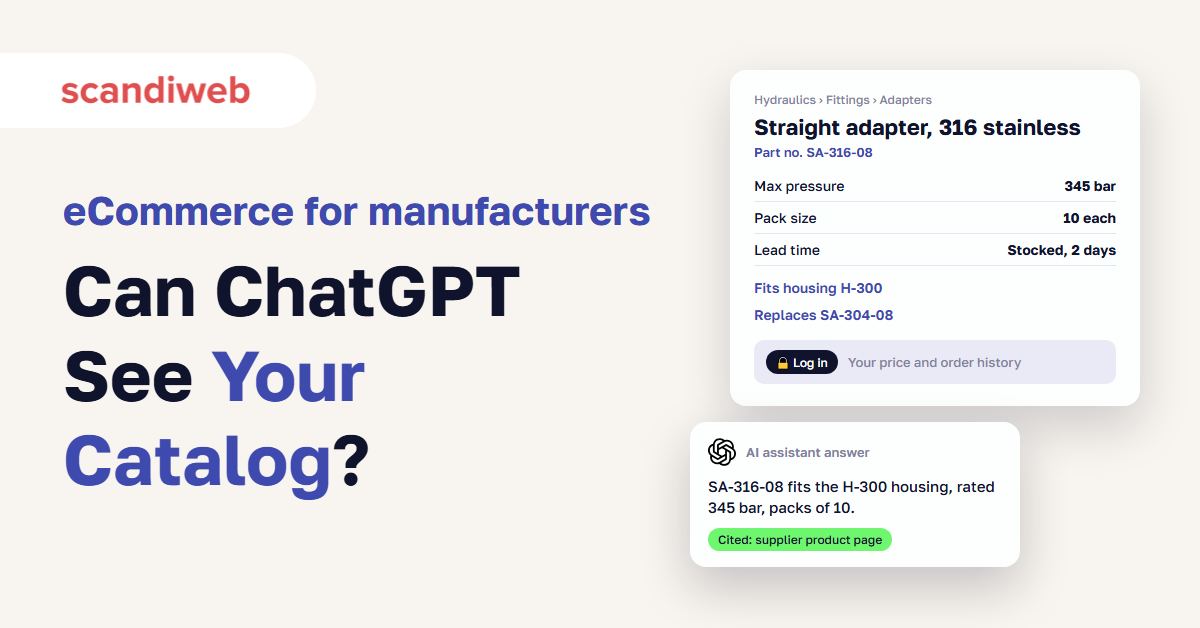
If your best rep can tell a buyer in ten seconds which seal replaces a discontinued part, and your website can’t tell anyone anything until they log in, you have two problems that look like one. Buyers who research before they call can’t find your products, and the knowledge that wins orders lives in a few people’s heads. B2B eCommerce for manufacturers fixes both with the same work: publish the product facts your reps repeat every day as structured data, and keep only prices, terms, and account details behind the login.
Buyers want to do that research alone. In a 2026 Gartner survey, 67% of B2B buyers said they prefer a rep-free experience. Search engines and AI assistants such as ChatGPT can only recommend what they can read, and they don’t log in.
This guide covers what to publish and what to keep gated, the 20 questions your reps answer most, and how to turn those answers into product data with a PIM, using Wainbee’s 600,000-product catalog as the example.
What is eCommerce for manufacturers?
eCommerce for manufacturers is selling and supporting industrial products online, to distributors, dealers, and end customers, through a store or ordering portal connected to the ERP. In B2B it covers more than checkout: searchable product data, customer-specific prices and terms after login, reorders, quotes, and self-service for documents and spare parts.
Most manufacturers already have part of this. The weak spot is usually the catalog. Platforms handle carts, price lists, and approvals well, but they can’t invent the product knowledge that is spread across ERP records, supplier spreadsheets, PDF data sheets, and people. That knowledge decides whether a buyer finds you and orders without calling. Our overview of B2B eCommerce trends for 2027 shows how fast that research has moved online.
Why a gated B2B catalog is invisible to Google and ChatGPT
A catalog behind a login is invisible because search engine crawlers and AI assistants don’t sign in. If product names, specs, and documents only appear after login, Google can’t index those pages, and ChatGPT, Gemini, and Perplexity can’t read or cite them. At the research stage, your products don’t exist for the buyer.
That research stage now decides most deals:
- In a Semrush survey of 622 US B2B professionals, 66% said they regularly use AI to research vendors. Semrush sells SEO tools, so treat the exact figure with care.
- 6sense found that 94% of buying groups rank their preferred vendors before they contact anyone, and they buy from that early favorite 77% of the time.
Many B2B stores gate the whole catalog for reasons that make sense on their own: prices differ per customer, distributors don’t want to be undercut, and nobody wants competitors reading every spec sheet. All three concerns are about prices and terms. Those can stay behind the login while the product facts go public.
Our B2B SEO guide covers the search side in detail: crawling, AI crawlers, and how to check whether AI assistants name you. The rest of this article covers the commerce side: what to publish, where the data comes from, and how to get it out of your reps’ heads.
🚀 Quick takeaway
A competitor learns little from your public spec sheet that a distributor’s PDF wouldn’t tell them. A buyer who can’t read it moves on to a supplier whose page answers the question.
What to publish and what to keep behind the login
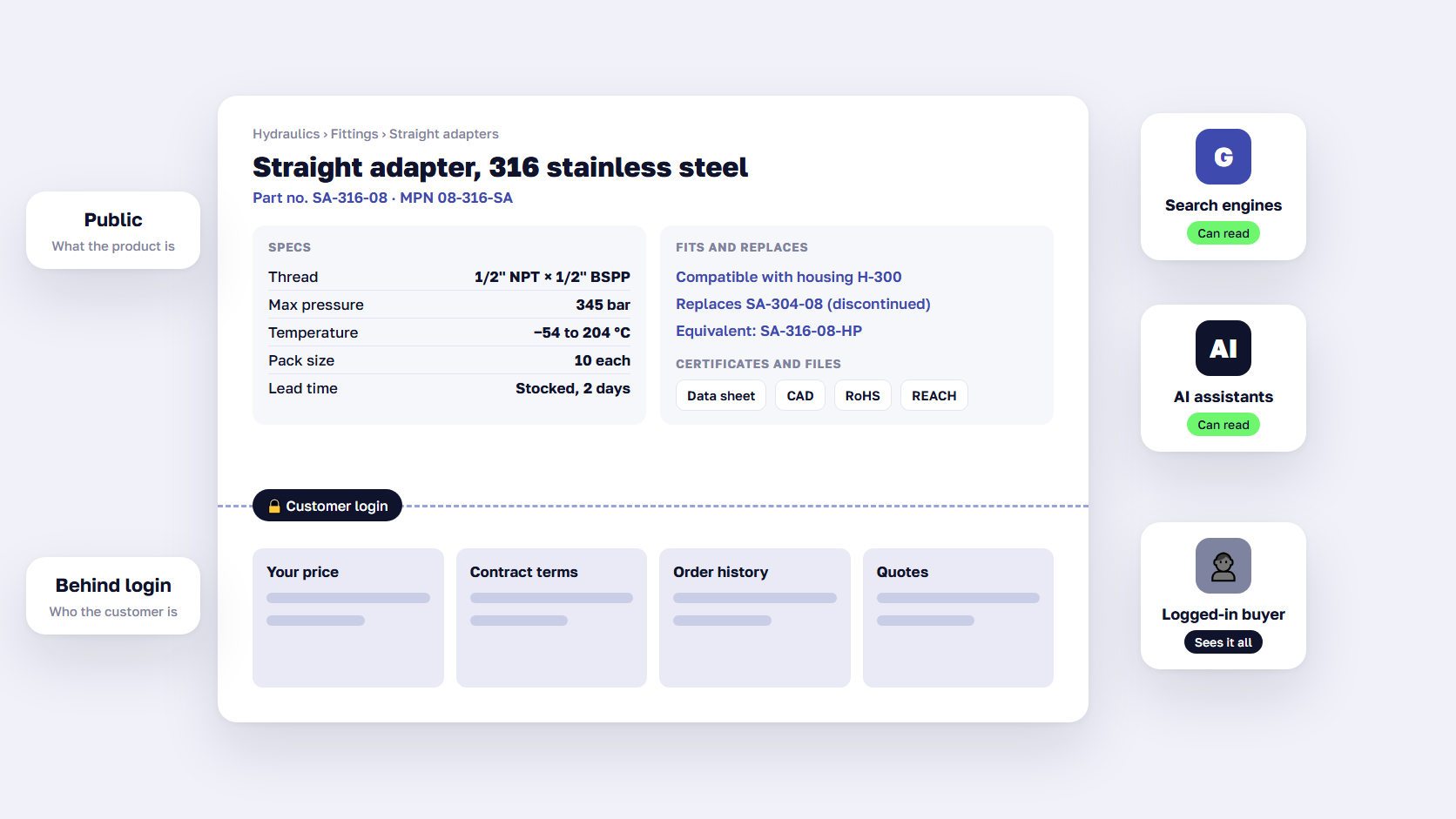
Publish everything that describes the product, and keep everything that describes the customer relationship behind the login. Product names, specs, compatibility, substitutes, pack sizes, standard lead times, certifications, and documents go public. Customer prices, contract terms, account stock, order history, and quotes stay gated.
| Information | Where it goes | Why |
|---|---|---|
| Product names, part numbers, descriptions | Public | Buyers and AI assistants search by part number and application |
| Specs with units (size, rating, material) | Public | The first filter every engineer applies |
| Compatibility, substitutes, cross-references | Public | Answers the questions that most often reach a rep |
| Pack sizes, units of measure, minimum order | Public | Stops wrong-quantity orders and returns |
| Standard lead time, stocked or made to order | Public | Lets buyers plan before they ask |
| Certifications, data sheets, CAD files | Public | Required by engineering and compliance teams |
| List price or “from” price | Your decision | Helps buyers qualify you, can conflict with distributor pricing |
| Customer price, discounts, contract terms | Behind login | Specific to each account |
| Account stock allocation, order history, invoices | Behind login | Private to the customer |
| Quotes and negotiated deals | Behind login | Part of the sales relationship |
List price is the one real judgment call. A visible price helps buyers qualify you quickly, and AI shopping answers often include price. If your distributors sell at list, a public price can start a channel argument you don’t need. Many manufacturers launch with “log in for your price” and revisit the question once the catalog is open and working.
🚀 Quick takeaway
Gating works field by field. Most of the reasons to hide a catalog apply to five or six fields, and the rest can go public now.
Tribal knowledge: what your reps know that your website doesn’t
Tribal knowledge is the know-how experienced people carry in their heads that nobody has written down. In manufacturing sales, it is which part fits which machine, what replaces a discontinued item, which pack size a customer actually orders, and which certificate a food plant will ask for. When that knowledge isn’t in product data, every buyer question has to go through a person.
A 2018 survey by Panopto, a video platform vendor, found that 42% of institutional knowledge is unique to the individual employee. In a catalog business, that is the difference between a quote in five minutes and a quote that waits until Monday because the one person who knows is on vacation.
Replacing that person is getting harder. Deloitte and the Manufacturing Institute estimate that US manufacturing will need up to 3.8 million workers between 2024 and 2033, and that 1.9 million of those jobs could go unfilled. When a senior rep or applications engineer retires, the replacement is rarely as experienced, and the knowledge often leaves with them.
Reps stay in the process, in a different role. Gartner found in 2026 that 69% of B2B buyers prefer to validate AI-generated insights with a sales rep. Buyers will research alone, then ask a person to confirm fit, price, and availability on a big or technical order. That check is a better use of a senior rep’s hour than reading out pack sizes over the phone.
🚀 Quick takeaway
Every answer a senior rep gives twice a week is a product attribute you haven’t created yet. Writing it down once removes it from the phone queue for good.
The 20 questions your reps answer most
Start with the questions buyers already ask by phone and email. These 20 come up in most industrial catalogs. Each answer belongs in a specific product data field, so it shows on the product page, in feeds, and in what search engines and AI assistants read.
| # | Buyer question | Where the answer goes in product data |
|---|---|---|
| 1 | Will this fit my machine or model? | Compatibility list linked to equipment models |
| 2 | What size, thread, or connection does it have? | Spec attributes with units |
| 3 | What pressure, temperature, or voltage is it rated for? | Rated values with units and test standard |
| 4 | Which material or grade is it, and does it suit my media? | Material and media compatibility attributes |
| 5 | What else do I need to install it? | Required accessories linked as related products |
| 6 | This part is discontinued. What replaces it? | Successor link and lifecycle status |
| 7 | Is there an equivalent that is in stock or cheaper? | Substitute links between equivalent SKUs |
| 8 | What is your number for this competitor or OEM part? | Cross-reference table of other part numbers |
| 9 | Is this product being phased out? | Lifecycle status and last order date |
| 10 | How many come in a pack, and can I buy singles? | Pack size, sales unit, minimum order quantity |
| 11 | How do units convert (each, box, pallet, meter, kilogram)? | Unit of measure conversions per SKU |
| 12 | At what quantity does the price drop? | Price break quantities (prices behind login) |
| 13 | What is the standard lead time? | Lead time per warehouse or production route |
| 14 | Is it stocked or made to order? | Stocking type |
| 15 | Can you ship it to my region, and are there restrictions? | Shipping class, hazardous goods flag, export limits |
| 16 | Is it certified for my use (UL, CE, ATEX, NSF)? | Certifications with certificate documents |
| 17 | Where are the data sheet, manual, and CAD files? | Document assets linked to each SKU |
| 18 | What is the country of origin, and is it RoHS or REACH compliant? | Compliance attributes |
| 19 | Which spare and wear parts does it need, and how often? | Spare parts list, consumables, service interval |
| 20 | What warranty applies, and who services it near me? | Warranty terms and service partner lookup |
Use the list as a test. For each question, open a public product page for one of your top sellers and check whether a buyer could answer it there without calling. If you get fewer than 10 yes answers, your reps are doing work your catalog should do. Your own list will differ by industry, so swap in the questions your team hears most.
🚀 Quick takeaway
Questions 6 to 9 carry the most value. Substitutes and cross-references are where a buyer decides whether to stay with you or switch to the supplier whose page answers the question.
How to turn rep knowledge into structured product data
Turn rep knowledge into product data in six steps: collect the real questions, turn each answer into a field or a link between products, make a PIM the single source, let reps review the data, publish it to product pages, structured data, and feeds, and measure how many questions still reach sales.
1. Collect the questions from email, quotes, and calls
Pull three months of sales inbox threads, quote requests, CRM notes, and support tickets, and tag every product question by type. Add your site search log, especially searches that return nothing, because those are questions buyers tried to answer alone. Then spend an hour with each of your three most experienced reps and walk through your top-selling and most-returned products. Ask what buyers get wrong and what they always ask.
2. Turn each answer into a field or a product relationship
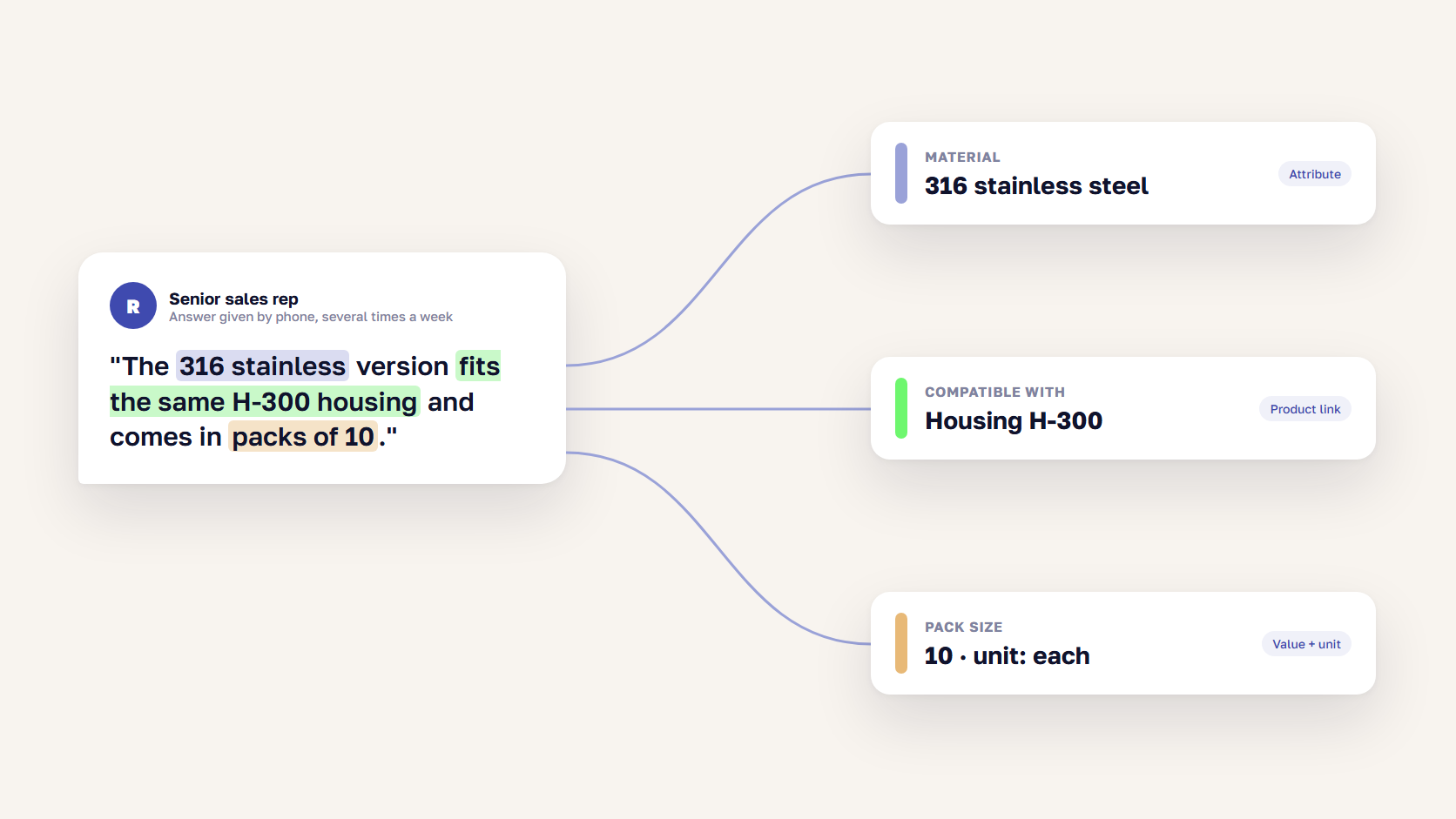
A rep’s answer is usually a sentence: “The 316 stainless version fits the same housing and comes in packs of 10.” In product data, that sentence becomes a material attribute, a compatibility link to the housing, and a pack size with a unit. Write answers as fields and links between SKUs, and keep marketing copy for the description.
The relationships matter most, because they hold the knowledge that is hardest to replace: fits, replaces, replaced by, equivalent to, spare part for, and consumable for. Store values with their units as separate fields, so “10 bar” can be filtered, converted, and read by machines.
3. Make a PIM the single source for product data
A PIM (product information management system) collects product data from the ERP, suppliers, and your own teams, lets people enrich and approve it, and publishes it to every channel. A PIM for manufacturers is where rep knowledge becomes shared data. The ERP keeps prices, stock, and orders. The PIM keeps what a product is and how it relates to other products. Our guides on choosing PIM software and PIM and eCommerce integration cover the selection and the connection.
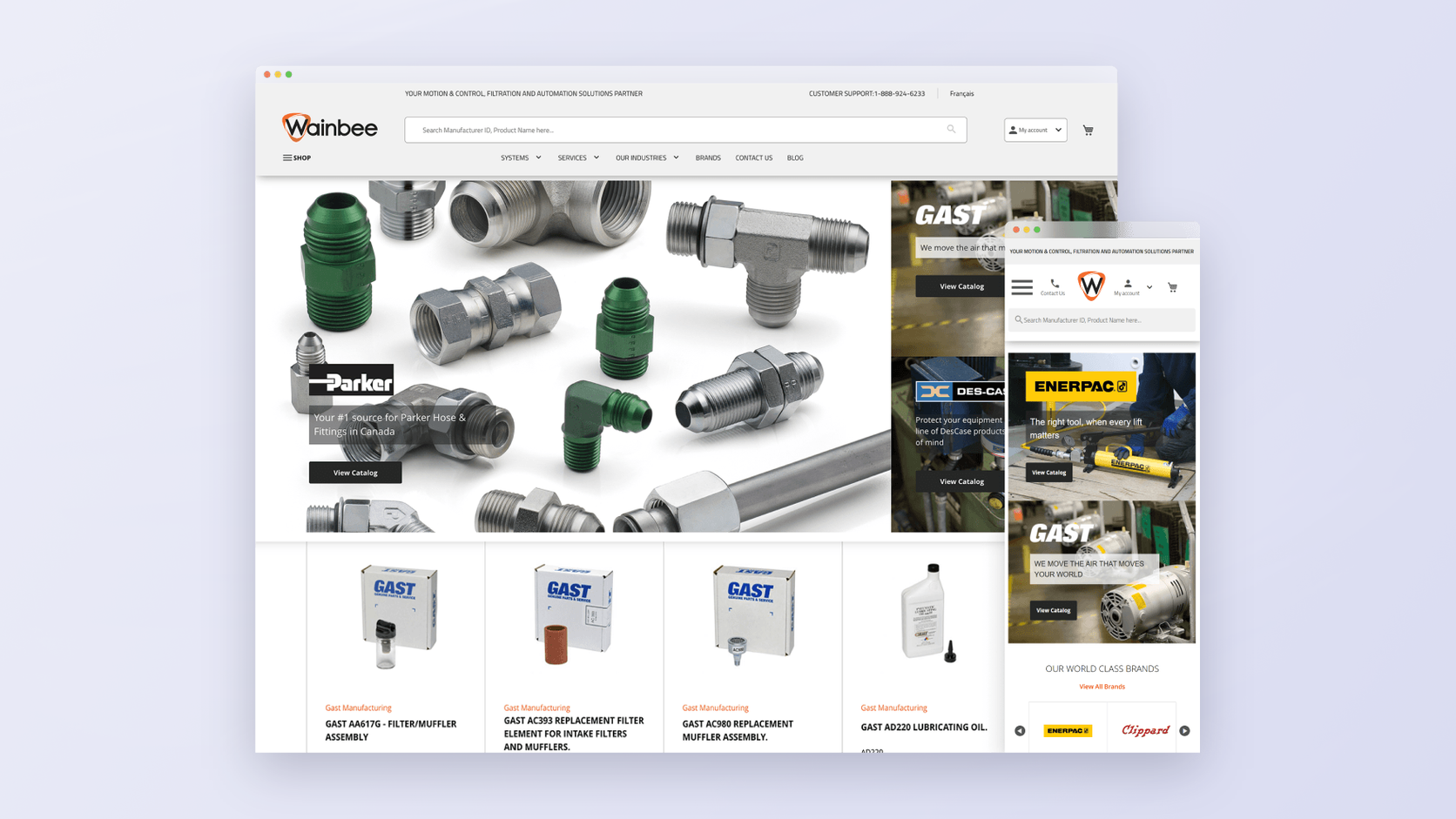
Wainbee shows what that changes for a large catalog. The largest distributor of Parker products in Canada, it had only 10% of its products online. Suppliers sent CSV and XLS files in different structures, so the formats had to be standardized before anything could go online. We set up Pimcore as the central PIM, took supplier data by API, CSV, and XLS, connected order processing to the ERP, and synced product attributes 1:1 with Magento through our Pimcore connector. Product updates no longer require anyone to log in to Magento, and Wainbee can now see 100% of its 600,000+ products available online.
Read more: Case Study: Unifying Product Information with Pimcore PIM
4. Let your reps review the data
Reps rarely have time to write product content, and they shouldn’t have to. Give them a review queue in the PIM for their product lines, with drafts your product data team has prepared, and ask them to correct and approve. A rep who fixes a wrong substitute in two minutes has saved every future buyer the call. Name an owner for each attribute group, so corrections don’t wait for a committee.
5. Publish to product pages, structured data, and feeds
Show every field on the product page in plain text, with specs in a table and relationships as linked products. Then add product structured data, so search engines and AI tools read the same facts without guessing. schema.org already has the properties a manufacturer needs: mpn and gtin for part numbers, isAccessoryOrSparePartFor, isConsumableFor, and isSimilarTo for relationships, hasCertification for certificates, and additionalProperty for any spec without its own property. Our guide to product structured data explains the setup.
The same PIM data then feeds Google Merchant Center, marketplaces, and your distributors’ sites, and it is the data that agent protocols such as the Universal Commerce Protocol will read. In the EU it also covers much of what a digital product passport will require.
6. Measure what stops reaching sales
Track a few numbers each month: the share of inbound product questions a buyer could have answered on your site, site searches with no results, online orders and reorders without rep contact, and quote requests that arrive with complete specs. Add a monthly check of the buyer prompts you care about in ChatGPT, Gemini, and Perplexity to see whether your products are named. The B2B SEO guide shows how to run that check.
🚀 Quick takeaway
A PIM project for manufacturers works when reps are reviewers and the first goal is the 20 questions. Fill every attribute for your top-selling SKUs first and work through the long tail after that.
How to open the catalog without hurting distributors or sales
Open the catalog in phases, keep prices and terms behind the login, and send buyers who aren’t your customers to the right distributor or rep. Distributors usually gain from a public manufacturer catalog, because their customers find the product faster and still buy through them, as long as your online price doesn’t undercut theirs.
- Open one category first, with good data and a high volume of rep questions.
- Give every product page a next step for buyers without an account: find a distributor, request a quote, or open an account.
- Send distributors your PIM data as a feed, so their pages match yours and nobody sells from an old spec.
- Credit reps for online orders from their accounts. Reps who gain from the portal send customers to it.
- Agree with sales and channel managers before launch which prices are shown, to whom, and why.
Opening the catalog is day 0. Buyers return when the data is right, the price after login matches the quote, and stock matches what the ERP says. Our guide to eCommerce ERP integration covers how prices, stock, and orders stay in sync.
🚀 Quick takeaway
The rep credit rule is the cheapest adoption tool you have. A sales team that is paid on portal orders will move customers online faster than any launch email.
FAQ about eCommerce for manufacturers
Should manufacturers show prices on their website?
Show customer-specific prices after login, and decide on list prices with your sales and channel teams. A visible list or “from” price helps buyers qualify you and appears in AI shopping answers, but it can clash with distributor pricing. Many manufacturers start with “log in for your price” and publish list prices later, once the open catalog is working.
Will a public catalog hurt our distributors?
Usually not, if prices and terms stay behind the login. A public catalog helps buyers find and specify the product, then a “find a distributor” route sends them to your partners. Share the same product data with distributors as a feed, so their pages match yours and buyers see the same specs, documents, and substitutes everywhere.
Do manufacturers need a PIM for B2B eCommerce?
Most manufacturers with more than a few thousand SKUs, several suppliers, or several sales channels do. A PIM collects product data from the ERP and suppliers, lets your team enrich and approve it, and publishes it to the store, feeds, and distributors. Without one, product knowledge stays split across spreadsheets, PDFs, and the people who remember it.
How can ChatGPT find our products if the catalog is behind a login?
It can’t. ChatGPT, Gemini, Perplexity, and Google only read pages that are open to crawlers, so products behind a login don’t appear in their answers. Publish product names, specs, compatibility, and documents on public pages with product structured data, keep prices and account details behind the login, and allow the AI search crawlers in your robots.txt.
What product data do B2B buyers need most?
B2B buyers need full specs with units, compatibility with their equipment, substitutes for discontinued parts, pack sizes and units of measure, standard lead times, certifications, and downloadable documents such as data sheets and CAD files. These answer the questions buyers otherwise phone or email a rep about, and they are the facts AI assistants quote when they recommend suppliers.
How long does it take to open a gated B2B catalog?
It depends on your data more than your platform. If specs and documents already exist in the ERP or supplier files, a first category can go public quickly, because the work is mostly mapping and review. Catalogs with missing attributes take longer. Start with your best-documented category, then expand while reps fill in the gaps.
eCommerce for manufacturers starts with what your reps know
B2B eCommerce for manufacturers works when the catalog answers the questions your reps answer today. Open the product facts to buyers, search engines, and AI assistants, keep prices and terms behind the login, and move the 20 questions from people’s heads into a PIM. The same data then feeds your product pages, distributors, marketplaces, and the AI tools buyers now use to build a shortlist.
Have a catalog behind a login and a senior rep who answers the same questions every day? Tell us about your catalog, and we'll show you which product data to publish first.




































