
If you’re looking to extend your Shopify store with new functionality through integrations, you’ve probably already noticed how quickly the volume of options turns a five-minute task into a half-day rabbit hole. The Shopify App Store now lists more than 13,000 third-party apps, which makes the hard part of choosing Shopify integrations less about finding tools and more about deciding which ones earn a slot in the stack and which ones quietly tax performance, support time, and data quality.
The wrong picks cost money on every order: dropped checkouts when payments are misconfigured, oversold inventory when marketplace sync lags, finance teams reconciling Shopify payouts by hand because the accounting connector posts every order separately. The picks below are organized by the six integration categories that move the most revenue: payments, CRM, marketplaces, email marketing, accounting, and POS.
What are Shopify integrations?
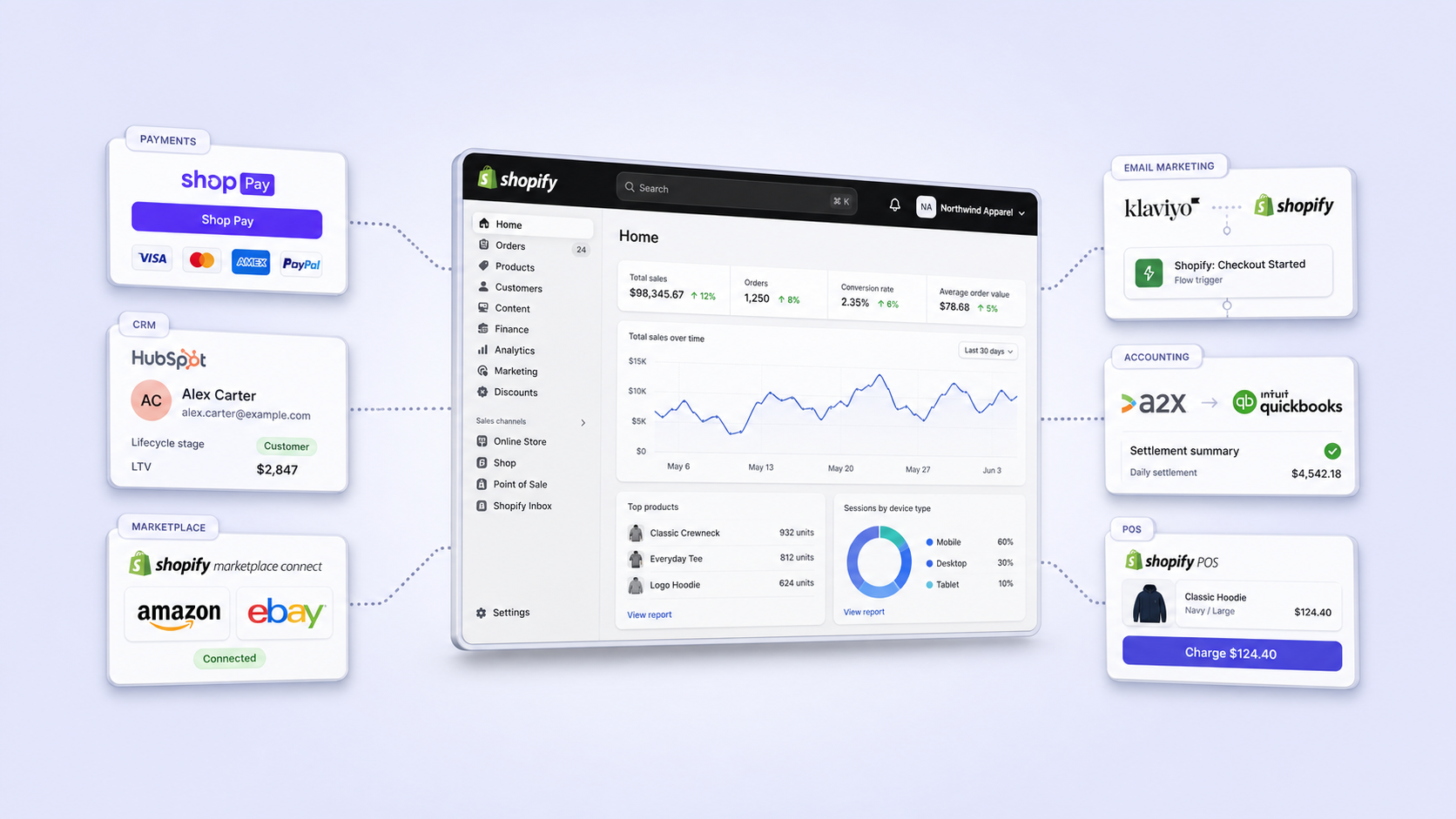
Shopify integrations are third-party apps, native connectors, or custom-built APIs that let your Shopify store exchange data with another system, such as a payment gateway, CRM, accounting tool, marketplace, or POS. They keep inventory, orders, customers, and financial data in sync across the tools your business already runs on, so a sale on Shopify updates QuickBooks, a return triggers a refund in Stripe, and a wholesale customer in HubSpot sees their B2B catalog at checkout.
There are three architectural layers worth knowing before evaluating apps:
- Native Shopify integrations. Built and maintained by Shopify (Shopify Payments, Shopify POS, Shop Pay). Best uptime, best checkout conversion, fewest moving parts.
- App Store integrations. Built by third parties and listed in the Shopify App Store. Quality, support, and data sync depth vary widely between vendors.
- Custom or middleware integrations. Built through Shopify’s REST and GraphQL APIs, often with iPaaS tools (Celigo, Workato, Zapier) or direct ERP connectors. Usually required once order volume, multi-region operations, or complex tax logic outgrow off-the-shelf apps.
How to choose the right Shopify integrations
The best Shopify integrations are the ones that solve a problem you can name today, not the ones that look impressive in a feature comparison. Most app sprawl in scandiweb’s audits traces back to merchants installing tools speculatively, then leaving them in place because removal feels riskier than the unknown cost of keeping them. A short evaluation framework keeps the stack honest:
| Question | Why it matters |
|---|---|
| Does Shopify already do this natively? | Native fields and apps avoid duplicate sync logic and extra script weight. |
| What data syncs in which direction, and how often? | Most “integration” issues are really data sync issues: latency, missed webhooks, partial payloads. |
| Who owns the integration when it breaks? | Vendor support quality matters more than feature parity at scale. |
| Will it survive your next replatform or migration? | Custom integrations and brittle apps often need rebuilding, while native and well-maintained ones port over cleanly. |
| Can you measure ROI in 90 days? | If revenue, cost saved, or hours saved cannot be attributed back to it, the install was decorative. |
🚀 Quick takeaway
The right number of Shopify apps is “as few as possible to get the job done.” Each install adds JavaScript, support surface area, and a sync pipeline that can fail silently.
Best Shopify payment integrations
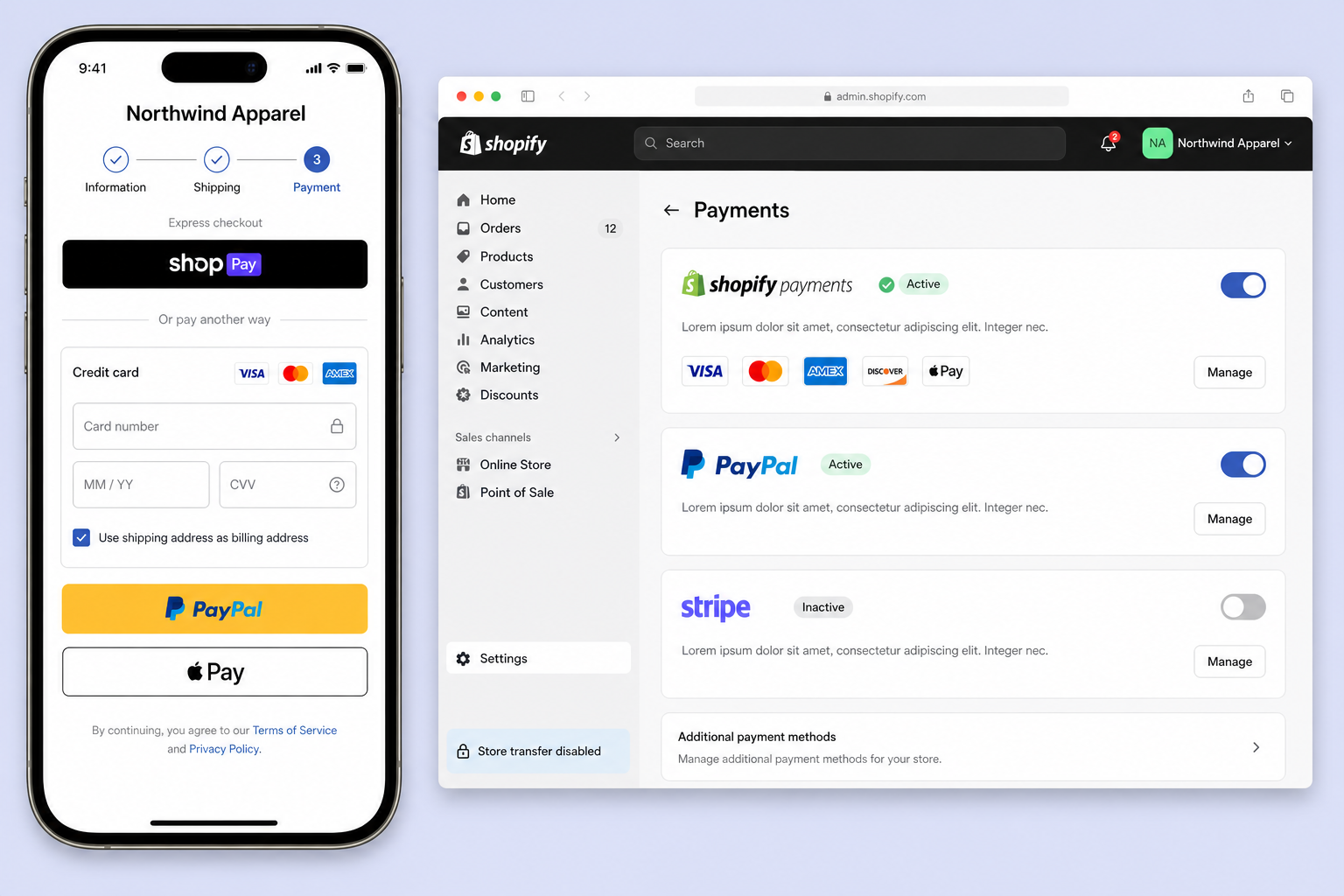
Shopify payment integrations process customer transactions, route money to your bank, and handle the operational layer underneath: refunds, disputes, fraud screening, multi-currency, and recurring billing. Choosing the wrong payment stack is one of the few Shopify decisions that directly costs money on every order, through higher fees, lower conversion at checkout, or chargebacks the gateway could have caught.
1. Shopify Payments
Shopify’s native gateway, powered by Stripe under the hood. Lower processing fees on Shopify plans (no third-party transaction fee), one-click checkout via Shop Pay, and full integration with Shopify’s order and refund workflows. The default choice for most merchants in supported regions, especially when conversion at checkout is the priority. Shop Pay alone has been measured to lift checkout conversion meaningfully on mobile against generic guest checkout flows.
2. Stripe
Best when you are operating outside Shopify Payments-supported regions, running a custom checkout (Shopify Plus checkout extensibility, headless storefronts), or need granular control over subscriptions, payment intents, or marketplace splits. Stripe’s developer documentation is the strongest in the category, which matters when your team is wiring up a Shopify Stripe connector into a custom flow rather than installing an app.
3. PayPal Express Checkout
Still essential for stores selling internationally or to demographics that prefer PayPal. Adding a Shopify PayPal integration alongside cards consistently lifts checkout completion among returning customers who already have a PayPal account, which is why most stores selling internationally keep it in the stack even when card processing is handled elsewhere. Treat it as a complement to Shopify Payments, not a replacement.
🚀 Quick takeaway
Payments is the one area where running multiple integrations is usually correct. Card processor for the majority, PayPal for trust, Apple Pay or Shop Pay for mobile speed.
Best Shopify CRM integrations
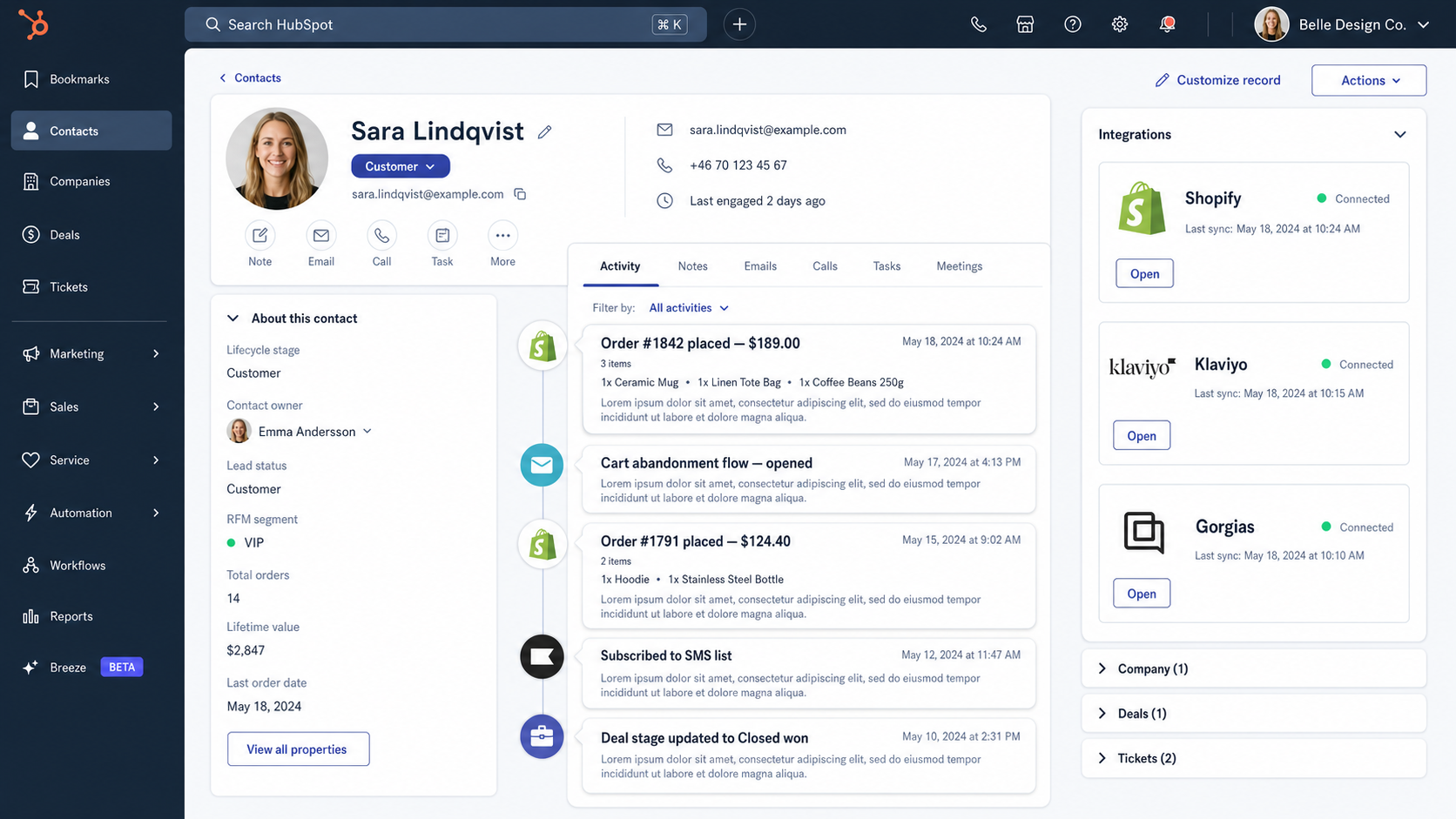
Shopify CRM integrations connect customer, order, and behavioral data from your store with a CRM, so sales and marketing teams work from the same record as support and operations. The strongest setups close the gap between “marketing knows the customer signed up for emails” and “support knows the customer placed three orders this quarter,” which is where most retention and B2B revenue leaks happen.
4. HubSpot for Shopify
The most polished native integration for stores that already run HubSpot for marketing or sales. Two-way sync of customers, orders, and abandoned carts, with native workflows that segment by RFM, lifecycle stage, or product purchased. Best fit for B2B and DTC brands that want one CRM covering acquisition through retention, without standing up a separate CDP.
5. Salesforce Commerce integration
For enterprise merchants on Shopify Plus running Salesforce as the system of record. Connectors from Salesforce or third-party middleware (MuleSoft, Celigo) sync customer, order, and product data into Sales Cloud or Service Cloud. The right choice when account-based selling, complex sales territories, or Service Cloud-driven support workflows already live in Salesforce.
6. Zoho CRM
Cost-effective option for small and mid-market stores that want CRM functionality without HubSpot pricing. The Shopify Zoho CRM integration syncs customers and orders, and Zoho’s wider stack (Books, Inventory, Desk) creates a usable suite at a fraction of enterprise CRM cost. Trade-off is depth: workflows and reporting are less mature than HubSpot or Salesforce equivalents.
🚀 Quick takeaway
A CRM is only as useful as the worst-synced field in it. If order data lags by a day, every segment built on it is a day stale, and every workflow triggered by it fires on the wrong customer state.
Best Shopify marketplace integrations
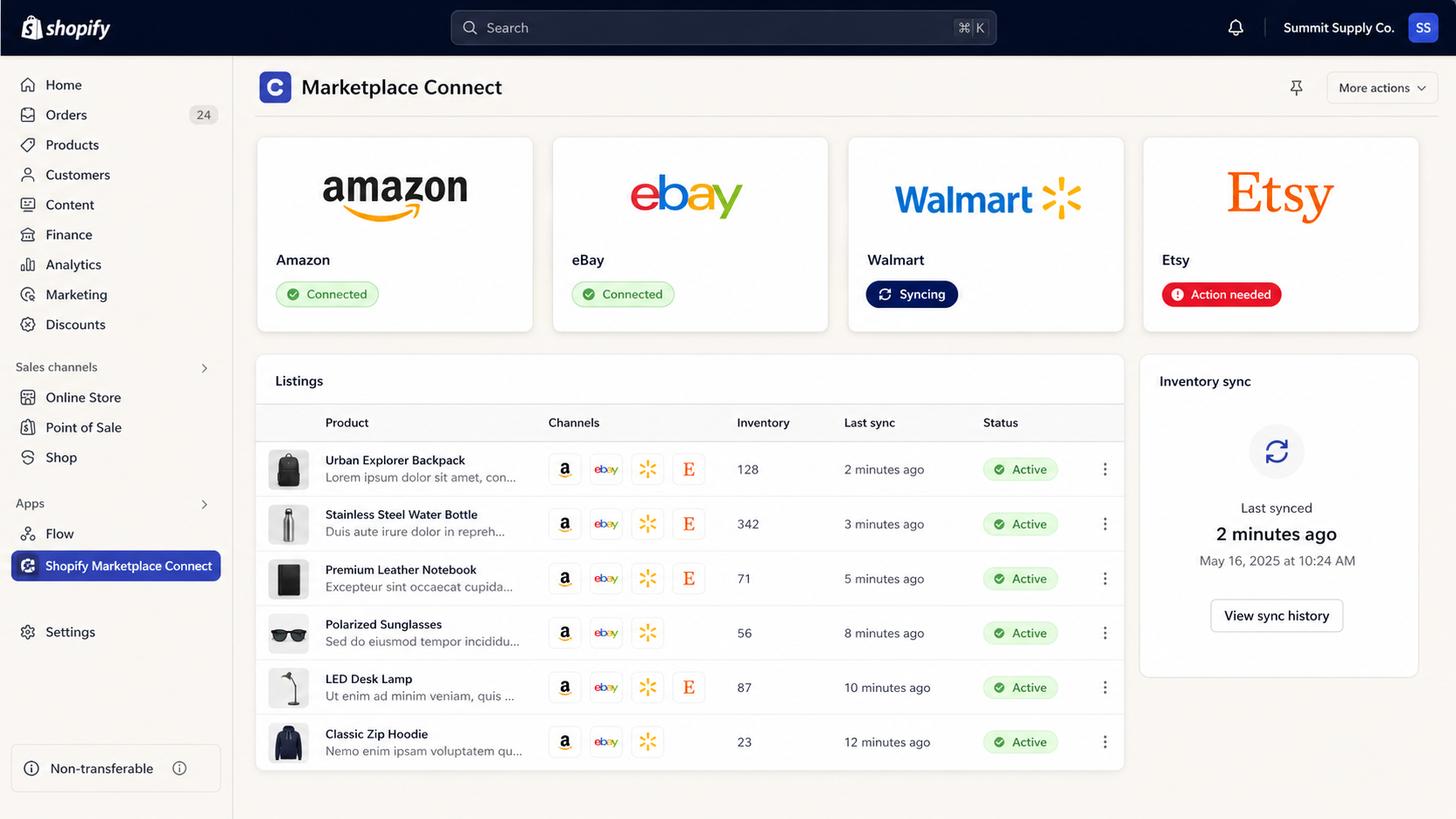
Shopify marketplace integrations let you list and manage products on Amazon, eBay, Walmart, Etsy, TikTok Shop, and other channels from your Shopify admin, with inventory and orders syncing back into one source of truth. They cut the operational cost of multichannel selling, which is where most merchants lose margin: overselling on one channel because inventory did not update on the other, or running parallel listings that drift out of sync within a quarter.
7. Shopify Marketplace Connect (Codisto)
Shopify’s official multichannel app, after acquiring Codisto. Connects Amazon, eBay, Walmart, and Etsy with real-time inventory and order sync, plus channel-specific listing rules. The default starting point for most merchants going multichannel because it is officially supported and priced per channel rather than per listing.
8. CedCommerce multichannel apps
A family of channel-specific apps (Amazon Channel by CedCommerce, eBay Integration, Walmart Marketplace Integration) that go deeper on per-channel rules, bulk listing operations, and category-specific attribute mapping. Better suited to merchants whose marketplace volume is high enough to need fine-grained control over how each channel sees the catalog.
9. Channable
A product feed and marketplace management platform that handles both shopping ads (Google, Meta) and marketplaces (Amazon, eBay, Bol.com) from one feed. The right pick when product feed quality, automated ad rules, and European marketplaces are part of the mix, since Channable’s strength is cross-channel feed transformation, not just listing management.
🚀 Quick takeaway
Marketplace integrations only pay off when inventory sync is reliable and category mapping is correct. A clean feed beats a deep one: errors propagate to every channel you list on.
Best Shopify email marketing integrations
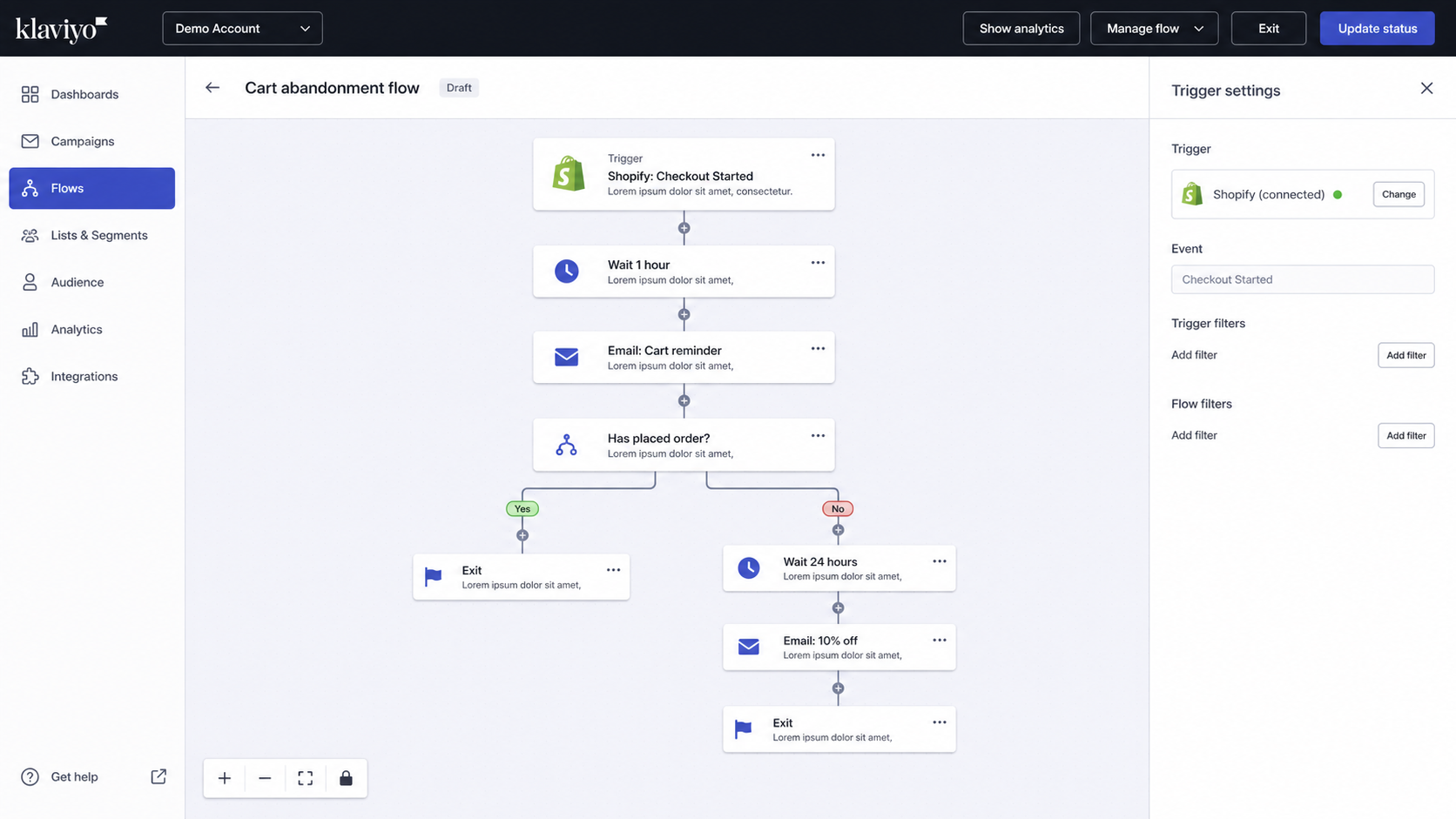
Shopify email marketing integrations connect customer, order, and behavioral data from your store to an email and SMS platform, so flows trigger on real events (browse, cart, purchase, refund) rather than batch-sent campaigns. The economic case is straightforward: owned channels carry the highest return on ad spend in eCommerce because the audience is already customers, and the platform you choose decides how much of that audience you can actually reach with relevant messaging.
10. Klaviyo
The market default for Shopify email marketing, and for good reason. The native Shopify Klaviyo integration brings two-way sync, deep segmentation on order and behavioral data, pre-built flows (welcome, browse abandonment, post-purchase, win-back), and SMS in the same workspace. Pricing scales with active profiles, which becomes a budget consideration at scale, but the data infrastructure underneath is the strongest in the category.
11. Omnisend
Strong alternative for small and mid-market merchants who want pre-built eCommerce automations without the Klaviyo learning curve. The Shopify Omnisend integration brings email, SMS, and push in one platform, with Shopify-native templates for cart abandonment, order confirmation, and shipping updates. Pricing tends to be friendlier at lower contact counts.
12. Mailchimp for Shopify
After the Shopify Mailchimp integration was rebuilt and re-released, it is again a credible option for stores that already use Mailchimp for newsletters and want the same workspace for product-driven campaigns. Less depth than Klaviyo on eCommerce flows, but a reasonable choice for content-led brands where editorial newsletter cadence matters as much as automation.
For a deeper view of how these tools work inside a multi-channel program, scandiweb’s email marketing services cover lifecycle marketing setup across Klaviyo, Omnisend, and SMS providers.
🚀 Quick takeaway
Picking an email platform is picking a data model. Once flows, segments, and revenue attribution are built on it, switching costs scale with the size of the audience, not the price of the tool.
Best Shopify accounting integrations
Shopify accounting integrations sync orders, refunds, fees, taxes, and payouts from Shopify into your accounting system, so the books reflect what actually happened in the store without manual journal entries. The category quietly absorbs hours of finance team time when done badly: reconciling Shopify payouts against bank deposits, correcting misclassified refunds, and re-mapping tax codes after every checkout change. For merchants that also manage supplier bills or purchase orders, invoice matching can add another control layer before payments are approved and reconciled.
13. QuickBooks Online (via QuickBooks Bridge or A2X)
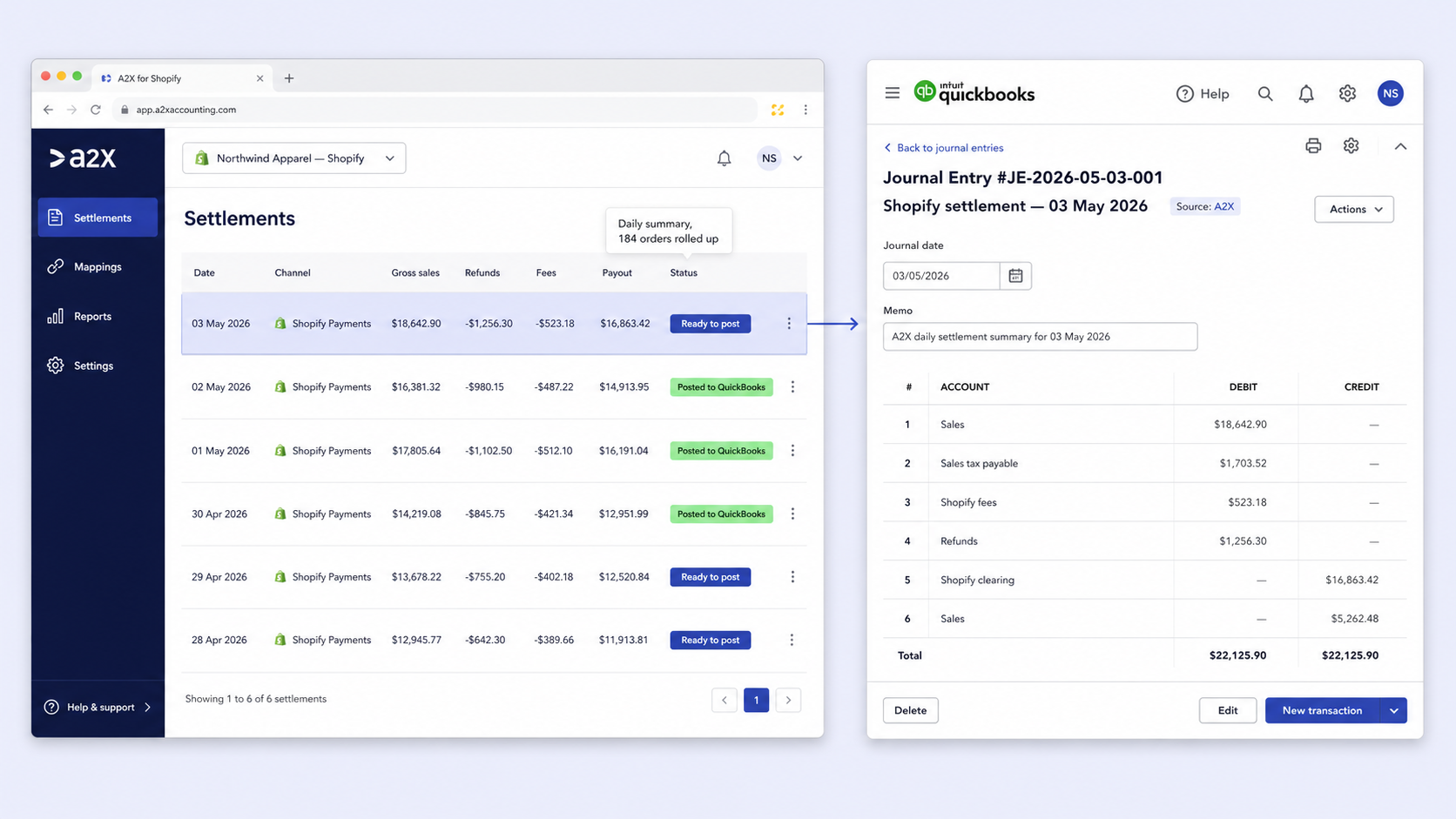
QuickBooks is the dominant accounting tool for SMB merchants, and the Shopify QuickBooks integration runs through either a direct sync app (QuickBooks Bridge) or through A2X, which posts summarized journal entries instead of every order. A2X is the preferred path once order volume is high, since per-order sync inflates the QuickBooks data file and slows reporting.
14. Xero
The Shopify Xero integration is the natural fit for merchants in the UK, AU, NZ, and increasingly in the US. A2X again is the recommended bridge at scale, posting daily settlement summaries rather than line-item orders. Xero’s bank reconciliation tools work well with Shopify Payments deposits once the journal mapping is set up correctly.
15. Webgility
A heavier accounting and operations integration that goes beyond bookkeeping: it syncs Shopify orders to QuickBooks or NetSuite, manages inventory across channels, and posts shipping and fulfillment data back. Best fit for merchants who want one tool covering accounting, inventory, and multichannel order management rather than stitching three separate apps together.
🚀 Quick takeaway
Order-by-order accounting sync looks safer than it is. Daily settlement summaries are what your accountant actually wants, and what keeps the data file fast at year-end.
Best Shopify POS integrations
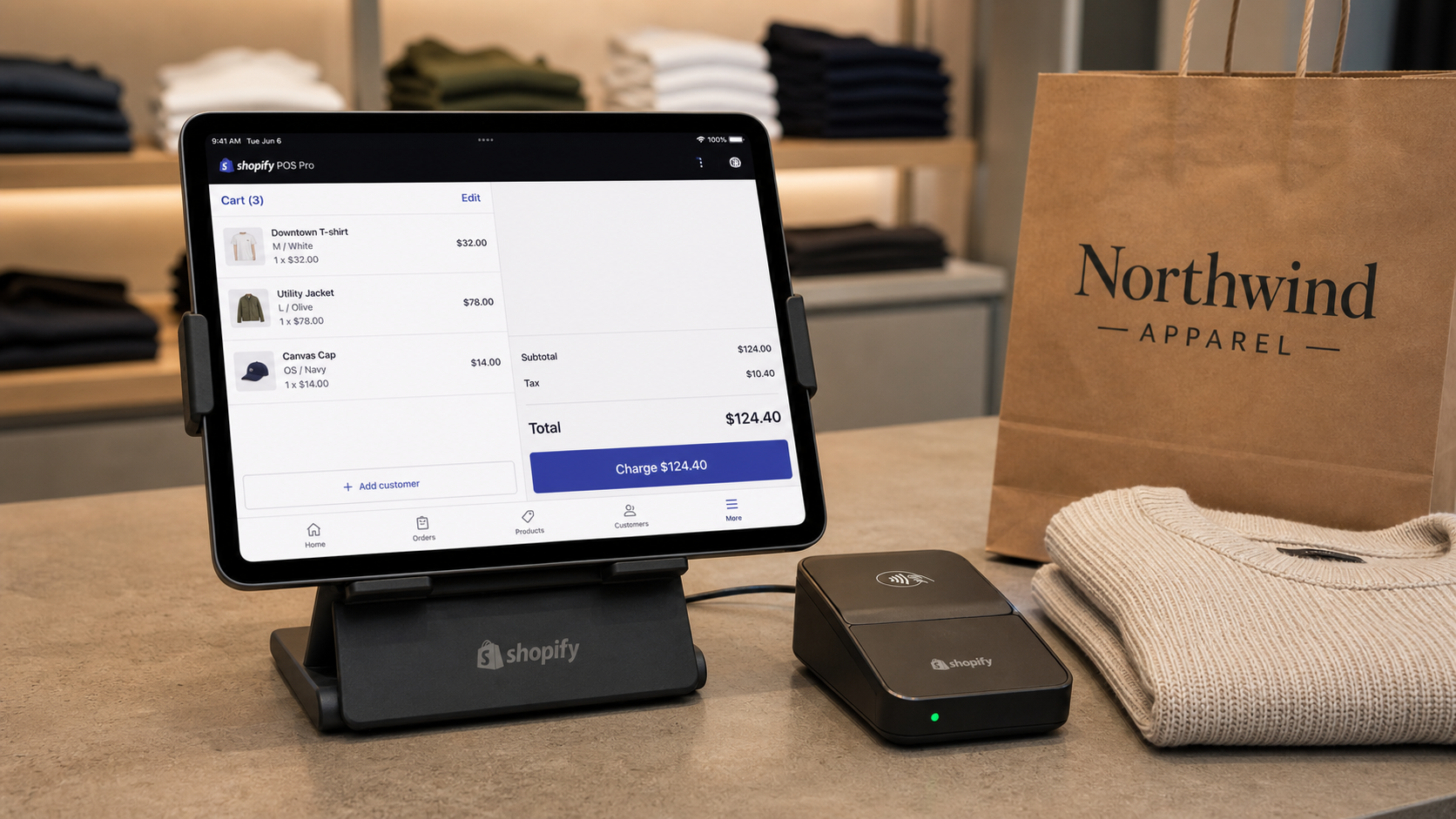
Shopify POS integrations connect your in-person sales floor with the same product, customer, and inventory database as your online store. Done well, they make omnichannel feel obvious to the customer: buy online, return in store, check stock at one location from another, loyalty points earned online and redeemed at the counter. Done badly, they create two parallel inventory systems that disagree by lunchtime on a busy Saturday.
16. Shopify POS
Shopify’s native POS, available in Lite (included with most plans) and Pro (paid) tiers. Pro adds smart inventory management, staff permissions, in-store analytics, and exchanges or returns from any location. The default choice when retail and online run on Shopify, since the Shopify POS integration inherits the same product, customer, and inventory database without a sync layer in between.
17. Stocky (by Shopify)
Built for Shopify POS Pro merchants who need inventory forecasting, purchase orders, supplier management, and stock transfers across locations. Native to Shopify and bundled with POS Pro, which means no additional integration cost. Best suited to merchants with multiple locations, growing SKU counts, or seasonal inventory cycles where forecasting matters.
18. Marsello
Loyalty, marketing, and reporting layered on top of Shopify POS, designed for retailers who want a single program covering both online and in-store customers. Earn and redeem rules apply across channels, and email and SMS campaigns can be triggered by in-store behavior. The right fit when omnichannel loyalty is a priority and the existing Shopify POS toolkit does not cover it.
For brands operating across stores and online, scandiweb’s omnichannel B2C work covers the operational and CX layers that sit on top of POS and inventory integrations.
Read more: Case Study: New Website Design and Build on Shopify for Mil-Coffee.
Native vs third-party Shopify integrations: how to decide
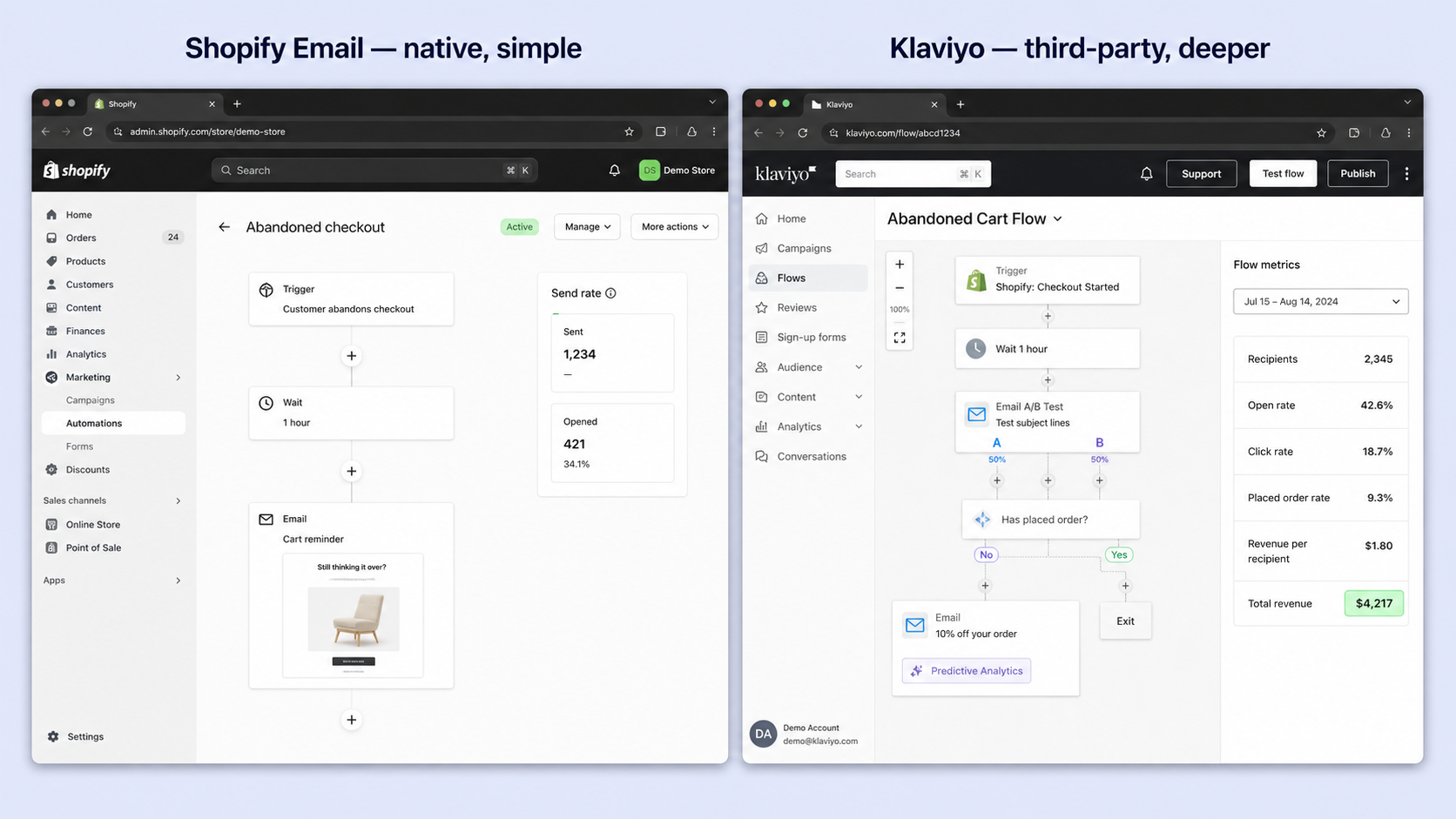
Native Shopify integrations (Shopify Payments, Shopify POS, Shop Pay, Shopify Email, Shopify Markets) are built and maintained by Shopify, so they ship with the platform’s reliability, support, and roadmap. Third-party integrations are built by independent vendors and listed in the Shopify App Store. Choose native when the use case is core eCommerce (payments, point of sale, fulfillment, basic email) and choose third-party when you need depth, specialization, or a feature set Shopify does not build for.
Practical decision rules:
- Use native first for payments, POS, basic email, and product variants. Less moving parts, lower fees in many cases, fewer integration failure modes.
- Use third-party when the third party is materially better at the specialty (Klaviyo over Shopify Email at scale, A2X over native order export for accounting at volume).
- Build custom when no app does the job and the business case justifies maintenance cost (custom ERP connectors, B2B pricing engines, multi-region tax logic that exceeds what Shopify Markets handles).
Common Shopify integration pitfalls
Most Shopify integration projects fail in predictable ways, and the failure modes show up months after install when the original decision-maker has moved on. The shortlist worth pinning to the wall before any new app goes live:
- App overlap. Two apps editing the same field (metadata, schema, customer tags) eventually conflict. The losing app’s value disappears, but the script weight stays.
- One-way sync mistaken for two-way sync. Many apps advertise “Shopify integration” but only push data in one direction. Returns, refunds, and customer updates often do not flow back, which corrupts reporting in the destination system.
- Webhook reliability. Shopify webhooks can fail, retry, and arrive out of order. Apps without queue management or replay logic miss events silently, especially on high-volume stores.
- Migration cost. Custom integrations built against an older Shopify API version need rebuilding when the version is deprecated, and any Shopify migration is where these costs surface first. Treat custom integrations as systems with maintenance budgets, not one-time builds.
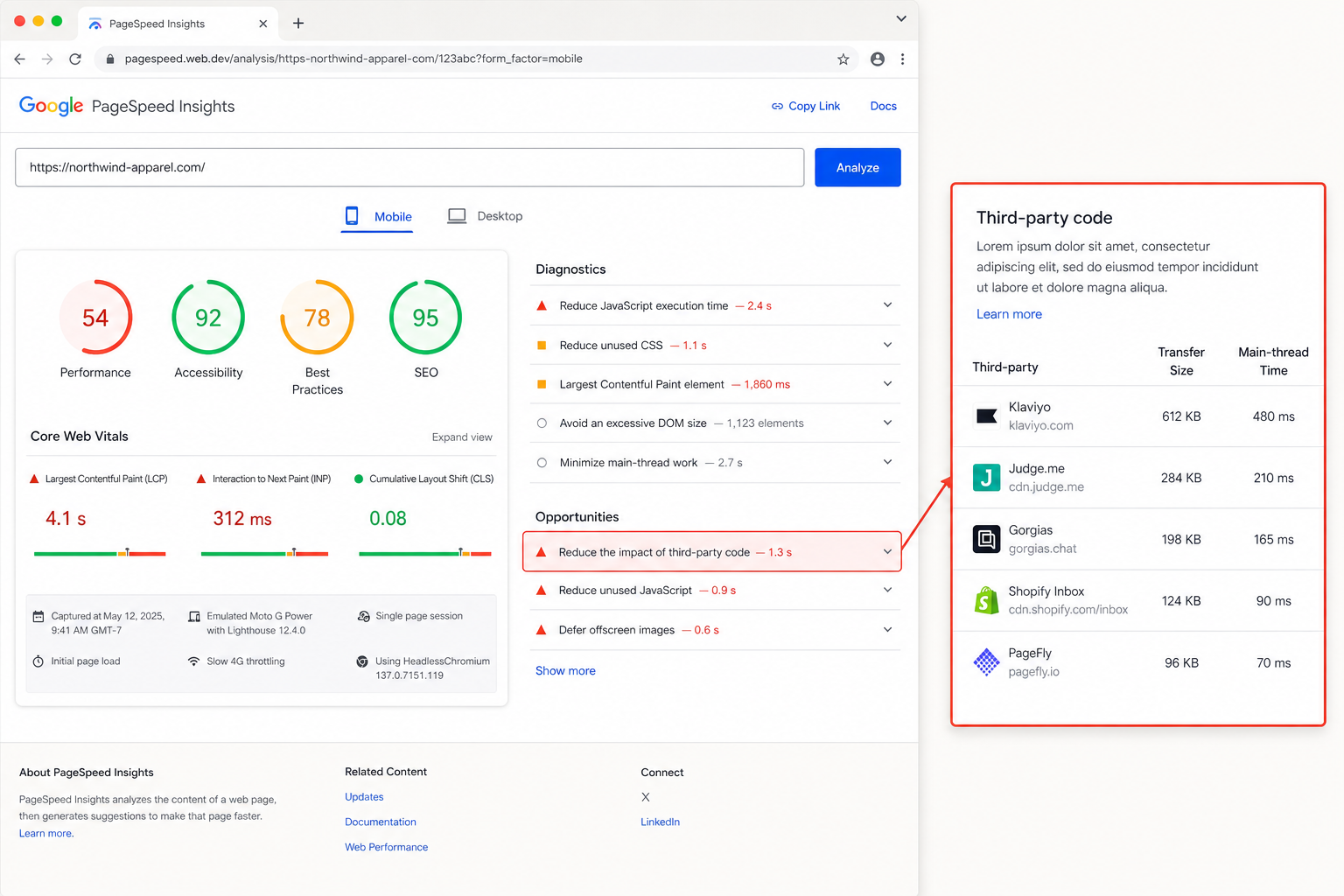
- Performance tax. Every app injects JavaScript, makes API calls, or hits the database on cart and checkout pages. The cost compounds and tends to surface only when Core Web Vitals start failing. Our Shopify SEO checklist covers the audit pattern.
- Trial-then-forget. The single most common pattern: an app gets installed during a trial, never gets evaluated, and stays for two years drawing a monthly subscription. Quarterly app audits with a “remove if not used” default solve this.
🚀 Quick takeaway
Treat your Shopify app stack like your subscription list. If you cannot name what an app does for revenue or cost saved, cancel it.
What to do before adding the next Shopify integration
A short pre-install checklist that scandiweb runs with Shopify Plus clients before any new app goes live:
- Name the problem. Write down the specific revenue loss, cost, or operational pain the integration is supposed to solve.
- Check Shopify native first. Search the admin for the same functionality before opening the app store.
- Confirm two-way sync. Read the app’s documentation, not the marketing page, to verify which entities sync in which direction and how often.
- Check support and changelog cadence. A vendor that ships updates monthly and answers tickets within a day will save more than the cheapest option in the category.
- Test on a development store. Install on a duplicate, not on production, especially for anything that touches checkout, inventory, or customer data.
- Set a 90-day review. Calendar a check on whether the integration delivered against the named problem. If it did not, uninstall.
For deeper architectural planning, especially when integrations cross into ERP, OMS, or PIM territory, scandiweb’s eCommerce integrations practice handles enterprise-level connector design across Shopify, Adobe Commerce, BigCommerce, and headless stacks.
Read more: Case Study: Magento 1 to Shopify Migration for a Luxury Jewelry Brand.
Frequently asked questions
What are the best Shopify integrations?
The best Shopify integrations depend on where the business is leaking time or revenue. For most merchants, the highest-impact picks are Shopify Payments for checkout conversion, Klaviyo for email and SMS, Shopify Marketplace Connect for multichannel listing, A2X for accounting sync, and Shopify POS for in-person retail. Add CRM (HubSpot, Salesforce) once customer data needs to live in one record across marketing, sales, and support.
How many integrations does Shopify support?
The Shopify App Store lists more than 13,000 third-party apps, and Shopify itself ships native integrations with payment, POS, email, marketplaces, shipping, and analytics tools. Custom integrations through the REST and GraphQL APIs are available on every plan, with higher API limits on Shopify Plus.
Are Shopify integrations free?
Some Shopify integrations are free (Shopify Payments has no app fee, Shopify POS Lite is included with most plans, many entry-tier app plans are free up to a usage threshold), but most paid apps charge a monthly subscription, a usage fee, or a percentage of processed volume. Total cost of ownership matters more than headline price: a free app that fails to sync correctly costs more than a paid app that does.
What is the best CRM integration for Shopify?
HubSpot is the strongest CRM integration for most Shopify merchants because of its two-way sync depth, native workflows, and combined marketing and sales coverage. Salesforce is the right pick for enterprise merchants on Shopify Plus that already run Salesforce as the system of record, and Zoho is the budget option for small and mid-market stores that need CRM functionality without enterprise pricing.
What is the best accounting integration for Shopify?
A2X is the best accounting integration for Shopify at scale because it posts daily summarized journal entries to QuickBooks or Xero, rather than every order, which keeps the accounting file clean and reconciliation manageable. Direct app connectors (QuickBooks Bridge, Xero’s native app) are fine for low-volume stores but tend to slow down once order count crosses a few hundred per month.
Does Shopify have native marketplace integrations?
Yes, Shopify Marketplace Connect (built on the acquired Codisto platform) is Shopify’s official multichannel app, supporting Amazon, eBay, Walmart, and Etsy with real-time inventory and order sync. Third-party apps such as CedCommerce and Channable go deeper for merchants who need per-channel rules or feed-level transformation.
Can Shopify integrate with my ERP or POS?
Yes, Shopify integrates with major ERPs (NetSuite, SAP, Microsoft Dynamics, Oracle) and POS systems through native apps, third-party connectors, or custom middleware (Celigo, Workato, MuleSoft). Custom integrations are usually required for ERP because each implementation differs by tax, fulfillment, and accounting logic, which is where scandiweb’s Shopify Plus practice and enterprise integrations work get involved.
How do I avoid Shopify app sprawl?
Run a quarterly app audit, document what each integration does for revenue or cost saved, and uninstall anything that cannot be defended. Most stores carry two or three apps that duplicate native Shopify functionality, two or three that are still installed from a trial, and one that injects scripts into pages it has no reason to touch. Audit data from scandiweb’s Shopify retainers shows that uninstalling 3-5 apps typically improves Core Web Vitals enough to register in PageSpeed Insights without any other change.
If your Shopify integration stack has grown faster than the team's ability to keep it tidy, or you are planning a Shopify Plus build where the integration architecture has to be right from day one, scandiweb takes the full picture: integrations, performance, CRO, and SEO under one team. Talk to scandiweb's Shopify team and we will walk through the current stack against the revenue and operational problems you actually need solved.




































