
At 14:00 UTC on October 21, 2026, PHP released fixes for PHP2Shell, two flaws that can let a stranger with no login run code on a PHP web server. Cloudflare’s CEO counted thousands of exploit attempts in the ten hours before the fixes went out, tens of thousands in the 45 minutes after, and millions after that.
Magento, Adobe Commerce, WooCommerce and Shopware all run on PHP, and this PHP security vulnerability is below the store code, where no store patch reaches. The fix is a PHP update on the server, so your store is only as safe as whoever runs that server: your host, Adobe, your agency or your own team. For most store owners, this week’s question is easy to ask and slow to answer: which PHP version is each of our servers running, and who confirmed it?
🚀 Quick takeaway
The fixed releases are PHP 8.5.12, 8.4.27, 8.3.36 and 8.2.35. A server on a lower number for its branch, or on PHP 8.1 or older, is still exposed unless its vendor backported the fix, and the package changelog will say so.
What is PHP2Shell?
PHP2Shell is the name for two flaws in PHP itself, CVE-2026-109618 and CVE-2026-109619, each rated CVSS v4.0 9.2. A crafted web request can trigger them without a login and let an attacker run their own code on the server. PHP fixed both in versions 8.5.12, 8.4.27, 8.3.36 and 8.2.35 on October 21, 2026. Magento, WooCommerce and WordPress have no patch for it, because the fault is in PHP.
PHP is both the language most store software is written in and the program that runs it on the server. The flaws are in how that program handles memory while it reads an incoming request, before your store’s own code starts. An attacker who gets code running at that point can do what a developer with server access could: add a card skimmer to checkout, copy passwords and API keys out of memory, or take the site offline.
PHP’s advisory calls the first flaw remote code execution through out-of-memory corruption, and the second remote code execution through stale state left behind by an earlier request. It covers every PHP setup that serves web requests (PHP-FPM, Apache with mod_php, php-cgi, FrankenPHP and LiteSpeed) and rates mod_php highest, with a demonstrated exploit that fires before any application code runs. Sansec traced the vulnerable code back to PHP 5.4.0 from 2012, and Wiz researchers said the findings rank among the most severe vulnerabilities discovered in PHP, a language behind about 69.7% of websites whose server-side language is known, according to W3Techs figures cited by Infosecurity Magazine.
PHP2Shell timeline: what happened in October 2026
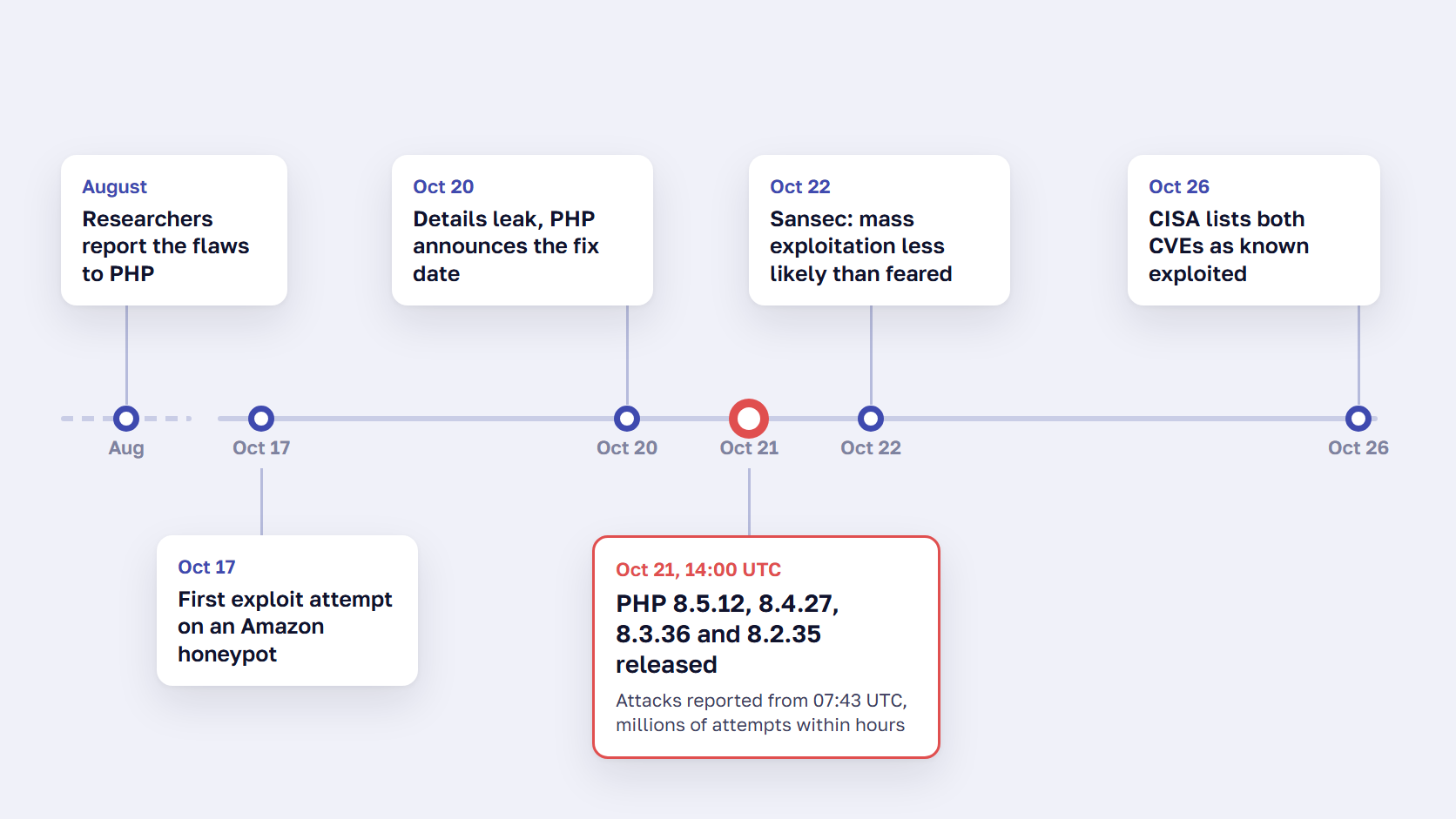
The flaws went from private bug report to internet-wide scanning in about ten weeks. Researchers reported them to PHP in August, the first exploit attempt hit a honeypot on October 17, details leaked on October 20, and PHP released the fixes at 14:00 UTC on October 21. CISA listed both CVEs as known exploited on October 26.
| Date (UTC) | What happened |
|---|---|
| August 1–24, 2026 | Researchers at Calif find the flaws and report them to PHP from August 11, and Wiz Research reports them on August 24 |
| October 17 | Amazon’s MadPot honeypot logs the first exploitation attempt, four days before disclosure |
| October 20 | Details leak in a Hacker News post, watchTowr confirms code execution, and PHP announces a critical release for the next day |
| October 21, 07:43 | Cloudflare reports early attacks |
| October 21, 14:00 | PHP releases 8.5.12, 8.4.27, 8.3.36 and 8.2.35 |
| October 21 | Cloudflare’s CEO counts tens of thousands of attempts in the first 45 minutes, hundreds of thousands within two hours, then millions |
| October 21 | CISA tells organizations to patch now, or take PHP systems offline until they can |
| October 22 | Sansec updates its advisory: mass exploitation is less likely than first expected |
| October 26 | CISA adds both CVEs to its Known Exploited Vulnerabilities catalog |
Three critical flaws in seven weeks for Magento stores
This was the third critical flaw Magento stores had to deal with in seven weeks, and each one needed a different fix from a different place:
- StyleSmuggler, CVE-2026-75650, CVSS 10.0: a Magento zero-day under attack from September 4, fixed by Adobe’s hotfix APSB26-146 on September 7 (see which versions the StyleSmuggler patch covers)
- BlockStrap, CVE-2026-103849, CVSS 10.0: a template-engine injection fixed in Adobe’s APSB26-153 on October 13, which Sansec named and rates higher than Adobe’s priority 2
- PHP2Shell, October 21: a flaw in PHP itself, closed only by a PHP update
A store that installed the October Magento patch and stopped there is still exposed to the PHP flaw, and a store that updated PHP still needs the October Magento patch.
Is your store affected by PHP2Shell?
Your store is affected if any part of it runs PHP and serves web requests, until that PHP is updated or rebuilt with a vendor backport. That covers Magento, Adobe Commerce, WooCommerce, Shopware, WordPress and Drupal, plus the PHP systems around a store, such as a Pimcore or Akeneo PIM, a blog or a custom tool. Clean store code makes no difference.
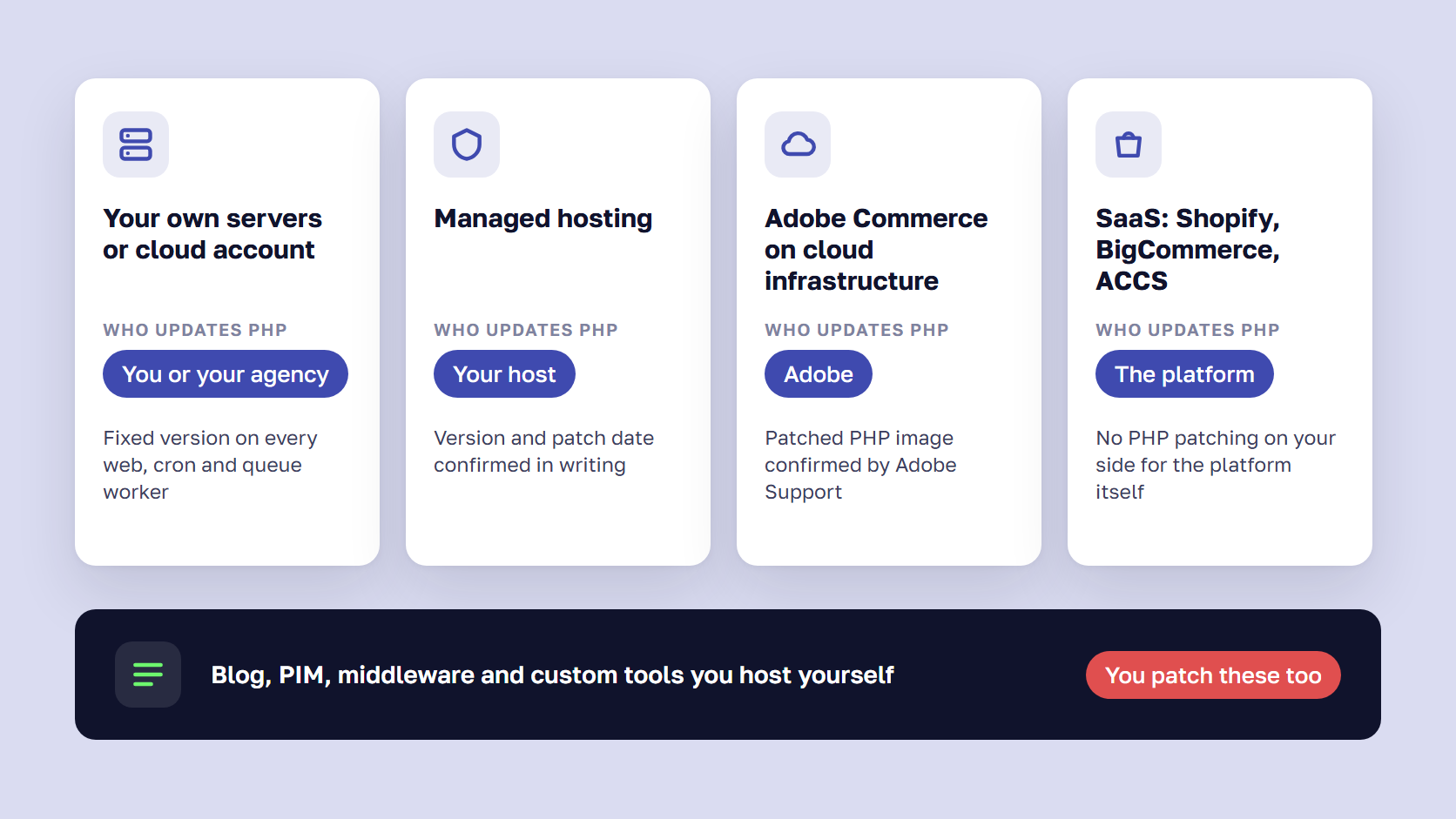
Sansec confirmed that Magento, Shopware and WooCommerce stores are affected “even when their own code is clean,” and Calif showed unauthenticated code execution on Magento 2.4.9, WordPress 7.1.2 and Drupal 11.4.3, among others. Who installs the fix depends on how you host:
| Setup | Who updates PHP | What to ask or check |
|---|---|---|
| Your own servers or cloud account | Your team or your agency | PHP version and build date on every web, cron and queue worker |
| Managed hosting | The host | The fixed PHP build and the date it was applied, in writing |
| Adobe Commerce on cloud infrastructure | Adobe, through its PHP image | A support case confirming the patched image reached production |
| SaaS: Shopify, BigCommerce, Adobe Commerce as a Cloud Service | The platform | Nothing for the store itself, so check what you host outside it |
| Blog, PIM, middleware and custom tools you host yourself | Whoever runs each one | A list of them, with the same questions for each |
On Adobe Commerce on cloud infrastructure, Adobe Support told us on October 21 that it would deploy updated PHP images as soon as the patches were available, staging before production, and that no customer action was needed. We found no public Adobe bulletin on PHP2Shell, so a support case is how you confirm it for your own environment.
🚀 Quick takeaway
“The host handles it” only counts as an answer once you have the PHP version, the build date and the date it was applied, in writing, for every server, including the PIM and the blog.
Which PHP version fixes it on each Magento line
Each Magento line supports a fixed set of PHP branches, listed in our Magento end of life guide. Matched against PHP’s fixed releases:
| Magento line | Supported PHP | Fixed PHP to run |
|---|---|---|
| 2.4.9 | 8.5 | 8.5.12 |
| 2.4.8 | 8.4, 8.3 | 8.4.27 or 8.3.36 |
| 2.4.7 | 8.3, 8.2 | 8.3.36 or 8.2.35 |
| 2.4.6 | 8.2, 8.1 | 8.2.35, or a vendor 8.1 backport |
| 2.4.5 and 2.4.4 | 8.1 | A vendor 8.1 backport only |
PHP no longer releases 8.1 or older, so stores on 8.1 depend on a Linux distribution or hosting vendor that applied PHP’s source backport, and they need an upgrade plan. Our step-by-step Magento upgrade guide covers the path.
How to check which PHP version your store runs
On a server you control, run:
php -vThe first line shows the version and build date. Anything built before October 21, 2026 can’t contain the fix. Distribution packages sometimes keep an older version number with the fix backported, so check the package changelog for both CVE IDs. The command line and the web server can also run different builds, so check PHP-FPM or mod_php, not only the terminal. On managed hosting, ask for the version and build date in writing.
What PHP2Shell means for your business
An attacker who gets this flaw to work has the access of a developer on your server, about five weeks before Black Friday on November 27. For a store, that can mean a card skimmer in checkout, stolen customer data or a site that’s down in peak season. Exploit attempts are confirmed at internet scale, and as of October 27, 2026, no successful break-in at a specific store had been publicly confirmed.
The sources disagree on how dangerous the attempts are. Amazon described PHP2Shell as broadly exploited in the wild, while saying it was unclear whether the attempts would have worked against real systems. Sansec found the public exploits don’t work against a default PHP installation and that an attack “needs specific knowledge of the target server and specific conditions on it.” CISA still added both CVEs to its known-exploited catalog.
An unpatched server is exposed, which is different from breached, and a patch only stops new attempts. Sansec notes that leaked memory can contain “passwords, session tokens, API keys and TLS private keys from other requests,” so the checks in the next section are what tell you whether anyone got in between October 17 and your patch date.
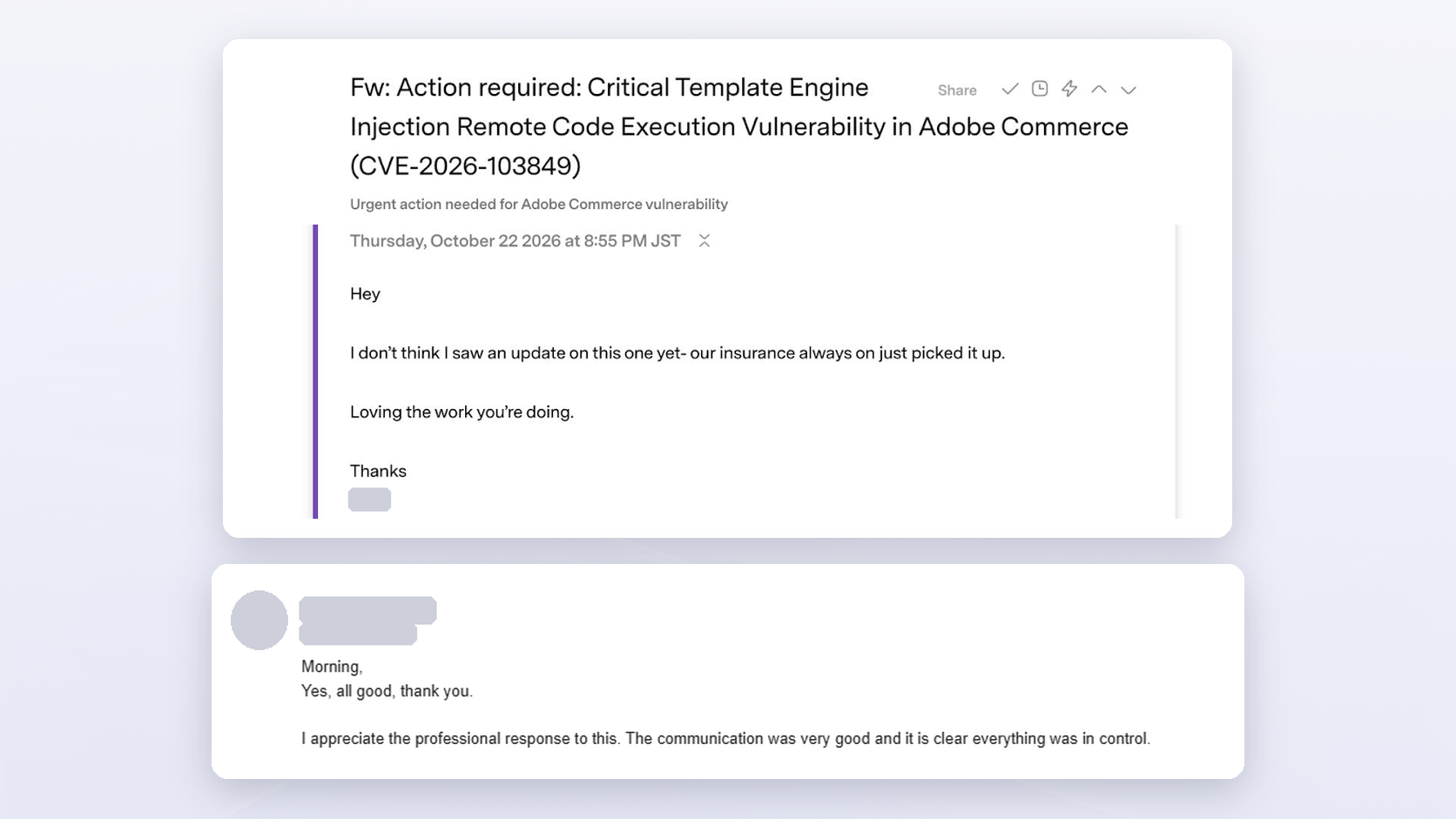
Outside parties watch the same dates. PCI DSS requirement 6.3.3 expects critical security patches within one month of release (our PCI DSS SAQ guide covers who is responsible for what), and cyber insurers read the bulletins too. The day after PHP2Shell, the CTO of one retail client forwarded us an alert their insurer had sent about BlockStrap, saying they hadn’t seen an update on it yet. Our team had been working on it for two days.
What to do now if PHP2Shell is not patched yet
Update PHP to 8.5.12, 8.4.27, 8.3.36 or 8.2.35 on every server that runs it, restart every PHP process, then check for signs of compromise and rotate credentials. PHP’s release notes are blunt about the alternatives: “There are no complete mitigations, updating is the only safe choice.”
- Update PHP everywhere it serves requests: staging first, then production, then the PIM, the blog and any custom tools. The package changelog should list both CVE IDs.
- Restart every PHP process, including PHP-FPM or Apache, cron and Magento’s queue consumers. A process that wasn’t restarted still runs the old PHP.
- On PHP 8.1 or older, get a backported build from your Linux distribution or LTS vendor, or build from the PHP team’s source backports for 7.4, 8.0 and 8.1, then plan the move to a supported branch.
- Check for compromise before cleaning anything, and keep the logs. Look for unknown admin users, script tags in
core_config_data,cms_blockandcms_page, unexpected PHP files inpub/media, recently changed PHP files, and PHP processes that started shells, in logs from October 17 onward. A Magento code audit is the thorough version. - Rotate payment gateway credentials, integration and API tokens, and database and admin passwords.
- Test checkout end to end with every live payment method.
If you can’t patch PHP today
CISA’s alert says to take PHP systems offline until they’re patched, while Sansec’s view is that stores don’t need to go offline. If you keep the store up, PHP lists partial measures that “reduce exposure to specific attack paths but do not make an installation safe.” Set them in php.ini, the FPM pool or the server config, because ini_set() and .user.ini apply too late:
memory_limit = -1
post_max_size = 8M
session.upload_progress.enabled = 0
fatal_error_backtraces = 0
Set memory_limit where applications can’t override it, such as php_admin_value in the FPM pool, and add a container or cgroup memory cap, because one request can now take all of the server’s memory. If the site needs uploads, use 32M for post_max_size and keep upload_max_filesize below it. fatal_error_backtraces exists on PHP 8.5 only. Restart every worker afterward.
Sansec’s other stopgap is blocking multipart/form-data requests at the web server, which breaks uploads, so test checkout afterward. Magento maintenance mode doesn’t help. A web application firewall gives interim cover: Cloudflare pushed rules for the known exploit vectors to every plan, including free ones. Remove each stopgap once PHP is updated, and put the memory limit back.
🚀 Quick takeaway
The partial settings count only in php.ini, the FPM pool or the server config, and only after a restart. Set through ini_set() or .user.ini, they arrive after PHP has already parsed the request.
How we handled PHP2Shell across our clients’ stores
By 09:00 UTC on October 21, five hours before PHP published the fix, more than 40 of our client projects each had a critical-priority ticket. On one client’s own AWS setup, PHP 8.5.12 was running in production at 16:38 UTC, under three hours after the release. Every store went through the same steps in between: alert, ticket, temporary protection, patch, test and monitoring.
PHP’s advance notice on October 20 gave us a day to prepare. At 08:23 UTC on October 21, our Executive Board emailed clients that the fix was due at 14:00 UTC and that a successful attack could take a site down, wipe data or leak customer data. The email also said, in these words: “This alert does not mean your store has been compromised. No attacks on our clients have been confirmed so far.”
Each store then got a ticket from one template (what is happening, the hosting, the current PHP version, whether it gets the official fix, the other PHP systems in scope, how to verify) and an eight-hour plan:
- Preparation, 1.5 hours: review every PHP system in scope, back up code and database, write the rollback plan
- Applying the fix, 2 hours: staging, then production, then the other PHP systems
- Testing, 3.5 hours: confirm the flaw can no longer be exploited, run checkout with every live payment method, check that ERP, PIM, shipping, search and marketing integrations still sync, and smoke test the admin, order emails and scheduled jobs
- Aftercare, 1 hour: 24 hours of production monitoring and a summary for the client
Before the fix was out, we applied temporary protections with no downtime: upload-progress tracking off, stricter session settings, and file uploads blocked before they reached PHP. One client’s PIM ran PHP 8.0, which gets no official fix, so we rebuilt PHP with the PHP team’s backport where no fixed package existed, kept a rollback copy on each server, and sent an estimate for a supported version. For Adobe Commerce cloud clients, we opened Adobe Support cases that morning and kept following up. For stores on other hosts, we asked each host for the fixed build and the date it went on. One client’s site went offline behind a redirect and came back once patched. September’s StyleSmuggler response has its own write-up.
What clients told us
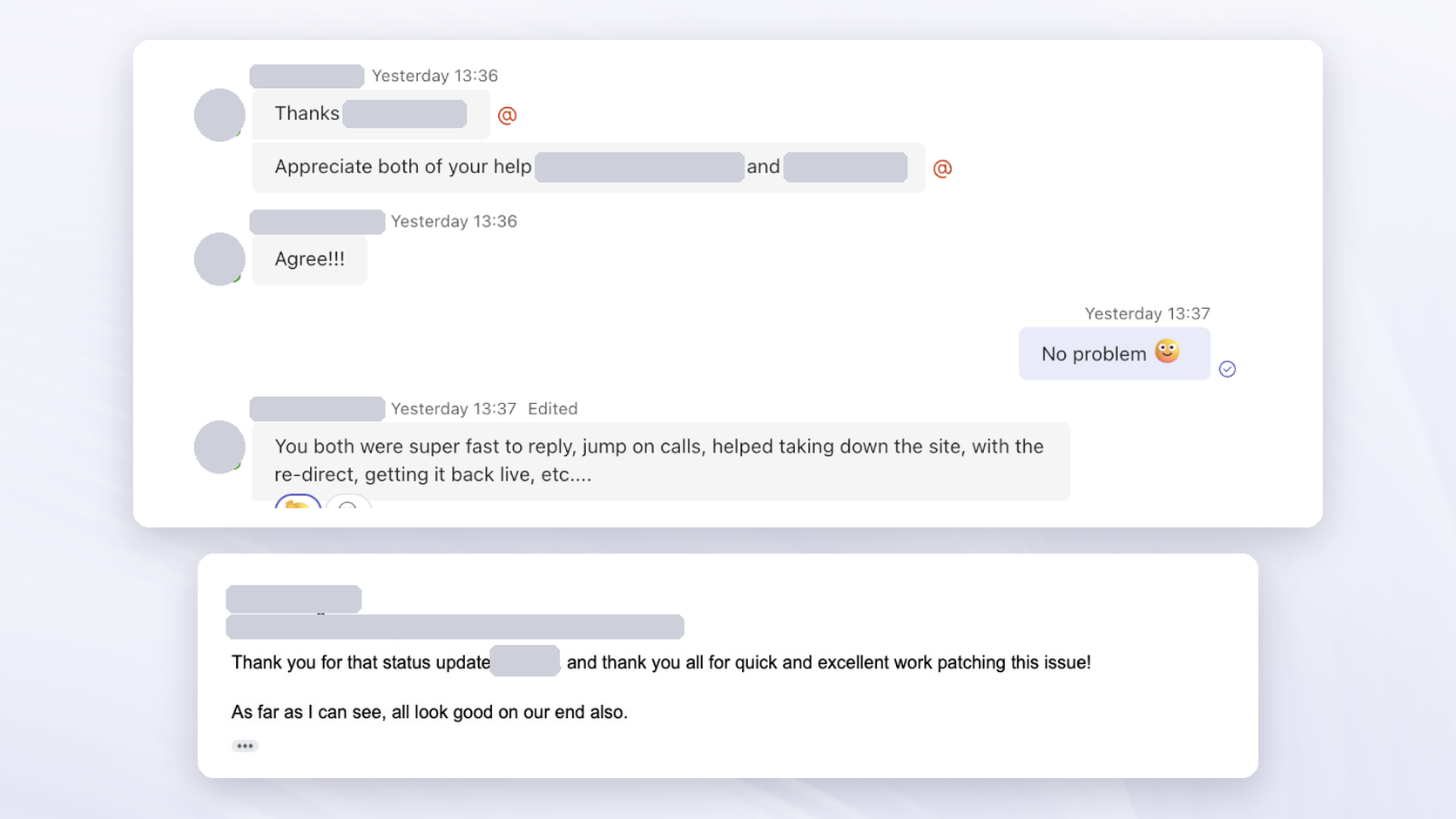
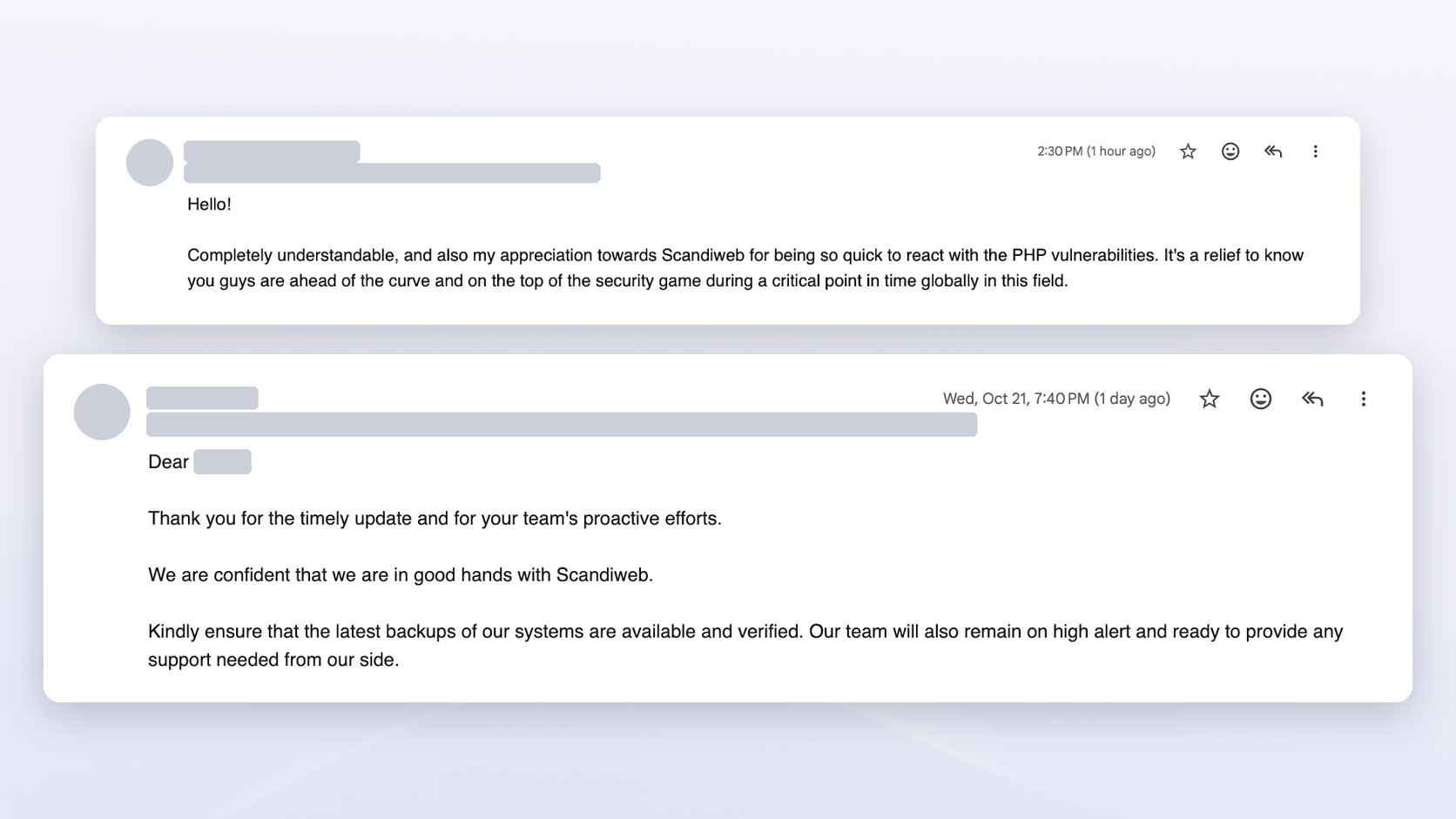
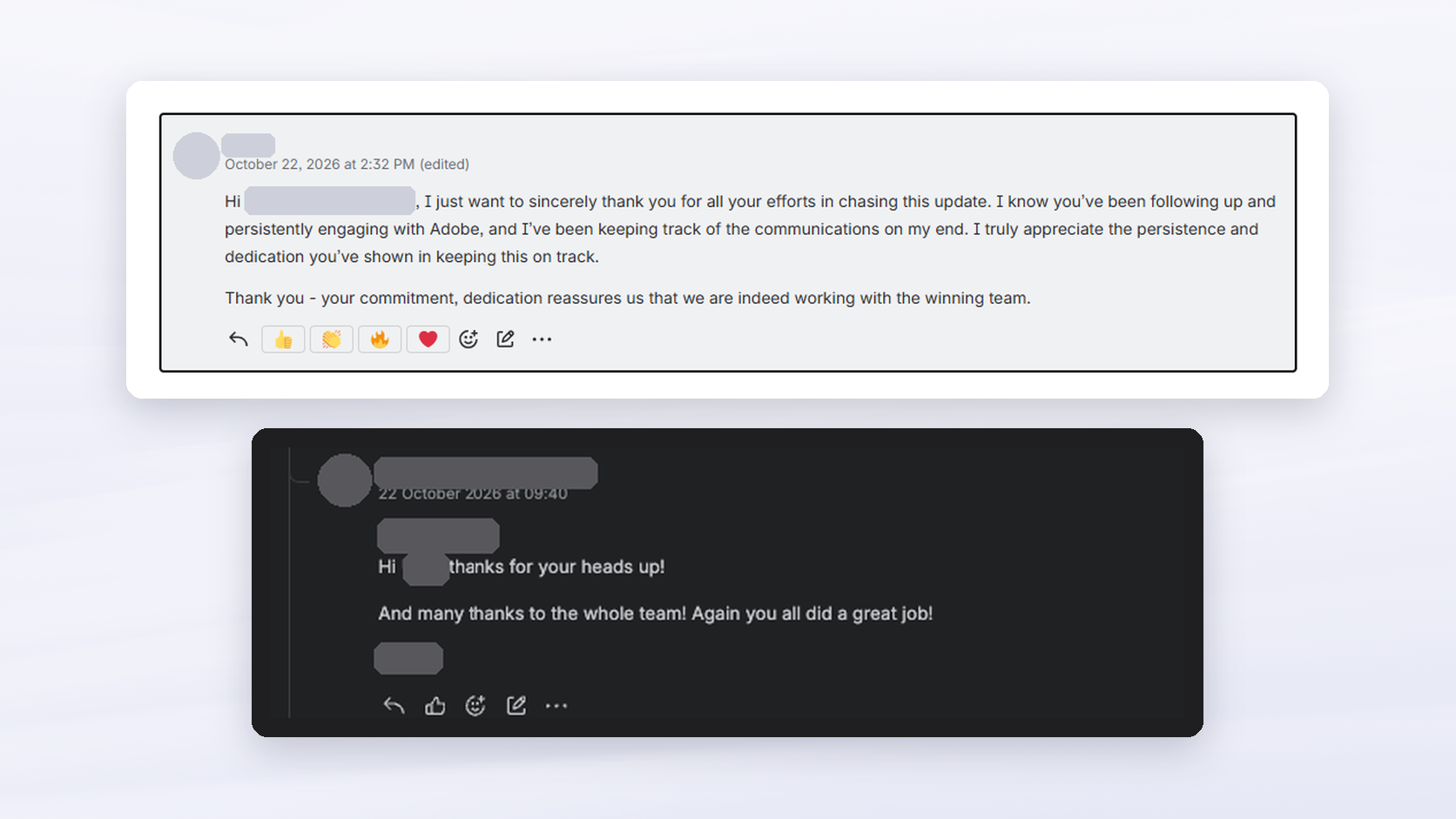
Most replies were about being told early. A beauty brand thanked us for being “so quick to react with the PHP vulnerabilities,” and a retailer on Adobe’s cloud wrote: “I just want to sincerely thank you for all your efforts in chasing this update.” Our Executive Board’s note to the team the next day drew the lesson: react fast, and keep clients informed before they have to start asking.
How to prepare for the next critical PHP or Magento vulnerability
Preparing for the next critical vulnerability is work you do before the bulletin arrives: supported PHP on every system, a written answer to who patches what and how fast, a list of every PHP system you run, and a patch routine your team has practiced. Three critical flaws in seven weeks is the pace to plan for.
Start with PHP’s support calendar:
| PHP | Active support until | Security support until |
|---|---|---|
| 8.2 | December 31, 2024 | December 31, 2026 |
| 8.3 | December 31, 2025 | December 31, 2027 |
| 8.4 | December 31, 2026 | December 31, 2028 |
| 8.5 | December 31, 2027 | December 31, 2029 |
PHP 8.2 stops getting security fixes on December 31, 2026, and it is the newest PHP that Magento 2.4.6 supports. Then work through the rest:
- Keep every system on a supported PHP branch, including the ones nobody logs into often.
- Write down who patches what: for each system, the owner (host, Adobe, agency or in-house team), the response time for a critical bulletin, and who covers nights and weekends, which a Magento support retainer should spell out.
- Keep a list of every PHP system. CISA warns that PHP “is often a component of other software and prevalence may not be directly observable,” and PIMs, blogs and internal tools are the ones that get forgotten.
- Practice a same-day patch routine: backup, rollback plan, staging first, a scripted checkout test with every payment method, and a check that the exploit no longer works.
- Put a web application firewall or CDN in front of the store, with skimmer and file-change monitoring behind it, so you would know if someone got in before the patch.
- Write the messages in advance, for stakeholders and for customers. Our 08:23 UTC alert went out before the fix existed because the template already did.
- Agree that security fixes override the Black Friday code freeze. An unpatched critical flaw is a bigger risk to peak-season revenue than the patch, and our code freeze guide covers how to plan the exception.
- Decide how many servers you want to patch yourself. Managed Magento hosting or Adobe Commerce as a Cloud Service moves PHP updates to the provider, and you give up control over timing: on October 21, our client on its own AWS was patched within three hours, while cloud clients waited for Adobe’s rollout.
🚀 Quick takeaway
A Magento 2.4.6 or 2.4.7 store on PHP 8.2 that patched this week has until December 31, 2026, before 8.2 stops getting fixes. Plan that PHP move now, so the next critical flaw doesn’t land on a branch with no fix.
What CTOs, heads of eCommerce, and heads of marketing should each own
Security incidents tend to go wrong at the handoffs, when the host assumes the agency has it and the agency assumes the host patched. Give each role a short list before the next bulletin, so everyone knows what they own.
For CTOs and technical leads
- A runtime inventory with every PHP version and build on every server, kept current
- An ownership matrix for patching, with a response time for critical bulletins
- A test that proves the exploit no longer works, run after every patch
- An end-of-life roadmap with a budget, since PHP 8.1 is already unsupported and 8.2 follows on December 31
- Logs kept long enough to look back, since the first attempts came four days before disclosure
For heads of eCommerce
- A checkout test list with every live payment method, plus the integrations to check after a patch
- A maintenance page that returns a 503 status, so search engines treat a short outage as temporary
- A code-freeze exception for security fixes, agreed before Black Friday
- Host and vendor contracts that name a response time for critical bulletins
For heads of marketing
- A tag inventory, because third-party scripts and tags are where card skimmers hide, and marketing owns most of them
- A pre-approved holding statement, used only when there is something to tell customers
- Campaigns you can pause within minutes if the store goes into maintenance
For store owners and CEOs
Five questions to ask your team or agency this week:
- Which PHP version and build date does each of our servers run today?
- Who installed the fix on each one, and when? Do we have that in writing?
- Which other PHP systems do we run, and who checked them?
- What did we check for compromise, and which credentials did we rotate?
- Who gets the next security bulletin first, and how fast do they act on it?
Take the answers to your insurer and your board before either asks. Then budget upgrades on a calendar instead of as emergencies: our website maintenance cost guide shows what planned support work includes, and a Magento technical audit gives you the baseline.
PHP2Shell FAQ
Is PHP2Shell being exploited?
Exploit attempts are confirmed. Amazon logged the first on October 17, Cloudflare counted millions after disclosure, and CISA added both CVEs to its Known Exploited Vulnerabilities catalog on October 26. Sansec expects mass exploitation to be less likely than it first thought, because the public exploits need specific conditions on the target server. As of October 27, 2026, no break-in at a specific store had been publicly confirmed.
Do I need a Magento patch for PHP2Shell?
No. The flaw is in PHP, so the fix is updating PHP to 8.5.12, 8.4.27, 8.3.36 or 8.2.35 and restarting every PHP process. You still need Adobe’s October security update, APSB26-153, which fixes BlockStrap and other Magento flaws, but it does nothing for this one.
Does Magento maintenance mode protect against PHP2Shell?
No. Magento handles maintenance mode, and PHP reads the request before Magento runs, which matches the PHP advisory’s warning that the attack can trigger before any application code. Sansec says the same of its own store-level Shield. Taking the server offline or blocking requests at the web server works, while maintenance mode leaves the server just as exposed.
Is Shopify affected by PHP2Shell?
Shopify, BigCommerce and Adobe Commerce as a Cloud Service run and patch their own servers, so the store itself needs nothing from you. Anything you host separately still does: a WordPress blog, a PIM such as Pimcore or Akeneo, custom tools or middleware. Find out which PHP version each one runs, and get the same written confirmation you would ask of a host.
What if my server runs PHP 8.1 or older?
PHP no longer releases updates for 8.1 and older, so there is no official fixed version. Linux distributions and LTS vendors received the patches in advance, and the PHP security team published source backports for 7.4, 8.0 and 8.1. Get a backported build, as we did for one client’s PIM on 8.0, then plan the upgrade. CISA’s advice for systems that can’t be patched is to take them offline.
Does a web application firewall stop PHP2Shell?
A WAF buys time. Cloudflare deployed rules for the known exploit vectors to all its customers, including free plans, and CISA says a WAF may offer interim protection but is not a substitute for patching. It blocks the attack patterns it recognizes, and the flaw stays open behind it until PHP is updated.
Check your PHP version before the next bulletin
PHP2Shell was fixed on October 21, 2026, and the fix only counts on servers where someone installed it, restarted every PHP process and confirmed the build. This week, find out which PHP version and build date each of your systems runs, the store, the PIM, the blog and anything else on PHP, and get the answer in writing from whoever owns each server. Anything below 8.5.12, 8.4.27, 8.3.36 or 8.2.35, or on 8.1 without a backport, goes through the steps above in order. Then use the weeks before Black Friday to fix the handoffs and put PHP 8.2’s December 31 deadline on the plan. StyleSmuggler, BlockStrap and PHP2Shell arrived within seven weeks of each other, so plan for the next one at the same pace.
Send us a list of your systems and who hosts each one, and we'll check the PHP and patch status of all of them, then tell you what we found and what to fix first.




































