
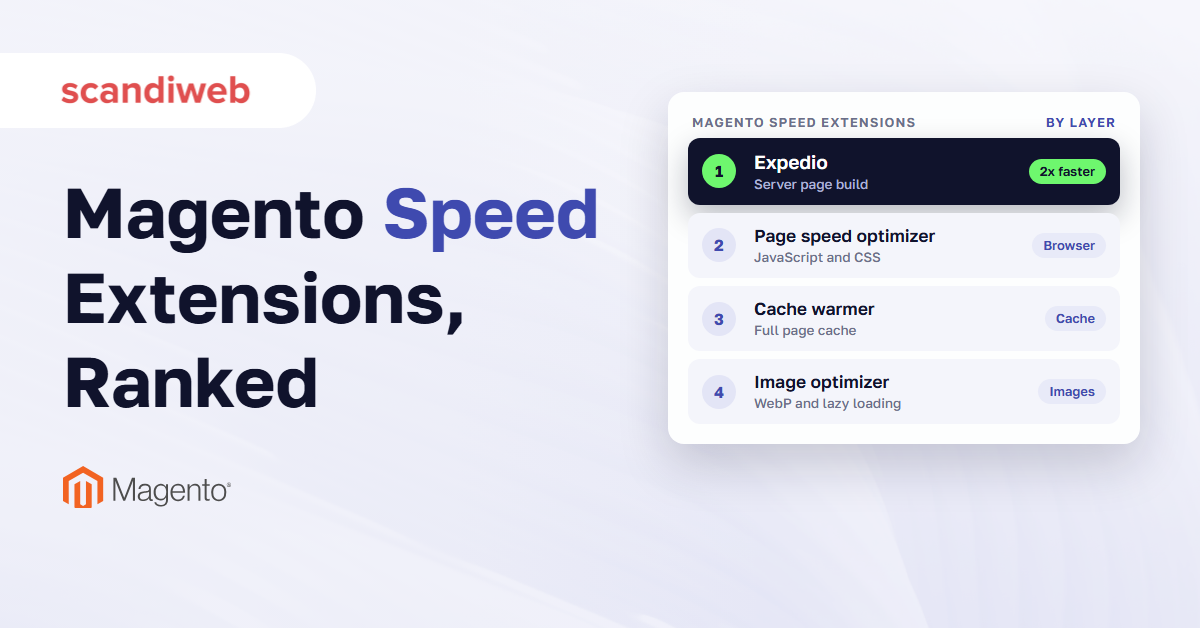
When a Magento (Adobe Commerce) store gets slow, the extension marketplace is often the first place a team looks, and dozens of modules promise faster pages and better PageSpeed scores. Each Magento speed optimization extension works on a different part of the page load: how the server builds the page, the cache that keeps finished copies of pages ready, or the images, scripts and styles the browser loads afterward. The right one depends on which part is slow on your store.
That part is often the server. In Chrome’s real-user data for September 2026, published by HTTP Archive, only 23% of Magento sites on mobile had a good server response time, meaning the server started sending pages within 0.8 seconds on three out of four visits.
Every extension here is on sale or free today. We read each vendor page or Adobe Commerce Marketplace listing on October 29, 2026, for price, Magento 2.4 support and Hyvä support. One extension per job is usually enough.
Magento speed optimization extensions compared
The best Magento speed optimization extension depends on which part of the page load is slow. Expedio speeds up how the server builds each page. Mirasvit and Magefan warmers keep the full page cache filled. Amasty, Magefan and WeltPixel optimize JavaScript and CSS, Yireo and Mageplaza handle images, and Fastly delivers pages from servers near the shopper.
Prices and versions were read on October 29, 2026.
| # | Extension | Vendor | Layer it speeds up | Price | Magento 2.4 (as listed) | Hyvä (vendor’s statement) |
|---|---|---|---|---|---|---|
| 1 | Expedio | scandiweb | Server page build | Open-source core free, Supported €990/year | Open Source, Adobe Commerce, Commerce Cloud | Yes, works under any theme |
| 2 | Full Page Cache Warmer | Mirasvit | Full page cache | $179 first year (Open Source edition), $108/year after | 2.3 to 2.4.9 | Yes |
| 3 | Full Page Cache Warmer | Magefan | Full page cache | €161 one-time | 2.3.0 to 2.4.9 | Yes |
| 4 | Google Page Speed Optimizer Pro | Amasty | JavaScript, CSS and images | $209/year (Community), free base edition | 2.4.5-p15 to 2.4.9 | Yes |
| 5 | Google Page Speed Optimizer | Magefan | JavaScript, CSS and images | Basic $0 (regular $99), Plus $199, Extra $349, one-time | 2.3.0 to 2.4.9 | Yes |
| 6 | Speed Optimization (Advanced JS Bundling) | WeltPixel | JavaScript and CSS | Free (MIT) | 2.4.0 to 2.4.9 | Not stated |
| 7 | Webp2 | Yireo | Images (WebP) | Free, open source | 2.4.6 and later | Yes |
| 8 | Lazy Loading for Magento 2 | Mageplaza | Images (lazy loading) | From $79 | 2.4.4 to 2.4.8 | On request |
| 9 | Fastly CDN module | Fastly | Delivery (CDN) | Free module, Fastly included on Adobe Commerce Cloud | Installed on Adobe Commerce Cloud | Not stated |
Prices and versions as listed on each vendor page or Marketplace listing on October 29, 2026. Marketplace prices for Adobe Commerce editions are higher.
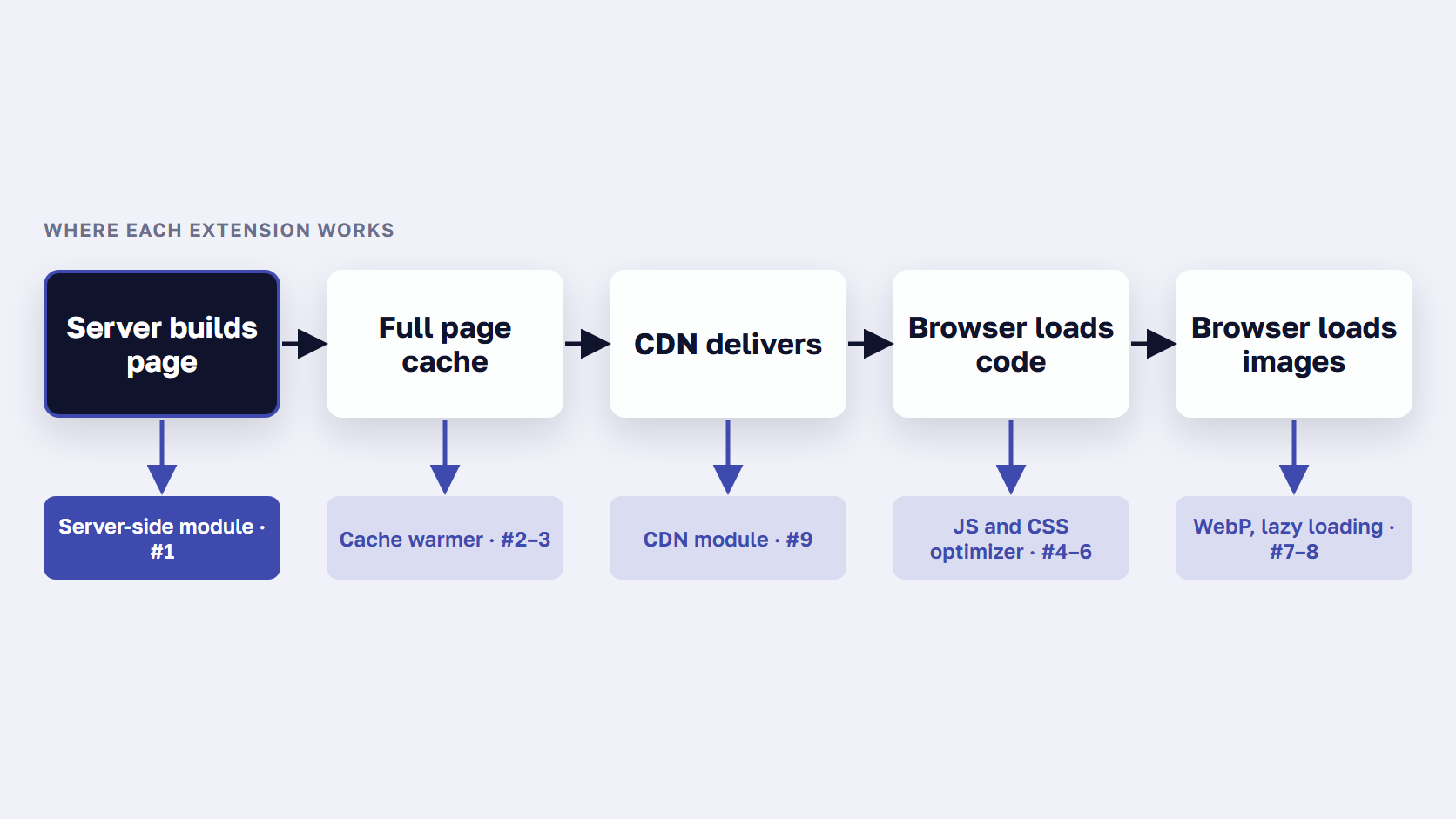
The list follows a page request from the server to the shopper’s screen, and each Magento 2 speed optimization extension is placed on the stage it works on.
Which part of your store is slow? Check before you buy
Test your slowest page in Google PageSpeed Insights before you buy an extension. If it reports “Server responded slowly”, the delay happens before the browser receives anything, so the fix belongs on the server or in the cache. If the server responds quickly but the page still loads slowly, look at images, JavaScript and CSS.
PageSpeed Insights, Google’s free page test, runs that check for you. Since Lighthouse 13, it appears under the Document request latency insight, and “Server responded slowly” means the browser waited more than 600 ms for the main request. Google calls a server response of 0.8 seconds or less good and more than 1.8 seconds poor. Our guide on how to read Google PageSpeed Insights covers the rest of the report, including the Core Web Vitals: Largest Contentful Paint, the time until the largest image or text block appears, response to taps, and layout shifts.
A theme changes only the browser side. In HTTP Archive’s September 2026 report, 66% of Hyvä sites passed all three Core Web Vitals on mobile, against 45% of Magento sites overall, while 23% of each group had a good server response time. More causes are in our post on why a Magento store is slow.
🚀 Quick takeaway
PageSpeed Insights now lists the slow-server check under “Document request latency”. If it says “Server responded slowly”, fix the page build or the cache first. Image and JavaScript extensions work after that wait, so they can’t shorten it.
Server page build: make Magento build each page faster
A server-side speed extension shortens the time Magento spends building a page in PHP before it sends anything. That build runs on every request the full page cache can’t answer, which happens more often on filtered, search and logged-in pages. Expedio works on this layer and keeps your theme, design and data as they are.
1. Expedio by scandiweb
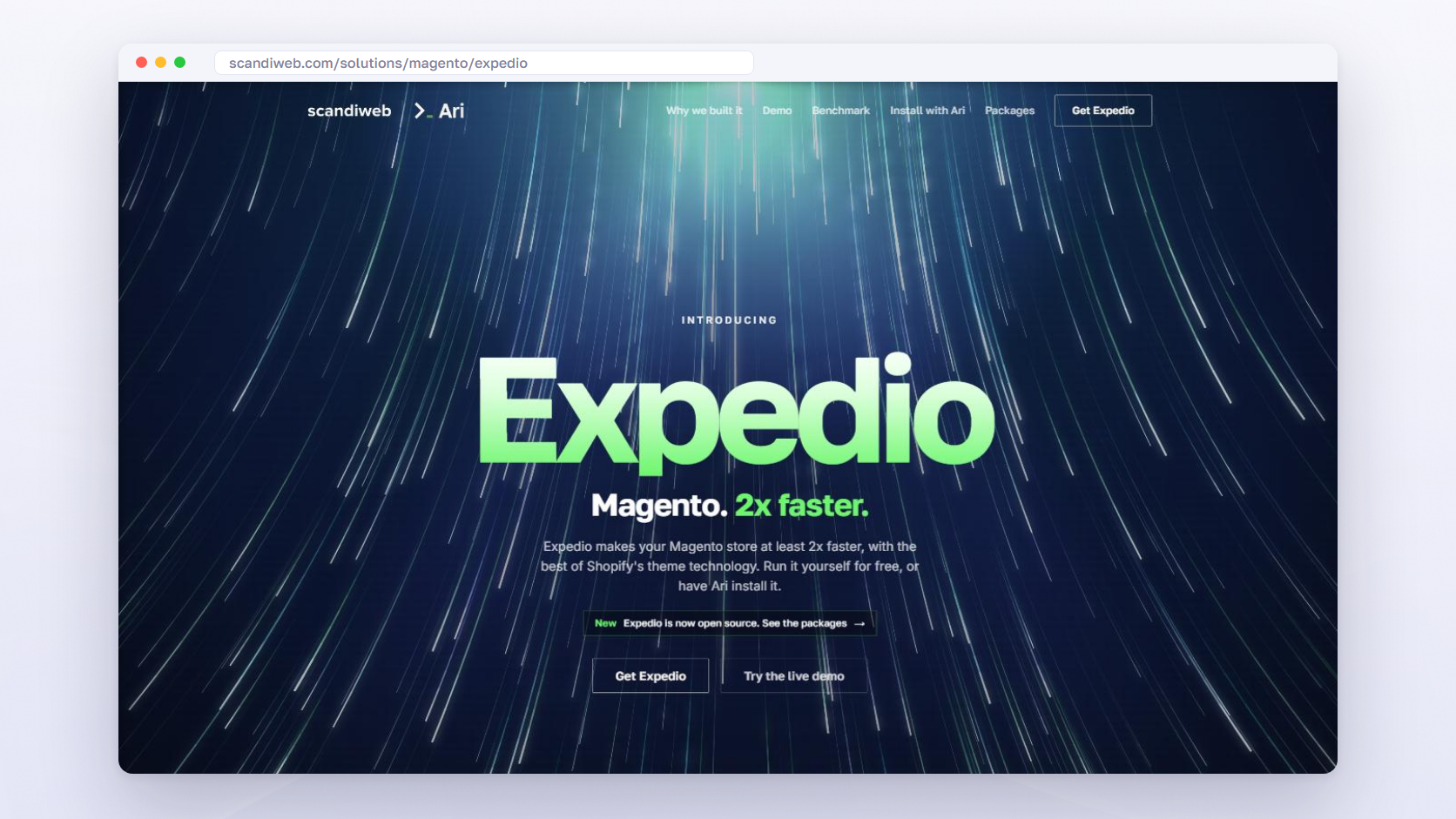
Expedio speeds up how Magento builds each page on the server: the PHP work of running code, querying the database and assembling the HTML before anything is sent. It applies Liquid, the open-source template language created at Shopify, underneath your theme, and the core is open source.
In a benchmark on one merchant’s Hyvä store, measured as server response time, stock Magento took a median of 181 ms to build 100 category pages with all caches empty, and Expedio took 57 ms. A full category page went from 655 database queries to 30. The setup is in the benchmark.
Best for: stores whose pages are slow before any image or script loads, with slow category, search and filtered pages, logged-in or B2B shoppers whose pages miss the cache more often, or a server that slows down at peak traffic.
Key features:
- At least 2x faster page build, and 3x the traffic on the same server before response times start to rise
- Works under Luma, Hyvä and custom themes, and keeps your design, catalog, prices, checkout, orders and data as they are
- Install the core yourself, or ask Ari, scandiweb’s agent for Magento, to install it on a copy of your store for your team to review and release
Price (October 29, 2026): Open Source free, major releases only. Supported €990 a year, with updates, compatibility fixes for Magento, Hyvä and other extensions, and support. Implementation Audit €4,900 the first year, then €990 a year. Done for you €19,900 the first year, then €990 a year, with 2x speed guaranteed by contract.
Works with: Magento 2 Open Source, Adobe Commerce and Adobe Commerce Cloud, on ReadyMage, scandiweb’s Magento hosting, or any other Magento host.
🚀 Quick takeaway
Expedio works on the server, before the browser gets anything, so it combines with any browser-side extension further down this list. Fix the page build first, then the scripts and images.
Full page cache and cache warming extensions
A cache warming extension requests your store’s pages before shoppers do, so Magento’s full page cache already holds a finished copy when someone arrives. Our guide to the Magento 2 cache warmer covers which pages a warmer refills and which it misses. It helps after deploys, cache flushes and catalog updates, which empty the cache. Each page it warms is still a full build on your server, so warmers let you limit threads and pause under load.
The Magento full page cache keeps finished copies of pages, and Magento empties them when products, categories, prices or promotion rules change, and whenever the cache is cleaned or flushed. A Magento 2 cache extension of this kind refills it before shoppers arrive.
2. Mirasvit Full Page Cache Warmer
Mirasvit Full Page Cache Warmer is a crawler that requests your pages after the cache empties, so the next shopper gets a stored copy.
Best for: stores that deploy or flush the cache often.
Key features:
- Warming sources from sitemap.xml, a CSV file or visitor behavior
- Rules and priorities by customer group, currency and page type, with presets, custom threads and a system-load threshold
- Detects flushes made outside Magento, such as a Redis or Varnish restart (release 1.11.16)
Price (October 29, 2026): $179 for the first year on the Open Source edition, $108 a year to renew. Commerce editions cost more.
Works with: Magento 2.3 to 2.4.9, Hyvä ready per the vendor. Marketplace version 1.11.16, updated October 29, 2026.
3. Magefan Full Page Cache Warmer
Magefan Full Page Cache Warmer warms the cache automatically or on a schedule, starting with the most visited pages.
Best for: stores with several store views, currencies or customer groups that want to choose which ones to warm.
Key features:
- Priority by page visits, with warmup profiles by store view, customer group and currency
- Presets, plus a setting that stops warming when system load passes a limit
- Exclusions by URL pattern, user agent or country, and reports on CPU use and cache hits
Price (October 29, 2026): €161 one-time, as shown that day, with 365 days of updates and support. Also included in Magefan’s Page Speed Optimizer Extra plan.
Works with: Magento 2.3.0 to 2.4.9, Hyvä, Breeze, Mage-OS and Adobe Commerce Cloud. Version 2.1.5.
🚀 Quick takeaway
Before you buy a warmer, multiply your URLs by the store views, currencies and customer groups you would warm. That is how many full page builds one warming pass adds to your server.
JavaScript and CSS: Google PageSpeed optimizer extensions
JavaScript and CSS optimizers change how the browser downloads your store’s code after the HTML arrives. They minify files, defer scripts the page doesn’t need to appear, bundle JavaScript by page type and preload styles. The two all-in-one Google PageSpeed optimizers below also convert images to WebP and lazy load them.
Minify means stripping spaces and comments from code files. Defer means the browser downloads a script without pausing the page and runs it after the page is built. Bundling combines many small script files into a few, and preload tells the browser early which styles it will need. Most Magento page speed optimization on this layer comes down to those four settings. Adobe’s performance best practices call Magento’s built-in minification and bundling fallback alternatives, recommend third-party tools, advise against merging JavaScript and CSS files, and say not to bundle at all on HTTP/2.
4. Amasty Google Page Speed Optimizer Pro
Amasty Google Page Speed Optimizer Pro is one module that minifies and bundles code, converts images to WebP or AVIF, and lazy loads them. Amasty calls it a Magento PageSpeed module.
Best for: stores that want one module for code and image optimization, with a built-in diagnostic that reads PageSpeed results.
Key features:
- JavaScript bundling, defer or async loading, HTML and CSS minification
- AVIF and WebP conversion, compression, lazy loading and image preload
- Back Forward Cache
Price (October 29, 2026): $209 a year on the Community edition, $129 to extend. A free base edition covers lazy loading. Premium $629.
Works with: Magento 2.4.5-p15 to 2.4.9 as listed. Hyvä ready, with the Hyvä package on an active subscription. Image features need JPEG, PNG, GIF and WebP tools on the server. Version 3.10.0.
5. Magefan Google Page Speed Optimizer
Magefan Google Page Speed Optimizer defers and bundles JavaScript, minifies HTML and CSS, lazy loads images, and in higher plans converts images to WebP and warms the cache.
Best for: stores that want to start free and add WebP and cache warming later with one vendor.
Key features:
- JavaScript deferral and bundling, CSS merging and minification
- Image lazy loading
- WebP conversion in Plus, full page cache warming in Extra
Price (October 29, 2026): Basic listed at $0 (regular price $99), Plus $199, Extra $349, one-time, with 365 days of support and updates.
Works with: Magento 2.3.0 to 2.4.9, Hyvä, Breeze, Mage-OS and Adobe Commerce Cloud. Version 2.0.4. Also available through Ari, which installs the free version on a copy of your store.
6. WeltPixel Speed Optimization with Advanced JS Bundling
WeltPixel Advanced JS Bundling builds JavaScript bundles by page type, a shared bundle plus one per page type, moves scripts to the bottom of the page and preloads CSS. In Adobe’s test of this approach, bundling by page type made an empty homepage load twice as fast as native bundling.
Best for: stores on Magento’s default frontend that want Adobe’s recommended bundling approach without building it by hand.
Key features:
- Advanced bundling by page type
- JavaScript moved to the page bottom, CSS preloading, optimization with Terser
- CLI commands for Magento 2.4.8 CSP rules
Price (October 29, 2026): free, MIT license, 12 months of support included.
Works with: Magento 2.4.0 to 2.4.9, Open Source, Commerce and Commerce Cloud. Version 1.16.0, January 7, 2026. Hyvä support isn’t stated.
🚀 Quick takeaway
Run one JavaScript optimizer at a time. Adobe advises against merging JavaScript and CSS files, and against bundling at all on HTTP/2, so check how your server delivers files before you switch bundling on.
Magento image optimization extensions
Magento image optimization extensions make product and category images smaller or load them later. WebP converters serve a lighter copy of each JPEG or PNG to browsers that support it, and lazy loading waits to load images below the visible screen until the shopper scrolls. Keep the first visible image out of lazy loading so it appears without delay.
Google’s WebP data puts lossy WebP at 25 to 34% smaller than comparable JPEGs at equal quality, and lossless WebP at 26% smaller than PNG. In a 2026 web.dev case study, Nuvemshop removed lazy loading from the first above-the-fold image, along with other changes, and improved Largest Contentful Paint by 68%. Entries 4 and 5 already convert to WebP and lazy load, so don’t add a second Magento 2 image optimization extension for the same job.
7. Yireo Webp2
Yireo Webp2 converts JPEG and PNG images to WebP and serves both inside a picture tag, so browsers that support WebP get the lighter file and the rest get the original.
Best for: stores that want a Magento 2 WebP extension without a paid suite.
Key features:
- On-the-fly WebP conversion
- Picture tag with the original image as fallback
- Hyvä support built in, GraphQL through a separate module
Price (October 29, 2026): free, open source (OSL-3.0).
Works with: Magento 2.4.6 and later per the GitHub badge. Needs the Yireo_NextGenImages module.
8. Mageplaza Lazy Loading for Magento 2
Mageplaza Lazy Loading for Magento 2 is a Magento 2 lazy load extension that loads images below the visible screen only when the shopper scrolls toward them.
Best for: long category and search pages with many product images.
Key features:
- Category, product, CMS, search and checkout pages, plus related, cross-sell and up-sell blocks
- Blur, low-resolution or custom placeholders, and a threshold to start loading just before an image appears
- Exclusions by URL, CSS class or image name, which keep the first visible image out
Price (October 29, 2026): from $79 (Enterprise $279), free installation, 60-day money-back.
Works with: Magento 2.4.4 to 2.4.8 as listed. Hyvä compatibility on request, free. Version 4.0.6, April 15, 2025.
🚀 Quick takeaway
When the eCommerce platform Nuvemshop stopped lazy loading the first image above the fold, along with other changes, its Largest Contentful Paint improved by 68%, according to a 2026 web.dev case study.
Other layers: a CDN that serves pages closer to shoppers
A content delivery network (CDN) keeps copies of your pages, images and files on servers around the world, so shoppers far from your hosting get them from a nearby location. On Adobe Commerce on Cloud, Fastly does this through the Fastly CDN module for Magento 2, and Adobe includes it at no additional cost.
Adobe’s Fastly CDN documentation describes it as a Varnish-based service that caches pages, assets and CSS, with image optimization and DDoS protection included.
9. Fastly CDN module for Magento 2
Fastly CDN module for Magento 2 connects Magento’s page cache to Fastly’s network, which keeps copies of pages, images and files on servers near shoppers.
Best for: stores on Adobe Commerce on Cloud, where Fastly is included, and stores with shoppers spread across distant countries.
Key features:
- Edge caching that extends Magento’s Varnish setup
- Image optimization at the edge
- Serve stale content on error, and soft purging
Price (October 29, 2026): the module is free and open source (BSD-3-Clause). Adobe includes the Fastly service with Adobe Commerce on cloud infrastructure at no additional cost.
Works with: Adobe Commerce on Cloud Pro and Starter production environments.
Which Magento speed optimization extension do you need?
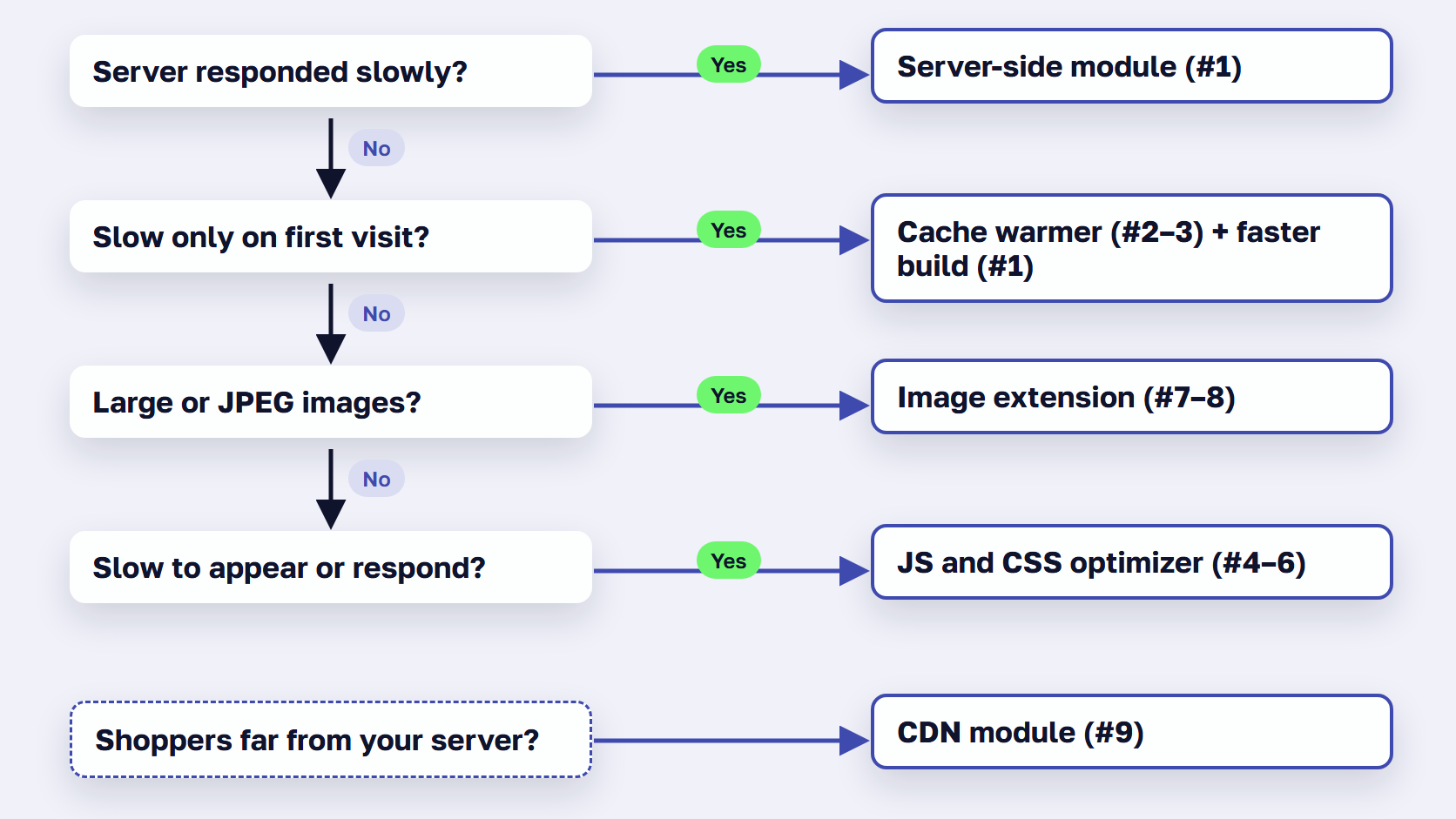
Choose the Magento speed optimization extension that matches the slow layer. A slow server response points to the page build, so start with Expedio. Pages that are fast on a repeat visit but slow on the first one point to cache misses and a warmer. A quick server with a slow page points to JavaScript, CSS or image extensions.
| What you see | Slow layer | Extension type | On this list |
|---|---|---|---|
| PageSpeed Insights says “Server responded slowly”, or pages take over 0.8 s to start arriving | Server page build | Server-side speed module | Expedio |
| Pages are slow on the first visit after a deploy or catalog update, then fast | Full page cache | Cache warmer, plus a faster build for every miss | Mirasvit, Magefan, Expedio |
| The server answers quickly, but the page is slow to appear or to respond to taps | JavaScript and CSS | PageSpeed optimizer, JS bundling | Amasty, Magefan, WeltPixel |
| Product photos are large JPEG or PNG files, or long pages load every image at once | Images | WebP converter, lazy loading | Yireo, Mageplaza (Amasty and Magefan include both) |
| Shoppers in distant countries wait longer than those near your server | Delivery | CDN | Fastly |
Start with Expedio if:
- PageSpeed Insights flags “Document request latency” with “Server responded slowly”.
- Category, search and filtered pages are slow before any image appears.
- Logged-in or B2B customers see slower pages than guests, because their pages miss the cache more often.
- Your server slows down at peak traffic.
- Pages stay slow after every deploy or cache flush.
Add a cache warmer if:
- Pages are fast on a repeat visit and slow on the first.
- Deploys, price imports or promotion changes empty the cache during the day.
- Most of your traffic lands on a known set of category and product pages.
Add a JavaScript and CSS optimizer if:
- The server responds in well under a second, but content takes long to show.
- Your theme loads many separate script files on every page.
- You aren’t running another tool that already bundles or minifies.
Add an image extension if:
- Product and category images are still JPEG or PNG.
- Long category pages load every image at once on mobile.
- Your current optimizer doesn’t already convert to WebP or lazy load.
Add a CDN if:
- You sell in countries far from your hosting.
- You run Adobe Commerce on Cloud, where Fastly is included, and want to check it’s configured.
How to add speed extensions without slowing the store
Install one extension per job, try it on a copy of your store first, and measure the same pages before and after. Two tools that both bundle JavaScript, convert images or lazy load change the same files and can conflict. Flush the cache after installing, as Adobe advises, then compare server response time and page load again.
- Measure the homepage, a category page and a product page before and after, noting server response time and page load.
- Install one tool per job, on a copy of the store first.
- Flush the cache after installing, which Adobe lists as a standing rule, then measure again.
Fewer, well-chosen modules are easier to keep fast, and our guide to the Magento 2 extensions every store needs covers how to spot redundant ones.
Frequently asked questions about Magento speed optimization extensions
What is the best Magento speed optimization extension?
It depends on which part of the page load is slow. For the server’s page build, the pick is Expedio, which makes Magento at least 2x faster without changing the theme or data. For cache misses after deploys, use a warmer such as Mirasvit’s or Magefan’s. For JavaScript, CSS and images, the Google Page Speed Optimizers from Amasty and Magefan cover the most ground in one module.
Is there a free Magento speed optimization extension?
Yes. Expedio’s open-source core is free to download and run yourself. WeltPixel’s Advanced JS Bundling module is free under the MIT license, and Yireo’s Webp2 module is open source. Amasty’s base Google Page Speed Optimizer edition costs $0 and covers lazy loading, and Magefan listed its Basic edition at $0 on October 29, 2026. Paid editions add features and support.
Can two Magento speed extensions conflict?
Yes, when they do the same job. Two modules that both bundle JavaScript, minify CSS, convert images to WebP or lazy load images change the same files and can break pages. Pick one tool per job, test it on a copy of the store, and flush the cache after installing. Extensions that work on different layers, such as a server-side module and an image optimizer, can run side by side.
Do you need a page speed extension if you use Hyvä?
Usually, for the layers a theme doesn’t touch. In HTTP Archive’s September 2026 data, 66% of Hyvä sites passed all three Core Web Vitals on mobile, against 45% of Magento sites overall, yet only 23% of each group had a good server response time. A faster theme leaves the server’s page build as it was, so server-side and image extensions still apply.
Is WebP better than JPEG for Magento product images?
For file size, yes. Google says lossy WebP images are 25 to 34% smaller than comparable JPEG images at equal quality on the SSIM index, and lossless WebP images are 26% smaller than PNGs. Smaller files download faster, which matters most on long category pages. Extensions such as Yireo’s Webp2 keep the original JPEG or PNG as a fallback inside a picture tag.
Should you use Magento’s built-in JavaScript bundling instead of an extension?
Adobe calls Magento’s built-in minification and bundling “fallback alternatives” and recommends third-party tools instead. It also advises against merging JavaScript and CSS files, and says not to merge or bundle at all if your server uses HTTP/2. In Adobe’s own test, bundling by page type made an empty homepage load twice as fast as native bundling.
Choose a Magento speed optimization extension by the slow layer
A Magento speed optimization extension works only on the layer it was built for. Measure first, then fix the slowest layer: Expedio for the server page build, a warmer for cache misses after deploys, an all-in-one optimizer for JavaScript and CSS, an image extension for heavy product photos and a CDN for distant shoppers.
Extensions are one part of the work, and our guide on how to speed up Magento puts the server, cache, database and frontend fixes in order. Prices and versions above are what the vendor pages showed on October 29, 2026, so open the vendor page again before you buy. Where a module is free, put it on a copy of the store first, and measure the same pages before and after whatever you install.
Send us the URL of your slowest page, and we'll tell you which layer is holding it back and which fix comes first.




































