
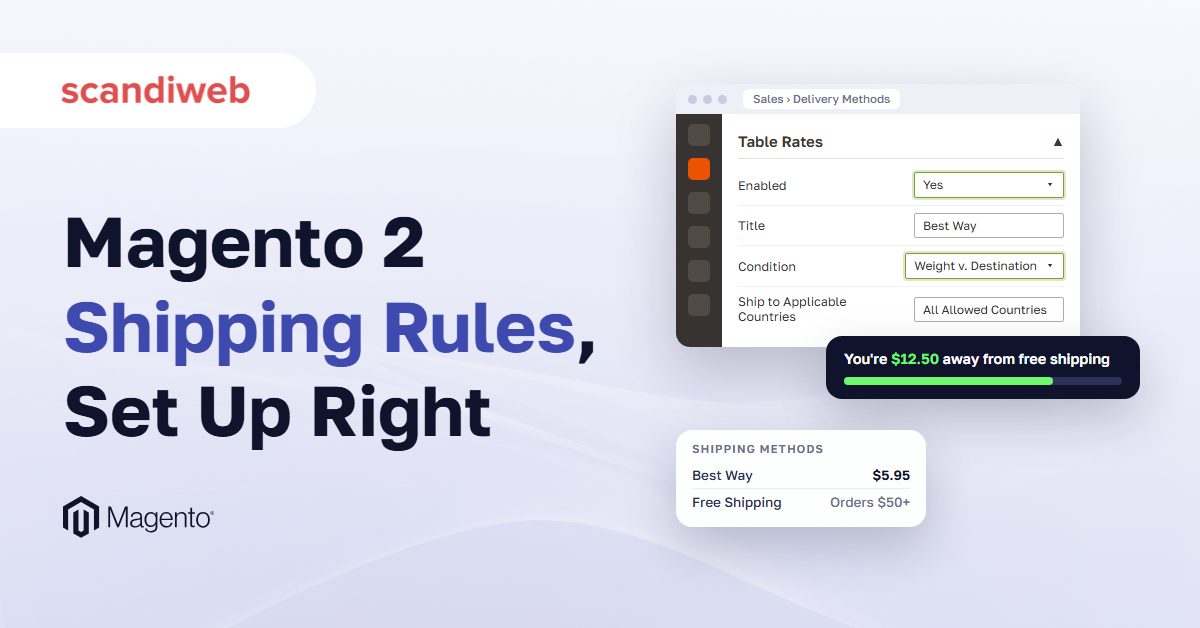
In February 2016, a store owner asked on Magento Stack Exchange how to stop showing the paid flat rate to shoppers who already qualified for free shipping, because seeing both “may confuse some customers.” The question has been viewed more than 15,000 times since, and its eight answers still don’t agree on a fix. That small checkout problem is part of a bigger job: Magento 2 shipping rules, the settings that decide which delivery options a shopper sees and what each one costs by weight, destination or cart value. So which of those rules can your team set up in the Magento (Adobe Commerce) admin, and which need something added to the store?
Every admin setting below was checked against Adobe’s documentation, and every extension price was read on the vendor’s own page on November 3, 2026.
What Magento 2 shipping rules can do without an extension
Without an extension, Magento 2 gives you four delivery methods that need no carrier account: Free Shipping, Flat Rate, Table Rates and In-Store Delivery. Built-in integrations add live UPS, USPS, FedEx and DHL rates. Every method can be limited to specific countries, and table rates set prices by weight, order subtotal or item count for each destination.
These are the Magento shipping methods you get on both Magento Open Source and Adobe Commerce, with the same settings on each.
| Method | What it charges | Rules it can use | Good for |
|---|---|---|---|
| Free Shipping | Nothing | Minimum Order Amount, with or without tax, and a country list | Orders over a set amount |
| Flat Rate | One fixed price, per order or per item | Price, an optional handling fee, and a country list | Stores with one shipping price |
| Table Rates | The price in the CSV row that matches the address | Weight, subtotal, or item count by country, region, and ZIP | Prices that change with destination or parcel weight |
| In-Store Delivery | Pickup at a store you set up as a source | Needs Inventory Management sources | Shoppers who collect orders in person |
Every method also has Ship to Applicable Countries (All Allowed Countries or Specific Countries), Show Method if Not Applicable, and Sort Order, so the Magento 2 shipping methods list at checkout is yours to trim and order.
Set the shipping origin first, under Stores > Configuration > Sales > Shipping Settings > Origin. Rates are calculated from that address, and it also sets the tax rate for the products you sell.
Live rates from UPS, USPS, FedEx and DHL
With a commercial account at the carrier, Magento downloads live rates from the four built-in carriers at checkout, and UPS and FedEx cover more than 220 countries. Check which USPS integration your store runs. USPS retired its Legacy Web Tools APIs on January 25, 2026, and Adobe Commerce 2.4.6, 2.4.7, and 2.4.8 use those APIs out of the box, so USPS requests fail until you upgrade to the latest version or apply the USPS REST API Migration quality patch. Ignore older guides that use Magento Shipping, since Adobe removed it in 2.4.0. For aggregators, label printing and 3PLs, see our guide to connecting a carrier or 3PL.
🚀 Quick takeaway
Magento’s four basic methods and four built-in carriers cover most shipping rules. Before buying anything, check whether a table rate or a cart price rule already does the job.
How to set up flat rate shipping in Magento 2
Flat rate charges one fixed shipping price, per order or per item. You set it under Stores > Configuration > Sales > Delivery Methods > Flat Rate: choose the Type, enter the Price, add an optional fixed or percentage handling fee and pick the countries it covers. Per Item multiplies the price by every item in the cart.
Per Order charges the Price once per cart. Per Item charges it for every item, so a $5 Per Item rate on a 3-item cart comes to $15.
Type None shows the method at a rate of zero. The default method name is “Fixed,” so rename it to something like “Standard.”
One Flat Rate section with one Price field means a second flat price, such as express, needs table rates or an extension.
How to set up Magento 2 table rates
Magento 2 table rates price shipping from a spreadsheet you import. Each row pairs a destination (country, region and ZIP code) with a weight, an order subtotal or an item count, and a price. You choose one condition for the whole table, export the CSV at website scope, fill it in and import it back.
Magento shipping table rates handle “it costs more to send there.” Adobe’s own example is a Los Angeles warehouse that pays less to ship to San Diego than to Vermont.
- Go to Stores > Configuration > Sales > Delivery Methods > Table Rates. Set Enabled to Yes, add a Title (the default is “Best Way”) and a Method Name, pick the Condition, add an optional handling fee, and set Ship to Applicable Countries.
- Switch the scope selector in the top left to your website, otherwise the Export and Import fields don’t show. Click Export CSV.
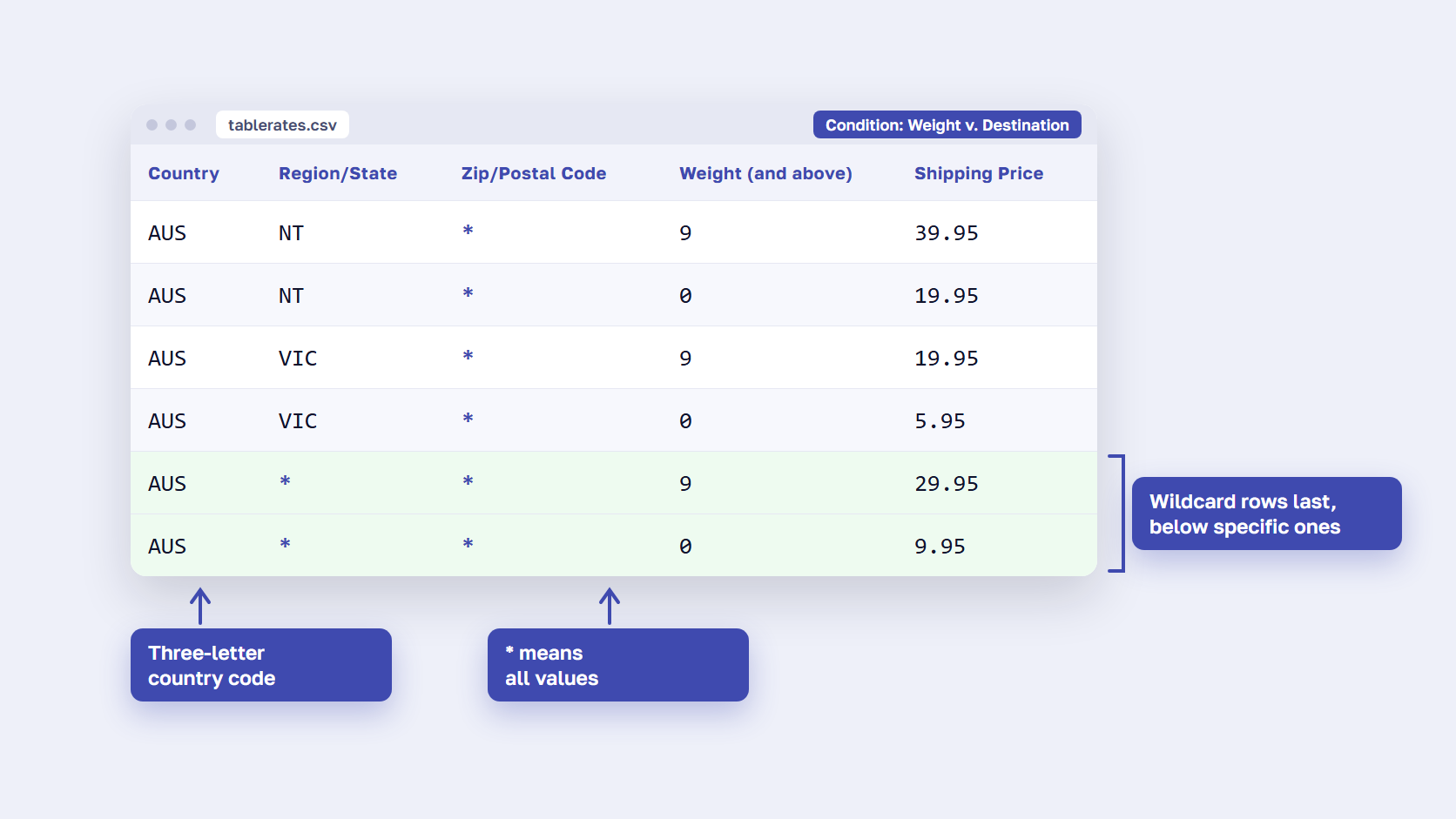
- Fill in the file with three-letter country codes (USA, AUS), * for “all,” one ZIP code per row (no ranges), and weights with up to four decimal places. Put specific regions above the wildcard rows.
- Import the file at the same website scope and click Save Config.
- Test checkout with several addresses, including one that should land on the wildcard row.
Keep the header row from your own export. The rows below follow the column order of Adobe’s Example 2, a Weight v. Destination table for Australia.
| Country | Region/State | Zip/Postal Code | Weight (and above) | Shipping Price |
|---|---|---|---|---|
| AUS | NT | * | 9 | 39.95 |
| AUS | NT | * | 0 | 19.95 |
| AUS | VIC | * | 9 | 19.95 |
| AUS | VIC | * | 0 | 5.95 |
| AUS | * | * | 9 | 29.95 |
| AUS | * | * | 0 | 9.95 |
Adobe’s table rate guide lists every setting, including how virtual products count.
Where native table rates stop
Native table rates give you one active table, one condition, no ZIP code ranges, and no dimensional weight. A rule that needs weight and subtotal together, two table-based methods, rates per customer group, or Magento 2 dimensional weight shipping is extension territory, covered below. One native trick still works for regions. Adobe’s Example 3 uses Price v. Destination with the method named Free Shipping, Ship to Specific Countries set to the United States, and Show Method if Not Applicable set to No, so free shipping applies to the continental US only.
🚀 Quick takeaway
Only one set of table rate data can be active at a time, and it uses one condition. Needing weight and subtotal together, or ZIP code ranges, is where an extension starts to pay off.
How to offer free shipping over a set amount
Magento 2 offers free shipping in three ways: the Free Shipping method with a Minimum Order Amount, a cart price rule that gives free shipping when conditions such as subtotal, weight or destination are met, and a carrier’s free method, such as UPS Ground over a threshold. When the method setting and a cart rule both apply, the setting wins.
With the Free Shipping method
Go to Stores > Configuration > Sales > Delivery Methods > Free Shipping. Set Enabled to Yes and enter the Minimum Order Amount. Include Tax to Amount decides what that minimum is compared with: Yes means Subtotal + Tax – Discount, No means Subtotal – Discount. Set Ship to Applicable Countries, then set Show Method if Not Applicable to No so the method appears only when the cart qualifies.
With a $50 minimum, a $55 cart and a $10 coupon, Magento free shipping compares $45 with $50, and the shopper pays for delivery.
With a cart price rule
Use a rule when free shipping depends on more than a cart total. Conditions can use Subtotal, Total Items Quantity, Total Weight, the Shipping Postcode, Region, State or Country, the Shipping Method, and the Payment Method. In the actions, set Free Shipping to “For matching items only” or “For shipment with matching items,” which needs the Free Shipping method enabled.
If the method’s own Minimum Order Amount and a rule both apply, the method setting wins, so Adobe’s tip for running rules next to table rates is to set that minimum so high it is never met. Test holiday rules before the Black Friday code freeze.
With a carrier’s free method
In the UPS settings, set Free Method to UPS Ground or another service, set Enable Free Shipping Threshold to Enable, and enter the Free Shipping Amount Threshold. Adobe’s documentation says to check each carrier’s configuration for settings free shipping may need.
Why paid options still show next to free shipping
Magento’s delivery-method settings have no option that hides paid methods once free shipping applies. The eight answers to the 2016 Stack Exchange question come down to three routes. The accepted answer drops the Free Shipping method and gives free shipping through a cart price rule, so the flat rate falls to zero instead of a second option appearing (test it on your version). The others are a restrictions extension that hides paid methods above the same cart value, or a small plugin written by a developer.
🚀 Quick takeaway
The Free Shipping threshold is checked against the subtotal after discounts, plus tax only if Include Tax to Amount is Yes. Test it with a coupon in the cart before you announce it.
How to add a free shipping bar in Magento 2
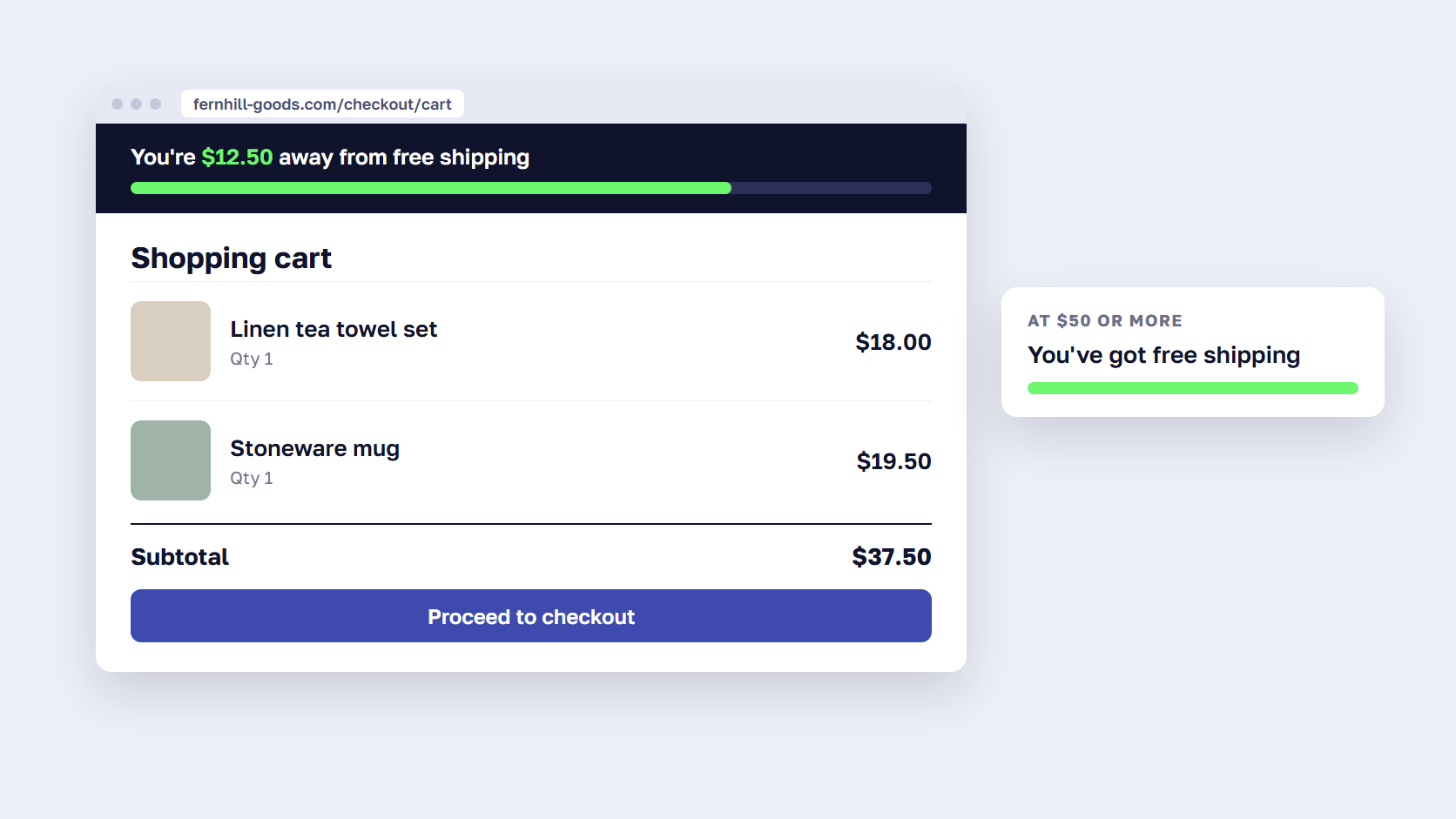
A free shipping bar is a message in the header or the cart that tells shoppers how much more to spend for free shipping and updates as the cart changes. Magento’s free shipping settings set the threshold but don’t show shoppers the amount left, so the bar comes from an extension or a block your developer adds to the theme.
In Baymard’s cart abandonment statistics, 40% of shoppers who left for a reason other than browsing said extra costs such as shipping were too high, and our post on why shoppers abandon carts covers the fixes. A shopper a few dollars short of free delivery has a reason to add one more item.
A Magento 2 free shipping bar extension reads the cart and updates the amount left as it changes, and two are priced in the extensions section. The other route is a static message in a CMS block or a promo bar, which states the threshold without counting down.
Either way, the bar must use the same threshold and the same tax setting as your free shipping rule, or it promises free shipping that the checkout then charges for. You can also put the terms in the checkout shipping policy, which shoppers open from the See our shipping policy link.
Magento 2 shipping restrictions and the rules that need an extension
Natively, you can limit a Magento 2 delivery method by country, and table rates add destination, weight, subtotal or item count. Hiding a method for a customer group, a product, a coupon or a heavy cart, hiding paid options once free shipping applies, and tying payment methods to shipping methods all take an extension or custom code.
Find the rule you want in the left column. Magento shipping restrictions that depend on who the shopper is, or what is in the cart, are the ones the admin can’t do on its own.
| You want to | Native Magento 2 | What you need |
|---|---|---|
| Offer a method only in some countries | Yes: Ship to Applicable Countries on every method | Nothing |
| Price by weight, subtotal or item count per region or single ZIP | Yes: table rates, one condition | Nothing |
| Combine weight and subtotal, or use ZIP code ranges | No | Table rates extension |
| Run two table-based methods (standard and express) | No: one active table | Table rates extension or suite |
| Charge by dimensional (volumetric) weight | No | Table rates extension or suite |
| Hide or show a method by customer group, product, coupon or cart weight | No | Shipping restrictions extension |
| Hide paid methods once free shipping applies | No setting (a cart rule workaround exists) | Restrictions extension or a small plugin |
| Show payment methods by shipping method or customer group | No | Payment restrictions extension |
| Show shoppers the amount left to free shipping | No | Free shipping bar extension or a CMS block |
Tight Magento 2 shipping rules also mean a shorter list of methods at checkout, which helps whichever layout you run, one-page or two-step checkout alike.
Magento 2 shipping extensions worth installing
Choose a Magento 2 shipping extension by the job it does. Table rate extensions add several rate tables, ZIP code ranges and dimensional weight. Rules extensions add surcharges, discounts and per-product rates. Restriction extensions hide methods by customer, product or cart. Free shipping bar extensions show the amount left. Suites bundle these jobs in one purchase.
Prices were read on the vendors’ pages on November 3, 2026, first year, default edition. Several of these renew yearly, so read the renewal column with the price.
| Extension | What it adds | First-year price | Renewal | Stated compatibility |
|---|---|---|---|---|
| Amasty Shipping Table Rates | Unlimited table rate methods, ZIP code ranges, volumetric weight, rates per customer group and store view, delivery estimates | $249 | $155 a year | Magento 2.4.5-p15 to 2.4.9 · Hyvä-ready storefront · Hyvä Checkout |
| Amasty Shipping Rules | Surcharges, discounts or replaced rates on existing methods, by product, cart, customer group or address | $229 | $139 a year | Magento 2.4.5-p15 to 2.4.9 · Hyvä-ready storefront |
| Amasty Shipping Restrictions | Blocks carrier methods by address, product attributes, order data, customer group, store view or coupon | $189 | $115 a year | Magento 2.4.5-p15 to 2.4.9 · Hyvä-ready storefront and Hyvä Checkout |
| Mageplaza Shipping Restrictions | Shows or hides methods by cart subtotal, item quantity, weight, products, payment method and location | $149 (Community) | Not listed | Magento 2.4.4 to 2.4.9 · Hyvä theme and Hyvä Checkout |
| Amasty Free Shipping Bar | Bar with the amount left, updates with the cart, success message at the goal | $119 | $75 a year | Magento 2.4.5-p15 to 2.4.9 · Hyvä-ready storefront · Hyvä Checkout by default |
| Mageplaza Free Shipping Bar & Promotions | “Spend X more” messages plus a promo bar and promo banner | $99 (Community), $299 (Enterprise/Magento Cloud) | Not listed | Magento 2.4.4 to 2.4.9 · Hyvä Checkout compatibility free on demand |
| MageWorx Shipping Suite Ultimate | Custom carriers, advanced table rates, rules and restrictions, delivery zones, delivery dates and time slots, ZIP validation | $349 | No subscription: 1 year of updates and support, lifetime source code | Open Source (CE) 2.4.x and Adobe Commerce (EE) 2.4.x · Hyvä not stated |
Amasty also bundles its table rates, rules and restrictions modules as Shipping Suite ($529).
Table rates and shipping rules
A Magento 2 shipping table rates extension covers the gaps in the decision table. Amasty Shipping Table Rates adds unlimited table rate methods, ZIP code ranges, volumetric weight, and rates per customer group, which also covers Magento 2 multiple flat rate shipping. Amasty Shipping Rules changes rates you already have, with a surcharge or a discount by product, cart, customer group, or address.
Shipping restrictions
A Magento 2 shipping restrictions extension decides who sees which method. Mageplaza’s shows or hides methods by cart subtotal, item quantity, weight, products, payment method, and location. Amasty’s blocks carrier methods by address, product attributes, order data, customer group, store view, or coupon. Hiding a paid method above a set cart value, the restriction route to the Stack Exchange problem, is a rule both can hold.
Free shipping bars
Both bars do the countdown the native settings leave out. Mageplaza’s adds a promo bar and a promo banner at the lowest first-year price in the table. Point either one at the same threshold and tax setting as your rule.
All-in-one shipping suites
MageWorx Shipping Suite Ultimate covers most of the jobs above in one module, from custom carriers and advanced table rates to delivery dates and time slots, with lifetime source code. Before you buy, check the list of Magento 2 extensions every store needs, and install a Magento 2 extension on a staging copy first, with Hyvä checked if you run it.
🚀 Quick takeaway
First-year prices on November 3, 2026 ran from $99 to $529. Budget the second year too: Amasty lists a separate renewal on every product page, from $75 to $155.
Have an AI agent install and set up the extension
An AI agent can take the install and the setup off your developer’s list. Ari, the AI agent for Magento built by scandiweb, installs an extension on a copy of your store with customer data removed, shows you how to set it up and builds promo bars in your theme. A person approves and releases every change.
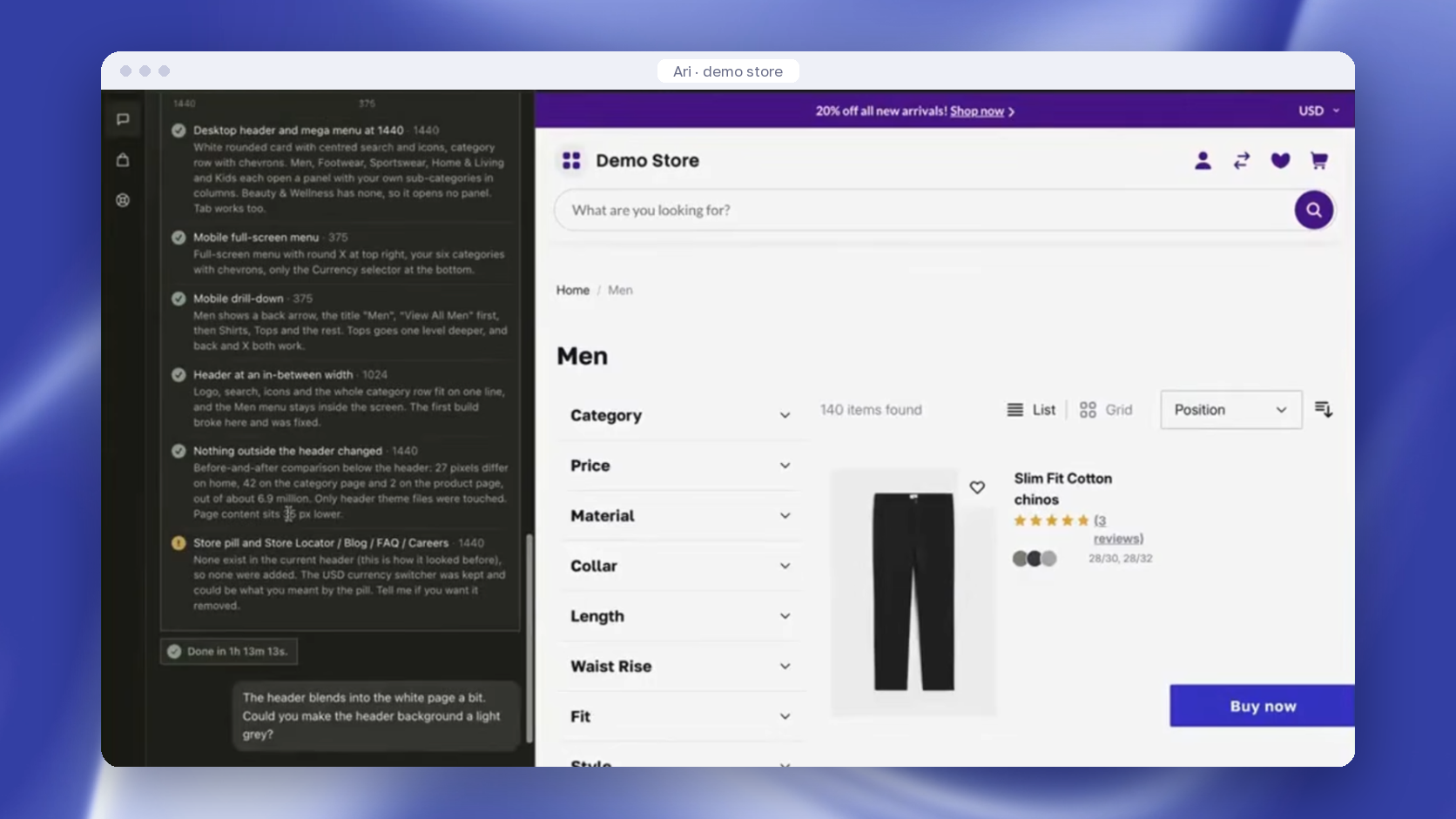
Ari works with 1,000+ extensions, Amasty’s and Mageplaza’s among them. You can ask Ari to install a free shipping bar extension, or to build promo bars and banners that announce your threshold in your theme’s own markup, Hyvä or Luma. The release is done by your developer, your agency, or Ari engineers on the Ari Agency plan, and Ari has no access to your live store. Plans start from €99 a month per store, and your own developer or agency can do the same work by hand.
For the wider picture, see our post on other AI tools for Magento.
Frequently asked questions about Magento 2 shipping rules
How do I set shipping rates by weight in Magento 2?
Use table rates with the Weight v. Destination condition. Under Stores > Configuration > Sales > Delivery Methods > Table Rates, switch the scope to your website, export the CSV, and add one row per destination and weight band, where the weight means “and above.” Import the file and save. Magento charges the price of the row that matches the address and the cart’s total weight.
Can Magento 2 have more than one table rate?
Not natively. Adobe’s documentation says only one set of table rate data can be active at a time, and the table uses a single condition: weight, subtotal or item count. To offer two table-based methods, such as standard and express, or to combine weight with subtotal, stores add an extension such as Amasty Shipping Table Rates or MageWorx Shipping Suite Ultimate.
How do I hide other shipping methods when free shipping applies?
Magento 2 has no setting for it. The accepted answer on Magento Stack Exchange skips the Free Shipping method and gives free shipping through a cart price rule, so the flat rate drops to zero instead of a second option appearing. Otherwise, a shipping restrictions extension can hide paid methods above the same cart value, or a developer can write a small plugin that filters the rates.
Does Magento 2 have a free shipping bar?
Not in its free shipping settings. The Free Shipping method sets the threshold, the countries and an error message, but nothing tells shoppers how far they are from it. Stores add a bar with an extension, such as Amasty Free Shipping Bar ($119) or Mageplaza Free Shipping Bar & Promotions ($99 for the first year), or have a developer build a message into a CMS block.
Why is free shipping not showing at checkout in Magento 2?
Check four things. The Free Shipping method must be enabled, and the shopper’s country must be in its applicable countries. The Minimum Order Amount is compared with the subtotal after discounts, plus tax only if Include Tax to Amount is Yes, so a coupon can drop a cart below it. A cart rule set to “For shipment with matching items” also needs the Free Shipping method enabled.
Can I restrict shipping methods by country without an extension?
Yes. Every built-in delivery method has a Ship to Applicable Countries setting: choose Specific Countries, pick the list, and set Show Method if Not Applicable to No so the method stays hidden elsewhere. Table rates go further, down to a region or a single ZIP code. Limiting a method by customer group, product, category or coupon needs an extension or custom code.
Start with the shipping rules you already have
Magento 2 shipping rules already cover more than most stores use: flat and table rates, free shipping over a threshold and per-country limits. Start by writing down the rule you want in one sentence, then check it against the native settings above. Buy an extension only for the part the admin can’t do, and test it on a copy first.
Every section above follows that order, admin first and extension second, because most Magento shipping rules never need the second step. If you’d rather hand the setup to a team, our Magento support team builds and tests changes like these in a staging environment before anything reaches the live store.
Send us the shipping rule you want in one sentence and we will tell you what it takes in Magento.