
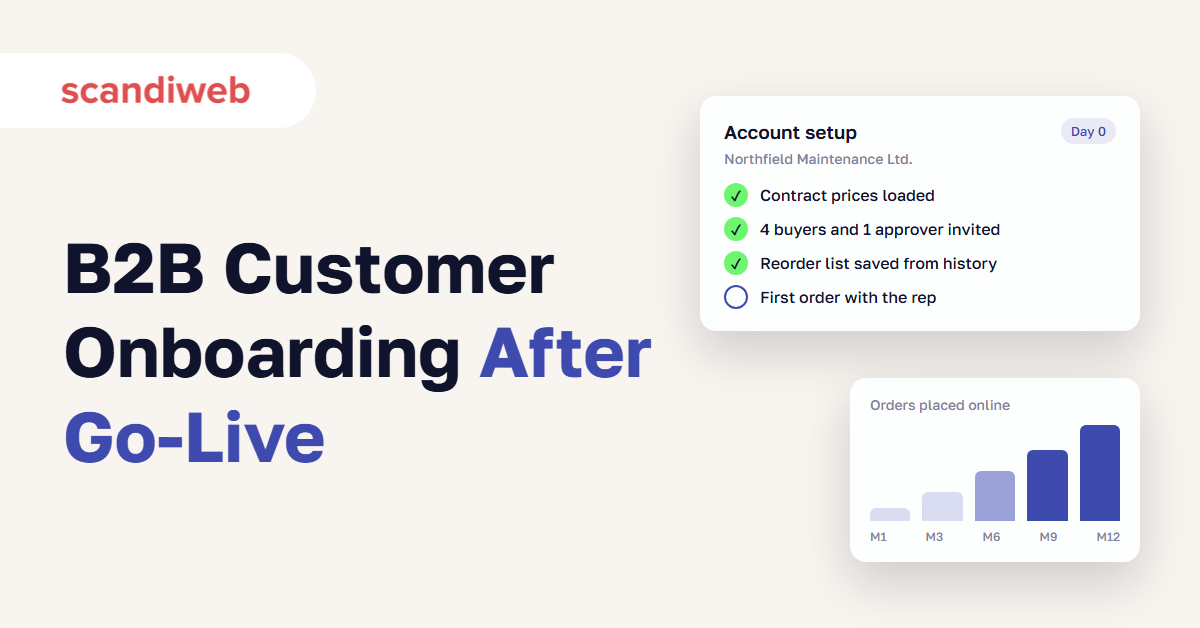
If your B2B portal has been live for six months and your best customers still email their orders to the same rep, you are where most suppliers are after launch. The platform usually works. What’s missing is B2B customer onboarding, and in most companies nobody has been given that job.
Suppliers also tend to overrate how far they have come. In a Deloitte Digital survey of 530 US B2B suppliers and 530 buyers, 72% of suppliers said their sales processes were mostly or highly automated. Only 47% of buyers said their purchasing processes were.
Launch is day 0. The 12 months after it decide whether the portal replaces the phone or becomes one more channel your team maintains. This guide covers why existing customers don’t switch on their own, a five-stage onboarding plan from go-live to month 12, how to pay reps when their customers order online, and the numbers to report to leadership.
What is B2B customer onboarding?
B2B customer onboarding is the work of moving existing business accounts from ordering by phone, email, EDI, or through a sales rep to ordering on your B2B customer portal. It covers account setup, the first online order, reasons to come back, and changes to how sales is paid. It runs for months after go-live, account by account.
Most guides that rank for this term describe SaaS onboarding: getting a new user to their first “aha” moment in software, the topic of our user onboarding best practices. A supplier’s problem is different. Your customers already buy from you, and the old way of ordering still works for them.
| SaaS customer onboarding | B2B eCommerce customer onboarding | |
|---|---|---|
| Who you onboard | New customers who just signed a contract | Existing accounts who already order from you |
| What you compete with | Doing nothing | The rep, the phone, email, and EDI |
| First value | First use of a feature | First order with the right prices and stock |
| Who has to change | The user | The buyer, the rep, and customer service |
| Typical length | Days to weeks | 6–12 months across the account base |
| Success measure | Activation and retention | Share of each account’s orders placed online |
Our B2B eCommerce trends for 2027 put customer adoption among the biggest jobs suppliers face next year. This guide is the detailed plan for that job.
🚀 Quick takeaway
Your portal’s real competitor is the rep’s phone number. Time every onboarding step against a phone call, because buyers keep calling until a real order is faster online.
Why B2B customers don’t use a new portal
B2B customers keep ordering offline after a portal launches for five common reasons: the old way still works, the portal’s prices or stock don’t match what the rep says, their account isn’t set up, products they buy are missing online, and their rep has no reason to send them there. These are the B2B eCommerce challenges we see most after go-live.
Buyers do want to order on their own. Gartner found that 67% of B2B buyers prefer a rep-free experience, and Deloitte found that 65% choose purchasing channels on ease of use. The same Deloitte research shows how far suppliers are from that: buyers were six times as likely as suppliers to describe the buying process as “mostly manual,” and three times as likely to say the supplier is difficult to do business with.
The old way still works
A buyer who has emailed the same rep for years often gets a confirmed order back within the hour. Switching means a new login and searching for products they used to name in one line of an email. Unless the portal saves them time on their first order, they go back to email.
Prices and stock don’t match
A portal price that differs from the rep’s quote or the invoice undoes weeks of onboarding. Buyers call to check, and soon they stop logging in. The fix is upstream: one source for contract pricing and stock, usually the ERP, read by the portal in real time. Our guide to eCommerce ERP integration covers the patterns.
The account isn’t ready
Many launches send every customer the same invitation email and a password reset link. The buyer logs in to an empty account: no saved lists, no order history, no colleagues set up with the right approval rights. For larger customers, single sign-on removes the login problem altogether.
Products are missing
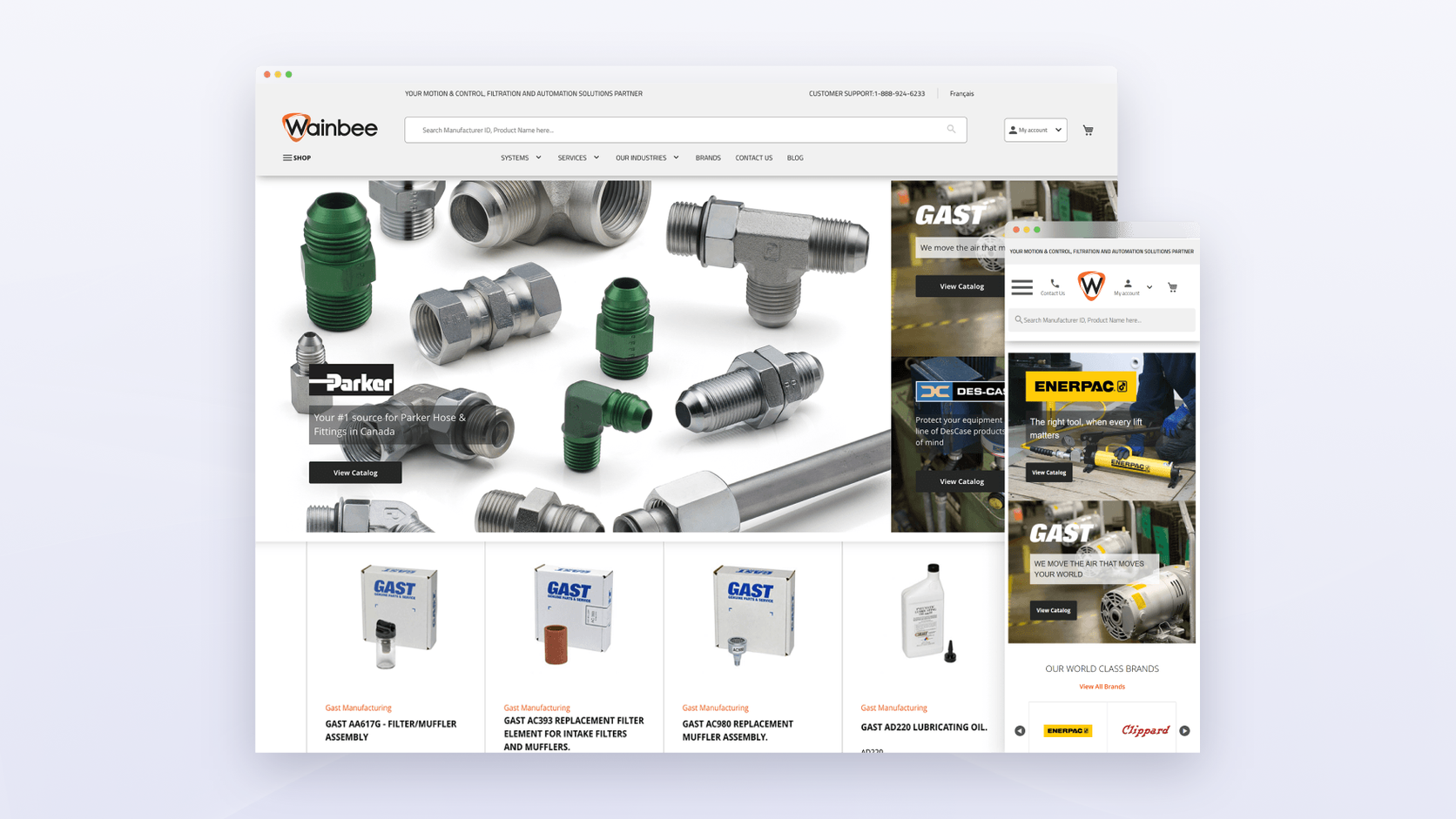
Buyers won’t move a whole reorder to a portal that only carries part of what they buy. Wainbee, the largest distributor of Parker products in Canada, had only 10% of its 600,000+ products online because supplier data arrived in CSV and XLS files with no shared structure. A Pimcore PIM connected to its ERP and supplier feeds put the full catalog online.
Read more: Case Study: Unifying Product Information with Pimcore PIM
The rep has no reason to help
If a rep’s commission depends on orders they place themselves, every order a customer places online looks like lost income. So reps keep taking orders by phone, and the portal numbers stay flat. The commission section below covers the fix.
🚀 Quick takeaway
Most adoption problems show up in the portal but start somewhere else: in the ERP, in the product data, or in the sales compensation plan.
The 5 stages of the B2B customer onboarding process
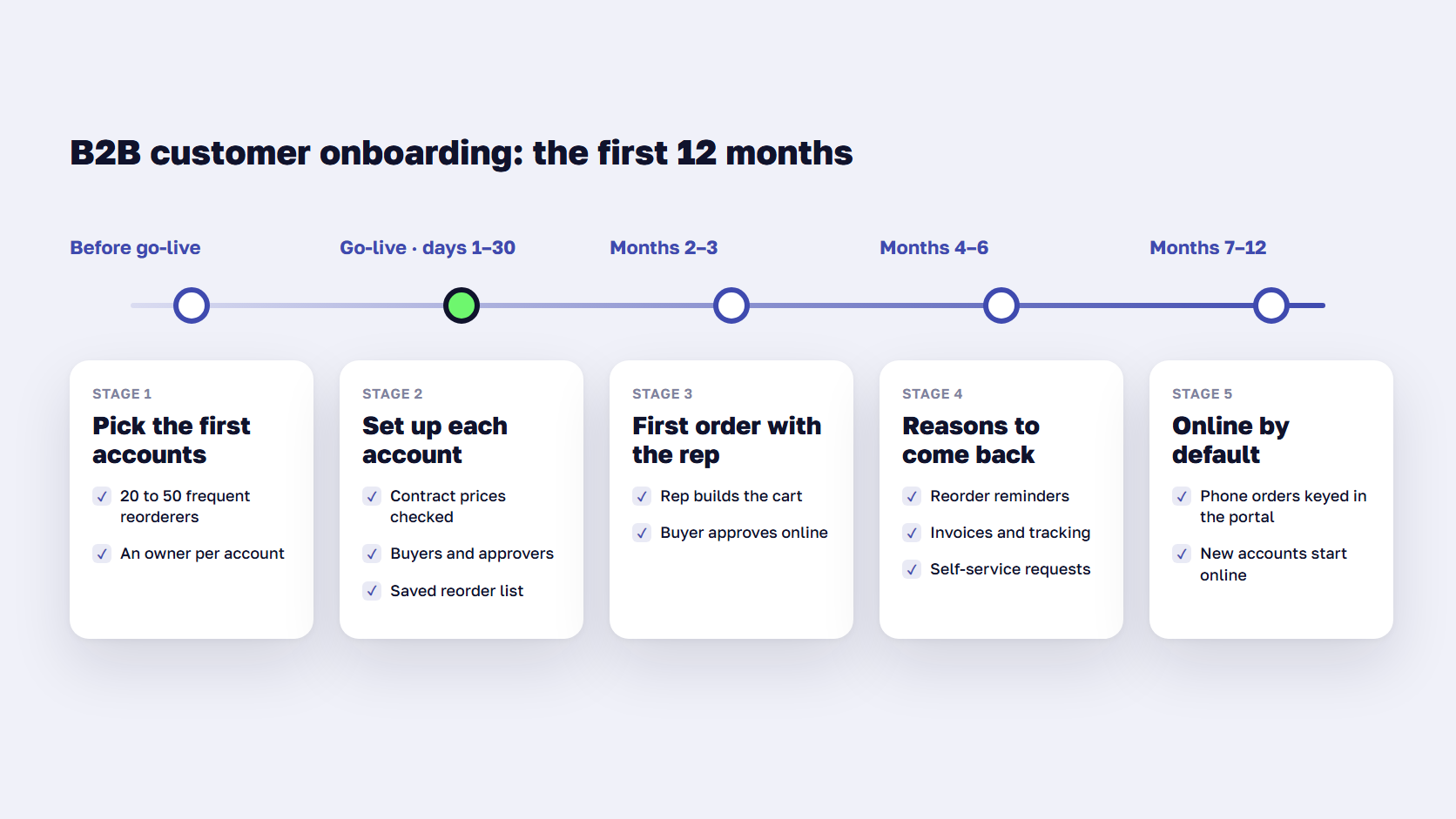
An onboarding process that works for B2B suppliers runs in five stages: choose and prepare the first accounts before go-live, set up each account in the first 30 days, place first orders together with reps in months 2–3, give buyers reasons to come back in months 4–6, and make online the default for everyone in months 7–12. These B2B customer onboarding best practices come from the B2B projects we support after launch.
Stage 1: Pick the first accounts before go-live
Don’t launch to every customer at once. Pick 20 to 50 accounts for the first wave: customers who reorder often from a stable list, buyers who already use other suppliers’ portals, and accounts whose reps are willing to help. Repeat orders are the easiest to move online, because the buyer already knows what they want.
For each account, decide before launch who owns the move (usually the rep, with support from customer service), which buyers will log in, and what the first online order will be.
Stage 2: Set up each account in the first 30 days
Treat each large account as its own small project. Before the buyer logs in for the first time, the account should already have:
- Its contract prices and payment terms, checked against the last three invoices
- Every buyer and approver, with the right roles and spending limits
- A saved list of the products they reorder most, built from their order history
- Their past orders, so they can reorder from history instead of searching
Then run a short setup call with the buyer, ideally led by their rep. Thirty minutes on a shared screen does more than any welcome email. If you run Adobe Commerce, features such as company accounts, shared catalogs, requisition lists, and quick order cover most of this, as our overview of Adobe Commerce B2B features explains.
Stage 3: Place the first orders together (months 2–3)
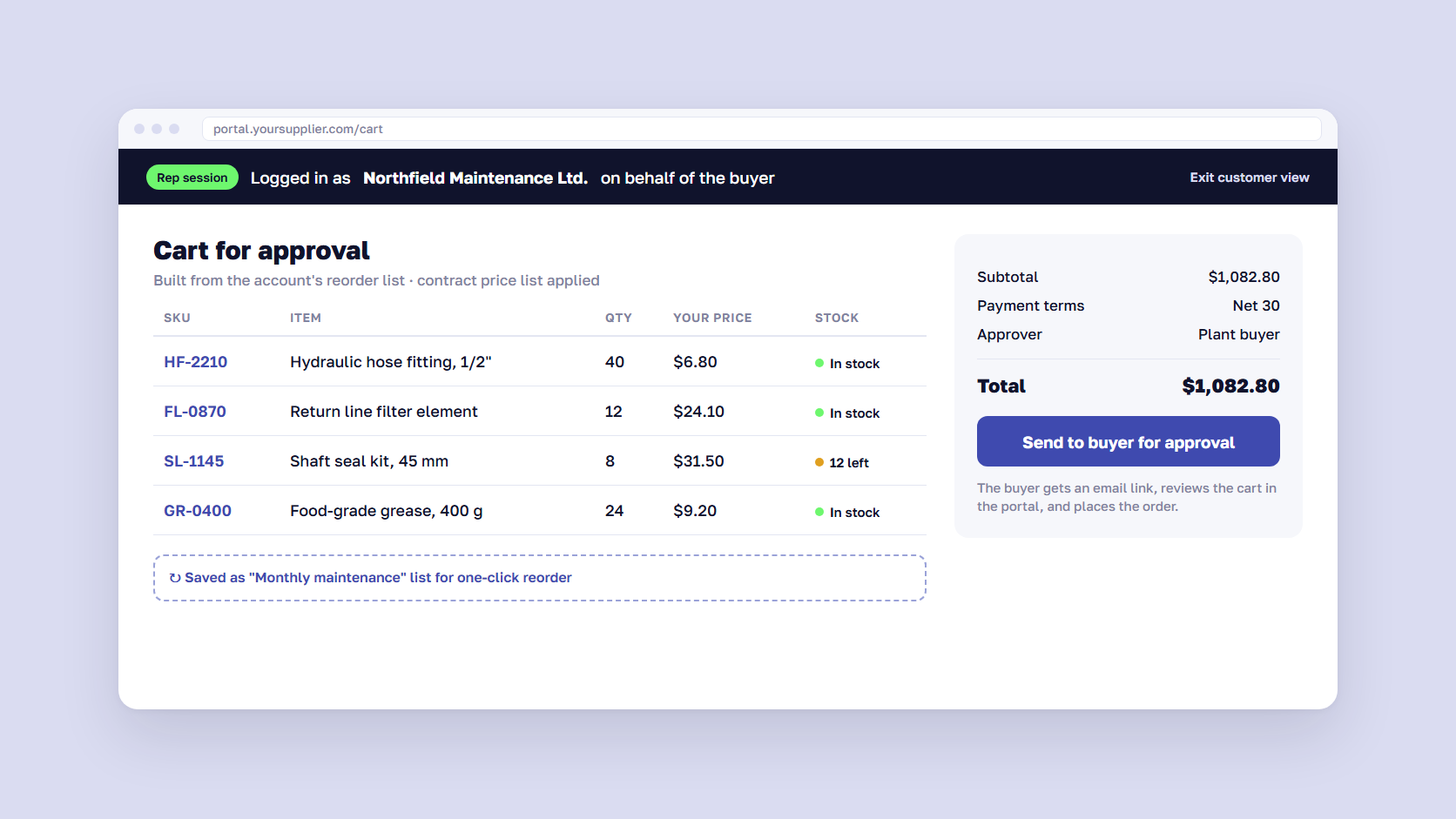
Ask reps to place the first online order with the buyer, either on a call or by logging in to the customer’s account and building the cart for them to approve. The buyer sees their own prices, stock, and history in the portal, and the rep stays part of the relationship.
Macron, the teamwear and sports apparel brand, gave its team a “Shop as a Customer” feature on Adobe Commerce. Support staff log in under a partner’s account and help with bulk orders and complex configurations, using the same catalog and prices the partner sees. With SAP integration for live stock and flexible ordering by SKU, CSV upload, and reorder, Macron cut order creation time by 40%.
Read more: Case Study: Macron’s B2B Platform Evolution with Adobe Commerce
🚀 Quick takeaway
A first order placed together teaches the portal on a real purchase and shows the buyer that their rep is still their contact.
Stage 4: Give buyers reasons to come back (months 4–6)
A portal that is only a cart gets used only when someone remembers to order. Give buyers reasons to log in between orders:
- Reorder prompts. Send reminders when an account’s usual reorder date passes, based on its real order history, with a one-click link to the saved list.
- Order status and documents. Tracking, invoices, delivery notes, and certificates in the portal stop the “where is my order” calls.
- Self-service for routine requests. Returns, statement downloads, and user changes the buyer can do alone.
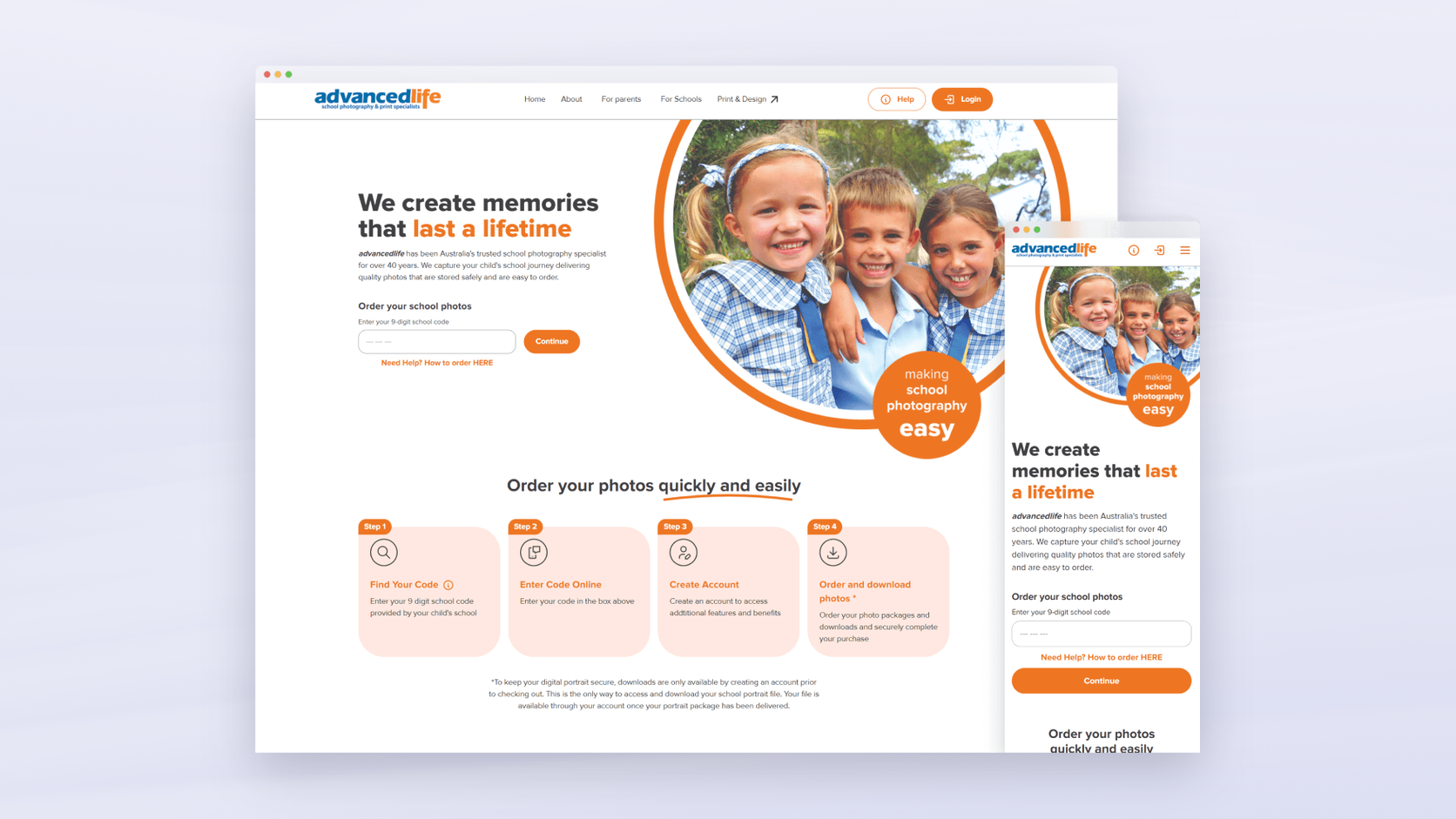
This is also where support costs start to fall. advancedlife, Australia’s national school photography specialist, replaced five legacy systems with one platform that includes a self-service portal for schools. Schools upload rosters, correct student data, and download images without contacting the support team. The platform went live in 14 weeks, before the busiest season, and support load dropped 95% after go-live.
Read more: School Photography Commerce: Production-Ready Platform in 14 Weeks
Reorder prompts work best as a lifecycle email program triggered by order data. Our email marketing team builds these flows on top of the portal’s order history.
Stage 5: Make online the default (months 7–12)
By month 7 the first waves are ordering online and the long tail is still on the phone. Now change the defaults:
- Customer service enters phone and email orders into the portal on the customer’s account, so history and saved lists build up there.
- New customers open accounts on the portal from day one.
- Small accounts below a set order value get portal-only ordering, with a phone line for exceptions.
- Paper order forms and spreadsheet price lists are retired.
Don’t force your largest accounts. Some will keep EDI or move to punchout from their procurement system, and that still counts as digital. Deloitte found that 92% of buyers who use EDI today plan to shift partly or fully to other channels such as eCommerce or procurement systems. Later, some orders may come from AI agents through protocols such as Google’s Universal Commerce Protocol, and they will need the same account prices the portal shows.
🚀 Quick takeaway
When customer service keeps entering phone orders into the portal, every account builds a usable order history there, even before its buyers log in.
How to pay sales reps when customers order online
Pay reps on all of their accounts’ revenue, whatever channel the order comes through. If commission only counts orders the rep places, every online order costs the rep money, and they will steer customers back to the phone. Once channel no longer affects pay, reps can treat the portal as a tool that frees their time for new business.
Three commission models work in practice:
- Account-based commission. The rep earns on every order from their accounts, online or offline. This is the simplest fix and usually the first one to make.
- Adoption targets on top. A quarterly bonus for raising each account’s share of online orders, for example from 20% to 60% over two quarters.
- New business weighting. A higher rate on revenue from new accounts, so time saved on order entry goes into finding new customers.
Agree on the model before go-live. Reps who learn the new rules after the launch have already decided what the portal means for them.
🚀 Quick takeaway
Your compensation plan is part of the B2B eCommerce project. If it stays the same, expect the order channels to stay the same too.
How to measure B2B customer onboarding
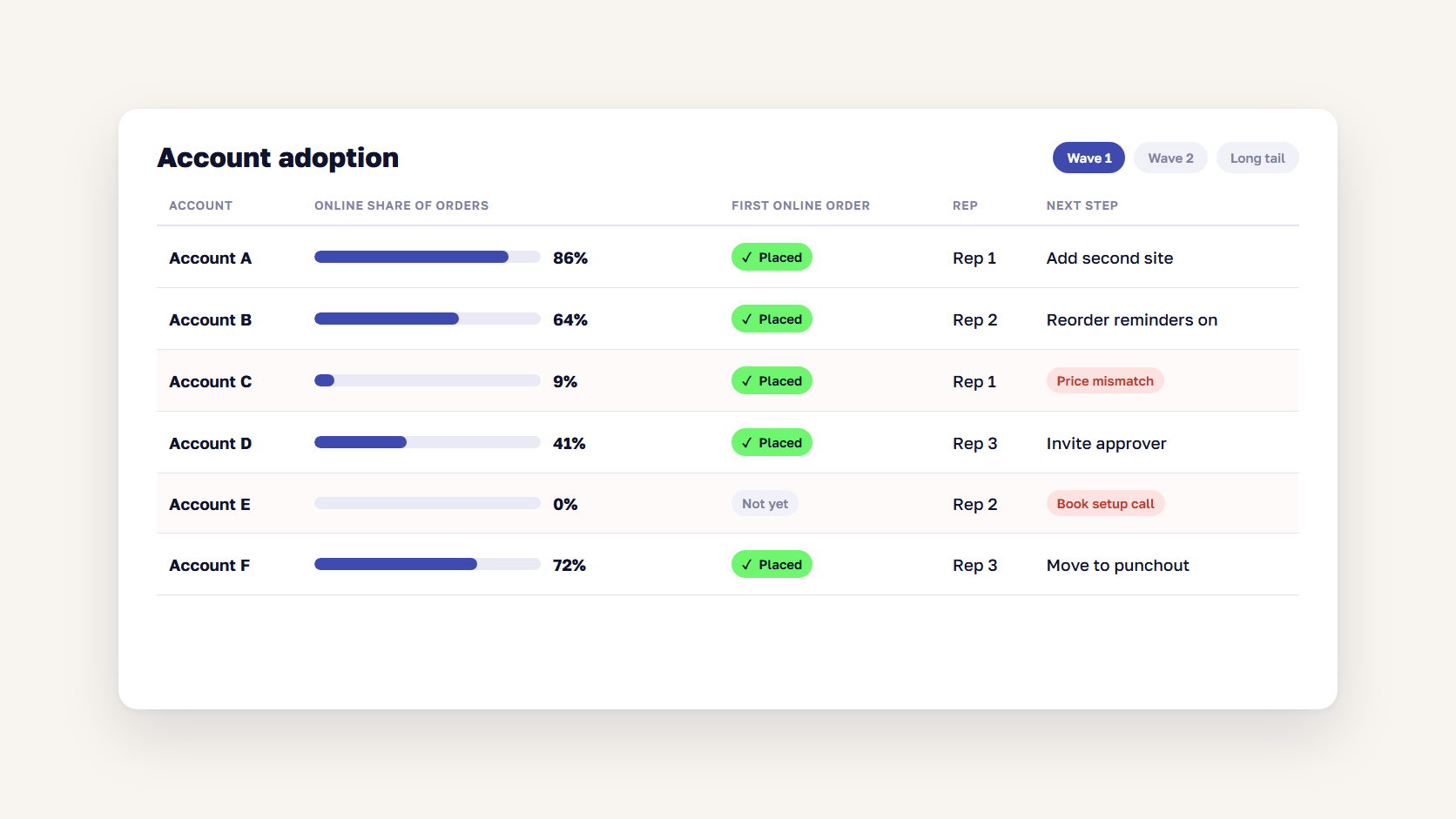
Measure B2B customer onboarding by the share of each account’s orders placed online, tracked monthly per account. Add how many invited buyers placed a first order, how many reorder online, and how much time order entry and support take. Logins and traffic alone hide the accounts that never moved.
| Metric | What it shows | Where to find it |
|---|---|---|
| Online share of orders, per account | Whether the account has really moved | ERP order source field |
| First online order rate | Whether setup and the first order work | Portal accounts vs orders |
| Repeat online orders within 90 days | Whether the first order turned into a habit | Portal order history |
| Returning visitors | Whether buyers come back between orders | Analytics |
| Order entry time | Staff hours freed up | Customer service time tracking |
| Support contacts per order | Whether self-service works | Help desk |
Report these per account. A few large accounts ordering almost everything online can make the total look healthy while two hundred small accounts still order by phone, and each group needs a different next step. Macron’s results show what to look for: returning visitors grew 32.8% after its new platform launched, and order creation time fell 40%.
If you are not sure where accounts drop off, a B2B customer experience audit maps each step from login to reorder and shows which ones lose buyers.
FAQ about B2B customer onboarding
How long does B2B customer onboarding take?
In our experience, most suppliers need 6 to 12 months to move the bulk of their accounts online. The first wave of 20 to 50 accounts can be ordering online within the first three months. The long tail of small and infrequent buyers takes longer, and some large accounts move to EDI or punchout instead of the portal.
Who should own customer adoption after a B2B portal launch?
One named person should own adoption across all accounts, usually the head of eCommerce or a digital sales manager, with reps owning their own accounts. Without a single owner, adoption falls between the eCommerce team, which built the portal, and sales, which owns the customer, and neither group reports on it.
How do you get B2B customers to order online instead of calling?
Make the first online order faster than calling. Load each account’s prices, buyers, and reorder list before they log in, have the rep place the first order with them, and send reorder reminders based on their order history. Keep prices and stock in the portal identical to the rep’s quote, or customers will call to check.
What should a B2B customer portal include on day one?
On day one, a B2B customer portal needs contract prices, live stock, saved reorder lists, order history, quick order by SKU, and user roles with approvals. Order tracking, invoices, and document downloads give buyers reasons to log in between orders. Features beyond that can wait until the first accounts are ordering online.
Should B2B suppliers force customers to order online?
Not at first. Forcing large accounts usually pushes them to a competitor or to email. Start with the accounts most likely to switch, make online ordering easier than the old way, and only make it the default for small accounts once the portal has proven itself, keeping a phone line for exceptions.
What are the biggest B2B eCommerce challenges after launch?
The biggest B2B eCommerce challenges after launch are customer adoption, prices and stock that don’t match the ERP, incomplete product data, and sales compensation that rewards offline orders. Platform features are rarely the blocker. Most stalled portals work technically but have no plan or owner for moving existing customers online.
B2B customer onboarding is the second half of the project
B2B customer onboarding turns a working portal into a channel your customers use. Plan it before launch, set up accounts one by one, let reps place the first orders, give buyers reasons to come back, and change pay so reps gain when customers order online. Then measure the online share of orders per account every month. If you want help finding new buyers as well, our guide to B2B SEO covers that side.
Portal live but the phone still ringing? Tell us where your accounts are stuck, and we'll help you plan the next 12 months of adoption.




































