
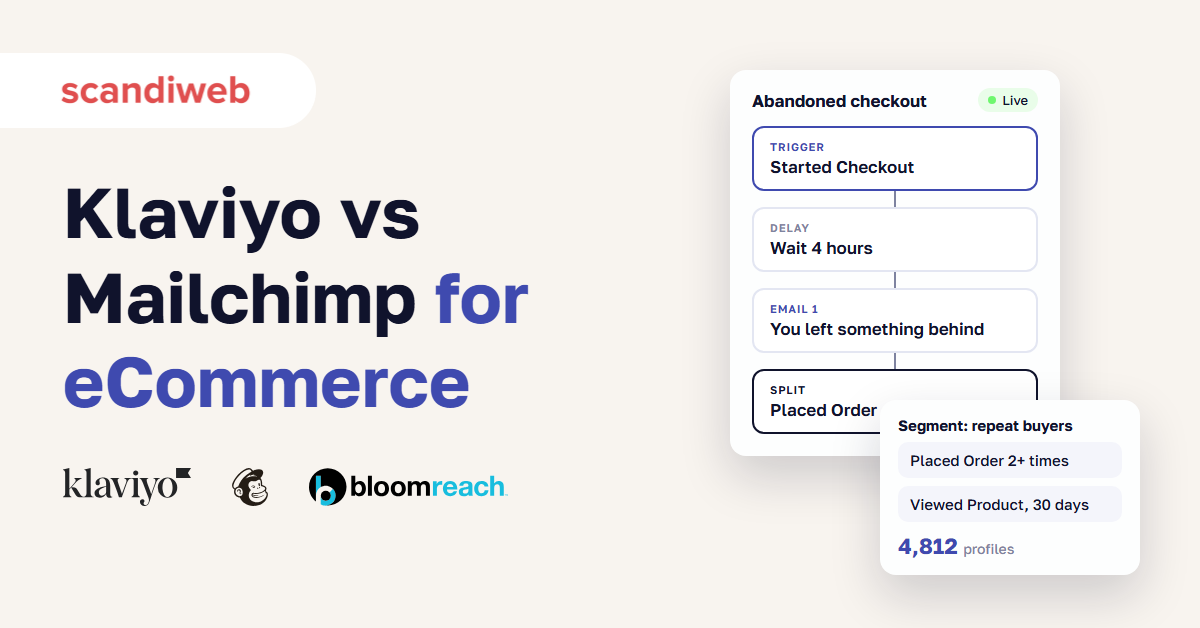
Stores that ask us about Klaviyo vs Mailchimp have usually felt the gap already: the abandoned-cart flow that was never built, or the second store view that never synced. Most of them want to know two things. Is the move worth the migration work, and if the store keeps growing, is Bloomreach the next stop or an expensive detour?
The answer turns on how much store data you have and how much of it you will put to work. List size mostly changes the bill.
Klaviyo vs Mailchimp: the short answer
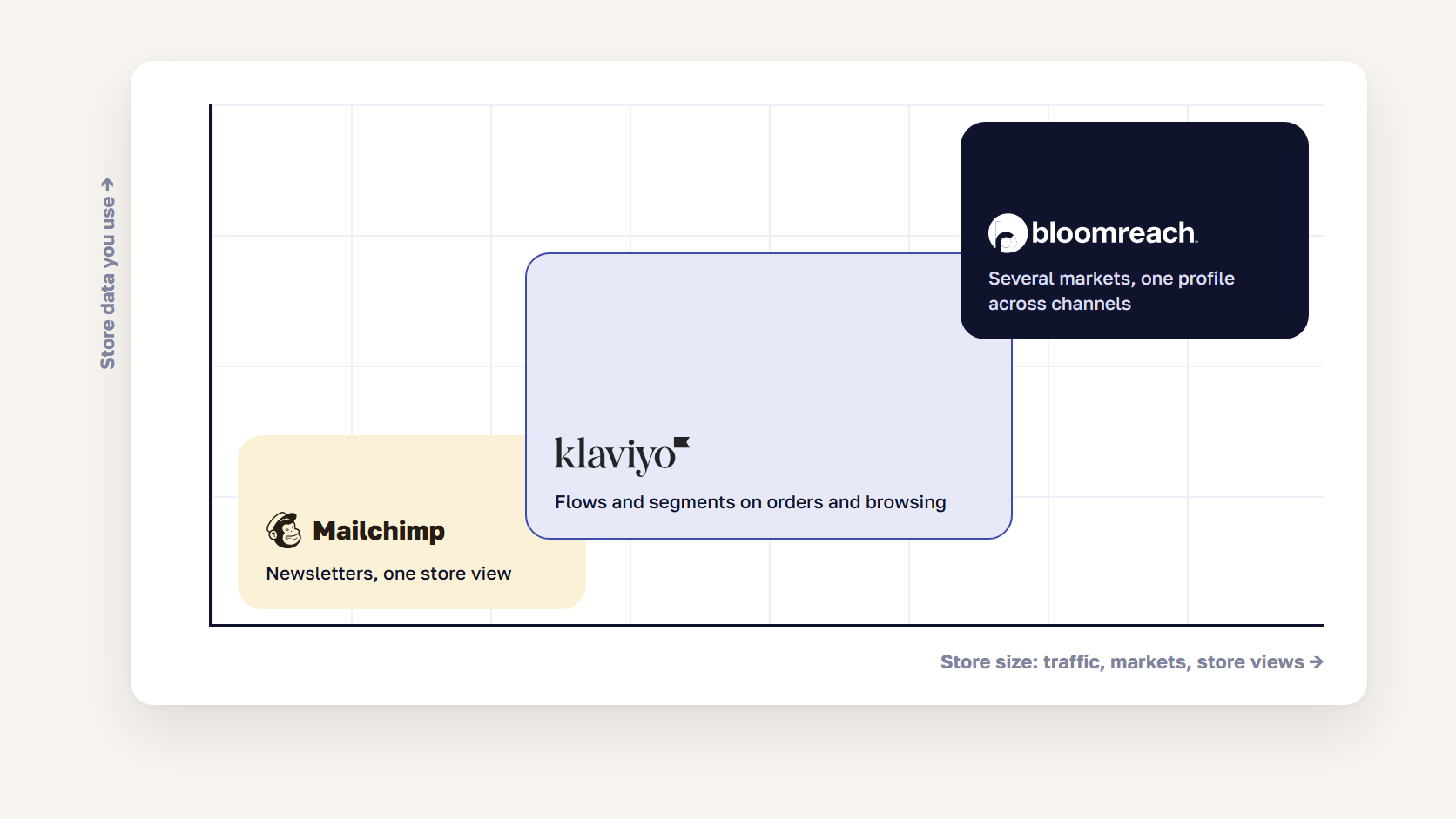
Klaviyo is the better fit for most eCommerce stores because it is built around store data: orders and browsing events from Shopify or Magento (Adobe Commerce) feed every segment and flow. Mailchimp is cheaper at the entry level and simpler for newsletter-led marketing, but its flows and audiences are capped by plan. Bloomreach fits large, multi-market retailers that want one customer profile behind email, on-site personalization, search, and ad audiences.
| Klaviyo | Mailchimp | Bloomreach | |
|---|---|---|---|
| Best fit | eCommerce stores selling repeat purchases | Small stores, newsletter-led email | Large retailers, several markets and channels |
| Billed on | Active profiles | Contacts, unsubscribed included | Platform fee plus usage |
| Paid plans from | $20/month | $13/month | $60K+ a year for most brands |
| Free plan | 250 profiles, 500 sends | 250 contacts, 500 sends | None |
| Automation flows | Every plan, Free included | 4 steps on Essentials, 200 flows on Standard+ | Included |
| Predictive segments | From 500 paying customers | Standard and Premium | Included |
| Magento (Adobe Commerce) | Official extension | Free connector, one audience per store view | Integration project |
| Shopify | Preferred Shopify Plus email partner | Official Shopify app | Integration project |
🚀 Quick takeaway
The two Mailchimp limits growing stores hit first are the audience cap and the 4-step flow limit on Essentials. Both show up well before the contact limit does.
Klaviyo vs Mailchimp pricing as your list grows
Mailchimp’s paid plans start lower: Essentials from $13 a month and Standard from $20 a month for 500 contacts, against $20 a month for Klaviyo’s Email plan at 251–500 active profiles. The comparison changes as lists grow because the two count people differently. Klaviyo bills active profiles, the contacts who can still receive marketing. Mailchimp’s bill includes unsubscribed contacts until you archive them.
| Plan | Starts at | What the entry price covers |
|---|---|---|
| Klaviyo Free | $0 | 250 active profiles, 500 email sends a month |
| Klaviyo Email | $20/month | 251–500 active profiles, scales with profile count |
| Klaviyo Email + SMS | $35/month | Email plan plus SMS and MMS credits |
| Mailchimp Free | $0 | 250 contacts, 500 sends a month, 1 audience |
| Mailchimp Essentials | $13/month | 500 contacts, 3 audiences, flows up to 4 steps |
| Mailchimp Standard | $20/month | 500 contacts, 5 audiences, up to 200 flows, predictive segments |
| Mailchimp Premium | $350/month | 10,000 contacts, unlimited audiences and seats |
| Bloomreach | Custom quote | Bloomreach says most brands start at $60K+ a year |
Both prices rise with your list, so run your own count through each calculator. Two billing rules matter more than the entry price:
- Klaviyo counts only contacts who can receive marketing. Mailchimp counts subscribed, unsubscribed, and non-subscribed contacts, and only archived, cleaned, or deleted contacts drop off the bill.
- Mailchimp bills overages automatically after the trial and keeps sending, with a monthly send allowance of 10x your contact limit on Essentials, 12x on Standard, and 15x on Premium. Klaviyo moves a paid account to the plan that matches its active profile count.
🚀 Quick takeaway
Archive unsubscribed contacts in Mailchimp before you compare quotes. Otherwise you are comparing Klaviyo against a bill that includes people you can no longer email.
Magento (Adobe Commerce) and Shopify integrations
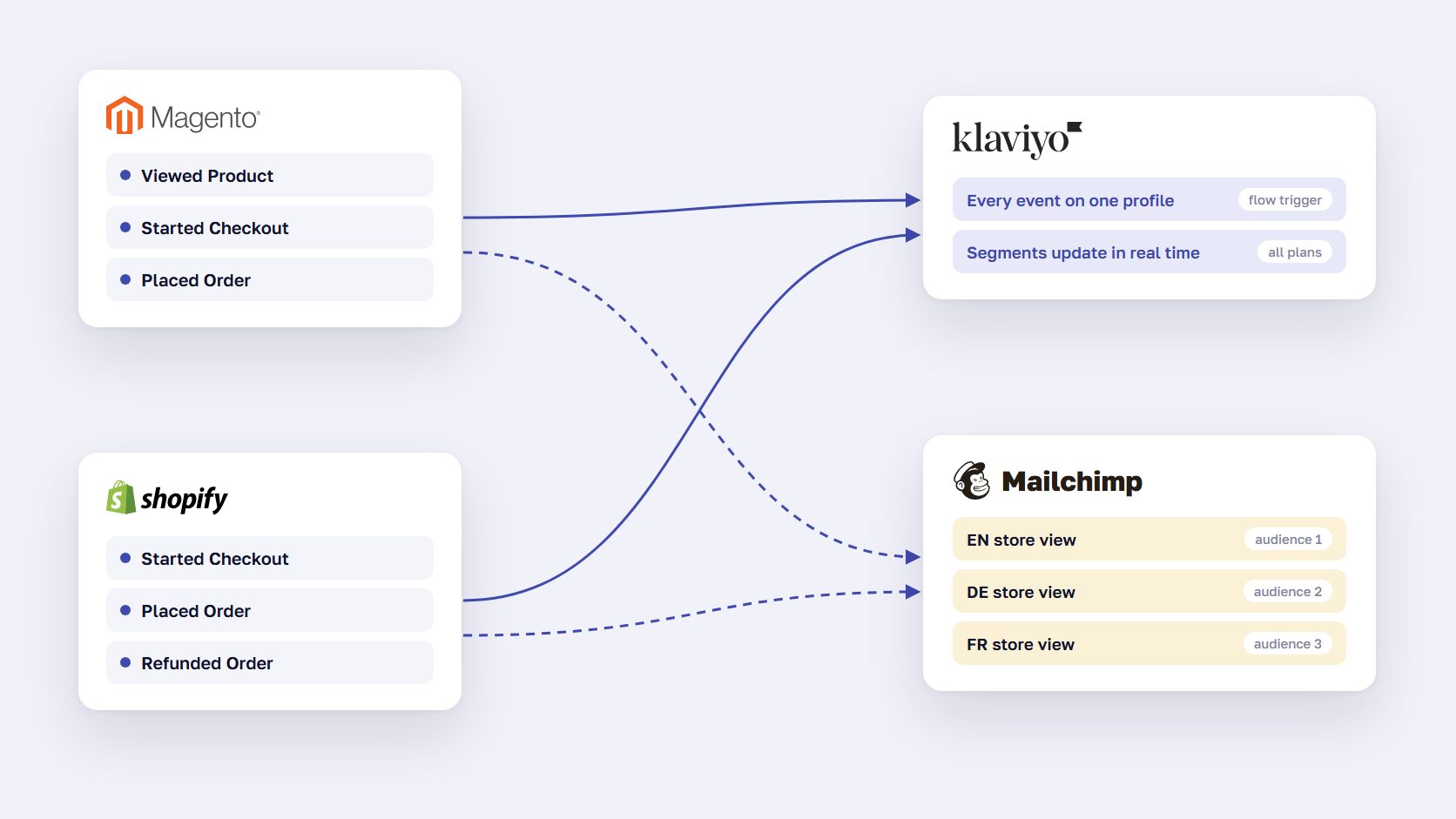
On both platforms, Klaviyo has the deeper integration. Its Magento extension and Shopify app send orders, checkouts, and product views as events you can trigger flows on, and Shopify names Klaviyo its preferred email partner for Shopify Plus. Mailchimp connects to both platforms too, but on Magento each store view links to its own audience, and the number of audiences depends on your plan.
Magento (Adobe Commerce)
Klaviyo’s extension installs from the Adobe Commerce Marketplace. According to Klaviyo’s Magento guide, the native integration tracks Placed Order, Fulfilled Order, Canceled Order, Refunded Order, and Started Checkout, and the extension adds Active on Site and Viewed Product. A headless storefront needs Klaviyo.js added by hand. Anything outside that list, such as a canceled payment, is custom development.
Mailchimp for Adobe Commerce is a free connector that syncs customers and orders to an audience. The catch for multi-store setups is that each store view connects to its own audience. A store with four store views needs four audiences, which rules out Free (1 audience) and Essentials (3). Most sync failures come from leftover MageMonkey data or orphan stores, and our Mailchimp Magento integration guide covers the fixes.
Shopify
Klaviyo and Shopify announced a strategic partnership in August 2022: Klaviyo became the recommended email solution for Shopify Plus, and Shopify invested in Klaviyo. Mailchimp’s official Shopify app, built by Intuit Mailchimp, syncs customers and purchase data as well.
On Shopify, the integration gap is smaller than on Magento, and the tools differ more in what they let you do with the data in flows and segments. If you need flows on custom events, the Shopify Klaviyo integration is where we start.
🚀 Quick takeaway
Count your store views before you pick a Mailchimp plan. On Magento, that number can choose the plan for you.
Flows, segmentation and deliverability
Klaviyo includes automation flows and segments on every plan, Free included, and any segment can use the store’s order and browsing data. Mailchimp limits flows by plan: up to 4 steps on Essentials and up to 200 flows on Standard and Premium, which is also where predictive segments start. Deliverability depends mostly on your own setup, and Gmail’s sender rules apply to both tools in the same way.
Flows
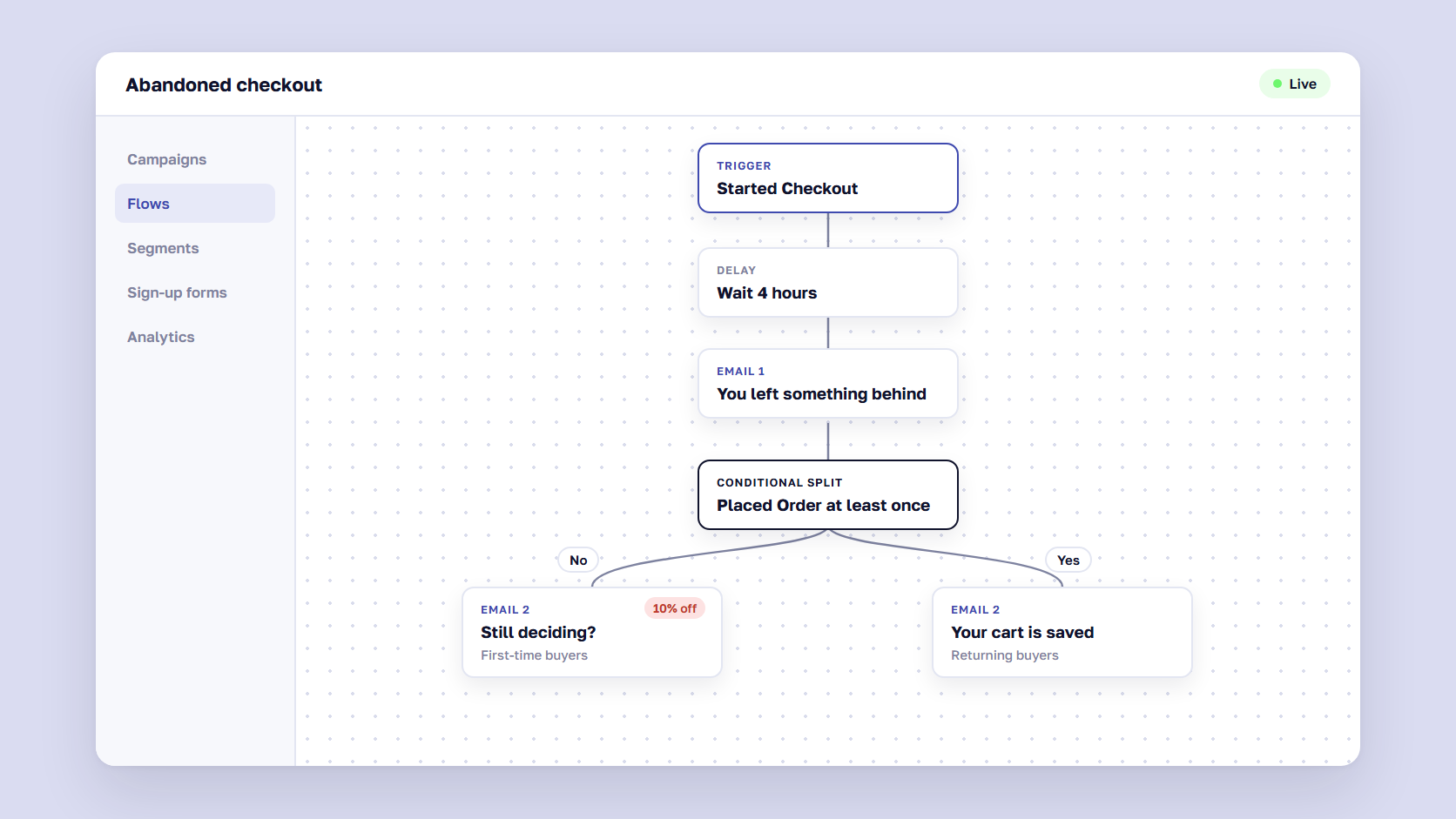
The flows that earn most store email revenue are triggered by behavior: welcome, browse abandonment, abandoned checkout, post-purchase, and win-back. A 4-step cap is tight for an abandoned-checkout series that splits first-time and returning buyers. Our guide to shopping cart abandonment solutions covers what goes into those emails.
Segmentation and predictive data
Klaviyo segments update in real time on any event or property the store sends. Its predictive analytics, such as predicted lifetime value and expected next order date, need at least 500 customers who have placed orders, 180 days of order history, and orders in the last 30 days, according to Klaviyo’s help center. Below that point, predictions stay blank and you segment on rules you write yourself. Mailchimp keeps predictive segments for Standard and Premium.
Deliverability
Neither tool gets you into the inbox on its own. Since February 2024, Google has required anyone sending more than 5,000 messages a day to Gmail to authenticate with SPF, DKIM, and DMARC, offer one-click unsubscribe, and keep the spam rate in Postmaster Tools below 0.30%. Both tools support an authenticated sending domain. After that, inbox placement depends on mailing people who open and click, which our email marketing best practices cover in detail.
🚀 Quick takeaway
Deliverability problems move with you. Fix authentication and clean the list during the migration, or the new tool inherits the old spam rate.
Should you move from Mailchimp to Klaviyo?
Move from Mailchimp to Klaviyo when email should earn revenue from store behavior: abandoned checkouts, browse abandonment, replenishment and win-back flows, and segments built on orders. Stay on Mailchimp if most of your email is newsletters and announcements and your list is small. The entry price is lower, and the flows you would gain have little data to run on.
These signs usually mean the move is due:
- You run several store views or languages and work around Mailchimp’s audience limits.
- A flow you need is blocked by a step limit or a plan level.
- You build segments from CSV exports instead of from purchase data.
- You can’t tell which flow earned which order.
Flows and templates don’t transfer between the tools. A migration means importing audiences with their custom properties, rebuilding every flow, authenticating the sending domain, and moving transactional emails. We did this for a cycling brand whose Mailchimp setup couldn’t handle multistore, multilanguage sending or abandoned-cart, birthday, and review flows. We imported the audiences with custom properties, built metrics the standard Magento integration didn’t track, verified DMARC, and launched the flows in several languages. Email-attributed revenue grew 4.8x YoY.
Read more: Email Marketing Revenue Increased by 4.8x After Klaviyo Migration
Bloomreach vs Klaviyo: when stepping up is worth it
Bloomreach is worth it when email is one of several channels that should share a single customer profile, and your traffic is large enough to pay for it. Bloomreach’s own pricing page says most brands start at $60K or more a year and that its smaller customers serve 500K+ monthly visitors. Below that scale, Klaviyo usually covers the email and SMS work most stores need.
The step up makes sense when most of these are true:
- You sell in several markets with separate store views, languages, and consent rules.
- Customer data comes from POS and ERP systems as well as the online store.
- You want the same segments in email, on-site personalization, search, and ad audiences.
- You have a team or partner to run it. Bloomreach itself says it isn’t for brands still building an audience or looking for a lightweight email platform.
The biggest sportswear retailer in the Baltics made this move from Klaviyo. With separate store views per market and customer data split across systems, we helped them compare CDPs, and once Bloomreach was chosen, we rebuilt their flows on it. Automated flows now generate 39% of their email revenue from 3% of sends. Twelve months after launch, email orders were up 20.6% and ROAS on paid media was up 39.1%.
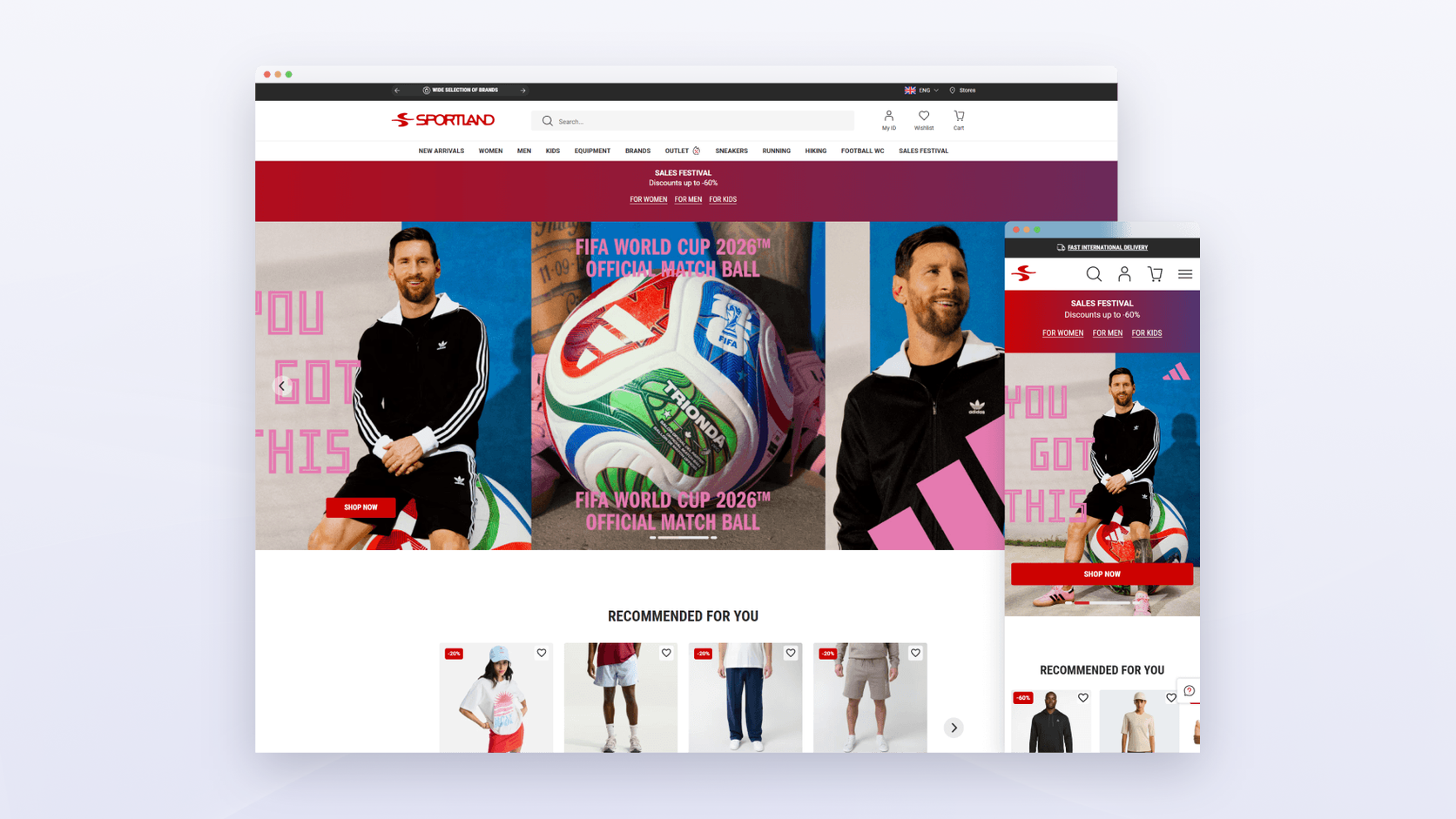
Read more: CDP Case Study: Multi-Market Personalization for the Biggest Baltics Sportswear Retailer
If you are weighing the same move, our guide to customer data platforms explains what a CDP adds over an email tool. We build both the Magento Bloomreach integration and the Shopify Bloomreach integration.
🚀 Quick takeaway
Bloomreach pays back through the channels beyond email. If email is the only channel you plan to run on it, Klaviyo is the cheaper answer.
How to choose between Klaviyo, Mailchimp and Bloomreach
For most eCommerce stores, Klaviyo is the default: it uses store data in every flow and segment and grows with the list. Mailchimp is the right call for small, newsletter-led stores that want the lowest entry price. Bloomreach is for retailers with several markets, large traffic, and a team ready to run one customer profile across email, website, and search.
Choose Klaviyo if:
- You sell on Shopify or Magento (Adobe Commerce) and want flows triggered by orders, checkouts, and product views.
- You have, or will soon have, 500+ paying customers and want predictive segments.
- You run several store views and don’t want one audience per view.
- You expect most email revenue to come from automated flows.
Choose Mailchimp if:
- Most of your email is newsletters, announcements, and promotions.
- Your list is under a few thousand contacts and the entry price matters most.
- You run one store view or one Shopify store.
- You send a few campaigns a month and rarely use automation.
Choose Bloomreach if:
- Your site serves hundreds of thousands of visitors a month across several markets.
- Customer data lives in POS and ERP systems as well as the store.
- You want one profile behind email, on-site personalization, search, and ads.
- You have people to run it day to day.
Frequently asked questions about Klaviyo vs Mailchimp
Is Klaviyo better than Mailchimp for eCommerce?
For most online stores, yes. Klaviyo syncs orders, checkouts, and product views from Shopify and Magento and uses them in every flow and segment, on every plan. Mailchimp is simpler and cheaper to start and works well for newsletter-led email, but flows and predictive segments depend on your plan, and on Magento each store view needs its own audience.
Can you migrate from Mailchimp to Klaviyo without losing subscribers?
Yes, if you plan it. Export each Mailchimp audience with consent status and custom properties, import them into Klaviyo, and keep unsubscribes suppressed. Flows and templates have to be rebuilt. Authenticate your sending domain before the first campaign and start with your most active contacts to protect deliverability.
Does Mailchimp work with Magento 2?
Yes. Mailchimp for Adobe Commerce is a free connector that syncs customers and orders to a Mailchimp audience. Each store view connects to its own audience, so multi-store setups may need a higher plan. Leftover MageMonkey data and orphan stores cause most sync failures.
What are the weaknesses of Klaviyo?
Cost and scope. The bill grows with active profiles, so large lists get expensive. Klaviyo is built for email and SMS, so data from POS, ERP, or support tools needs extra work or its paid data platform. On Magento, events beyond the standard set need custom development.
How much does Bloomreach cost?
Bloomreach doesn’t publish a rate card. Pricing combines a platform fee with a usage fee based on audience and catalog size, the products you turn on, and the volume you run. Its pricing page says most brands start at $60K or more a year, and its smaller customers serve 500K+ monthly visitors.
Klaviyo vs Mailchimp: choose the tool your data can feed
In Klaviyo vs Mailchimp, the store data you plan to use decides the winner. If your store sends orders and browsing events and you want email to earn from them, Klaviyo is the better tool on both Shopify and Magento. If you mostly send newsletters to a small list, Mailchimp costs less and does the job. Bloomreach is worth it once several markets and channels need one customer profile. Our email marketing services cover the move and the flow build for any of the three.
Weighing a move off Mailchimp, or wondering whether Bloomreach fits your size? Tell us about your setup, and we'll tell you which tool your data can support.




































