
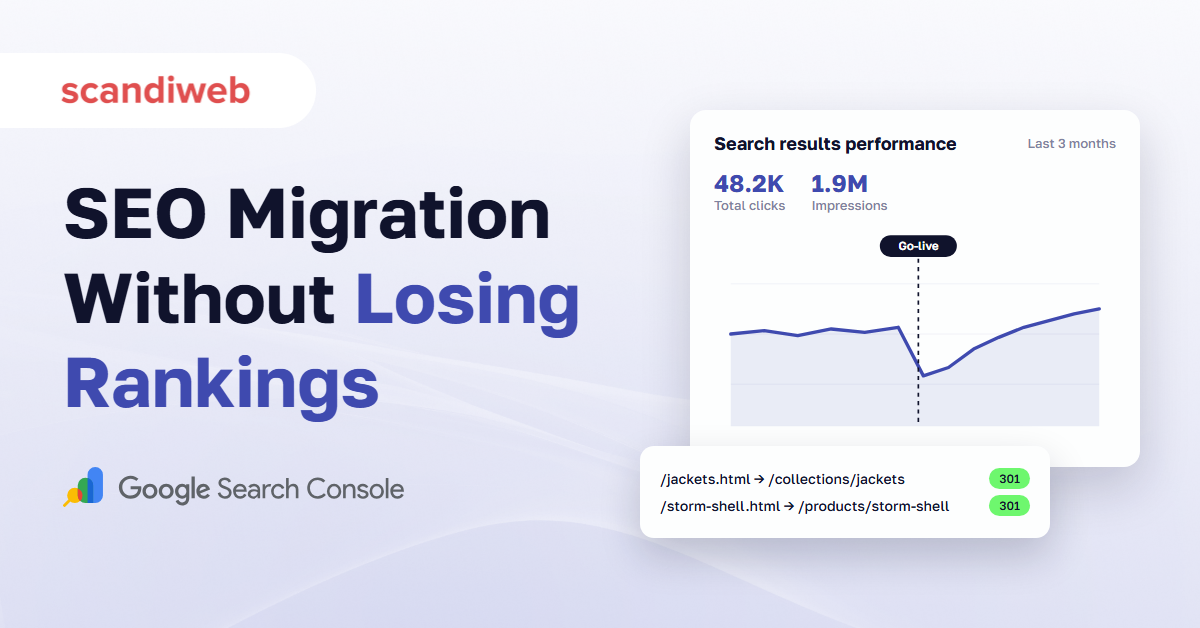
It’s the Tuesday after go-live. The new store looks better than the old one, orders are coming in, and the organic sessions line in GA4 is pointing down. Nobody knows yet whether it’s a tracking problem or customers who can’t find you anymore.
This SEO migration checklist is written to keep you out of that meeting. Most migration checklists are built for brochure sites with fifty pages. An online store has thousands of product URLs, category pages that rank, filter combinations, variants, out-of-stock items, and review markup, and each of them can lose rankings in its own way. The checklist below covers those, then ends with the order we check things in when traffic drops after launch anyway.
What an SEO migration checklist for eCommerce covers
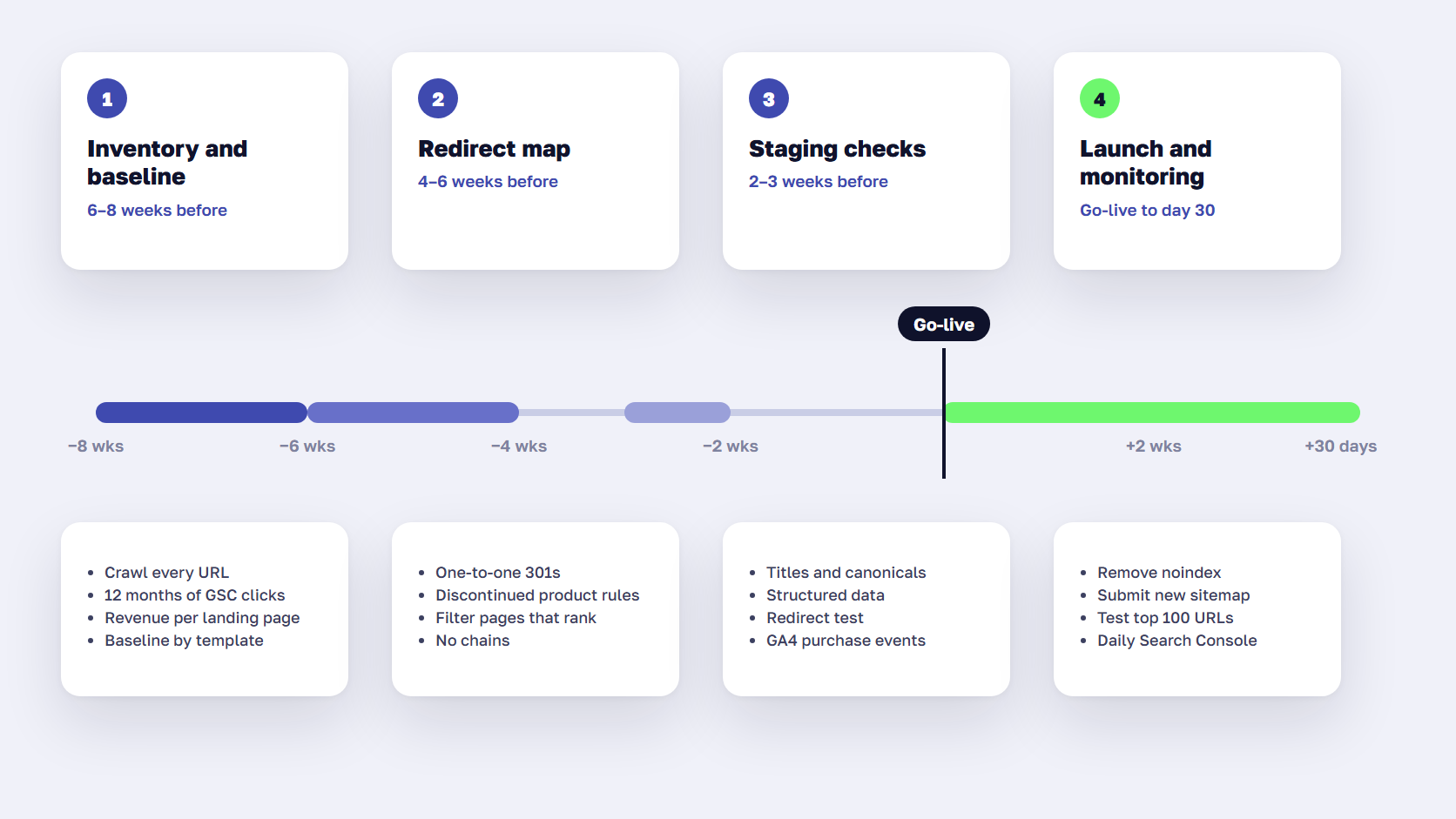
An SEO migration checklist for eCommerce has four phases: an inventory and baseline before launch, a redirect map that covers every URL that ranks or earns links, checks on staging, and monitoring for the first 30 days after go-live. Most lost traffic traces back to steps skipped in the first two phases.
| Phase | When | What usually goes wrong |
|---|---|---|
| Inventory and baseline | 6–8 weeks before launch | URLs missing from the list, no traffic baseline to compare against |
| Redirect map | 4–6 weeks before launch | Products redirected to the homepage, filter pages forgotten |
| Staging checks | 2–3 weeks before launch | Titles, canonicals, or structured data lost in the new templates |
| Launch and 30 days | Go-live onward | Staging noindex left on, tracking broken, nobody watching Search Console |
If you’re still deciding between replatforming and upgrading, start with our guide to Magento to Shopify migration, which covers costs and what data moves. This checklist assumes the decision is made.
Before launch: build the URL inventory and a baseline
Website migration SEO starts with a complete list of what you have today and how it performs. Without that list, you can’t map redirects. Without the baseline, you can’t tell a normal post-launch dip from a real loss.
- Crawl the current store, including parameter and pagination URLs
- Export every URL with clicks from Search Console for the last 12 months, so seasonal pages make the list
- Pull organic revenue by landing page from GA4, and the pages with the most backlinks from your SEO tool
- Record a baseline per page template: organic sessions, clicks, revenue, and rankings for your top 50–100 keywords
- Freeze content and URL changes on the old site until launch
Which URLs an online store can’t afford to lose
Rank the inventory by value before anyone writes a redirect. In most stores, a small group of category pages and filter pages that rank for specific searches (“black leather boots”, “men’s waterproof jackets”), plus the bestselling products, bring in most of the organic revenue. Buying guides and blog posts often hold most of the backlinks. Those groups get mapped and tested by hand. The long tail gets mapped by rule.
🚀 Quick takeaway
Export 12 months of Search Console data, not 3. A winter category that sits quiet in July still needs a redirect, and it will be the first page you miss if the export only covers the summer.
Build the redirect map
Redirect mapping means pairing every old URL that earns traffic or links with the closest matching new URL and a permanent 301 or 308 redirect. Google recommends keeping redirect chains short, ideally no more than three hops, and keeping redirects in place for at least a year. On a store, the map usually runs to thousands of rows, so most of it is built by rule and the top pages are checked by hand.
| Old URL type | Redirect to |
|---|---|
| Product that still exists | The same product’s new URL, one to one |
| Discontinued product with a replacement | The replacement product |
| Discontinued product without a replacement | The closest category, never the homepage |
| Category | The matching new category, even if its name changed |
| Filter page that ranks | A new indexable filter page or the closest category |
| Blog post or guide | The same content on its new URL |
| Old redirects already in place | The final new URL directly, to avoid chains |
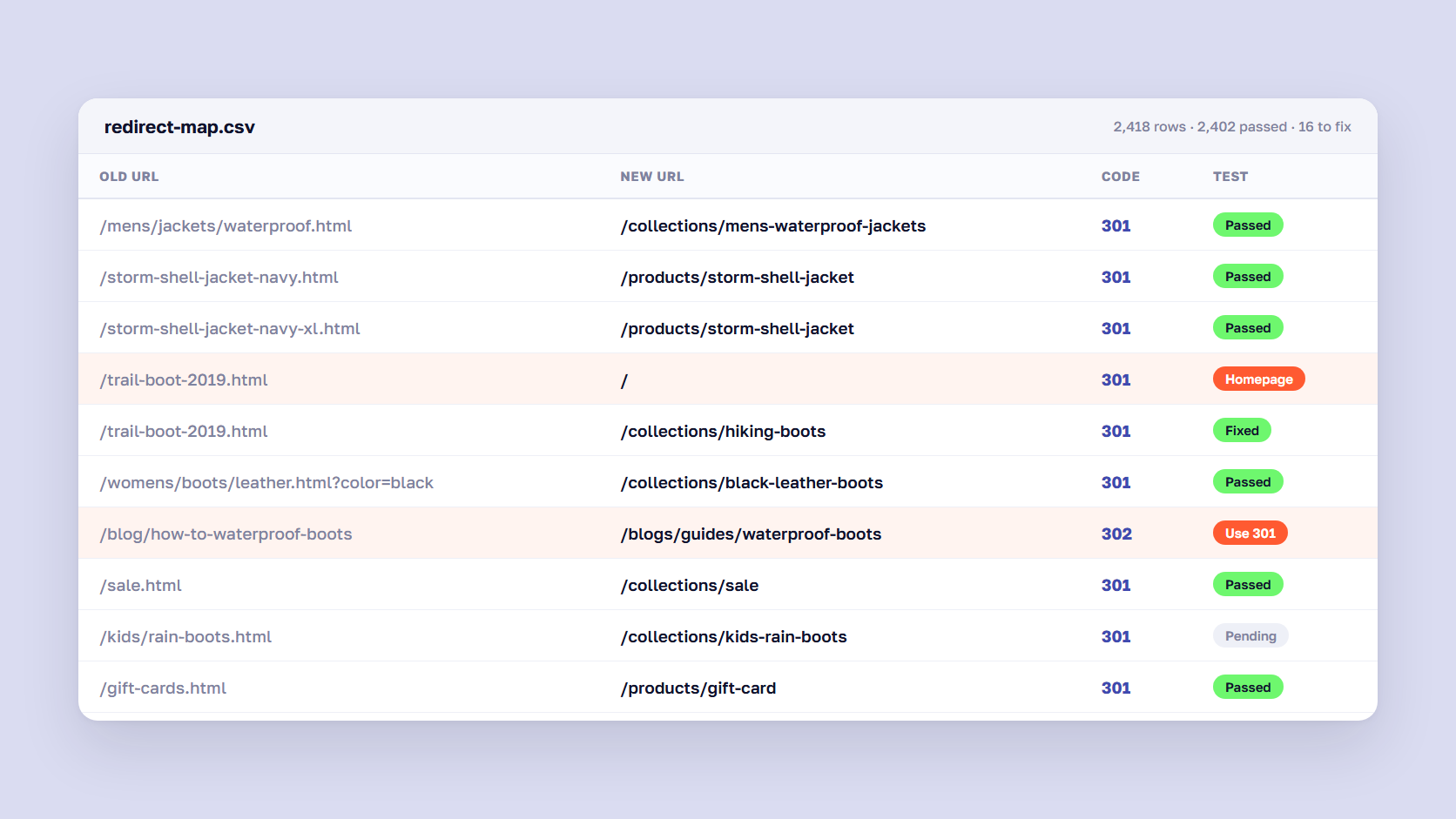
Avoid sending large groups of products to the homepage. Google tends to treat those as soft 404s, so the old page’s rankings disappear anyway. If you’re on Magento, our guide to 301 redirect mapping covers how to build and import the map.
Nuclear Blast, a metal record label, moved from a legacy platform built in the 2000s to Magento 2. We restructured its URLs around keywords with year-round demand, mapped every old page to its new destination, and implemented more than 100,000 301 redirects. Organic traffic on the .com store grew 227% YoY after the migration.
Read more: Website Migration Case Study: A Story of 100k Redirects for Nuclear Blast

🚀 Quick takeaway
Test the redirects for your top revenue and backlink pages by hand. Rules cover the long tail, but one wrong rule can send 500 products to the same category.
eCommerce details most migration checklists miss
Generic website migration checklists stop at redirects and metadata. Stores lose rankings in places those lists don’t mention: filter URLs, variants, products that go out of stock, structured data, and international store views. Check each of these against the new platform before launch, because the defaults differ from one platform to the next.
Filters and faceted navigation
Decide which filter combinations deserve their own indexable page before launch. If the old store ranked for “red dresses” through a filter URL, the new store needs an equivalent page, or that traffic goes to a competitor. Everything else should stay out of the index through canonicals or noindex. Our guide to layered navigation explains the rules.
Variants and configurable products
A Magento configurable product with ten sizes can become one product with ten variants, or ten separate products, depending on how the new platform and the import handle it. Pick one canonical URL per product and redirect any old child-product URLs to it. Otherwise you split ranking signals across near-identical pages, which our duplicate content guide covers in detail.
Out-of-stock and discontinued products
Keep temporarily out-of-stock products live on their own URLs with a clear stock message. Redirect discontinued products to a replacement or the closest category. A migration is a good moment to clean out years of dead products, as long as each one with traffic or backlinks gets a proper redirect.
Structured data and reviews
Product, Offer, Review, and Breadcrumb markup often breaks in new templates, and reviews can vanish if the reviews app isn’t migrated before launch. Losing them costs you star ratings and price snippets in search results. Validate the markup on staging and confirm the review count per product matches the old store. Our guide to product structured data lists the fields that matter.
International stores and hreflang
Every hreflang annotation has to point at the new URLs, and each language version needs a self-referencing canonical. Store views that merge or split during a migration need their own redirect logic. Our hreflang and canonical playbook covers the setup.
B2B catalogs behind a login
B2B stores often hide prices or whole catalogs behind a login, so Google never indexed much of the old store. A migration is the time to decide which product data goes public, since buyers and AI assistants can only recommend what they can read. Our B2B SEO guide explains how to open the catalog without exposing negotiated prices.
🚀 Quick takeaway
The platform defaults decide half of this list. Ask your developers early how the new platform handles filters, variants, out-of-stock products, and reviews, because changing it after launch means a second round of redirects.
Pre-launch checks on staging
Run the checks on staging two to three weeks before launch, while there’s still time to fix templates. Keep staging closed with a password rather than relying on robots.txt alone, so nothing gets indexed early.
- Crawl staging and compare titles, meta descriptions, H1s, and canonicals against the old store for your top pages
- Test the redirect map against staging and fix every 404, 302, and chain longer than one hop
- Validate structured data on product, category, and article templates
- Check that internal links, menus, and breadcrumbs point straight to the new URLs
- Generate the new XML sitemap and confirm it lists only indexable, canonical URLs
- Confirm GA4, Google Tag Manager, and purchase events fire on the new templates
- Compare page speed on the main templates with the old store
A technical SEO audit on staging covers most of this list in one pass.
Launch day: the first 24 hours
On launch day, the job is to make the new store crawlable and prove that redirects and tracking work. Remove the migration-only blocks, publish the redirects, submit the new sitemap, and test your top URLs by hand before anyone celebrates.
- Remove staging noindex tags and robots.txt blocks
- Publish the redirects and test your top 100 URLs by value
- Submit the new XML sitemap in Search Console
- Use Google’s Change of Address tool only if the domain changes, because it doesn’t apply to replatforming on the same domain
- Place a test order and confirm the purchase appears in GA4
- Crawl the live site and compare the results with the staging crawl
Search Console may warn that URLs in the old sitemap redirect. Google’s documentation says that’s normal.
The first 30 days after launch
Expect rankings to move for a few weeks. Google says a small or medium site takes a few weeks for most pages to move, and larger sites take longer. Check Search Console daily for the first two weeks, then weekly until traffic settles. These four views catch most problems.
- New 404s and redirect errors in the Pages report
- Indexing status of your top product and category pages
- Rankings for your top 50–100 keywords against the baseline
- Organic revenue by page template, not only total sessions
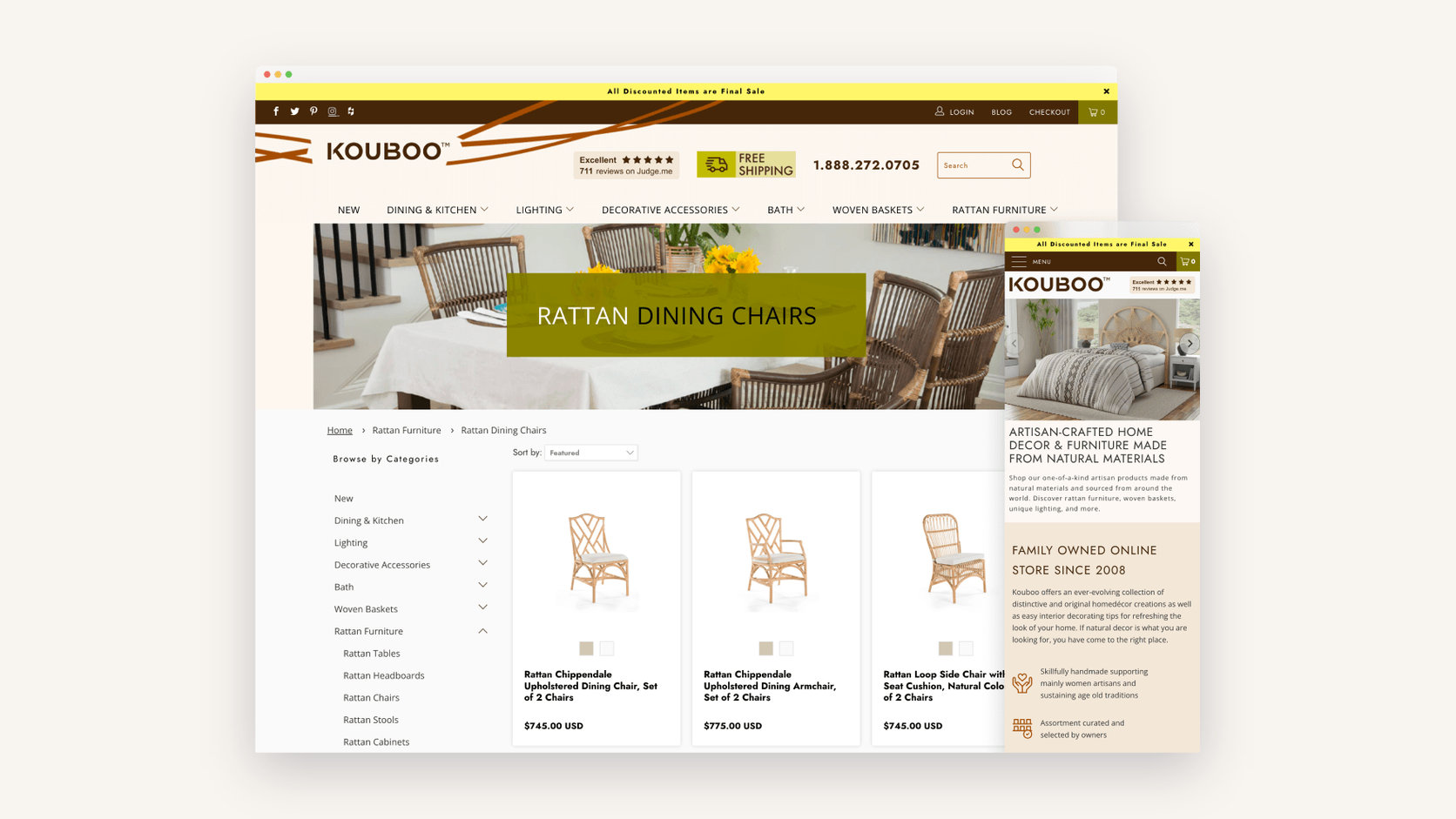
Kouboo, a Los Angeles home décor retailer, moved from Magento 2 to Shopify in May 2020 with redirect mapping, migrated metadata, and a pre-launch technical audit in place. Organic traffic dipped 8–9% after launch and recovered within a month. Organic revenue later grew 107% compared with the pre-migration period.
Read more: Case study: SEO program secures migration and drives 107% organic growth for Kouboo.com
🚀 Quick takeaway
Report organic revenue by template, such as product and category pages. A flat total can hide a category template losing a third of its traffic while the blog grows.
Traffic dropped after launch? Check in this order
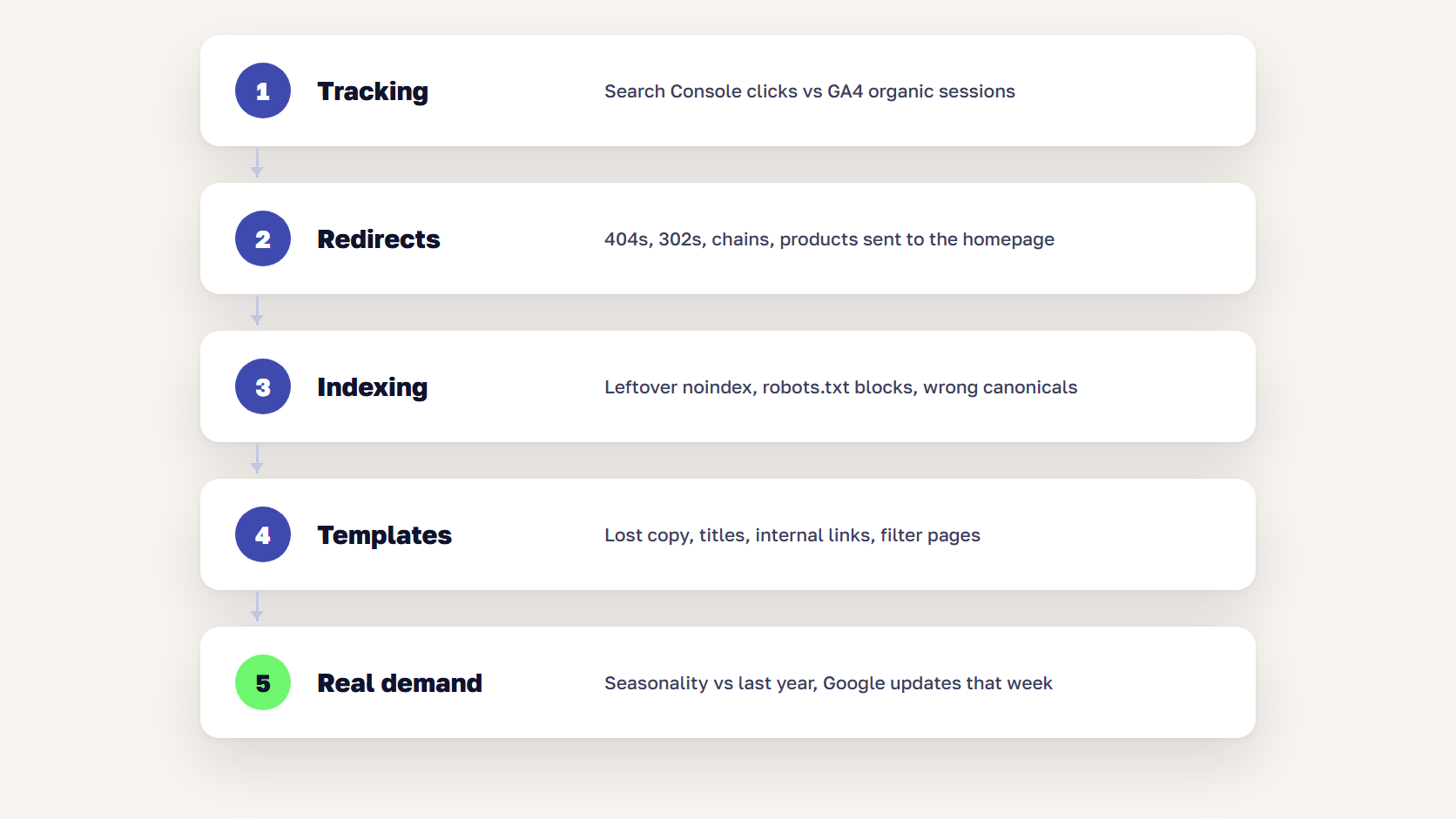
When organic traffic drops after a website migration, check tracking first, then redirects, then indexing, then templates, and only then real demand. Each step is quicker than the next, and the first three explain most drops we see. Compare against your pre-launch baseline at every step.
- Check tracking first. Compare Search Console clicks with GA4 organic sessions, and if clicks held steady while sessions fell, the tags are broken and SEO is fine
- Test the redirects on the old URLs that brought the most traffic, looking for 404s, 302s, chains, and products sent to the homepage
- Check indexing for leftover noindex tags, robots.txt blocks, and canonicals pointing at staging or old URLs. The Search Console Pages report shows which templates dropped out
- Compare old and new templates for lost copy, titles, internal links, and filter pages that no longer exist
- Check real demand last, comparing seasonality with last year and looking for a Google algorithm update in the same week
If the drop holds after these checks, our eCommerce SEO team starts from the same list.
🚀 Quick takeaway
Start with the tracking check because it takes five minutes. Teams lose days fixing redirects for a traffic drop that turns out to be a GA4 tag missing from the new theme.
How long does SEO recovery take after a migration?
A well-run store migration usually recovers its organic traffic within a few weeks. Google says most pages on a small or medium site move in that time, and larger sites take longer. Kouboo, above, was back to its pre-launch traffic within a month. Shopify’s migration guidance treats a 5–10% dip in the first week as normal and a sustained drop above 20% as a sign that something is broken.
Large catalogs take longer because Google has to recrawl tens of thousands of product URLs. A drop that keeps growing after the first month almost always has a cause on the checklist above.
Frequently asked questions about SEO migration
Will a website migration hurt my SEO?
A website migration usually causes a short dip while Google recrawls the new URLs, and it shouldn’t hurt rankings long term if redirects and page metadata carry over. The damage comes from skipped steps: missing redirects, leftover noindex tags, lost category content, or broken tracking that hides what is happening. A complete SEO migration checklist prevents most of it.
How long should 301 redirects stay in place after a migration?
Keep 301 redirects in place for at least a year, and longer if you can. Google recommends at least one year so it can transfer signals to the new URLs, and old links on other websites keep sending visitors long after that. On a store, there is rarely a good reason to remove redirects that still receive traffic.
Should you redirect out-of-stock products?
No, keep temporarily out-of-stock products live on their own URL with a clear stock message and related alternatives. Redirect a product only when it is discontinued for good, to a replacement product or the closest category. Avoid redirecting discontinued products to the homepage, because Google often treats that as a soft 404.
Do you need Google’s Change of Address tool when replatforming?
Only if the domain or subdomain changes. Google’s Change of Address tool applies to moves from one domain to another. If you replatform from Magento to Shopify and keep the same domain, you don’t need it. You still need redirects for every URL that changes, plus a new XML sitemap submitted in Search Console.
What should an SEO migration checklist include?
An SEO migration checklist should include a crawl and URL inventory, a traffic and revenue baseline, a redirect map, checks for filters, variants, and structured data, a staging audit, launch-day tests, and 30 days of monitoring. For online stores, it also needs rules for out-of-stock and discontinued products and a triage order for traffic drops.
Why did my traffic drop after a website migration?
Most traffic drops after a migration come from broken tracking, missing or wrong redirects, pages blocked from indexing, or templates that lost content and internal links. Check them in that order against your pre-launch baseline. If all of them pass, compare with last year’s seasonality and check for a Google update in the same week.
Run the checklist before the launch date is fixed
An SEO migration checklist does most of its work six to eight weeks before launch, when there’s still time to fix templates and finish the redirect map. Build the inventory and baseline first, decide how filters, variants, and discontinued products behave on the new platform, and test everything on staging. After go-live, watch Search Console daily and work through the triage order before assuming the worst.
Launch date on the calendar and no redirect map yet? Tell us what you're migrating, and we'll show you which URLs to protect first.




































