
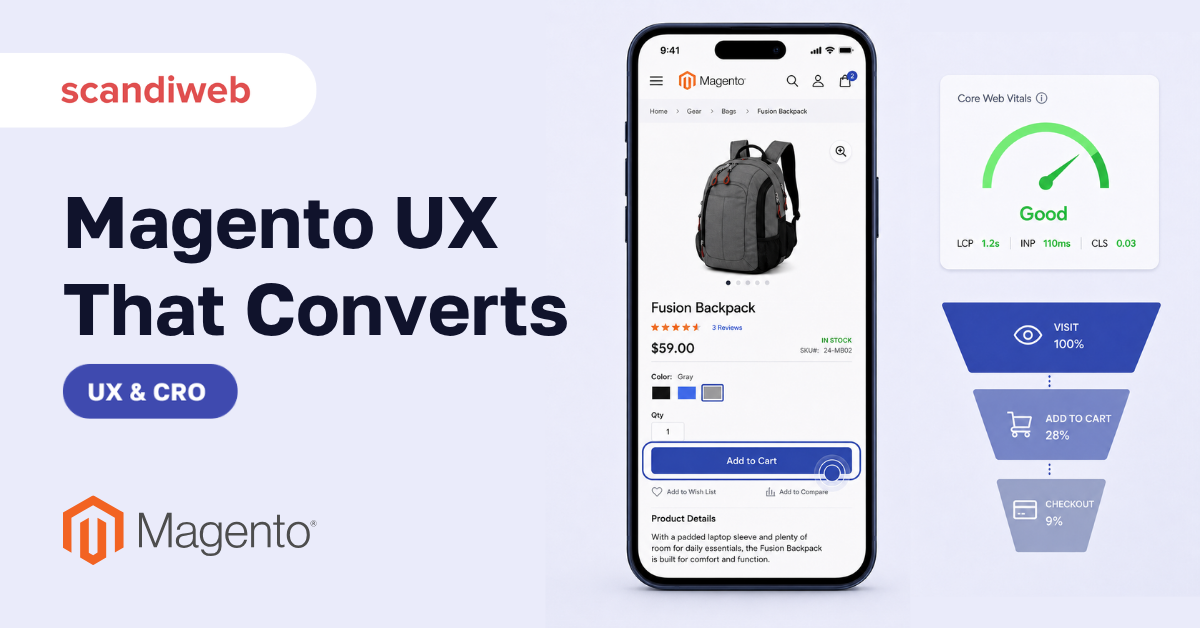
Your Magento store loads, the catalog is full, the design looks fine, and the visitor still leaves in the first ten seconds. That gap between “the site works” and “the site sells” is where most Magento UX problems live. The traffic arrives, the experience quietly loses it, and the analytics only show the bounce after the money is already gone.
Magento (Adobe Commerce) gives you a deep, flexible platform, but flexibility is not the same as a good experience. Out of the box, a Magento store is fast enough for a demo and slow enough to lose a mobile shopper. This guide covers the UX best practices that actually move conversions: speed, mobile, on-site search, checkout, and the smaller decisions that decide whether a visitor becomes a customer.
Overview
- The highest-impact Magento UX work is speed and mobile, because most traffic is mobile and most of it judges the store in the first few seconds.
- On-site search, navigation, and checkout are where ready-to-buy shoppers are won or lost, so they earn fixes before cosmetic changes.
- UX wins compound: a faster, clearer store lifts conversions, average order value, and Core Web Vitals at the same time.
🚀 Quick takeaway
Treat UX as a conversion lever, not a design opinion. Start where the money leaks first: page speed and mobile, then on-site search and checkout. Cosmetic polish comes after the funnel stops losing ready-to-buy shoppers.
Why Magento UX decides your conversion rate
UX is not decoration. It is the difference between a visitor who finishes a purchase and one who abandons it. The numbers are blunt. Google and Deloitte’s “Milliseconds Make Millions” study found a 0.1-second improvement in mobile load time raised retail conversions by 8.4% and average order value by 9.2%. Stores with “Good” Core Web Vitals convert meaningfully better than stores rated “Poor.”
Mobile makes the stakes higher. Mobile is on track to drive close to 59% of global retail eCommerce sales, so a store that is merely “okay” on a phone is leaving the majority of its audience underserved. And at the end of the funnel, Baymard Institute’s running average for cart abandonment is 70.2%, with unexpected extra costs the most cited reason shoppers walk away. Every one of those is a UX decision you control.
Make speed your first UX priority
Speed is the UX best practice that touches every other one. A slow store undoes good navigation, good search, and good product pages, because the shopper never waits around to use them.
On Magento specifically, the biggest speed wins come from the frontend. The traditional Luma theme carries heavy JavaScript and render-blocking assets. The modern answer is Hyvä themes, which strip Magento’s frontend down to a far lighter stack: Hyvä stores routinely score 90+ on Lighthouse and pass Core Web Vitals where Luma stores struggle. Hyvä’s core theme also became free and open source in late 2025, which removed the last cost reason to stay on a slow frontend.
Beyond the theme, the usual Magento performance levers apply: full-page caching, image optimization and lazy loading, a CDN, and clearing the slow database queries a Magento performance optimization pass surfaces. Speed is rarely one fix. It is a dozen small ones in priority order.

🚀 Quick takeaway
If you only do one thing this quarter, fix mobile speed. It is the single UX change with the most direct line to revenue, and on Magento the fastest route there is a lighter frontend like Hyvä plus disciplined caching.
Build for mobile first, not mobile also
Most of your shoppers are on a phone, so the phone is the primary store, not a scaled-down version of the desktop one. Mobile-first UX on Magento means a few concrete things:
- Thumb-friendly tap targets and spacing, so buttons and filters are easy to hit without zooming.
- A sticky add-to-cart and a visible cart on product pages, so the path to purchase never scrolls out of reach.
- Fast, finger-friendly image galleries that load quickly and swipe cleanly.
- A mobile checkout that does not ask the shopper to pinch, zoom, or retype, with autofill and digital wallets enabled.
Test on real devices, not just the desktop responsive preview. A layout that looks balanced in a browser window can still bury the buy button below three folds on an actual phone.
Fix on-site search and navigation
A shopper who uses search is telling you exactly what they want to buy. On most stores, search users convert at several times the site average, which makes the search box one of the highest-value pieces of UX you own. Default Magento search is basic. Investing in fast, typo-tolerant search with autocomplete, synonyms, and merchandised results turns a frustrated query into a sale.
Navigation matters for the rest. Keep the category tree shallow and predictable, use layered navigation filters that match how customers actually shop, and make sure product categories are organized around intent rather than internal structure. The goal is that a shopper reaches the right product in as few decisions as possible.

🚀 Quick takeaway
The search box is a buying signal, not a utility. Shoppers who search are closer to purchase than anyone else on the store, so fast, typo-tolerant search with good results is one of the highest-return UX investments you can make.
Streamline the checkout
Checkout is where the most expensive abandonment happens, because the shopper has already decided to buy. With cart abandonment averaging over 70%, every avoidable step is lost revenue. The fixes are well established:
- Offer guest checkout. Forcing account creation is one of the top abandonment causes.
- Show all costs early. Surprise shipping and taxes at the final step are the single most cited reason shoppers abandon, so surface them in the cart.
- Cut the field count. Use address autofill, combine steps, and ask only for what you need to deliver and bill.
- Offer the payment methods your customers expect, including digital wallets that skip manual card entry on mobile.
Each removed step and each restored bit of trust pulls a measurable slice of that 70% back into completed orders.
🚀 Quick takeaway
The checkout does not need to be clever. It needs to be short, honest about cost, and frictionless on a phone. Guest checkout plus early cost transparency plus wallets recovers more revenue than almost any redesign.
Use extensions and themes deliberately
Magento’s extension ecosystem is a strength and a trap. Every extension you add is more code to load, maintain, and potentially conflict with. A UX-first store treats extensions as deliberate choices, not a collection. Audit what you have installed, remove what you do not use, and favor a lighter Adobe Commerce build over one stitched together from a dozen overlapping plugins.
Themes are the same decision at a larger scale. A modern, performance-focused theme sets the ceiling for every UX metric that follows. The wrong theme means you fight your own frontend on every page. For inspiration, study the best Magento websites to see how strong storefronts handle these same UX decisions.

A quick way to prioritize Magento UX fixes
Not every UX fix is worth the same effort. This is a simple way to rank them by impact against effort, so the roadmap starts where the return is highest.
| UX area | Conversion impact | Typical effort | Fix first if |
|---|---|---|---|
| Mobile page speed | High | Medium | Bounce rate is high and most traffic is mobile |
| Checkout flow | High | Low–Medium | Cart-to-order rate is dropping |
| On-site search | High | Medium | Search users are a large share of buyers |
| Navigation and filters | Medium | Low | Shoppers struggle to reach products |
| Product page layout | Medium | Low | Product views are not turning into add-to-carts |
| Theme replacement (Hyvä) | High | High | Speed and Core Web Vitals are stuck on Luma |
🚀 Quick takeaway
Score every proposed UX change by conversion impact against effort. The low-effort, high-impact fixes (checkout transparency, guest checkout, filter cleanup) ship first. The high-effort, high-impact ones (a Hyvä rebuild) get planned, not rushed.
How scandiweb approaches Magento UX
scandiweb has delivered over 2,100 eCommerce projects since 2003, many of them on Magento, and our UX work always starts from data rather than taste. We run a conversion rate optimization pass that combines analytics, session recordings, and on-site search data to find where a specific store loses shoppers, then we fix those points in order of revenue impact. For most Magento stores the fastest wins are mobile speed and checkout, which is why a Hyvä frontend and a leaner checkout are the changes we recommend most often.
The point is not to make the store prettier. It is to stop the funnel from leaking, then keep tightening it.
Frequently asked questions
What is the most important Magento UX improvement?
Mobile page speed. Most Magento traffic is mobile, and load time has the most direct measurable link to conversions and Core Web Vitals. On Magento the fastest route to speed is a lighter frontend like Hyvä combined with full-page caching, image optimization, and a CDN.
Does Magento UX affect SEO?
Yes. Core Web Vitals are a Google ranking signal, and they are largely a UX measurement: loading speed, interactivity, and visual stability. A faster, more stable store ranks better and converts better at the same time, so UX and Magento SEO work pull in the same direction.
How do I reduce cart abandonment on Magento?
Offer guest checkout, show delivery and tax costs early in the cart rather than at the final step, cut the number of form fields with address autofill, and enable digital wallets. Unexpected extra costs and forced account creation are the two most cited abandonment reasons, and both are fixable in the checkout flow.
Is Hyvä worth it for Magento UX?
For most stores stuck on a slow Luma frontend, yes. Hyvä strips Magento’s frontend to a far lighter stack, routinely scores 90+ on Lighthouse, and passes Core Web Vitals where Luma struggles. Its core theme is also free and open source as of late 2025, which removes the main cost objection.
How do I measure Magento UX?
Combine Core Web Vitals (speed, interactivity, stability) with funnel analytics: bounce rate, add-to-cart rate, cart-to-order rate, and on-site search conversion. Session recordings and heatmaps show where shoppers hesitate. Track those against conversions so every UX change is judged on revenue, not opinion.
Want to know exactly where your Magento store loses shoppers, instead of guessing? Book a UX teardown and we will map the points your funnel leaks, ranked by how much revenue each one is costing you.




































