


Shopify + Braze integration for faster, smarter lifecycle messaging
Connect Shopify and Braze to sync customer, product, and order events in near real time, so your email, SMS, and push campaigns trigger correctly and scale.







Shopify and Braze integration in short
Install the Braze app from the Shopify App Store and use Braze's standard integration: it loads the Braze Web SDK, turns Shopify webhooks into eCommerce events such as ecommerce.order_placed, maps email and SMS opt-ins to subscription groups, and can sync products into a Braze catalog and backfill past orders. Hydrogen and other headless stores use Braze's custom integration, where your code adds the SDK, login identification, and product and cart events.


• Shopify customer, order, and checkout data is synced to Braze user profiles using stable identifiers (email, phone, and Shopify customer ID), with deduplication rules applied per identity strategy.
• Commerce events such as product viewed, added to cart, checkout started, order created, and order fulfilled are routed into Braze as custom events and/or purchases, with timestamps preserved for journey timing.
• Product and variant attributes (SKU, title, vendor, price, and availability) are mapped to Braze custom attributes or catalog-like structures when used for personalization and segmentation.
• Delta sync logic sends only changed records for customers, products, and orders, while full backfills are handled in controlled batches to protect API limits.
• Field-level validation normalizes currencies, locales, and consent flags before data is accepted, and rejects are logged with payload references for traceability.
• Ownership rules define whether Shopify or Braze is the source for specific attributes (for example, marketing consent), preventing overwrites during concurrent updates.
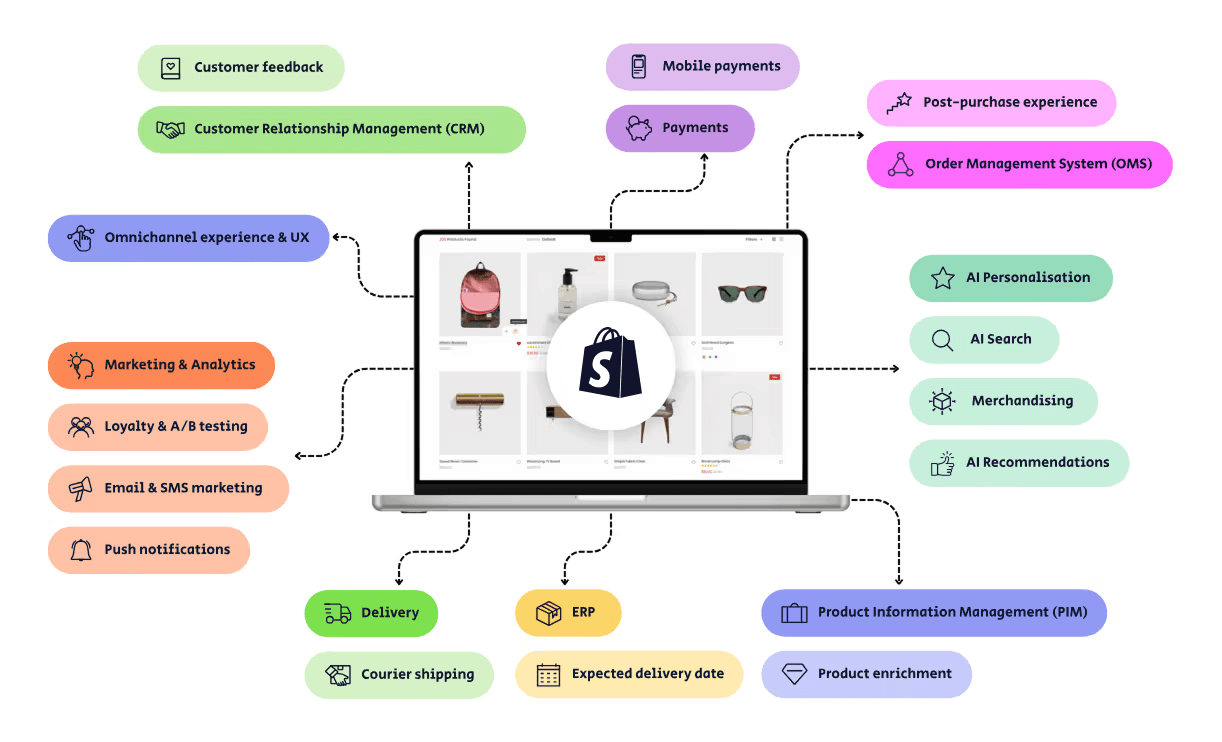
Ways to connect Shopify and Braze
| Option | Type | Best for | Notes |
|---|---|---|---|
| Braze standard Shopify integration | Native app | Shopify online stores on a theme | Installed from the Shopify App Store; a store connects to one Braze workspace. Loads the Web SDK automatically and receives checkout, order, cancel, and refund events from Shopify webhooks. Historical backfill, product sync, and subscription groups are optional steps in setup. |
| Braze custom integration for Hydrogen or headless | Custom API | Hydrogen or other headless Shopify storefronts | You install @braze/web-sdk, identify users on login, log ecommerce.product_viewed and ecommerce.cart_updated, and add a shopify_cart alias so webhooks match the profile. Braze still receives customer, checkout, order, and product data through Shopify webhooks. Minimum Web SDK version is 5.4.0. |
| Multiple Shopify stores in one workspace | Native app | Regional storefronts on separate Shopify domains | Events carry the source storefront, and catalog names include the store name. Not supported with Shopify Markets or Markets Pro; Braze recommends separate workspaces for sub-brands. |
| Order events from your ERP or warehouse | Custom API | Merchants whose ERP or data warehouse already sends ecommerce.order_placed | The Send Order Placed events from another source setting stops Braze adding Shopify order events, so each order counts once. Campaigns, Canvases, and segments built on the Shopify event must get matching properties from the new source. |
What syncs between Shopify and Braze
| Data | Direction | System of record | Timing |
|---|---|---|---|
| Customer profiles (email, name, phone, tags, total spent, orders count, up to 20 metafields) | Shopify to Braze | Shopify | On customer create and update webhooks |
| Product viewed and cart updated | Storefront to Braze | Braze Web SDK | In session, through the SDK |
| Checkout started, order placed, order canceled, order refunded | Shopify to Braze | Shopify | From Shopify webhooks |
| Paid, fulfilled, partially fulfilled orders, and account logins | Shopify to Braze | Shopify | From Shopify webhooks as custom events |
| Email, SMS, and WhatsApp opt-ins | Shopify to Braze subscription groups | Shopify for store opt-ins | When enabled; does not change Braze's global email state |
| Products and variants | Shopify to Braze catalog | Shopify | Near real time; up to 250 variants per product |
| Historical orders and customers | Shopify to Braze | Shopify | One-time backfill: orders for 90 days, 1 year, or 2 years; profiles for 1 year, 2 years, or all time |
How a Shopify Braze integration project runs
- Choose the external ID first: Shopify customer ID (default), email, hashed email, or a custom ID. Multi-store and cross-channel identity depend on it.
- Install the Braze app, confirm the workspace, and choose when the SDK loads: on site visit or on account signup.
- Select the Shopify data to track and set backfill windows; the backfill windows can't be changed after setup.
- Map email, SMS, and WhatsApp opt-ins to a subscription group per store; if Braze runs SMS double opt-in, set Shopify checkout SMS to single opt-in.
- Turn on product sync with Shopify variant ID as the catalog ID unless every variant has a unique, valid SKU.
- Finish setup, enable the Braze app embed in the theme, and place test orders to check events, aliases, and attributes.
- If an ERP already sends order events, switch on the other-source setting and update anything built on the Shopify event.
Common problems and how to avoid them
Backfill choices are permanent
Order and profile backfill windows can't be changed after setup, and the backfill speed can't be changed either. It also does not update users already in active campaigns or Canvases, so agree the windows with the CRM team first.
Orders counted twice
If an ERP or warehouse also sends ecommerce.order_placed, Shopify orders arrive twice unless the other-source setting is on. Review every campaign, Canvas, and segment that uses the Shopify event before switching.
Separate profiles per store
With Shopify customer ID as the external ID, each store generates its own ID, so one shopper across stores gets separate Braze profiles. Email, hashed email, or a custom external ID merges them when the shopper logs in or orders.
Web push is not part of the Shopify integration
Braze states that web push is not currently supported for the Shopify integration. Banners need an Online Store 2.0 theme and don't run on thank you, order status, or customer account pages.
Checkout identity gaps
Shop Pay can bypass checkout events that Braze needs for the checkout token alias, such as the checkout started webhook. Expect gaps in checkout abandonment flows.
Catalog sync stops at limits
Braze syncs up to 250 variants per product, and SKU-based catalog IDs fail on missing or duplicate SKUs. If the sync exceeds catalog storage, Braze stops syncing until space is freed and the sync is run again.
Why choose scandiweb to handle Shopify integration for you?
How do you connect Shopify to Braze for near real-time order and customer event syncing?
We map Shopify webhooks and API events to Braze custom events and attributes, then validate delivery, deduplication, and retries. You get dependable triggers for purchase, refund, and customer updates.
What Shopify data can be sent to Braze for Canvas journeys and segmentation?
Common payloads include customer profile fields, order status, line items, discounts, products viewed, and cart activity. We also pass product metadata so messages can reference the right SKU details.
Can a Shopify Plus store sync product catalog and price changes into Braze for personalization?
Yes, we can push product attributes and selected catalog fields into Braze for dynamic content and recommendations logic. Scope depends on your catalog size, update frequency, and data model.
How do you handle identity resolution between Shopify customers and Braze user profiles?
We define a clear identifier strategy using email, phone, and external IDs to avoid profile splits. Then we test edge cases like guest checkouts, merges, and consent changes.
Who can implement a Shopify + Braze integration that scales across regions and store views?
scandiweb has delivered 2,100+ eCommerce projects since 2003 and has 60+ certified data engineers to cover tracking, QA, and data quality at scale.
Does Braze support Shopify Hydrogen or headless stores?
Yes, through Braze's custom integration. You add the Web SDK, login identification, and product and cart events in your own code, and Braze still receives orders, checkouts, customers, and products through Shopify webhooks.
How far back can Braze import Shopify orders?
You choose 90 days, 1 year, or 2 years of orders and 1 year, 2 years, or all time for customer profiles. The choice can't be changed after setup.
Can I connect several Shopify stores to one Braze workspace?
Yes, for regional storefronts on separate domains. It does not support Shopify Markets or Markets Pro, and Braze recommends separate workspaces for sub-brands.
Does Braze sync Shopify product variants to catalogs?
Yes, up to 250 variants per product, using Shopify variant ID or SKU as the catalog item ID. Catalogs update in near real time as products change.
Which Shopify events does Braze track?
Product viewed, cart updated, checkout started, order placed, order canceled, and order refunded as eCommerce events, plus paid, fulfilled, and partially fulfilled orders and account logins as Shopify custom events.
Does the Braze Shopify integration support web push?
Not currently. Braze's setup guide states that web push is not supported for the Shopify integration.







Braze integration on other platforms
More Shopify integrations
1. Submit your integration request
2. Join a free strategy & discovery call
We’ll review your business systems, identify key challenges, and uncover actionable opportunities.
3. Get a tailored proposal
Trusted by 700+ leading brands worldwide





