Rated by 700+ brands
4.9
Shopify Google Ads and PPC management
We run Google Ads, Shopping, and Performance Max for Shopify stores, with the product feed synced and conversions tracked through Shopify checkout.
Trusted by leading brands worldwide


Trusted by leading brands worldwide
The team running your Shopify accounts
$4B+
In client sales handled yearly
700+
Brands in our portfolio
2100+
eCommerce projects since 2003
.jpg)


Why Shopify stores run PPC with us

Google Premier Partner
Your account is managed by a Google Premier Partner, with the direct Google support and early feature access the tier includes.

Feed approved and ranking
The Shopify catalog mapped into Merchant Center, disapprovals cleared, and titles and attributes written for how Shopping ranks products.

Tracking for Shopify checkout
Server-side tracking and the Conversion API set up for Shopify's checkout, so the account optimizes on the conversions it records.

Catalog-aware Performance Max
PMax and Shopping structured around your margins and best sellers, so Google does not spend evenly across every SKU in the catalog.

Subscription and Recharge retargeting
Retargeting and audiences set up for Shopify subscription stores, so Recharge customers and repeat buyers see the right ads.

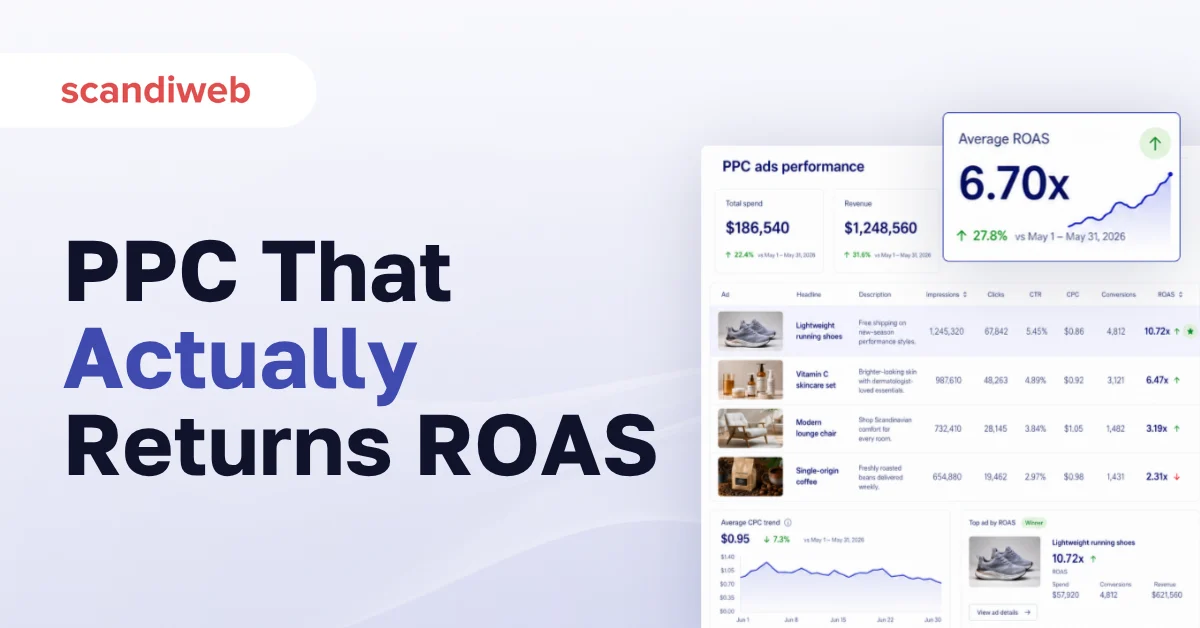
Based on ROAS
Return on ad spend and revenue tracked in GA4, so every budget decision goes to the products and campaigns that earn a profit.
What our Shopify PPC management covers
PPC results we've delivered
Every number below comes from an account we rebuilt and ran, measured against the period before we took over.


Full-funnel paid media that doubled a DTC brand's revenue on Shopify
+828.6%
PPC revenue during BF YoY
4–5
ROAS
+208%
Site traffic
Learn more
.png)

A winter apparel brand's paid account rebuilt before its peak season
20.84
Google Ads ROAS
+135%
Average order value
+9%
Revenue from Google Ads
Learn more

Margin tracking that focused spend on the profitable products
3.17
Profit on ad spend
-21%
Cost per conversion
+50%
Revenue YoY
Learn more
How a Shopify PPC project works
Before we scale the budget, the account has to have a clean product feed and working tracking, so those come first and campaigns follow. Each step produces a change you can see in the account.

Audit account and feed

We review campaign structure, the Shopify to Merchant Center feed, and the conversion setup, then rank the fixes by wasted spend.

Fix tracking and feed
Conversion tracking goes in server-side for Shopify checkout, and the catalog feed is cleaned and mapped.

Restructure and launch
Search, Shopping, and PMax are rebuilt around your catalog and margins, then launched with clear budgets.

Scale on ROAS
Budget moves to the campaigns that return, with monthly reporting on ROAS and revenue in GA4.

Request a free audit of your Shopify ad account
A specialist reviews the account, the product feed, and the tracking, then sends you the report of the findings and first fixes.

Common Shopify Google Ads and PPC questions
What does Shopify PPC management include?
It covers the paid mechanics specific to Shopify: syncing and optimizing the Shopify catalog into Merchant Center, structuring Shopping and Performance Max around your products and margins, setting up server-side conversion tracking for Shopify checkout, and managing Search alongside them. Scope follows the account audit, so you invest only in the work it calls for.
How do I set up Google Ads for a Shopify store?
You connect the Shopify catalog to a Google Merchant Center account, fix the feed so products get approved, set up conversion tracking that reports accurately through Shopify checkout, then build Search, Shopping, and Performance Max campaigns. The order matters: feed and tracking first, campaigns second, or the account trains on bad numbers.
Should I use Performance Max or Shopping campaigns?
Most Shopify stores run both, and the mix depends on your catalog and margins. Shopping gives you control over which products show for which queries. Performance Max reaches more surfaces, so it has to be given limits, or it spends evenly across the whole catalog. We focus both on the products that make a profit.
Can you run Google Shopping from my Shopify catalog?
Yes, that is the core of the work. Our product feed management maps the Shopify catalog into Merchant Center, clears disapprovals, fixes attributes and variants, and optimizes titles and types for how Shopping ranks products, so the right items show for the right searches.
How much do Google Ads cost for a Shopify store?
The ad budget is billed separately by Google and scales with your margins and goals, so there is no fixed number. A store testing Shopping might start in the hundreds per month, while a scaling account spends more because it returns more. The free account review gives you a budget that fits your margins before you commit.
How do I track Google Ads conversions on Shopify?
Standard tags miss conversions across Shopify's checkout, so we set up server-side tracking and the Google Conversion API tied to GA4. That gives the account accurate conversion data to optimize on. Without it, the account scales campaigns that only look like they work.
Do Google Ads work for a Shopify store?
Yes, when the feed and tracking are right. Most underperforming Shopify accounts have a disapproved feed or broken tracking, so the account optimizes on the wrong signal. Fixing those two things first is usually where the return comes from.
Do you also run Meta ads for Shopify?
This page is about Google Ads and Shopping, where Shopify's feed and pixel specifics matter most. We do run paid social, and if it fits your account we will say so in the review, but a Google account and a Meta account are scoped separately so each gets the attention it deserves.

Get your Shopify ad account reviewed
Tell us where the account is now and what your goals are. We reply with the wasted spend we can see and the first fixes we would make.

Prefer to talk now? Book a call straight away, or email us at: [email protected]

Related services
Make every ad dollar count with Shopify PPC management
We start with a free audit of your ad account, so before you commit to anything you'll see the wasted spend, the audiences you're missing, and the return managed campaigns would realistically add.