


Shopify + Microsoft Dynamics CRM integration for synced customer and order data
Connect Shopify with Microsoft Dynamics CRM to sync customers, orders, and sales activity, so your team can run pipeline, support, and reporting from one system.







Shopify and Microsoft Dynamics CRM integration in short
Shopify connects to Dynamics 365 Sales and Customer Service, Microsoft's CRM apps on Dataverse, through an integration platform such as Zapier or Workato, or through a custom app that listens to Shopify webhooks, reads the GraphQL Admin API, and upserts records through the Dataverse Web API. Microsoft's own Shopify Connector is built for Business Central, Microsoft's ERP, rather than for Dynamics 365 Sales.


• Customers from Shopify are matched to Microsoft Dynamics CRM Contacts/Accounts using deterministic keys (email, phone, external IDs) with configurable conflict handling and de-duplication rules.
• Orders and order line items are synchronized from Shopify to Dynamics CRM as Sales Orders (or custom entities), with currency, tax, discount, and shipping fields mapped per store settings.
• Delta sync logic transfers only created or changed records based on timestamps and external identifiers, with idempotent writes to prevent duplicates during retries.
• Address data is normalized and mapped to CRM address fields, with country/region codes validated and formatted to Dynamics requirements.
• Refunds, cancellations, and fulfillment status updates are routed as state changes on the related CRM order records, keeping lifecycle status consistent between systems.
• Sync jobs log payloads, responses, and errors per entity, and failed records are queued for retry with traceable correlation IDs for auditing.
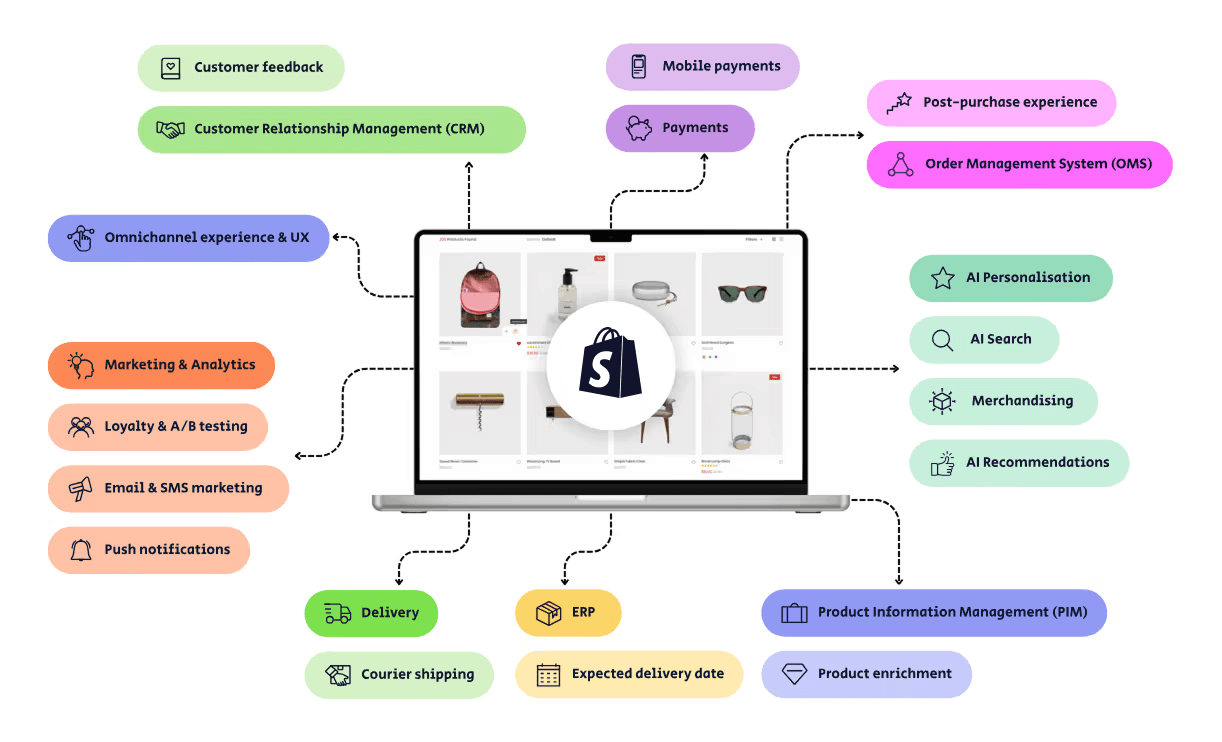
Ways to connect Shopify and Microsoft Dynamics CRM
| Option | Type | Best for | Notes |
|---|---|---|---|
| Zapier: Shopify and Microsoft Dynamics 365 CRM | Integration platform | Low-volume one-way flows, such as new Shopify customers to Contacts | Shopify triggers include New Customer, Updated Customer, New Paid Order, New Refund, and New Company. Dynamics 365 CRM actions include Create and Update for Contact, Account, Lead, Order, Invoice, and Case/Incident, and Dynamics triggers can feed Shopify actions such as Add Tag to Customer. |
| Workato: Shopify and Microsoft Dynamics 365 | Integration platform | Two-way or batch flows that need GraphQL-based Shopify triggers | Workato lists Shopify triggers such as New/updated order and New/updated customer, batch and GraphQL versions, and metafield actions, with Dynamics 365 Create object, Update object, and real-time New/updated object triggers. |
| Custom Shopify app on the GraphQL Admin API and Dataverse Web API | Custom API | B2B company accounts, several stores, and full control over matching and retries | The REST Admin API has been legacy since October 1, 2024, and new public apps must use the GraphQL Admin API. Shopify does not guarantee webhook delivery or ordering, so pair webhooks with reconciliation jobs, and upsert into Dataverse by alternate key. |
What syncs between Shopify and Microsoft Dynamics CRM
| Data | Direction | System of record | Timing |
|---|---|---|---|
| Customers | Shopify to Dynamics (Contacts) | Shopify for contact details | Customer webhooks, plus a reconciliation job |
| B2B companies | Shopify to Dynamics (Accounts) | Agreed per field | On change |
| Orders and order lines | Shopify to Dynamics (Orders and Order Products) | Shopify | Order webhooks, plus a reconciliation job |
| Refunds and cancellations | Shopify to Dynamics | Shopify | Refund and order update webhooks |
| Products | Shopify or ERP to the Dynamics product catalog | Shopify or the ERP | Scheduled batch |
| Segments and account owner | Dynamics to Shopify (customer tags or metafields) | Dynamics | Scheduled change tracking pull |
How a Shopify Microsoft Dynamics CRM integration project runs
- Confirm the Dynamics target: Dynamics 365 Sales and Customer Service data sits in Dataverse, while Business Central has its own Shopify Connector.
- Map Shopify customers, B2B companies, and orders to Contacts, Accounts, and Orders, and agree which side owns each field.
- Choose an alternate key for each Dataverse table that holds only safe characters, such as the numeric part of the Shopify ID.
- Build or configure the flows on the GraphQL Admin API and webhooks, skipping repeat deliveries by their X-Shopify-Webhook-Id.
- Add a reconciliation job that re-reads recent Shopify customers and orders, because webhooks can be missed or arrive out of order.
- Backfill history in batches within Dataverse service protection limits, then switch on the live flows.
Common problems and how to avoid them
Shopify GIDs break Dataverse alternate keys
Shopify GraphQL IDs look like gid://shopify/Customer/123, and Dataverse key-based GET, update, and upsert calls do not work when the key value contains / or :. Use the numeric ID as the key and keep the full GID in a normal column.
Webhooks are not a complete feed
Shopify says webhook delivery is not always guaranteed and ordering is not guaranteed within a topic or across topics for the same resource, so a refund can be processed before its order. Retry events whose parent record is missing and run periodic reconciliation.
Plus-addressed emails break email keys
Dataverse key lookups also fail on the + character, so a key built on email breaks for addresses like [email protected]. To have Dataverse block duplicates on a Web API write, send MSCRM.SuppressDuplicateDetection: false; updates skip detection by default.
Order lines need catalog setup in Dynamics
A catalog product on a Dynamics order needs a unit of measure and must be on the order's price list when one is set. Write-in lines skip the catalog but only work while Prices Locked is No, so decide this before mapping Shopify line items.
Business Central's connector is not the CRM integration
Microsoft's Shopify Connector, and the Dynamics 365 Business Central app on the Shopify App Store, connect Shopify to Business Central. On a scandiweb Shopify project that app handled the ERP link; a flow into Dynamics 365 Sales is scoped as its own integration.
Backfills hit service protection limits
Dataverse allows by default 6,000 requests and 20 minutes of execution time per user in a 5-minute window, and 52 concurrent requests, per web server. Load order history gradually and retry 429 responses after the Retry-After interval.
Why choose scandiweb to handle Shopify integration for you?
How do you connect Shopify to Microsoft Dynamics CRM for a two-way customer sync?
We map Shopify customers to Dynamics contacts, accounts, and optional B2B company records, then sync updates through API-based middleware. Two-way rules prevent duplicate creation and keep email and address changes consistent.
What Shopify order data can be pushed into Microsoft Dynamics CRM for sales and support teams?
Orders, line items, discounts, taxes, shipping details, and fulfillment status can be sent to Dynamics as custom entities or linked records. This keeps pipeline context and support history close to the customer profile.
Can a Shopify + Microsoft Dynamics CRM integration support B2B accounts, multiple stores, and multi-currency?
Yes, we can handle multi-store setups by separating IDs, store views, and price lists, then tying them to the right Dynamics account structure. Currency and locale values can be stored for consistent reporting.
How do you avoid duplicate contacts when syncing Shopify customers to Microsoft Dynamics CRM?
We use matching logic based on email, phone, external IDs, and account relationships, plus strict “create vs. update” rules. If needed, we add a merge queue for edge cases like shared inboxes.
Why choose scandiweb for Shopify to Microsoft Dynamics CRM integration development?
scandiweb has delivered 2,100+ eCommerce projects since 2003, including complex ERP and CRM integrations for Shopify Plus brands. You get a team that can own the data model, sync logic, and QA end to end.
Does Microsoft's Shopify Connector work with Dynamics 365 Sales?
Microsoft's Shopify Connector is a Business Central app that connects one or more Shopify stores to Business Central, Microsoft's ERP. For Dynamics 365 Sales, use an integration platform or a custom app on the Dataverse Web API.
Should a new Shopify to Dynamics integration use REST or GraphQL?
GraphQL. Shopify made the REST Admin API legacy on October 1, 2024, and since April 1, 2025 new public apps must be built only on the GraphQL Admin API.
Can Dynamics 365 send customer segments back to Shopify?
Yes. Pull changed rows from Dataverse with change tracking and write them to Shopify as customer tags or metafields; Zapier offers Add Tag to Customer and Workato offers metafield actions.
How do I stop duplicate Shopify webhooks creating duplicate Dynamics records?
Store the X-Shopify-Webhook-Id of each processed delivery and skip repeats, and write to Dataverse with an upsert on an alternate key, so a replay updates the row instead of creating a new one.
Can Zapier sync Shopify orders to Dynamics 365?
For simple cases, yes: the New Order or New Paid Order trigger can feed the Dynamics 365 CRM Create Order action. Check whether you also need order lines, refunds, and updates before relying on it.
Sources
- Zapier: Shopify and Microsoft Dynamics 365 CRM integrations
- Workato: Shopify and Microsoft Dynamics integrations
- Shopify developer docs: REST Admin API (legacy notice)
- Shopify developer docs: Webhook best practices
- Shopify developer docs: Global IDs
- Microsoft Learn: What is Microsoft Dataverse?
- Microsoft Learn: Work with alternate keys (Dataverse)
- Microsoft Learn: Use Upsert to create or update a record in Dataverse
- Microsoft Learn: Detect duplicate data using the Web API
- Microsoft Learn: Service protection API limits (Dataverse)
- Microsoft Learn: Use change tracking to synchronize data with external systems
- Microsoft Learn: Add products to quotes, orders, or invoices (Dynamics 365 Sales)
- Microsoft Learn: Get started with the Shopify Connector (Business Central)
Last updated by the scandiweb integration team.







Microsoft Dynamics CRM integration on other platforms
More Shopify integrations
1. Submit your integration request
2. Join a free strategy & discovery call
We’ll review your business systems, identify key challenges, and uncover actionable opportunities.
3. Get a tailored proposal
Trusted by 700+ leading brands worldwide





