


Shopify Stripe integration for reliable global payments
Connect Shopify with Stripe to process card and wallet payments directly in your store. This integration supports secure transactions, local payment methods, and scalable checkout flows for growing eCommerce teams.







Shopify and Stripe integration in short
On Shopify, Stripe usually arrives through Shopify Payments: Shopify names Stripe as Shopify Payments' banking partner, and in countries where Shopify Payments is supported Stripe can't be activated as a separate provider. Where Shopify Payments isn't available, stores can install the Stripe Card Payments provider from Settings > Payments, and Stripe's own Stripe Subscriptions app adds Stripe Billing for recurring orders. Building a custom payment method into Shopify checkout is limited to approved payments partners and eligible Shopify Plus merchants.
Shopify manages the storefront, checkout, and order flow. Stripe handles payment authorization, settlement, refunds, and compliance. They are commonly connected to centralize payment processing while keeping checkout fast and stable.
When implemented correctly, the integration delivers predictable payment operations across markets.
- Card and wallet payments are processed without redirecting customers off-site.
- Orders and payment statuses stay aligned in Shopify and Stripe.
- Refunds and partial captures are handled consistently.
- Payment performance scales with traffic peaks and sales campaigns.
This integration is especially useful for Shopify stores with international customers, high transaction volumes, or strict reporting and reconciliation requirements.


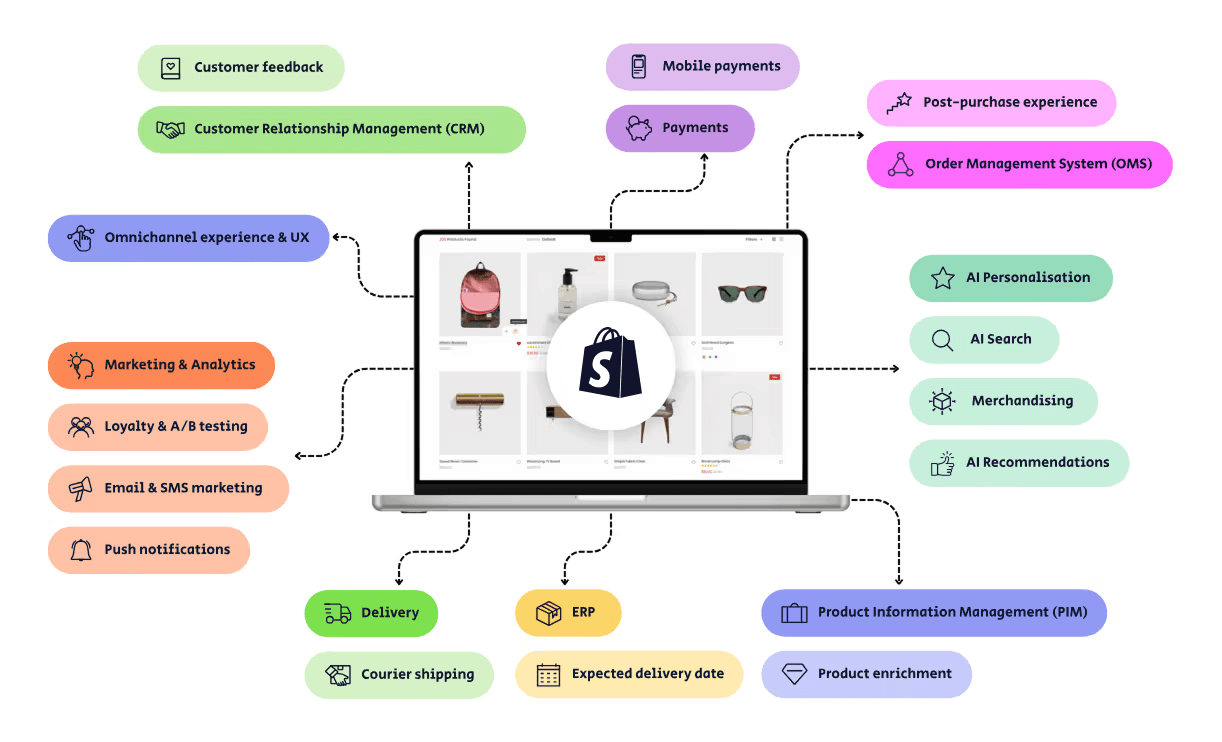
Ways to connect Shopify and Stripe
| Option | Type | Best for | Notes |
|---|---|---|---|
| Shopify Payments (Stripe as banking partner) | Native app | Stores based in a country Shopify Payments supports, including the US, UK, Canada, Australia, and most EU countries | Shopify describes Stripe as Shopify Payments' banking partner, with all payment reporting and management in the Shopify admin. Where Shopify Payments is supported, Stripe is not available to activate as a separate provider. Shopify Payments uses a 3D Secure checkout flow automatically. |
| Stripe Card Payments provider | Connector | Stores in countries without Shopify Payments that want Stripe to process cards | Installed from Settings > Payments and connected to an existing Stripe account; it replaced Shopify's legacy Stripe provider. Supports authorization, sale, capture, void, and refund for Visa, Mastercard, American Express, Discover, Diners Club, Apple Pay, and Google Pay, and has supported Shopify Subscriptions and third-party subscription apps since June 1, 2025. Shopify's third-party transaction fees apply. |
| Stripe Subscriptions app | Native app | Stores that want Stripe Billing to run subscription plans while orders stay in Shopify | Built by Stripe and free to install, with possible additional charges. It syncs Shopify subscription contracts, customers, selling plans, products, and discounts to Stripe subscriptions, customers, prices, products, and coupons, and by default bills renewals through any subscription-supporting Shopify payment provider. |
| Custom payments extension on Shopify's Payments Platform | Custom API | Approved Shopify payments partners, and eligible Shopify Plus merchants with a custom payment method | Shopify only lets approved Partners build payments extensions, custom payment extensions are limited to eligible Shopify Plus merchants, and payments apps must be approved by Shopify. |
What syncs between Shopify and Stripe
| Data | Direction | System of record | Timing |
|---|---|---|---|
| Card and wallet payments | Shopify checkout to Shopify Payments or Stripe Card Payments | Shopify for the order, the processor for the payment | Real time at checkout |
| Payment ID (24 characters) | Shopify to Stripe, stored on the PaymentIntent description | Shopify | On every Stripe Card Payments transaction |
| Captures, voids, and refunds | Shopify admin to Stripe | Shopify order | When staff capture, void, or refund |
| Subscription contracts | Shopify to Stripe subscriptions (Stripe Subscriptions app) | Shopify contract, Stripe Billing subscription | When a subscription is created or updated |
| Customers, selling plans, products, and discounts | Shopify to Stripe customers, prices, products, and coupons | Shopify | Stripe products and prices are created when the first customer subscribes |
| Renewal billing attempts | Stripe Billing to the Shopify payment provider | Stripe Billing for the schedule, Shopify for the order | Each billing interval; a failed payment creates an event in both systems |
How a Shopify Stripe integration project runs
- Check whether your business country is on Shopify's list of Shopify Payments countries; if it is, Stripe processing comes through Shopify Payments and Stripe cannot be added as a separate provider.
- If it is not, go to Settings > Payments, search for Stripe Card Payments, install it, and connect the Stripe account you want to use; Stripe Support can send an installation link if it is missing.
- Plan for one credit card provider at a time and for Shopify's third-party transaction fees on that provider's transactions.
- Give finance the 24-character Payment ID so Shopify orders can be matched to Stripe PaymentIntents.
- For subscriptions, install Stripe Subscriptions, connect Stripe in test mode with Shopify Payments test mode or a supported provider (the Bogus Gateway fails), and create selling plans.
- Add the Stripe Subscription block to product templates, turn on subscription management in customer accounts, and set retry and cancellation rules in Stripe Billing.
- Test authorization, capture, void, refund, 3D Secure, and a failed renewal before going live.
Common problems and how to avoid them
Stripe is not offered where Shopify Payments works
Shopify states that if Shopify Payments is supported in the country where the business is located, Stripe won't be available to activate, because Stripe is Shopify Payments' banking partner. A plan that assumes a direct Stripe contract on a Shopify store in the US, UK, or most EU countries needs to move to Shopify Payments or another listed provider.
One card provider, plus third-party fees
Shopify allows only one credit card payment provider to be active at a time. Third-party transaction fees apply to all transactions processed through third-party and alternate gateways.
Shopify Payments payouts follow the store's business entity
A merchant that owned its Shopify stores wanted Shopify Payments to pay out to the partner companies that sell to end customers. Shopify Support told our team the payout bank account must belong to the business entity in the store's business details, so the two-company model was not allowed and the merchant used only local third-party gateways in those markets.
Stripe-managed payment methods stop Shopify orders
The Stripe Subscriptions app uses Shopify-managed payment methods by default. If a subscription moves to a Stripe-managed payment method, payments go straight through Stripe and Shopify no longer creates orders or payment records for it, which can break fulfillment. Stripe Smart Retries is not supported when payments run through Shopify's payment platform.
Failed renewal emails do not send from Shopify
Payment success and failure emails don't send for recurring orders through Shopify. Stripe suggests a Shopify Flow on the Subscription billing attempt failure trigger with an email app, Stripe webhooks, or Stripe Dashboard emails for Stripe-managed payment methods.
Why choose scandiweb to handle Shopify integration for you?
How does the Shopify Stripe integration handle payment data ownership?
Stripe securely stores and processes payment data, while Shopify retains order and customer records.
Can Stripe be customized for different Shopify checkout flows?
Yes. Payment methods, capture rules, and refund logic can be configured based on business needs.
Is the Shopify Stripe integration suitable for high-volume stores?
Yes. Stripe’s infrastructure supports large transaction volumes and traffic spikes.
How are refunds and chargebacks managed between Shopify and Stripe?
Refunds and disputes are initiated in Shopify and processed through Stripe with synchronized status updates.
Does the integration support multi-currency payments?
Yes. Stripe supports multi-currency processing that aligns with Shopify’s currency settings.
Why can't I find Stripe in my Shopify payment providers?
If your business is in a country where Shopify Payments is supported, Stripe is not available to activate, because Stripe is Shopify Payments' banking partner. Stores elsewhere can install the Stripe Card Payments provider from Settings > Payments.
Is Shopify Payments the same as Stripe?
Not quite. Shopify describes Stripe as Shopify Payments' banking partner, but you run Shopify Payments from the Shopify admin, where its payment reporting and management happen.
Does Stripe on Shopify support Apple Pay and Google Pay?
Yes. Stripe lists Apple Pay and Google Pay for the Stripe Card Payments provider, alongside Visa, Mastercard, American Express, Discover, and Diners Club.
Can I use Stripe Billing for Shopify subscriptions?
Yes, with Stripe's Stripe Subscriptions app from the Shopify App Store. It creates Stripe subscriptions from Shopify subscription contracts and, by default, bills renewals through your Shopify payment provider.
Does Stripe on Shopify use 3D Secure?
Yes. Shopify says stores using Shopify Payments or Stripe as a payment gateway automatically use a 3D Secure checkout flow, which applies when the card issuer or a regulation requires it.
Do I pay Shopify transaction fees when Stripe processes payments?
With the Stripe Card Payments provider, yes: Shopify charges third-party transaction fees on transactions processed through third-party gateways.
Sources
- Shopify Help Center: Payment gateway availability
- Shopify Help Center: Shopify Payments supported countries
- Shopify Help Center: Third-party payment providers
- Shopify Help Center: Configuring third-party payment providers
- Shopify Help Center: PSD2 and 3D Secure checkout
- Stripe Support: Update Shopify payment provider from Stripe to Stripe Card Payments
- Stripe docs: Stripe Subscriptions for Shopify
- Shopify App Store: Stripe Subscriptions
- Shopify.dev: Payments apps
Last updated by the scandiweb integration team.







Stripe integration on other platforms
More Shopify integrations
1. Submit your integration request
2. Join a free strategy & discovery call
We’ll review your business systems, identify key challenges, and uncover actionable opportunities.
3. Get a tailored proposal
Trusted by 700+ leading brands worldwide





