


BigCommerce + QuickBooks integration for automated order-to-accounting sync
Connect BigCommerce with QuickBooks to sync orders, customers, taxes, and payouts into clean books, so your team closes faster and fixes fewer errors.








BigCommerce and QuickBooks integration in short
The simplest route is the BigCommerce Connector by QuickBooks, an Intuit-built app listed at $0 on the BigCommerce App Marketplace, which imports orders, payments, refunds, customers, and products into QuickBooks Online, usually within 4 hours of each order. Stores on QuickBooks Desktop or selling on several channels use Webgility, and stores that want each order as an accounts receivable invoice can use CarryTheOne's QuickBooks Online Connector. Custom builds listen to BigCommerce order webhooks and read the full order through the API before posting it.
Do your BigCommerce orders look “done” in the store, but still sit in a gray zone for accounting? The usual bottleneck is re-keying sales, taxes, discounts, shipping, and refunds into QuickBooks, then trying to explain why numbers don’t match when a customer changes their mind.
The BigCommerce QuickBooks integration connects your storefront and accounting so sales activity moves into QuickBooks in a consistent format, with clear ownership of what gets created where. It turns order events into accounting-ready records, keeps item, customer, and payment references aligned, and supports a cleaner month-end close without wrestling spreadsheets.
This fits if BigCommerce is your source of truth for orders, and QuickBooks is where revenue, tax, and payout reconciliation must land.


• BigCommerce orders are fetched via API and transformed into QuickBooks entities such as Sales Receipts or Invoices, with optional Payments and Deposits depending on the accounting flow.
• Order line items are mapped to QuickBooks Items using SKU or a maintained cross-reference, while shipping, discounts, and gift cards are routed to dedicated service items or accounts.
• Tax values are passed as order-level or line-level amounts, with mappings to QuickBooks tax codes where available; unsupported cases are handled as explicit tax lines.
• Refunds, cancellations, and partial returns are detected from BigCommerce order transactions and synced as Credit Memos or Refund Receipts tied back to the original document.
• Customer records are matched by email and external IDs, with duplicate checks and update rules to control whether BigCommerce or QuickBooks owns customer fields.
• Sync runs support delta logic using timestamps and stored checkpoints, with idempotency keys to avoid duplicate postings and with error logs for reprocessing.
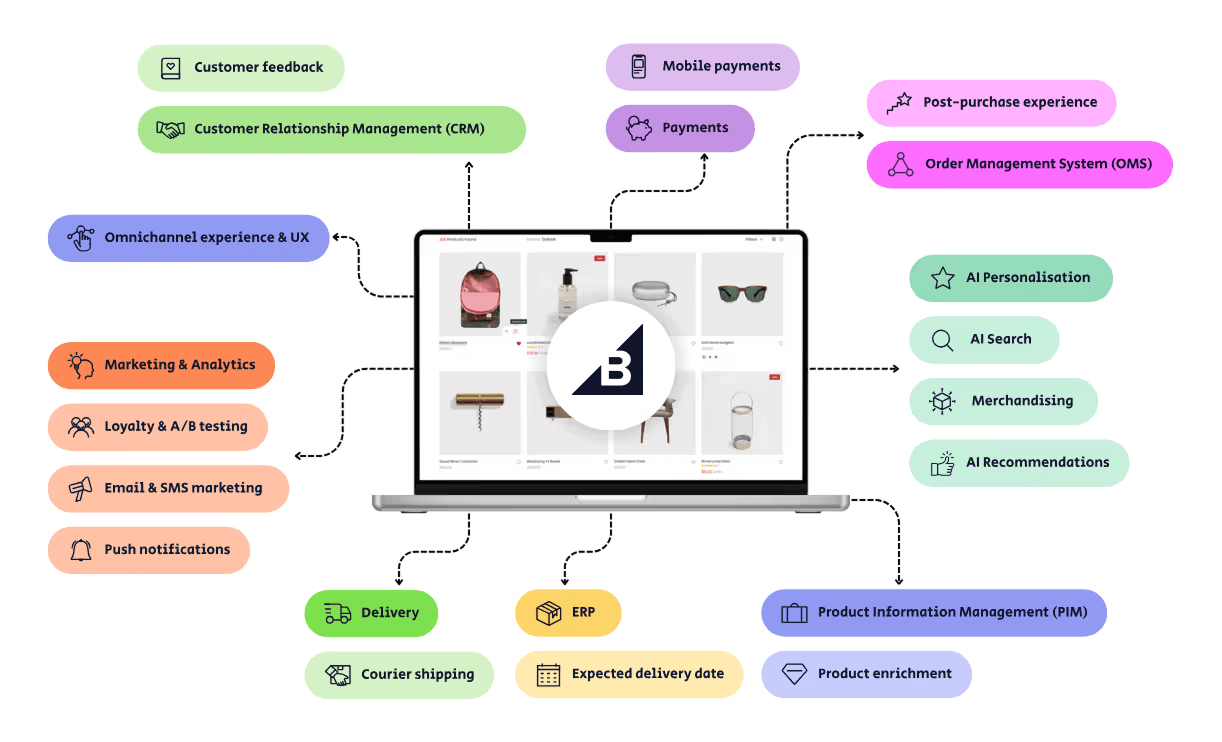
Ways to connect BigCommerce and QuickBooks
| Option | Type | Best for | Notes |
|---|---|---|---|
| BigCommerce Connector by QuickBooks (Intuit) | Native app | Stores on QuickBooks Online that want Intuit's own order import at no extra cost | Listed at $0 upfront and $0 a month, marked Multi Storefront compatible. Imports up to one year of historical orders, matches products by SKU or name, tracks cost of goods sold and inventory on hand, and imports sales receipts only once the order is fully paid. |
| QuickBooks Desktop Sync by Webgility | Connector | Stores on QuickBooks Desktop or selling across several channels | Downloads transactions and fees as summarized or detailed journal entries, syncs pricing and inventory with QuickBooks Online, Desktop, or NetSuite, and applies different posting settings for B2C, B2B, and POS orders. Listed at $139 a month in November 2026; the listing says it may not be fully compatible with multi-storefront. |
| QuickBooks Online Connector by CarryTheOne | Connector | Stores that want each order as an accounts receivable invoice with payments matched later | Creates an invoice per order, auto-matches the payment types you choose, generates credit notes for returns and processing fee transactions, and supports multi-currency. Marked compatible with Multi Storefront and Catalyst. Listed from $36.99 a month, with volume premiums above 250 orders and refunds a month. |
| Custom sync on BigCommerce webhooks and the QuickBooks Online API | Custom API | Stores with posting rules, entities, or volumes that apps do not cover | Subscribes to order events such as store/order/statusUpdated, store/order/refund/created, and store/order/transaction/created. Payloads do not carry the full order, so the integration fetches the order before writing to QuickBooks. |
What syncs between BigCommerce and QuickBooks
| Data | Direction | System of record | Timing |
|---|---|---|---|
| Orders | BigCommerce to QuickBooks | BigCommerce | Usually within 4 hours (Intuit connector), as sales receipts once fully paid; as invoices in real time (CarryTheOne) |
| Payments | BigCommerce to QuickBooks | BigCommerce and the payment gateway | With the order, posted to the accounts set per payment method |
| Refunds | BigCommerce to QuickBooks | BigCommerce | Per refund (store/order/refund/created for custom builds) |
| Processing fees | BigCommerce to QuickBooks | Payment gateway | With the order or payment |
| Products, inventory on hand, and cost of goods sold | BigCommerce to QuickBooks items, matched by SKU or name | QuickBooks for COGS and inventory value | With each imported order |
| Customers | BigCommerce to QuickBooks | BigCommerce | With each imported order |
How a BigCommerce QuickBooks integration project runs
- Pick the posting document with finance: sales receipts for paid orders, or accounts receivable invoices with payments matched later.
- Enable shipping and discount items in QuickBooks company settings and set up sales tax before connecting, so the connector can map them.
- Match BigCommerce SKUs to QuickBooks items, or decide to let the connector create them, and clean up duplicate item names first.
- Map each payment method to a QuickBooks account and decide where processing fees post.
- Import a short period first, then the history you need (up to one year with Intuit's connector).
- Test unpaid, partially refunded, and cancelled orders, plus orders from every storefront if you run more than one.
- Watch the Processing and Excluded tabs, or the app's error log, every day during the first month.
Common problems and how to avoid them
Unpaid orders do not appear
Intuit's BigCommerce connector imports sales receipts only once the order is fully paid, so pay-later or partly captured orders are missing from QuickBooks until payment completes. Finance should know this before comparing daily totals.
Same-day reports lag the store
Orders usually reach QuickBooks within 4 hours of being created in BigCommerce, so a sales report run in the afternoon can trail the BigCommerce dashboard. Close each day after the import window, not at midnight.
Webhooks carry IDs, not orders
BigCommerce order webhooks send the order ID plus status, refund, or transaction details rather than the full order, and store/order/created also fires for incomplete orders. A custom sync has to fetch the full order and filter by status before it posts anything to QuickBooks.
Multi-storefront support differs by app
Webgility's listing says it may not be fully compatible with multi-storefront, while the Intuit and CarryTheOne listings are marked Multi Storefront compatible. Confirm this with the vendor if you run several storefronts on one BigCommerce store.
QuickBooks rejects long descriptions and duplicate names
These limits apply on every platform. On a scandiweb QuickBooks Online project, items with descriptions longer than QuickBooks accepts and items whose names already existed in QuickBooks failed to sync, and orders for those products posted with missing lines. Map a short description field and keep item names unique.
Why choose scandiweb to handle BigCommerce integration for you?
How do you sync BigCommerce orders, refunds, and discounts to QuickBooks automatically?
We map BigCommerce order events to the right QuickBooks objects, including sales receipts or invoices, payments, shipping, and refunds. You can also set rules for batching, tax handling, and how discounts hit accounts.
Which QuickBooks versions work with a BigCommerce QuickBooks integration (Online or Desktop)?
Most builds target QuickBooks Online via API for stable, near real-time sync. QuickBooks Desktop is possible, but usually needs middleware or an ETL-style connector, depending on your hosting and access model.
Can a BigCommerce QuickBooks integration handle multi-store, multi-currency, and localized tax setups?
Yes, if the integration is designed to separate stores, subsidiaries, currencies, and tax logic at the mapping layer. We typically align this with your chart of accounts and reporting needs before development starts.
How do you prevent duplicate customers, products, and payments when connecting BigCommerce to QuickBooks?
We use deterministic matching rules and ID storage to link BigCommerce records to existing QuickBooks entities. This includes SKU-level item matching, customer merge logic, and payment reference normalization.
Who should build and support a BigCommerce QuickBooks integration for a growing eCommerce team?
Pick a team that can own both the data model and the integration code, then support it post-launch. scandiweb has delivered 2,100+ eCommerce projects since 2003, including complex ERP and accounting integrations.
Is there a free BigCommerce QuickBooks integration?
Yes. The BigCommerce Connector by QuickBooks is listed at $0 upfront and $0 a month on the BigCommerce App Marketplace. Third-party apps charge monthly; in November 2026 Webgility listed $139 a month and CarryTheOne from $36.99 a month.
How long does it take BigCommerce orders to show up in QuickBooks?
With Intuit's connector, orders usually appear within 4 hours of being created in BigCommerce, in the Imported tab of App transactions. Orders still being processed show in the Processing tab.
Can I import past BigCommerce orders into QuickBooks?
Yes, up to one year of historical orders with Intuit's BigCommerce connector.
Does the BigCommerce QuickBooks connector track inventory and cost of goods sold?
The Intuit connector's marketplace listing says it tracks cost of goods sold and inventory on hand, creating products in QuickBooks or matching existing items by SKU or name.
Which BigCommerce webhooks does a custom QuickBooks integration need?
Usually store/order/statusUpdated to detect orders ready to post, store/order/refund/created for refunds, and store/order/transaction/created for payments. Payloads do not carry the full order, so the integration reads the order from the API before writing to QuickBooks.
Sources
- QuickBooks Help: Connect and manage BigCommerce transactions in QuickBooks Online
- BigCommerce App Marketplace: BigCommerce Connector by QuickBooks
- BigCommerce App Marketplace: QuickBooks Desktop Sync by Webgility
- BigCommerce App Marketplace: QuickBooks Online Connector by CarryTheOne
- BigCommerce Dev Center: Webhook events
Last updated by the scandiweb integration team.







QuickBooks integration on other platforms
More BigCommerce integrations
1. Submit your integration request
2. Join a free strategy & discovery call
We’ll review your business systems, identify key challenges, and uncover actionable opportunities.
3. Get a tailored proposal
Trusted by 700+ leading brands worldwide





