


Shopify integration with QuickBooks for automated accounting and clean books
Connect Shopify with QuickBooks to sync orders, customers, taxes, fees, and payouts, cutting manual bookkeeping and keeping your financial reporting accurate.







Shopify and QuickBooks integration in short
Most Shopify merchants connect QuickBooks Online with Intuit's Shopify Connector by QuickBooks, which is included with QuickBooks Online plans and imports sales, refunds, fees, and payouts so each Shopify payout can be matched to its bank deposit. Stores that want one summary per payout often use A2X, and stores on QuickBooks Desktop use a connector such as Webgility. A custom integration on the QuickBooks Online API is worth pricing once entities, posting rules, or plan limits no longer fit an app.
Are your Shopify orders closing, but your books lag behind? Manual posting, partial refunds, gift cards, and multi-tax orders tend to turn month-end into a cleanup project, and small mismatches can snowball into hours of reconciliation.
The Shopify QuickBooks integration connects your store and QuickBooks so sales activity flows into accounting in a consistent way. It keeps daily operations aligned – orders, payments, taxes, shipping, discounts, and refunds land where finance expects them, so reporting and reconciliation follow the same logic as your storefront.
This setup fits if you want a reliable Shopify to QuickBooks Online integration for high order volume, multiple payment methods, or frequent refunds.


• Shopify orders are captured after checkout and transformed into QuickBooks objects such as Sales Receipts or Invoices, based on the chosen accounting flow.
• Payments are mapped to QuickBooks payment methods and deposited to the mapped bank or clearing accounts, with gateways tracked as separate sources.
• Tax, shipping, discounts, and tips are split into dedicated QuickBooks line items, with tax rates mapped per jurisdiction where possible.
• Refunds and partial refunds are synchronized as refund transactions or credit memos, linked back to the original order for auditability.
• Customer records are matched by email or external ID, with duplicate handling rules applied when conflicts are detected.
• Sync runs use delta logic to send only new or changed orders, and errors are logged with payload details for reprocessing.
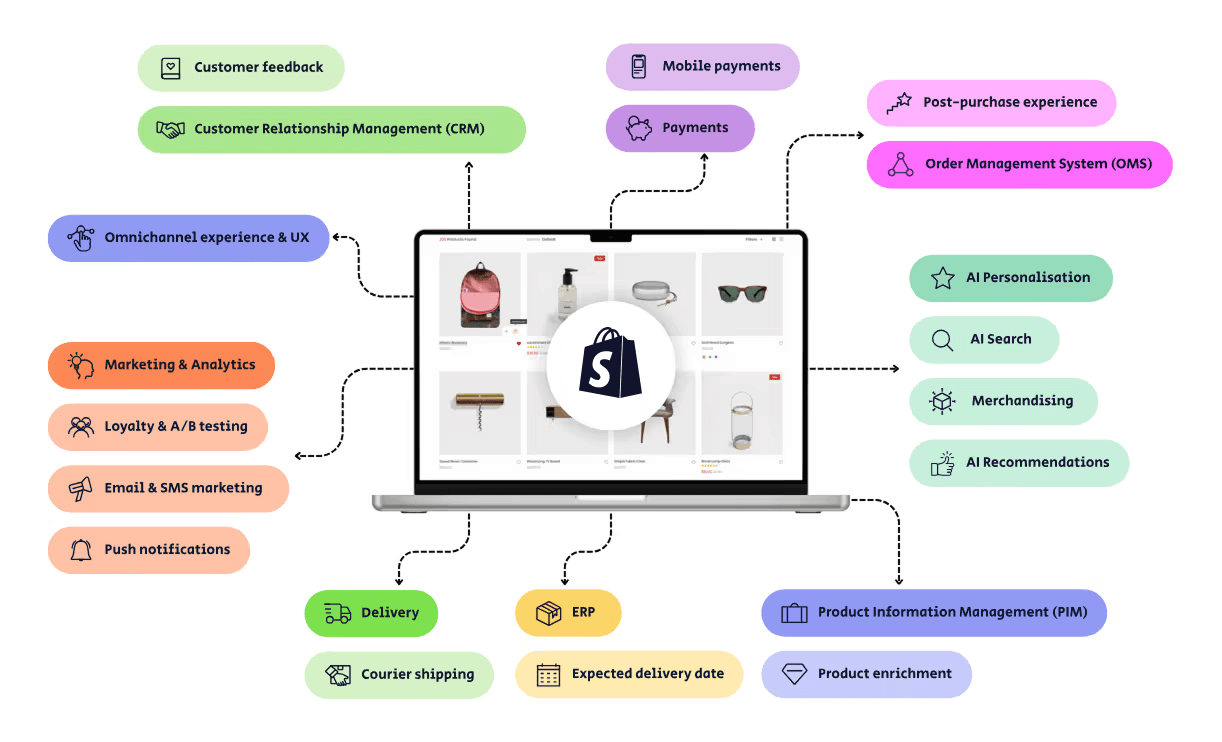
Ways to connect Shopify and QuickBooks
| Option | Type | Best for | Notes |
|---|---|---|---|
| Shopify Connector by QuickBooks | Native app | Small and mid-size stores on QuickBooks Online that reconcile Shopify payouts against bank deposits | Built by Intuit and included with Simple Start, Essentials, Plus, and Advanced. Imports up to one year of history, brings B2B orders in as invoices, and records fees as expenses. The first import takes 10 minutes to 3 hours, and products that do not match a QuickBooks item by SKU or name are not created automatically. |
| A2X (QuickBooks Online and Xero) | Connector | Stores with hundreds or thousands of orders a month that want one accounting entry per payout | Categorizes sales, fees, taxes, refunds, and gift cards into payout summaries meant to match each deposit, and syncs B2B orders as invoices. Listed plans in November 2026 run from $29 a month for up to 200 orders to $115 a month for up to 5,000 orders. |
| Webgility x QuickBooks Desktop | Connector | Merchants on QuickBooks Desktop, or selling on Shopify plus Amazon and eBay | Posts orders, refunds, fees, payouts, and taxes to QuickBooks Desktop and syncs inventory across channels. Listed plans in November 2026 start at $139 a month for 500 orders and one channel. |
| Custom integration on the Shopify Admin API and QuickBooks Online API | Custom API | Stores whose entities, posting rules, or volumes no longer fit an app | Reads Shopify Payments balance transactions (gross amount, fee, net, and the payout each belongs to) and writes your own posting structure to QuickBooks Online. QuickBooks access tokens are valid for one hour, so token refresh, retries, and error alerts are part of the build. |
What syncs between Shopify and QuickBooks
| Data | Direction | System of record | Timing |
|---|---|---|---|
| Sales | Shopify to QuickBooks | Shopify for orders, QuickBooks for the ledger | One sales receipt per sale (Intuit connector) or one summary per payout (A2X) |
| Refunds | Shopify to QuickBooks | Shopify | Per refund, or inside the payout summary |
| Shopify Payments fees | Shopify to QuickBooks | Shopify Payments | Recorded as expenses with each payout's transactions |
| Payouts | Shopify to QuickBooks, matched to the bank feed | Bank feed; the connector creates the deposit from the payout | Per payout |
| B2B orders | Shopify to QuickBooks as invoices; paid status back to Shopify | QuickBooks for payment status | Per order |
| Products | Shopify to QuickBooks items, matched by SKU and name | QuickBooks items, created by finance when no match exists | With each imported sale |
| Customers | Shopify to QuickBooks | Shopify | With each imported sale, when customer tracking is on |
How a Shopify QuickBooks integration project runs
- Agree the posting model with your accountant: one record per sale, or one summary per payout.
- Check QuickBooks items against Shopify SKUs and names, because Intuit's connector does not create products it cannot match.
- Pick the deposit account for payouts, a payments account for negative payouts, and the accounts for fees and adjustment lines.
- Choose the start date (up to one year back with Intuit's connector) and allow up to three hours for the first import.
- Reconcile the first payouts end to end: confirm sales and refunds, add the payout as a deposit, then use Match in the bank feed.
- Work through the For Review queue daily in the first month and fix mappings at the source, not transaction by transaction.
- Check your QuickBooks plan's usage limits before adding accounts, classes, or locations for each channel.
Common problems and how to avoid them
Adding the payout deposit by hand
Intuit's instructions are to add the payout from integration transactions, which creates the deposit, and then use Match in Bank transactions rather than adding the deposit manually in the bank feed. Bookkeepers used to entering Shopify deposits by hand need to drop that habit on day one.
Unmatched products wait in review
With product tracking on, Intuit's connector matches Shopify products to QuickBooks items by SKU and name and does not create missing items, so sales with unknown products stay in For Review until someone creates the item.
Plan usage limits arrive sooner than expected
Simple Start, Essentials, and Plus cap the chart of accounts at 250 accounts, Plus allows 40 classes and locations combined, and Simple Start and Essentials have no classes or locations. Stores that track every channel, brand, or region separately reach these caps; Advanced removes them.
Long product descriptions break order totals
On a scandiweb QuickBooks Online project, products with descriptions longer than QuickBooks accepts failed to sync as items, and orders containing them then posted with an empty line and a wrong total. Leave long storefront descriptions out of the item sync or map a short field instead.
Customer names that clash with vendors or employees
QuickBooks Online rejects a name that another customer, supplier, or employee already uses. If your app creates a customer per buyer, decide how duplicates are renamed, or post sales to one customer per channel.
Why choose scandiweb to handle Shopify integration for you?
How does a Shopify to QuickBooks Online integration handle refunds, cancellations, and partial returns?
It posts refunds and adjustments back to QuickBooks with the right accounts, tax impact, and payment mapping. This keeps revenue, fees, and liabilities consistent even when orders change after purchase.
What Shopify data can sync to QuickBooks, and how are taxes and shipping mapped?
Typical sync includes orders, customers, products or SKUs, discounts, shipping, and tax details. Mapping rules control which income, tax, and clearing accounts each field hits in QuickBooks.
Can Shopify payments, PayPal, and other gateways reconcile correctly in QuickBooks with payout-based accounting?
Yes, the integration can record sales and route fees and deposits through a clearing account tied to payouts. That makes bank reconciliation match what actually lands in your bank.
Does Shopify QuickBooks integration support multi-store and multi-currency reporting?
It can, but it depends on your store setup and how you want to report in QuickBooks. Most teams use locations, classes, or separate companies to keep entities and currencies clean.
How long does it take scandiweb to set up a reliable Shopify QuickBooks integration for high order volume?
Timelines depend on your tax rules, payout logic, and chart of accounts, but the work is usually measured in days, not months. scandiweb has delivered 50+ Shopify projects since 2016, so the patterns are well-known.
Is the Shopify QuickBooks integration free?
Intuit's Shopify Connector by QuickBooks is included with QuickBooks Online Simple Start, Essentials, Plus, and Advanced subscriptions. Third-party apps charge monthly: in November 2026 A2X listed plans from $29 a month for up to 200 orders, and Webgility's QuickBooks Desktop app from $139 a month.
Does Shopify sync with QuickBooks Desktop?
Intuit's Shopify connector runs inside QuickBooks Online. For QuickBooks Desktop, use a third-party connector such as Webgility x QuickBooks Desktop, which posts orders, refunds, fees, and payouts and syncs inventory.
Should I sync every Shopify order or one summary per payout?
Per-order records keep customer and line detail in QuickBooks but add thousands of transactions; payout summaries, which A2X posts, keep the ledger small and tie each entry to one bank deposit. Decide with your accountant based on how you report and audit.
How far back can I import Shopify orders into QuickBooks?
Up to one year with Intuit's Shopify connector. The first import takes between 10 minutes and 3 hours, depending on volume.
Does the QuickBooks connector handle Shopify B2B orders?
Yes. B2B orders come in as invoices linked to the company, and marking an invoice as paid in QuickBooks updates its status in Shopify.
When does a Shopify store outgrow a QuickBooks app?
When you need to book more than one legal entity or currency separately, when posting rules go beyond what the app maps, when you hit your plan's limits on accounts, classes, or locations, or when someone fixes the review queue by hand every day. At that point, price a custom integration or an ERP against the cost of the workarounds.
Sources
- QuickBooks: Shopify integration, built by Intuit
- QuickBooks Help: Connect Shopify to QuickBooks Online
- QuickBooks Help: Usage limits in QuickBooks Online
- QuickBooks Help: Fix the name supplied already exists error
- Shopify App Store: A2X for QuickBooks and Xero
- Shopify App Store: Webgility x QuickBooks Desktop
- Shopify Admin API: ShopifyPaymentsBalanceTransaction
- Intuit Developer (GitHub): OAuth 2.0 tokens for QuickBooks Online
Last updated by the scandiweb integration team.







QuickBooks integration on other platforms
More Shopify integrations
1. Submit your integration request
2. Join a free strategy & discovery call
We’ll review your business systems, identify key challenges, and uncover actionable opportunities.
3. Get a tailored proposal
Trusted by 700+ leading brands worldwide





