


Shopify and HubSpot CRM integration for cleaner lifecycle data and automation
Connect Shopify with HubSpot CRM to sync customers, orders, and product data, so Shopify Plus teams can automate lifecycle emails, segmentation, and reporting with confidence.







Shopify and HubSpot CRM integration in short
The standard way to connect Shopify to HubSpot CRM is HubSpot's Shopify Data Sync app: contacts, products, and, on Shopify Plus, companies sync both ways, while orders, abandoned checkouts, and discount codes flow one way into HubSpot, usually within 10 minutes of a change. Product variants and Shopify metafields are not synced, so teams that need them, or explicit consent handling, add custom code on HubSpot's Orders and Subscriptions APIs.


• Shopify customers are matched to HubSpot contacts using a unique identifier (typically email), with conflict handling for merges and duplicates.
• Order events (created, paid, fulfilled, refunded, canceled) are captured from Shopify and mapped to HubSpot objects such as deals and associated line items where applicable.
• Product and SKU references are carried through order payloads, with line item fields mapped to HubSpot properties for reporting and segmentation.
• Sync logic supports near real-time webhooks for event-driven updates and scheduled jobs for backfills and delta syncs on changed records.
• Attribution fields like UTM parameters and marketing consent, when available, are mapped to HubSpot contact properties with locale-aware normalization.
• Errors, retries, and rate limits are handled with queued processing, idempotent writes, and integration logs for traceability across both systems.
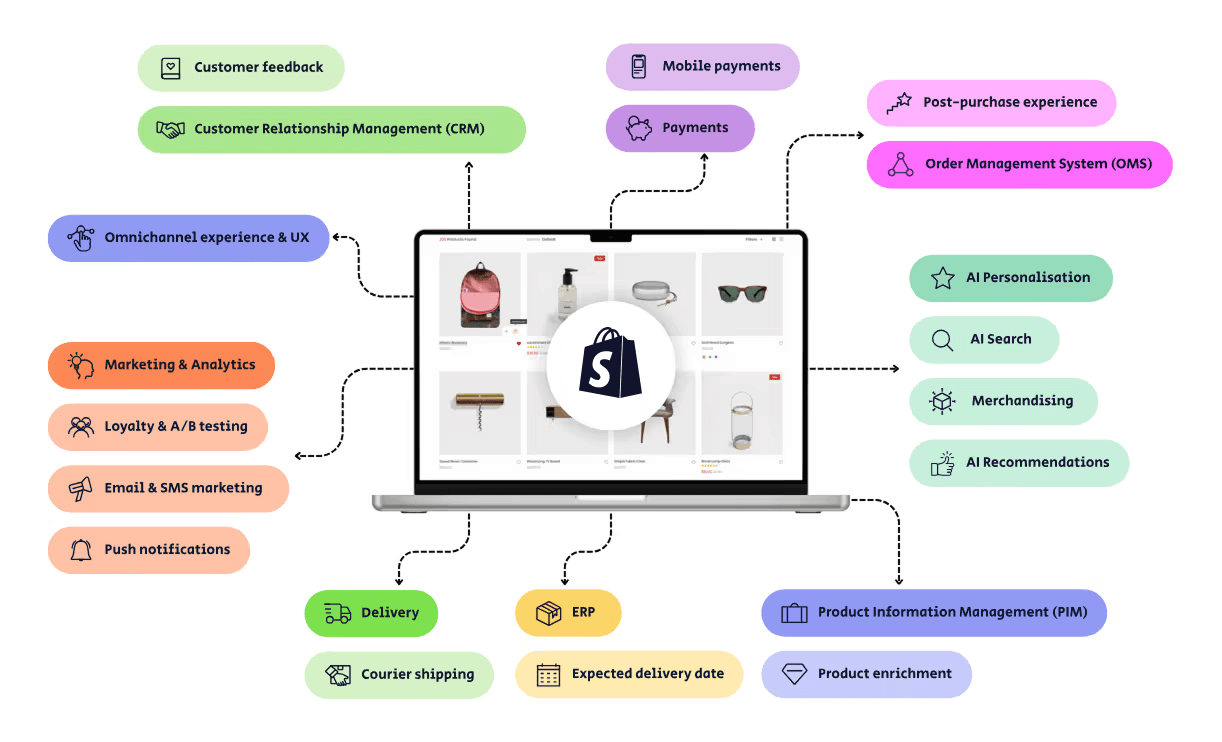
Ways to connect Shopify and HubSpot CRM
| Option | Type | Best for | Notes |
|---|---|---|---|
| HubSpot Shopify Data Sync app | Native app | Shopify stores that need contacts, orders, and carts in HubSpot without custom code | Built by HubSpot and available on all HubSpot plans; custom field mappings need a Data Hub subscription. Contacts match by email, companies and products by normalized name. Shopify product variants and metafields are not synced. Extra stores connect under Manage accounts, and installing the app adds the HubSpot tracking code to the store. |
| HubSpot Orders API | Custom API | Variant-level order lines, metafields, or B2B fields the app does not carry | Creates eCommerce orders with POST crm/objects/2026-09/order and associates them with contacts (type 507), line items (513), and carts (593). Order pipelines can track stages such as Paid, Shipped, and Refunded. |
| HubSpot Subscriptions API v4 | Custom API | Keeping Shopify marketing consent and HubSpot email subscriptions in step | Reads a contact's status with GET /communication-preferences/v4/statuses/{email}?channel=EMAIL and updates it with a POST to the same path. When HubSpot data privacy settings are on, legalBasis and legalBasisExplanation are required. |
What syncs between Shopify and HubSpot CRM
| Data | Direction | System of record | Timing |
|---|---|---|---|
| Customers and contacts | Two-way | Set by data conflict resolution | Within 10 minutes of a change after the initial sync |
| Companies (B2B) | Two-way, Shopify Plus only | Shopify for B2B accounts | Within 10 minutes of a change |
| Products | Two-way | Shopify | Within 10 minutes; variants are not synced |
| Orders | Shopify to HubSpot | Shopify (orders cannot be changed in HubSpot) | Within 10 minutes of a change |
| Abandoned checkouts (carts) | Shopify to HubSpot | Shopify | Within 10 minutes of a change |
| Discount codes (beta) | Shopify to HubSpot | Shopify | Within 10 minutes of a change |
| Email subscription status | Custom, through the Subscriptions API | Agree one owner | As built |
How a Shopify HubSpot CRM integration project runs
- Audit HubSpot for contacts, companies, and products imported earlier, because records imported before connecting can sync again as duplicates.
- Install HubSpot's Shopify Data Sync app as a Super Admin or a user with App Marketplace permissions.
- Set the sync direction, conflict resolution, and filters for contacts, orders, and carts.
- Map custom fields (Data Hub needed) and list what stays out of the app: variants and metafields.
- Connect any other stores under Manage accounts and decide how reports will tell stores apart.
- Review the cookie banner, since the app adds the HubSpot tracking code to the storefront.
- Build Orders or Subscriptions API pieces for anything the app skips, then reconcile order counts for a week.
Common problems and how to avoid them
Variants and metafields stay in Shopify
HubSpot's Shopify Data Sync app cannot sync product variants and does not support Shopify metafields. If sales or reporting needs size, color, or custom fields, write them to HubSpot through the Orders API or custom properties.
Duplicates from earlier imports
Orders and carts are not deduplicated or merged, and records imported into either system before connecting can sync again as duplicates. Clean up or filter before the first sync.
Company sync needs Shopify Plus and matches on name
B2B company records sync only on Shopify Plus and match on normalized company name, which ignores capitalization, special characters, and punctuation. Names that differ only in those characters match each other, so check B2B accounts before the first sync.
Consent is not part of the documented sync
HubSpot's Shopify Data Sync article does not cover marketing consent, and the Buyer accepts marketing field was removed from cart sync on April 1, 2025. If HubSpot sends marketing email, sync subscription status on purpose, for example with the Subscriptions API.
Filters only gate the first sync
In HubSpot data sync, filters decide which records sync initially; once a record syncs, it keeps syncing through the field mappings. Saving changes to a sync restarts the initial sync, which can take several days for syncs with millions of records.
Deletes do not carry over
Deleting a synced contact or company in HubSpot does not delete it in Shopify, and the reverse is also true. Products removed in Shopify are not deleted in HubSpot, so clean-ups have to happen in both systems.
Why choose scandiweb to handle Shopify integration for you?
How do you sync Shopify customers and order history into HubSpot CRM contacts and deals?
We map Shopify customer, order, and line-item fields to HubSpot properties, then sync updates on a schedule or in near real time. You can also create deals and lifecycle stages from order events when that fits your sales flow.
What Shopify order events can trigger HubSpot CRM workflows for lifecycle emails and sales follow-ups?
Typical triggers include order created, paid, fulfilled, refunded, and canceled, plus customer created and first purchase. These events can launch HubSpot workflows for email, tasks, lead scoring, and segmentation.
Can the Shopify and HubSpot CRM integration handle multiple Shopify stores and HubSpot pipelines?
Yes, we can sync multiple stores into one HubSpot portal with clear store identifiers, or split by business unit when needed. The mapping can route records into the right pipeline, lifecycle stage, and owner rules.
How do you prevent duplicate contacts when connecting Shopify to HubSpot CRM?
We use a deterministic identity strategy, usually email-first with fallback keys, and align it with HubSpot’s merge rules. If you already have contacts in HubSpot, we run a matching audit before the first full sync.
Who should implement a Shopify to HubSpot CRM integration if you need reliable reporting?
scandiweb’s data and engineering teams build integrations with tracking and QA baked in, so the CRM reflects what happened in the store. We have delivered 2,100+ eCommerce projects since 2003 and support data stacks that process $4 billion+ per year for our clients.
Does the HubSpot Shopify integration create deals from orders?
The Data Sync app writes Shopify orders to HubSpot order records, one way, and HubSpot's article does not list deals. If your sales team works in deals, a workflow or custom code has to create them.
How often does HubSpot sync with Shopify?
HubSpot checks for changes every five minutes, and after the initial sync records update within 10 minutes of a change. An initial sync with millions of records can take several days.
Does the HubSpot Shopify app sync product variants?
No. HubSpot states that Shopify product variants can't sync to HubSpot, and products are matched by name.
Is the HubSpot Shopify integration free?
HubSpot lists the Shopify Data Sync app as available on all HubSpot products and plans. Custom field mappings need a Data Hub subscription.
Can I edit Shopify orders in HubSpot?
No. Orders sync one way from Shopify, and HubSpot says Shopify orders can't be changed in your HubSpot account.
Sources
- HubSpot Knowledge Base: Connect HubSpot and Shopify (Data Sync)
- HubSpot Knowledge Base: Connect and use HubSpot data sync
- HubSpot Knowledge Base: Match records in data sync
- HubSpot developers: Orders API guide
- HubSpot developers: Subscriptions v4 API guide
Last updated by the scandiweb integration team.







HubSpot CRM integration on other platforms
More Shopify integrations
1. Submit your integration request
2. Join a free strategy & discovery call
We’ll review your business systems, identify key challenges, and uncover actionable opportunities.
3. Get a tailored proposal
Trusted by 700+ leading brands worldwide





