


Shopify + Microsoft Dynamics 365 integration for real-time order and inventory sync
Connect Shopify (or Shopify Plus) with Microsoft Dynamics 365 to sync orders, customers, inventory, and pricing so fulfillment runs faster and reporting stays accurate.







Shopify and Microsoft Dynamics 365 integration in short
For Dynamics 365 Business Central online, Microsoft's free Shopify Connector syncs products, inventory, customers and companies, and orders with one or more Shopify stores, and Celigo offers a prebuilt template for the same pair. Microsoft states that connector does not work with Dynamics 365 Supply Chain Management or on-premises Business Central, so Finance and Supply Chain users choose a D365-side connector such as Strabo's or a custom integration on F&O's OData, custom services, and batch data API.


• Orders, customers, payments, discounts, taxes, shipping lines, and refunds are synced from Shopify into Microsoft Dynamics 365 using API-based data exchange with queued processing.
• SKU-level product data is mapped between Shopify products/variants and Dynamics 365 items, including attributes such as barcodes, units, and status, with validation on required fields.
• Inventory availability is synchronized per location or warehouse, with stock ownership defined in Dynamics 365 and updates propagated back to Shopify on a schedule or near real time.
• Price lists and customer-specific pricing can be sourced from Dynamics 365 and published to Shopify, with currency and tax settings mapped per market where applicable.
• Delta sync logic sends only changed records after the initial load; retries, idempotency keys, and error logs handle duplicates, timeouts, and partial failures.
• Shipment confirmations and tracking details can flow from Dynamics 365 to Shopify to update fulfillment status and trigger customer notifications.
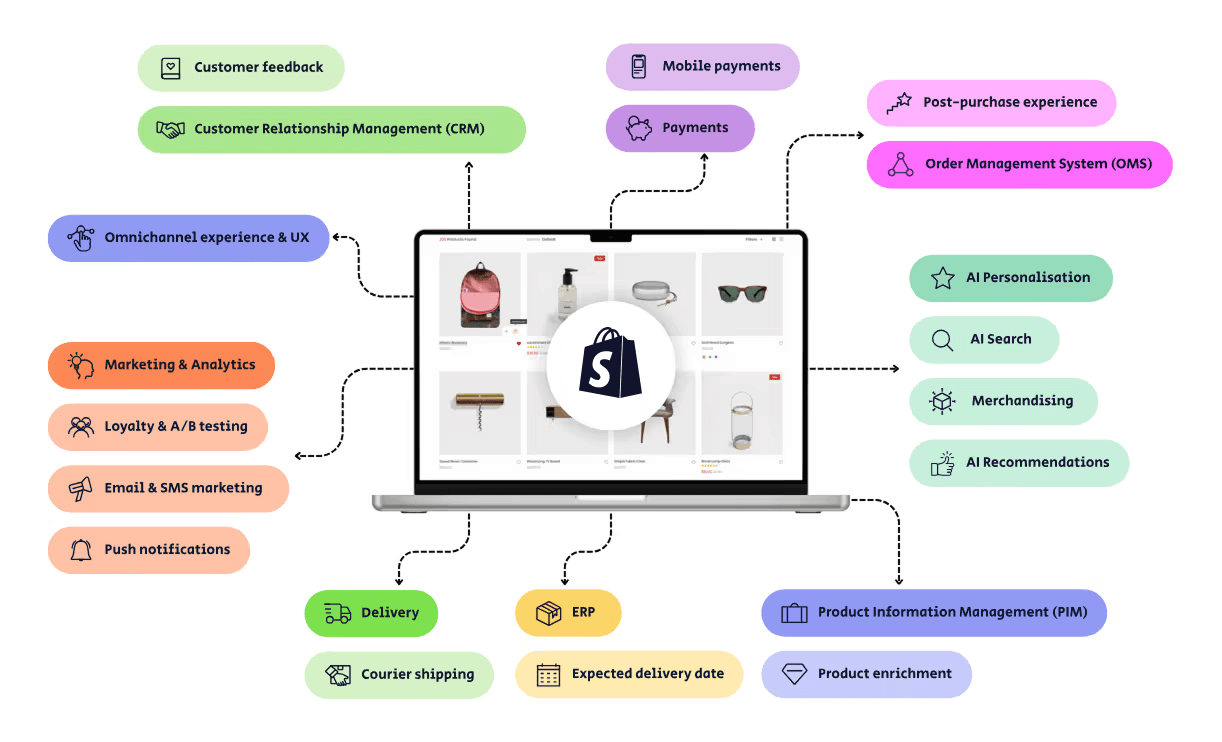
Ways to connect Shopify and Microsoft Dynamics 365
| Option | Type | Best for | Notes |
|---|---|---|---|
| Microsoft Shopify Connector for Business Central | Native app | Business Central online customers with standard catalog, stock, and order flows | Free to install from the Shopify App Store and preinstalled in new Business Central environments; a Business Central license and a Shopify license are both required. It uses the Shopify GraphQL Admin API and is open source in Microsoft's BCApps repository, with events and facade codeunits for extensions. |
| Celigo Shopify and Business Central integration template | Integration platform | Teams already on Celigo or needing flows beyond the native connector | Creates Business Central sales orders and customers from Shopify, sends item titles, SKUs, pricing, inventory, and tracking to Shopify, and creates sales invoices from completed orders. Celigo offers a 30-day free trial. |
| Strabo Shopify Connector for Dynamics 365 Finance & Supply Chain Management | Connector | Merchants on D365 Finance and Supply Chain Management | Listed on Microsoft's marketplace for syncing orders, inventory, pricing, and customers between Shopify and D365 F&SCM. |
| Custom integration on F&O APIs | Custom API | F&SCM setups with custom pricing, legal entities, or order logic | OData suits real-time record calls, custom services run business logic such as on-hand inventory lookups, and Microsoft points to the batch data API once volumes pass a few hundred thousand records. |
What syncs between Shopify and Microsoft Dynamics 365
| Data | Direction | System of record | Timing |
|---|---|---|---|
| Products and variants | ERP to Shopify (the Business Central connector can also import from Shopify) | ERP | Scheduled or on change |
| Inventory levels per location | ERP to Shopify | ERP | Scheduled |
| Customers and B2B companies | Both directions | ERP for terms and credit | On change |
| Orders | Shopify to ERP | Shopify until imported, then the ERP | Scheduled import or near real time |
| Fulfillments and tracking | ERP to Shopify | ERP | On shipment |
| Sales invoices for completed orders | Created in the ERP from Shopify orders | ERP | After fulfillment |
How a Shopify Microsoft Dynamics 365 integration project runs
- Confirm the ERP product: Business Central online, Business Central on-premises, or Finance and Supply Chain Management. The native connector fits only the first.
- For Business Central online, install the Shopify Connector, add a Shopify Shop record per store, and agree item and customer mapping rules.
- Decide whether products are created in the ERP and pushed to Shopify or imported from Shopify, and do not run both.
- Clean historic order statuses in Shopify before the first order import.
- Map locations, payment methods, and shipping to ERP setup, then test refunds and returns.
- Put Business Central version upgrades on the calendar ahead of Shopify API version retirements.
- For F&SCM, register a Microsoft Entra app, choose OData, custom services, or the batch data API per flow, and set its throttling priority.
Common problems and how to avoid them
Business Central falls behind Shopify's API calendar
The connector pins one Shopify Admin API version per Business Central major release. The 2026 release wave 1 connector uses API version 2026-01, which is accessible until December 31, 2026, so tenants still on that release must upgrade to keep syncing.
Expired Shopify tokens stop the sync
The connector refreshes its access token automatically, but a refresh token stays valid for up to 90 days without a successful refresh. Past that window, reconnect the shop with Request Access on the Shopify Shop Card page.
Assuming the free connector covers every Dynamics 365 product
Microsoft states the Shopify Connector is available only for Business Central online, not on-premises, and does not work with Dynamics 365 Sales or Supply Chain Management. F&SCM users need a different connector or a custom build.
Migrated orders flood the first import
On a scandiweb Shopify and Business Central project, orders migrated from the old platform arrived open and unfulfilled, with the migration date as their created date. The ERP partner's first pull treated them all as open orders until statuses were cleaned and the filter switched to fulfillment status.
Supplier feed products do not belong in the ERP
In the same project, the full Shopify catalog was imported into the ERP and none of it matched item setups automatically. Most were supplier feed items the client did not stock, so the item scope was cut back and mapped gradually after launch.
Why choose scandiweb to handle Shopify integration for you?
How do you integrate Shopify with Microsoft Dynamics 365 for automated order and invoice posting?
We map Shopify orders, taxes, discounts, shipping, and payments to Dynamics 365 sales documents and posting rules, then automate posting through API or middleware. You get consistent financial data without manual rekeying.
Can Shopify sync inventory to Microsoft Dynamics 365 in real time across multiple warehouses?
Yes – we sync available-to-sell stock from Dynamics 365 to Shopify by location and buffer logic, and push fulfillment updates back. This reduces oversells and keeps customer-facing stock accurate.
Does Microsoft Dynamics 365 pricing and customer-specific terms sync to Shopify (B2B and wholesale)?
It can – we sync price lists, customer groups, and contract pricing into Shopify via metafields, B2B catalogs, or a custom pricing service. The goal is predictable pricing across channels without duplicated rules.
What data should be the source of truth in a Shopify and Microsoft Dynamics 365 integration?
Dynamics 365 is usually the source of truth for inventory, pricing, and financial posting, while Shopify owns the checkout and customer-facing catalog. We document ownership rules so updates do not clash.
How do you handle refunds, cancellations, and returns syncing between Shopify and Microsoft Dynamics 365?
We sync refund and cancellation events with reason codes and posting logic that matches your finance workflow. This keeps revenue, tax, and stock adjustments aligned in both systems.
Is Microsoft's Shopify Connector for Business Central free?
The Dynamics 365 Business Central app is free to install on the Shopify App Store, and the connector is preinstalled in new Business Central environments. You still need a Business Central license and a Shopify license.
Does the Shopify Connector work with Dynamics 365 Finance or Supply Chain Management?
No. Microsoft states it works only with Business Central online and not with Supply Chain Management or Sales. Use an F&SCM connector such as Strabo's, or build on F&O's APIs.
Can one Business Central company connect to several Shopify stores?
Yes. You add a Shopify Shop record for each store and connect each one separately.
Which Shopify API does the Business Central connector use?
The GraphQL Admin API, except for operations on sold gift cards. Microsoft moves to a newer API version with each Business Central major release.
Can we customize the Business Central Shopify Connector?
Yes. It is open source in Microsoft's BCApps repository and exposes integration events and public facade codeunits for orders, products, metafields, and more, while its internal codeunits stay private.
Sources
- Microsoft Learn: Get started with the Shopify Connector
- Microsoft Learn: Shopify Connector FAQ
- Shopify App Store: Dynamics 365 Business Central
- Celigo: Shopify and Microsoft Dynamics 365 Business Central integration template
- Microsoft Marketplace: Strabo Shopify Connector for Dynamics 365 Finance & Supply Chain Management
- Microsoft Learn: Integration between finance and operations apps and third-party services
- Microsoft Learn: Throttling prioritization for finance and operations apps
Last updated by the scandiweb integration team.







Microsoft Dynamics 365 integration on other platforms
More Shopify integrations
1. Submit your integration request
2. Join a free strategy & discovery call
We’ll review your business systems, identify key challenges, and uncover actionable opportunities.
3. Get a tailored proposal
Trusted by 700+ leading brands worldwide





