


Shopify and Microsoft Dynamics NAV integration for real-time ERP sync
Connect Shopify Plus with Microsoft Dynamics NAV (formerly Navision) to sync products, pricing, inventory, customers, and orders, so fulfillment and reporting stay accurate.







Shopify and Microsoft Dynamics NAV integration in short
Microsoft's own Shopify Connector works only with Business Central online, not with Dynamics NAV or on-premises Business Central. A Shopify and NAV integration therefore runs through an integration platform such as APPSeCONNECT or Alumio, or a custom service that reads NAV's SOAP or OData web services and calls Shopify's Admin API. If a Business Central move already has a date, compare a NAV build with going live on the native connector after the upgrade.


• Shopify orders are imported into Microsoft Dynamics NAV as sales documents, with line items mapped to NAV Items using SKU or variant identifiers.
• Customer records are matched by email and external IDs; new customers are created in NAV when no match exists, and address fields are normalized to NAV formats.
• Inventory levels are synchronized from NAV to Shopify per location/warehouse mapping, with reservations and backorders handled according to NAV availability logic.
• Product master data can be exported from NAV to Shopify, including titles, SKUs, barcodes, prices, and variant options, with field-level mapping rules.
• Tax, currency, and discount amounts are carried on order import as order-level and line-level values, with reconciliation fields stored for auditability.
• Sync jobs run on schedules and/or event triggers, support delta updates for changed records, and write error logs with retriable failed messages.
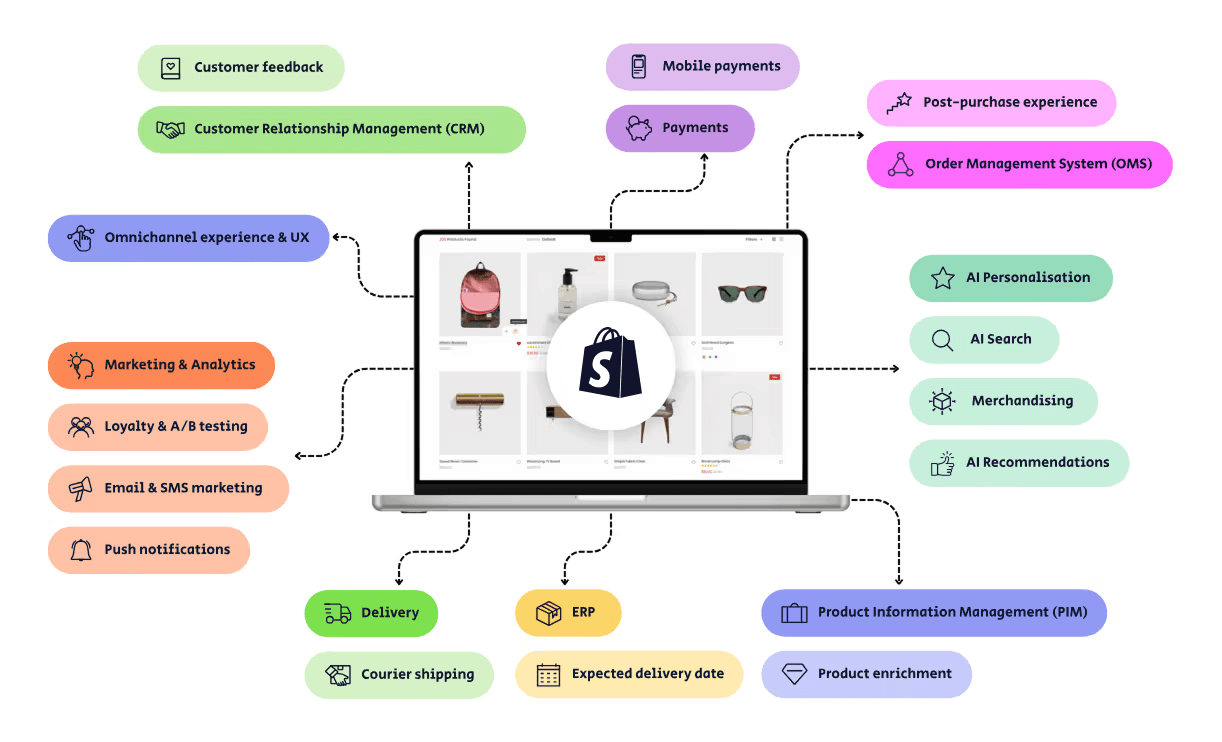
Ways to connect Shopify and Microsoft Dynamics NAV
| Option | Type | Best for | Notes |
|---|---|---|---|
| APPSeCONNECT Shopify and Dynamics NAV integration | Integration platform | Standard order, stock, and shipment flows with prebuilt mappings | Converts Shopify orders, shipping and taxes included, into NAV sales orders, syncs NAV products and location-based inventory to Shopify, and shows tracking numbers posted on NAV sales shipments in the store. |
| Alumio integration platform | Integration platform | On-premises or heavily customized NAV | Alumio reaches NAV through a secured connection to its web services so NAV is not exposed to the public internet, and keeps integration logic outside NAV customizations. Its page lists orders, inventory levels, products, customers, and shipments. |
| Custom service on NAV web services | Custom API | Custom NAV objects or posting rules that prebuilt mappings miss | NAV publishes pages and codeunits as SOAP services and pages and read-only queries as OData. Order creation usually goes through a sales order page or a custom codeunit. |
| Business Central online with Microsoft's Shopify Connector | Native app | Merchants moving off NAV anyway | Free to install from the Shopify App Store; syncs products, inventory, customers and companies, and orders, and supports more than one shop. Available only for Business Central online, not on-premises. |
What syncs between Shopify and Microsoft Dynamics NAV
| Data | Direction | System of record | Timing |
|---|---|---|---|
| Items and variants | NAV to Shopify | NAV | Scheduled |
| On-hand stock per location | NAV to Shopify | NAV | Scheduled or near real time |
| Orders with shipping and tax lines | Shopify to NAV | Shopify until the NAV sales order exists, then NAV | On order creation or payment |
| Registered and guest customers | Shopify to NAV | NAV for terms and posting data | With each order |
| Tracking numbers from posted sales shipments | NAV to Shopify | NAV | On posting |
| Refunds and cancellations | Shopify to NAV | Shopify for the refund event, NAV for the credit memo | On refund |
How a Shopify Microsoft Dynamics NAV integration project runs
- Decide whether to integrate NAV now or after a Business Central move, based on that move's go-live date.
- List the published NAV pages, codeunits, and queries, and the NAV objects that hold web-specific fields.
- Choose middleware or a custom service and secure the route to NAV with HTTPS and IP restrictions.
- Map Shopify locations to NAV locations, and payment, shipping, and tax lines to NAV item or G/L lines.
- Decide how guest orders post: to one shared web customer or to new customer cards from a template.
- Test refunds, partial fulfillments, and cancellations end to end in a NAV test company.
- Set alerts for failed order posts and keep a resend path.
Common problems and how to avoid them
Pushing available stock instead of on-hand
Shopify sets aside units for unfulfilled orders as committed, and on-hand is the sum of committed, unavailable, and available. On a scandiweb Shopify build whose stock comes from a Navision-backed catalog, the import is set up to write on-hand quantities so Shopify keeps open orders reserved and a later import cannot put sold units back on sale. Orders are marked fulfilled only after they reach Navision.
A NAV customer card for every guest
APPSeCONNECT maps registered Shopify customers to NAV customer cards and gives guest checkouts separate card codes. Decide early whether guests post to one shared web customer or to new cards built from a country template, because NAV posting groups and VAT follow the card.
Shipping and gift card lines need a NAV mapping
In a scandiweb NAV build, shipping posts as a G/L line chosen per store and gift card redemptions as negative G/L lines, and an unmapped payment or shipping code leaves the order waiting in the export queue.
Culture settings change dates and amounts
NAV reads incoming web service dates and amounts using the server's Services Language setting, which defaults to en-us. Format every date and decimal in that culture in the integration layer, whatever the Shopify market.
Waiting for the native connector without a date
Microsoft's Shopify Connector runs only on Business Central online and pins one Shopify Admin API version per Business Central release. If the NAV move has no fixed date, a middleware integration keeps orders flowing now, and only its ERP side changes when you move.
Why choose scandiweb to handle Shopify integration for you?
How do you integrate Shopify Plus with Microsoft Dynamics NAV (formerly Navision) for real-time inventory and pricing sync?
We connect Shopify to NAV through API or middleware, then map SKUs, warehouses, price lists, and tax logic. Updates can run near real time or on scheduled jobs, depending on load and ERP rules.
Which data objects can be synced between Shopify and Microsoft Navision in an ERP integration?
Typical flows include products, variants, inventory by location, price tiers, customers, orders, invoices, shipments, and refunds. The exact scope depends on how your NAV instance models sales, posting groups, and item cards.
Can a Shopify and Microsoft Dynamics NAV integration support multiple warehouses, locations, and markets?
Yes, we can sync per-warehouse stock, market-specific pricing, and localized tax setup, then route orders to the right fulfillment location. The key is clear source-of-truth rules for inventory and pricing per market.
How do you prevent overselling and stock mismatches with Shopify plus Microsoft Dynamics NAV (formerly Navision)?
We use a single inventory authority, fast stock reservations, and retry-safe sync to keep quantities consistent. We also add monitoring for failed jobs so issues get fixed before they hit customers.
How long does a Shopify plus Microsoft Dynamics NAV integration project usually take?
Most timelines depend on customizations in NAV, the number of price and warehouse rules, and whether you need historical data migration. scandiweb has delivered 50+ Shopify projects, so we scope integrations in practical phases and ship in iterations.
Does Microsoft's Shopify Connector work with Dynamics NAV?
No. Microsoft states the connector is available only for Business Central online and not for on-premises deployments, so NAV needs middleware or a custom integration.
Should we upgrade NAV to Business Central before connecting Shopify?
If the upgrade is close, going live on Business Central online with Microsoft's free connector avoids building twice. If it has no date yet, integrate NAV through middleware so only the ERP side changes when you move.
Is Dynamics NAV still supported by Microsoft?
NAV 2018 mainstream support ended in January 2023, and extended support with security updates ends in January 2028.
Can Shopify connect to an on-premises NAV server without opening it to the internet?
Yes, through a middleware layer that reaches NAV's web services over a secured connection. Alumio describes this setup for on-premises NAV installs.
What NAV web services does a Shopify integration use?
NAV can publish pages and codeunits as SOAP services and pages and queries as OData. Orders usually go in through a sales order page or a custom codeunit, and catalog, price, and stock data come out through item and price pages or queries.
Sources
- APPSeCONNECT: Microsoft Dynamics NAV and Shopify integration
- Alumio: Shopify to Microsoft Dynamics NAV
- Microsoft Learn: Dynamics NAV web services overview
- Microsoft Learn: Shopify Connector FAQ
- Shopify App Store: Dynamics 365 Business Central
- Shopify Help Center: Inventory states
- Microsoft Lifecycle: Dynamics NAV 2018
Last updated by the scandiweb integration team.







Microsoft Dynamics NAV integration on other platforms
More Shopify integrations
1. Submit your integration request
2. Join a free strategy & discovery call
We’ll review your business systems, identify key challenges, and uncover actionable opportunities.
3. Get a tailored proposal
Trusted by 700+ leading brands worldwide





