4.9
BigCommerce speed optimization, fixed in the code
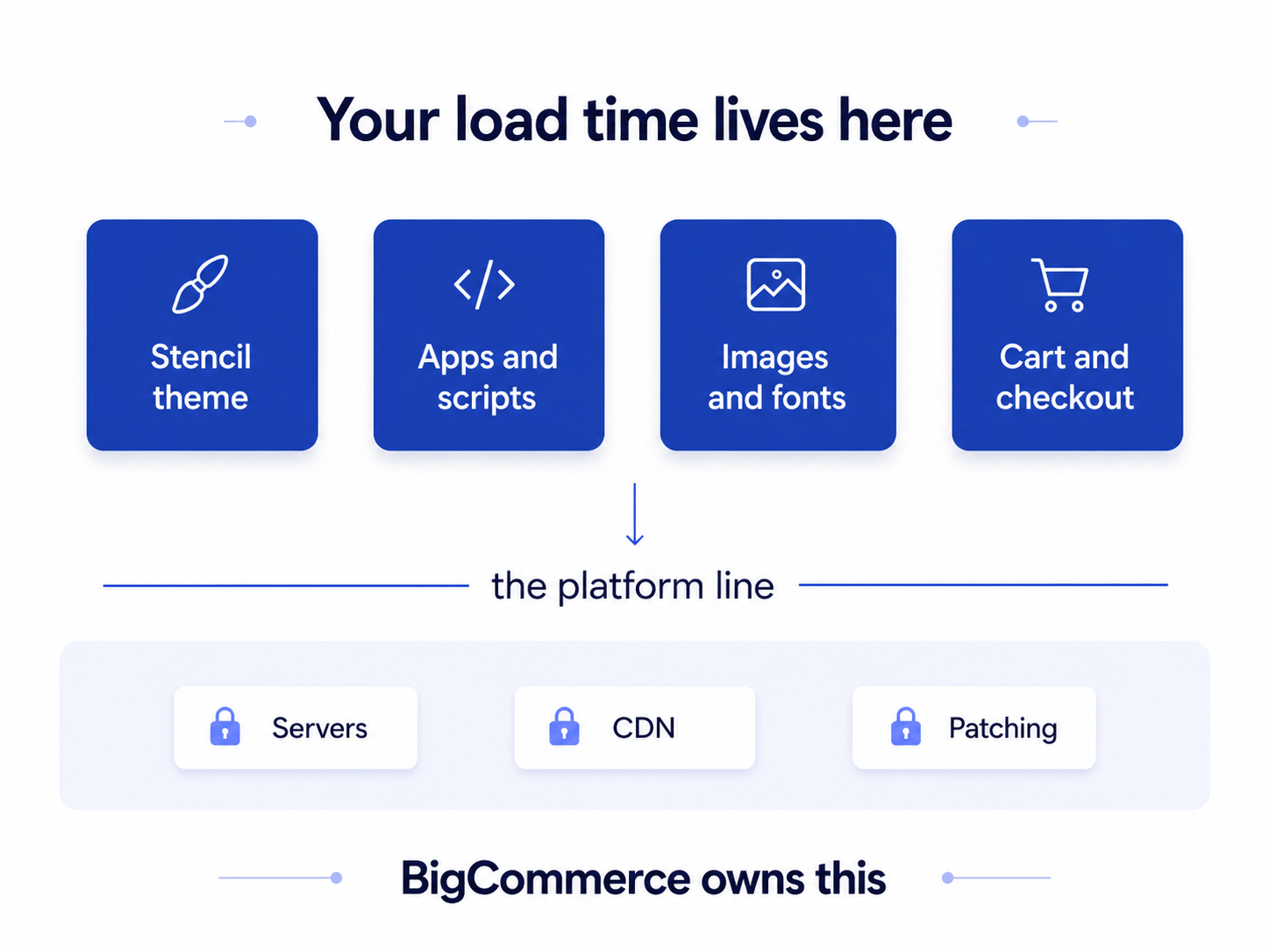
BigCommerce runs your servers and your CDN. Whatever is still slow sits in your Stencil theme, your apps, and your images, and that is where we work.
Trusted by 700+ leading brands worldwide


Trusted by 700+ leading brands worldwide
Who runs your BigCommerce speed work
600+
Performance projects delivered
23+
Years in eCommerce
700+
Clients served worldwide
%20(1).png)


Six checks to run before you hire anyone
Some of this you can move yourself, and it is worth trying before paying anyone. These are the six checks our BigCommerce engineers run first, in the order they usually pay off. If they close your gap, keep the money. If they do not, the cause sits deeper in the theme.

Start with field data, not the score
The lab score swings between runs on the same page. Google reads the Core Web Vitals your real shoppers experience, so open that panel before anything else.
Audit what your apps left behind
Uninstalled BigCommerce apps often leave their scripts sitting in your theme files, and every one of them still loads on every page of the store.
Serve images at their display size
BigCommerce resizes images on request, but only when the theme asks it to. Oversized banners are the most common cause of a failing LCP on Cornerstone.
Defer everything that is not the page
Marketing tags, chat widgets, and review scripts do not need to run before the page paints. Defer them and the first render arrives sooner.
Check how far your theme has drifted
A Stencil theme customized years ago sits far from base and misses every performance improvement BigCommerce has shipped since it was forked.
Measure the pages that sell
Most teams tune the homepage while the revenue arrives on product and category pages, which carry more scripts and usually load slower.
Not sure which of these is costing you most?
Why a hosted platform still loads slowly
Managed hosting sets a floor, not a ceiling. BigCommerce gives every store the same servers and the same CDN, which removes one class of problem and leaves the rest where it was.
A store there can still take six seconds to paint, because the browser is working through app scripts, uncompressed media, and theme code that has grown for years. There is no cache layer to size and no server to move, so every lever left sits above the platform line.
What our BigCommerce speed work covers
The work is engineering on what sits above the platform, starting with whichever template is costing you the most revenue rather than whichever one scores worst. Every item below is scoped from your own store, not from a package.

Store-wide speed audit
Each template is measured on its own and comes back as an ordered fix list, heaviest cause first, with the gain we expect from each item written beside it.

Stencil theme optimization
Render-blocking code, oversized bundles, and layout shift corrected in your current theme. Your customers see the same storefront, only sooner.

App and script cleanup
Orphaned code from apps you removed months ago gets stripped out, and surviving apps are scoped to the templates that actually use them instead of every page.

Image and media delivery
Product and banner images served at their display size in modern formats, with lazy loading applied below the fold and your fonts preloaded properly.

Cart and checkout speed
The pages closest to the money stop being the heaviest ones. Payment and tax scripts load deferred, and redundant cart requests are taken out.

Monitoring after handoff
Speed is watched after launch so a new app does not quietly undo the work. Our BigCommerce development team can carry it long term.
Slow pages are already priced into your results
BigCommerce reports your storefront speed in the control panel. What it does not show you is which slow template is quietly taking money off the table.

Paid clicks land on a slow page
You pay the same for the click whether the page paints in two seconds or six. On a slow template, the same ad budget returns fewer completed orders.
Mobile shoppers leave first
Phones on mobile networks feel every extra script. Most BigCommerce stores test worse on mobile than on desktop, and mobile is where the traffic is.
Search and AI answers read the same page
Core Web Vitals feeds Google's ranking systems, and slow pages hold back otherwise healthy stores. Our performance optimization services team sees it on every platform.
How a BigCommerce speed project runs
Speed work fails when fixes ship before anyone has measured what is actually slow. The audit comes first and sets the scope, and the engineers who ran it are the ones who make the changes. Nothing gets rebuilt on a guess.

Audit and CWV profiling

Every template gets profiled for LCP, INP, and CLS, and each app, tag, and widget is timed individually so you can see the cost of keeping it rather than guessing at it.

A fix plan you approve
The findings turn into a ranked, priced scope. You see what each fix is likely to return before agreeing to it, and the work stays inside what you signed off.

Fix sprints on theme and apps
Stencil theme code goes first, because it usually carries the most weight. Scripts and media follow behind it. Nothing reaches your live storefront until it has been proven on a duplicate.

Validation in field data
A lab score improves the moment we deploy, which proves little. We hold the project open until your Core Web Vitals field data, gathered from real shoppers, has moved with it.

Speed work with numbers behind it
Each figure here comes from a live store, measured against its own baseline from before the project began.
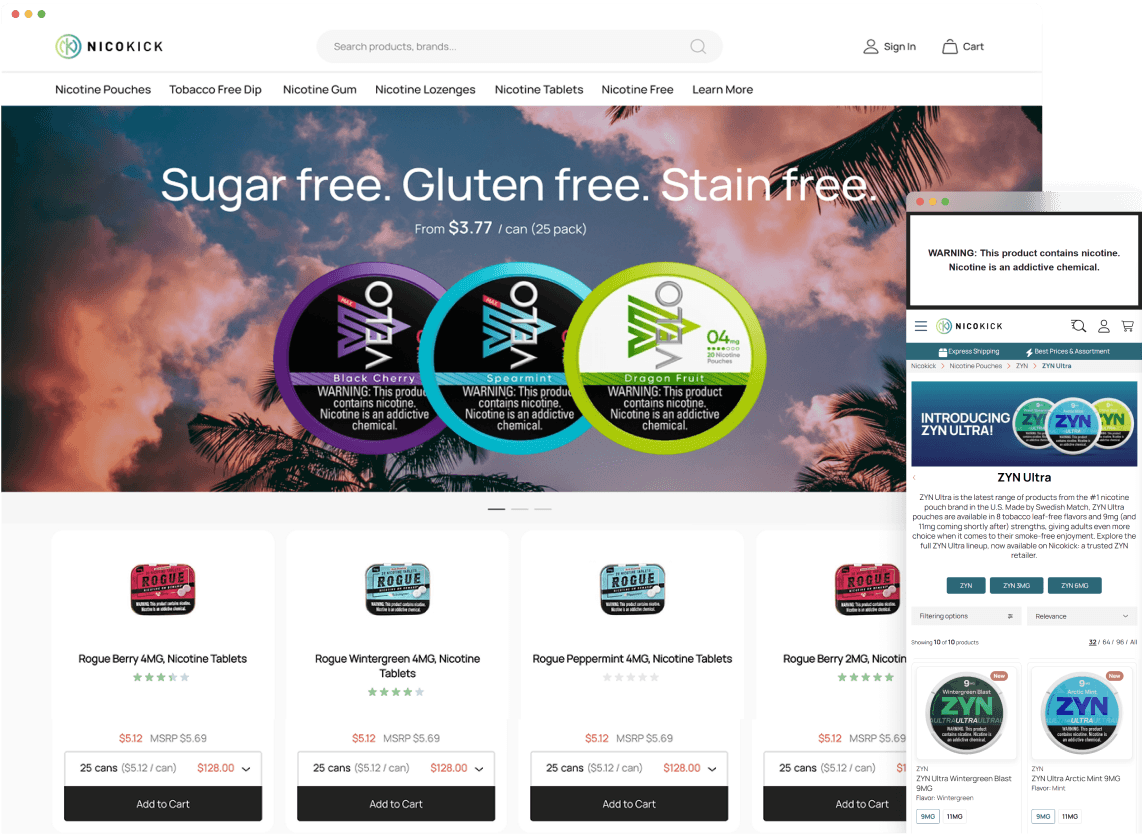

A nicotine pouch retailer cleared Core Web Vitals in one month
96
Homepage PageSpeed score
+60
Points gained on that score
73%
Pages with LCP under 2.5s
Learn more


A furniture retailer turned faster pages into completed orders
+275%
Speed Index improvement
+43.8%
Transactions
+58.0%
Unique purchases
Learn more
Your store is slow somewhere. One report tells you where.
Most teams find out by uninstalling apps one at a time and watching the score. A report gets you there in days.

What our clients say

.webp)



.png)


Frequently asked questions about BigCommerce speed
What is BigCommerce speed optimization?
BigCommerce speed optimization is engineering work on everything that sits above the platform: the Stencil theme, the apps, the third-party scripts, and the media. BigCommerce owns the servers, the CDN, and the patching, so those layers are not yours to tune. What is left is the code your store loads, and that is where load time is won or lost.
How much faster can a BigCommerce store realistically get?
It depends where you start. A store sitting at 15 to 20 on mobile has room for a large move, and we have taken one from that range up by 150 to 233 percent while cutting up to eight seconds off product page load. A store already in the sixties gains less in score terms, and the remaining work is usually worth more in conversion than in points.
Will removing apps break something?
Nothing is removed without checking what depends on it first. The audit ties every app and script to the pages that genuinely need it, so a review widget stops loading on checkout while staying exactly where it belongs on product pages. All of it is built on a separate theme copy and tested before it publishes.
Does site speed affect rankings and AI answers?
Core Web Vitals is a confirmed Google ranking signal, and the same page that stalls for a shopper stalls for the crawler and for the models that summarize your category. Expect conversion to react long before rankings do, because a shopper who gives up on a half-painted product page never enters the funnel at all.
Why is my store slow if BigCommerce hosts it?
Because hosting decides how fast the first byte arrives, not how much work the browser does after it. Two stores on identical BigCommerce infrastructure routinely differ by four seconds, and the gap is entirely in what each one asks the browser to download and execute. That part travels with your store, not with the plan you are on.
Do we have to leave Cornerstone or rebuild the theme?
No. The work happens inside the theme you already run, and the design your customers know stays as it is. A rebuild only becomes the better option when a theme has been customized so far from base that fixing it costs more than replacing it, and that is a finding we would put in writing before recommending it.
How long does BigCommerce speed optimization take?
The audit takes days. Fix work runs in sprints, and a focused theme and script cleanup usually lands within weeks. Google's field data collects over a rolling 28-day window, so the numbers that decide your Core Web Vitals status move about a month behind the work itself. Plan on one to two months for verified movement.
What does BigCommerce speed optimization cost?
We quote against the fix list, never against a tier, so the number reflects your store rather than an average one. Theme distance from base drives most of it, template count drives the rest. The audit produces both the scope and the price, and its findings belong to you even if you take them somewhere else.

Get a speed report for your BigCommerce store
Send the store URL and we will profile your templates against Core Web Vitals field data. The written findings come back scoped and priced, usually within a few days.
Prefer to talk now? Book a call straight away, or email us at: [email protected]



Related services
Ready to improve your BigCommerce page speed? Let's look at your store.
Send us your store URL and we'll come back with your current PageSpeed scores and the fixes that would raise them most.