


BigCommerce to Acumatica integration for real-time inventory and order sync
Connect BigCommerce with Acumatica ERP to sync orders, customers, products, pricing, and inventory in near real time, reducing manual updates and overselling across channels.








BigCommerce and Acumatica integration in short
Acumatica includes a native BigCommerce connector in Acumatica Retail Edition, with no extra software to buy. It syncs products, inventory, customers, orders, shipments, returns, and refunds in both directions, supports several BigCommerce stores, and handles B2B Edition company accounts and customer-specific pricing. Alternatives are an integration platform such as APPSeCONNECT, which lists Acumatica, or a custom build on Acumatica's REST API and BigCommerce's APIs and webhooks.


• Customers, addresses, and company records are mapped between BigCommerce customer profiles and Acumatica business accounts, with email or external IDs used for matching and deduplication.
• BigCommerce orders are transmitted to Acumatica as sales orders, including line items, discounts, taxes, shipping method, payment method reference, and order-level totals.
• SKU-level product data is synchronized with field mapping for name, description, attributes/options, and price lists where applicable, with Acumatica typically acting as the source for ERP-managed fields.
• Inventory availability is synced from Acumatica to BigCommerce per warehouse or aggregated rules, and quantity updates are sent as deltas to reduce payload size.
• Shipment, invoice, and order status updates from Acumatica are written back to BigCommerce, including tracking numbers and carrier codes when available.
• Sync runs are scheduled or event-driven depending on endpoint support, with validation, retry logic, and error logs captured for failed records and API rate-limit handling.
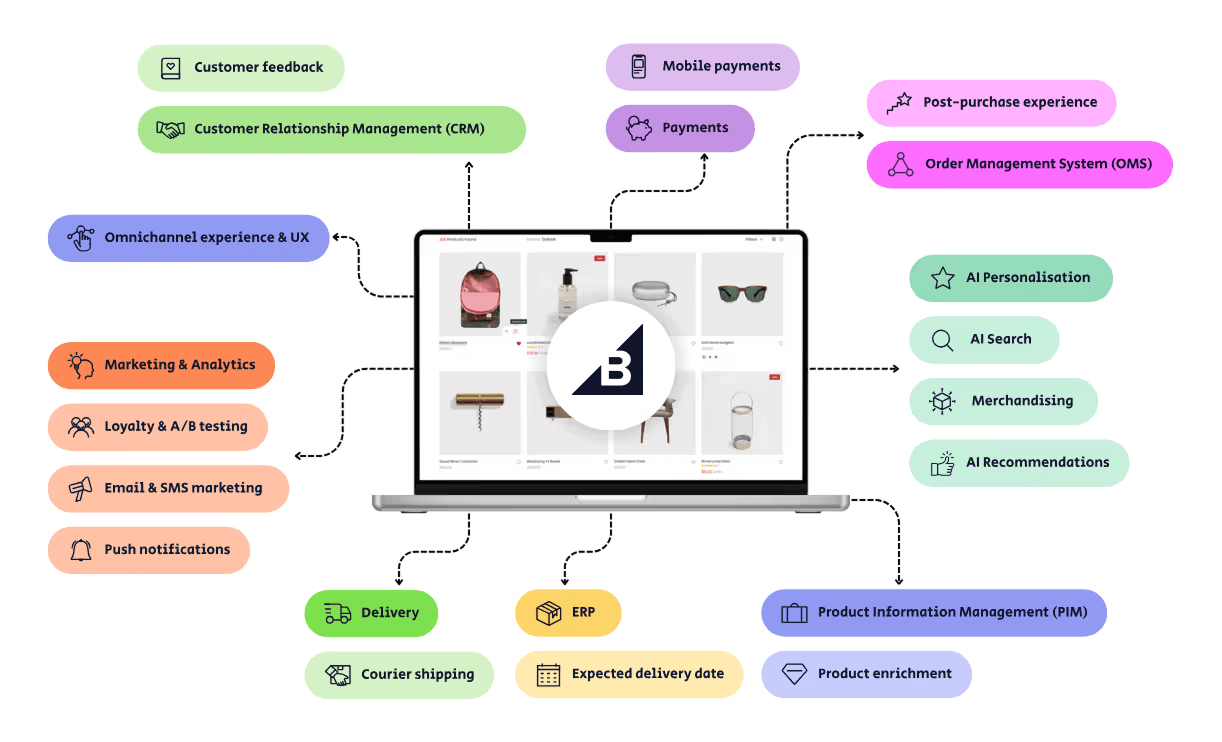
Ways to connect BigCommerce and Acumatica
| Option | Type | Best for | Notes |
|---|---|---|---|
| Acumatica native BigCommerce connector | Connector | Acumatica Retail Edition customers selling B2C, D2C, or B2B on BigCommerce | Built into Acumatica Retail Edition. Syncs product details, prices, images, and per-store inventory, online and offline orders, discounts with the promotion code on the sales order line, returns and refunds, and custom fields and order metadata; creates a separate BigCommerce shipment and tracking number for each box; connects to as many BigCommerce stores as you run. The BigCommerce listing shows custom pricing. |
| APPSeCONNECT | Integration platform | Companies that connect more systems than BigCommerce and Acumatica in one platform | The BigCommerce listing names Acumatica among supported ERPs, with customers and orders flowing to the ERP and items, prices, and stock flowing back. Listed pricing: $2,500 upfront and $199 a month after a 15-day trial, and it may not be fully compatible with multi-storefront. |
| Custom build on Acumatica's REST API and BigCommerce APIs | Custom API | Flows the native connector does not cover, such as custom approval or allocation rules | Acumatica licenses cap API users, concurrent requests, and requests per minute. BigCommerce webhooks send light payloads, often only an ID, and API quotas depend on the plan, from 20,000 requests an hour on Growth and Core to 60,000 on Scale. |
What syncs between BigCommerce and Acumatica
| Data | Direction | System of record | Timing |
|---|---|---|---|
| Orders | BigCommerce to Acumatica, with online and offline orders visible in BigCommerce | BigCommerce at checkout, Acumatica for fulfillment and billing | Real time |
| Products, prices, and images | Acumatica to BigCommerce | Acumatica, with filters for which items are exported | Real time, per Acumatica |
| Inventory | Acumatica to BigCommerce | Acumatica, per item and per store | Real time |
| Customers and B2B company accounts | Both directions; company accounts and hierarchies from Acumatica | Acumatica for B2B accounts and pricing context | Real time or scheduled |
| Shipments and tracking | Acumatica to BigCommerce | Acumatica, one BigCommerce shipment per box | On shipment |
| Returns and refunds | BigCommerce to Acumatica | BigCommerce for the request, Acumatica for the financial entry | When processed in BigCommerce |
| Payments | BigCommerce to Acumatica | Payment provider, linked to sales order prepayment invoices in Acumatica | With the order |
How a BigCommerce Acumatica integration project runs
- Confirm your Acumatica edition includes the commerce connectors and list each BigCommerce store, channel, and storefront you need to connect.
- Decide which items and customers are exported, using the connector's filters, and which system owns each field.
- Map payment methods, shipping methods, tax, branches, and warehouses per store, and set B2B Edition company and pricing rules if you sell B2B.
- Run the initial sync against a test store and check a sample of products, prices, and stock levels by hand.
- Test real cases: discounted orders, multi-box shipments, returns, refunds, and B2B orders with customer-specific prices.
- Go live with monitoring of failed syncs, API throttling in Acumatica, and webhook status in BigCommerce.
Common problems and how to avoid them
Check multi-storefront before you rely on it
Acumatica says you can connect as many BigCommerce stores as you run and configure each separately, but the BigCommerce listing for the Acumatica app notes it may not be fully compatible with multi-storefront. If you run several storefronts inside one BigCommerce store, test that setup with the vendor before committing.
One shipment per box means one email per box
The connector creates a separate BigCommerce shipment and tracking number for each box in an Acumatica shipment. Check how your BigCommerce shipment notifications behave when one order has several shipments, so customers are not confused by a string of emails.
API license limits are shared
Acumatica licenses cap API users, concurrent requests, and requests per minute, and requests over half the per-minute limit are delayed. The connector, any custom flows, and other integrations share these limits, so check the License Monitoring Console when you add stores or flows.
Webhooks switch themselves off
For custom flows: when an endpoint keeps failing, BigCommerce retries at increasing intervals, up to 11 times and for no more than 48 hours, then deactivates the webhook. Payloads are light and duplicates can occur, so fetch the full record and process each event once.
Why choose scandiweb to handle BigCommerce integration for you?
How do you connect BigCommerce to Acumatica ERP for automated order and customer sync?
We map your BigCommerce checkout data to Acumatica sales orders, customers, taxes, shipping, and payments, then run the sync on a schedule or near real time. You get clear error logs and re-sync rules, so failures don’t become manual fire drills.
Can a BigCommerce Acumatica integration sync inventory availability by warehouse or location?
Yes – we can sync available-to-sell from Acumatica by warehouse and push it to BigCommerce for accurate stock and backorder rules. This is key for multi-warehouse fulfillment and avoiding oversells.
Can Acumatica pricing and customer-specific price lists sync to BigCommerce?
Yes – we can export price lists, tiers, and customer group rules from Acumatica and apply them in BigCommerce. It helps keep B2B pricing consistent without duplicating logic in two places.
What data should be the source of truth in a BigCommerce and Acumatica ERP integration?
Usually Acumatica owns inventory, pricing, and order status, while BigCommerce owns storefront content and checkout events. We confirm ownership per field early, so you don’t end up with sync loops or silent overwrites.
How do you handle multi-storefront or multi-currency BigCommerce integrations with Acumatica?
We support multiple BigCommerce storefronts mapping into one Acumatica tenant using channel, warehouse, and currency rules. The goal is clean financial reporting and stable fulfillment across markets.
Is the Acumatica BigCommerce connector included in Acumatica?
Acumatica's datasheet says the BigCommerce integration is built into Acumatica Retail Edition, with no additional software to purchase. Check your edition and license with your Acumatica partner.
Does the connector support BigCommerce B2B Edition?
Yes. Acumatica lists company accounts, customer hierarchies, customer-specific pricing, account-based discounts, and multi-level approval workflows, and payments can be linked to sales order prepayment invoices.
Does the Acumatica connector sync BigCommerce custom fields?
Yes. Acumatica's datasheet says the connector imports and exports BigCommerce custom fields and order metadata, either to carry extra details or to filter data as it syncs.
Do BigCommerce promotions show up in Acumatica?
Yes. Discounts and promotions created in BigCommerce sync to the Acumatica sales order lines with a reference to the promotion code.
Can shoppers see orders placed outside BigCommerce?
Yes. Acumatica says buyers can see past online and offline orders in the BigCommerce My Account area.
Sources
- Acumatica datasheet: Native BigCommerce connector (2025)
- Acumatica: BigCommerce connector
- Acumatica: Commerce connectors
- BigCommerce App Marketplace: Acumatica Cloud ERP
- BigCommerce App Marketplace: APPSeCONNECT
- Acumatica ERP Integration Development Guide (2020 R2): license restrictions for API users
- BigCommerce dev docs: Webhooks
- BigCommerce dev docs: API rate limits
Last updated by the scandiweb integration team.







Acumatica integration on other platforms
More BigCommerce integrations
1. Submit your integration request
2. Join a free strategy & discovery call
We’ll review your business systems, identify key challenges, and uncover actionable opportunities.
3. Get a tailored proposal
Trusted by 700+ leading brands worldwide





