


Shopify Acumatica integration for accurate inventory, orders, and finance sync
Connect Shopify with Acumatica to sync orders, inventory, customers, pricing, and financial data, so your team stops fixing spreadsheets and closes the books faster.







Shopify and Acumatica integration in short
Acumatica has a native Shopify connector, built into Acumatica and listed on the Shopify App Store as Acumatica Cloud ERP. It syncs products, prices, inventory per location, orders, shipments, returns, refunds, and payments in both directions, imports Shopify POS sales, and supports B2B on Shopify companies and customer-specific pricing. Alternatives are Celigo's Shopify and Acumatica Quickstart Bundle or a custom build on the Shopify GraphQL Admin API and Acumatica's REST API.


• Shopify orders are imported into Acumatica as sales orders, with customer, ship-to, bill-to, tax, discount, and payment method fields mapped to ERP equivalents.
• SKU-level mappings link Shopify products and variants to Acumatica inventory items, including UoM, warehouses, and item classes where applicable.
• Inventory on-hand and available-to-sell values are synced from Acumatica to Shopify, with warehouse rules handling single- or multi-location stock.
• Price lists and customer pricing from Acumatica are translated to Shopify pricing structures, with currency and rounding rules applied during export.
• Fulfillment updates in Acumatica generate shipment confirmations, which sync back to Shopify as fulfillments with carrier and tracking details.
• Delta-based syncs send only changed records, while validation, retries, and error logs handle API timeouts, duplicates, and data conflicts across both systems.
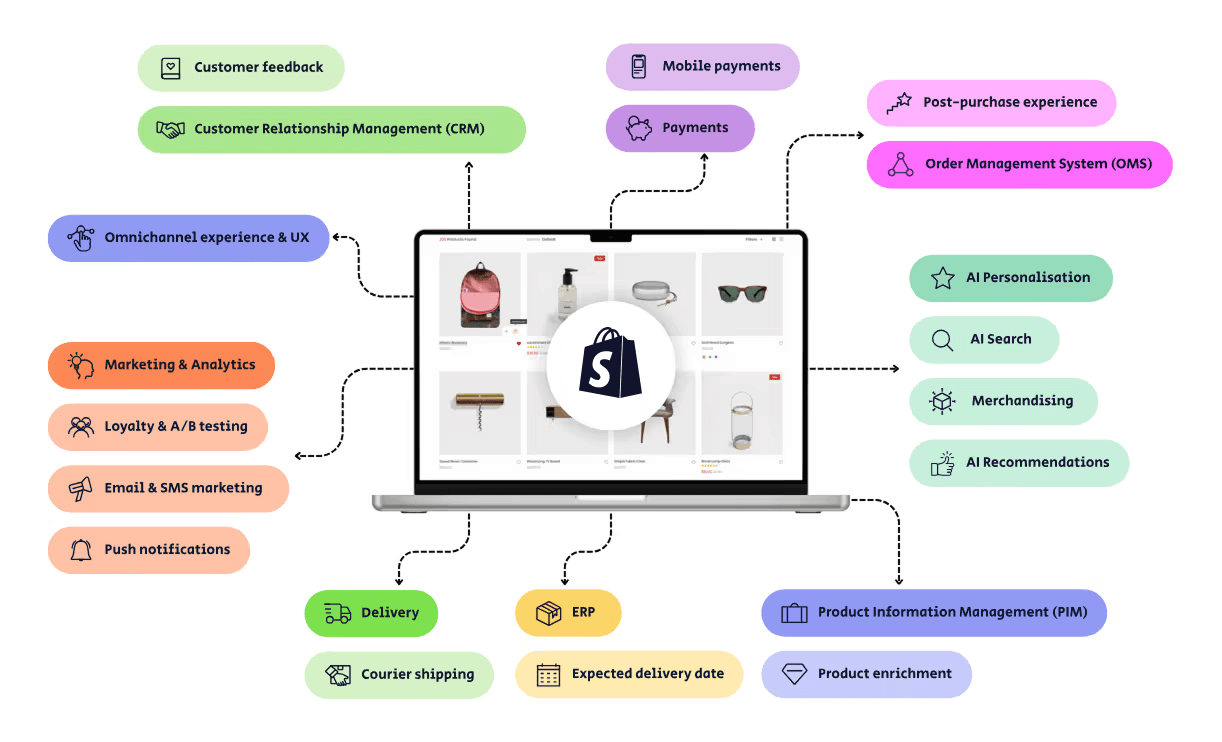
Ways to connect Shopify and Acumatica
| Option | Type | Best for | Notes |
|---|---|---|---|
| Acumatica Cloud ERP (Acumatica's native Shopify connector) | Connector | Acumatica customers on Shopify or Shopify Plus, with or without Shopify POS | Shopify App Store listing by Acumatica, launched October 12, 2021, free to install with charges billed by Acumatica, rated 5.0 from one review. Acumatica's datasheet lists inventory per item and per location, order sync for online and POS orders, returns, refunds, and POS exchanges, tax rate mapping, a separate Shopify shipment and tracking number per box, and connections to as many Shopify stores as you run. |
| Acumatica native B2B on Shopify integration | Connector | Acumatica Retail Edition customers selling to companies on Shopify | Multiple buyers per company, customer-specific pricing, purchase history, and individual payment options, on a blended B2B and B2C store or a separate B2B store. Inventory is exported per item and per unit of measure, and sales orders, payments, and refunds can be imported in the Shopify default currency or the entity's base currency. |
| Celigo Shopify and Acumatica Quickstart Bundle | Integration platform | Teams that already use Celigo or want flows they can edit and monitor on integrator.io | Shopify sends customers, orders, and order cancellations to Acumatica. Acumatica sends customers, items, inventory, shipments as fulfillments, sales invoices, customer refunds, sales orders, and order cancellations to Shopify. |
| Custom build on the Shopify GraphQL Admin API and Acumatica's REST API | Custom API | Order, pricing, or allocation rules that the native connector does not cover | New Shopify public apps must use the GraphQL Admin API from April 1, 2025, since the REST Admin API became legacy on October 1, 2024. Acumatica licenses cap API users, concurrent requests, and requests per minute, shared with the native connector. |
What syncs between Shopify and Acumatica
| Data | Direction | System of record | Timing |
|---|---|---|---|
| Orders, including Shopify POS | Shopify to Acumatica, with past online and offline orders visible to buyers in Shopify | Shopify at checkout, Acumatica for fulfillment and billing | Real time |
| Products, prices, and images | Acumatica to Shopify | Acumatica, with filters for which items are exported | Real time |
| Inventory | Acumatica to Shopify | Acumatica, per item and per location | Real time |
| Customers and B2B companies | Acumatica to Shopify, with filters for which customers are exported | Acumatica for B2B pricing and payment terms | Real time or scheduled |
| Shipments and tracking | Acumatica to Shopify | Acumatica, one Shopify shipment per box | On shipment |
| Returns, refunds, and POS exchanges | Shopify to Acumatica | Shopify for the request, Acumatica for the financial entry | When processed in Shopify |
| Payments | Shopify to Acumatica | Payment provider, recorded in Acumatica in the chosen currency | With the order |
How a Shopify Acumatica integration project runs
- Confirm your Acumatica edition includes the Shopify connector, and list each Shopify store, location, and POS location you need to connect.
- Install the Acumatica Cloud ERP app in Shopify and connect it to the right Acumatica tenant and branch.
- Choose the import currency, map tax rates, payment methods, shipping methods, and locations to warehouses, and set export filters for items and customers.
- Set up B2B companies, buyers, pricing, and payment terms if you sell B2B on Shopify.
- Run the initial sync against a development store and check products, prices, and stock by hand.
- Test real cases: multi-location orders, multi-box shipments, returns, POS exchanges, refunds, and B2B orders on terms, then go live with monitoring of failed syncs.
Common problems and how to avoid them
Pick the import currency before go-live
Acumatica can import Shopify sales orders, payments, and refunds in either the Shopify default currency or the entity's base currency, and positions the choice as a way to reduce conversion differences and simplify reconciliation. Agree it with finance before the first live order.
Tax lines with the same ID and different rates
Shopify orders can carry several tax lines with the same tax ID but different rates. Acumatica's connector handles this with tax rate mapping and a standard substitution list, which has to be set up before go-live, or order imports need manual adjustments.
One shipment per box
The connector creates a separate Shopify shipment and tracking number for each box in an Acumatica shipment. Check how customer shipping notifications behave when one order has several shipments.
Custom flows still need reconciliation
If you add custom flows next to the connector, remember that Shopify states webhook delivery isn't always guaranteed and events can arrive out of order. Drop duplicates by X-Shopify-Webhook-Id and run reconciliation jobs for records updated since the last run.
API license limits are shared
Acumatica licenses cap API users, concurrent requests, and requests per minute, and requests above half the per-minute limit are delayed. The native connector, custom flows, and other integrations draw on the same limits, so check the License Monitoring Console (SM604000) when you add stores.
Why choose scandiweb to handle Shopify integration for you?
How do you integrate Shopify with Acumatica ERP for real-time inventory and order sync?
Most builds use Acumatica REST APIs plus webhooks to push Shopify orders into Acumatica and pull stock updates back to Shopify. We map items, locations, taxes, and payment status so each system stays the source of truth for what it’s best at.
Which data fields should sync between Shopify and Acumatica for accurate accounting?
At minimum, sync orders, refunds, payments, taxes, shipping, and customer records with consistent IDs. For clean month-end close, align product SKUs, chart-of-accounts mapping, and posting rules.
Can Shopify Acumatica integration support multi-warehouse inventory and location-based availability?
Yes, if your Acumatica instance tracks inventory by warehouse and bin, the integration can expose available-to-sell per location in Shopify. This reduces overselling and helps route orders to the right fulfillment node.
How do you handle Shopify refunds, cancellations, and partial shipments in Acumatica?
We translate Shopify events into Acumatica-compatible documents, including partial shipments, RMAs, credit memos, and cancellations. The key is consistent status mapping so finance sees the same reality as ops.
How long does a Shopify Acumatica integration take, and what affects the timeline?
Timeline depends on catalog complexity, custom pricing, warehouse rules, and whether you need bidirectional sync. A discovery phase usually clarifies edge cases early, which prevents expensive rework later.
Is the Acumatica Shopify connector free?
The Shopify App Store listing is free to install, and Acumatica says the Shopify integration is built into Acumatica with no additional software to purchase. Acumatica may bill charges separately from your Shopify invoice, so confirm with your Acumatica partner.
Does Acumatica work with Shopify POS?
Yes. The connector imports Shopify POS transactions with configurable import settings, and POS exchanges can be imported for the same product at the same price or for another product at the same or a different price.
Does Acumatica support B2B on Shopify?
Yes. Acumatica's B2B on Shopify integration supports several buyers per company, customer-specific pricing, and individual payment options, on a blended or separate B2B store.
Can one Acumatica tenant connect several Shopify stores?
Yes. Acumatica says you can connect as many Shopify stores as you operate, and orders from all of them are fulfilled from Acumatica.
Sources
- Shopify App Store: Acumatica Cloud ERP
- Acumatica datasheet: Native connector for Shopify Plus and Shopify POS (2026)
- Acumatica datasheet: Native Shopify connectors and B2B on Shopify (2026)
- Celigo: Shopify and Acumatica Quickstart Bundle
- Acumatica: Commerce connectors
- Shopify dev docs: REST Admin API (legacy notice)
- Shopify dev docs: Webhooks
- Acumatica ERP Integration Development Guide (2020 R2): license restrictions for API users
Last updated by the scandiweb integration team.







Acumatica integration on other platforms
More Shopify integrations
1. Submit your integration request
2. Join a free strategy & discovery call
We’ll review your business systems, identify key challenges, and uncover actionable opportunities.
3. Get a tailored proposal
Trusted by 700+ leading brands worldwide





