


BigCommerce + SAP Business One integration for accurate orders, stock, and pricing
Connect BigCommerce to SAP Business One to post orders and payments into SAP and bring items, price lists, stock, shipments, and invoices back to your store, without manual exports.








BigCommerce and SAP Business One integration in short
BigCommerce connects to SAP Business One through apps on the BigCommerce App Marketplace, such as Bizweaver by Third Wave Business Systems and APPSeCONNECT, or through a custom build on the BigCommerce APIs and webhooks and the SAP Business One Service Layer. Orders, customers, and payments flow from BigCommerce to SAP Business One, while items, price lists, stock, shipments, and invoices flow back.


• BigCommerce orders are exported to SAP Business One as sales orders with customer, ship-to, bill-to, tax, shipping, discount, and payment details.
• BigCommerce order webhooks send a light payload, such as the order ID, so the integration fetches each full order from the BigCommerce API, processes every event once, and checks on a schedule for orders that never reached SAP.
• Customers are matched to SAP Business One business partners by email or an external ID, and B2B accounts keep their SAP terms, credit, and price lists.
• Items, customer-specific and tiered price lists, and stock flow from SAP Business One to BigCommerce, with stock calculated by the agreed formula, such as in stock minus committed.
• Shipments, tracking numbers, and invoice status flow back to BigCommerce, and payments are recorded in SAP Business One.
• Sync jobs respect BigCommerce rate limits and raise the Service Layer page size for large reads, and failed calls are logged for retries without duplicates.
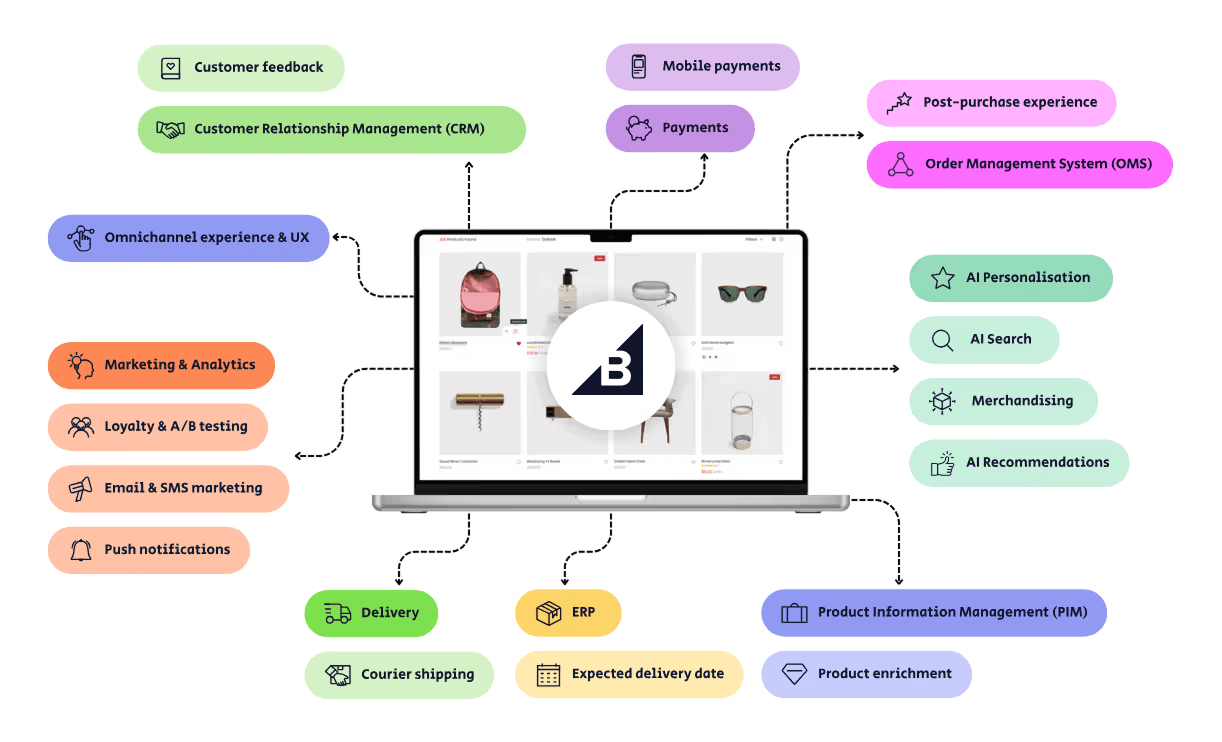
Ways to connect BigCommerce and SAP Business One
| Option | Type | Best for | Notes |
|---|---|---|---|
| SAP Business One Integration powered by Bizweaver | Connector | SAP Business One companies that also want EDI, CRM, intercompany, or third-party warehouse workflows | Made by Third Wave Business Systems, which the listing describes as an SAP Gold Partner. Bi-directional workflows cover products and SKUs, inventory, orders, customers, bill-to and ship-to addresses, and shipping status with tracking, mapped to standard Business One tables and fields. Pricing is an upfront cost plus annual maintenance; the listing was last updated December 8, 2022 and notes it may not be fully compatible with multi-storefront. |
| APPSeCONNECT | Integration platform | SAP Business One companies that want prebuilt flows for B2C and B2B, including price lists and payments | Uses BigCommerce's APIs and webhooks and an on-premise or hosted agent next to SAP Business One. Customers and orders go to SAP Business One as business partners and sales orders, with payments where needed; items, customer-specific and tiered price lists, stock, shipments, and invoices come back. The BigCommerce listing shows $2,500 upfront and $199 a month, while APPSeCONNECT's own page lists templates from $99 a month plus a setup fee. |
| Custom build on BigCommerce APIs and the SAP Business One Service Layer | Custom API | Multi-storefront setups, B2B Edition rules, or SAP Business One customizations the apps do not cover | The Service Layer is SAP's OData-compliant REST API for Business One, with a default idle session timeout of 30 minutes and 20 records per page by default. BigCommerce webhooks send light payloads, often only an ID, and API quotas run from 20,000 requests an hour on Growth and Core to 60,000 on Scale. |
What syncs between BigCommerce and SAP Business One
| Data | Direction | System of record | Timing |
|---|---|---|---|
| Orders | BigCommerce to SAP Business One | BigCommerce at checkout, SAP Business One once the sales order is posted | Webhook on order creation, plus a scheduled check for missed orders |
| Customers and business partners | BigCommerce to SAP Business One, and SAP Business One to BigCommerce for matched customers | SAP Business One for B2B accounts, terms, and credit | With each order, or scheduled |
| Items and products | SAP Business One to BigCommerce | SAP Business One for item numbers and descriptions; BigCommerce for web content | Scheduled |
| Price lists | SAP Business One to BigCommerce | SAP Business One, including customer-specific and tiered prices | Scheduled |
| Stock | SAP Business One to BigCommerce | SAP Business One, using the agreed formula, such as in stock minus committed | Scheduled or on stock change |
| Payments | BigCommerce to SAP Business One | Payment provider for captures, SAP Business One for clearing | With the order or invoice |
| Shipments, tracking, and invoices | SAP Business One to BigCommerce | SAP Business One | After delivery or invoice is posted |
How a BigCommerce SAP Business One integration project runs
- Confirm your SAP Business One version and database, and whether the integration will reach the Service Layer directly or through an agent installed near SAP Business One.
- Check the app against multi-storefront, B2B Edition, currencies, and your SAP Business One version before you commit.
- Agree the stock formula and the document chain with finance and operations: sales order, invoice, and incoming payment, and which system creates each.
- Create a BigCommerce API account with only the scopes needed, and a dedicated SAP Business One user in every company database.
- Map SKUs and variants to item codes and units, channels to warehouses, price lists to customer groups, and tax, shipping, and payment lines.
- Go live with alerts on deactivated webhooks, failed documents, and HTTP 429 responses, plus a daily check for orders missing in SAP Business One.
Common problems and how to avoid them
Agree the stock formula with operations
APPSeCONNECT offers three stock formulas for BigCommerce: In Stock, In Stock minus Committed, and In Stock minus Committed plus Ordered. On an SAP Business One project we support, the storefront shows in stock minus committed for one web warehouse and checks SAP again before payment, so units promised to open orders are not sold twice.
Webhook payloads carry IDs, and webhooks switch off
BigCommerce posts a light payload, for an order status update only the order ID, and duplicates may occur. When an endpoint keeps failing, BigCommerce retries at increasing intervals, up to 11 times and for no more than 48 hours, then deactivates the webhook, so fetch full records, process each event once, and monitor is_active.
Multi-storefront support varies by app
The BigCommerce listings for both Bizweaver and APPSeCONNECT note the app may not be fully compatible with multi-storefront. If you run several storefronts, confirm how each maps to SAP Business One warehouses and price lists before you sign.
Service Layer names are not SQL column names
On an SAP Business One project we support, payloads built from database column names in tables such as OITM were rejected with errors like 'Property ISCommCode of Item is invalid'. Map against the Service Layer metadata, which uses names such as SalesItem, MinOrderQuantity, and InventoryWeight.
Codes in the spec may not exist in SAP
On the same project, the spec named a warehouse code that did not exist in SAP Business One, and invoice posting failed with error -10 'Enter a valid value in Whse field' until a web warehouse was created. Query warehouses, price lists, and tax codes from the Service Layer before building payloads.
Twenty records per page by default
The Service Layer returns 20 records per page unless you raise it with the B1S-PageSize header or Prefer: odata.maxpagesize. Full stock and price syncs should set a larger page size to cut the number of requests.
Why choose scandiweb to handle BigCommerce integration for you?
How do you integrate BigCommerce with SAP Business One?
With a BigCommerce marketplace app such as Bizweaver, an integration platform such as APPSeCONNECT, or a custom build on the BigCommerce APIs and the SAP Business One Service Layer. The choice depends on your B2B rules, storefronts, and SAP customizations.
What data is synced between BigCommerce and SAP Business One?
Orders, customers, and payments go to SAP Business One. Items, price lists, stock, shipments, tracking, and invoice status come back to BigCommerce.
How is stock calculated for BigCommerce?
You agree the formula with operations. APPSeCONNECT, for example, offers In Stock, In Stock minus Committed, and In Stock minus Committed plus Ordered, and multi-warehouse stock can roll up to one figure.
Does the integration work with BigCommerce multi-storefront?
Check before you commit. The BigCommerce listings for Bizweaver and APPSeCONNECT both note they may not be fully compatible with multi-storefront, so multi-storefront setups may need extra configuration or a custom layer.
How are BigCommerce payments recorded in SAP Business One?
As payments linked to the order in SAP Business One, with the payment reference carried over, so finance can match them against the bank and the payment provider.
Which BigCommerce apps connect to SAP Business One?
The BigCommerce App Marketplace lists SAP Business One Integration powered by Bizweaver, from Third Wave Business Systems, and APPSeCONNECT, which also covers SAP ECC and SAP S/4HANA.
Does the integration need a server next to SAP Business One?
APPSeCONNECT runs an on-premise or hosted agent on the SAP Business One side. A custom build needs network access to the Service Layer; on one project we support, that meant a site-to-site VPN.
Can BigCommerce B2B Edition use SAP Business One price lists?
Yes. APPSeCONNECT syncs approved SAP Business One price lists, including customer-specific and tiered prices, and B2B order flows; check how they map to your B2B Edition price lists.
How many API calls can a BigCommerce SAP Business One integration make?
On BigCommerce, 20,000 requests an hour on Growth and Core and 60,000 on Scale, with HTTP 429 when the quota is reached. On SAP Business One, raise the Service Layer page size so large reads need fewer calls.
Sources
- BigCommerce App Marketplace: SAP Business One Integration powered by Bizweaver
- APPSeCONNECT: SAP Business One and BigCommerce integration
- BigCommerce App Marketplace: APPSeCONNECT
- SAP help: Working with SAP Business One Service Layer (user guide)
- BigCommerce dev docs: Webhooks
- BigCommerce dev docs: API rate limits
Last updated by the scandiweb integration team.







SAP Business One integration on other platforms
More BigCommerce integrations
1. Submit your integration request
2. Join a free strategy & discovery call
We’ll review your business systems, identify key challenges, and uncover actionable opportunities.
3. Get a tailored proposal
Trusted by 700+ leading brands worldwide





