


Shopify SAP Business One integration that keeps orders, stock, and prices in sync
Connect Shopify or Shopify Plus with SAP Business One to post web orders and payments into SAP and bring items, prices, stock, and tracking back to your store, without re-keying.







Shopify and SAP Business One integration in short
Shopify connects to SAP Business One through integration platforms with prebuilt flows, such as Celigo's Shopify and SAP Business One template and APPSeCONNECT's Service Layer package, or through a custom app on the Shopify GraphQL Admin API and the SAP Business One Service Layer. Shopify sends orders, customers, and payments to SAP Business One, and SAP Business One sends items, prices, stock, and fulfillments back.
Without a link between Shopify and SAP Business One, someone copies every web order into SAP, stock on the site drifts from the warehouse, and finance matches Shopify payouts to invoices by hand. The more locations, price lists, and B2B buyers you add, the more of the day it takes.
The Shopify SAP Business One integration connects your Shopify store to SAP Business One through an integration platform or a custom app that calls the SAP Business One Service Layer. Shopify captures orders, customers, and payments, and SAP Business One runs items, prices, stock, fulfillment, and invoicing, with each system owning the data it is best placed to hold.
This setup fits merchants that run SAP Business One as their ERP and sell through Shopify or Shopify Plus, to consumers, trade buyers, or both.


• Shopify orders arrive by webhook and are posted to SAP Business One as sales orders, and a reconciliation job fetches orders updated since the last run in case a webhook is missed.
• Customers are matched to SAP Business One business partners by email or an external ID, and B2B companies keep their SAP terms and credit.
• Variants are mapped to SAP Business One item codes and units, and Shopify locations are mapped to SAP warehouses.
• Stock is calculated as in stock minus committed for the warehouses behind each location and pushed to Shopify on a schedule or when stock changes.
• Payments are recorded in SAP Business One as incoming payments, with A/R reserve or down payment invoices where the finance process needs them.
• Fulfillments and tracking numbers flow from SAP Business One to Shopify, and every call is logged so failed ones can be retried without duplicates.
• Custom builds use the Shopify GraphQL Admin API and the SAP Business One Service Layer, with a raised page size for large stock and price reads.
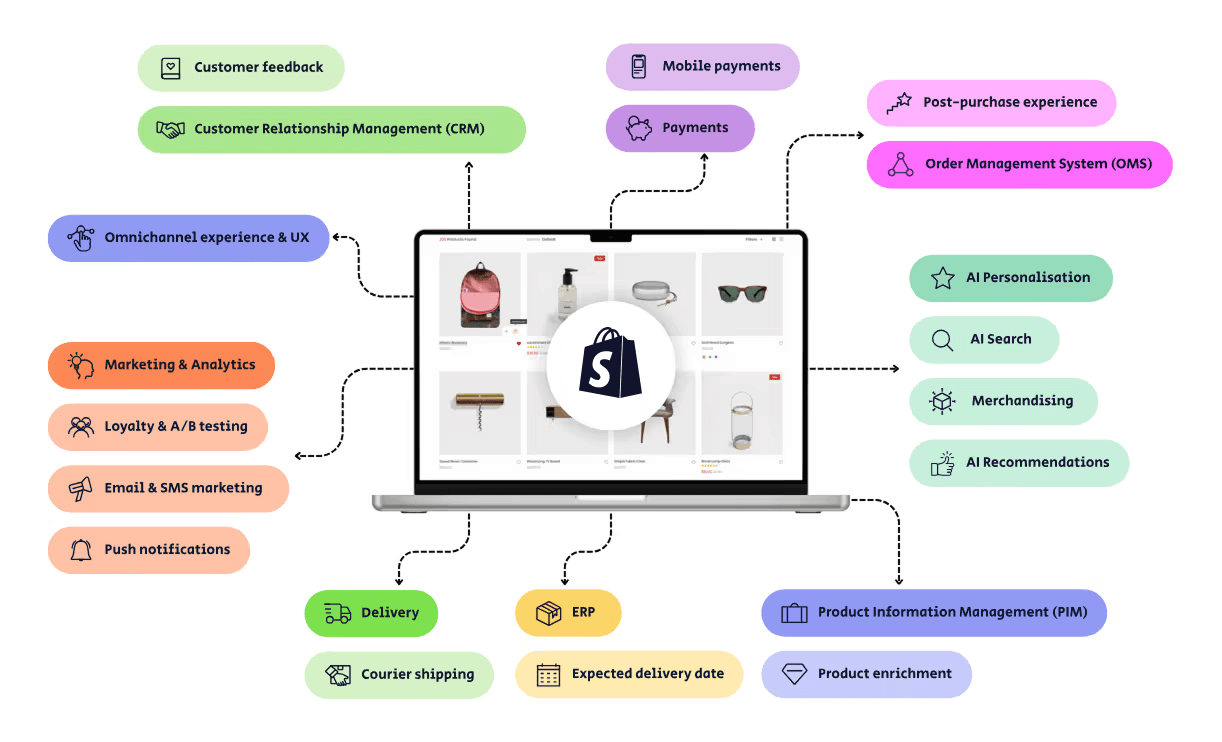
Ways to connect Shopify and SAP Business One
| Option | Type | Best for | Notes |
|---|---|---|---|
| Celigo Shopify and SAP Business One template | Integration platform | Teams that want editable flows and monitoring on Celigo's integrator.io | Five flows: Shopify orders to SAP Business One sales orders, Shopify customers to SAP Business One customers, and SAP Business One orders, items, and customers to Shopify. Installed from the Celigo marketplace. |
| APPSeCONNECT Shopify and SAP Business One (Service Layer) package | Integration platform | SAP Business One companies that need payment documents, not only orders, created in SAP | Shopify sends business partners, sales orders, product variants, A/R reserve invoices, A/R down payment invoices, and incoming payments for card and cash orders to SAP Business One. SAP Business One sends variant prices, stock, and order fulfillments to Shopify. The package connects through the Service Layer. |
| Custom app on the Shopify GraphQL Admin API and the SAP Business One Service Layer | Custom API | B2B pricing, multi-location stock, or document rules that prebuilt flows do not cover | The Service Layer is SAP's OData-compliant REST API for Business One, with OData version 3 at /b1s/v1 and version 4 at /b1s/v2, a default idle session timeout of 30 minutes, and 20 records per page by default. On the Shopify side, new public apps must use the GraphQL Admin API from April 1, 2025. |
What syncs between Shopify and SAP Business One
| Data | Direction | System of record | Timing |
|---|---|---|---|
| Orders | Shopify to SAP Business One | Shopify at checkout, SAP Business One once the sales order is posted | Webhook on order creation, plus a reconciliation job |
| Customers and business partners | Both directions | SAP Business One for B2B accounts, terms, and credit | With the first order, or scheduled |
| Items and variants | SAP Business One to Shopify | SAP Business One for item codes and units; Shopify for content and images | Scheduled |
| Prices | SAP Business One to Shopify | SAP Business One price lists | Scheduled |
| Stock | SAP Business One to Shopify | SAP Business One, in stock minus committed for the warehouses mapped to each Shopify location | Scheduled or on stock change |
| Payments and invoices | Shopify to SAP Business One | Payment provider for captures, SAP Business One for invoices and clearing | With each order or capture |
| Fulfillments and tracking | SAP Business One to Shopify | SAP Business One | After delivery is posted |
How a Shopify SAP Business One integration project runs
- Confirm your SAP Business One version, patch level, and database, and that the Service Layer is installed and reachable from the integration.
- Agree the document chain with finance: sales order, A/R reserve or down payment invoice, incoming payment, and credit memo, and which ones the integration creates.
- Create a dedicated SAP Business One API user in every company database and a Shopify app with only the scopes it needs.
- Map Shopify variants to item codes and units, locations to warehouses, and tax, shipping, discount, and payment methods to SAP Business One accounts and codes.
- Subscribe to order webhooks and add a reconciliation job for orders updated since the last run.
- Test real cases against a copy of production: refunds, partial fulfillment, discount codes, and B2B orders on terms, then go live with alerts on failed documents.
Common problems and how to avoid them
Webhooks alone will miss orders
Shopify states that webhook delivery isn't always guaranteed and that events can arrive out of order. Drop duplicates by X-Shopify-Webhook-Id and run reconciliation jobs that fetch orders updated since the last run, so no order is missing in SAP Business One.
Choose the payment documents before mapping
APPSeCONNECT's package can create A/R reserve invoices, A/R down payment invoices, and incoming payments for card and cash orders. On an SAP Business One project we support, finance wanted exactly one incoming payment per invoice for the full amount and none for refunds, so the document rules came before any field mapping.
Service Layer names are not SQL column names
On an SAP Business One project we support, payloads built from database column names in tables such as OITM were rejected with errors like 'Property ISCommCode of Item is invalid'. Map against the Service Layer metadata, where the names are SalesItem, MinOrderQuantity, InventoryWeight, and so on.
User-defined fields must exist in every company database
SAP notes that Service Layer metadata varies by company database because each has its own user-defined fields and objects. On the same project, a field the spec required was missing in the test database and calls failed until it was added, so check every field in test and production.
Twenty records per page by default
The Service Layer returns 20 records per page unless you raise it with the B1S-PageSize header or Prefer: odata.maxpagesize. Stock and price syncs for a full catalog should set a larger page size.
SAP upgrades are integration events
After a weekend SAP Business One upgrade on a project we support, the Service Layer hostname changed and the endpoint was only reachable by IP over a site-to-site VPN, so syncs stopped until the network was updated. Plan upgrades together with whoever runs the integration.
Why choose scandiweb to handle Shopify integration for you?
How does Shopify connect to SAP Business One?
Through an integration platform with prebuilt flows, such as Celigo or APPSeCONNECT, or through a custom app that calls the Shopify GraphQL Admin API and the SAP Business One Service Layer.
What data does a Shopify SAP Business One integration sync?
Orders, customers, and payments go from Shopify to SAP Business One. Items, prices, stock, fulfillments, and tracking numbers come back to Shopify.
Can Shopify B2B buyers see their SAP Business One prices?
Yes. SAP Business One price lists and special prices can be mapped to each B2B company's pricing in Shopify, so buyers see their SAP prices after they log in.
Can one SAP Business One company serve several Shopify stores?
Yes, as long as each store's orders, locations, and prices are mapped separately. Plan that mapping for every store before go-live.
What happens to Shopify orders when SAP Business One is offline?
They stay in Shopify and wait in the integration queue until SAP Business One is reachable again. A reconciliation job then checks that every order arrived.
Is there a Shopify App Store app for SAP Business One?
The SAP Business One Integration app by eShopSync is listed as not currently available on the Shopify App Store. Celigo and APPSeCONNECT offer Shopify and SAP Business One flows that run on their own platforms.
How do Shopify payments post in SAP Business One?
In APPSeCONNECT's package, as incoming payments for card or cash orders, alongside A/R reserve invoices or A/R down payment invoices raised against the sales order. Agree with finance which of these documents your process needs.
Which Shopify API should a custom SAP Business One integration use?
The GraphQL Admin API. Shopify made the REST Admin API legacy on October 1, 2024, and new public apps must use GraphQL from April 1, 2025.
Which SAP Business One stock figure should Shopify show?
In stock minus committed for the warehouses behind each Shopify location, so units already promised to open orders are not sold again. Agree whether incoming purchase orders count.
Does a Shopify integration need the SAP Business One Service Layer?
APPSeCONNECT's package uses it. SAP describes the older DI API as derived from Microsoft COM and fitting the Windows native environment, while the Service Layer is an HTTP and OData service, which suits an integration running outside the SAP server.
Sources
- Celigo: Shopify and SAP Business One integration template
- APPSeCONNECT: Shopify and SAP Business One (Service Layer) integration package
- SAP help: Working with SAP Business One Service Layer (user guide)
- Shopify dev docs: REST Admin API (legacy notice)
- Shopify dev docs: Webhooks
- Shopify App Store: SAP Business One Integration by eShopSync
Last updated by the scandiweb integration team.







SAP Business One integration on other platforms
More Shopify integrations
1. Submit your integration request
2. Join a free strategy & discovery call
We’ll review your business systems, identify key challenges, and uncover actionable opportunities.
3. Get a tailored proposal
Trusted by 700+ leading brands worldwide





